2014 BUICK REGAL timing
[x] Cancel search: timingPage 115 of 404

Black plate (5,1)Buick Regal Owner Manual (GMNA-Localizing-U.S./Canada/Mexico-
6081497) - 2014 - CRC 2nd Edition - 11/22/13
Instruments and Controls 5-5
If auto timing is set, the time
displayed on the clock may not
update immediately when driving
into a new time zone.
Press
qBACK to go to the last
menu and save the changes or
{to
return to the Home Page.
Power Outlets
The accessory power outlet can be
used to plug in electrical equipment,
such as a cell phone or MP3 player.
There are two 12-volt accessory
power outlets:
.On the center stack next to the
ashtray.
.Inside the center console.
The outlet is powered when the
ignition is in ON/RUN or ACC/
ACCESSORY, or until the driver
door is opened within 10 minutes of
turning off the vehicle. See Retained
Accessory Power (RAP) on
page 9-24. Open the protective cover to use the
accessory power outlet.
Certain electrical accessories may
not be compatible with the
accessory power outlet and could
overload vehicle or adapter fuses.
If there is a problem, see your
dealer.
When adding electrical equipment,
be sure to follow the installation
instructions included with the
equipment. See
Add-On Electrical
Equipment on page 9-65.
{Caution
Hanging heavy equipment from
the power outlet can cause
damage not covered by the
vehicle warranty. The power
outlets are designed for
accessory power plugs only, such
as cell phone charge cords. Power Outlet 110 Volt Alternating
Current
If equipped, this power outlet is on
the rear of the center console. It can
be used to plug in electrical
equipment with a maximum limit of
150 watts.
An indicator light on the outlet
comes on when in use. The light
comes on when the ignition is in
ON/RUN, equipment requiring less
than 150 watts is plugged into the
outlet, and no system fault is
detected.
Page 145 of 404
Black plate (35,1)Buick Regal Owner Manual (GMNA-Localizing-U.S./Canada/Mexico-
6081497) - 2014 - CRC 2nd Edition - 11/22/13
Instruments and Controls 5-35
When the remaining oil life is low,
the CHANGE ENGINE OIL SOON
message will appear on the display.
SeeEngine Oil Messages on
page 5-42. The oil should be
changed as soon as possible. See
Engine Oil on page 10-11. In
addition to the engine oil life system
monitoring the oil life, additional
maintenance is recommended in the
Maintenance Schedule. See
Maintenance Schedule on
page 11-2.
The Oil Life display must be reset
after each oil change. It will not
reset itself. Do not reset the Oil Life
display accidentally at any time
other than when the oil has just
been changed. It cannot be reset
accurately until the next oil change.
To reset the engine oil life system,
press and hold
Vfor several
seconds while the Oil Life display is
active. See Engine Oil Life System
on page 10-13. Coolant Temperature:
Displays
the coolant temperature in either
degrees Celsius (°C) or degrees
Fahrenheit (°F).
Tire Pressure: Displays the
approximate pressures of all four
tires. Tire pressure is displayed in
either kilopascal (kPa) or in pounds
per square inch (psi). If the pressure
is low, the value for that tire is
shown in amber. See Tire Pressure
Monitor System on page 10-50 and
Tire Pressure Monitor Operation on
page 10-51.
Battery Voltage: Displays the
current battery voltage. The battery
voltage can fluctuate while viewing
this information on the DIC. This is
normal.
Speed Signs: Displays sign
information, which comes from a
roadway database in the onboard
navigation.
Following Distance/Gap Setting:
Used to select the alert timing for
the Forward Collision Alert (FCA)
and the gap for the Adaptive Cruise Control (ACC). See
Forward
Collision Alert (FCA) System on
page 9-52 andAdaptive Cruise
Control on page 9-41.
Drive Cycle Info (eAssist Only):
Shows the distance and fuel
economy for the current drive cycle.
Driver Information Center
(DIC) (Uplevel Cluster)
The DIC displays are shown in the
center of the instrument cluster in
the Info App. See Instrument Cluster
(Base Cluster) on page 5-9 or
Instrument Cluster (Uplevel Cluster)
on page 5-13. The Info App is only
available when the vehicle is in ON/
RUN. The displays show the status
of many vehicle systems. The
controls for the DIC are on the right
steering wheel control.
Page 148 of 404

Black plate (38,1)Buick Regal Owner Manual (GMNA-Localizing-U.S./Canada/Mexico-
6081497) - 2014 - CRC 2nd Edition - 11/22/13
5-38 Instruments and Controls
is low, the value for that tire is
shown in amber. SeeTire Pressure
Monitor System on page 10-50 and
Tire Pressure Monitor Operation on
page 10-51.
Fuel Economy: The right hand
side displays the best average fuel
economy (AFE) that is achieved for
a selected distance. The left hand
side displays a running average of
fuel economy for the most recently
traveled selected distance. The
center bar graph displays the
instantaneous fuel economy. Press
the
Tbutton to display a page for
selecting one of the distance
options. Move the up/down arrow to
choose the selection, and
Vto
change the setting. When viewing
best AFE, a several second press
and hold of
Vwill reset the best
value. The best value will show “- -
-“ until the selected distance has
been traveled. The display provides
feedback on how current driving
behavior in the bar graph affects the
running average in the left display and how well recent driving
compares to the best that has been
achieved.
Fuel Used and Timer:
Displays
the approximate liters (L) or
gallons (gal) of fuel that have been
used since last reset. The fuel used
can be reset by pressing the
T
button while the Fuel Used display
is showing.
To start the timer, press
Vwhile this
display is active. The display will
show the amount of time that has
passed since the timer was last
reset. To stop the timer, press
V
briefly while this display is active
and the timer is running. To reset
the timer to zero, press
Twhile this
display is active. Speed Limit:
Displays sign
information, which comes from a
roadway database in the onboard
navigation.
Following Distance/Gap Setting:
Used to select the alert timing for
the Forward Collision Alert (FCA)
and the gap for the Adaptive Cruise
Control (ACC). See Forward
Collision Alert (FCA) System on
page 9-52 andAdaptive Cruise
Control on page 9-41.
Page 226 of 404
Black plate (44,1)Buick Regal Owner Manual (GMNA-Localizing-U.S./Canada/Mexico-
6081497) - 2014 - CRC 2nd Edition - 11/22/13
9-44 Driving and Operating
Reducing Speed While ACC is at a
Set Speed
If ACC is already activated, do one
of the following:
.Use the brake to get to the
desired lower speed. Press
SET–down and release the
accelerator pedal. The vehicle
will now cruise at the lower
speed.
.Press and hold SET– down until
the desired lower speed is
reached, then release it.
.To decrease the vehicle speed in
small increments, briefly press
SET−. For each press, the
vehicle goes to the next 5 km/h
(1 mph) slower mark on the
speedometer. The speedometer reading can be
displayed in either English or metric
units. See
Instrument Cluster (Base
Cluster) on page 5-9 orInstrument
Cluster (Uplevel Cluster) on
page 5-13. The increment value
used depends on the units
displayed.
Selecting the Follow Distance Gap
When a slower moving vehicle is
detected ahead within the selected
following gap, ACC will adjust the
vehicle's speed and attempt to
maintain the follow distance gap
selected.
Press
3on the steering wheel to
adjust the following gap. When
pressed, the current gap setting
displays briefly on the instrument
cluster. Subsequent presses cycle
the gap button through three
settings: Far, Medium, or Near.
Since each gap setting corresponds
to a following time (Far, Medium,
or Near), the following distance will
vary based on vehicle speed. The faster the vehicle speed, the further
back your vehicle will follow a
vehicle detected ahead. Consider
traffic and weather conditions when
selecting the following gap. The
range of selectable gaps may not be
appropriate for all drivers and
driving conditions.
Changing the gap setting
automatically changes the alert
timing sensitivity (Far, Medium,
or Near) for the Forward Collision
Alert (FCA) feature. See
Forward
Collision Alert (FCA) System on
page 9-52.
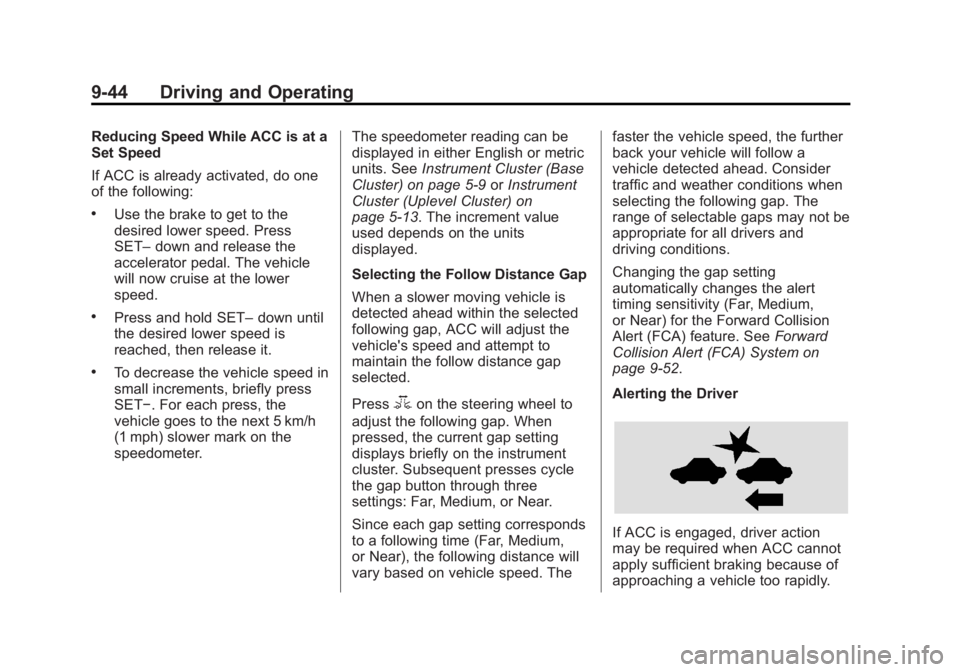
Alerting the Driver
If ACC is engaged, driver action
may be required when ACC cannot
apply sufficient braking because of
approaching a vehicle too rapidly.
Page 235 of 404

Black plate (53,1)Buick Regal Owner Manual (GMNA-Localizing-U.S./Canada/Mexico-
6081497) - 2014 - CRC 2nd Edition - 11/22/13
Driving and Operating 9-53
{Warning
FCA does not provide a warning
to help avoid a crash, unless it
detects a vehicle. FCA may not
detect a vehicle ahead if the FCA
sensor is blocked by dirt, snow,
or ice, or if the windshield is
damaged. It may also not detect a
vehicle on winding or hilly roads,
or in conditions that can limit
visibility such as fog, rain,
or snow, or if the headlamps or
windshield are not cleaned or in
proper condition. Keep the
windshield, headlamps, and FCA
sensors clean and in good repair.
Collision Alert
When your vehicle approaches
another vehicle too rapidly, the FCA
display will come on and several
beeps will sound from the front.
When this occurs, the brake system
prepares for driver braking to occur
more rapidly, if needed.
Selecting the Alert Timing
The Collision Alert control is on the
steering wheel. Press
3to set the
alert timing. The first button press
shows the current control setting on the DIC. Additional button presses
will change this setting and turn the
system off.
Unnecessary Alerts
FCA may provide unnecessary
alerts to turning vehicles, vehicles in
other lanes, objects that are not
vehicles, or shadows. These alerts
are normal operation and the
vehicle does not need service.
Other Messages
There are messages that may
appear on the Driver Information
Center (DIC) in the instrument
cluster to provide information about
FCA. See
Object Detection System
Messages on page 5-43.
Cleaning the System
If the FCA system does not seem to
operate properly, clean the outside
of the windshield area in front of the
camera sensor before considering
taking the vehicle in for service.