▷Lamp white: charging cable can be con‐
nected or removed.▷Lamp flashes yellow: charging process is
being initialized▷Lamp blue: charging process is started at a
set time.▷Lamp flashes blue: charging process ac‐
tive.▷Lamp flashes red: fault in the charging
process.▷Lamp green: charging process completed.
When the vehicle is locked, the indicator lamp
goes out after some time.
When the vehicle is unlocked, the blue indica‐
tor lamp flashes continuously. The other indi‐
cator lights go out after some time.
To check the charging process, press the
key on the remote control. The charging status
is indicated on the indicator lamp. In some
cases the vehicle is locked.
Additional messages regarding the charging
status, e.g., probable end of charging or the
planned departure time, can be displayed in
the instrument cluster, on the Control Display
and via the BMW i Remote App on the smart‐
phone.
Planning charging process The charging process can be adapted to con‐
straints, e.g., the cost of electricity. The vehicle
can control the charging process in such a way
that the charging process is completed at the
departure time. A departure time must be set
for this purpose, refer to page 151.
The following settings are available:▷Charge immediately.▷Set time window for favorable charging.▷Set charging via a Level 1 charging cable.
If drive readiness is switched off, changes can
be made on the Control Display. Departure
time can only be changed once. Scheduled de‐
parture times are not adjusted. Settings for
standing air conditioning and loading process
are accepted for planned departure times too.
Charging immediately
The charging process starts as soon as the
charging cable is connected.
1."Settings"2."Charging"3."Charge immediately"
Setting time window for favorable
charging
When departure time is set, a time window for
charging with a favorable electricity rate can be
set.
1."Settings"2."Charging"3."Low cost charging"4.Set rate begin. Turn the controller until the
desired time is set and press the controller.5.Set rate end. Turn the controller until the
desired time is set and press the controller.
Setting charging via a
Level 1 charging cable
Depending on the electrical mains, the vehicle
must be charged with a different charging cur‐
rent strength, refer to page 146.
1."Settings"2."Charging"3."AC charging power:"Seite 150MobilityCharging vehicle150
Online Edition for Part no. 01 40 2 957 072 - X/14
steps to help you under certain circum‐
stances.
For this, data are transmitted to the BMW
Response Center which serve to deter‐
mine the necessary rescue measures. E. g.
the current position of the vehicle, if it can
be established.▷If the LED is flashing green, but the BMW
Response Center can no longer be heard
via the speaker, you can nevertheless still
be heard at the BMW Response Center.
Initiating an Emergency Request
automatically
Under certain conditions, an Emergency Re‐
quest is automatically initiated immediately af‐
ter a severe accident. Automatic Collision Noti‐
fication is not affected by pressing the SOS
button.
Warning triangle
The warning triangle is located in the bottom
of the cargo area.
Release the Velcro® fastener to remove it.
First aid kit NoteSome of the articles have a limited service life.
Check the expiration dates of the contents
regularly and replace any expired items
promptly.
Storage
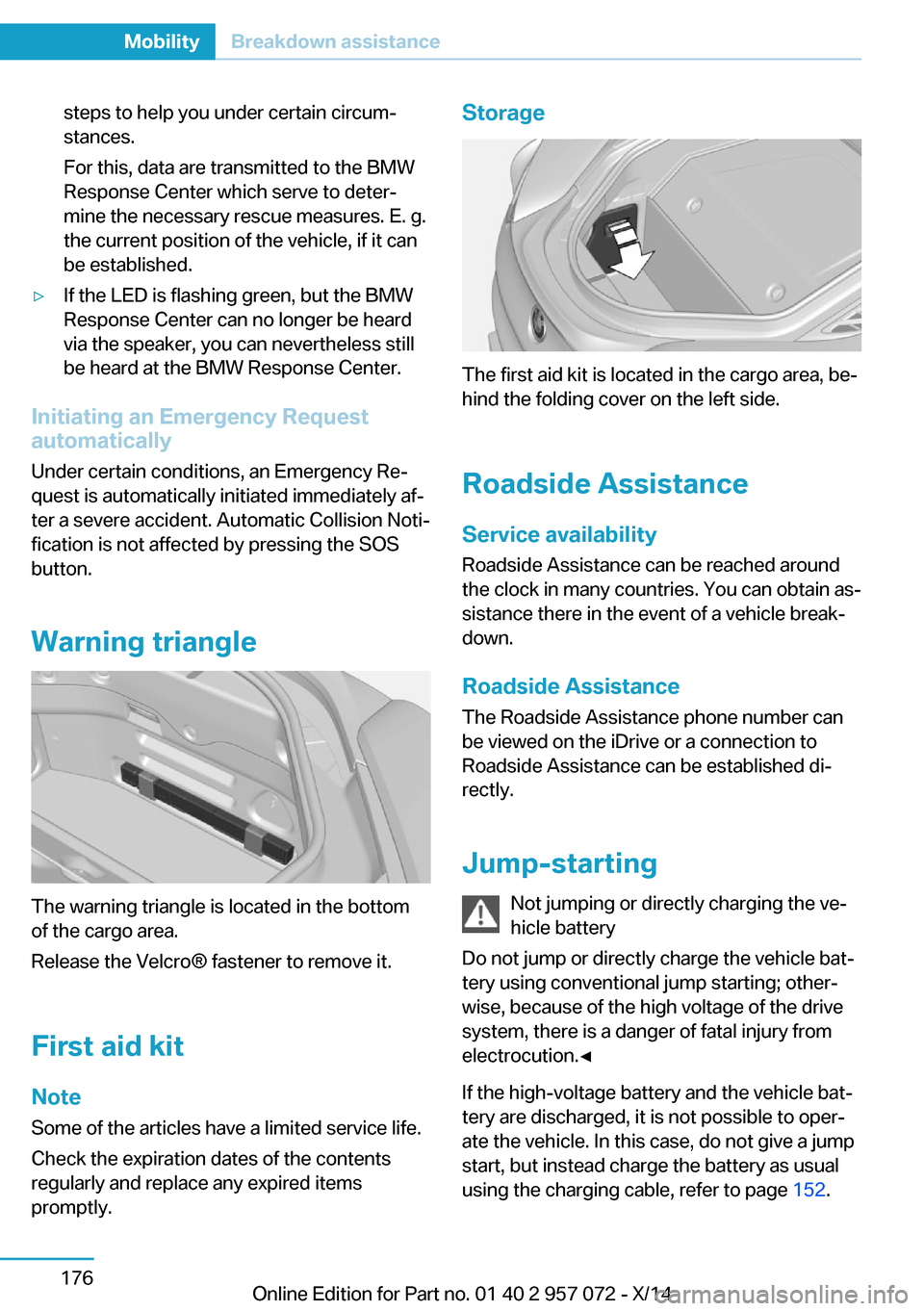
The first aid kit is located in the cargo area, be‐
hind the folding cover on the left side.
Roadside Assistance
Service availability Roadside Assistance can be reached around
the clock in many countries. You can obtain as‐
sistance there in the event of a vehicle break‐
down.
Roadside Assistance The Roadside Assistance phone number can
be viewed on the iDrive or a connection to
Roadside Assistance can be established di‐
rectly.
Jump-starting Not jumping or directly charging the ve‐
hicle battery
Do not jump or directly charge the vehicle bat‐
tery using conventional jump starting; other‐
wise, because of the high voltage of the drive
system, there is a danger of fatal injury from
electrocution.◀
If the high-voltage battery and the vehicle bat‐
tery are discharged, it is not possible to oper‐
ate the vehicle. In this case, do not give a jump
start, but instead charge the battery as usual
using the charging cable, refer to page 152.
Seite 176MobilityBreakdown assistance176
Online Edition for Part no. 01 40 2 957 072 - X/14
T
Tachometer 79
Tailgate closing 43
Tailgate, Emergency unlock‐ ing 43
Tailgate opening 42
Tailgate via remote con‐ trol 40
Tail lamps, see Bulb replace‐ ment 172
Tank unlocking, refer to Tank vent 154
Tank vent 154
Technical changes, refer to Safety 7
Technical data 186
Telephone 6
Temperature, automatic cli‐ mate control 121
Temperature display for ex‐ ternal temperature 80
Temperature, engine oil 79
Text message, supplemen‐ tary 78
Theft alarm system, refer to Alarm system 45
Tilt alarm sensor 46
Time of arrival 84
Tire damage 162
Tire identification marks 160
Tire inflation pressure 159
Tire Pressure Monitor TPM 96
Tires, changing 163
Tires, everything on wheels and tires 159
Tire tread 162
Tone 6
Top View 116
Total range 80
Total vehicle weight 187
Touchpad 21
Tow fitting 177
Towing 177
Tow lug, see tow fitting 177 Tow-starting 177
TPM Tire Pressure Moni‐ tor 96
Traction control 106
TRACTION, driving dynam‐ ics 106
Transmission lock, electronic unlocking 70
Transmission, see Steptronic Sport transmission 67
Transporting children safely 54
Tread, tires 162
Trip computer 85
Triple turn signal activa‐ tion 64
Trip odometer 80
Turning circle lines, rearview camera 115
Turning radius 186
Turn signals, operation 64
U Unintentional alarm 46
Units of measure 86
Universal remote control 125
Unlock button, Steptronic Sport transmission 68
Unlocking/locking via door lock 41
Unlocking/locking with re‐ mote control 39
Unlocking, settings 44
Updates made after the edito‐ rial deadline 7
Upholstery care 182
USB interface 128
V Vanity mirror 127
Variable light distribution 90
Vehicle battery 173
Vehicle battery, replac‐ ing 173 Vehicle, break-in 134
Vehicle care 181
Vehicle features and op‐ tions 6
Vehicle identification num‐ ber 10
Vehicle jack 173
Vehicle paint 181
Vehicle position, GPS loca‐ tion 87
Vehicle wash 180
Ventilation 123
Ventilation, refer to Stationary climate control 123
VIN, see vehicle identification number 10
Voice activation system 26
W Warning and indicator lamps, see Check Control 76
Warning displays, see Check Control 76
Warning messages, see Check Control 76
Warning triangle 176
Washer fluid 67
Washer nozzles, wind‐ shield 66
Washer system 65
Washing, vehicle 180
Water, high-voltage sys‐ tem 178
Water on roads 136
Weights 187
Welcome lights 89
What to do after an acci‐ dent 178
Wheelbase, vehicle 186
Wheel cleaner 182
Wheels, changing 163
Wheels, everything on wheels and tires 159
Wheels, Tire Pressure Moni‐ tor TPM 96 Seite 197Everything from A to ZReference197
Online Edition for Part no. 01 40 2 957 072 - X/14