2014 BMW I3 warning lights
[x] Cancel search: warning lightsPage 125 of 230
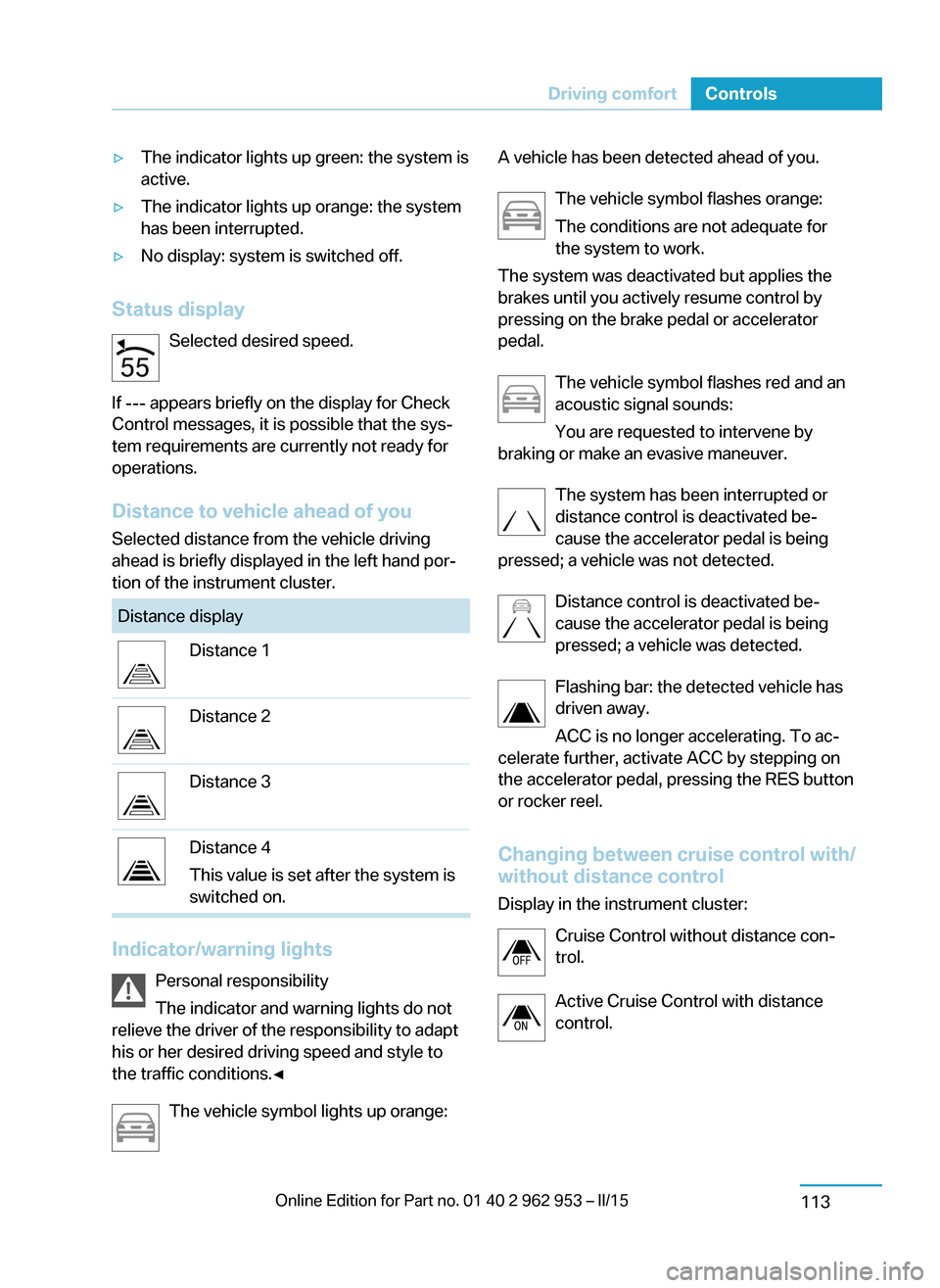
▷The indicator lights up green: the system is
active.▷The indicator lights up orange: the system
has been interrupted.▷No display: system is switched off.
Status display
Selected desired speed.
If --- appears briefly on the display for Check
Control messages, it is possible that the sys‐
tem requirements are currently not ready for
operations.
Distance to vehicle ahead of you Selected distance from the vehicle driving
ahead is briefly displayed in the left hand por‐
tion of the instrument cluster.
Distance displayDistance 1Distance 2Distance 3Distance 4
This value is set after the system is
switched on.
Indicator/warning lights
Personal responsibility
The indicator and warning lights do not
relieve the driver of the responsibility to adapt
his or her desired driving speed and style to
the traffic conditions.◀
The vehicle symbol lights up orange:
A vehicle has been detected ahead of you.
The vehicle symbol flashes orange:
The conditions are not adequate for
the system to work.
The system was deactivated but applies the
brakes until you actively resume control by
pressing on the brake pedal or accelerator
pedal.
The vehicle symbol flashes red and an
acoustic signal sounds:
You are requested to intervene by
braking or make an evasive maneuver.
The system has been interrupted or
distance control is deactivated be‐
cause the accelerator pedal is being
pressed; a vehicle was not detected.
Distance control is deactivated be‐
cause the accelerator pedal is being
pressed; a vehicle was detected.
Flashing bar: the detected vehicle has
driven away.
ACC is no longer accelerating. To ac‐
celerate further, activate ACC by stepping on
the accelerator pedal, pressing the RES button
or rocker reel.
Changing between cruise control with/
without distance control
Display in the instrument cluster:
Cruise Control without distance con‐
trol.
Active Cruise Control with distance
control.Seite 111Driving comfortControls113
Page 129 of 230

▷Each time the rocker reel is pressed past
the point of resistance, the desired speed
increases or decreases by a maximum of
5 mph/10 km/h.
The maximum speed that can be set de‐
pends on the vehicle.▷Pressing the rocker reel to the resistance
point and holding it accelerates or deceler‐
ates the vehicle without requiring pressure
on the accelerator pedal.
After the rocker reel is released, the vehicle
maintains its final speed. Pressing the reel
beyond the resistance point causes the ve‐
hicle to accelerate more rapidly.
Resuming the desired speed
Press button.
The stored speed is reached and maintained. Displays in the instrument cluster
Indicator lamp Depending on how the vehicle is equip‐
ped, the indicator lamp in the instru‐
ment cluster indicates whether the sys‐
tem is switched on.
Desired speed The desired speed is displayed next to
the symbol in the info display.
▷The indicator lights up green: the
system is active.▷The indicator lights up orange: the system
has been interrupted.▷No display: system is switched off.
Status display
Selected desired speed.
If --- appears briefly on the display for Check
Control messages, it is possible that the sys‐
tem requirements are currently not ready for
operations.
PDC Park Distance Control The conceptPDC is a support when parking. When you
slowly approach an object in the rear - or also
in the front of the vehicle if the feature is availa‐
ble - then the object is reported through:▷Signal tones.▷Visual display.
General information
Ultrasound sensors in the bumpers measure
the distances from objects.
The maneuvering range, depending on the ob‐
stacle and environmental conditions, is approx.
6 ft/2 m.
An acoustic warning is first given:
▷By the front sensors and the two rear cor‐
ner sensors at approx. 24 in/60 cm.▷By the rear middle sensors at approx.
5 ft/1.50 m.
To ensure full functionality:
▷Do not cover sensors, e.g., with stickers,
bicycle racks and the like.▷Keep the sensors clean and free of ice.▷When using high-pressure washers, do not
spray the sensors for long periods and
maintain a distance of at least 12 in/30 cm.
Hints
Personal responsibility
Even an active system does not relieve
the driver from personal responsibility while
driving.
Technically the system has its limits, it cannot
independently react to all traffic situations.
Seite 115Driving comfortControls117
Page 130 of 230
Monitor your driving, be on the alert, observe
the vehicle surroundings and other traffic and
react when needed - risk of accident.◀
Avoid driving fast with PDC
Avoid approaching an object too fast.
Avoid driving off fast while PDC is not yet ac‐
tive.
For technical reasons, the system may other‐
wise be too late in issuing a warning.◀
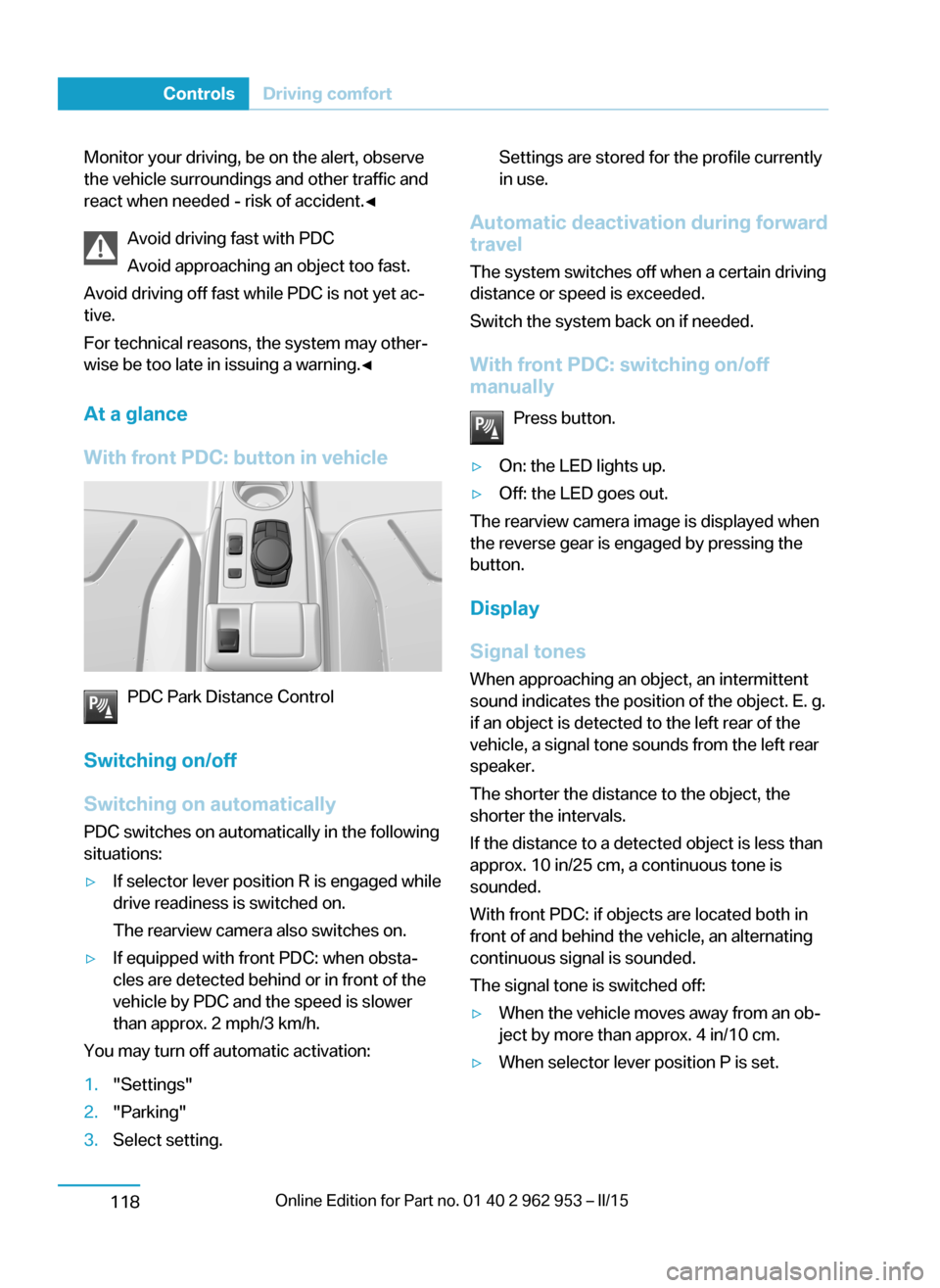
At a glance
With front PDC: button in vehicle
PDC Park Distance Control
Switching on/off
Switching on automatically PDC switches on automatically in the following
situations:
▷If selector lever position R is engaged while
drive readiness is switched on.
The rearview camera also switches on.▷If equipped with front PDC: when obsta‐
cles are detected behind or in front of the
vehicle by PDC and the speed is slower
than approx. 2 mph/3 km/h.
You may turn off automatic activation:
1."Settings"2."Parking"3.Select setting.Settings are stored for the profile currently
in use.
Automatic deactivation during forward
travel
The system switches off when a certain driving
distance or speed is exceeded.
Switch the system back on if needed.
With front PDC: switching on/off
manually
Press button.
▷On: the LED lights up.▷Off: the LED goes out.
The rearview camera image is displayed when
the reverse gear is engaged by pressing the
button.
Display
Signal tones When approaching an object, an intermittent
sound indicates the position of the object. E. g.
if an object is detected to the left rear of the
vehicle, a signal tone sounds from the left rear
speaker.
The shorter the distance to the object, the
shorter the intervals.
If the distance to a detected object is less than
approx. 10 in/25 cm, a continuous tone is
sounded.
With front PDC: if objects are located both in
front of and behind the vehicle, an alternating
continuous signal is sounded.
The signal tone is switched off:
▷When the vehicle moves away from an ob‐
ject by more than approx. 4 in/10 cm.▷When selector lever position P is set.Seite 116ControlsDriving comfort118
Page 131 of 230

Volume
The volume of the PDC signal tone can be ad‐
justed similar to the sound and volume set‐
tings of the radio.
Settings are stored for the profile currently in
use.
Visual warning
The approach of the vehicle to an object can
be shown on the Control Display. Objects that
are farther away are already displayed on the
Control Display before a signal sounds.
A display appears as soon as Park Distance
Control (PDC) is activated.
The range of the sensors is represented in the
colors green, yellow and red.
When the image of the rearview camera is dis‐
played, the reel can be made to PDC:
"Rear view camera"
System limits
Limits of ultrasonic measurement
Ultrasonic measuring might not function under
the following circumstances:
▷For small children and animals.▷For persons with certain clothing, e.g.
coats.▷With external interference of the ultra‐
sound, e.g. from passing vehicles or loud
machines.▷When sensors are dirty, iced over, dam‐
aged or out of position.▷Under certain weather conditions such as
high relative humidity, rain, snowfall, ex‐
treme heat or strong wind.▷With tow bars and trailer couplings of other
vehicles.▷With thin or wedge-shaped objects.▷With moving objects.▷With elevated, protruding objects such as
ledges or cargo.▷With objects with corners and sharp edges.▷With objects with a fine surface structure
such as fences.▷For objects with porous surfaces.
Low objects already displayed, e.g., curbs, can
move into the blind area of the sensors before
or after a continuous tone sounds.
False warnings
PDC may issue a warning under the following conditions even though there is no obstacle
within the detection range:
▷In heavy rain.▷When sensors are very dirty or covered
with ice.▷When sensors are covered in snow.▷On rough road surfaces.▷On uneven surfaces, such as speed
bumps.▷In large buildings with right angles and
smooth walls, e.g., in underground ga‐
rages.▷Through heavy pollution.▷Due to other ultrasound sources, e.g.,
sweeping machines, high pressure steam
cleaners or neon lights.
Malfunction
A Check Control message is displayed.
Red symbol is displayed, and the range
of the sensors is dimmed on the Con‐
trol Display.
PDC has failed. Have the system checked.
To ensure full functionality:
▷Keep the sensors clean and free of ice.▷dimmedDo not put any stickers on sen‐
sors.Seite 117Driving comfortControls119
Page 192 of 230

Opening hood
Unlocking hood1. Press button on the remote con‐
trol or in the driver's footwell, refer to
page 42.
Opening hood
1.Press the release handle and open the
hood.
Indicator/warning lights
When the hood is opened, a Check Control
message is displayed.
Closing the hood
From approx. 16 in/40 cm height allow to fall
and press again to lock the hook completely.
Make sure you hear the hood engage.
Hood open when driving
If you see any signs that the hood is not
completely closed while driving, pull over im‐
mediately and close it securely.◀
Danger of jamming
Make sure that the closing path of the
hood is clear; otherwise, injuries may result.◀Seite 178MobilityUnder the hood180
Page 198 of 230

and Service Guide Booklet for Canadian mod‐
els. These entries are proof of regular mainte‐
nance.
Socket for OBD Onboard
Diagnosis
Note Socket for Onboard DiagnosisThe socket for onboard diagnostics may
only be used by the service center or a work‐
shop that operates in accordance with the
specifications of the vehicle manufacturer with
correspondingly trained personnel and other
authorized persons. Otherwise, use may result
in operating problems for the vehicle.◀
Position
Located on the driver's side is an OBD socket
for reading the vehicle data. On vehicles with
Range Extender, additional components are
checked that are critical for its emissions mix.
Emissions
Applies to vehicles with Range Extender.
▷The warning lamp lights up:
Emissions are deteriorating. Have
the vehicle checked as soon as
possible.▷The warning lamp flashes under certain
circumstances:This indicates that there is excessive mis‐
firing in the engine.
Reduce the vehicle speed and have the
system checked immediately; otherwise,
serious engine misfiring within a brief pe‐
riod can seriously damage emission con‐
trol components, in particular the catalytic
converter.Seite 184MobilityMaintenance186
Page 205 of 230

Breakdown assistanceVehicle features and options
This chapter describes all standard, country-
specific and optional features offered with the
series. It also describes features that are not
necessarily available in your car, e. g., due to
the selected options or country versions. This
also applies to safety-related functions and
systems.
Hazard warning flashers
The button is located in the center console.
Intelligent Emergency
Request
The concept In case of an emergency, an Emergency Re‐
quest can be made through this system.
General information
Only press the SOS button in an emergency.
Hints Emergency Request not guaranteed
For technical reasons, the Emergency
Request cannot be guaranteed under unfavor‐
able conditions.◀
At a glance
SOS button in the roofliner
Requirements
▷The SIM card integrated in the vehicle has
been activated.▷The radio-ready state is switched on.▷The Assist system is functional.
Initiating an Emergency Request
1.Press the cover briefly to open it.2.Press the SOS button until the LED at the
button lights up green.▷The LED lights up green: an Emergency
Request was initiated.
If a cancel prompt appears on the display,
the Emergency Request can be aborted.
If the situation allows, wait in your vehicle
until the voice connection has been estab‐
lished.▷The LED flashes green when a connection
to the BMW Response Center has been
established.
When the emergency request is received
at the BMW Response Center, the BMW
Response Center contacts you and takes
further steps to help you.
Even if you are unable to respond, the
BMW Response Center can take furtherSeite 191Breakdown assistanceMobility193
Page 220 of 230

Everything from A to Z
IndexA ABS, Antilock Brake Sys‐ tem 106
ACC, Active Cruise Control with Stop & Go 109
Accelerator pedal posi‐ tions 66
AC quick charging cable, see Level 2 charging cable 158
Activated-charcoal filter 132
Active Cruise Control with Stop & Go, ACC 109
Adjustments, seats/head re‐ straints 51
Adjustments, steering wheel 57
After washing vehicle 199
Airbags 92
Airbags, indicator/warning light 93
Air circulation, refer to Recir‐ culated-air mode 128, 131
Air conditioner 127
Air, dehumidifying, refer to Cooling function 128, 130
Air distribution, manual 128, 130
Air flow, air conditioner 128
Air flow, automatic climate control 131
Air pressure, tires 170
Air vents, refer to Ventila‐ tion 132
Alarm system 46
Alarm, unintentional 47
All around the center con‐ sole 16
All around the roofliner 17
All around the steering wheel 14 All-season tires, refer to Win‐ter tires 174
Antifreeze, washer fluid 72
Antilock Brake System, ABS 106
Anti-slip control, refer to DSC 106
Approved axle load 205
Ash tray 134
Assistance, Roadside Assis‐ tance 194
Assistance when driving off 108
Assist system, refer to Intelli‐ gent Safety 99
AUTO intensity 131
Automatic car wash 198
Automatic climate con‐ trol 129
Automatic cornering adjust‐ ment 56
Automatic Cruise Control with Stop & Go 109
Automatic Curb Monitor 55
Automatic deactivation, front- seat passenger airbags 94
Automatic deactivation of the high-voltage system 196
Automatic headlight con‐ trol 90
Automatic locking 46
Automatic recirculated-air control 131
AUTO program, automatic cli‐ mate control 130
AUTO program, intensity 131
Average fuel consumption 86
Average speed 86
Axle loads, weights 205 B
Backup charging 164
Band-aids, refer to First aid kit 194
Bar for tow-starting/ towing 195
Battery, 12 volt 191
Battery replacement, vehicle battery 191
Battery replacement, vehicle remote control 36
Battery state indicator 76
Battery, vehicle 191
Being pulled, referred to Tow‐ ing 194
Belts, safety belts 53
Beverage holder, cu‐ pholder 139
BMW Assist 6
BMW eDRIVE 31
BMW maintenance sys‐ tem 185
Body work, see Working on the vehicle 196
Bottle holder, refer to Cu‐ pholders 139
Brake assistant 106
Brake discs, break-in 144
Brake pads, break-in 144
Braking, hints 146
Breakdown assis‐ tance 193, 194
Break-in 144
Brightness of Control Dis‐ play 88
Bulb replacement 187
Bulb replacement, front 188
Bulb replacement, tail lights 190
Bulbs and lamps 187 Seite 206ReferenceEverything from A to Z208