2014 BMW 528I SEDAN Change battery
[x] Cancel search: Change batteryPage 31 of 267

3.Remove the cover of the battery compart‐
ment, arrow 2.4.Insert a battery of the same type with the
positive side facing upwards.5.Press the cover closed.
Take the used battery to a recycling
center or to your service center.
New remote controls New remote controls are available from the
service center.
Loss of the remote controls Lost remote controls can be blocked by your
service center.
Emergency detection of remote
control
It is possible to switch on the ignition or start
the engine in situations such as the following:
▷Interference of radio transmission to re‐
mote control by external sources, e.g. by
radio masts.▷Discharged battery in the remote control.▷Interference of radio transmission by mo‐
bile devices in close proximity to the re‐
mote control.▷Interference of radio transmission by
charger while charging items such as mo‐
bile devices in the vehicle.
A Check Control message is displayed if an at‐
tempt is made to switch on the ignition or start
the engine.
Starting the engine with emergency
detection of the remote control
Automatic transmission: if a corresponding
Check Control message appears, hold the re‐
mote control, as shown, against the marked
area on the steering column and press the
Start/Stop button within 10 seconds while
pressing the brake.
Manual transmission: if a corresponding Check
Control message appears, hold the remote
control, as shown, against the marked area on
the steering column and press the Start/Stop
button within 10 seconds while pressing the
clutch pedal.
Personal Profile
The concept Individual settings in the vehicle are saved in
personal profiles. Every remote control is as‐
signed a profile.
Three personal profiles and a guest profile can
be created.
▷Changes to the settings are automatically
saved in the profile currently activated.▷During unlocking, the profile stored for the
remote control is activated.▷Your personal settings will be recognized
and called up again even if the vehicle has
been operated in the meantime with an‐
other remote control.Seite 31Opening and closingControls31
Online Edition for Part no. 01 40 2 928 000 - II/14
Page 42 of 267

▷Changes in the vehicle tilt, e.g., during at‐
tempts to steal a wheel or when towing the
car.▷Interruptions in battery voltage.
The alarm system briefly indicates tampering:
▷By sounding an acoustic alarm.▷By switching on the hazard warning sys‐
tem.▷By flashing the daytime running lights.
Arming and disarming the alarm
system
General information
When you lock or unlock the vehicle, either
with the remote control, Comfort Access or at
the door lock the alarm system is armed or dis‐
armed at the same time.
Door lock and armed alarm systemUnlocking via the door lock will trigger the
alarm on some country-specific versions.
In order to terminate this alarm, unlock vehicle
with the remote control or switch on the igni‐
tion, if necessary, by emergency detection of
the remote control.
Trunk lid and armed alarm system The trunk lid can be opened even when the
alarm system is armed.
After the trunk lid is closed, it is locked and
monitored again if the doors are locked. The
hazard warning system flashes once.
Panic mode
You can trigger the alarm system if you find
yourself in a dangerous situation.
Press the button on the remote con‐
trol for at least 3 seconds.
To switch off the alarm: press any button.
Switching off the alarm To terminate the alarm:▷Unlock the vehicle using the remote con‐
trol.▷With Comfort Access: If you are carrying
the remote control with you, grasp the
driver side or front passenger side door
handle completely.
Indicator lamp on the interior rearview
mirror
▷The indicator lamp flashes briefly every
2 seconds:
The system is armed.▷The indicator lamp flashes after locking:
The doors, hood or trunk lid is not closed
properly, but the rest of the vehicle is se‐
cured.
After 10 seconds, the indicator lamp
flashes continuously. Interior motion sen‐
sor and tilt alarm sensor are not active.▷The indicator lamp goes out after unlock‐
ing:
The vehicle has not been tampered with.▷The indicator lamp flashes after unlocking
until the engine ignition is switched on, but
no longer than approx. 5 minutes:
An alarm has been triggered.
Tilt alarm sensor The tilt of the vehicle is monitored.
Seite 42ControlsOpening and closing42
Online Edition for Part no. 01 40 2 928 000 - II/14
Page 66 of 267
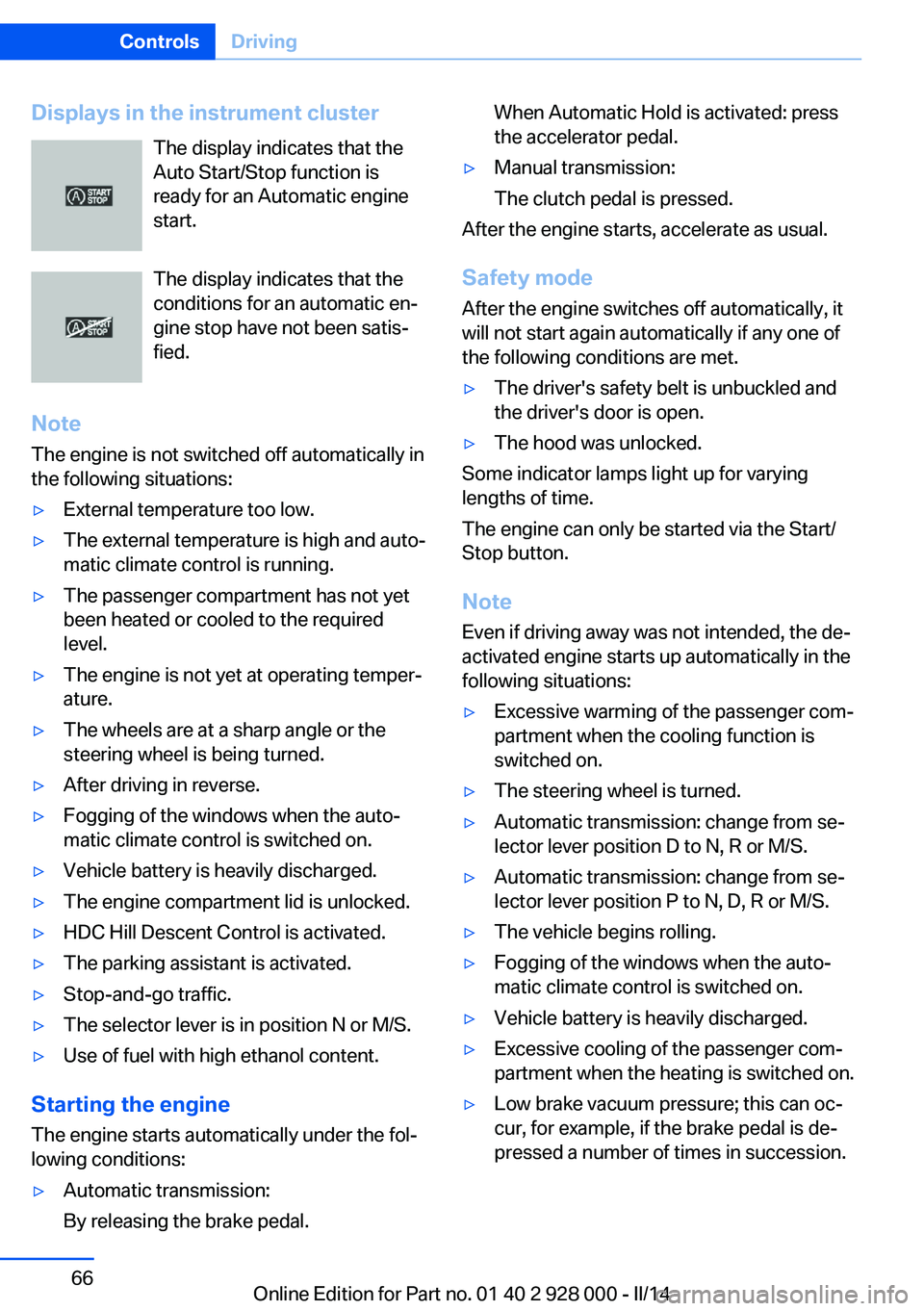
Displays in the instrument clusterThe display indicates that the
Auto Start/Stop function is
ready for an Automatic engine
start.
The display indicates that the
conditions for an automatic en‐
gine stop have not been satis‐
fied.
Note The engine is not switched off automatically in
the following situations:▷External temperature too low.▷The external temperature is high and auto‐
matic climate control is running.▷The passenger compartment has not yet
been heated or cooled to the required
level.▷The engine is not yet at operating temper‐
ature.▷The wheels are at a sharp angle or the
steering wheel is being turned.▷After driving in reverse.▷Fogging of the windows when the auto‐
matic climate control is switched on.▷Vehicle battery is heavily discharged.▷The engine compartment lid is unlocked.▷HDC Hill Descent Control is activated.▷The parking assistant is activated.▷Stop-and-go traffic.▷The selector lever is in position N or M/S.▷Use of fuel with high ethanol content.
Starting the engine
The engine starts automatically under the fol‐
lowing conditions:
▷Automatic transmission:
By releasing the brake pedal.When Automatic Hold is activated: press
the accelerator pedal.▷Manual transmission:
The clutch pedal is pressed.
After the engine starts, accelerate as usual.
Safety mode
After the engine switches off automatically, it
will not start again automatically if any one of
the following conditions are met.
▷The driver's safety belt is unbuckled and
the driver's door is open.▷The hood was unlocked.
Some indicator lamps light up for varying
lengths of time.
The engine can only be started via the Start/
Stop button.
Note Even if driving away was not intended, the de‐
activated engine starts up automatically in the
following situations:
▷Excessive warming of the passenger com‐
partment when the cooling function is
switched on.▷The steering wheel is turned.▷Automatic transmission: change from se‐
lector lever position D to N, R or M/S.▷Automatic transmission: change from se‐
lector lever position P to N, D, R or M/S.▷The vehicle begins rolling.▷Fogging of the windows when the auto‐
matic climate control is switched on.▷Vehicle battery is heavily discharged.▷Excessive cooling of the passenger com‐
partment when the heating is switched on.▷Low brake vacuum pressure; this can oc‐
cur, for example, if the brake pedal is de‐
pressed a number of times in succession.Seite 66ControlsDriving66
Online Edition for Part no. 01 40 2 928 000 - II/14
Page 165 of 267
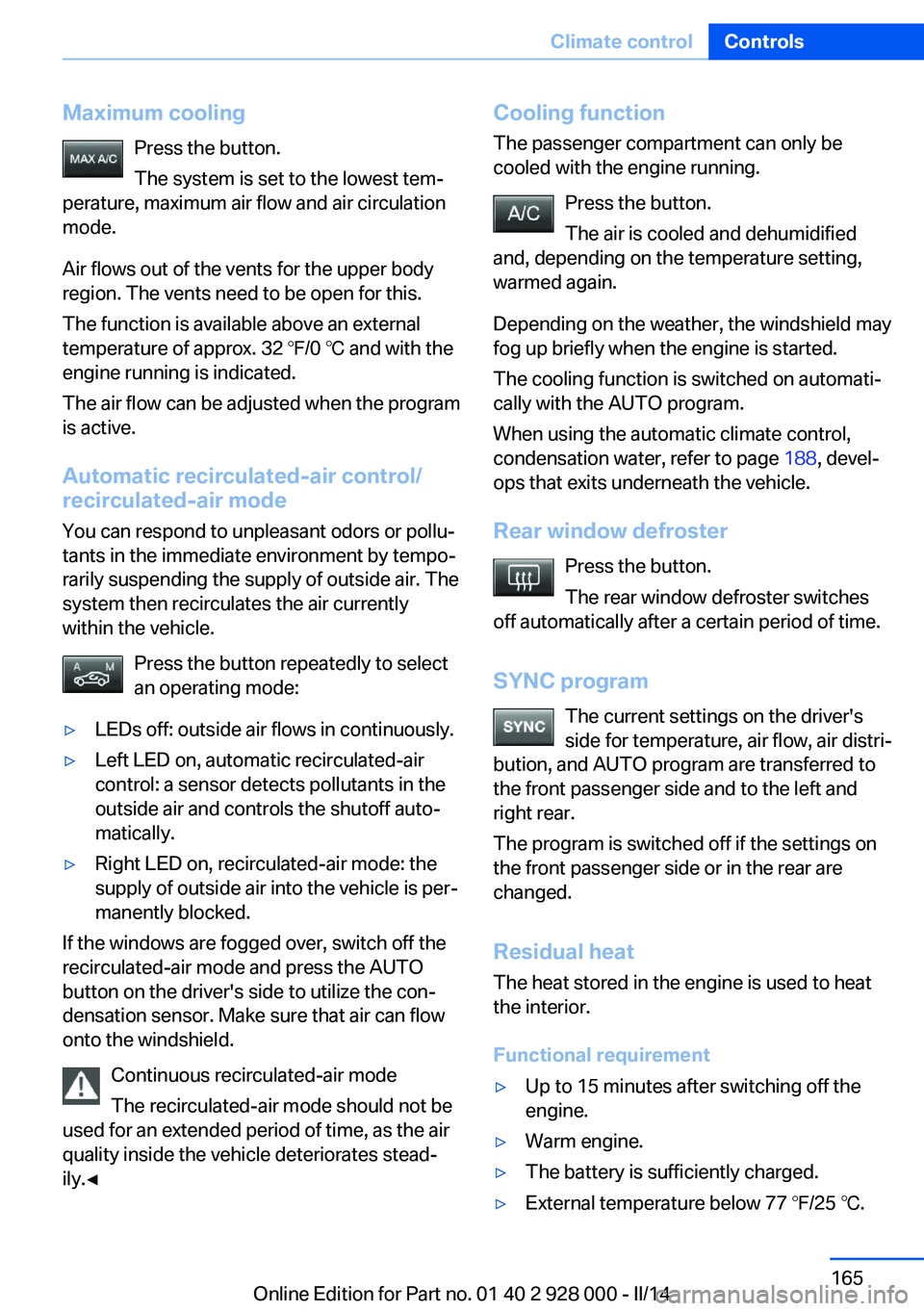
Maximum coolingPress the button.
The system is set to the lowest tem‐
perature, maximum air flow and air circulation
mode.
Air flows out of the vents for the upper body
region. The vents need to be open for this.
The function is available above an external
temperature of approx. 32 ℉/0 ℃ and with the
engine running is indicated.
The air flow can be adjusted when the program
is active.
Automatic recirculated-air control/ recirculated-air mode
You can respond to unpleasant odors or pollu‐
tants in the immediate environment by tempo‐
rarily suspending the supply of outside air. The
system then recirculates the air currently
within the vehicle.
Press the button repeatedly to select
an operating mode:▷LEDs off: outside air flows in continuously.▷Left LED on, automatic recirculated-air
control: a sensor detects pollutants in the
outside air and controls the shutoff auto‐
matically.▷Right LED on, recirculated-air mode: the
supply of outside air into the vehicle is per‐
manently blocked.
If the windows are fogged over, switch off the
recirculated-air mode and press the AUTO
button on the driver's side to utilize the con‐
densation sensor. Make sure that air can flow
onto the windshield.
Continuous recirculated-air mode
The recirculated-air mode should not be
used for an extended period of time, as the air
quality inside the vehicle deteriorates stead‐
ily.◀
Cooling function
The passenger compartment can only be
cooled with the engine running.
Press the button.
The air is cooled and dehumidified
and, depending on the temperature setting,
warmed again.
Depending on the weather, the windshield may
fog up briefly when the engine is started.
The cooling function is switched on automati‐
cally with the AUTO program.
When using the automatic climate control,
condensation water, refer to page 188, devel‐
ops that exits underneath the vehicle.
Rear window defroster Press the button.
The rear window defroster switches
off automatically after a certain period of time.
SYNC program The current settings on the driver's
side for temperature, air flow, air distri‐
bution, and AUTO program are transferred to
the front passenger side and to the left and
right rear.
The program is switched off if the settings on
the front passenger side or in the rear are
changed.
Residual heat The heat stored in the engine is used to heat
the interior.
Functional requirement▷Up to 15 minutes after switching off the
engine.▷Warm engine.▷The battery is sufficiently charged.▷External temperature below 77 ℉/25 ℃.Seite 165Climate controlControls165
Online Edition for Part no. 01 40 2 928 000 - II/14
Page 238 of 267

Changing wheels
Hints
The vehicle equipment does not include a
spare tire.
When using run-flat tires or tire sealants, a tire
does not need to be changed immediately in
the event of pressure loss due to a flat tire.
The tools for changing wheels are available as
accessories from your service center.
Jacking points for the vehicle jack
The jacking points for the vehicle jack are lo‐
cated at the positions shown.
Vehicle battery Maintenance
The battery is maintenance-free.
The added amount of acid is sufficient for the
service life of the battery.
Your service center will be glad to advise you
on questions regarding the battery.
Battery replacement Use approved vehicle batteries only
Only use vehicle batteries that have been
approved for your vehicle by the manufacturer;
otherwise, the vehicle could be damaged and
systems or functions may not be fully availa‐
ble.◀
After a battery replacement, have the battery
registered on the vehicle by your service cen‐
ter to ensure that all comfort functions are fully
available and that any Check Control mes‐
sages of these comfort functions are no longer
displayed.
Charging the battery
Note Do not connect charging devices to the12 volt socket in the vehicle
Do not connect battery chargers to the fac‐
tory-installed 12 volt sockets in the vehicle as
this may damage the vehicle battery due to an
increased power consumption.◀
General information Make sure that the battery is always suffi‐
ciently charged to guarantee that the battery
remains usable for its full service life.
The battery may need to be charged in the fol‐
lowing cases:▷When making frequent short-distance
drives.▷If the vehicle is not used for prolonged pe‐
riods, longer than a month.
Starting aid terminals
In the vehicle, only charge the battery via the
starting aid terminals, refer to page 242, in the
engine compartment with the engine off.
Power failure After a temporary power loss, some equipment
needs to be reinitialized.
Individual settings need to be reprogrammed:
▷Seat, mirror, and steering wheel memory:
store the positions again.▷Time: update.▷Date: update.Seite 238MobilityReplacing components238
Online Edition for Part no. 01 40 2 928 000 - II/14
Page 257 of 267
Beverage holder, cu‐pholder 181
Blinds, sun protection 44
BMW Advanced Diesel 205
BMW Assist, see user's manual for Navigation, En‐
tertainment and Communi‐
cation
BMW Homepage 6
BMW Internet page 6
BMW maintenance sys‐ tem 231
Bonus range, ECO PRO 196
Bottle holder, refer to Cu‐ pholder 181
Brake assistant 129
Brake assistant, adaptive 129
Brake discs, breaking in 186
Brake force display 126
Brake lamps, brake force dis‐ play 126
Brake lamps, bulb replace‐ ment 236
Brake lights, adaptive 126
Brake pads, breaking in 186
Braking, hints 188
Breakdown assis‐ tance 240, 241
Breaking in 186
Brightness of Control Dis‐ play 95
Bulb replacement 233
Bulb replacement, front 234
Bulb replacement, rear 236
Bulbs and lamps 233
Button, RES 139
Button, Start/Stop 63
Bypassing, refer to Jump- starting 241
C
California Proposition 65 Warning 7
Calling up mirror adjust‐ ment 41 Calling up seat adjust‐
ment 41
Calling up steering wheel ad‐ justment 41
Camera, care 249
Camera, rearview cam‐ era 151
Camera, Side View 154
Camera, Top View 155
Can holder, refer to Cu‐ pholder 181
Car battery 238
Car care products 247
Care, displays 249
Care, vehicle 247
Cargo 190
Cargo area, enlarging 175
Cargo area, storage compart‐ ments 182
Cargo, securing 191
Cargo straps, securing cargo 191
Car key, refer to Remote con‐ trol 30
Carpet, care 249
Car wash 246
Catalytic converter, refer to Hot exhaust system 187
CBS Condition Based Serv‐ ice 231
CD/Multimedia, see user's manual for Navigation, En‐
tertainment and Communi‐
cation
Center armrest 180
Center console 14
Central locking system 35
Central screen, refer to Con‐ trol Display 16
Changes, technical, refer to Safety 7
Changing parts 233
Changing wheels 238
Changing wheels/tires 221
Check Control 85 Checking the oil level elec‐
tronically 226
Children, seating position 59
Children, transporting safely 59
Child restraint fixing sys‐ tem 59
Child restraint fixing system LATCH 60
Child restraint fixing systems, mounting 59
Child safety locks 62
Child seat, mounting 59
Child seats 59
Chrome parts, care 248
Cigarette lighter 172
Cleaning, displays 249
Climate control 163
Climate control laminated tinted safety glass 187
Climate control wind‐ shield 187
Clock 88
Closing/opening via door lock 35
Closing/opening with remote control 33
Clothes hooks 182
Coasting 197
Coasting with engine decou‐ pled, coasting 197
Coasting with idling en‐ gine 197
Cold starting, refer to Starting the engine 64
Collision warning with braking function 115
Collision warning with City Braking function 112
Combination switch, refer to Turn signals 70
Combination switch, refer to Wiper system 71
COMFORT+ program, Driving Dynamics Control 135
Comfort Access 38 Seite 257Everything from A to ZReference257
Online Edition for Part no. 01 40 2 928 000 - II/14
Page 264 of 267
Storage compartments, loca‐tions 179
Storage, tires 222
Storing the vehicle 249
Summer tires, tread 220
Supplementary text mes‐ sage 86
Surround View 151
Suspension settings 133
Switch for Dynamic Driving Control 133
Switch-on times, parked-car ventilation 169
Switch, refer to Cockpit 12
Symbols 6
Symbols in the status field 20
SYNC program, automatic cli‐ mate control 165
T Tachometer 87
Tail and brake lamps 236
Tailgate opening/closing with no-touch activation 40
Tail lamps 236
Tail lamps, bulb replace‐ ment 236
Technical changes, refer to Safety 7
Technical data 252
Telephone, see user's manual for Navigation, Entertain‐
ment and Communication
Temperature, automatic cli‐ mate control 164
Temperature display for ex‐ ternal temperature 87
Temperature, engine oil 87
Terminal, starting aid 242
Text message, supplemen‐ tary 86
Theft alarm system, refer to Alarm system 41
Thermal camera, see Night Vision 120 Thigh support 49
Through-loading system 175
Tilt alarm sensor 42
Time of arrival 93
Tire damage 220
Tire identification marks 218
Tire inflation pressure 209
Tire inflation pressure moni‐ tor, refer to FTM 109
Tire Pressure Monitor TPM 106
Tires, changing 221
Tires, everything on wheels and tires 209
Tires, run-flat tires 222
Tire tread 220
Tone, see user's manual for Navigation, Entertainment
and Communication
Tool 233
Top View 155
Total vehicle weight 252
Touchpad 19
Tow fitting 244
Towing 243
Tow-starting 243
Tow truck 244
TPM Tire Pressure Moni‐ tor 106
Traction control 130
Traffic Jam Assist 143
Transmission, automatic 74
Transmission, manual 73
Transporting children safely 59
Tread, tires 220
Trip computer 93
Triple turn signal activa‐ tion 70
Trip odometer 87
Truck for tow-starting/ towing 244
Trunk lid, automatic 37
Trunk lid closing 36
Trunk lid, emergency unlock‐ ing 38 Trunk lid, hotel function 38
Trunk lid opening 36
Trunk lid opening/closing with no-touch activation 40
Trunk lid via remote con‐ trol 34
Turning circle 252
Turning circle lines, rearview camera 152
Turn signals, operation 70
Turn signals, rear, bulb re‐ placement 236
U
Unintentional alarm 43
Units of measure 95
Universal remote control 170
Unlock button, automatic transmission 74
Unlocking/locking via door lock 35
Unlocking/locking with re‐ mote control 33
Unlocking, settings 41
Updates made after the edito‐ rial deadline 6
Upholstery care 248
USB interface 175
V
Variable steering, Integral Ac‐ tive Steering 133
Vehicle battery 238
Vehicle battery, replac‐ ing 238
Vehicle, breaking in 186
Vehicle care 247
Vehicle equipment 6
Vehicle identification number, refer to Identification num‐
ber in the engine compart‐
ment 224
Vehicle jack 238
Vehicle paint 247 Seite 264ReferenceEverything from A to Z264
Online Edition for Part no. 01 40 2 928 000 - II/14