2014 BMW 428I XDRIVE COUPE airbag
[x] Cancel search: airbagPage 95 of 236
Protective action
Airbags are not triggered in every impact situa‐
tion, e.g., in less severe accidents or rear-end
collisions.
Information on how to ensure the optimal
protective effect of the airbags▷Keep at a distance from the airbags.▷Always grasp the steering wheel on the
steering wheel rim, holding your hands at
the 3 o'clock and 9 o'clock positions, to
keep the danger of injury to your hands or
arms as low as possible if the airbag is trig‐
gered.▷There should be no people, animals, or ob‐
jects between an airbag and a person.▷Do not use the cover of the front airbag on
the front passenger side as a storage area.▷Keep the dashboard and window on the
front passenger side clear, i.e., do not
cover with adhesive labels or coverings,
and do not attach holders such as for navi‐
gation instruments and mobile phones.▷Make sure that the front passenger is sit‐
ting correctly, i.e., keeps his or her feet and
legs in the footwell; otherwise, leg injuries
can occur if the front airbag is triggered.▷Do not place slip covers, seat cushions or
other objects on the front passenger seat
that are not approved specifically for seats
with integrated side airbags.▷Do not hang pieces of clothing, such as
jackets, over the backrests.▷Make sure that occupants keep their heads
away from the side airbag and do not rest
against the head airbag; otherwise, injuries
can occur if the airbags are triggered.▷Do not remove the airbag restraint system.▷Do not remove the steering wheel.▷Do not apply adhesive materials to the air‐
bag cover panels, cover them or modify
them in any way.▷Never modify either the individual compo‐
nents or the wiring in the airbag system.
This also applies to steering wheel covers,
the dashboard, the seats, the roof pillars
and the sides of the headliner.◀
Even when all instructions are followed closely,
injury from contact with the airbags cannot be
ruled out in certain situations.
The ignition and inflation noise may lead to
short-term and, in most cases, temporary
hearing impairment in sensitive individuals.
In the case of a malfunction, deactivation
and after triggering of the airbags
Do not touch the individual components imme‐
diately after the system has been triggered;
otherwise, there is the danger of burns.
Only have the airbags checked, repaired or dis‐
mantled and the airbag generator scrapped by
your service center or a workshop that has the
necessary authorization for handling explo‐
sives.
Non-professional attempts to service the sys‐
tem could lead to failure in an emergency or
undesired triggering of the airbag, either of
which could result in injury.◀
Warnings and information on the airbags are
also found on the sun visors.
Functional readiness of the airbag
system
When the ignition is switch on, the
warning lamp in the instrument cluster
lights up briefly and thereby indicates
the operational readiness of the entire airbag
system and the belt tensioner.
Airbag system malfunctioning
▷Warning lamp does not come on when the
ignition is turned on.▷The warning lamp lights up continuously.Seite 95SafetyControls95
Online Edition for Part no. 0140 2 909 827 - VI/13
Page 96 of 236
When there is a malfunction, have the
airbag system checked immediately
When there is a malfunction, have the airbag
system checked immediately; otherwise, there
is a risk that the system does not function as
expected in the event of an accident despite
corresponding severity of the accident.◀
Automatic deactivation of the front passenger airbags
The system determines whether the front pas‐
senger seat is occupied by measuring the re‐
sistance of the human body.
The front, knee, and side airbag on the front passenger side are activated or deactivated
accordingly.
Leave feet in the footwell
Make sure that the front passenger
keeps his or her feet in the footwell; otherwise,
the front passenger airbags may not function properly.◀
Child restraint fixing system in the front
passenger seat
Before transporting a child on the front pas‐
senger seat, refer to the safety notes and in‐
structions under Children on the front passen‐
ger seat.◀
Malfunction of the automaticdeactivation system
When transporting older children and adults,
the front passenger airbags may be deacti‐
vated in certain sitting positions. In this case,
the indicator lamp for the front passenger air‐
bags lights up.
In this case, change the sitting position so that
the front passenger airbags are activated and
the indicator lamp goes out.
If it is not possible to activate the airbags, have
the person sit in the rear.
To make sure that the occupied seat cushion
can be evaluated correctly▷Do not attach covers, cushions, ball mats
or other items to the front passenger seat
unless they are specifically recommended
by the manufacturer of your vehicle.▷Do not place any electronic devices on the
passenger seat if a child restraint system is
to be installed on it.▷Do not place objects under the seat that
could press against the seat from below.
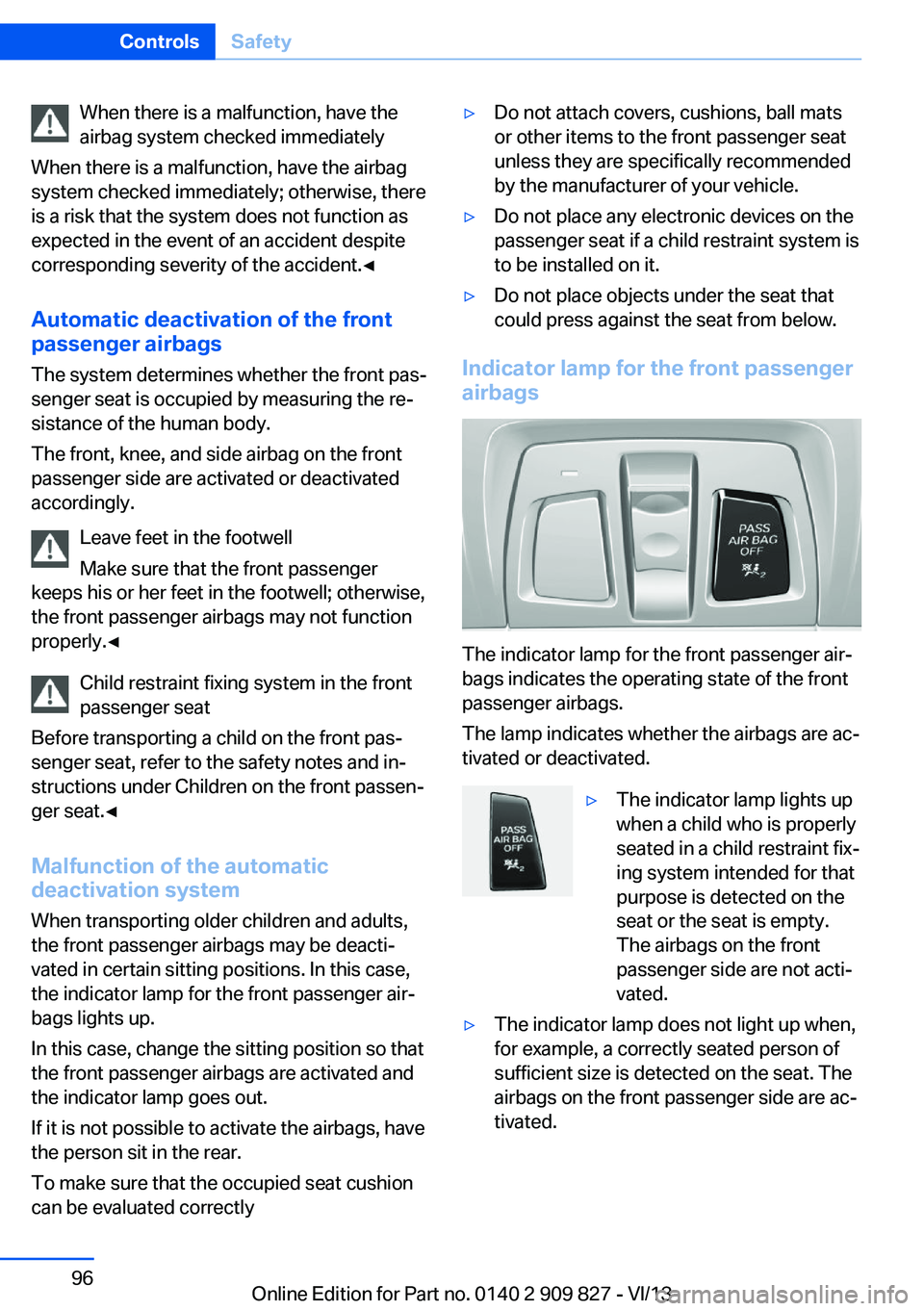
Indicator lamp for the front passenger
airbags
The indicator lamp for the front passenger air‐
bags indicates the operating state of the front
passenger airbags.
The lamp indicates whether the airbags are ac‐
tivated or deactivated.
▷The indicator lamp lights up
when a child who is properly
seated in a child restraint fix‐
ing system intended for that
purpose is detected on the
seat or the seat is empty.
The airbags on the front
passenger side are not acti‐
vated.▷The indicator lamp does not light up when,
for example, a correctly seated person of
sufficient size is detected on the seat. The
airbags on the front passenger side are ac‐
tivated.Seite 96ControlsSafety96
Online Edition for Part no. 0140 2 909 827 - VI/13
Page 97 of 236

Detected child seatsThe system generally detects children seated
in a child seat, especially in the child seats that
were required by NHTSA when the vehicle was
manufactured. After installing a child seat,
make sure that the indicator lamp for the front
passenger airbags lights up. This indicates that the child seat has been detected and the
front passenger airbags are not activated.
Strength of the driver's and front
passenger airbag
The strength with which the driver's and front
passenger airbags are triggered depends on
the position of the driver's and front passenger
seats.
To maintain the accuracy of this function over
the long-term, calibrate the front seats when a
corresponding message appears on the Con‐
trol Display.
Calibrating the front seats A corresponding message appears on the
Control Display.1.Move the respective seat forward all the
way.2.Move the respective seat forward again. It
moves forward briefly.3.Readjust the seat to the desired position.
The calibration procedure is completed when
the message on the Control Display disap‐
pears.
If the message continues to be displayed, re‐
peat the calibration.
If the message does not disappear after a re‐
peat calibration, have the system checked as
soon as possible.
Unobstructed area of movement
Ensure that the area of movement of the
seats is unobstructed to avoid personal injury
or damage to objects.◀
Tire Pressure Monitor TPM
The concept The system monitors tire pressure in the four
mounted tires. The system warns you if there
is a significant loss of pressure in one or more
tires. For this purpose, sensors in the tire
valves measure the tire pressure and tire tem‐
perature.
Hints Tire damage due to external factors
Sudden tire damage caused by external
influences cannot be indicated in advance.◀
Pay attention to the other information and indi‐
cations under Tire inflation pressure, refer to
page 181, as well when using the system.
Functional requirements
The system must have been reset with the
correct tire inflation pressure; otherwise, relia‐
ble signaling of tire pressure loss is not en‐
sured.
Reset the system again after each correction
of the tire inflation pressure and after every tire
or wheel change.
Always use wheels with TPM electronics to
ensure that the system will operate properly.
Status display
The current status of the Tire Pressure Moni‐
tor TPM can be displayed on the Control Dis‐
play, e.g., whether or not the TPM is active.1."Vehicle Info"2."Vehicle status"3. "Tire Pressure Monitor"
The status is displayed.
Status display The tire and system status is indicated by the
color of the wheels and a text message on the
Control Display.
Seite 97SafetyControls97
Online Edition for Part no. 0140 2 909 827 - VI/13
Page 226 of 236

Everything from A to Z
IndexA ABS, Antilock Brake Sys‐ tem 115
ACC, Active Cruise Control with Stop & Go 120
Acceleration Assistant, refer to Launch Control 71
Activated-charcoal filter 147
Active Blind Spot Detec‐ tion 111
Active Cruise Control with Stop & Go, ACC 120
Active Protection 112
Adaptive brake lights, refer to Brake force display 112
Adaptive Light Control 90
Additives, oil 193
Adjustments, seats/head re‐ straints 47
After washing vehicle 217
Airbags 94
Airbags, indicator/warning light 95
Air circulation, refer to Recir‐ culated-air mode 143, 146
Air, dehumidifying, refer to Cooling function 143
Air distribution, manual 143, 146
Air drying, refer to Cooling function 145
Air flow, air conditioner 143
Air flow, automatic climate control 146
Air pressure, tires 181
Air vents, refer to Ventila‐ tion 147
Alarm system 42
Alarm, unintentional 43 All around the center con‐
sole 14
All around the headliner 15
All around the steering wheel 12
All-season tires, refer to Win‐ ter tires 187
All-wheel-drive 116
Alternating-code hand-held transmitter 150
Alternative oil types 193
Antifreeze, washer fluid 68
Antilock Brake System, ABS 115
Anti-slip control, refer to DSC 115
Approved engine oils 193
Arrival time 85
Ash tray 153
Assistance, Roadside Assis‐ tance 211
Assistance when driving off 119
Assist system information, on Control Display 88
Attentiveness assistant 113
AUTO intensity 145
Automatic car wash 216
Automatic climate con‐ trol 142
Automatic climate control with enhanced features 144
Automatic Cruise Control with Stop & Go 120
Automatic Curb Monitor 55
Automatic deactivation, front passenger airbags 96
Automatic headlamp con‐ trol 90
Automatic locking 41 Automatic recirculated-air
control 146
Automatic transmission with Steptronic 69
AUTO program, automatic cli‐ mate control 145
AUTO program, climate con‐ trol 143
AUTO program, intensity 145
Auto Start/Stop function 63
Average fuel consumption 85
Average speed 85
Axle loads, weights 223
B Backrest curvature, refer to Lumbar support 49
Backrest, width 49
Backup camera 131
Band-aids, refer to First aid kit 211
Bar for tow-starting/ towing 214
Battery replacement, vehicle battery 207
Battery replacement, vehicle remote control 32
Battery, vehicle 207
Belt carrier 52
Belts, safety belts 51
Beverage holder, cu‐ pholder 159
Blinds, sun protection 44
BMW Assist, see user's manual for Navigation, En‐
tertainment and Communi‐
cation
BMW Homepage 6
BMW Internet page 6 Seite 226ReferenceEverything from A to Z226
Online Edition for Part no. 0140 2 909 827 - VI/13
Page 229 of 236

Engine start during malfunc‐tion 33
Engine start, jump-start‐ ing 211
Engine start, refer to Starting the engine 62
Engine stop 62
Engine temperature 78
Entering a car wash 216
Equipment, interior 149
ESP Electronic Stability Pro‐ gram, refer to DSC 115
Exchanging wheels/tires 187
Exhaust system 165
Exterior mirror, automatic dimming feature 55
Exterior mirrors 54
External start 211
External temperature dis‐ play 79
External temperature warn‐ ing 79
Eyes for securing cargo 168
F
Failure message, refer to Check Control 76
False alarm, refer to Uninten‐ tional alarm 43
Fan, refer to Air flow 143, 146
Fault displays, refer to Check Control 76
Filler neck for engine oil 193
Fine wood, care 218
First aid kit 211
Fitting for towing, refer to Tow fitting 214
Flat tire, changing wheels 206
Flat Tire Monitor FTM 100
Flat tire, Tire Pressure Moni‐ tor TPM 97
Flat tire, warning lamp 98, 101 Flooding 165
Floor carpet, care 219
Floor mats, care 219
Fogged up windows 143
Fold down the rear seat back‐ rest, see Though-loading
system 155
Fold-out position, windshield wipers 68
Foot brake 165
Front airbags 94
Front fog lamps 92
Front fog lamps, front, bulb replacement 203
Front lamps 199
Front passenger airbags, au‐ tomatic deactivation 96
Front passenger airbags, indi‐ cator lamp 96
FTM Flat Tire Monitor 100
Fuel 180
Fuel cap 178
Fuel consumption, current 80
Fuel consumption, refer to Average fuel consump‐
tion 85
Fuel filler flap 178
Fuel gauge 78
Fuel quality 180
Fuel recommendation 180
Fuel, tank capacity 225
Fuse 208
G
Garage door opener, refer to Integrated universal remote
control 149
Gasoline 180
Gasoline quality 180
Gear change, automatic transmission 70
Gear shift indicator 81
General driving notes 164
Glass sunroof, powered 45
Glove compartment 157 Gross vehicle weight, ap‐
proved 223
Gross weight, permissible for trailer towing 223
H
Handbrake, refer to parking brake 65
Hand-held transmitter, alter‐ nating code 150
Hazard warning flashers 210
Head airbags 94
Headlamp control, auto‐ matic 90
Headlamp courtesy delay fea‐ ture 89
Headlamp flasher 66
Headlamp glass 199
Headlamps 199
Headlamps, care 217
Headlamp washer system 66
Headliner 15
Head restraints 47
Head restraints, front 52
Head-up Display 140
Head-up Display, care 219
Heavy cargo, stowing 168
Height, vehicle 222
High-beam Assistant 91
High beams 66
High beams/low beams, refer to High-beam Assistant 91
Hills 166
Hill start assistant, refer to Drive-off assistant 119
Hints 6
Holder for beverages 159
Homepage 6
Hood 191
Horn 12
Hotel function, trunk lid 39
Hot exhaust system 165
HUD Head-up Display 140
Hydroplaning 165 Seite 229Everything from A to ZReference229
Online Edition for Part no. 0140 2 909 827 - VI/13
Page 230 of 236

IIce warning, refer to External temperature warning 79
Icy roads, refer to External temperature warning 79
Identification marks, tires 184
Identification number, refer to Important features in the en‐
gine compartment 190
iDrive 16
Ignition key, refer to Remote control 32
Ignition off 61
Ignition on 61
Indication of a flat tire 98, 101
Indicator and warning lamps 76
Individual air distribu‐ tion 143, 146
Individual settings, refer to Personal Profile 33
Inflation pressure, tires 181
Inflation pressure warning FTM, tires 100
Info display, refer to Com‐ puter 84
Initialize, Tire Pressure Moni‐ tor TPM 98
Initializing, Flat Tire Monitor FTM 101
Instrument cluster 73
Instrument cluster, electronic displays 75
Instrument lighting 92
Integrated key 32
Integrated universal remote control 149
Intelligent Emergency Re‐ quest 210
Intelligent Safety 102
Intensity, AUTO pro‐ gram 145
Interior equipment 149
Interior lamps 92 Interior lamps via remote con‐
trol 36
Interior motion sensor 43
Interior rearview mirror 55
Interior rearview mirror, auto‐ matic dimming feature 55
Interior rearview mirror, com‐ pass 151
Internet page 6
Interval display, service re‐ quirements 80
J Jacking points for the vehicle jack 207
Joystick, automatic transmis‐ sion 70
Jump-starting 211
K Key/remote control 32
Keyless Go, refer to Comfort Access 39
Key Memory, refer to Per‐ sonal Profile 33
Kickdown, automatic trans‐ mission 70
Knee airbag 94
L
Lamp replacement 198
Lamp replacement, front 199
Lamp replacement, rear 204
Lamps 89
Lamps and bulbs 198
Lane departure warning 109
Lane margin, warning 109
Language on Control Dis‐ play 87
Lashing eyes, securing cargo 168
LATCH child restraint fixing system 58 Launch Control 71
Leather, care 217
LED light, bulb replace‐ ment 203
LEDs, light-emitting di‐ odes 199
Length, vehicle 223
Letters and numbers, enter‐ ing 22
Light alloy wheels, care 218
Light control 90
Light-emitting diodes, LEDs 199
Lighter 153
Lighting 89
Lighting via remote con‐ trol 36
Light switch 89
Load 167
Loading 167
Lock, door 37
Locking/unlocking from in‐ side 38
Locking/unlocking via door lock 37
Locking/unlocking with re‐ mote control 36
Locking, automatic 41
Locking, central 35
Locking, settings 41
Low beams 89
Low beams, automatic, refer to High-beam Assistant 91
Lower back support 49
Luggage rack, refer to Roof- mounted luggage rack 168
Lumbar support 49
M
Maintenance 196
Maintenance require‐ ments 196
Maintenance, service require‐ ments 80 Seite 230ReferenceEverything from A to Z230
Online Edition for Part no. 0140 2 909 827 - VI/13
Page 232 of 236

PDC Park Distance Con‐trol 128
Pedestrian warning with city braking function 107
Permissible axle load 223
Personal Profile 33
Pinch protection system, glass sunroof 45
Pinch protection system, win‐ dows 44
Plastic, care 218
Power failure 207
Power sunroof, glass 45
Power windows 43
Pressure, tire air pres‐ sure 181
Pressure warning FTM, tires 100
Profile, refer to Personal Pro‐ file 33
Programmable memory but‐ tons, iDrive 22
Protective function, glass sunroof 45
Protective function, win‐ dows 44
Push-and-turn switch, refer to Controller 16, 17
R Radiator fluid 195
Radio-operated key, refer to Remote control 32
Radio ready state 62
Radio, see user's manual for Navigation, Entertainment
and Communication
Rain sensor 67
Rear lamps 204
Rear socket 154
Rearview mirror 54
Rear window de‐ froster 143, 146
Recirculated-air filter 147 Recirculated-air
mode 143, 146
Recommended tire brands 187
Refueling 178
Remaining range 79
Remote control/key 32
Remote control, malfunc‐ tion 36
Remote control, univer‐ sal 149
Replacement fuse 208
Replacing parts 198
Replacing wheels/tires 187
Reporting safety defects 9
RES button 123
Reserve warning, refer to Range 79
Reset, Tire Pressure Monitor TPM 98
Retaining straps, securing cargo 168
Retreaded tires 187
Roadside parking lamps 90
Roller sunblinds 44
RON gasoline quality 180
Roof load capacity 223
Roof-mounted luggage rack 168
Rope for tow-starting/ towing 214
RSC Run Flat System Com‐ ponent, refer to Run-flat
tires 188
Rubber components, care 218
Run-flat tires 188
S Safe braking 165
Safety 7
Safety belt reminder for driv‐ er's seat and front passen‐
ger seat 51
Safety belts 51 Safety belts, care 218
Safety Package, refer to Ac‐ tive Protection 112
Safety systems, airbags 94
Saving fuel 170
Screen, refer to Control Dis‐ play 16
Screwdriver 198
Screw thread for tow fit‐ ting 215
Seat and mirror memory 53
Seat belts, refer to Safety belts 51
Seat heating, front 50
Seating position for chil‐ dren 57
Seats 47
Selection list in instrument cluster 84
Selector lever, automatic transmission 70
Sensors, care 219
Service and warranty 7
Service history 81
Service requirements, Condi‐ tion Based Service
CBS 196
Service requirements, dis‐ play 80
Service, Roadside Assis‐ tance 211
Services, ConnectedDrive
Settings, locking/unlock‐ ing 41
Settings on Control Dis‐ play 86
Settings, storing for seat, mir‐ ror 53
Shifting, automatic transmis‐ sion 69
Shifting, manual transmis‐ sion 69
Shift paddles on steering wheel 71
Side airbags 94
Side View 133 Seite 232ReferenceEverything from A to Z232
Online Edition for Part no. 0140 2 909 827 - VI/13