2014 AUDI TT ROADSTER reset
[x] Cancel search: resetPage 31 of 244

@ Tips
-Do not reset the display between oil
changes, otherw ise the display will be in
correct.
- The information in the Service Reminder
remains stored even when the vehicle
battery is disconnected.
Lap timer
Introduction
Appl ies to vehicles : wit h lap timer
You ca n record and eva luate lap times wi th
the lap timer in the display
c::> page 29,
fig. 22. The time is measured in minutes, sec
onds and 1/10 seconds. The hours are a lso
shown when the lap time exceeds 60 minutes.
The maximum individual measurement is 99
h ours.
A WARNING
-
Please devote your full attent ion to driv
ing. As the driv er, you have comp lete re
sponsibility for safety in traffic. Only use
t he funct io ns in such a way that yo u always
ma in tain complete contro l over your veh i
cle in all traff ic si tuations.
@ Tips
W hen the lap t imer stopwatch is running,
you can c all up the t rip computer info rma
t ion wi th the
I RESET I b utton .
Calling up the lap timer and timing
Applies to vehicles: with lap timer
------- @
Fig. 2 1 Contro ls
Dr iver in formation system 29
Fig . 22 D isplay: Lap t imer
Calling up the lap t imer
.. Press the I RESET I c:> fig. 21 @ button until
the lap timer
c::> fig . 22 appears .
Timing laps
.. To start timing, press the upper section of
the wiper switch @. The time measurement
is shown in line
CD c::> fig. 22.
.. To stop timing, press the upper section of
the wiper switch @again. This also starts
timing the next round . The previous t ime
moves one line up, first to line @and the n
t o line @. Line @ shows the current lap
number, for ex ample LAP 5.
Displaying intermediate time and pausing
timing
.. To display an intermediate time, press the
lower section of the w iper swi tch @ . The in
t ermediate t ime appears in line
CD and is
marked with* .
.. To pause t iming, press the lower section of
the wiper switch @again .
.. To continue tim ing, press the upper section
of the wiper switch @.
If timing is paused, you can continue it later
even if you sw itch the ignition off.
Page 32 of 244

30 Driver information system
Evaluating times and continuing or
resetting timing
Applies to vehicles: with lap timer
You can evaluate the fastest, slowest and
average lap times.
LAP 5
+ 45:12.9
59:08.8
0 51 :10.a
Fig. 23 Display: lap time eval uation
.. To eva luate lap times, press and hold the
I RESET Ir=) page 29, fig . 21 @ button for ap
proximate ly 2 seconds. The display shows
the fastest lap" +", the s lowest lap"-" and
the average lap time
"0" .
.. To continue t iming for addit ional laps, press
the wiper switch @ .
.. To reset the timer to zero , press and hold
the
I RESET I button again for approximately
2 seconds .
.. To switch the lap timer off comp letely, press
the
I RESET ! button briefly.
(D Tips
- Saved lap times cannot be individually
deleted from the tota l resu lts.
- The saved lap timer values will not be
l os t after turning the ignition off.
On-Board Diagnostic
system (OBD)
Malfunction Indicator Lamp (MIL)
The Malfunction Indicator Lamp (M IL) Iii in
the instrument cluster is part of the On-Board
Diagnostic (OBD
II) system.
The warning/indicator ligh t illuminates whe n
the ignition is switched on and goes out after
the eng ine starts and the idle has stabilized.
This indicates that the MIL is working proper
ly .
If the light does not go out after t he engine
is started, or illuminates while you are driv
i ng, a malfunction may exist in the eng ine sys
tem. If the light illuminates, the catalytic con
verter could be damaged .
Contin ue driving
with reduced power (avoid
i ng sustained high speeds and/or rapid accel
erations) and have the cond ition corrected.
Contact your a uthorized Audi dea ler.
If the light il luminates, the electronic speed
limiter may also be malfunct ioning. For more
information
c:> page 31, Electronic speed
limiter.
An improperly closed fuel filler cap may also
cause the MIL light to illuminate
c:> page 163.
On-Board Diagnostics
Fig. 24 Locat ion of Data Link Connector (DLC)
On-Board Diagnostics monitors the compo
nents of your emission contro l system . Each
monitored component in your engine system
has been assigned a code. In case of a mal
funct ion, the component will be identified
and the fault stored as a code in the control
module memory.
The MIL light may also illuminate if there is a
leak in the on-board fuel vapor recovery sys·
tem. If the light illuminates after a refuelling,
stop the vehicle and make sure the fuel filler
cap is properly closed
c:> page 163.
In order to make an accurate diagnosis, the
stored data can on ly be displayed using spe
c ial dia gnost ic equipment (generic scan tool
furOBD) .
~
Page 38 of 244

36 Opening and clo sing
- The operation of the remote cont ro l key
can be temporarily disrupted by interfer
ence from transmitters in the vicin ity of
the vehicle work ing in the same frequen
cy range (e.g. a cell phone, radio equip ment) .
- In order to make sure the locking func
tion is working, you should always keep
your eye on the vehicle to make sure it is
properly locked .
- Do not use the remote control if you are
i nside the car, otherwise you may unin
tentionally lock the vehicle, and then you
would set off the anti-theft ala rm when
you try to start the engine or open a
door . In case this happens anyhow, push
the un lock button
CD .
- Use the panic function only if you are in
an emergency situation.
Resetting the remote control
The remote control must be reset if the vehi
cle does not unlock .
.,,. Press the unlock button CD on the remote
control.
.,,. Manua lly unlock the driver's door lock with
the mechanical key within 30 seconds.
.,,. Press either the lock- 1'.D or the unlock
CD but
ton to comp lete th e reset sequence .
Operating locks with the key
To lock and unlock the vehicle from the out
side , turn the key in the lock of the driver 's
door .
Fig. 29 Key tu rns fo r ope ning and clo sing.
.,,. To unlock the vehicle, turn the key to the
opening position@¢
fig. 29.
.,,. To lock the veh icle, turn the key in the lock
of the driver's door to the lock position
@
¢ &_ .
A WARNING
Always read and heed WARNING¢.&. in
General description on page 34 .
Locking and unlocking the vehicle from
inside
The vehicle can be locked or unlocked from
the inside using the power locking switch .
Fig. 30 Sec tion from center conso le: Ce ntra l locking
switch
.,,. Press the upper part of the power lock ing
sw itch
@ to lock the vehicle ¢&_ .
.,,. Press lower pa rt of the switch
crl to unlock
the vehicle .
If you lock the veh icle using the power locking
switch , please note the following:
- You cannot open the doors or the rear lid
from the
outside ( increased security, for ex
ample when you are stopped at a red light).
- You can unlock and open the doors from the
inside by pulling on the door handle .
-If the driver's door is opened (after you have
locked the vehicle from the inside using the
power locking switch), the door will remain
unlocked to prevent you from locking your
self out of you r vehicle. After you close the
door, you have to lock the driver 's door
aga in.
- If you have a crash and the airbag is activat-
ed, the doo rs automatically unlock. ..,.
Page 50 of 244

48 Clear vision
Clear vision Lights
Switching the headlights on and off
Fig . 53 Instr ument pane l: light sw itch
Fig. 54 Instr ument pane l: ligh t switch w ith dayti me
running lights (DR L)
The light switch must not be overturned past
the stops in
either direct ion.
Switching on automatic headlight
control*
.,. Turn the light switch to AUTO* ¢ fig. 53.
Switching on the side marker lights
... Turn the light switch to :;oo:.
Switching on the headlights and high
beam
... Turn the light switch to iD.
... Push the high beam lever forward towards
the instrument panel¢
page SO.
Switching off the lights
... Turn the light switch to 0.
The head lights only work when the ignition is
switched on. While start ing the engine or
when switching off the ignition, the head- lights
will go off and only the side ma rker
lights will be on.
Daytime running lights (DRL) (USA
models)
T he daytime running lights can be turned on
or off using this function. If the function is ac
tive, the daytime running lights are turned on
automatically when the ignit ion is switched
on.
The daytime running lights are activated
only
when the light switch is at the AUTO* or DRL *
position.
Daytime running lights (Canada models
only)
The daytime running lights are activated only
when the light switch ¢ fig. 53 is either at the
0 or the :;oo: position.
T he daytime r unning lights funct ion cannot be
turned off.
Automatic headlight control*
In the switch position AUTO the automatic
headlight control
is turned on. The low
beams are turned on automatically through a
light sensor as soon as ambient brightness
(e .g. when driving into a tunnel) falls below a
value preset at the factory. When ambient
brightness increases aga in, the low beams are
turned off again automatically ¢.&. .
In the
AUTO position the low beams are
switched off automatically when the ignition
is turned off .
Light Sensor Malfunction*
In the event of a light sensor malfunction, the
driver is notified in the instrument cluster dis
play:
El Automatic headlights/automatic wipers
defective
For safety reasons the low beams are turned
on permanently with the switch in
AUTO* .
However, you can continue to turn the lights
on and off using the light switch. Have the
Ill>-
Page 58 of 244
56 Clear vis ion
The washer jets extend forward out o f the
front bumper driven by water pressure to
spray the front headlights with water.
You shou ld inspect the headlights regularly
(for example when refueling) and clean
off
any solid dirt or insects from the lenses .
To ensure the system wo rks properly in wi nter,
keep the washer jets free of snow and remove
any ice using a de-icing spray.
Service position
It is only possible to change wiper blades if
you move the wiper arms to the service posi
tion .
In o rder to use the windsh ield wipers, t he
front lid mus t be comp lete ly closed.
Moving w iper blades to the service
position
• When there is a risk of frost, make s ure that
the wiper b lades a re not frozen to the wind
shield.
.. Switch the ignition on.
.. Move the wiper lever to position
0
c> page 54, fig. 63 .
.. Press the I Reset I button until the Displa y
typ e
menu appears in the Driver Informa
t ion System display .
.. Us ing the rocker switch and the
! Reset ! but
ton, select the
S et > W iper s > Front > Serv
ice positi on on
function. The winds hield
wiper arms move to the service position.
Moving wiper blades to park position
.. Make certain that the wiper arms are lying
against the windshie ld .
.. Switch the ign ition on and move t he wiper
l ever from posi tion
O to 4 c> page 54,
fig . 63 .
The wiper arms will move back to
the park position.
«I) Note
Never drive yo ur vehicle when the w ind
shie ld w iper arms are in the service pos i
tion and pulled away from the windshie ld .
When you dr ive faste r than 4 mp h (6 km/ h), the wiper a
rms automatically return to
the park position and cou ld cause paint
damage to the front lid!
(D Tips
- Yo u can also turn on the se rvice posit ion,
for example, if yo u want to protect the
w indshield from icing by using a cover .
- The service posit ion moves to
off a uto
matically when you operate the w ind
shield wiper lever, or speed exceeds
4 mph (6 km/h).
Cleaning windshield wiper blades
Clean the windshie ld w iper blades when they
begin to leave streaks.
.. Place the windshie ld w iper arms in the serv
ice pos it ion. Refer to
c> page 56.
.. Use a soft cloth and glass cleaner to clean
the windshield wiper blades .
A WARNING
Dirty windsh ield wipe r blades can impair
your view. This can lead to accidents .
Page 79 of 244
ignition, assuming that you have not changed
or reset the setting.
The speed warning symbo l
Jmj (USA models)/
caj (Canada models) in the wa rning 1 display
appears when you exceed the maximum
speed. It goes out when the speed falls below
the stored max imum speed .
The speed warning symbo l wi ll also go out if
the speed
exceeds the sto red maximum speed
by more than about 25 mph (40 km/h) for at
least 10 seconds. The stored maximum speed
is deleted .
Setting speed warning 1
¢ page 77.
Speed warning
2
Storing warning 2 is recommended if you al
ways
want to be reminded of a certain speed,
for example when yo u are traveling in a coun
try that has a general max imum speed limit,
or if you do not want to exceed a specified
speed for winter tires.
The speed warning 2 symbol,
(mj CUSA mod
e ls)/
(SJ (Canada models) appea rs in the dis
play when you exceed the stored speed limit.
Unlike warning 1, it will not go out until the
vehicle speed drops below the stored speed
limit.
Setting speed warning 2
¢ page 78.
@ Tips
Even though your vehicle is equipped wi th
a speed warning system, you should still
watch the speedometer to make sure you
are not driving faster than the speed limit.
On the road 77
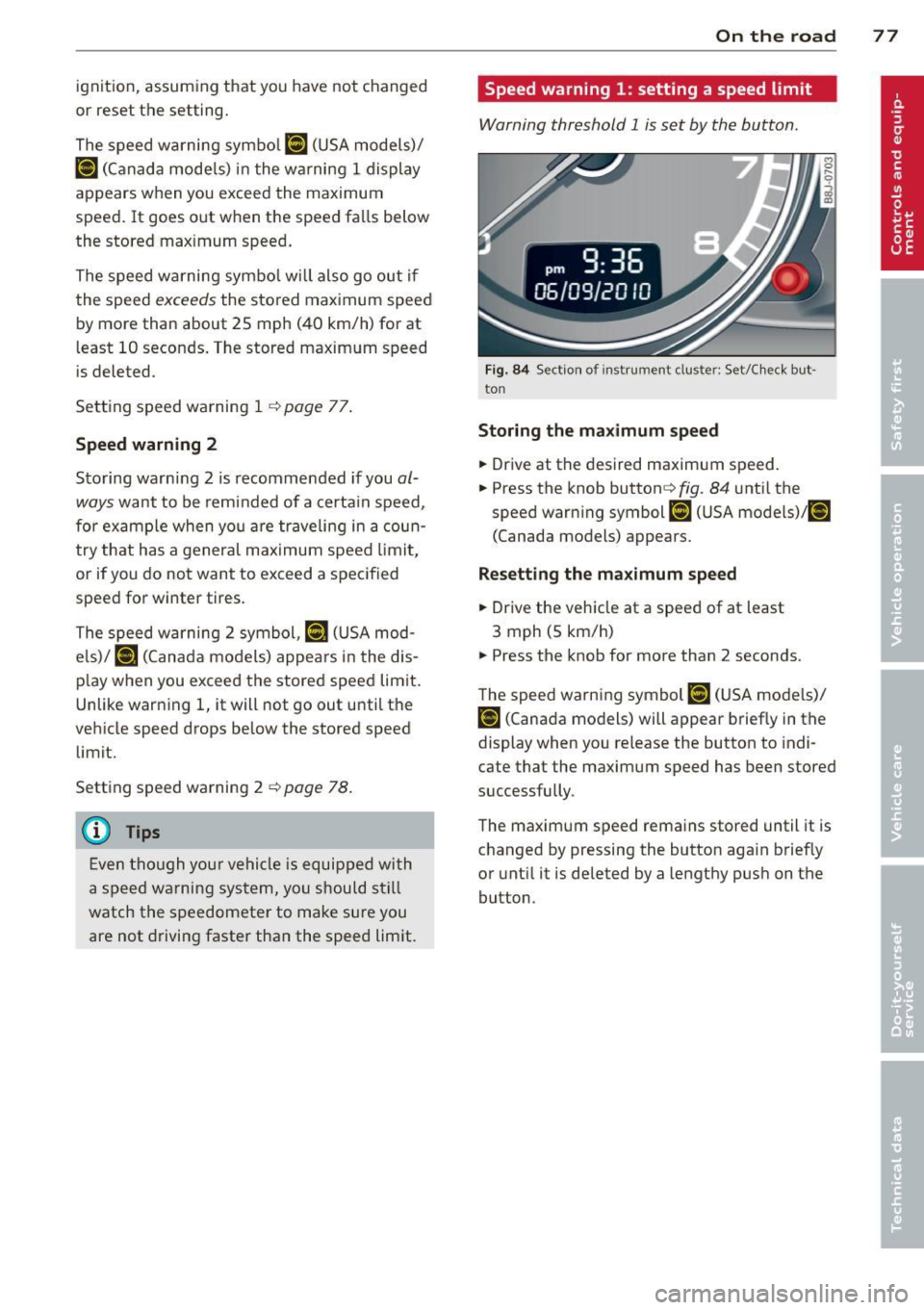
Speed warning 1: setting a speed limit
Warning threshold 1 is set by the button.
Fig. 84 Sect ion of instru ment clu ster: Set/C heck but ·
ton
Storing the maximum speed
.,. Drive at the desired maximum speed.
.,. Press the knob button ~fig .
84 unti l the
speed warning symbol
[fl (USA models)/ ~
(Canada models) appears.
Resetting the maximum speed
.,. Drive the vehicle at a speed of at least
3 mph (5 km/h)
.,. Press the knob for more than 2 seconds .
The speed warning symbol
fZl (USA models)/
i•j rcanada models) will appear briefly in the
display when you release the button to indi
cate that the maximum speed has been stored
successfully .
The maximum speed remains stored until it is
changed by pressing the button aga in briefly
or until it is deleted by a lengthy push on the
button.
Page 80 of 244

78 On the road
Speed warning 2: setting a speed limit
Switches in the wiper arm are used to operate
warning threshold
2 .
'----I ®
Fig. 85 Wiper lever: Tr ip computer con trols
To store maximum speed
>Turnoff the ignition.
> Briefly press the button in the instrument
cl uster ¢
page 77, fig. 84. The odometer
and the digital clock are now illuminated .
> Press the button for at least 2 seconds . The
currently stored maximum speed appears in
the display
or the crossed out symbol for
warning threshold 2, if no max imum speed
was set previously.
> Press the function selector sw itch in the
wipe r lever @¢
fig. 85 up or down to
change the set value. Values run up or dow n
i n steps of 6.2 mph (10 km/h).
To delete maximum speed
>Turnoff the ignit ion.
> Briefly press the button in the instrument
cluster <:::>
page 77, fig . 84 . The odometer
and the digital clock are now illumi nated.
> Press the button fo r at least 2 seconds . The
cu rrently stored maxim um speed appears in
the display.
> Press the reset button in the wiper lever ®
<:::>
fig . 85 until the crossed out speed warn
ing symbol for warning threshold 2 appears
i n the display.
A few seconds after the adjustment is com
pleted, the illumination for the odometer and
the dig ital clock will go out.
(D Tips
This warning threshold can a lso be con
trolled thro ugh the tr ip computer
¢ page 25, Navigating the menu.
Cruise control
Switching the system on
The cruise control system makes it possible to
drive at a constant speed starting at 20 mph (30 km/h) .
®-
Fig. 86 Contro l leve r with set b utton
Fig. 87 Display : Se lecte d speed
> Pull the lever to position (D <:::> fig. 86 to
switch the system on.
> Dr ive at the speed you w ish to set.
> Press button @ to set that speed.
.., ....
i
The display <:::> fig. 87 will show the set speed .
The display may vary depending on the type of
display in your vehicle. The indicator light
M;ll)~14 (US model)/ . (Canadian model) will
also light up in the instrument cluster .
A WARNING
- Always pay attention to traffic even when
the cruise control is switched on. You are
always responsib le for your speed and
Page 81 of 244
the distance between your vehicle and
other vehicles.
- For safety reasons, the cruise control
should not be used in the city, in stop
and-go traffic, on twisting roads and
when road conditions are poor (such as
ice, fog, grave l, heavy rain and hydro
planing) -risk of acc ident.
- Turn off the cruise control temporari ly
when entering turn lanes, highway exit
lanes or in const ruction zones.
- Please note that inadvertent ly "rest ing"
yo ur foot on the accelerato r peda l causes
the cruise control not to brake. This is
because t he cr uise con trol is overr idden
by the driver's acce le rat ion.
@ Tips
The cruise control cannot mai nta in a con
stant speed when driving downhill. The ve
hicle will acce lerate unde r its own weight.
Downshift to a lower gear or use t he
bra kes to slow down.
Changing speed
~ Press lever in the 0 or O direction
Q page 78, fig. 86 to increase or decrease
your speed.
~ Release the lever to save that speed.
You can a lso press the accelerator peda l down
to increase your speed, e.g. if you want to
pass someone. The speed you saved earlier
will resume as soon as you release the acceler
ator peda l.
If, however, you exceed your saved speed by
5 mph (10 km/h) for longer than 5 minutes,
the cruise contro l will turn off tempora rily.
The symbol will go out but the saved speed
will be retained.
Presetting your speed
You can preset your desired speed while the
vehicle is not moving .
~ Turn on the ignition.
On the ro ad 79
~ Pull leve r into position (D q page 78,
fig. 86 .
~ Press the leve r in the 0 or O direction to
increase or decrease your speed.
~ Release the lever to save that speed.
T his function makes it possib le, for examp le,
to save the speed you want before dr iving on
the highway. Once on the highway, activate
the cruise control by pulling the lever toward
(D .
Switching the system off
Temporary deactivation
~ Press the brake pedal, or
~ Press the leve r into position @(not clicked
into place)
q page 78, fig . 86, or
~ Dr ive fo r longer than 5 m inutes a t more
t han 5 mph (10 km/h) above the stored
speed .
Switching off completely
~ Press lever into position @ (clicked into
place), or
~ Switch the ignit ion off.
The system retains the saved speed if you de activate the c ruise control temporar ily. To re
s u me the saved speed, re lease the brake ped
al a nd pull th e leve r to pos it ion
(D .
Switching the ignit ion off erases the saved
speed.
.&_ WARNING
You shou ld only ret urn to the saved speed
if it is no t too fast for the c urre nt traffic
conditions -risk o f an accident!