Page 204 of 653

To insert the keyless access remote:
On all models
On automatic transmission models
On manual transmission models
When you open the driver’s door,
and each time you press the engine
start/stop button, you will see the
‘‘INSERT KEYLESS REMOTE
INTO SLOT’’ message on the multi-
inf ormation display in the f ollowing
situations:When the keyless access system
main switch (see page ) is of f .
The multi-inf ormation display shows
the ‘‘ACCESSORY MODE’’ or ‘‘TO
UNLOCK KEYLESS REMOTE
TURN OFF POWER’’ message to
remind you to change the power
mode to VEHICLE OFF (LOCK).
The multi-inf ormation display shows
the ‘‘ACCESSORY MODE’’ message
to remind you that the power mode
is in ACCESSORY.
To avoid damaging the slot, do not
insert any other objects into the slot
or put a sticker on the keyless access
remote.
Inserting the remote does not charge
the remote battery. If necessary, you
should replace the battery as soon as
possible.
When the keyless access remote
system main switch in the glove box
issettoON,theremoteremains
unlocked when you insert it into the
keyless access remote slot and the
power mode is turned on.
195
K eyless A ccess System
Operat ion Guidance
Unlocked K eyless A ccess Remot e
198
12/07/20 10:55:16 31TK4640_203
Page 205 of 653
CONT INUED
The message reminds you that the
keyless access remote is locked in
the keyless access remote slot, and
that the power mode is in the
ACCESSORY or ON position. To
remove the keyless access remote,
turn the power mode of f by pressing
the engine start/stop button twice
(in ACCESSORY mode) or once (in
ON mode) without pressing the
brake pedal.
When the keyless access remote
system main switch in the glove box
is set to OFF, the multi-information
display will show the ‘‘TO UNLOCK
KEYLESS REMOTE TURN OFF
POWER’’ message af ter you shif t to
Park.
When the keyless access remote
is not in the vehicle.To unlock the keyless access remote:
On automatic transmission models
K eyless A ccess System
Inst rument s and Cont rols
199
12/07/20 10:55:21 31TK4640_204
Page 206 of 653
To remove the keyless access remote:On automatic transmission models
If the vehicle is lef t in the
ACCESSORY mode, the ‘‘TO TURN
VEHICLE OFF’’ message is shown
on the multi-information display
when you open the driver’s door. If
the vehicle is lef t in the VEHICLE
OFF (LOCK) mode with the keyless
access remote in the slot, the
‘‘REMOVE KEYLESS REMOTE
FROM SLOT’’ message is shown on
the multi-information display.
In ACCESSORY mode, the
‘‘ACCESSORY MODE’’ message will
be displayed a f ew seconds af ter the
‘‘TO UNLOCK KEYLESS REMOTE
TURN OFF POWER’’ message is
displayed. If youturnoff thevehicleandleave
the remote in the keyless access
remote slot, you will also hear a
reminder beeper.
TheshiftlevermustbeinPark
bef ore you can press the engine
start/stop button twice without
pressing the brake pedal to set the
vehicle into the VEHICLE OFF
(LOCK) mode.
K eyless A ccess System
200
12/07/20 10:55:27 31TK4640_205
Page 491 of 653

This section gives you tips on
starting the engine under various
conditions, and how to operate the
manual and automatic transmissions.
It also includes important
information on parking your vehicle,
the braking system, the Super
Handling-All Wheel Drive
(SH-AWD
) system, the vehicle
stability assist (VSA
), aka
electronic stability control (ESC),
system, the tire pressure monitoring
system (TPMS), and the blind spot
inf ormation system (BSI). ........................
Preparing to Drive . 486
Starting the Engine
(Models without Keyless .....................
Access System) . 487
Starting the Engine (Models with Keyless .....................
Access System) . 489
...................
Manual Transmission . 491
..............
Automatic Transmission . 494
Driving with the Paddle
.......................................
Shif ters . 499
Super Handling-All Wheel ...
Drive (SH-AWD
) System . 504
...........................................
Parking . 506
.............................
Braking System . 507
...............
Anti-lock Brakes (ABS) . 508
Vehicle Stability Assist (VSA
),
aka Electronic Stability ........
Control (ESC), System . 510
.........................
Hill Start Assist . 512
Tire Pressure Monitoring ........................
System (TPMS) . 514
Blind Spot Inf ormation System ...........................................
(BSI) . 519
...........................
Towing a Trailer . 528
...................
Towing Your Vehicle . 528
Driving
Driving
485
TM
TM
12/07/20 11:33:10 31TK4640_490
Page 495 of 653

�µ
The keyless access remote battery
becomes weak or dead. The keyless access remote system
main switch is of f .
In either of the f ollowing cases, you
should insert the keyless access
remote into the keyless remote slot.
For more inf ormation, see pages
and .
Your vehicle’s starting system has an
auto control mode. When you have
your keyless access remote and push
the engine start/stop button while
depressing the brake pedal (A/T) or
clutch pedal (M/T), this f eature
keeps the engine’s starter motor
running until the engine starts.
Follow these instructions to start the
engine:
Make sure the shif t lever is in
Park. Press on the brake pedal. Press the clutch pedal down all the
way. The power mode f rom ON to
START does not f unction unless
the clutch pedal is pressed. In cold weather, turn of f all
electrical accessories to reduce
the drain on the battery. Apply the parking brake. Without touching the accelerator
pedal, push and release the engine
start/stop button. You do not need
to hold the engine start/stop
button to start the engine. The
starter motor runs until the engine
starts or a maximum of 10 25
seconds depending on engine
coolant temperature.If the engine does not start, wait at
least 10 seconds bef ore trying
again.
1.
2.
3. 4.194 195
Automatic transmission:
Manual transmission:
Starting the Engine (Models with Keyless Access System)
Driving
489
T he immobilizer system protects your
vehicle f rom thef t. If an improperly
coded keyless access remote (or other
device) is used, the engine’s f uel system
is disabled. For more inf ormation, see
page .
The engine is harder to start in cold
weather. Also, the thinner air f ound at
altitudes above 8,000 f eet (2,400
meters) adds to this problem. 149
12/07/20 11:33:41 31TK4640_494
Page 496 of 653
If you cannot start the engine using
the normal engine start procedure,
do the f ollowing:Set the parking brake.
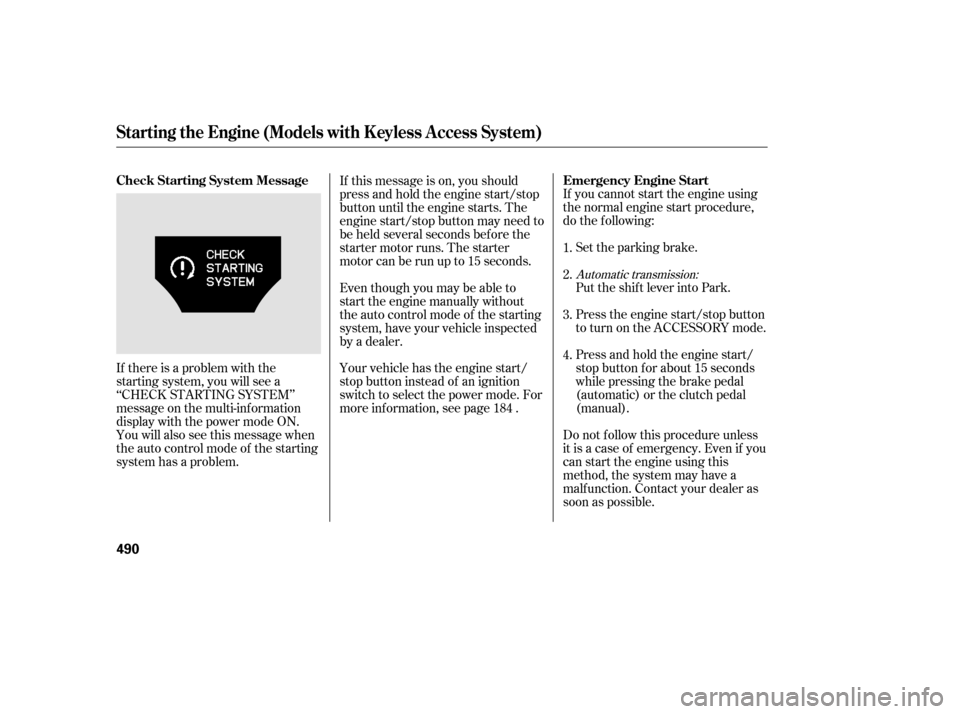
If there is a problem with the
starting system, you will see a
‘‘CHECK STARTING SYSTEM’’
message on the multi-inf ormation
display with the power mode ON.
You will also see this message when
the auto control mode of the starting
system has a problem. Do not f ollow this procedure unless
it is a case of emergency. Even if you
can start the engine using this
method, the system may have a
malf unction. Contact your dealer as
soon as possible.Press and hold the engine start/
stop button f or about 15 seconds
while pressing the brake pedal
(automatic) or the clutch pedal
(manual). Press the engine start/stop button
to turn on the ACCESSORY mode. Put the shif t lever into Park.
If this message is on, you should
press and hold the engine start/stop
button until the engine starts. The
engine start/stop button may need to
be held several seconds bef ore the
starter motor runs. The starter
motor can be run up to 15 seconds.
Your vehicle has the engine start/
stop button instead of an ignition
switch to select the power mode. For
more information, see page . Even though you may be able to
start the engine manually without
the auto control mode of the starting
system, have your vehicle inspected
by a dealer.
1.
2.
3.
4.
184
Automatic transmission:
Starting the Engine (Models with Keyless Access System)
Emergency Engine Start
Check Starting System Message
490
12/07/20 11:33:51 31TK4640_495
Page 500 of 653

�Î
�Î
These indicators between the
tachometer and speedometer show
which position the shif t lever is in. Using a paddle shif t mode, the gear
position indicator shows you the
selected gear number (see page
).
The ‘‘D’’ indicator comes on f or a
f ew seconds when you turn the
ignition switch to the ON (II)
position. If it f lashes while driving (in
any shif t position), it indicates a
possible problem in the transmission. Models equipped with the
keyless access system have an
engine start/stop button instead
of an ignition switch. ON Mode
is the equivalent of ON (II). For
more inf ormation, see pages
and .
If the malf unction indicator lamp
comes on along with the ‘‘D’’
indicator, there is a problem with the
automatic transmission control
system. Avoid rapid acceleration and
have the transmission checked by
your dealer as soon as possible.
When the ‘‘D’’ indicator warns of a
possible problem with the
transmission, you will see a ‘‘CHECK
TRANSMISSION’’ message on the
multi-inf ormation display. :
499 184 187
Shif t L ever Position Indicators
Automatic Transmission
494
GEAR POSITION INDICATOR on
PADDLE SHIFT MODE
12/07/20 11:34:19 31TK4640_499
Page 501 of 653

�µ
�Î
�Î
This position mechani-
cally locks the transmission. Use
Park whenever you are turning of f or
starting the engine. To shif t out of
Park, you must press on the brake
pedal and have your f oot of f the
accelerator pedal. Press the release
buttononthefrontof theshiftlever
to move it.
To shif t f rom Park to any position,
pressfirmlyonthebrakepedal,and
pressthereleasebuttononthefront
of the shift lever, then move the
lever. You cannot shift out of Park
when the ignition switch is in the
LOCK (0) or ACCESSORY (I)
position. Models equipped with the
keyless access system have an
engine start/stop button instead
of an ignition switch. VEHICLE
OFF (LOCK) Mode is the
equivalent of LOCK (0) and
ACCESSORY Mode is the
equivalent of ACCESSORY (I).
For more inf ormation, see pages
and .
:
184 187
Do this:
Press the brake pedal and
press the shift lever release
button.
Press the shift lever release
button.
Move the shift lever.
To shift from:
PtoR
RtoP
NtoR DtoS
StoD
DtoN
NtoD RtoN
CONT INUED
Shif ting
Park (P)
Automatic Transmission
Driving
495
RELEASE BUTTON
12/07/20 11:34:26 31TK4640_500

