Page 380 of 415
04
TASRC
378
AUDIO
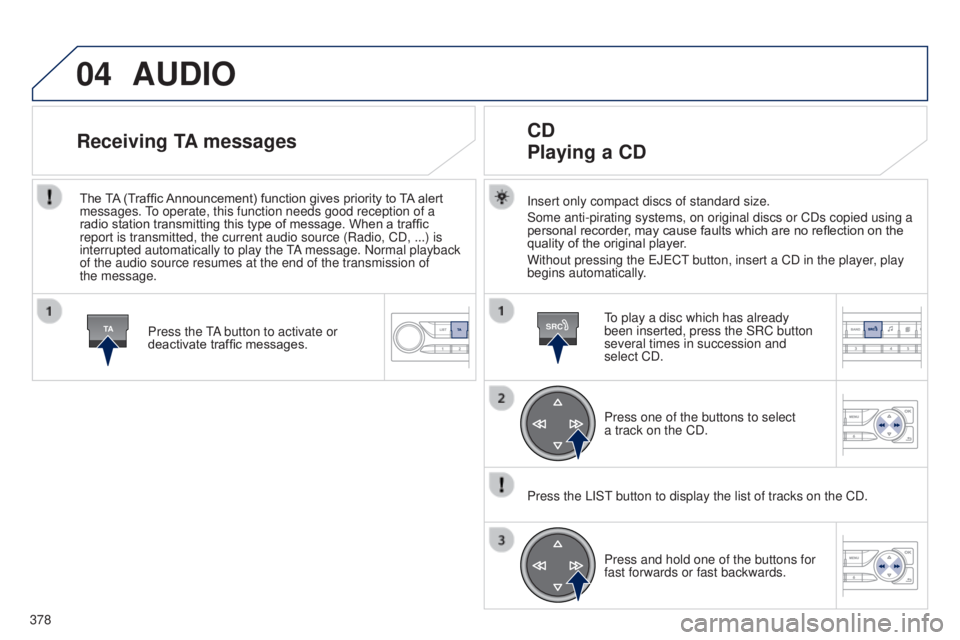
Insert only compact discs of standard size.
Some anti-pirating systems, on original discs or CDs copied using a
personal recorder, may cause faults which are no reflection on the
quality of the original player.
Without pressing the e J e C t
button, insert a CD in the player
, play
begins automatically.
CD
Playing a CD
to play a disc which has already
been inserted, press the SRC button
several times in succession and
select CD.
Press one of the buttons to select
a
track on the CD.
Press the LIS
t
button to display the list of tracks on the CD.
Press and hold one of the buttons for
fast forwards or fast backwards.
Receiving TA messages
Press the tA button to activate or
deactivate traffic messages.
The TA (Traffic Announcement) function gives priority to TA alert
messages.
to operate, this function needs good reception of a
radio station transmitting this type of message. When a traffic
report is transmitted, the current audio source (Radio, CD, ...) is
interrupted automatically to play the
tA
message. Normal playback
of the audio source resumes at the end of the transmission of
the
message.
Page 381 of 415
04
SRC
379
t
he MP3 format, an abbreviation of MP
eg
1.2 & 2.5 Audio Layer
3,
is an audio compression standard which permits the recording of
several tens of music files on a single disc.
In order to be able to play a recorded CDR or CDRW, when
recording, the ISO 9660 level 1.2 or Joliet file format is
recommended.
If the disc is recorded in another format, it may not be played
correctly.
It is recommended that the same recording format is always
used for an individual disc, with as low a speed as possible
(4x
maximum) for optimum sound quality.
In the particular case of a multi-session CD, the Joliet format is
recommended.
The audio system will only play files with the extension ".mp3" with
a sampling rate of 22.05 KHz or 44.1 KHz. No other type of file
(.wma, .mp4, .m3u...) can be played.
It is advisable to restrict file names to 20 characters without using
special characters (e.g. " ?
; ù) to avoid any playing or displaying
problems.
MP3 CD
Information and advice
AUDIO
empty CDs are not recognised and may damage the system.
Insert an MP3 compilation in the player
.
The audio equipment searches for all of the music tracks, which
may take anything between a few seconds and several tens of
seconds, before play begins.
MP3 CD
Playing an MP3 compilation
On a single disc, the CD player can read up to 255 MP3 files
spread over 8 folder levels. However, it is advisable to keep to
a limit of two levels to reduce the access time before the CD is
played.
While the CD is being played, the folder structure is not followed.
All of the files are displayed on a single level.
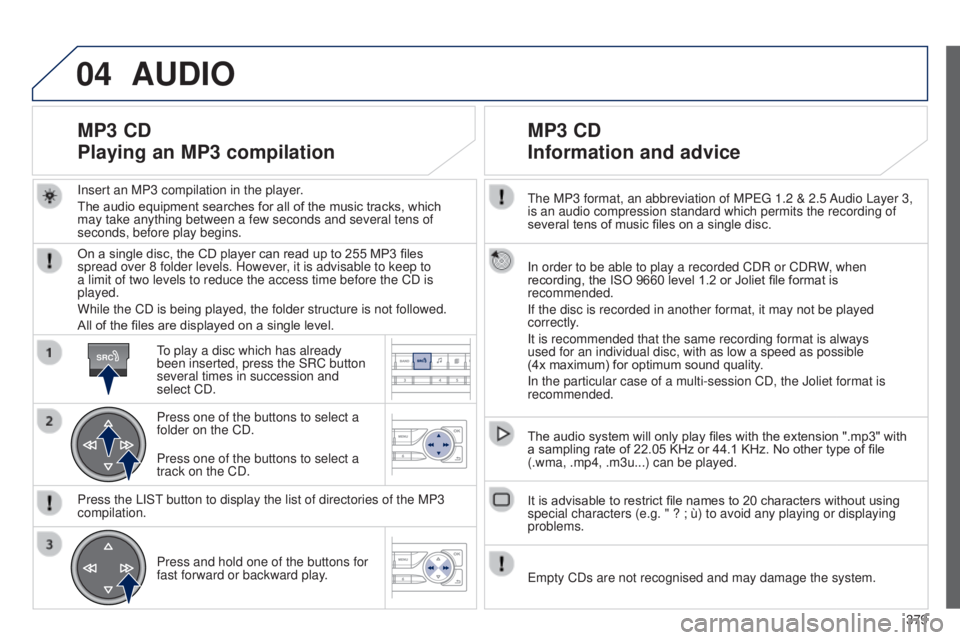
to play a disc which has already
been inserted, press the SRC button
several times in succession and
select CD.
Press one of the buttons to select a
folder on the CD.
Press the LIS
t
button to display the list of directories of the MP3
compilation.
Press and hold one of the buttons for
fast forward or backward play
.
Press one of the buttons to select a
track on the CD.
Page 382 of 415
04
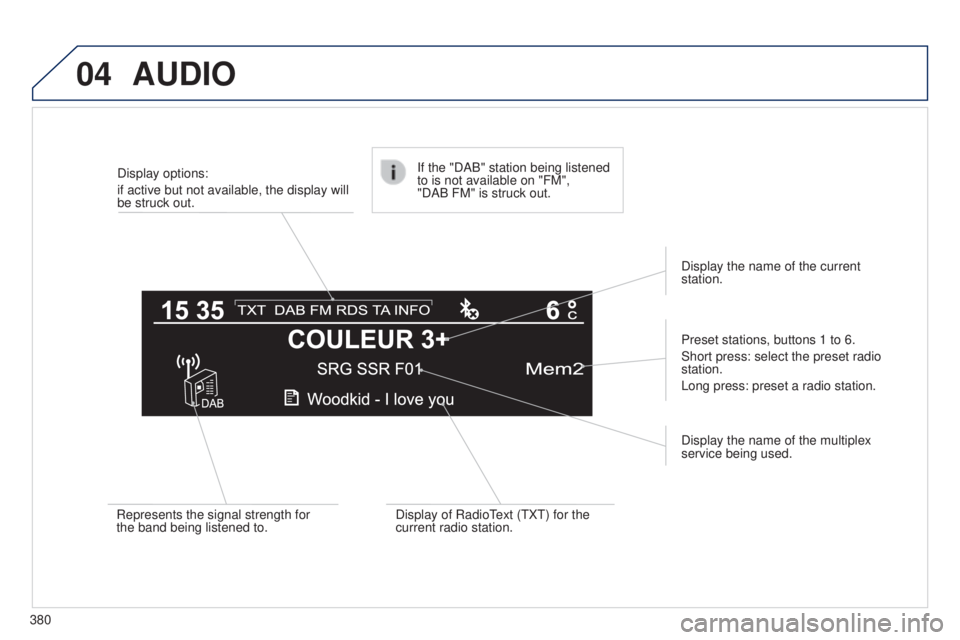
380Display options:
if active but not available, the display will
be struck out.
Preset stations, buttons 1 to 6.
Short press: select the preset radio
station.
Long press: preset a radio station.
Display the name of the multiplex
service being used.
Represents the signal strength for
the band being listened to.
If the "DAB" station being listened
to is not available on "FM",
"DAB FM" is struck out.
Display of Radio
t
ext (
t X t ) for the
current radio station. Display the name of the current
station.
AUDIO
Page 385 of 415
05
LIST
LIST
383
Using the PEUGEOT CONNECT USB
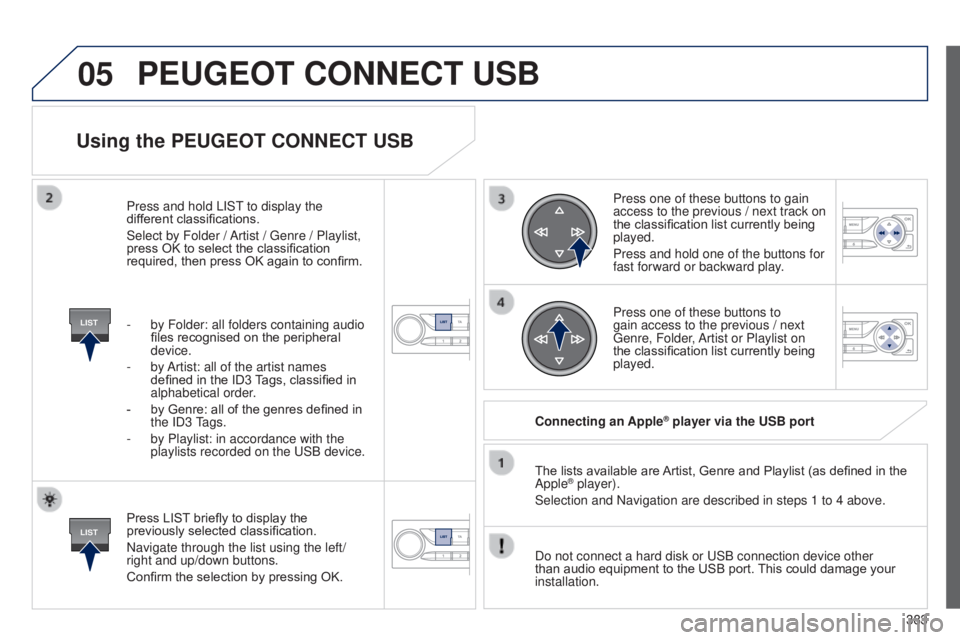
Press LIST briefly to display the
previously selected classification.
Navigate through the list using the left/
right and up/down buttons.
Confirm the selection by pressing OK.The lists available are Artist, Genre and Playlist (as defined in the
Apple
® player).
Selection and Navigation are described in steps 1 to 4 above.
Do not connect a hard disk or
u SB connection device other
than audio equipment to the USB port. This could damage your
installation. Connecting an Apple
® player via the USB port
Press one of these buttons to gain
access to the previous / next track on
the classification list currently being
played.
Press and hold one of the buttons for
fast forward or backward play.
Press one of these buttons to
gain access to the previous / next
g
enre, Folder, Artist or Playlist on
the classification list currently being
played.
Press and hold LIS
t
to display the
dif
ferent classifications.
Select by Folder / Artist /
g
enre / Playlist,
press OK to select the classification
required, then press OK again to confirm.
-
by Folder: all folders containing audio
files recognised on the peripheral
device.
-
by
Artist: all of the artist names
defined in the ID3 Tags, classified in
alphabetical order.
-
by Genre: all of the genres defined in
the
ID3
tags.
-
by Playlist: in accordance with the
playlists recorded on the
u
SB device.
PEUGEOT CONNECT USB
Page 388 of 415
06
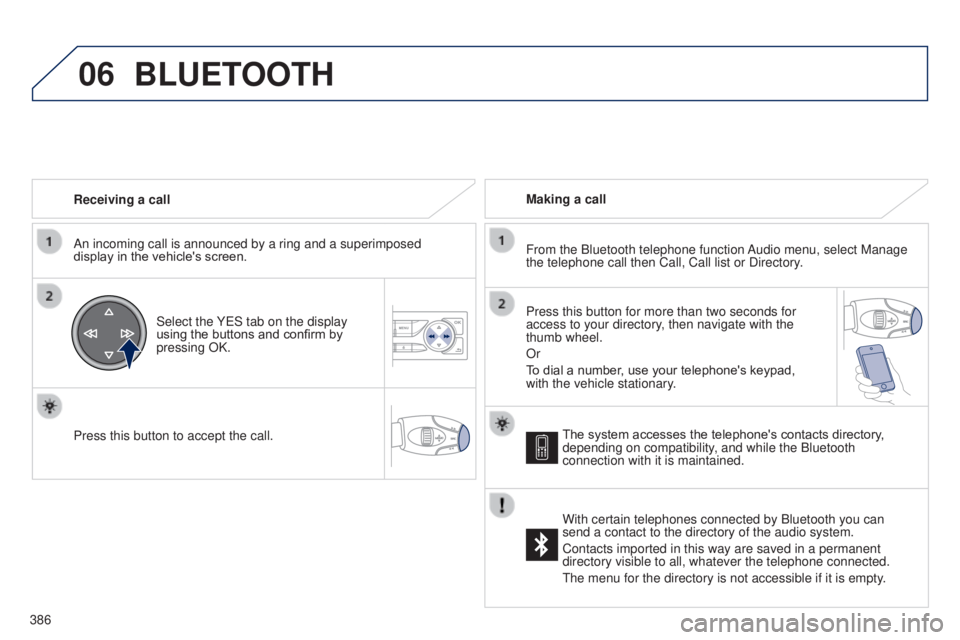
386Receiving a call
An incoming call is announced by a ring and a superimposed
display in the vehicle's screen.
Select the Y e S tab on the display
using the buttons and confirm by
pressing OK.
Press this button to accept the call. Making a call
From the Bluetooth telephone function Audio menu, select Manage
the telephone call then Call, Call list or Directory.
Press this button for more than two seconds for
access to your directory, then navigate with the
thumb wheel.
Or
To dial a number, use your telephone's keypad,
with the vehicle stationary.
BLUETOOTH
The system accesses the telephone's contacts directory,
depending on compatibility, and while the Bluetooth
connection with it is maintained.
With certain telephones connected by Bluetooth you can
send a contact to the directory of the audio system.
Contacts imported in this way are saved in a permanent
directory visible to all, whatever the telephone connected.
t
he menu for the directory is not accessible if it is empty.
Page 389 of 415
06
SRC
387
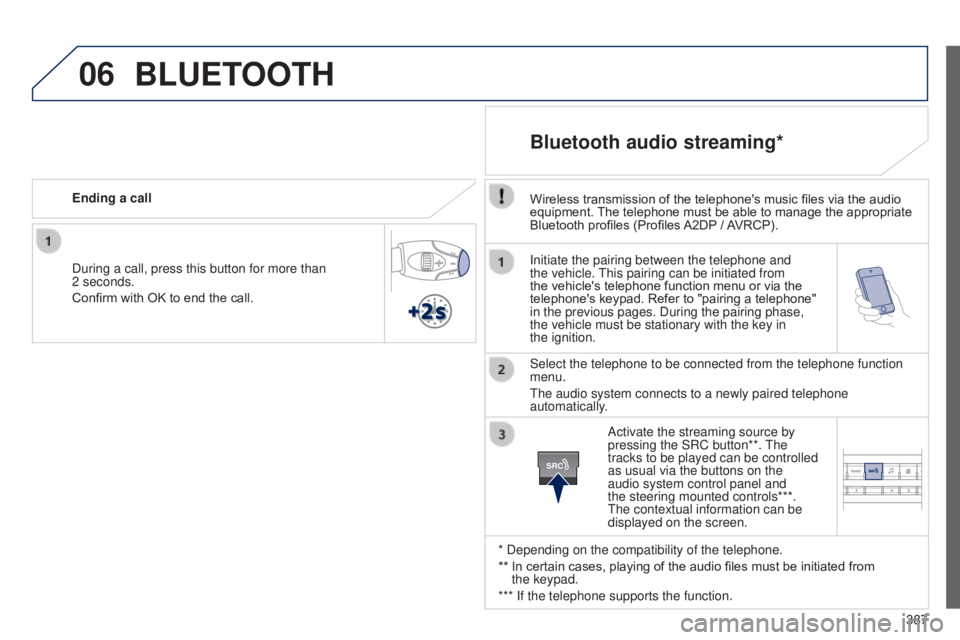
Initiate the pairing between the telephone and
the vehicle.
t
his pairing can be initiated from
the vehicle's telephone function menu or via the
telephone's keypad. Refer to "pairing a telephone"
in the previous pages. During the pairing phase,
the vehicle must be stationary with the key in
the
ignition.
Select the telephone to be connected from the telephone function
menu.
t
he audio system connects to a newly paired telephone
automatically.
Bluetooth audio streaming*
Wireless transmission of the telephone's music files via the audio
equipment. The telephone must be able to manage the appropriate
Bluetooth profiles (Profiles A2DP
/ AVRCP).
* Depending on the compatibility of the telephone.
**
In certain cases, playing of the audio files must be initiated from
the
keypad.
*** If the telephone supports the function. Activate the streaming source by
pressing the SRC button**.
t
he
tracks to be played can be controlled
as usual via the buttons on the
audio system control panel and
the steering mounted controls***.
t
he contextual information can be
displayed on the screen.
During a call, press this button for more than
2
seconds.
Confirm with OK to end the call. Ending a call
BLUETOOTH