Page 463 of 494
Audio and Telematics
60
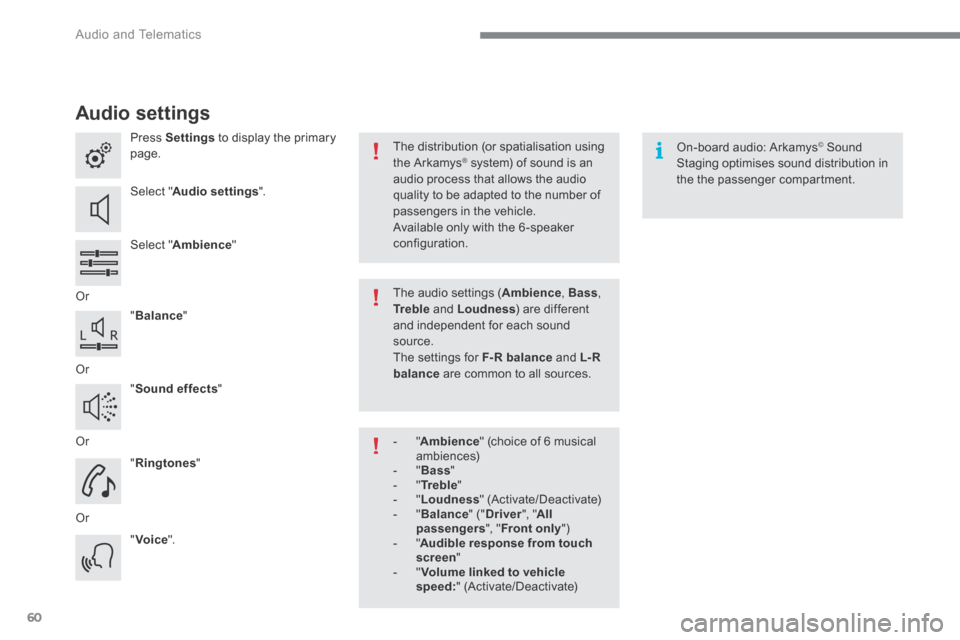
Audio settings
Press Settings to display the primary page.
Select " Audio settings ".
Select " Ambience "
Or
" Balance "
Or
" Sound effects "
Or
" Ringtones "
Or
" Voice ".
On-board audio: Arkamys © Sound © Sound ©
Staging optimises sound distribution in the the passenger compartment.
The distribution (or spatialisation using the Arkamys ® system) of sound is an ® system) of sound is an ®
audio process that allows the audio quality to be adapted to the number of passengers in the vehicle.
Available only with the 6 -speaker configuration.
The audio settings ( Ambience , Bass , Tr e b l e and Loudness ) are different and independent for each sound source. The settings for F-R balance and L- R balance are common to all sources.
- " Ambience " (choice of 6 musical ambiences) - " Bass " - " Tr e b l e " - " Loudness " (Activate/Deactivate) - " Balance " (" Driver ", " All passengers ", " Front only " ) - " Audible response from touch screen " - " Volume linked to vehicle speed: " (Activate/Deactivate)
Page 483 of 494
Audio and Telematics
80
QUESTIONANSWERSOLUTION
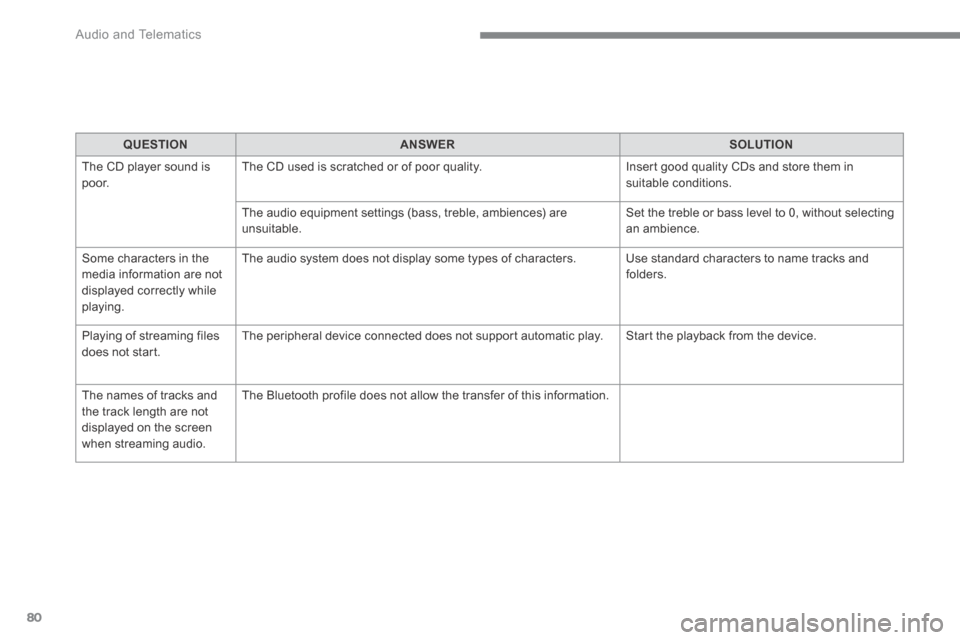
The CD player sound is p o o r. The CD used is scratched or of poor quality. Insert good quality CDs and store them in suitable conditions.
The audio equipment settings (bass, treble, ambiences) are unsuitable. Set the treble or bass level to 0, without selecting an ambience.
Some characters in the media information are not displayed correctly while playing.
The audio system does not display some types of characters. Use standard characters to name tracks and folders.
Playing of streaming files does not start. The peripheral device connected does not support automatic play. Start the playback from the device.
The names of tracks and the track length are not displayed on the screen when streaming audio.
The Bluetooth profile does not allow the transfer of this information.
Page 484 of 494
.
Audio and Telematics 81
Settings
QUESTIONANSWERSOLUTION
In changing the setting of treble and bass the equalizer setting is deselected.
The selection of an equalizer setting imposes the balance settings. Modifying one without the other is not possible. Modify the balance or equalizer settings to obtain the desired musical ambience.
In changing the equalizer setting, treble and bass return to zero.
When changing the balance settings, the distribution setting is deselected.
The selection of a distribution setting imposes the balance settings. Modifying one without the other is not possible. Modify the balance or distribution settings to obtain the desired musical ambience.
When changing an
distribution setting, the balance setting is deselected.
Page 485 of 494

Audio and Telematics
82
QUESTIONANSWERSOLUTION
There is a difference in sound quality between the different audio sources.
For optimum sound quality, the audio settings for Volume, Bass, Treble, Equalizer and Loudness can be adapted to the different sound sources, which may result in audible differences when changing source.
Check that the audio settings for (Volume, Bass, Treble, Equalizer, Loudness) are adapted to the sources listened to. It is advisable to set the Audio functions (Bass, Treble, Fr-Re balance, Le-Ri balance) to the middle position, select the "Linear", musical ambience and set the loudness correction to the "Active" position in CD mode or to the "Inactive" position in radio mode.
With the engine off, the system switches off after a few minutes of use.
When the engine is switched off, the system's operating time depends on the state of charge of the battery. The switch-off is normal: the system switches to economy mode and switches off to prevent discharging of the vehicle's battery.
Start the vehicle's engine to increase the battery charge.