Page 207 of 552
207
2-2. Instrument cluster
2
When driving
VERSO-S_EE
Multi-infor mation display
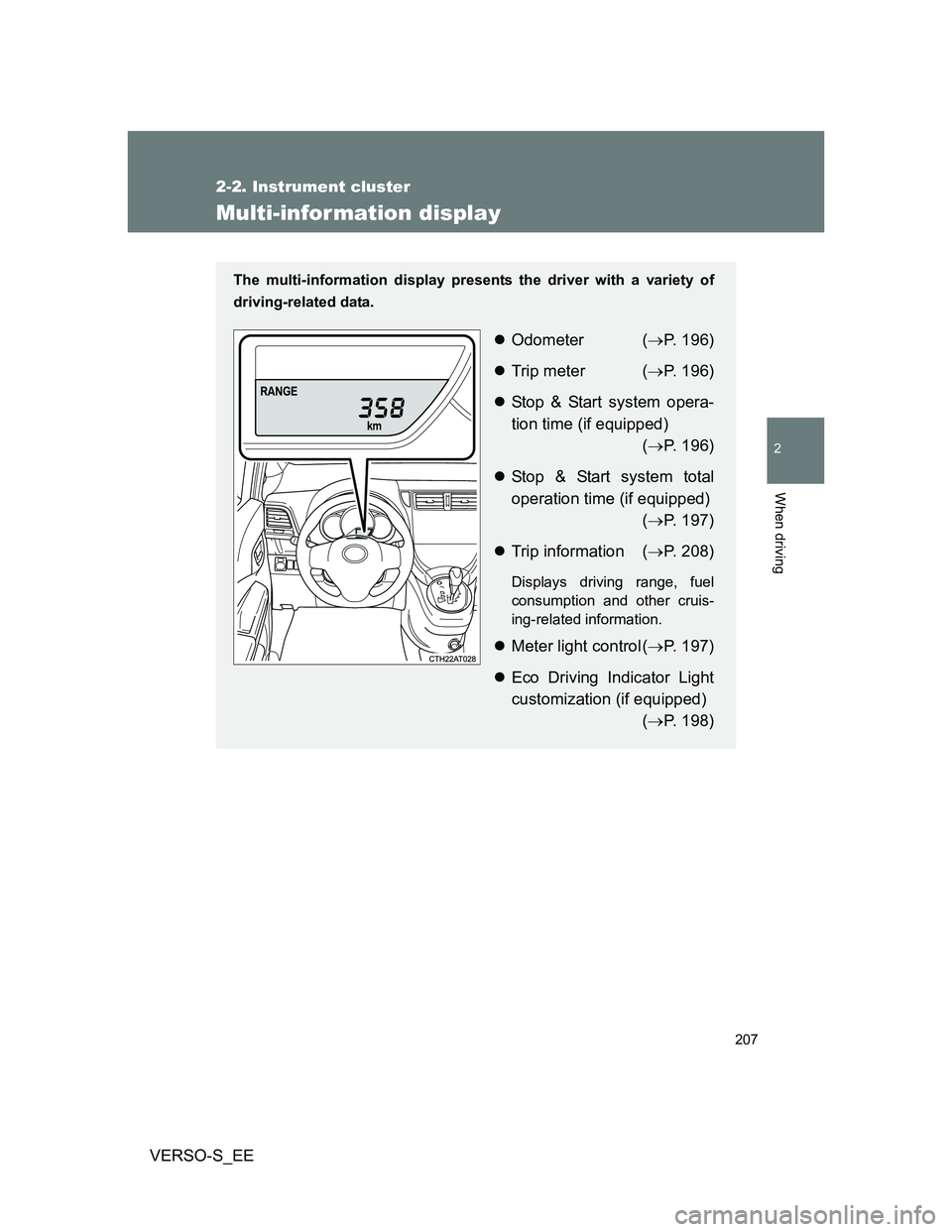
The multi-information display presents the driver with a variety of
driving-related data.
Odometer (P. 196)
Trip meter (P. 196)
Stop & Start system opera-
tion time (if equipped)
(P. 196)
Stop & Start system total
operation time (if equipped)
(P. 197)
Trip information (P. 208)
Displays driving range, fuel
consumption and other cruis-
ing-related information.
Meter light control (P. 197)
Eco Driving Indicator Light
customization (if equipped)
(P. 198)
Page 208 of 552
208 2-2. Instrument cluster
VERSO-S_EE
Changing the display
Items displayed can be switched
by pressing the display change
button.
Display items
Odometer
P. 196
Tr ip m eter
P. 196
Stop & Start system operation time (if equipped)
P. 196
Stop & Start system total operation time (if equipped)
P. 197
Instantaneous fuel consumption
Displays instantaneous fuel consumption.
Page 209 of 552
209 2-2. Instrument cluster
2
When driving
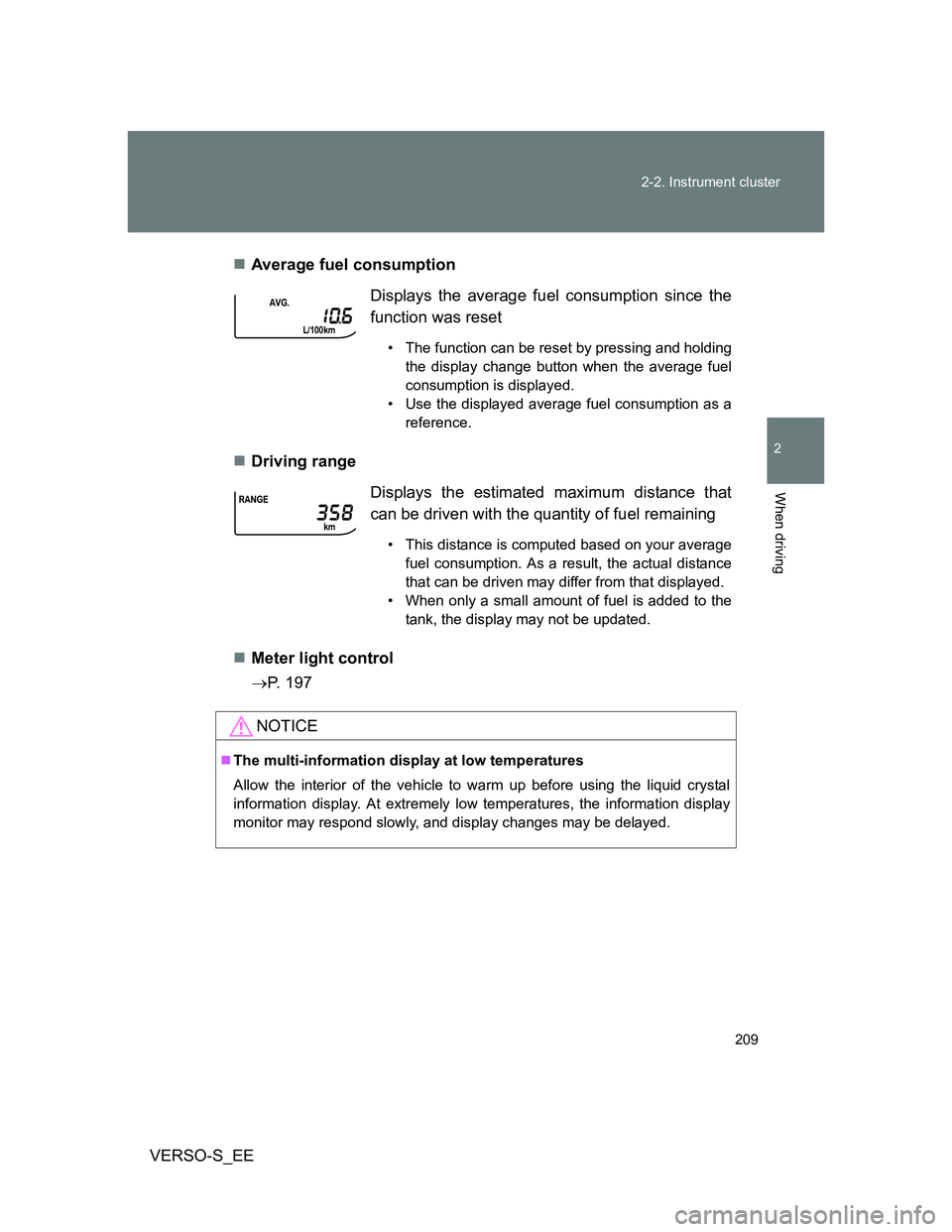
VERSO-S_EEAverage fuel consumption
Driving range
Meter light control
P. 197Displays the average fuel consumption since the
function was reset
• The function can be reset by pressing and holding
the display change button when the average fuel
consumption is displayed.
• Use the displayed average fuel consumption as a
reference.
Displays the estimated maximum distance that
can be driven with the quantity of fuel remaining
• This distance is computed based on your average
fuel consumption. As a result, the actual distance
that can be driven may differ from that displayed.
• When only a small amount of fuel is added to the
tank, the display may not be updated.
NOTICE
The multi-information display at low temperatures
Allow the interior of the vehicle to warm up before using the liquid crystal
information display. At extremely low temperatures, the information display
monitor may respond slowly, and display changes may be delayed.
Page 226 of 552
226
VERSO-S_EE
2-4. Using other driving systems
Stop & Start system
: If equipped
Vehicles with a Multidrive: The Stop & Start system stops and
restarts the engine according to the brake pedal and shift lever oper-
ation for stopping and starting the vehicle.
Vehicles with a manual transmission: The Stop & Start system stops
and restarts the engine according to the clutch pedal operation for
stopping and starting the vehicle.
While the engine is stopped by the Stop & Start system, the Stop &
Start system operation time is displayed mandatorily on the multi-
information display. This display can be hidden. (P. 199)
Stopping the engine
Vehicles with a Multidrive
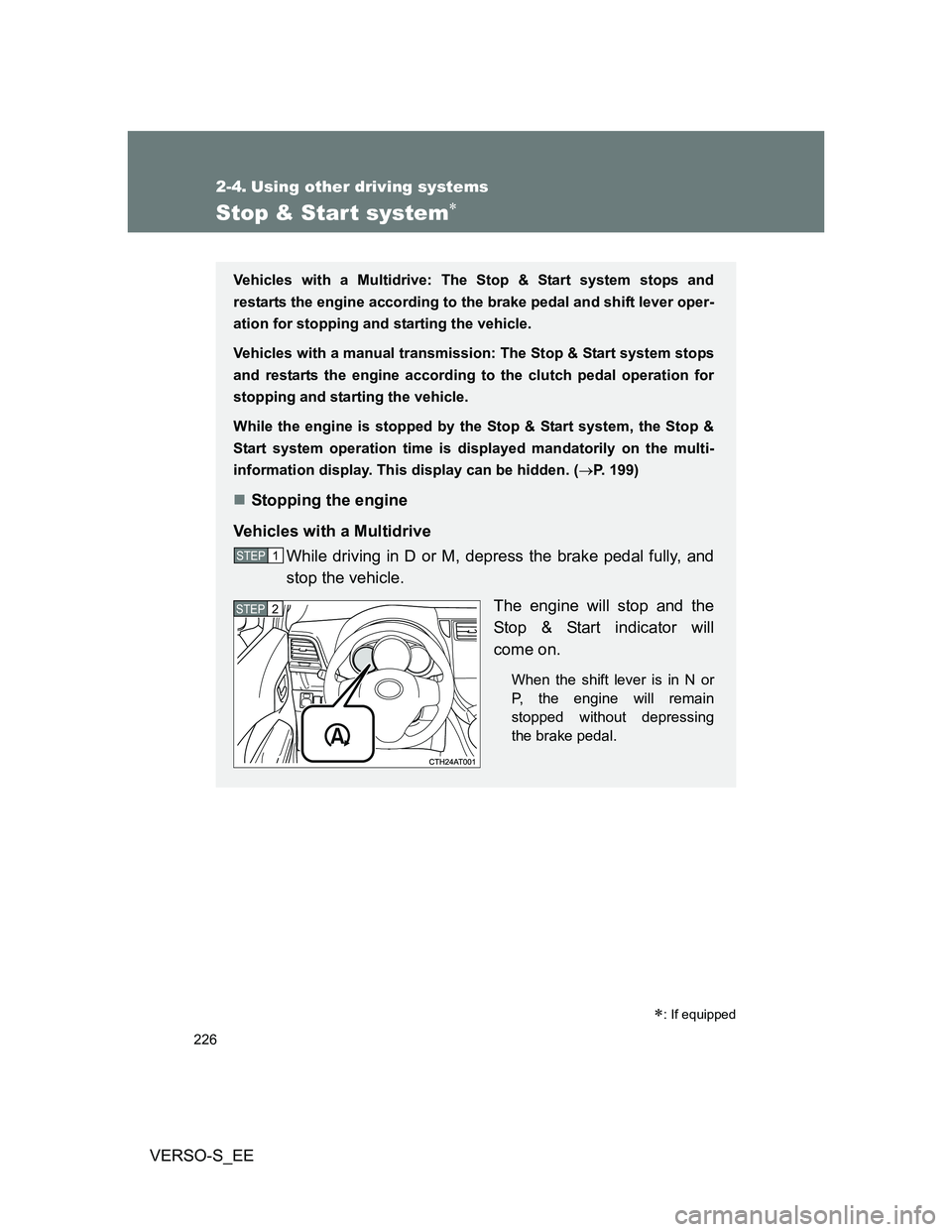
While driving in D or M, depress the brake pedal fully, and
stop the vehicle.
The engine will stop and the
Stop & Start indicator will
come on.
When the shift lever is in N or
P, the engine will remain
stopped without depressing
the brake pedal.
STEP1
STEP2
Page 231 of 552
231 2-4. Using other driving systems
2
When driving
VERSO-S_EE
Stop & Start system warning buzzer
If the engine is stopped by the Stop & Start system and either of the following
actions is performed, a buzzer will sound and the Stop & Start indicator will
flash (vehicles with a Multidrive), or a buzzer will sound (vehicles with a
manual transmission). This indicates that the engine is only stopped by the
Stop & Start system, not that the engine has been turned off completely.
Vehicles with a Multidrive: The driver’s door is opened when the shift
lever is in D or M.
Vehicles with a Multidrive: The shift lever is shifted into a position other
than N or P with the brake pedal released.
Vehicles with a manual transmission: The shift lever is shifted into a posi-
tion other than N with the clutch pedal released.
If the Stop & Start cancel indicator light continues to flash
The Stop & Start system may be malfunctioning. Contact any authorized
Toyota dealer or repairer, or another duly qualified and equipped profes-
sional.
If the windshield is fogged up while the engine is stopped by the Stop
& Start system
Vehicles with an automatic air conditioning system: Turn the windshield
defogger on. (The engine will start due to the automatic engine start func-
tion.) (P. 271)
Vehicles with a manual air conditioning system: Restart the engine by
depressing the clutch pedal (vehicles with a manual transmission) or
releasing brake pedal (vehicles with a Multidrive) (P. 227) or by press-
ing the Stop & Start cancel switch, and then set the air outlet selection
dial to . (P. 263)
If the windshield fogs up frequently, press the Stop & Start cancel switch to
deactivate the system.
The Stop & Start system operation time and Stop & Start system total
operation time display
P. 197
Changing mandatory displaying/hiding of the Stop & Start system
operation time
P. 199
Page 261 of 552

3Interior features
261
VERSO-S_EE
3-1. Using the air conditioning
system and defogger
Manual air conditioning
system ............................ 262
Automatic air conditioning
system ............................ 268
Power heater .................... 274
Rear window and
outside rear view
mirror defoggers ............. 276
3-2. Using the audio system
Audio system types .......... 278
Using the radio ................. 282
Using the CD player ......... 286
Playing back MP3 and
WMA discs...................... 291
Operating an iPod............. 298
Operating a USB
memory........................... 306
Optimal use of the audio
system ............................ 314
Using the AUX port ........... 316
Using the steering wheel
audio switches ................ 3173-3. Using the interior lights
Interior lights list ................ 320
• Personal lights ................ 321
• Personal/interior lights .... 321
• Interior light ..................... 322
3-4. Using the storage
features
List of storage features ..... 323
• Auxiliary box ................... 324
• Glove box ....................... 324
• Bottle holders.................. 326
• Tray ................................ 327
• Cup holders .................... 328
3-5. Other interior features
Sun visors ......................... 329
Vanity mirrors.................... 330
Clock ................................. 331
Outside temperature
display ............................ 332
Power outlets .................... 333
Seat heaters ..................... 335
Armrests ........................... 337
Panoramic roof shade....... 338
Assist grips ....................... 341
Floor mat........................... 342
Luggage compartment
features........................... 344
Page 268 of 552
268
3-1. Using the air conditioning system and defogger
VERSO-S_EE
Automatic air conditioning system
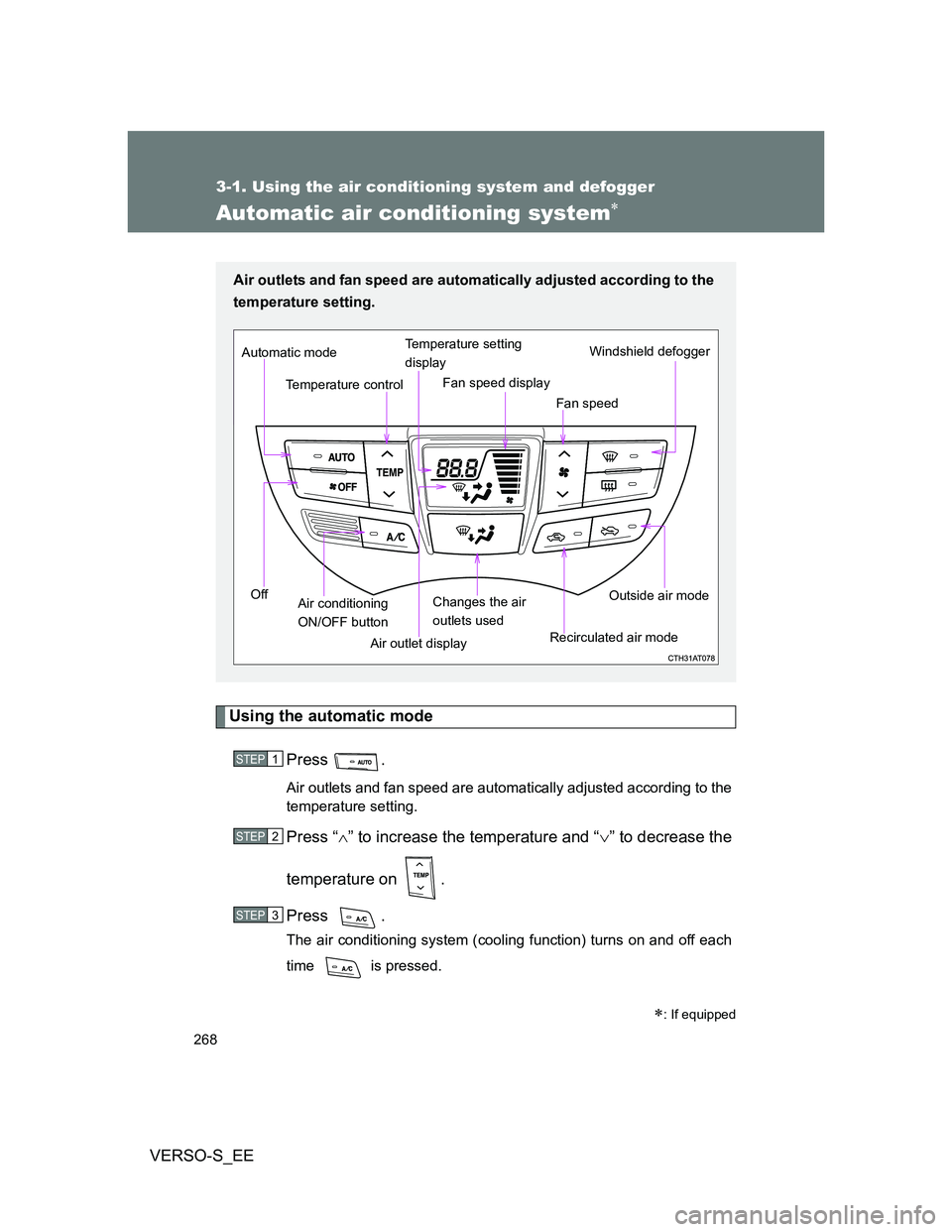
Using the automatic mode
Press .
Air outlets and fan speed are automatically adjusted according to the
temperature setting.
Press “” to increase the temperature and “” to decrease the
temperature on .
Press .
The air conditioning system (cooling function) turns on and off each
time is pressed.
: If equipped
Air outlets and fan speed are automatically adjusted according to the
temperature setting.
Air outlet displayWindshield defogger
Temperature control
Fan speed Temperature setting
display
Off Automatic mode
Changes the air
outlets usedFan speed display
Air conditioning
ON/OFF buttonRecirculated air modeOutside air mode
STEP1
STEP2
STEP3
Page 269 of 552
269 3-1. Using the air conditioning system and defogger
3
Interior features
VERSO-S_EE
Adjusting the settings
Turning the cooling function on and off
Press .
The air conditioning system (cooling function) turns on and off each time
is pressed.
Adjusting the temperature setting
Press “” to increase the temperature and “” to decrease the tem-
perature on .
Adjusting the fan speed
Press “” (increase) or “” (decrease) on .
The fan speed is shown on the display. (7 levels)
Press to turn the fan off.
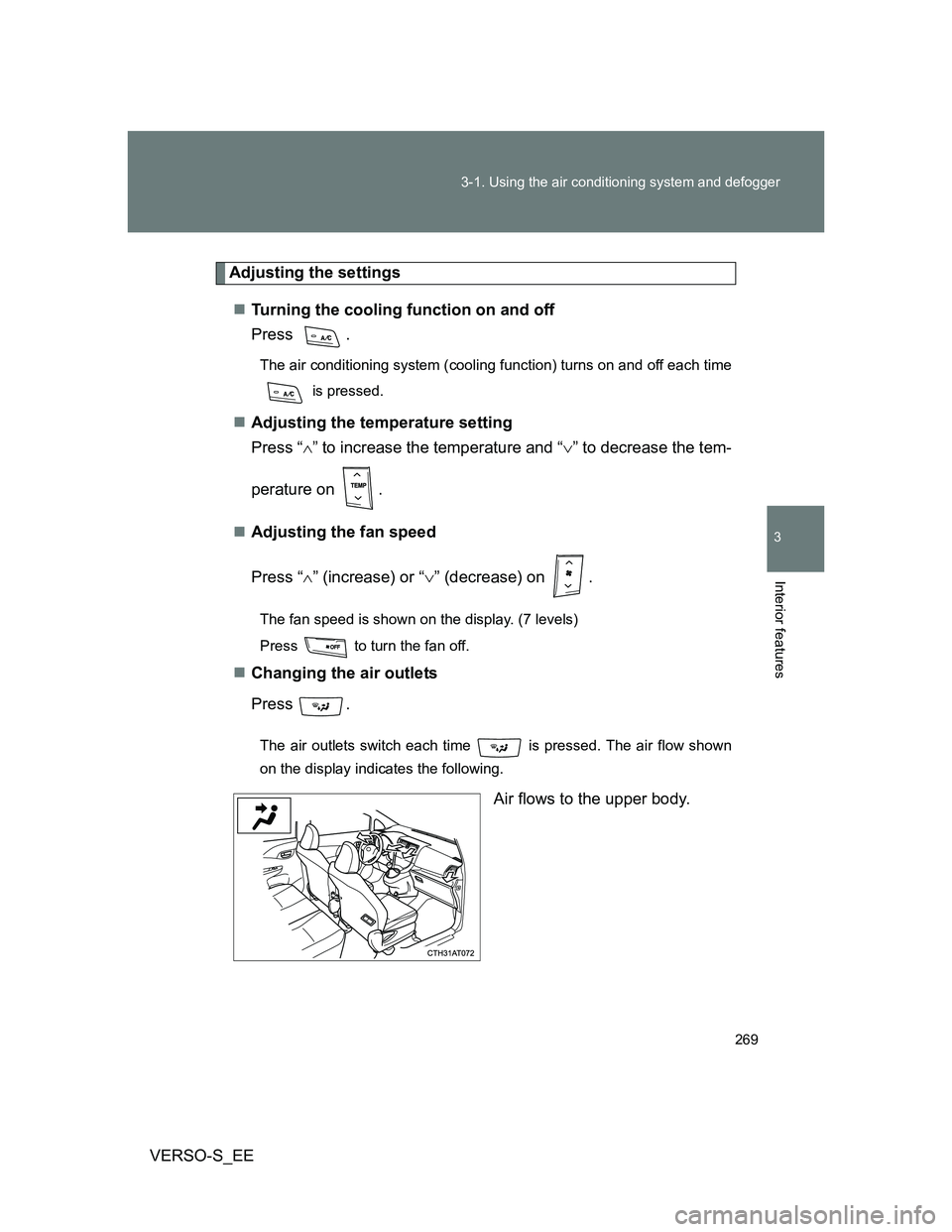
Changing the air outlets
Press .
The air outlets switch each time is pressed. The air flow shown
on the display indicates the following.
Air flows to the upper body.