Page 85 of 752
85
1
1-3. Adjustable components (seats, mirrors, steering wheel)
Before driving
Steering wheel (manually adjustable type)
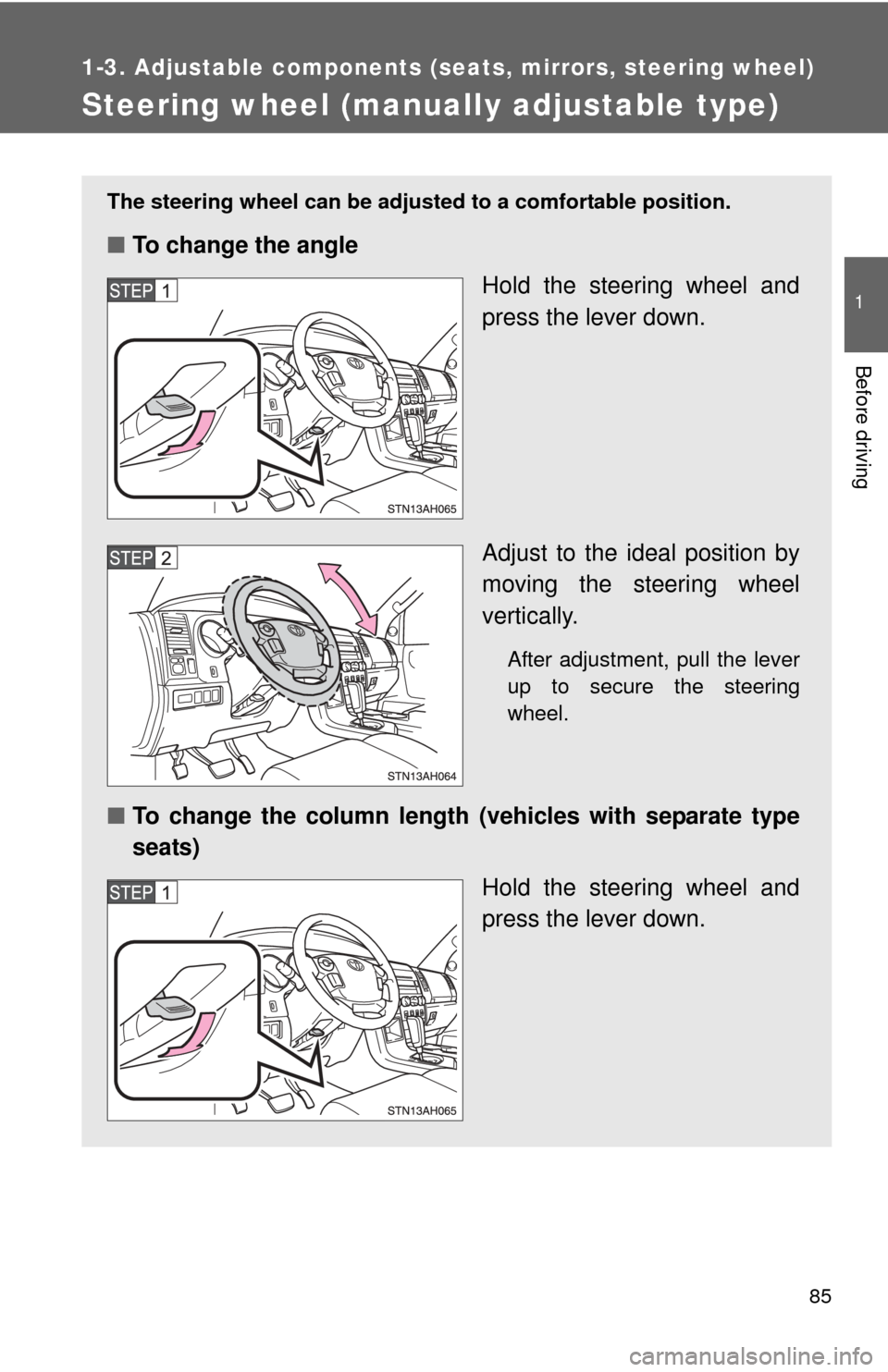
The steering wheel can be adjusted to a comfortable position.
■To change the angle
Hold the steering wheel and
press the lever down.
Adjust to the ideal position by
moving the steering wheel
vertically.
After adjustment, pull the lever
up to secure the steering
wheel.
■To change the column length (vehicles with separate type
seats)
Hold the steering wheel and
press the lever down.
Page 129 of 752
129
1-7. Safety information
1
Before driving
CAUTION
■
SRS airbag precautions
Observe the following precautions regarding the airbags.
Failure to do so may cause death or serious injury.
●The driver and all passengers in the vehicle must wear their seat belts
properly.
The SRS airbags are supplemental devices to be used with the seat belts.
● The SRS driver airbag deploys with considerable force, and can cause
death or serious injury especially if the driver is very close to the airbag.
The National Highway Traffic Safety Administration (“NHTSA”) advises:
Since the risk zone for the driver’s airbag is the first 2 - 3 in. (50 - 75 mm)
of inflation, placing yourself 10 in. (250 mm) from your driver airbag pro-
vides you with a clear margin of safety. This distance is measured from the
center of the steering wheel to your breastbone. If you now sit less than 10
in. (250 mm) away, you can change your driving position in several ways:
• Move your seat to the rear as far as you can while still reaching the
pedals comfortably.
• Slightly recline the back of the seat. Although vehicle designs vary, many drivers can achieve the 10 in.
(250 mm) distance, even with the driver seat all the way forward, sim-
ply by reclining the back of the seat somewhat. If reclining the back of
your seat makes it hard to see the road, raise yourself by using a firm,
non-slippery cushion, or raise the seat if your vehicle has that feature\
.
• If your steering wheel is adjustable, tilt it downward. This points the air- bag toward your chest instead of your head and neck.
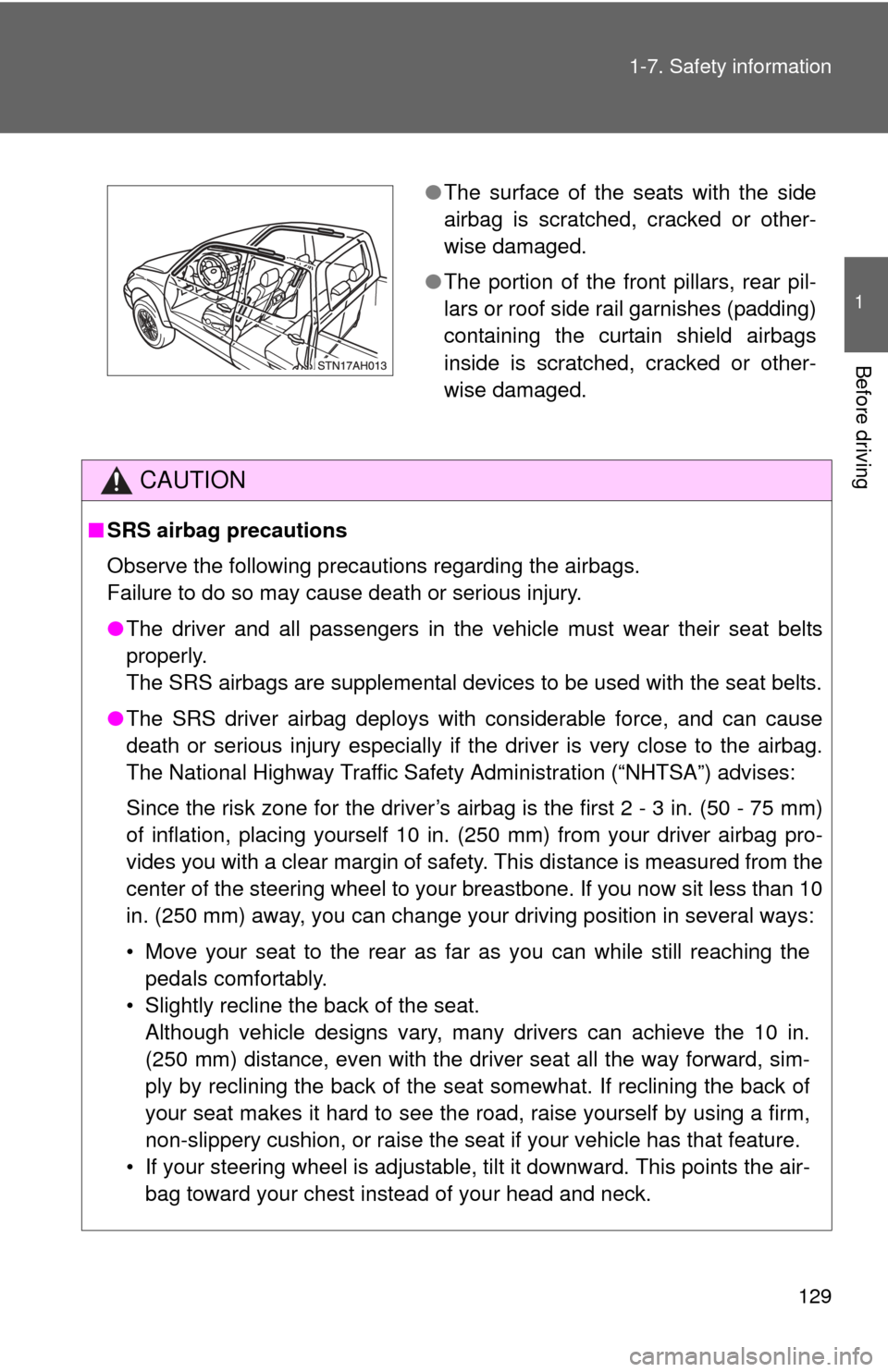
● The surface of the seats with the side
airbag is scratched, cracked or other-
wise damaged.
● The portion of the front pillars, rear pil-
lars or roof side rail garnishes (padding)
containing the curtain shield airbags
inside is scratched, cracked or other-
wise damaged.
Page 172 of 752

172 2-1. Driving procedures
CAUTION
■When driving the vehicle
●Use engine braking (downshift) to maintain a safe speed when driving
down a steep hill.
Using the brakes continuously may cause the brakes to overheat and lose
effectiveness. ( P. 181)
● When stopped on an inclined surface, use the brake pedal and parking
brake to prevent the vehicle from rolling backward or forward and causing
an accident.
● Do not adjust the position of the steering wheel, the seat, or the inside or
outside rear view mirrors while driving.
Doing so may result in a loss of vehicle control that can cause accidents
that may result in death or serious injury.
● Always check that all passengers’ arms, heads or other parts of their bod-
ies are not outside the vehicle, as this may result in death or serious injury.
● Do not drive in excess of the speed limit. Even if the legal speed limit per-
mits it, do not drive over 85 mph (140 km/h) unless your vehicle has high-
speed capability tires. Driving over 85 mph (140 km/h) may result in tire
failure, loss of control and possible injury. Be sure to consult a tire dealer
to determine whether the tires on your vehicle are high-speed capability
tires or not before driving at such speeds.
■ When driving on slippery road surfaces
●Sudden braking, acceleration and steering may cause tire slippage and
reduce your ability to control the vehicle, resulting in an accident.
● Sudden changes in engine speed, such as engine braking caused by up-
shifting or down-shifting, may cause the vehicle to skid, resulting in an
accident.
● After driving through a puddle, lightly depress the brake pedal to make
sure that the brakes are functioning properly. Wet brake pads may prevent
the brakes from functioning properly. If the brakes on only one side are wet
and not functioning properly, steering control may be affected, resulting in
an accident.
Page 240 of 752

240 2-4. Using other driving systems
■Flicker effect
When the camera is used under fluorescent lights, sodium lights, mercury
lights etc., the lights and the illuminated areas may appear to flicker.
CAUTION
■When using the rear view monitor system
Observe the following precautions to avoid an accident that could result in
death or serious injuries
● Never depend solely on the rear view monitor system when reversing.
● Always check visually and with the mirrors to confirm your intended path is
clear.
● Always check the vehicle surroundi ng area, because the guide lines are
estimates of distance and location.
● The guide lines are assistant lines and do not change even if the steering
wheel is turned.
● Depicted distances between objects and flat surfaces differ from actual
distances.
● Do not use the system if the tailgate open.
■ Conditions which may affect the rear view monitor system
● If the back of the vehicle has been hit, the camera’s position and mounting
angle may have changed. Have the vehicle inspected by your Toyota
dealer.
● Rapid temperature changes, such as when hot water is poured on the
vehicle in cold weather, may cause the system to function abnormally.
● If the camera lens is dirty, it cannot transmit a clear image. Rinse with
water and wipe with a soft cloth. If extremely dirty, wash with a mild
cleanser and rinse.
● The displayed image may be darker and moving images may be slightly
distorted when the system is cold.
■ Caution while driving in reverse
Do not change modes while the vehicle is moving.
Page 247 of 752
247
2-4. Using other
driving systems
2
When driving
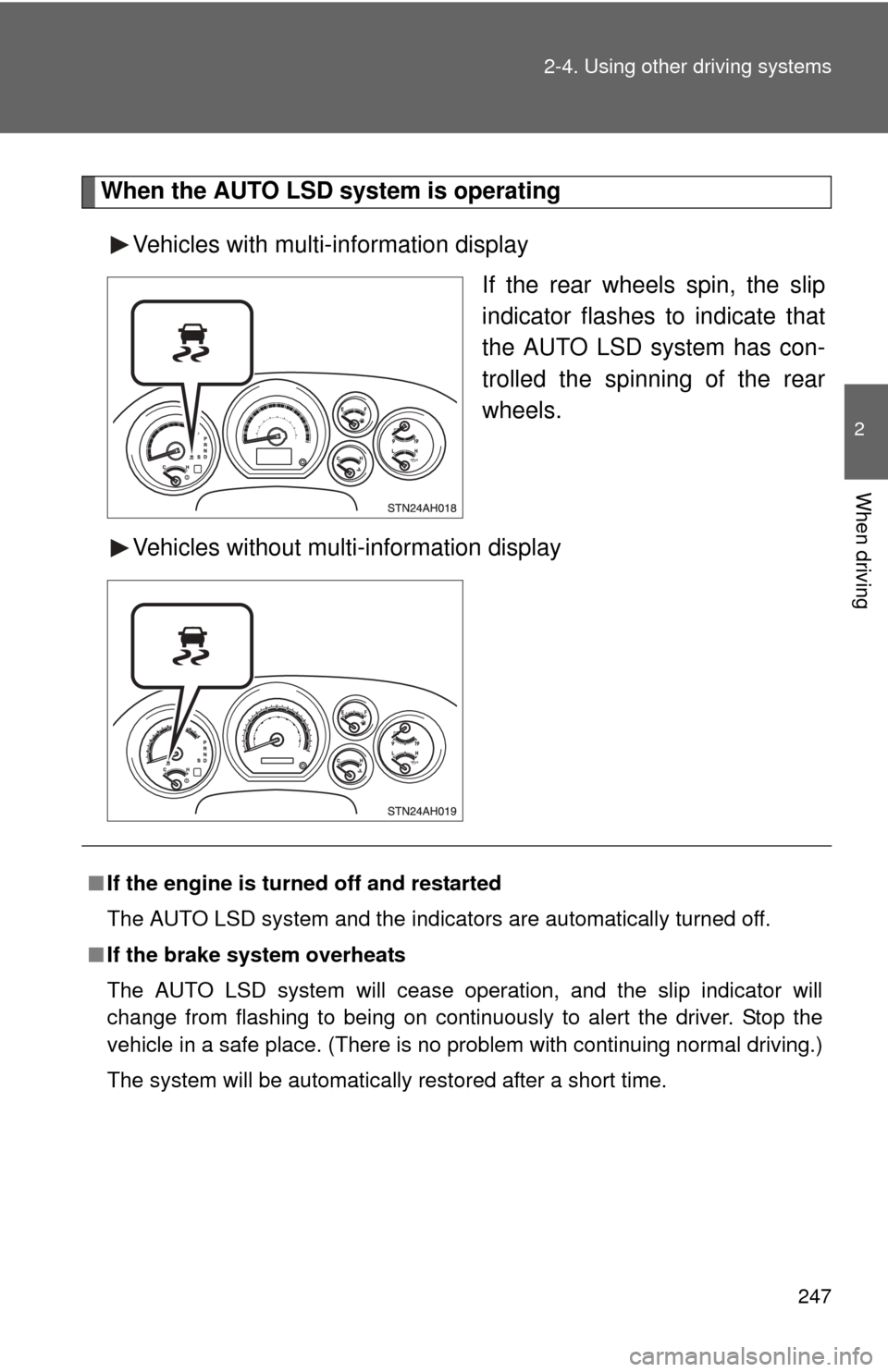
When the AUTO LSD system is operating
Vehicles with multi-information display If the rear wheels spin, the slip
indicator flashes to indicate that
the AUTO LSD system has con-
trolled the spinning of the rear
wheels.
Vehicles without multi-information display
■ If the engine is turned off and restarted
The AUTO LSD system and the indicators are automatically turned off.
■ If the brake system overheats
The AUTO LSD system will cease operation, and the slip indicator will
change from flashing to being on continuously to alert the driver. Stop the
vehicle in a safe place. (There is no problem with continuing normal driving.)
The system will be automatically restored after a short time.
Page 269 of 752
269
2-5. Driving information
2
When driving
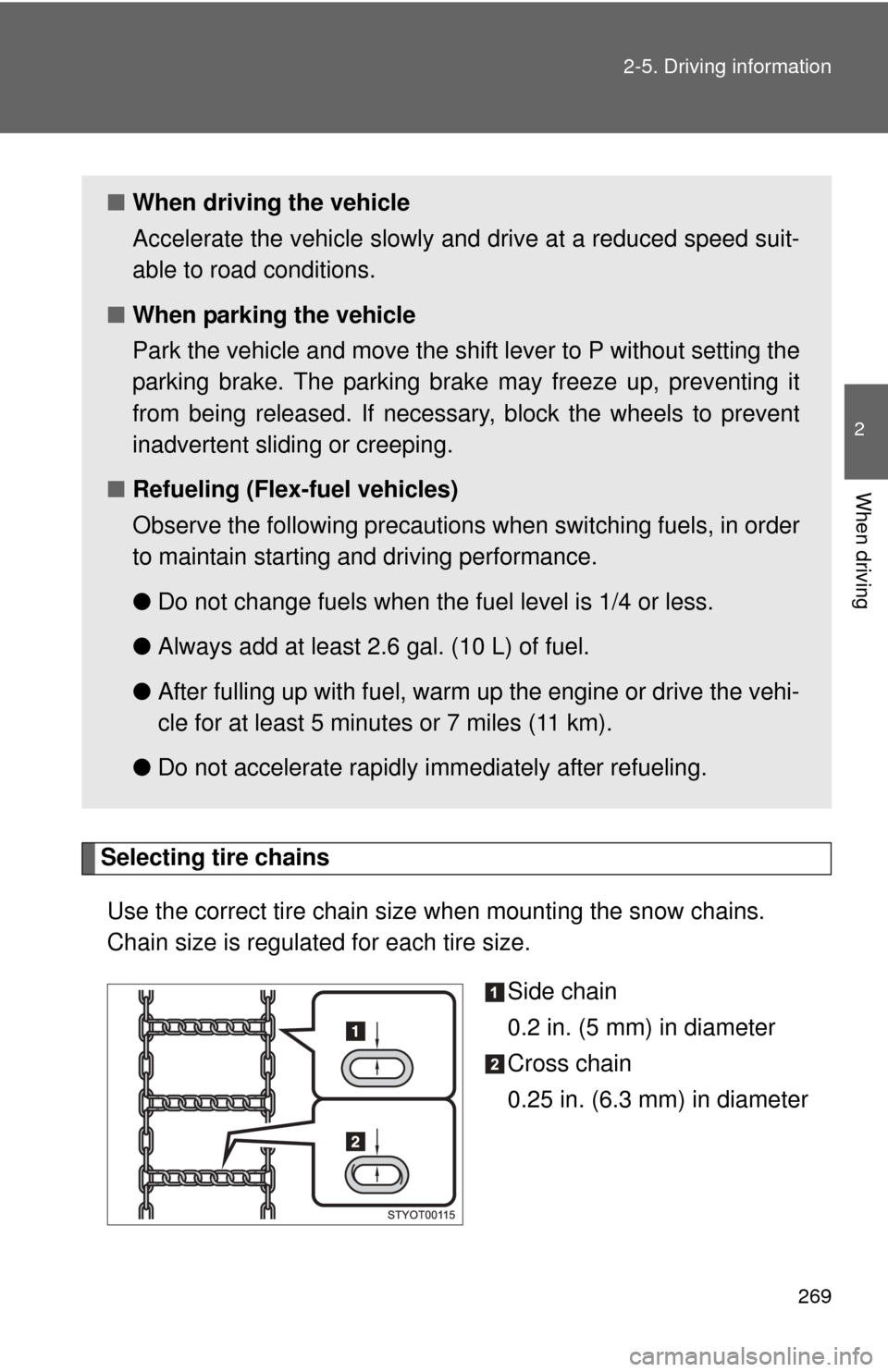
Selecting tire chains
Use the correct tire chain size when mounting the snow chains.
Chain size is regulated for each tire size. Side chain
0.2 in. (5 mm) in diameter
Cross chain
0.25 in. (6.3 mm) in diameter
■When driving the vehicle
Accelerate the vehicle slowly and drive at a reduced speed suit-
able to road conditions.
■ When parking the vehicle
Park the vehicle and move the shift lever to P without setting the
parking brake. The parking brak e may freeze up, preventing it
from being released. If necessary , block the wheels to prevent
inadvertent sliding or creeping.
■ Refueling (Flex-fuel vehicles)
Observe the following precautions when switching fuels, in order
to maintain starting and driving performance.
●Do not change fuels when the fuel level is 1/4 or less.
● Always add at least 2.6 gal. (10 L) of fuel.
● After fulling up with fuel, warm up the engine or drive the vehi-
cle for at least 5 minutes or 7 miles (11 km).
● Do not accelerate rapidly immediately after refueling.
Page 321 of 752
321
3-2. Using the audio system
3
Interior and exterior features
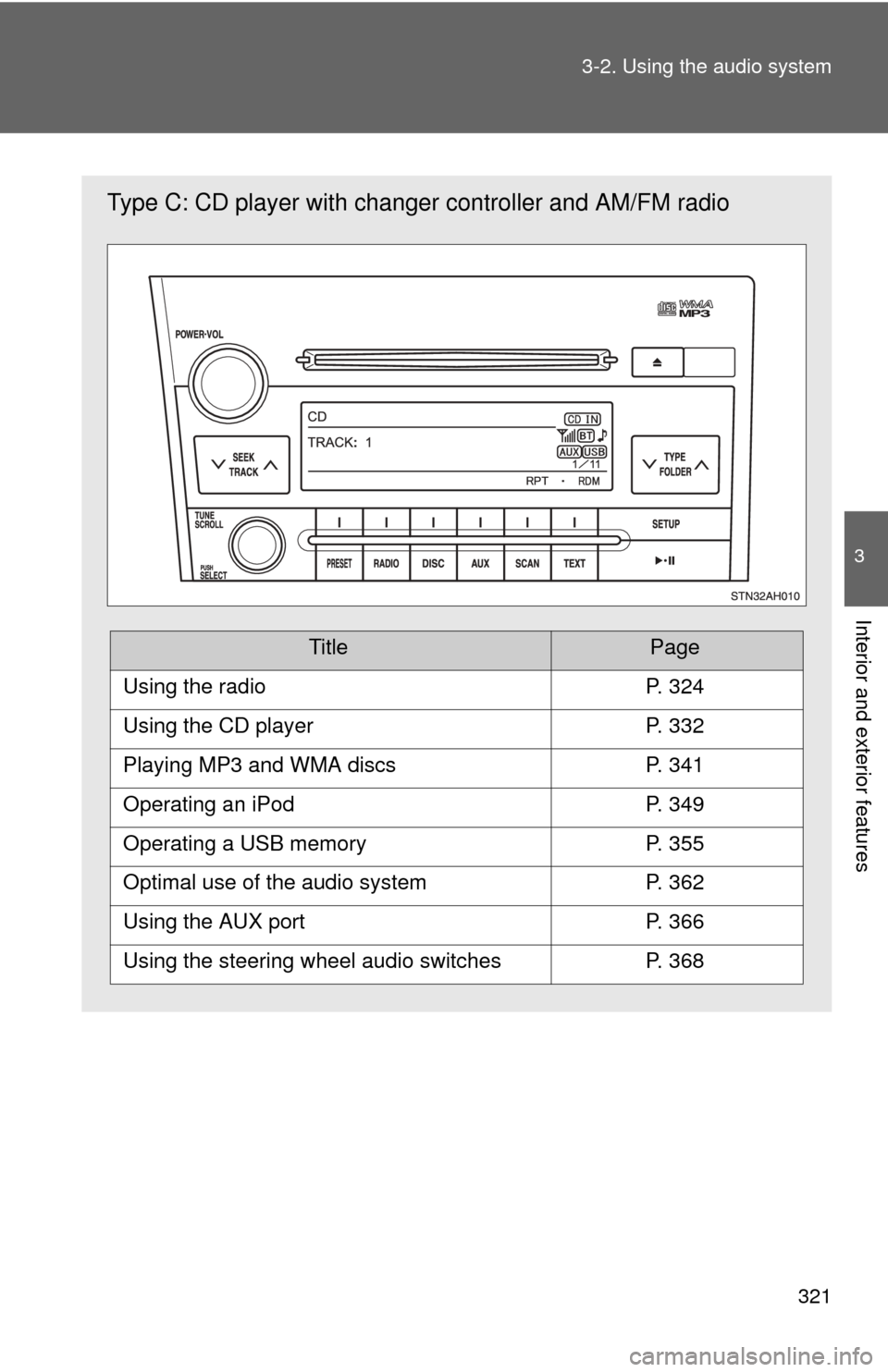
Type C: CD player with changer
controller and AM/FM radio
TitlePage
Using the radioP. 324
Using the CD playerP. 332
Playing MP3 and WMA discsP. 341
Operating an iPodP. 349
Operating a USB memoryP. 355
Optimal use of the audio systemP. 362
Using the AUX portP. 366
Using the steering wheel audio switchesP. 368
Page 383 of 752
383
3-3. Using the Bluetooth
® audio system
3
Interior and exterior features
Fast-forwarding and reversing tracks
Press and hold “ ” or “
” on .
Switching the display
Press .
Each time is pressed, the display changes in the following order:
Track title Track title/Artist name Track title/Album name Track
title/Elapsed time
Using the steering wheel audio switches
P. 3 6 8
■Bluetooth® audio system functions
Depending on the portable player that is connected to the system, certain
functions may not be available.
■ Error messages
“BT AUDIO ERROR”: This indicates a problem in the system.