Page 392 of 876
392
SIENNA_OM_OM45472U_(U)
3-1. Using the air conditioning system and defogger
Front manual air conditioning system ....... 394
Front automatic air conditioning system ....... 402
Rear manual air conditioning system ....... 412
Rear automatic air conditioning system ....... 415
Rear window and outside rear view mirror defoggers,
and windshield wiper
de-icer ............................ 419
3-2. Using the audio system Audio system type............ 421
Using the radio ................. 426
Using the CD player ......... 436
Playing MP3 and WMA discs ..................... 445
Operating an iPod ............ 456
Operating a USB memory .......................... 463
Optimal use of the audio system ........................... 471
Using the AUX port .......... 476
Using the steering switches ......................... 477
Detachable pole antenna .......................... 481 3-3. Using the Bluetooth®
audio system
Bluetooth
® audio
system ........................... 484
Using the Bluetooth
®
audio system .................. 488
Operating a Bluetooth
®
enabled portable
player ............................. 494
Setting up a Bluetooth
®
enabled portable
player ............................. 496
Bluetooth
® audio system
setup .............................. 501
3-4. Using the rear audio system Rear seat entertainment system features ............. 502
Using the DVD player (DVD video) ................... 513
Using the DVD player (video CD) ...................... 523
Using the DVD player (audio CD/CD text) ........ 527
Using the DVD player (WMA/MP3 discs) .......... 528
Using the video mode ...... 530
Changing the DVD initial setting ............................ 532
Interior features3
Page 423 of 876
423
3-2. Using the audio system
3
Interior features
SIENNA_OM_OM45472U_(U)
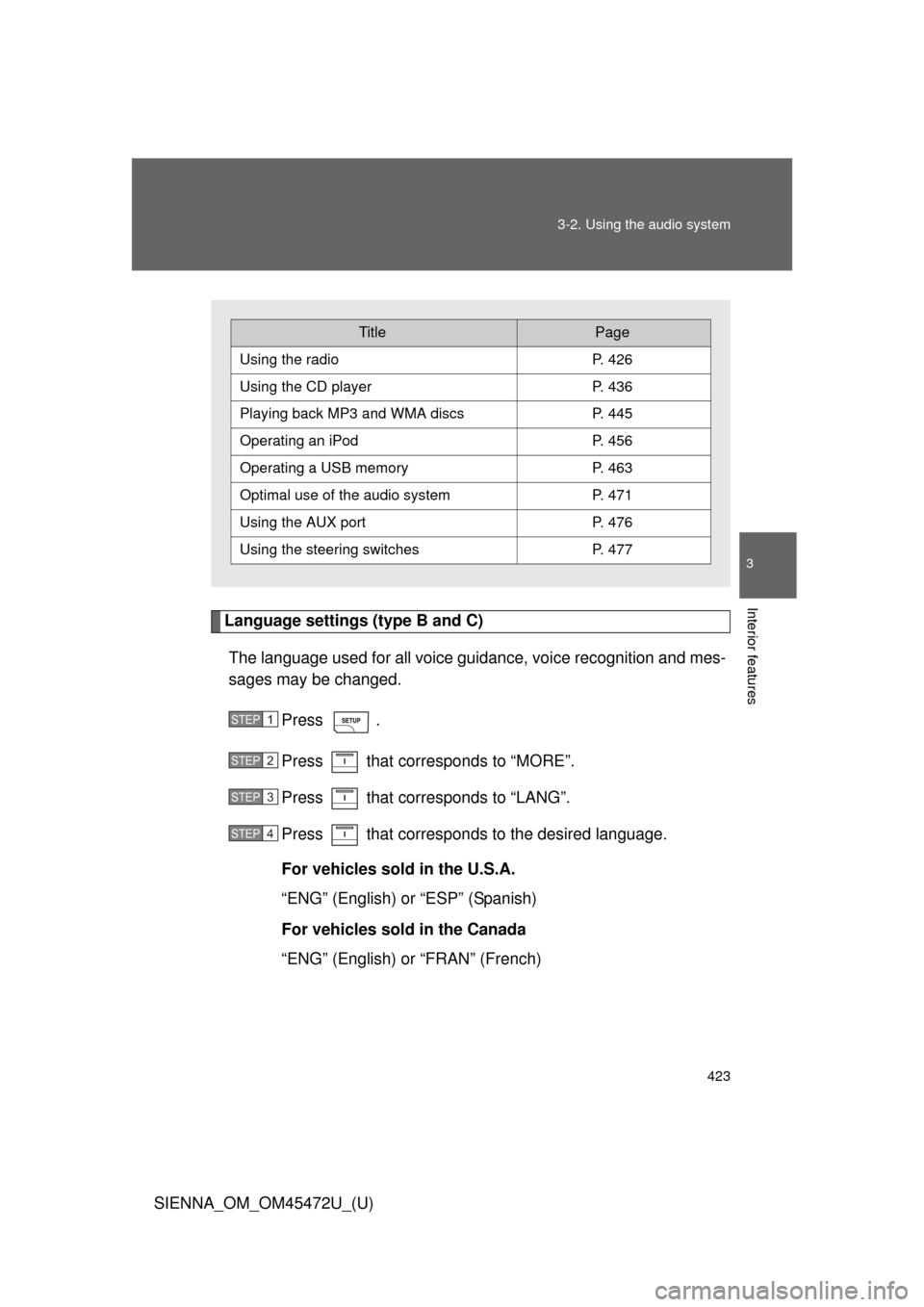
Language settings (type B and C)
The language used for all voice guidance, voice recognition and mes-
sages may be changed.
Press .
Press that corresponds to “MORE”.
Press that corresponds to “LANG”.
Press that corresponds to the desired language.
For vehicles sold in the U.S.A.
“ENG” (English) or “ESP” (Spanish)
For vehicles sold in the Canada
“ENG” (English) or “FRAN” (French)
TitlePage
Using the radioP. 426
Using the CD playerP. 436
Playing back MP3 and WMA discs P. 445
Operating an iPodP. 456
Operating a USB memoryP. 463
Optimal use of the audio systemP. 471
Using the AUX port P. 476
Using the steering switchesP. 477
STEP1
STEP2
STEP3
STEP4
Page 477 of 876
477
3-2. Using the audio system
3
Interior features
SIENNA_OM_OM45472U_(U)
Using the steering switches
: If equipped
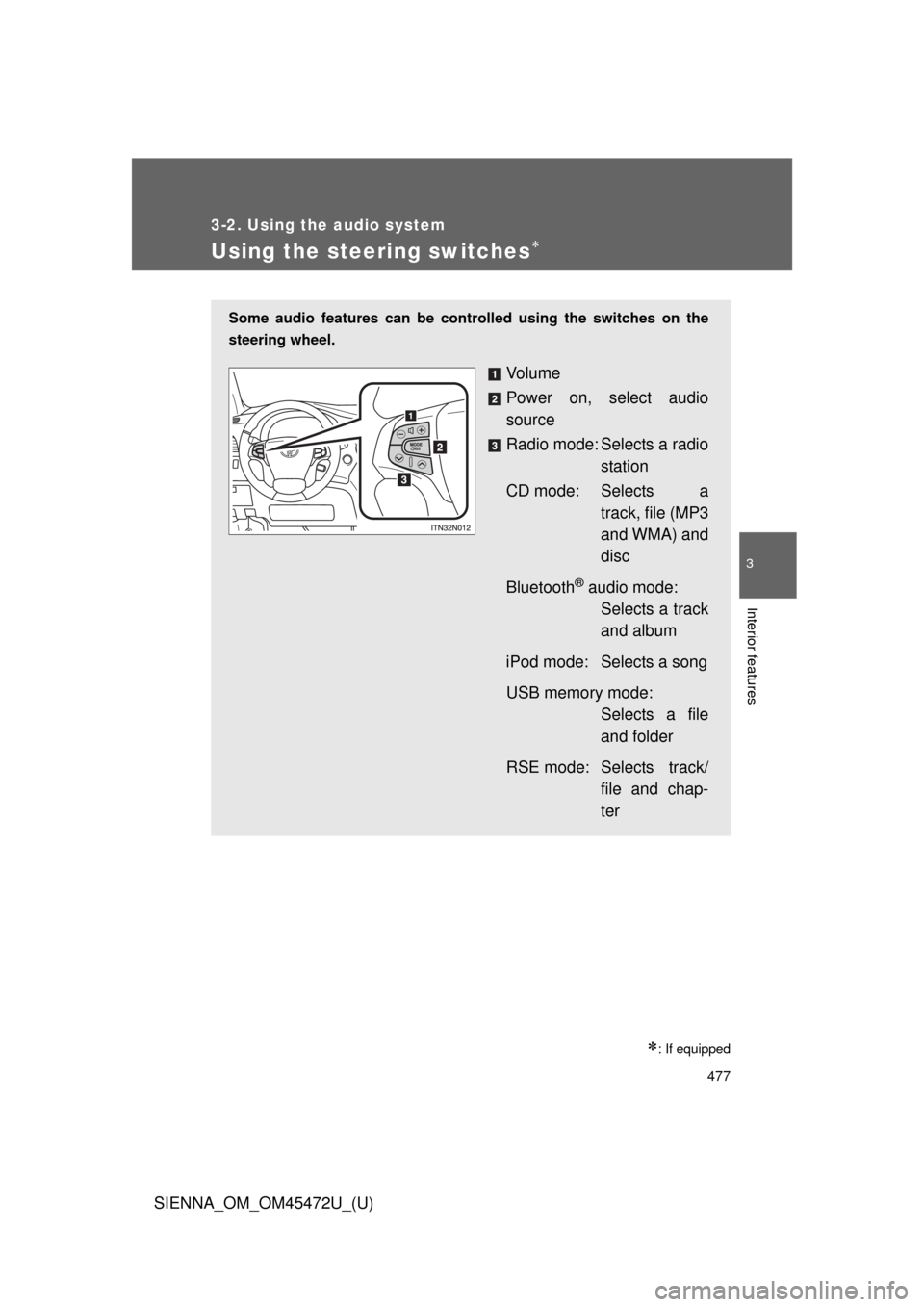
Some audio features can be controlled using the switches on the
steering wheel.
Vo l u m e
Power on, select audio
source
Radio mode: Selects a radio station
CD mode: Selects a track, file (MP3
and WMA) and
disc
Bluetooth
® audio mode: Selects a track
and album
iPod mode: Selects a song
USB memory mode: Selects a file
and folder
RSE mode: Selects track/ file and chap-
ter
Page 480 of 876
480 3-2. Using the audio system
SIENNA_OM_OM45472U_(U)
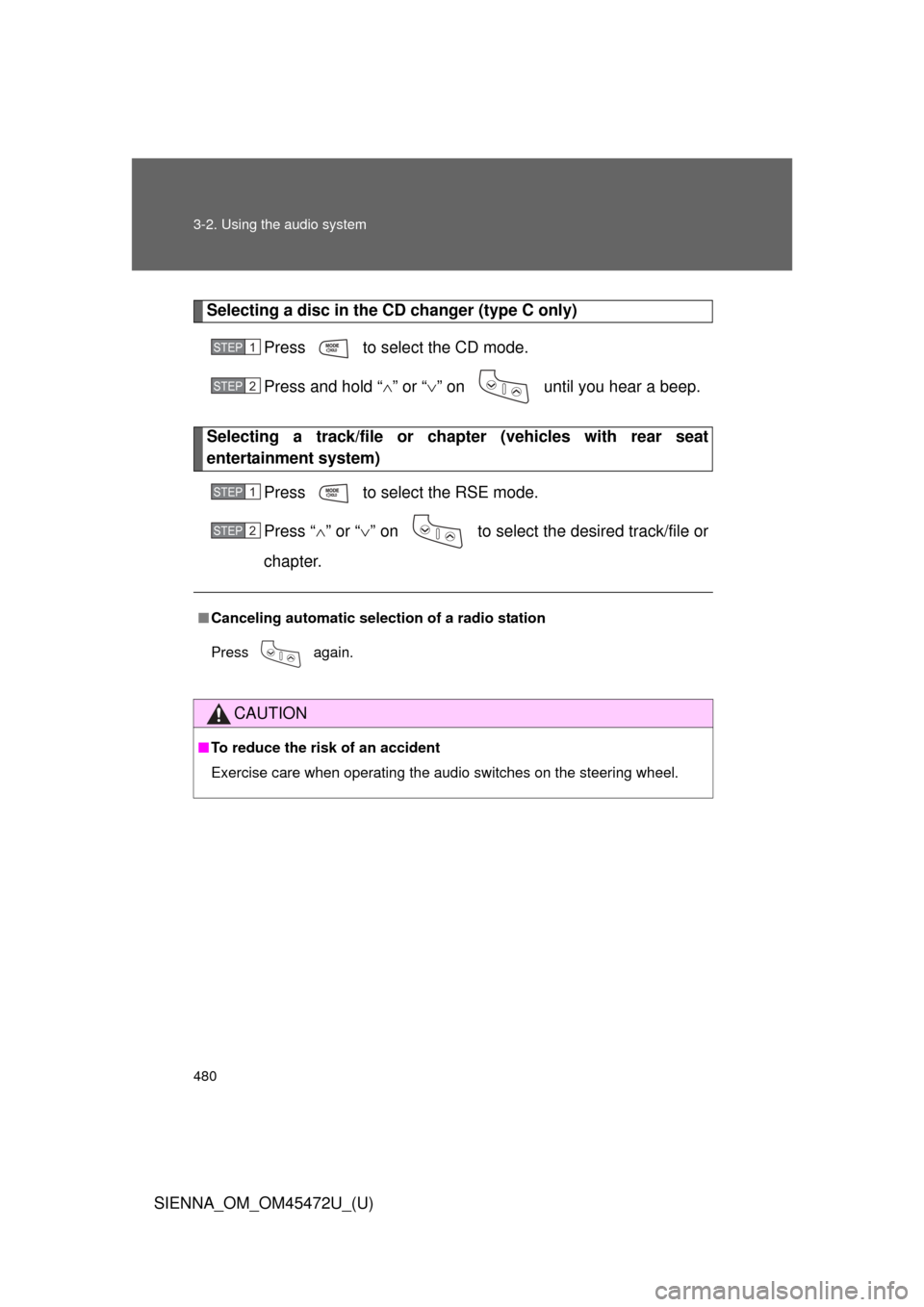
Selecting a disc in the CD changer (type C only)Press to select the CD mode.
Press and hold “ ” or “ ” on until you hear a beep.
Selecting a track/file or ch apter (vehicles with rear seat
entertainment system)
Press to select the RSE mode.
Press “” or “ ” on to select the desired track/file or
chapter.
■ Canceling automatic selection of a radio station
Press again.
CAUTION
■To reduce the risk of an accident
Exercise care when operating the audio switches on the steering wheel.
STEP1
STEP2
STEP1
STEP2
Page 492 of 876
492 3-3. Using the Bluetooth
® audio system
SIENNA_OM_OM45472U_(U)
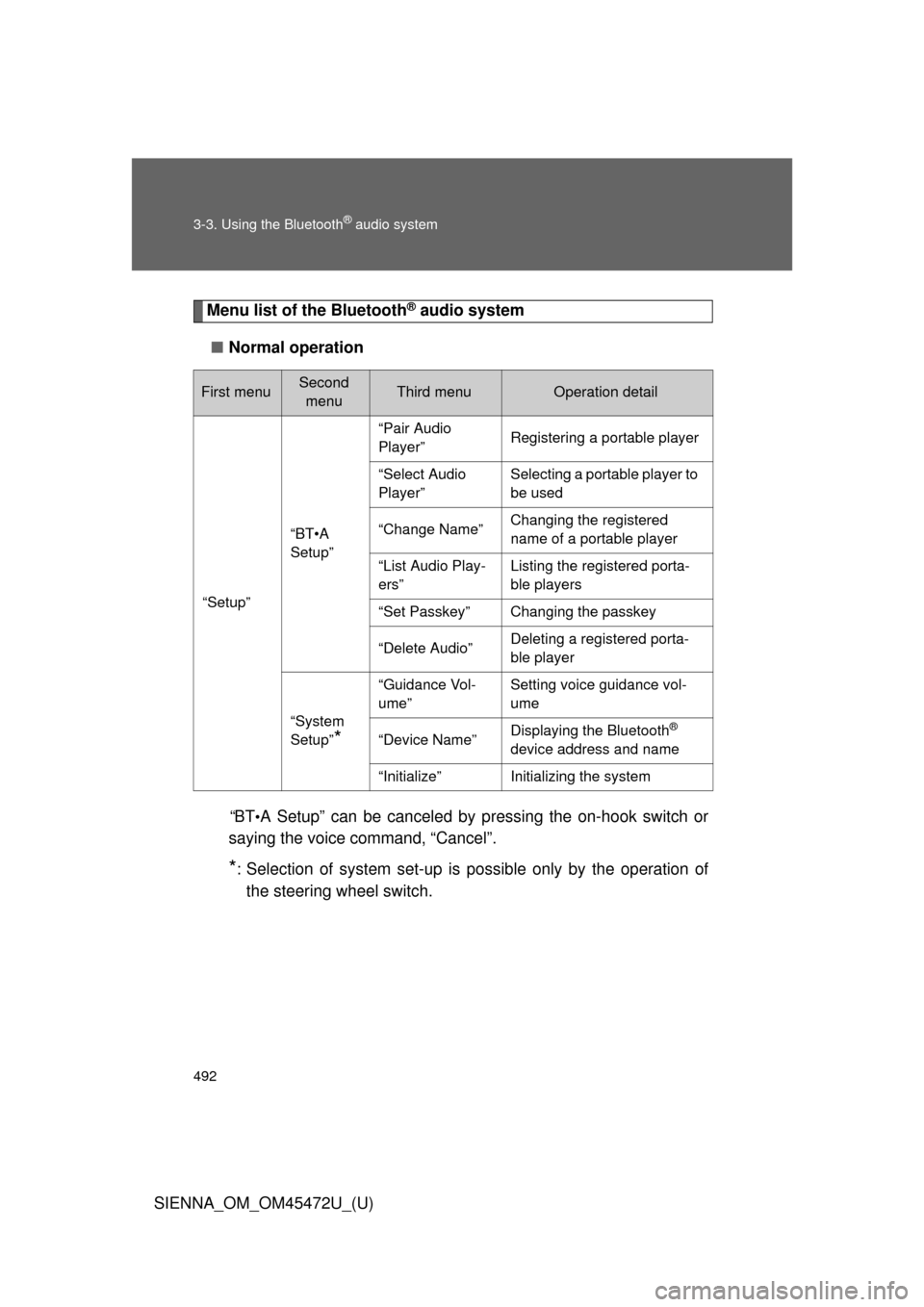
Menu list of the Bluetooth® audio system
■ Normal operation
“B T
•A Setup” can be canceled by pressing the on-hook switch or
saying the voice command, “Cancel”.
*: Selection of system set-up is possible only by the operation of
the steering wheel switch.
First menuSecond menuThird menuOperation detail
“Setup”
“BT•A
Setup”
“Pair Audio
Player”Registering a portable player
“Select Audio
Player”Selecting a portable player to
be used
“Change Name”Changing the registered
name of a portable player
“List Audio Play-
ers”Listing the registered porta-
ble players
“Set Passkey”Changing the passkey
“Delete Audio”Deleting a registered porta-
ble player
“System
Setup”
*
“Guidance Vol-
ume”Setting voice guidance vol-
ume
“Device Name”Displaying the Bluetooth®
device address and name
“Initialize”Initializing the system
Page 495 of 876
495
3-3. Using the Bluetooth
® audio system
3
Interior features
SIENNA_OM_OM45472U_(U)
Playing and pausing tracks
Press .
Fast-forwarding and rewinding tracksPress and hold “
” or “ ” on .
Switching the display
Press .
Each time the button is pressed, the display changes in the following
order: Track title Track title/Artist name Track title/Album name
Track title/Elapsed time
Using the steering wheel audio switches
P. 4 7 7
■Bluetooth® audio system functions
Depending on the portable player that is connected to the system, certain
functions may not be available.
Page 549 of 876
549
3-5. Using the hand
s-free phone system (for cellular phone)
3
Interior features
SIENNA_OM_OM45472U_(U)
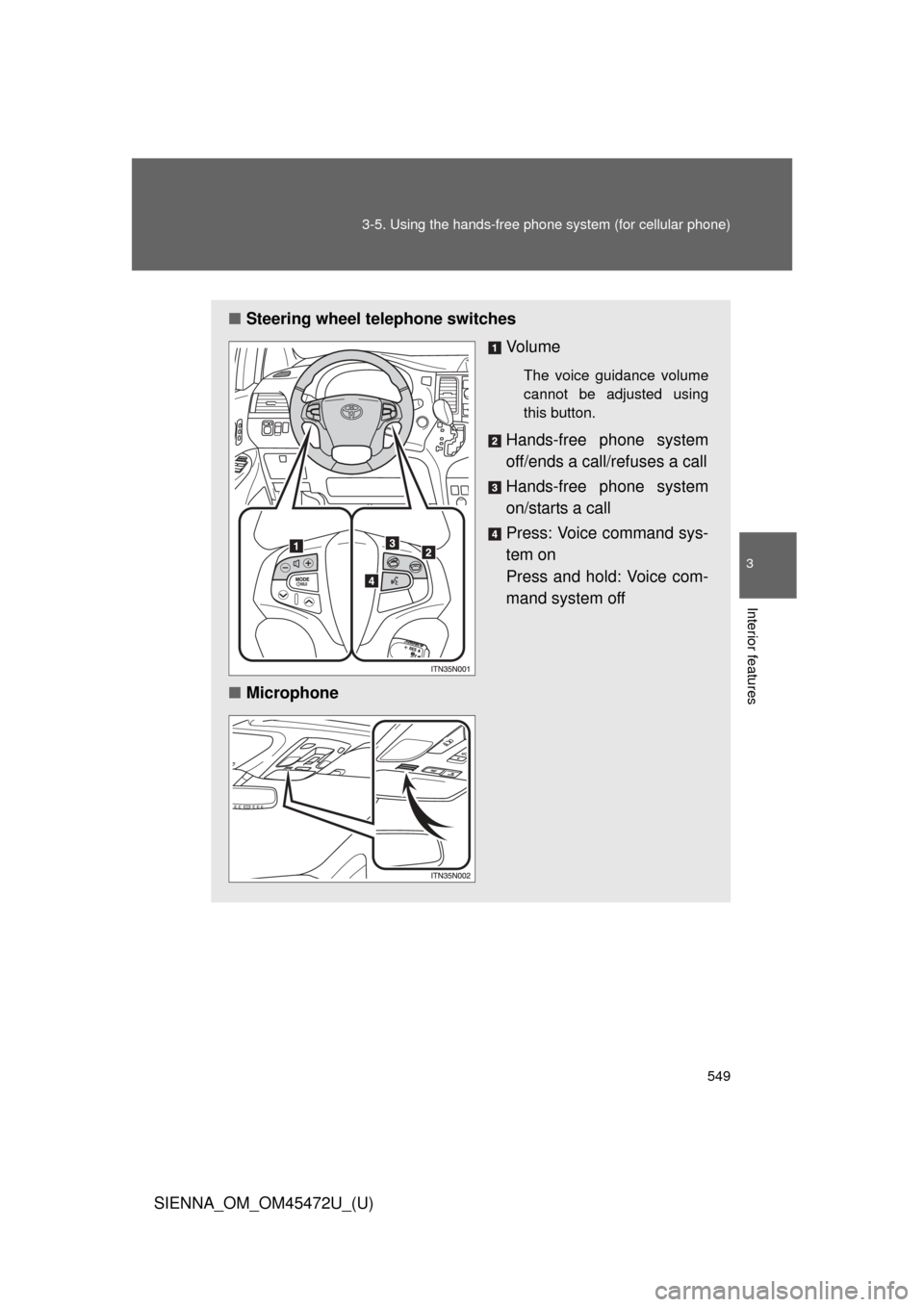
■Steering wheel telephone switches
Vo l u m e
The voice guidance volume
cannot be adjusted using
this button.
Hands-free phone system
off/ends a call/refuses a call
Hands-free phone system
on/starts a call
Press: Voice command sys-
tem on
Press and hold: Voice com-
mand system off
■ Microphone
Page 660 of 876
660 4-2. Maintenance
SIENNA_OM_OM45472U_(U)
ItemsCheck points
Indicators/buzzers • Do the indicators and buzzers
function properly?
Lights • Do all the lights come on?
• Are the headlights aimed cor-
rectly?
Parking brake • Does the parking brake lever or
pedal move smoothly?
• When parked on a slope with the parking brake on, is the vehicle
securely stopped?
Seat belts • Do the seat belts operate
smoothly?
• The seat belts should not be dam- aged.
Seats • Do the seat controls operate
properly?
Steering wheel • Does the steering wheel rotate
smoothly?
• Does the steering wheel have the correct amount of free play?
• There should not be any strange sounds coming from the steering
wheel.