Page 409 of 740
409
3-4. Using the rear seat entertainment system
3
Interior features
●
Second page
BD video
DVD video
AV C H D Displaying the initial setup
screen
Displaying the top page
Displaying the third page
Searching for a title
Searching for a chapter
Returning to the predeter-
mined scene
Changing the audio lan-
guage
Changing the subtitle lan-
guage
Changing the angle
Changing the playback
mode
Changing the audio chan-
nel
Page 411 of 740
411
3-4. Using the rear seat entertainment system
3
Interior features
Turning on the BD/DVD mode
Insert a disc or Press the “DIS C” button with a disc inserted.
The player will start to play the disc automatically.
Playing/pausing a disc
Press to play/pause.
Press and hold while pausing, the video is played slowly.
Selecting a chapter Vehicles with a navigation system
Press or until the desired chapter appears.
Vehicles without a navigation system
Press / or “ ” / “ ” on the “CHAPTER” button until the
desired chapter appears.
Fast forwarding/rewinding a disc
Press and hold or .
Operating the disc menu Press the “TOP MENU” or “MENU” button. Select the menu item using the
“ ”, “ ”, “ ” or “ ” on ,
and press to enter.
Page 420 of 740
420 3-4. Using the rear seat entertainment system
●Setting the angle mark
If the BD/DVD disc has angle opti ons, you can turn the angle mark
on/off.
Each time “Angle Mark” is
selected, “ON” or “OFF” can be
selected.
● Setting the DVD parental lock
The level of viewer restrictions can be set.
Select “DVD Parental Lock”. Input the 4-digit personal code
and then select “OK”.
Select 10 times to reset
the personal code in case the
code was forgotten.
Select a restriction level (1-8)
and then select “OK”.
Page 422 of 740
422 3-4. Using the rear seat entertainment system
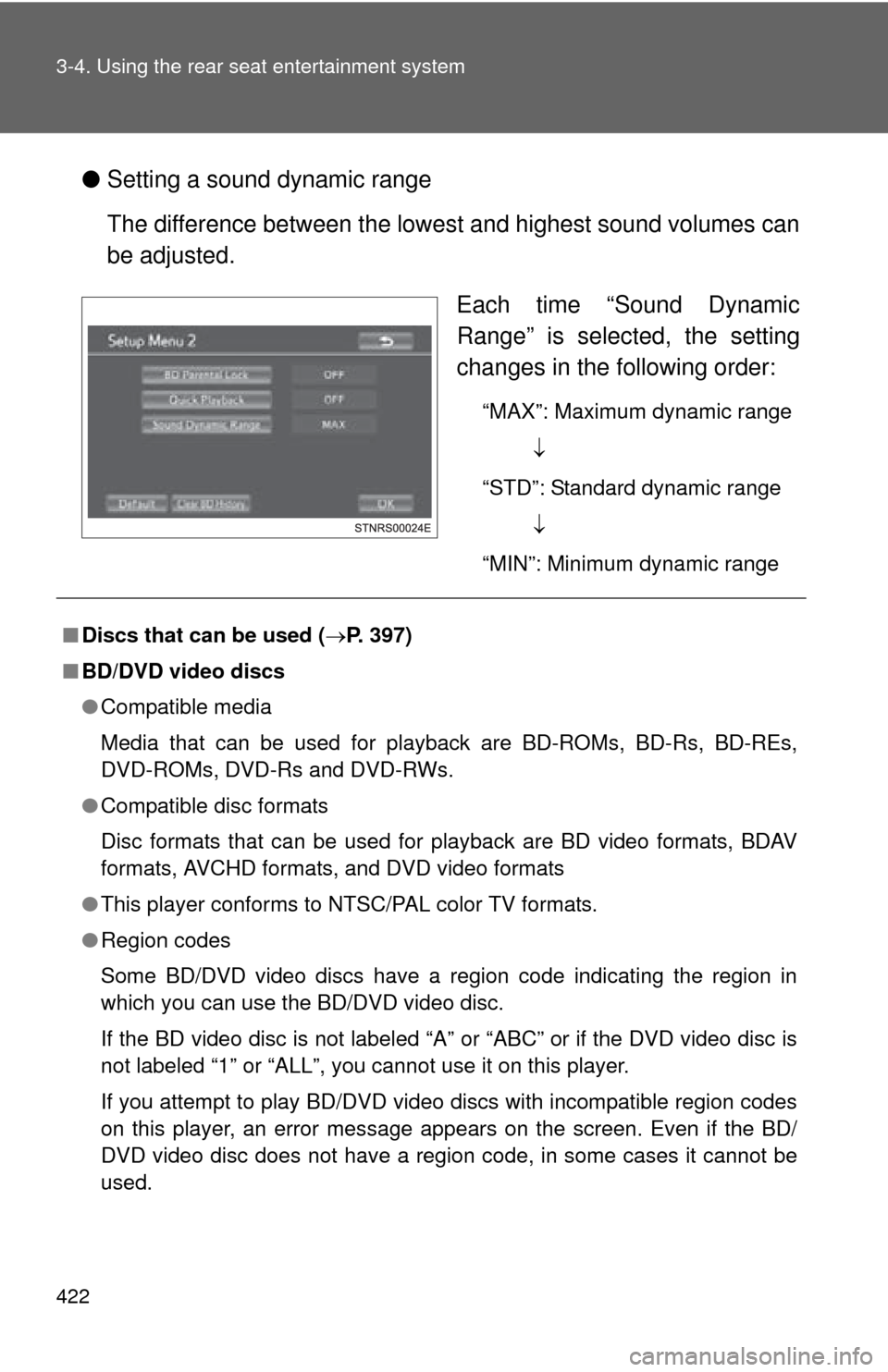
●Setting a sound dynamic range
The difference between the lowest and highest sound volumes can
be adjusted.
Each time “Sound Dynamic
Range” is selected, the setting
changes in the following order:
“MAX”: Maximum dynamic range
“STD”: Standard dynamic range
“MIN”: Minimum dynamic range
■ Discs that can be used ( P. 397)
■ BD/DVD video discs
●Compatible media
Media that can be used for playback are BD-ROMs, BD-Rs, BD-REs,
DVD-ROMs, DVD-Rs and DVD-RWs.
● Compatible disc formats
Disc formats that can be used for playback are BD video formats, BDAV
formats, AVCHD formats, and DVD video formats
● This player conforms to NTSC/PAL color TV formats.
● Region codes
Some BD/DVD video discs have a region code indicating the region in
which you can use the BD/DVD video disc.
If the BD video disc is not labeled “A” or “ABC” or if the DVD video disc is
not labeled “1” or “ALL”, you cannot use it on this player.
If you attempt to play BD/DVD video discs with incompatible region codes
on this player, an error message appears on the screen. Even if the BD/
DVD video disc does not have a region code, in some cases it cannot be
used.
Page 423 of 740
423
3-4. Using the rear seat entertainment system
3
Interior features
●
When storing content on BD-R, BD-RE, DVD-R or DVD-RW discs, they
must be finalized using a recorder. Discs that are not finalized cannot be
played by this system.
● Discs that are recorded with multi session cannot be played by this sys-
tem.
● BD-Live™ is not supported.
■ Symbols shown on BD/DVD video discs
SymbolMeaning
Indicates PAL/NTSC format
Indicates the number of audio tracks
Indicates the number of language subtitles
Indicates the number of angles
Indicates the screen display ratios available
Wide screen: 16:9
Standard: 4:3
Indicates the disc’s region code
• BD video
“ABC”: all regions
Alphabet: region code
• DVD video “ALL”: all regions
Number: region code
Page 424 of 740

424 3-4. Using the rear seat entertainment system
■BD/DVD video disc information
●Parental controls
This feature limits what can be viewed in conformity with the level of
restrictions of the country. The level of restrictions varies depending on the
BD/DVD video disc. Some BD/DVD video discs cannot be played at all, or
violent scenes are skipped or replaced with other scenes.
• DVD video
Level 1: DVD video discs for children can be played.
Level 2 - 7: DVD video discs for children and G-rated movies can be
played.
Level 8: All types of DVD video discs can be played.
• BD video Parental controls of BD videos can be set up by inputting an age. If the
target age of BD video exceeds the age restriction that was set up, then
playback will not be possible.
● Multi-angle feature
You can enjoy the same scene from different angles.
● Multi-language option
You can select the subtitle and audio languages.
● Region codes
The region codes are provided on BD /DVD players and BD/DVD discs. If
the BD/DVD disc does not have the same region code as the BD/DVD
player, you cannot play the disc on the player.
● Title and chapter
Video and audio programs stored in BD/DVD video discs are divided into
parts by title and chapter.
Title: The largest unit of the video and audio programs stored on BD/DVD
video discs. Usually, one movie, one album, or one audio program is
assigned as a title.
Chapter: A title comprises of one or more chapters.
Page 425 of 740

425
3-4. Using the rear seat entertainment system
3
Interior features
●
AVCHD
AVCHD is a new format (standard) for high definition video cameras that
can record and play high-resolution HD images.
DVDs and SD cards with videos recorded in AVCHD format can playback
on this system.
● BDAV (Blu-ray Disc™ Audio/Visual)
BDAV is one of the audio/video recording formats for Blu-ray Disc™, has
been made primarily for the purpose of broadcasting the recording.
It is used when recording to BD-R and BD-RE by Blu-ray™ recorder.
● BD-J
Some BD video discs contain Java applications, and these applications
are called BD-J. You can enjoy various interactive features in addition to
playing normal video.
● Pop-up menu
Some BD video discs have a pop-up navigation menu that can be called
up and be operated on the screen without interrupting playback.
● Picture-in-picture
This is a function of BD video that plays the primary video and secondary
video simultaneously. For instance, the function is capable of playing the
original movie as the primary video while playing video commentary from
the film director on a small screen as a secondary video.
● DUBA (Disc Unbound BD-J Application)
For BD videos that come as a 2 disc set or more, after finishing and eject-
ing one of the discs, continuation of the video can be seen shortly after
replacing the disc with the proper disc.
● Playlist (BDAV only)
A playlist of favorite scenes by Blu-ray™ recorder can be created and the
scenes can playback via playlist.
■ Audio
This player can play liner PCM, Dolby digital, DTS and MPEG audio format.
Other decoded types cannot be played.
Page 428 of 740
428 3-4. Using the rear seat entertainment system
CAUTION
■BD/DVD video precaution
Conversational speech on some BDs/DVDs is recorded at a low volume to
emphasize the impact of sound effects. If you adjust the volume assuming
that the conversations represent the maximum volume level that the BD/
DVD will play, you may be startled by louder sound effects or startled when
you change to a different audio source.
Loud sounds may have a significant impact on the human body or pose a
driving hazard. Keep this in mind when you adjust the volume.
CodeLanguage
2118 Urdu
2126 Uzbek
2209 Vietnamese
2215 Volapük
2315 Wolof
2408 Xhosa
2515 Yoruba
2601 Zhuang
2621 Zulu
CodeLanguage


