Page 384 of 740
384 3-3. Using the Bluetooth
® audio system
Changing the passkeySelect “Set Passkey” using a voice command or .
Press the talk switch, say a 4 to 8-digit number, and select
“Confirm” using a voice command or .
When the entire number to be registered as a passkey has
been input, press again.
If the number to be registered has 8 digits, pressing of the knob is
not necessary.
Deleting a registered portable playerSelect “Delete Audio Player (Delete Audio)” using a voice
command or .
Select the portable player to be deleted by either of the follow-
ing methods and select “Confirm” using a voice command or
:
a. Press the talk switch and say the name of the desired por- table player.
b. Press the talk switch and say “List Audio Players”. When
the name of the desired portable player is read aloud, press
the talk switch.
If the portable player to be deleted is paired as a Bluetooth
® phone,
the registration of the mobile phone can be deleted at the same time.
A voice guidance instruction to delete a mobile phone is heard.
Select “Confirm” by using a voice command or .
Page 385 of 740
385
3-3. Using the Bluetooth
® audio system
3
Interior features
■
The number of portable pl ayers that can be registered
Up to 2 portable players can be registered in the system.
Page 386 of 740
386
3-3. Using the Bluetooth® audio system
Bluetooth® audio system setup
■System setup items and operation procedures
●Setting voice guidance volume
1. “Setup” 2. “System Setup” 3. “Guidance Volume”
( P. 470)
● Displaying the Bluetooth
® device address and name
1. “Setup” 2. “System Setup” 3. “Device Name”
( P. 471)
● Initialization
1. “Setup” 2. “System Setup” 3. “Initialize”
( P. 471)
Page 396 of 740
396 3-4. Using the rear seat entertainment system
Operating from the front seats (vehicles with a navigation system)
The rear seat entertainment system can be operated from the front
seats.
Press the “MEDIA” button.
Touch the “Rear” tab on the screen. Touch the desired button.
Turning on/off the rear seat
entertainment system
Turning on/off the rear system
lock
The operation lock on the rear
seat entertainment system can be
turned on or off.
Selecting the rear seat enter-
tainment system’s media
mode
Audio/video operation buttons
Adjusting the sound settings
Page 397 of 740
397
3-4. Using the rear seat entertainment system
3
Interior features
■
The rear seat entertainmen t system can be used when
The engine switch is in ACC or ON position.
■ Discs that can be used
Discs with the marks shown below can be used.
Playback may not be possible depending on recording format or disc fea-
tures, or due to scratches, dirt or deterioration.
The following discs cannot be used on this system:
●
BDXL™ disc
●BD-RE with the cartridge
● HD DVD
● DVD audio
● Video CD
● SACD
■ SD cards that can be used
●Memory cards are restricted to the following conditions based on SD
standards.
• SD memory card (from 512MB to 2GB)
• SDHC memory card (from 4GB to 32GB)
• SDXC memory card (from 48GB to 64GB)
● Mini SD cards and Micro SD cards can be used, but must be used with
an adaptor card.
● MultiMedia Card (MMC) cannot be used.
Page 401 of 740

401
3-4. Using the rear seat entertainment system
3
Interior features
●
This product is licensed under the AVC patent portfolio license and the
VC-1 patent portfolio license for the personal use of a consumer or other
uses in which it does not receive remuneration to (i) encode video in
compliance with the AVC Standard and the VC-1 Standard (“AVC/VC-1
Video”) and/or (ii) decode AVC/VC-1 Video that was encoded by a con-
sumer engaged in a personal activity and/or was obtained from a video
provider licensed to provide AVC/VC-1 Video. No license is granted or
shall be implied for any other use. Additional information may be
obtained from MPEG LA, LLC.
See http://www.mpegla.com.
● Cinavia Notice
This product uses Cinavia technology to limit the use of unauthorized cop-
ies of some commercially-produced film and videos and their soundtracks.
When a prohibited use of an unauthorized copy is detected, a message
will be displayed and playback or copying will be interrupted.
More information about Cinavia technology is provided at the Cinavia
Online Consumer Information Center at http://www.cinavia.com
. To
request additional information about Cinavia by mail, send a postcard with
your mailing address to: Cinavia Consumer Information Center, P.O. Box
86851, San Diego, CA, 92138, USA.
● This product incorporates proprietary technology under license from
Verance Corporation and is protected by U.S. Patent 7,369,677 and
other U.S. and worldwide patents issued and pending as well as
copyright and trade secret protection for certain aspects of such
technology. Cinavia is a trademark of Verance Corporation. Copyright
2004-2010 Verance Corporation. All rights reserved by Verance. Reverse
engineering or disassembly is prohibited.
● WMA (Windows Media Audio), Micros oft, Windows, and Windows Media
are the registered trademarks of Microsoft Corporation in the U.S. and
other countries.
● This item incorporates copy protection technology that is protected by
U.S. patents and other intellectual property rights of Rovi Corporation.
Reverse engineering and disassembly are prohibited.
Page 409 of 740
409
3-4. Using the rear seat entertainment system
3
Interior features
●
Second page
BD video
DVD video
AV C H D Displaying the initial setup
screen
Displaying the top page
Displaying the third page
Searching for a title
Searching for a chapter
Returning to the predeter-
mined scene
Changing the audio lan-
guage
Changing the subtitle lan-
guage
Changing the angle
Changing the playback
mode
Changing the audio chan-
nel
Page 410 of 740
410 3-4. Using the rear seat entertainment system
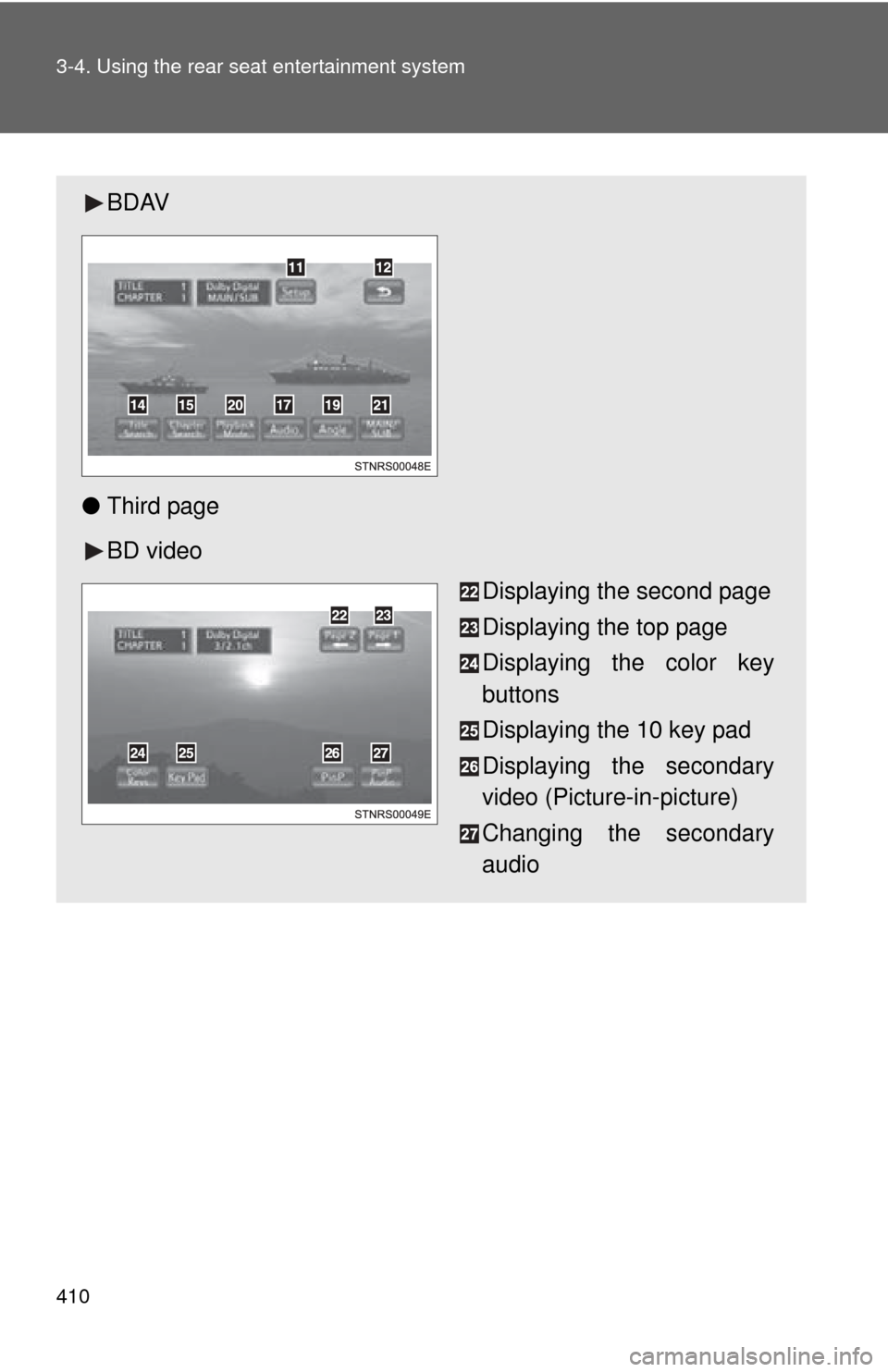
BDAV
● Third page
BD video
Displaying the second page
Displaying the top page
Displaying the color key
buttons
Displaying the 10 key pad
Displaying the secondary
video (Picture-in-picture)
Changing the secondary
audio