Page 89 of 624
89
RAV4_OM_OM42809U_(U)
2. Instrument cluster
2
Instrument cluster
Multi-infor mation display
The multi-information display presents the driver with a variety of driv-
ing-related data including the current outside air temperature.
● Outside temperature display
Indicates the outside temperature.
The temperature range that can be
displayed is from -40 F (-40 C) to
122 F (50 C).
● Engine coolant temperature
gauge
Displays the engine coolant tem-
perature.
●Shift position and shift range
Displays the selected shift position
or selected shift range ( P. 207)
● Trip information ( P. 9 0 )
Displays odometer, trip meter, driv-
ing range, fuel consumption and
other cruising related information.
Display contents
Page 90 of 624
90
RAV4_OM_OM42809U_(U)
2. Instrument cluster
■Switching the display
Items displayed can be
switched by pressing the
“DISP” button.
■Odometer
■Trip meters “A” and “B”
■Current fuel consumption
Trip information
Displays the total distance the vehicle has
been driven.
Displays the distance the vehicle has been
driven since the meter was last reset. Trip
meters “A” and “B” can be used to record and
display different distances independently.
Pressing and holding the “DISP” button will reset
the trip meter that is currently displayed.
Displays the current rate of fuel consumption.
Page 91 of 624
RAV4_OM_OM42809U_(U)
912. Instrument cluster
2
Instrument cluster
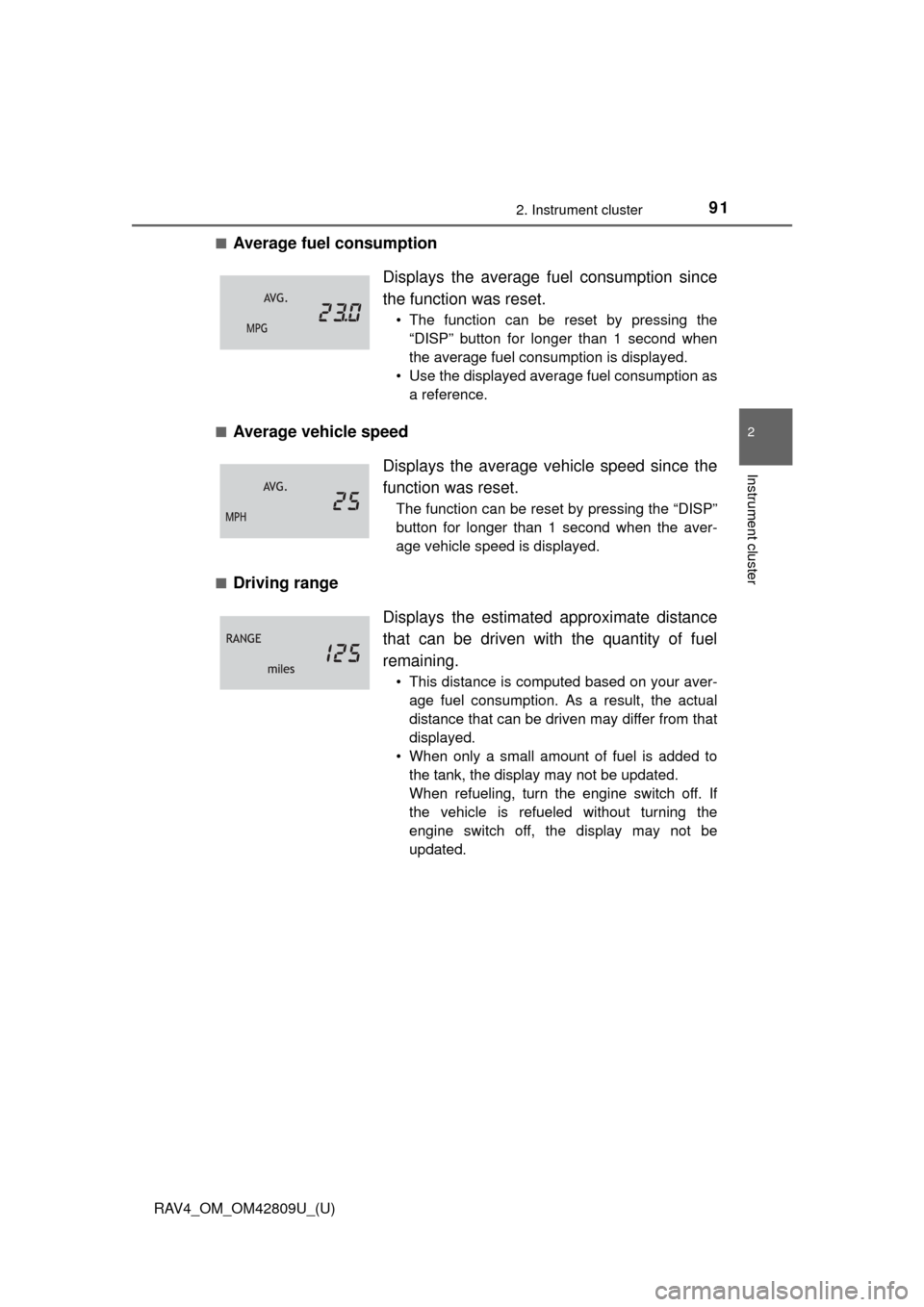
■Average fuel consumption
■Average vehicle speed
■Driving range Displays the average f
uel consumption since
the function was reset.
• The function can be reset by pressing the “DISP” button for longer than 1 second when
the average fuel consumption is displayed.
• Use the displayed average fuel consumption as a reference.
Displays the average vehicle speed since the
function was reset.
The function can be reset by pressing the “DISP”
button for longer than 1 second when the aver-
age vehicle speed is displayed.
Displays the estimat ed approximate distance
that can be driven with the quantity of fuel
remaining.
• This distance is computed based on your aver- age fuel consumption. As a result, the actual
distance that can be driven may differ from that
displayed.
• When only a small amount of fuel is added to the tank, the display may not be updated.
When refueling, turn the engine switch off. If
the vehicle is refueled without turning the
engine switch off, the display may not be
updated.
Page 93 of 624

RAV4_OM_OM42809U_(U)
932. Instrument cluster
2
Instrument cluster
■When disconnecting and reco nnecting battery terminals
The following information data will be reset:
● Trip meters “A” and “B”
● Average fuel consumption
● Average vehicle speed
● Driving range
■ Outside temperature display
In the following situations, the correct outside temperature may not be dis-
played, or the display may take longer than normal to change.
●When stopped, or driving at low speeds (approximately 12 mph [20 km/h] or
less)
● When the outside temperature has changed suddenly (at the entrance/exit
of a garage, tunnel, etc.)
■ When “--- F” is displayed
The system may be malfunctioning. Take your vehicle to your Toyota dealer.
■ Customization
Settings can be changed. (Customizable features: P. 579)
NOTICE
■The multi-information disp lay at low temperatures
Allow the interior of the vehicle to warm up before using the liquid crystal
information display. At extremely low temperatures, the information display
monitor may respond slowly, and display changes may be delayed.
Page 163 of 624

163
RAV4_OM_OM42809U_(U)
4Driving
4-1. Before drivingDriving the vehicle ............. 164
Cargo and luggage ........... 176
Vehicle load limits ............. 180
Trailer towing..................... 181
Dinghy towing ................... 196
4-2. Driving procedures Engine (ignition) switch (vehicles without a
smart key system) ........... 197
Engine (ignition) switch (vehicles with a
smart key system) ........... 200
Automatic transmission ..... 207
Turn signal lever................ 214
Parking brake .................... 215
Horn .................................. 216 4-3. Operating the lights
and wipers
Headlight switch ................ 217
Automatic High Beam ....... 221
Fog light switch ................. 228
Windshield wipers and washer ..................... 229
Rear window wiper and washer ..................... 234
4-4. Refueling Opening the fuel tank cap .................................. 237
4-5. Using the driving support systems
Cruise control .................... 241
LDA (Lane Departure Alert) .... 245
Intuitive parking assist....... 253
All-wheel drive lock switch (AWD models) ..... 259
Driving assist systems ...... 260
BSM (Blind Spot Monitor) ........ 266
• The Blind Spot Monitor
function ......................... 270
• The Rear Cross Traffic Alert function ................. 273
4-6. Driving tips Winter driving tips ............. 276
Utility vehicle precautions ..................... 281
Page 167 of 624

RAV4_OM_OM42809U_(U)
1674-1. Before driving
4
Driving
■Drum-in-disc type parking brake system
Your vehicle has a drum-in-disc type parking brake system. This type of brake
system needs bedding-down of the brake shoes periodically or whenever the
parking brake shoes and/or drum are replaced. Have your Toyota dealer per-
form the bedding down operation.
■ Operating your vehicle in a foreign country
Comply with the relevant vehicle registration laws and confirm the availability
of the correct fuel. ( P. 563)
■ Eco Driving Indicator
Eco Driving Indicator Zone Display availability can be customized at your
Toyota dealer. The default setting is off.
Zone of Eco driving
Eco driving ratio based on acceleration
If the acceleration exceeds Zone of Eco driving, the right side of Eco Driv-
ing Indicator Zone Display blinks.
Eco Driving Indicator will not operate in the following conditions:
● The shift lever is anything other than D.
● Neither normal mode nor Eco drive mode is selected. ( P. 209)
● The vehicle speed is approximately 80 mph (130 km/h) or higher.
Suggests Zone of Eco driving and Eco
driving ratio based on acceleration.
Eco Driving Indicator Light
During Eco-friendly acceleration (Eco
driving), Eco Driving Indicator Light will
turn on.
When the acceleration exceeds Zone of
Eco driving, or when the vehicle is
stopped, the light turns off.
Eco Driving Indicator Light availability
can be customized. The default setting
is on. ( P. 92)
Eco Driving Indicator Zone Display
1
2
3
4
Page 181 of 624

181
RAV4_OM_OM42809U_(U)
4-1. Before driving
4
Driving
Trailer towing
Contact your Toyota dealer for further information about additional
requirements such as a towing kit, etc.
Your vehicle is designed primarily as a passenger-and-load-car-
rying vehicle. Towing a trailer can have an adverse impact on
handling, performance, braking, durability, and fuel consump-
tion. For your safety and the safe ty of others, you must not over-
load your vehicle or trailer. You must also ensure that you are
using appropriate towing equipmen t, that the towing equipment
has been installed correctly a nd used properly, and that you
employ the requisite driving habits.
Vehicle-trailer stability and braking performance are affected by
trailer stability, brake performance and setting, trailer brakes,
the hitch and hitch systems (if equipped).
To tow a trailer safely, use extreme care and drive the vehicle in
accordance with your trailer’s characteristics and operating
conditions.
Toyota warranties do not apply to damage or malfunction
caused by towing a trailer for commercial purposes.
Page 209 of 624
RAV4_OM_OM42809U_(U)
2094-2. Driving procedures
4
Driving
The following modes can be selected to suit driving conditions.
■Eco drive mode
Use Eco drive mode to help achieve low fuel consumption during
trips that involve frequent accelerating.
Press the “ECO MODE” button
to select Eco drive mode.
The “ECO MODE” indicator
comes on.
Press the button again to cancel
Eco drive mode.
■
Sport mode
Use sport mode for powerful acceleration and driving in mountain-
ous regions.
Press the “SPORT” button to
select sport mode.
The “SPORT” indicator comes
on.
Press the button again to cancel
sport mode.
Selecting the driving mode


