Page 218 of 640
218 2-2. Instrument cluster
PRIUS_OM_OM47791U_(U)
MPH or km/h buttonThe speed units can be selected MPH or km/h.
Press the button to switch the
display between MPH and km/h.
Page 220 of 640
220 2-2. Instrument cluster
PRIUS_OM_OM47791U_(U)
CAUTION
■To prevent an accident
NOTICE
■To prevent damage to the engine and its components
The engine may be overheating if the high coolant temperature warning light
comes on or flashes. In this case, immediately stop the vehicle in a safe
place, and check the engine after it has cooled completely. ( P. 556)
Do not place anything or attach a sticker
in front of the instrument cluster. The item
may obscure or obstruct the display, or
could reflect off the display, possibly
causing an accident.Instrument cluster
Page 221 of 640
221
2-2. Instrument cluster
PRIUS_OM_OM47791U_(U)
2
When driving
Indicators and warning lights
The indicator and warning lights on the instrument cluster and
instrument panel inform the driver of the status of the vehicle’s vari-
ous systems.
For the purpose of explanation, the fo llowing illustration displays all
indicators and warning lights illuminated.
Instrument cluster
Some indicators and the units used on the display may differ
depending on the target region.
Instrument panel
Page 225 of 640
225
2-2. Instrument cluster
PRIUS_OM_OM47791U_(U)
2
When driving
Multi-information display
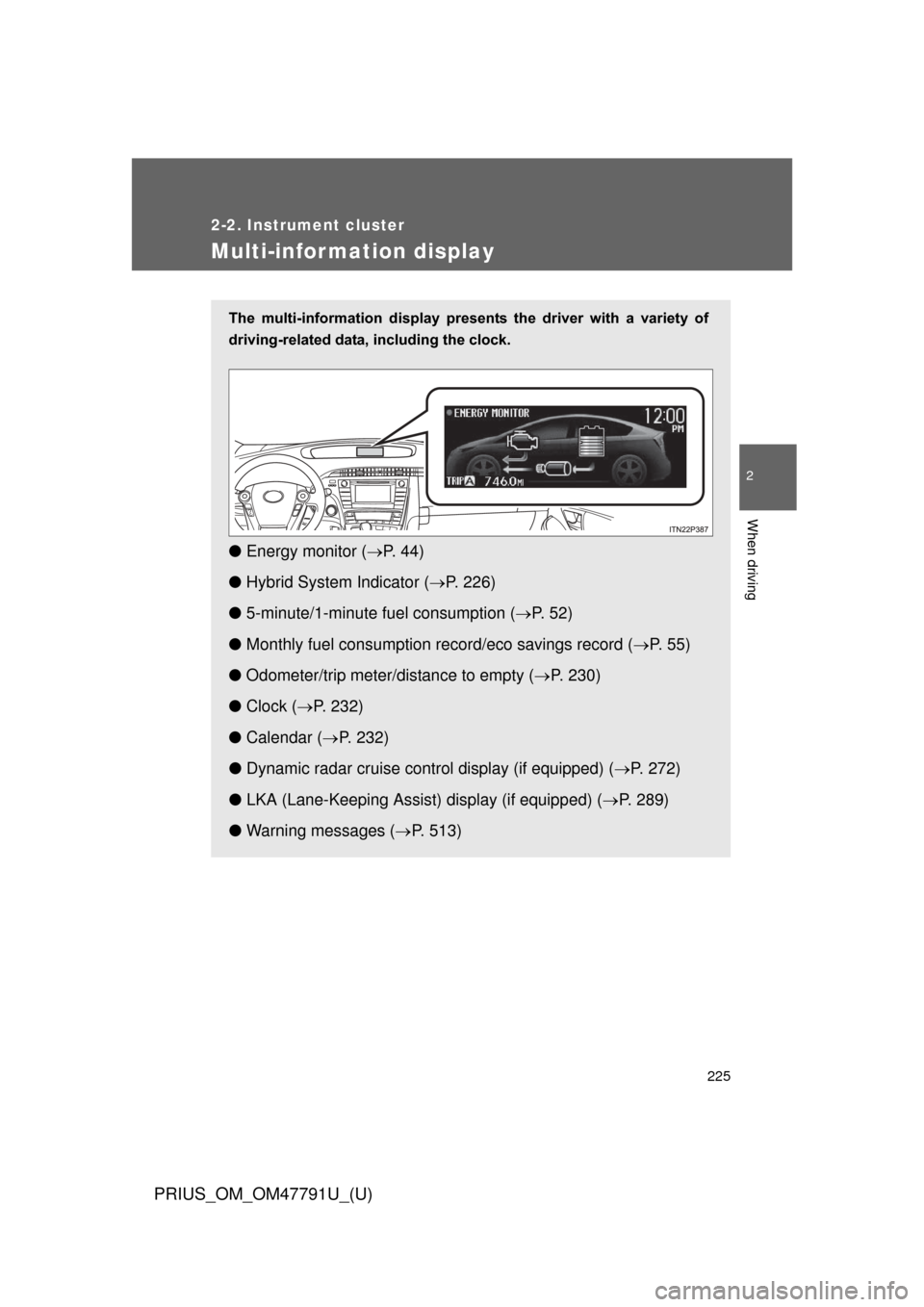
The multi-information display presents the driver with a variety of
driving-related data, including the clock.
● Energy monitor ( P. 4 4 )
● Hybrid System Indicator ( P. 226)
● 5-minute/1-minute fu el consumption (P. 5 2 )
● Monthly fuel consumption record/eco savings record ( P. 5 5 )
● Odometer/trip meter/distance to empty ( P. 230)
● Clock ( P. 232)
● Calendar ( P. 232)
● Dynamic radar cruise control display (if equipped) ( P. 272)
● LKA (Lane-Keeping Assist) display (if equipped) (P. 289)
● Warning messages ( P. 513)
Page 226 of 640
226 2-2. Instrument cluster
PRIUS_OM_OM47791U_(U)
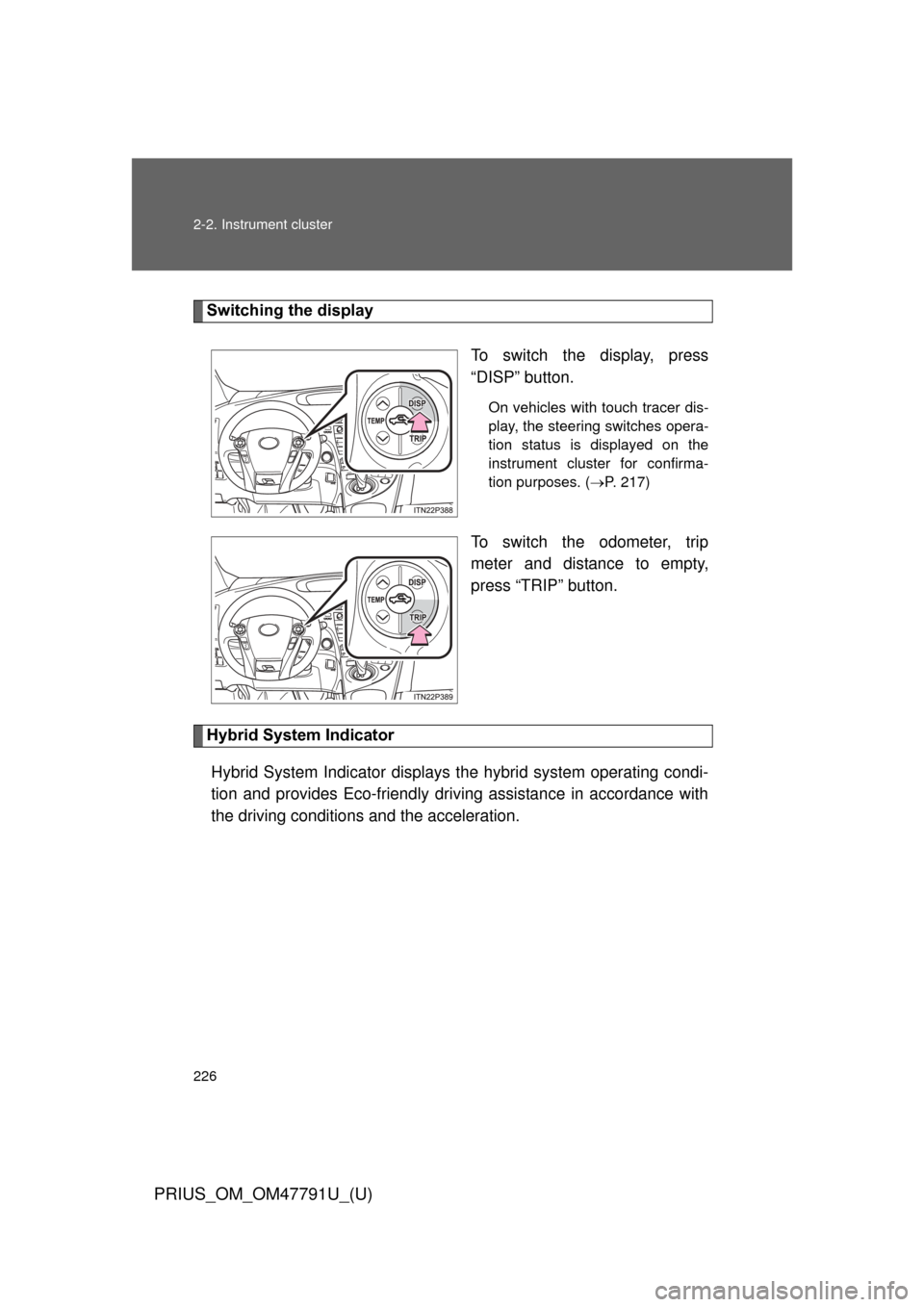
Switching the displayTo switch the display, press
“DISP” button.
On vehicles with touch tracer dis-
play, the steering switches opera-
tion status is displayed on the
instrument cluster for confirma-
tion purposes. (P. 217)
To switch the odometer, trip
meter and distance to empty,
press “TRIP” button.
Hybrid System Indicator
Hybrid System Indicator displays the hybrid system operating condi-
tion and provides Eco-friendly driving assistance in accordance with
the driving conditions and the acceleration.
Page 227 of 640
227
2-2. Instrument cluster
PRIUS_OM_OM47791U_(U)
2
When driving
■
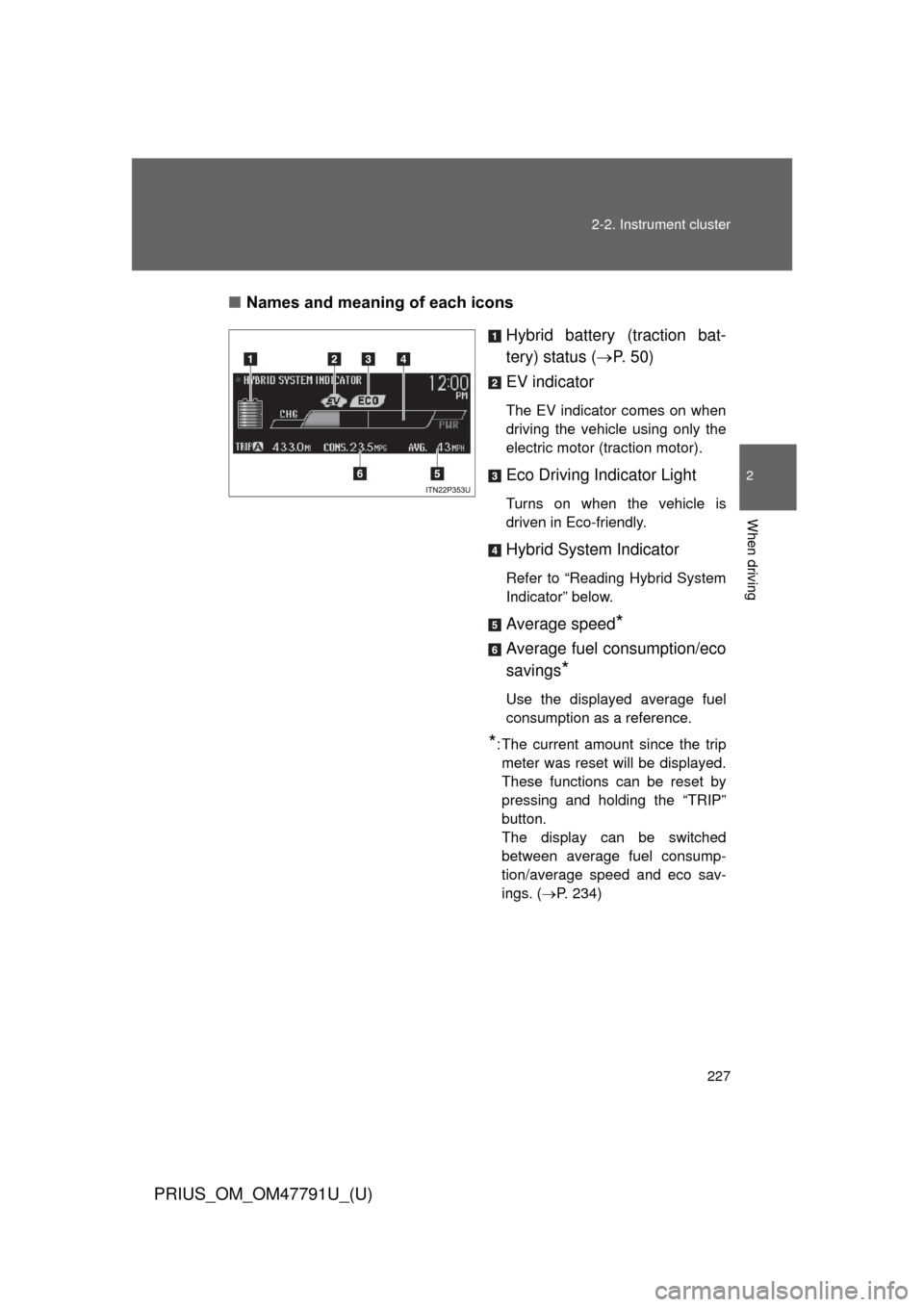
Names and meaning of each icons
Hybrid battery (traction bat-
tery) status (P. 5 0 )
EV indicator
The EV indicator comes on when
driving the vehicle using only the
electric motor (traction motor).
Eco Driving Indicator Light
Turns on when the vehicle is
driven in Eco-friendly.
Hybrid System Indicator
Refer to “Reading Hybrid System
Indicator” below.
Average speed*
Average fuel consumption/eco
savings
*
Use the displayed average fuel
consumption as a reference.
*: The current amount since the trip meter was reset will be displayed.
These functions can be reset by
pressing and holding the “TRIP”
button.
The display can be switched
between average fuel consump-
tion/average speed and eco sav-
ings. ( P. 234)
Page 230 of 640
230 2-2. Instrument cluster
PRIUS_OM_OM47791U_(U)
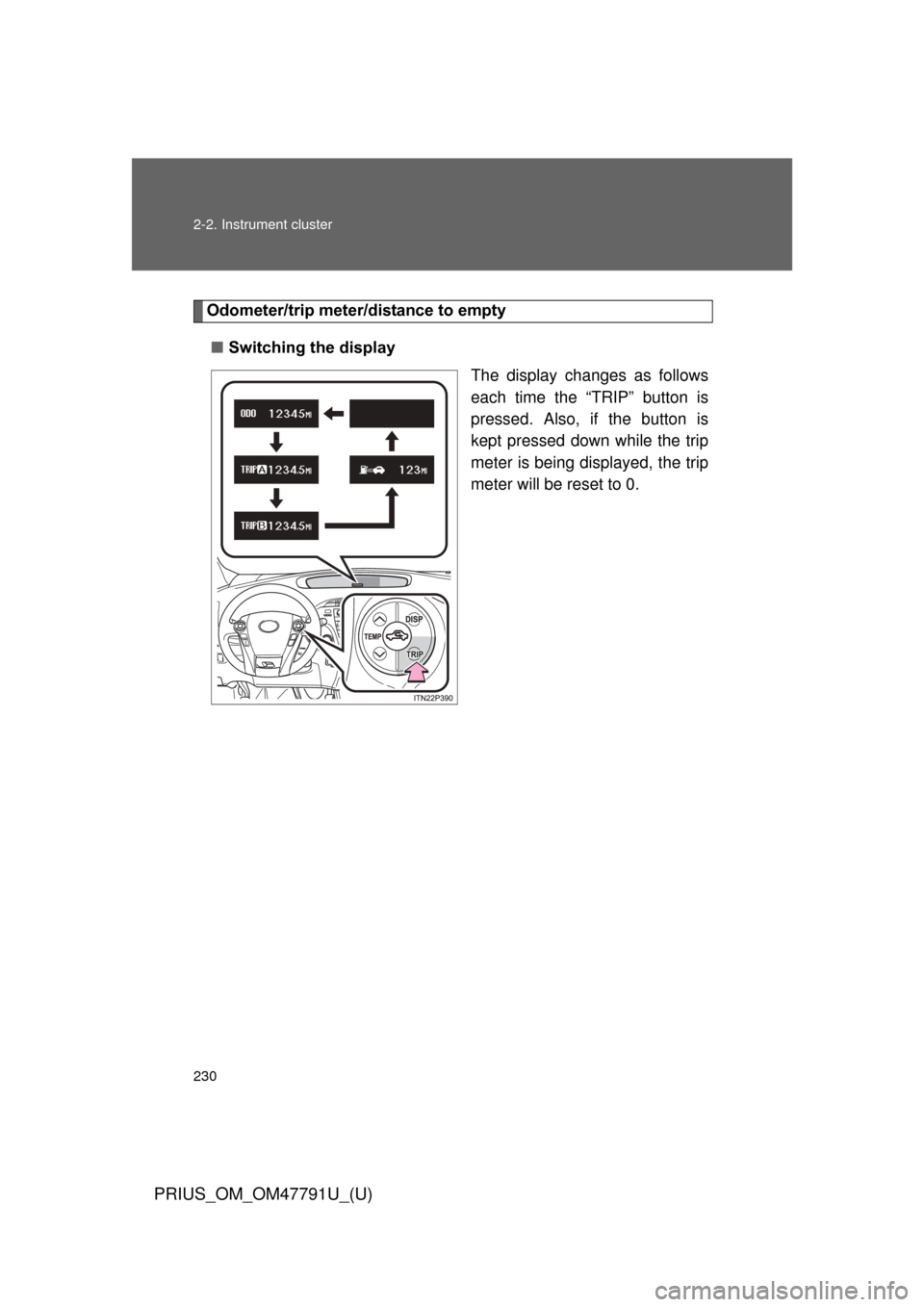
Odometer/trip meter/distance to empty■ Switching the display
The display changes as follows
each time the “TRIP” button is
pressed. Also, if the button is
kept pressed down while the trip
meter is being displayed, the trip
meter will be reset to 0.
Page 231 of 640
231
2-2. Instrument cluster
PRIUS_OM_OM47791U_(U)
2
When driving
■
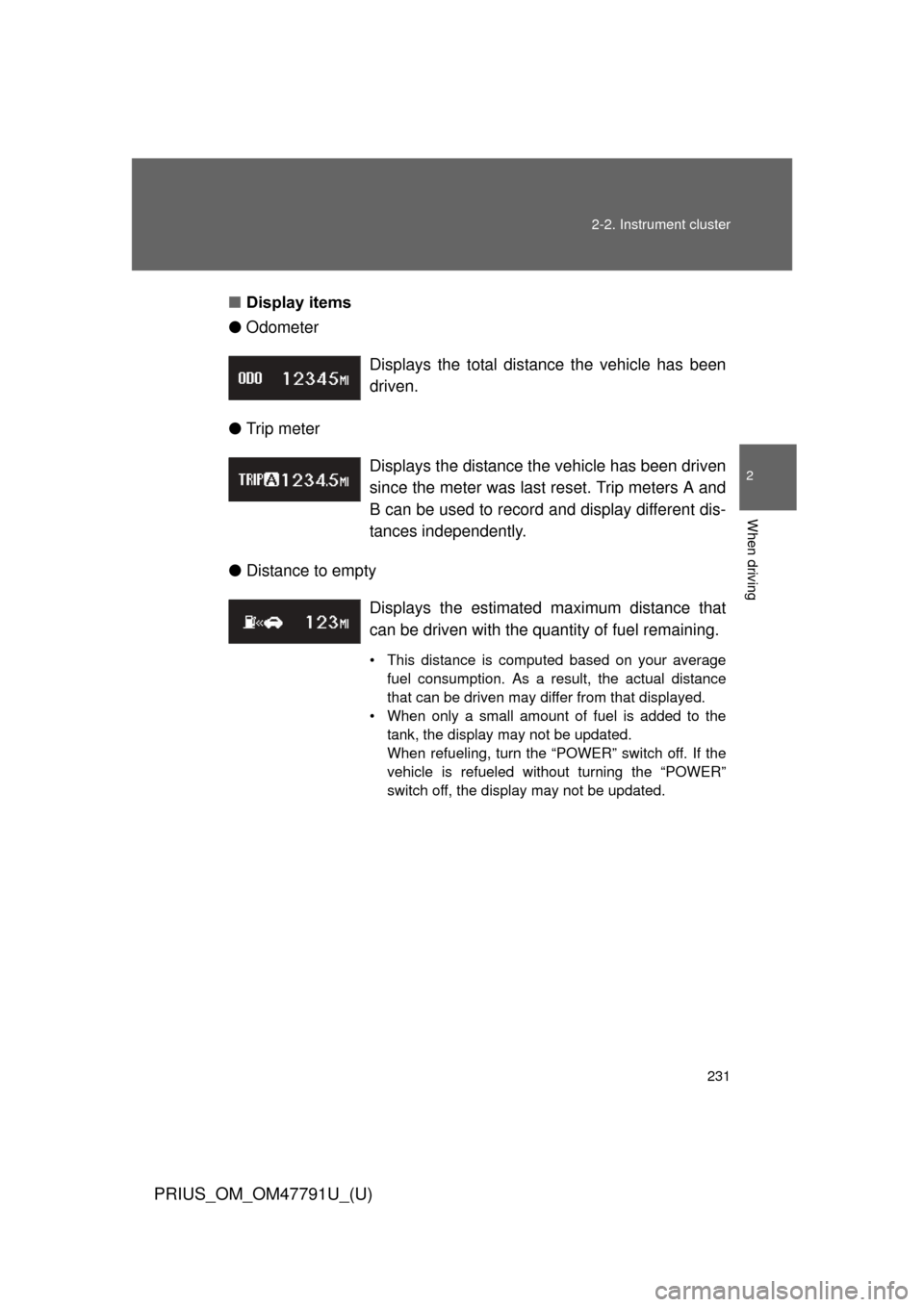
Display items
● Odometer
● Trip meter
● Distance to empty Displays the total distance the vehicle has been
driven.
Displays the distance the vehicle has been driven
since the meter was last reset. Trip meters A and
B can be used to record and display different dis-
tances independently.
Displays the estimate
d maximum distance that
can be driven with the quantity of fuel remaining.
• This distance is computed based on your average fuel consumption. As a result, the actual distance
that can be driven may differ from that displayed.
• When only a small amount of fuel is added to the tank, the display may not be updated.
When refueling, turn the “POWER” switch off. If the
vehicle is refueled without turning the “POWER”
switch off, the display may not be updated.