Page 355 of 720
355 3-2. Using the audio system
3
Interior features
LC200_OM_OM60F57U_(U)
■Using cellular phones
Interference may be heard through the audio system’s speakers if a cellular
phone is being used inside or close to the vehicle while the audio system is
operating.
CAUTION
■For vehicles sold in the U.S.A.
●Part 15 of the FCC Rules
FCC Warning:
Any unauthorized changes or modifications to this equipment will void the
user’s authority to operate this device.
●Laser products
• Do not take this unit apart or attempt to make any changes yourself.
This is an intricate unit that uses a laser pickup to retrieve information
from the surface of compact discs. The laser is carefully shielded so
that its rays remain inside the cabinet. Therefore, never try to disas-
semble the player or alter any of its parts since you may be exposed to
laser rays and dangerous voltages.
• This product utilizes a laser.
Use of controls or adjustments or performance of procedures other
than those specified herein may result in hazardous radiation expo-
sure.
NOTICE
■To prevent battery discharge
Do not leave the audio system on longer than necessary with the engine off.
■To avoid damaging the audio system
Take care not to spill drinks or other fluids over the audio system.
Page 418 of 720
418 3-3. Using the Bluetooth
® audio system
LC200_OM_OM60F57U_(U)Pattern A
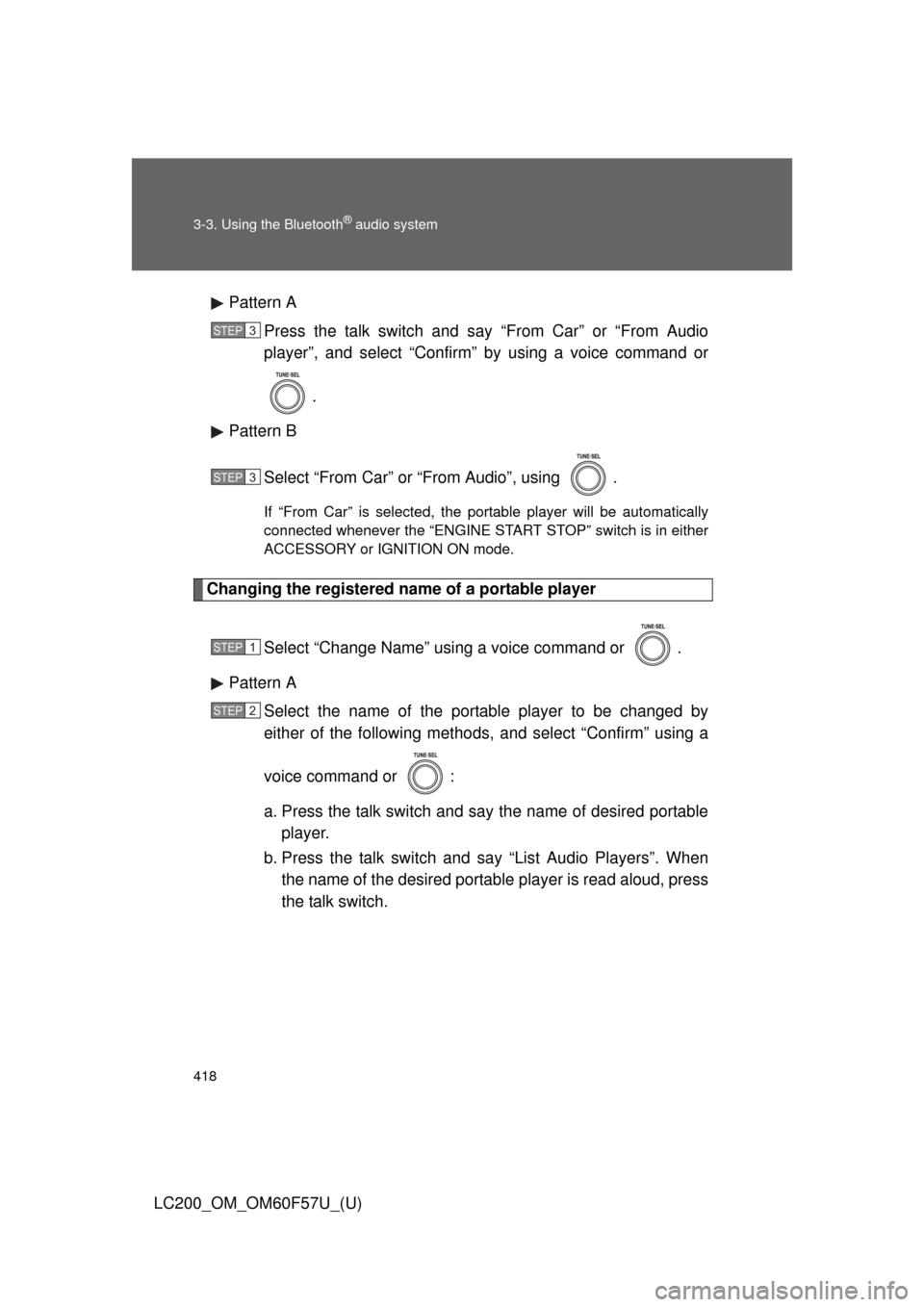
Press the talk switch and say “From Car” or “From Audio
player”, and select “Confirm” by using a voice command or
.
Pattern B
Select “From Car” or “From Audio”, using .
If “From Car” is selected, the portable player will be automatically
connected whenever the “ENGINE START STOP” switch is in either
ACCESSORY or IGNITION ON mode.
Changing the registered name of a portable player
Select “Change Name” using a voice command or .
Pattern A
Select the name of the portable player to be changed by
either of the following methods, and select “Confirm” using a
voice command or :
a. Press the talk switch and say the name of desired portable
player.
b. Press the talk switch and say “List Audio Players”. When
the name of the desired portable player is read aloud, press
the talk switch.
STEP3
STEP3
STEP1
STEP2
Page 462 of 720
462
LC200_OM_OM60F57U_(U)
3-5. Using the interior lights
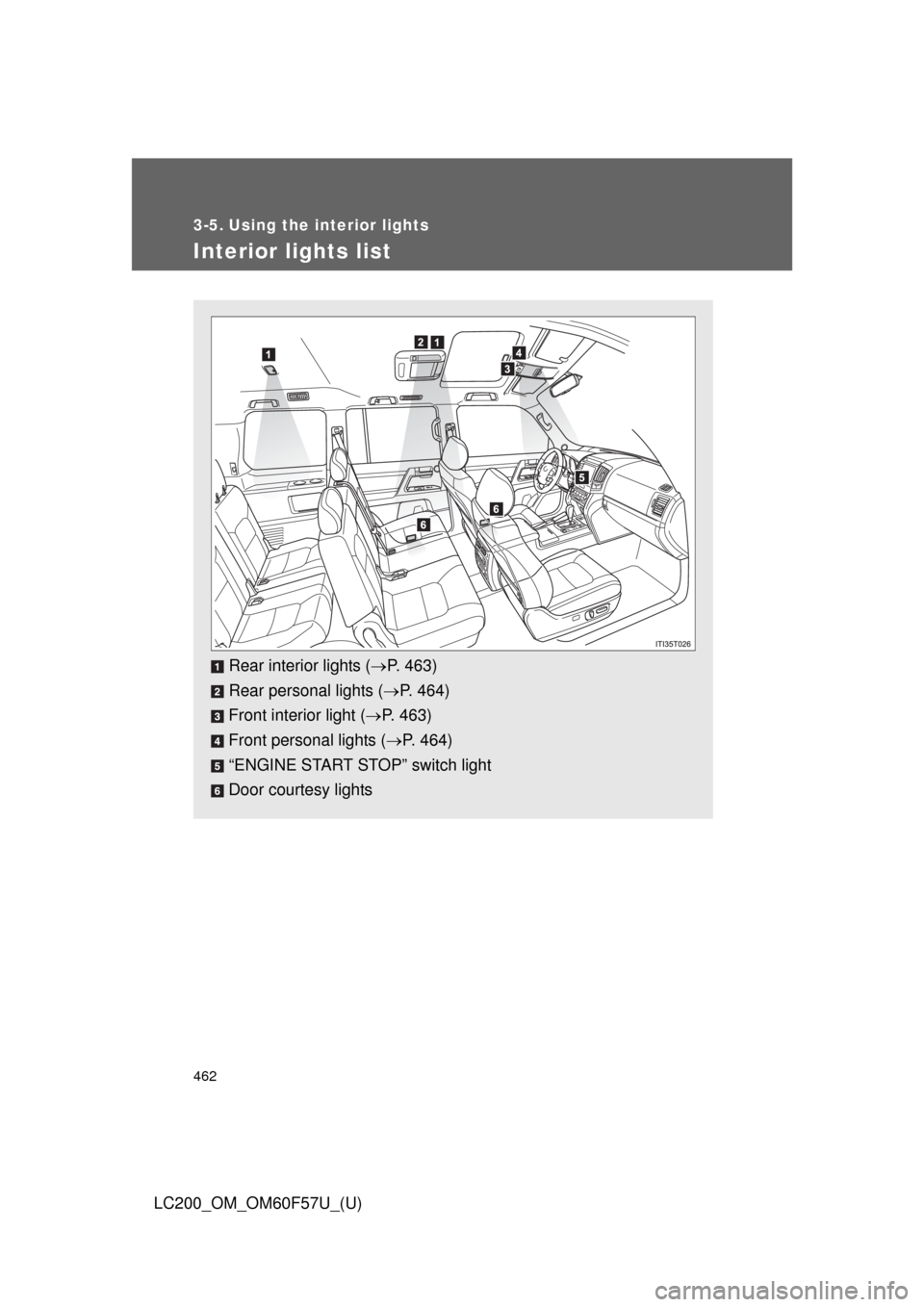
Interior lights list
Rear interior lights (P. 463)
Rear personal lights (P. 464)
Front interior light (P. 463)
Front personal lights (P. 464)
“ENGINE START STOP” switch light
Door courtesy lights
Page 465 of 720
465 3-5. Using the interior lights
3
Interior features
LC200_OM_OM60F57U_(U)
■Illuminated entry system
The lights automatically turn on/off according to “ENGINE START STOP”
switch mode, the presence of the electronic key, whether the doors are
locked/unlocked, and whether the doors are open/closed.
■To prevent battery discharge
If the interior lights remain on when the “ENGINE START STOP” switch is
turned off, the lights will go off automatically after 20 minutes.
■Customization
Settings (e.g. Time period before the interior lights turn off) can be changed.
(Customizable features
P. 692)
Page 475 of 720
475
3
Interior features
LC200_OM_OM60F57U_(U)
3-7. Other interior features
Cool box
: If equipped
■While the cool box is on
The front air conditioning system cannot be turned off.
■When the outside temperature is 32°F (0°C) or below
The cool box may not operate.
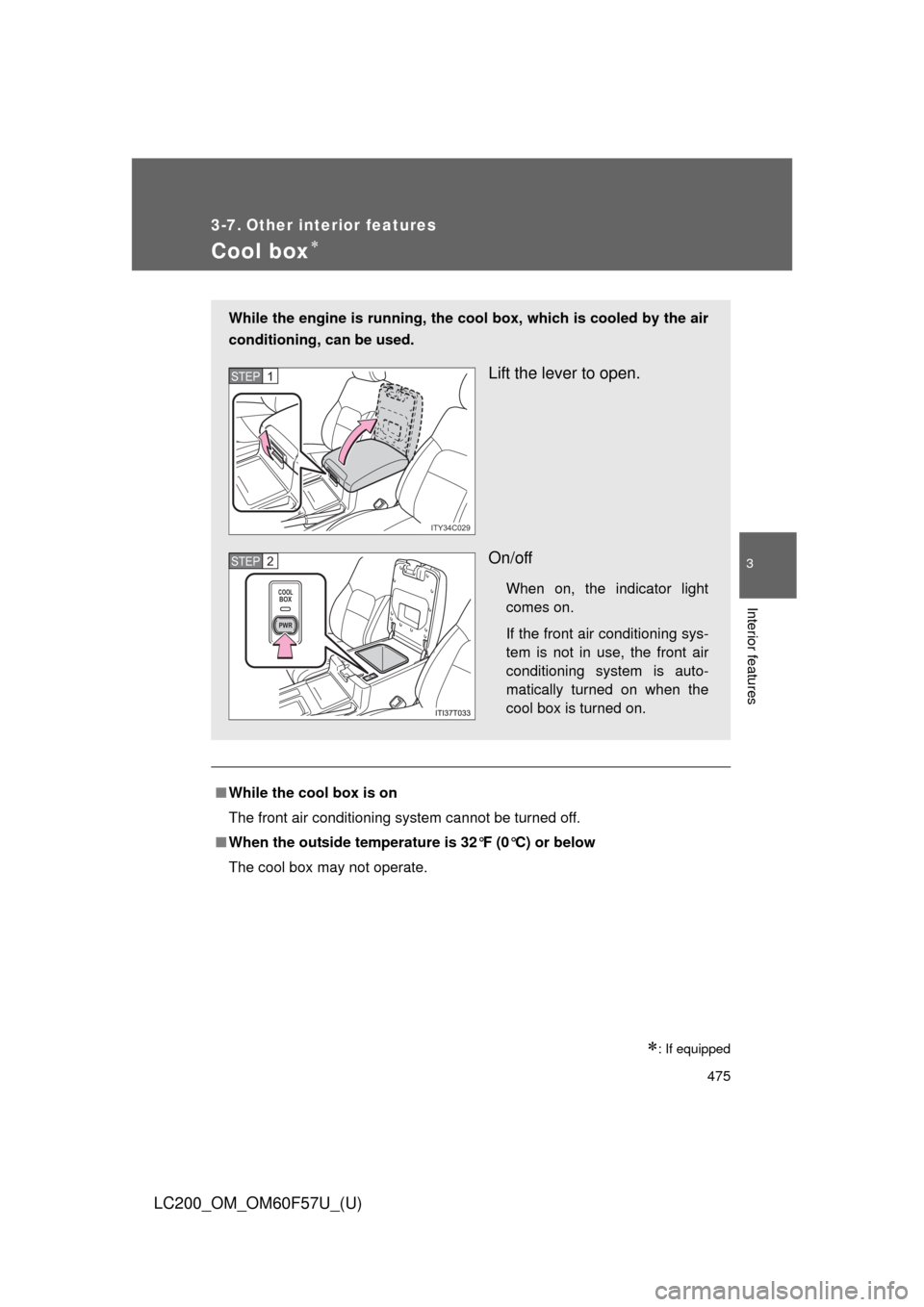
While the engine is running, the cool box, which is cooled by the air
conditioning, can be used.
Lift the lever to open.
On/off
When on, the indicator light
comes on.
If the front air conditioning sys-
tem is not in use, the front air
conditioning system is auto-
matically turned on when the
cool box is turned on.
ITY34C029
STEP1
COOLBOX
PWR
STEP2
Page 476 of 720
476 3-7. Other interior features
LC200_OM_OM60F57U_(U)
CAUTION
■While driving
Keep the cool box closed.
Injuries may result in the event of sudden braking, sudden swerving or an
accident.
NOTICE
■To prevent battery discharge
Do not leave the cool box on longer than necessary when the engine is
stopped.
Page 478 of 720
478
3-7. Other interior features
LC200_OM_OM60F57U_(U)
Vanity mirror
NOTICE
■To prevent battery discharge
Do not leave the vanity lights on for extended periods while the engine is off.
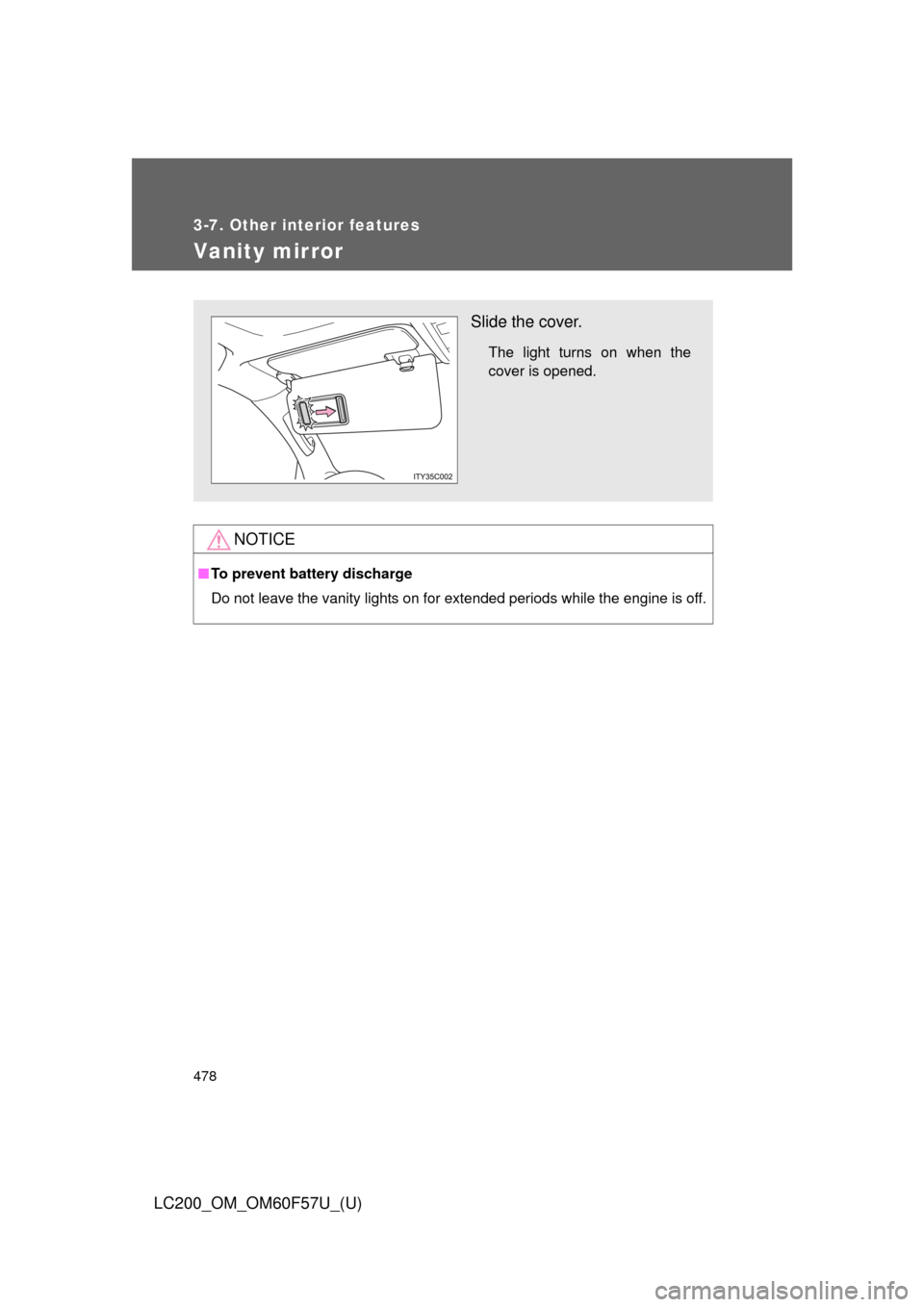
Slide the cover.
The light turns on when the
cover is opened.
Page 479 of 720
479
3-7. Other interior features
3
Interior features
LC200_OM_OM60F57U_(U)
Clock
■The clock is displayed when
The “ENGINE START STOP” switch is in ACCESSORY or IGNITION ON
mode.
■When the battery is disconnected
The time display will automatically be set to 1:00.
With navigation system
Refer to “Navigation System Owner’s Manual”.
Without navigation system
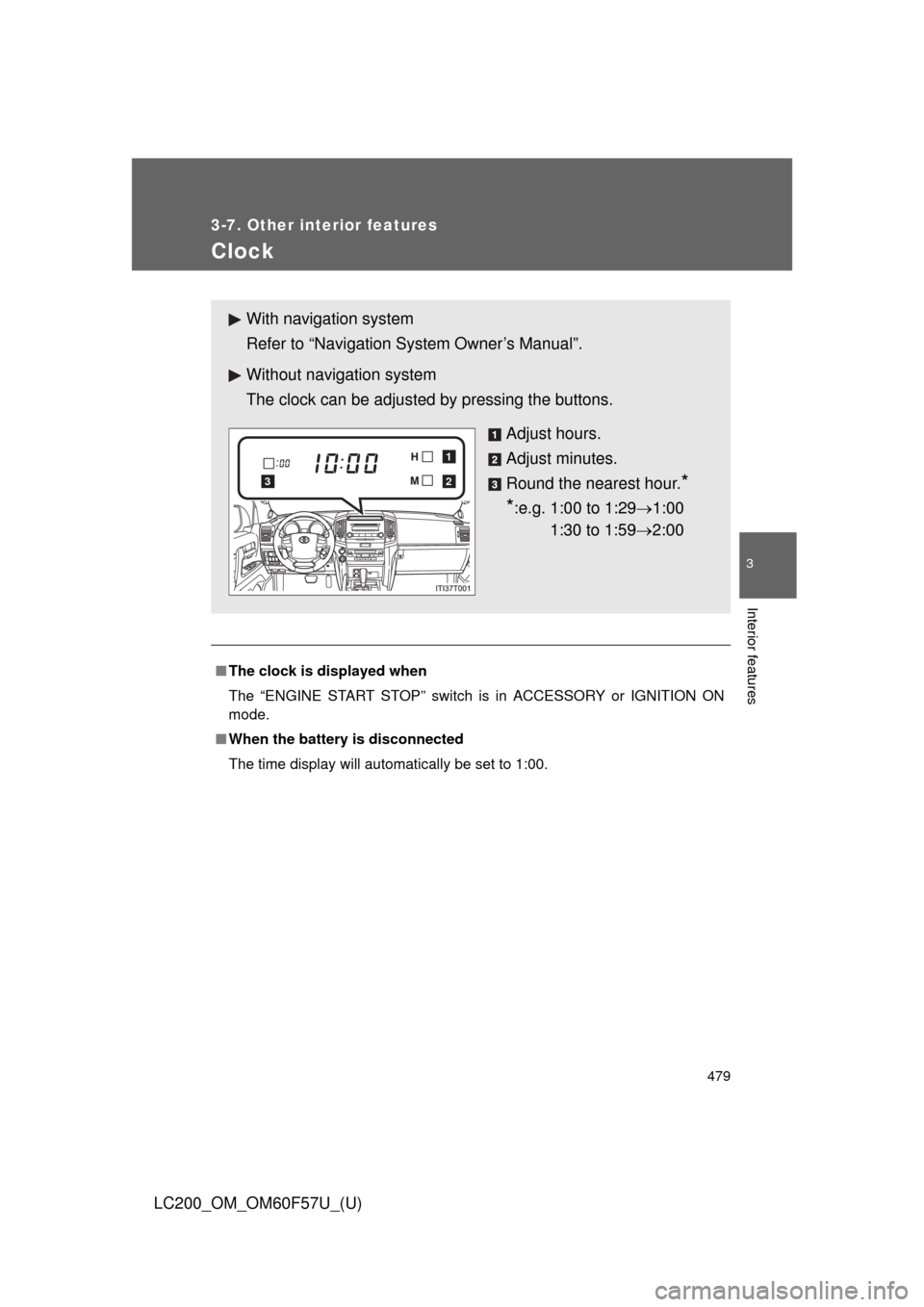
The clock can be adjusted by pressing the buttons.
Adjust hours.
Adjust minutes.
Round the nearest hour.
*
*
:e.g. 1:00 to 1:291:00
1:30 to 1:592:00
2
1
3