Page 3 of 684

1
2
3
4
5
6
7
3
2-2. Instrument clusterGauges and meters ............ 186
Indicators and warning lights ................................. 188
Multi-information display ..... 193
2-3. Operating the lights and wipers
Headlight switch .................. 203
Fog light switch ................... 210
Windshield wipers and washer .............................. 212
Rear window wiper and washer .............................. 216
2-4. Using other driving systems
Cruise control ...................... 219
Rear view monitor system .............................. 223
Driving assist systems ........ 227
Hill-start assist control ......... 232
Downhill assist control system .............................. 234
2-5. Driving information Off-road precautions ........... 237
Cargo and luggage ............. 242
Vehicle load limits ............... 247
Winter driving tips ............... 248
Trailer towing ...................... 252
Dinghy towing ..................... 270 3-1. Using the air conditioning
system and defogger
Front manual air conditioning system.......... 274
Front automatic air conditioning system.......... 281
Rear manual air conditioning system.......... 289
Rear automatic air conditioning system.......... 292
Rear window and outside rear view
mirror defoggers ............... 295
Windshield wiper de-icer .... 297
Using the steering wheel climate remote control
switches ........................... 298
3-2. Using the audio system Audio system ...................... 299
Using the radio ................... 307
Using the CD player ........... 314
Playing back MP3 and WMA discs ....................... 322
Operating an iPod .............. 330
Operating a USB memory ............................ 337
Optimal use of the audio system .............................. 345
Using the AUX port............. 349
Using the steering wheel audio switches.................. 351
Detachable pole antenna ............................ 354
3Interior features
Page 22 of 684
22
E
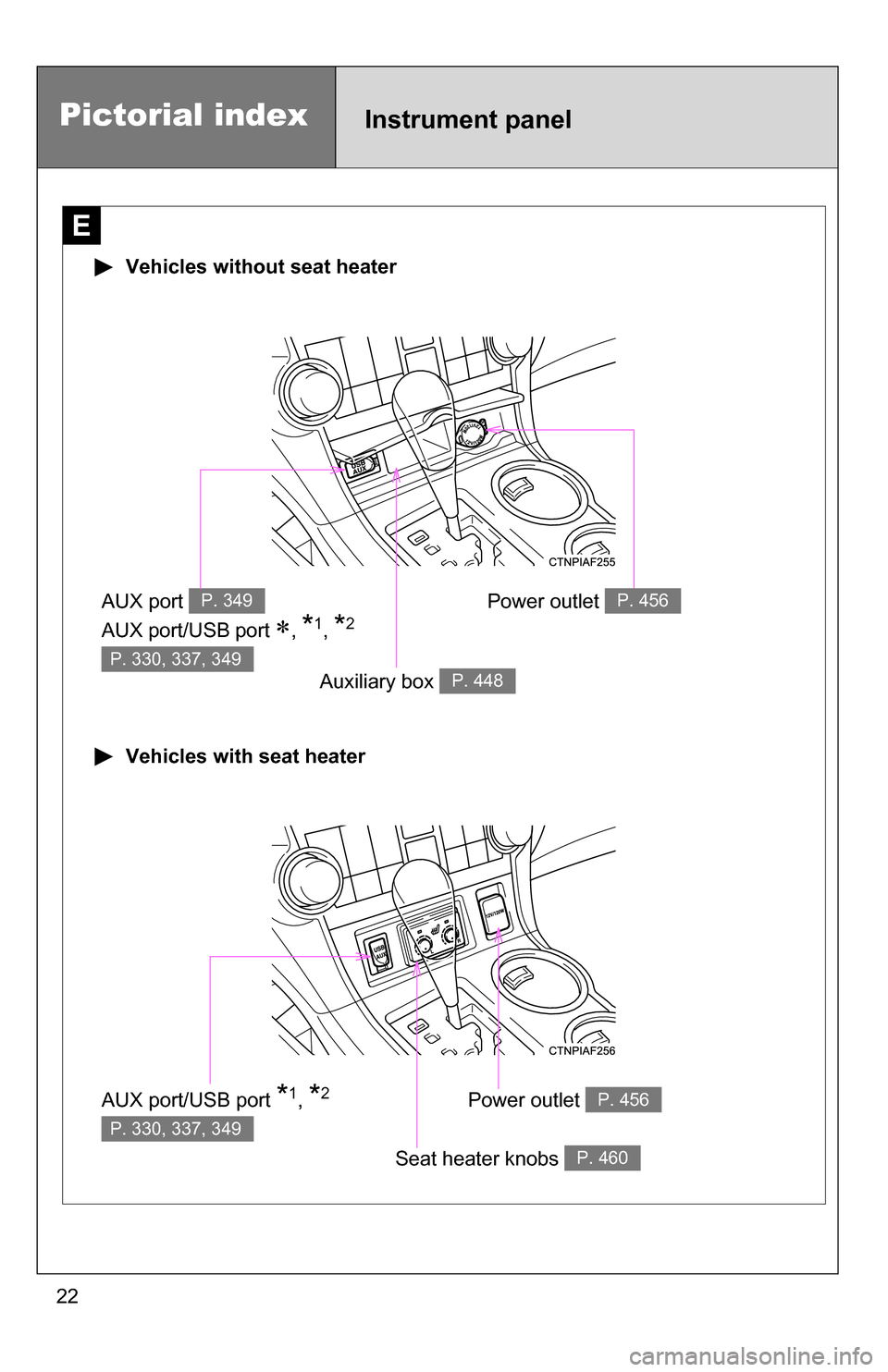
Vehicles without seat heater
Vehicles with seat heater
AUX port
AUX port/USB port
, *1, *2
P. 349
P. 330, 337, 349
Auxiliary box P. 448
AUX port/USB port *1, *2
P. 330, 337, 349
Seat heater knobs P. 460
Power outlet P. 456
Power outlet P. 456
Pictorial indexInstrument panel
Page 272 of 684

272
3-1. Using the air conditioning system and defogger
Front manual air conditioning system ....... 274
Front automatic air conditioning system ....... 281
Rear manual air conditioning system ....... 289
Rear automatic air conditioning system ....... 292
Rear window and outside rear view
mirror defoggers ............ 295
Windshield wiper de-icer ............................ 297
Using the steering wheel climate remote control
switches ......................... 298
3-2. Using the audio system Audio system ................... 299
Using the radio ................. 307
Using the CD player ......... 314
Playing back MP3 and WMA discs ..................... 322
Operating an iPod ............ 330
Operating a USB memory .......................... 337
Optimal use of the audio system ........................... 345
Using the AUX port .......... 349
Using the steering wheel audio switches ............... 351
Detachable pole antenna .......................... 354 3-3. Using the Bluetooth®
audio system
Bluetooth
® audio
system ........................... 357
Using the Bluetooth
®
audio system.................. 360
Operating a Bluetooth
®
enabled portable
player ............................. 365
Setting up a Bluetooth
®
enabled portable
player ............................. 367
Bluetooth
® audio system
setup .............................. 372
3-4. Using the hands-free phone system
(for cellular phone)
Hands-free phone system (for cellular phone)
features .......................... 373
Using the hands-free phone system ................ 377
Making a phone call ......... 386
Setting a cellular phone ... 390
Security and system setup .............................. 395
Using the phone book ...... 399
Interior features3
Page 300 of 684
300 3-2. Using the audio system
Type C: CD player with changer and AM/FM radio
TitlePage
Using the radioP. 307
Using the CD playerP. 314
Playing back MP3 and WMA discsP. 322
Operating an iPodP. 330
Operating a USB memoryP. 337
Optimal use of the audio systemP. 345
Using the AUX portP. 349
Using the steering wheel audio switchesP. 351
Page 335 of 684
335
3-2. Using the audio system
3
Interior features
Switching the display
Press .
Each time is pressed, the display changes in the following order:
Track title Track title/Artist name Track title/Album name Track
title/Elapsed time
■ About iPod
●Apple is not responsible for the operation of this device or its compliance
with safety and regulatory standards.
● iPod is a trademark of Apple Inc., registered in the U.S. and other coun-
tries.
■ iPod functions
●When an iPod is connected and the audio source is changed to iPod
mode, the iPod will resume play from the same point in which it was last
used.
● Depending on the iPod that is connected to the system, certain functions
may not be available. Disconnecting the device and reconnecting it once
again may resolve some malfunctions.
■ iPod problems
To resolve most problems encountered when using your iPod, disconnect
your iPod from the vehicle iPod connection and reset it.
For instructions on how to reset your iPod, refer to your iPod Owner's Man-
ual.
■ Error messages
“iPod ERROR”: This indicates a problem in the iPod, inside the
USB box or the connection between them.
“NO SONGS”: This indicates that there is no music data in the iPod.
“UPDATE YOUR iPod”: This indicates that the version of the iPod is not compatible.
Page 337 of 684
337
3-2. Using the audio system
3
Interior features
Operating a USB memor y
Connecting a USB memory enables you to enjoy music from the
vehicle speakers.
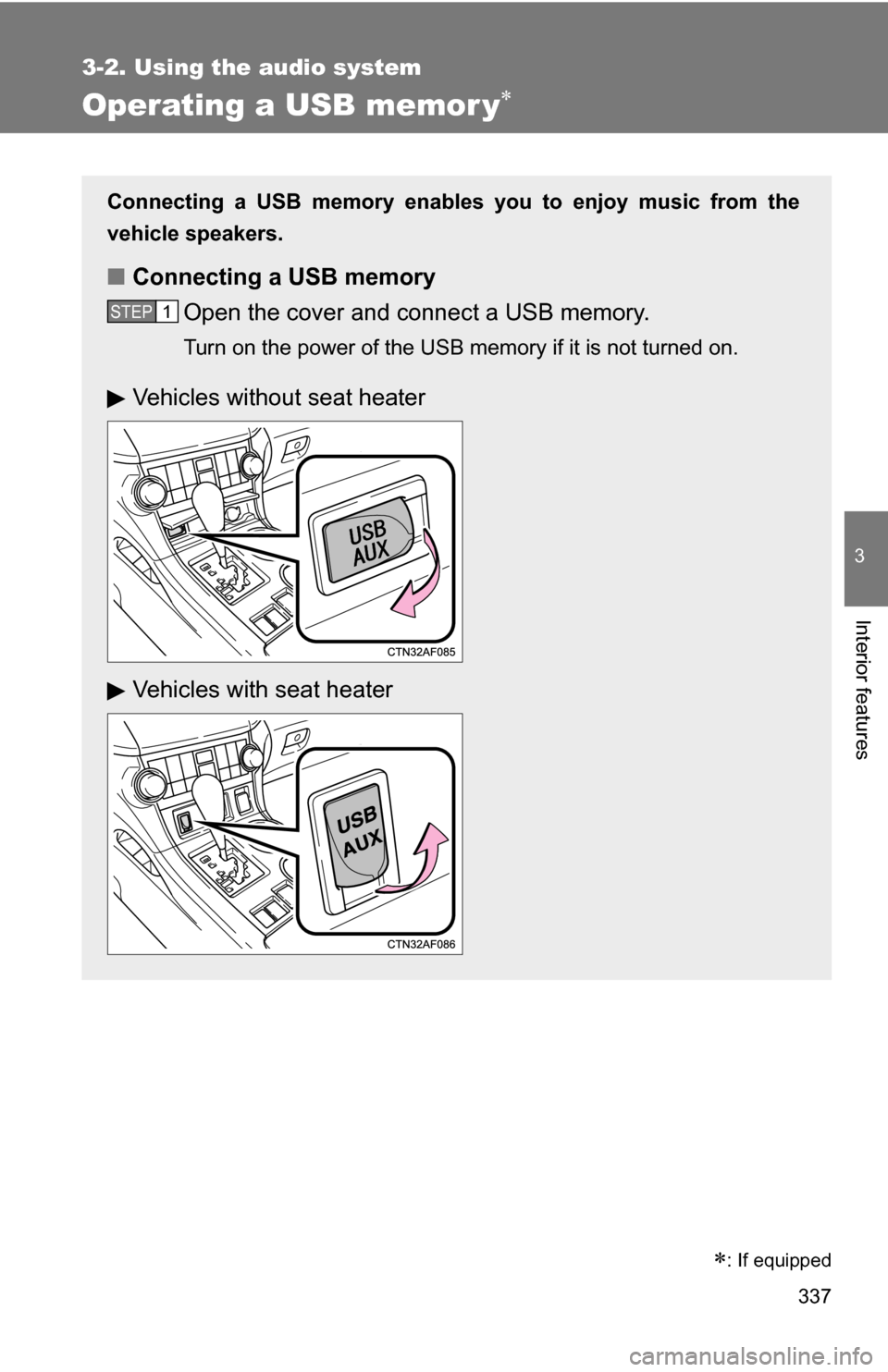
■Connecting a USB memory
Open the cover and connect a USB memory.
Turn on the power of the USB memory if it is not turned on.
STEP1
Vehicles without seat heater
Vehicles with seat heater
: If equipped
Page 340 of 684
340 3-2. Using the audio system
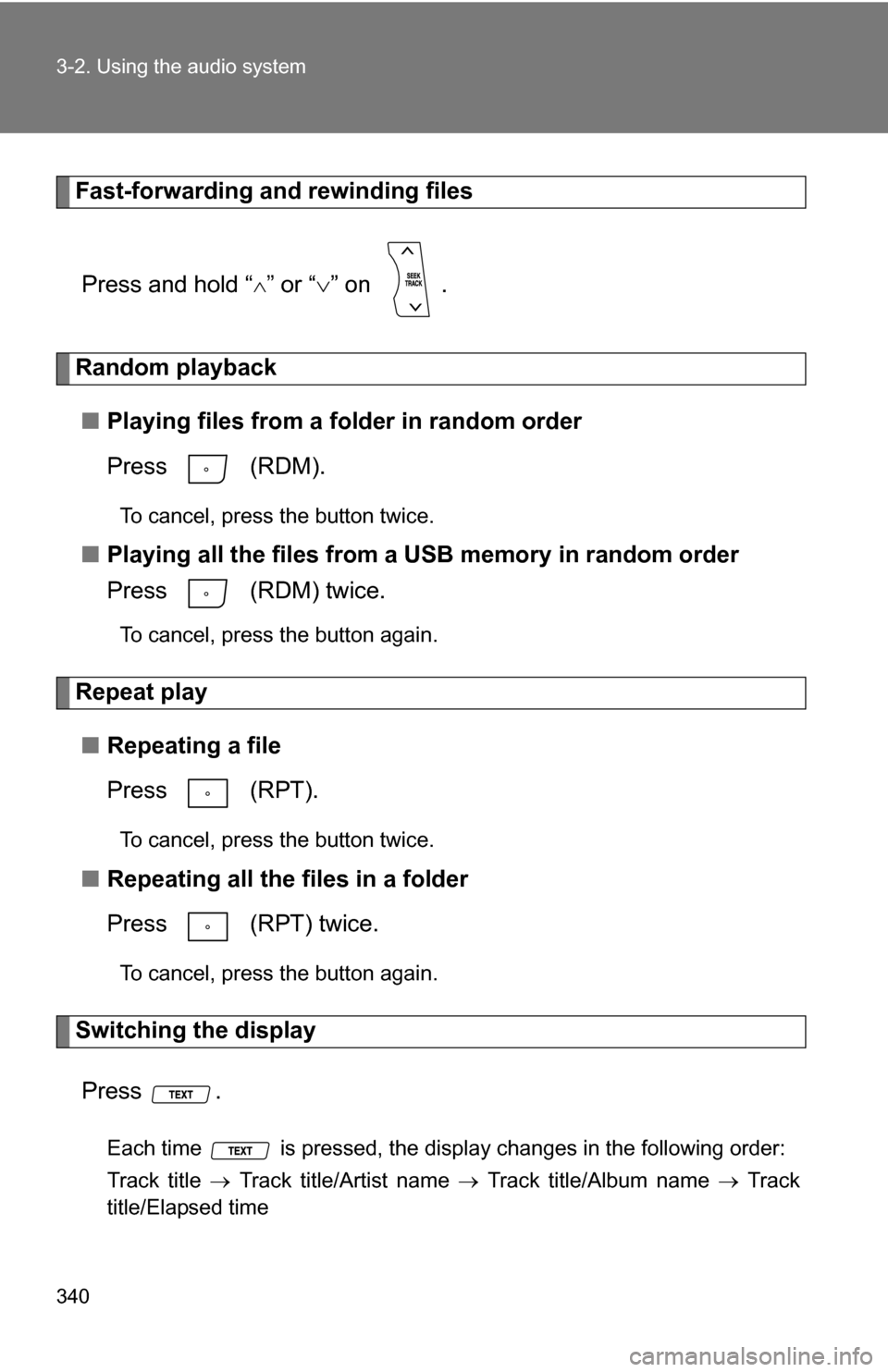
Fast-forwarding and rewinding filesPress and hold “
” or “ ” on .
Random playback
■ Playing files from a folder in random order
Press (RDM).
To cancel, press the button twice.
■Playing all the files from a USB memory in random order
Press (RDM) twice.
To cancel, press the button again.
Repeat play
■ Repeating a file
Press (RPT).
To cancel, press the button twice.
■Repeating all the files in a folder
Press (RPT) twice.
To cancel, press the button again.
Switching the display
Press .
Each time is pressed, the display changes in the following order:
Track title Track title/Artist name Track title/Album name Track
title/Elapsed time
Page 341 of 684
341
3-2. Using the audio system
3
Interior features
■
USB memory functions
Depending on the USB memory that is connected to the system, certain
functions may not be available. Disconnecting the device and reconnecting it
once again may resolve some malfunctions.
■ Error messages
“USB ERROR”: This indicates a problem either in the USB memory or
inside the USB box or connection between them.
“NO SUPPORT”: This indicates that no MP3/WMA files are included in the USB memory.
■ USB memory
●Compatible device
USB memory that can be used for MP3 and WMA playback.
Depending on the type of USB device, playback may not be possible.
● Compatible device formats
The following device formats can be used:
• USB communication formats: USB2.0 FS (12 mbps)
• File formats: FAT16/32 (Windows)
• Correspondence class: Mass storage class
MP3 and WMA files written in any format other than those listed above
may not play correctly, and their file names and folder names may not
be displayed correctly.
Items related to standards and limitations are as follows:
• Maximum directory hierarchy: 8 levels
• Maximum number of folder in device: 999 (including the root)
• Maximum number of files in device: 65025
• Maximum number of files per folder: 255