Page 272 of 684

272
3-1. Using the air conditioning system and defogger
Front manual air conditioning system ....... 274
Front automatic air conditioning system ....... 281
Rear manual air conditioning system ....... 289
Rear automatic air conditioning system ....... 292
Rear window and outside rear view
mirror defoggers ............ 295
Windshield wiper de-icer ............................ 297
Using the steering wheel climate remote control
switches ......................... 298
3-2. Using the audio system Audio system ................... 299
Using the radio ................. 307
Using the CD player ......... 314
Playing back MP3 and WMA discs ..................... 322
Operating an iPod ............ 330
Operating a USB memory .......................... 337
Optimal use of the audio system ........................... 345
Using the AUX port .......... 349
Using the steering wheel audio switches ............... 351
Detachable pole antenna .......................... 354 3-3. Using the Bluetooth®
audio system
Bluetooth
® audio
system ........................... 357
Using the Bluetooth
®
audio system.................. 360
Operating a Bluetooth
®
enabled portable
player ............................. 365
Setting up a Bluetooth
®
enabled portable
player ............................. 367
Bluetooth
® audio system
setup .............................. 372
3-4. Using the hands-free phone system
(for cellular phone)
Hands-free phone system (for cellular phone)
features .......................... 373
Using the hands-free phone system ................ 377
Making a phone call ......... 386
Setting a cellular phone ... 390
Security and system setup .............................. 395
Using the phone book ...... 399
Interior features3
Page 273 of 684

Interior features3
273
3-5. Using the rear audio system
Rear seat entertainment system features ............. 406
Using the DVD player (DVD video) ................... 413
Using the DVD player (video CD)...................... 422
Using the DVD player (audio CD/CD text) ........ 425
Using the DVD player (MP3 discs) .................... 426
Using the video mode ...... 428
Changing the initial setting ............................ 429
3-6. Using the interior lights Interior lights list ............... 436
• Personal/interior light
main switch .................... 437
• Personal/interior lights ... 437
• Interior light .................... 438 3-7. Using the storage features
List of storage features .... 439
• Glove box....................... 440
• Console box ................... 441
• Overhead console .......... 442
• Cup holders ................... 443
• Bottle holders ................. 447
• Auxiliary boxes ............... 448
• Side table ....................... 450
3-8. Other interior features Sun visors ........................ 452
Vanity mirrors ................... 453
Clock ................................ 454
Conversation mirror ......... 455
Power outlets ................... 456
Seat heaters..................... 460
Armrests........................... 462
Assist grips....................... 463
Floor mat .......................... 464
Luggage compartment features .......................... 465
Garage door opener......... 470
Compass .......................... 476
Page 295 of 684
295
3-1. Using the air conditioning system and defogger
3
Interior features
Rear window and outside rear view mirror defoggers
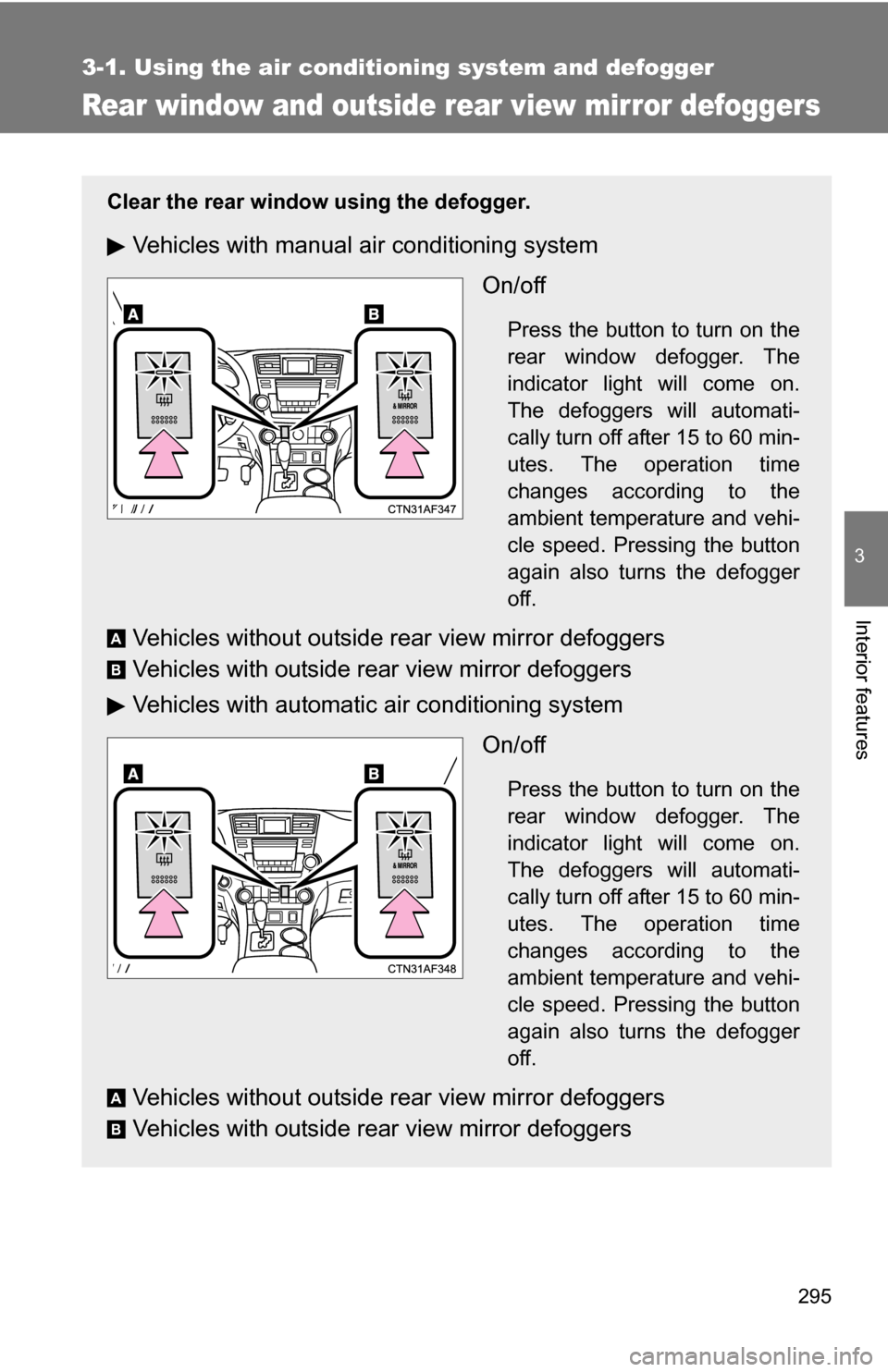
Clear the rear window using the defogger.
Vehicles with manual air conditioning systemOn/off
Press the button to turn on the
rear window defogger. The
indicator light will come on.
The defoggers will automati-
cally turn off after 15 to 60 min-
utes. The operation time
changes according to the
ambient temperature and vehi-
cle speed. Pressing the button
again also turns the defogger
off.
Vehicles without outside rear view mirror defoggers
Vehicles with outside rear view mirror defoggers
Vehicles with automatic air conditioning systemOn/off
Press the button to turn on the
rear window defogger. The
indicator light will come on.
The defoggers will automati-
cally turn off after 15 to 60 min-
utes. The operation time
changes according to the
ambient temperature and vehi-
cle speed. Pressing the button
again also turns the defogger
off.
Vehicles without outside rear view mirror defoggers
Vehicles with outside rear view mirror defoggers
A
B
A
B
Page 296 of 684
296 3-1. Using the air conditioning system and defogger
■The defogger can be operated when
Vehicles without smart key system
The engine switch is in the “ON” position.
Vehicles with smart key system
The “ENGINE START STOP” switch is in IGNITION ON mode.
■ Outside rear view mirror defoggers (vehicles with outside rear view
mirror defoggers)
Turning the rear window defogger on will turn the outside rear view mirror
defoggers on.
CAUTION
■ Outside rear view mirror defoggers (vehicles with outside rear view
mirror defoggers)
Do not touch the outside surface of the rear view mirrors, as they can
become very hot and cause burns.
Page 453 of 684
453
3-8. Other interior features
3
Interior features
Vanity mirrors
NOTICE
■To prevent the battery from being di scharged (vehicles with vanity mir-
ror light)
Do not leave the vanity lights on for extended periods while the engine is
stopped.
Slide the cover.
The light turns on when the
cover is opened. (Vehicles with
vanity mirror light)
Page 455 of 684
455
3-8. Other interior features
3
Interior features
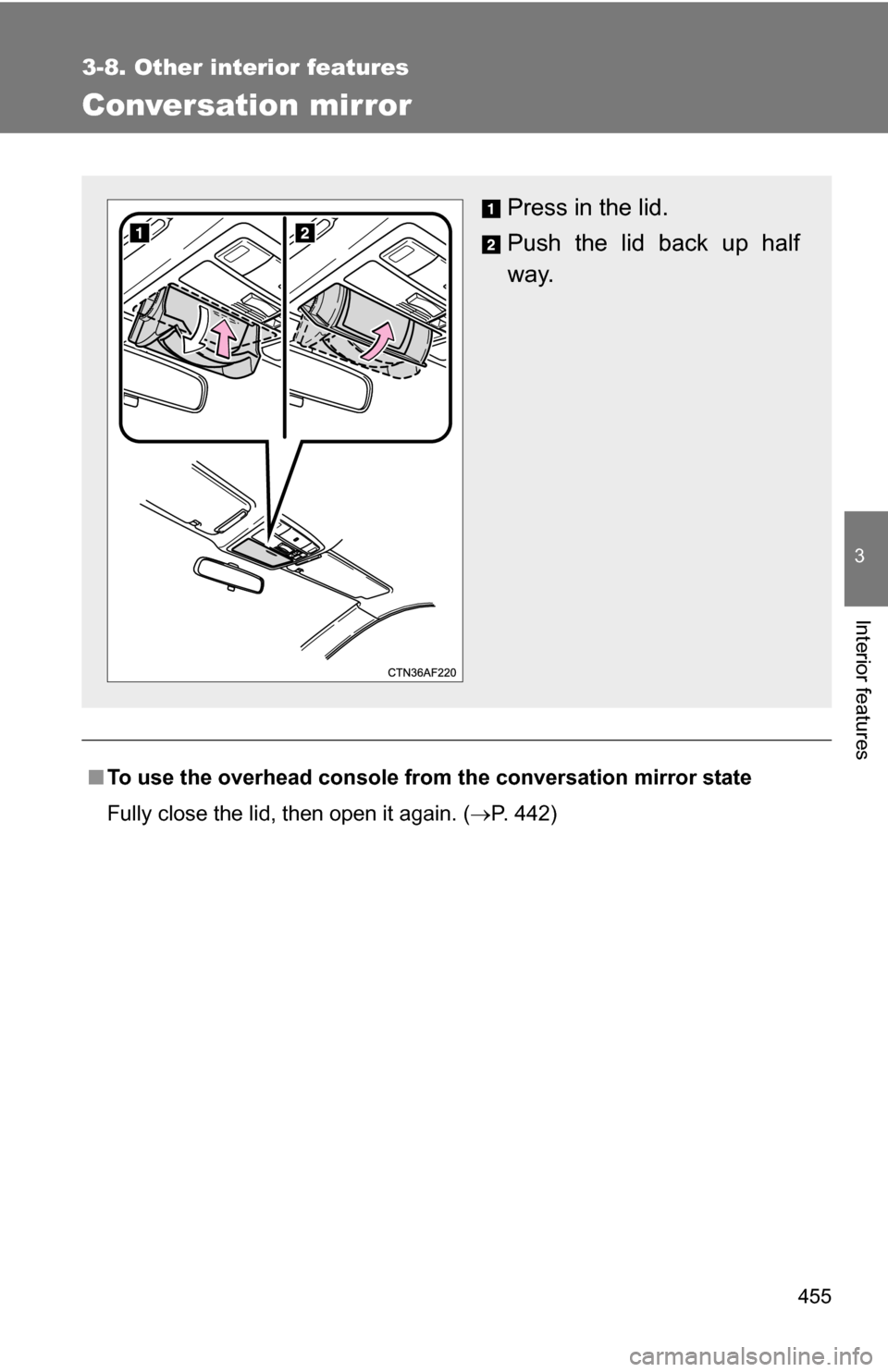
Conversation mirror
■To use the overhead console from the conversation mirror state
Fully close the lid, then open it again. ( P. 442)
Press in the lid.
Push the lid back up half
way.
Page 476 of 684
476
3-8. Other interior features
Compass
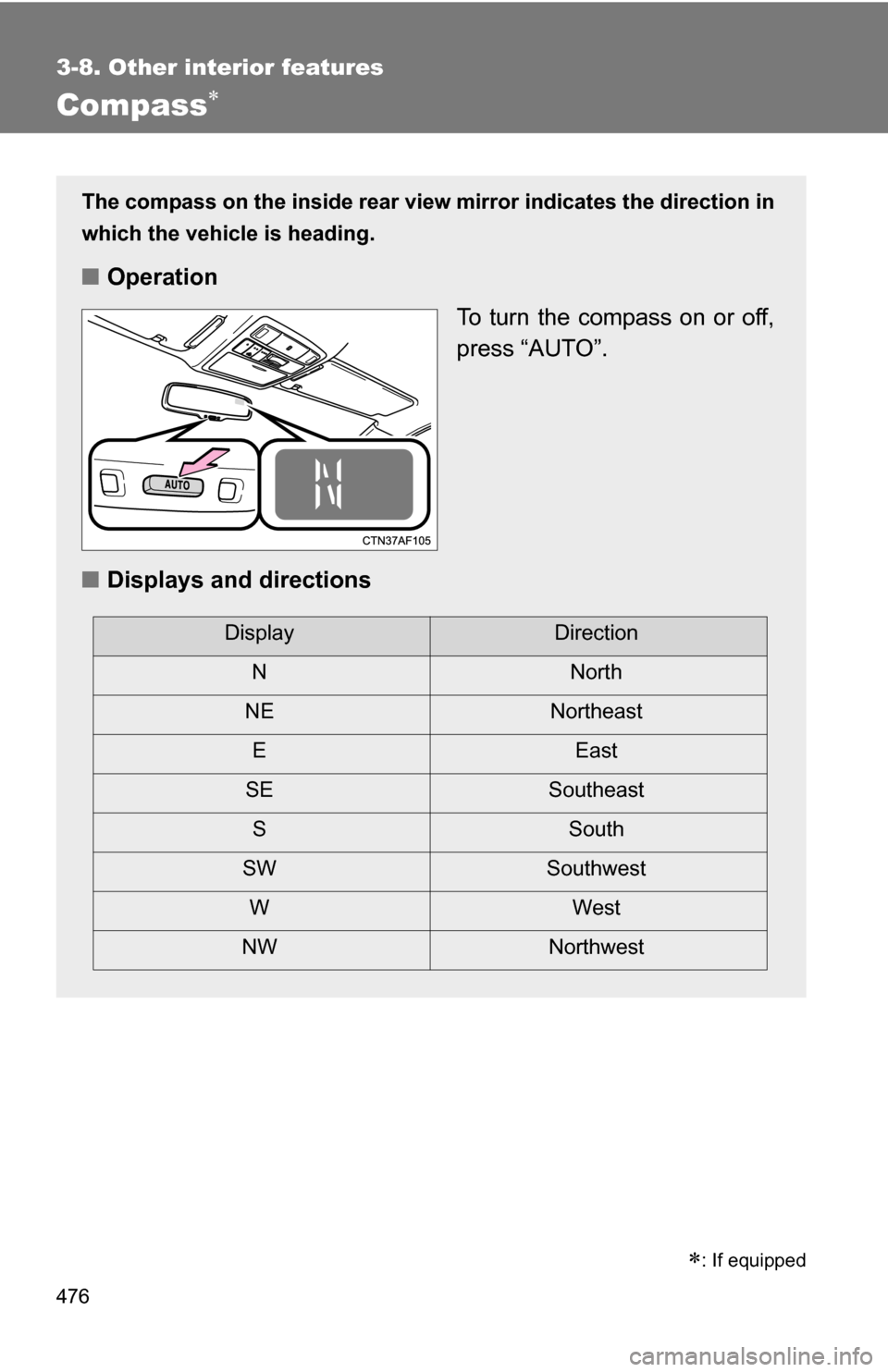
The compass on the inside rear view mirror indicates the direction in
which the vehicle is heading.
■ Operation
To turn the compass on or off,
press “AUTO”.
■ Displays and directions
DisplayDirection
NN orth
NE Northeast
EE ast
SE Southeast
S South
SW Southwest
WW est
NW Northwest
: If equipped
Page 478 of 684
478 3-8. Other interior features
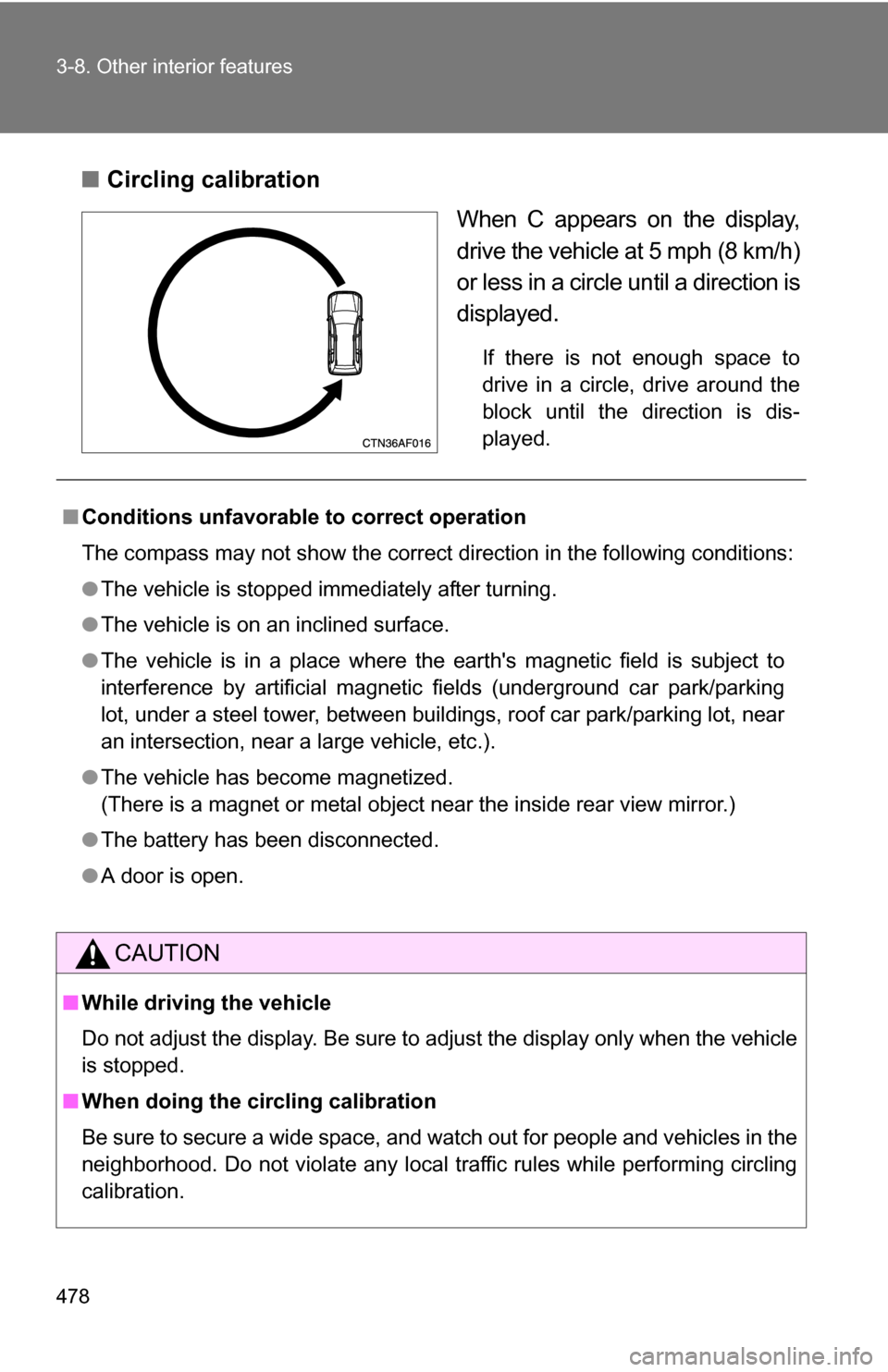
■Circling calibration
When C appears on the display,
drive the vehicle at 5 mph (8 km/h)
or less in a circle until a direction is
displayed.
If there is not enough space to
drive in a circle, drive around the
block until the direction is dis-
played.
■ Conditions unfavorable to correct operation
The compass may not show the correct direction in the following conditions:
●The vehicle is stopped immediately after turning.
● The vehicle is on an inclined surface.
● The vehicle is in a place where the earth's magnetic field is subject to
interference by artificial magnetic fields (underground car park/parking
lot, under a steel tower, between buildings, roof car park/parking lot, near
an intersection, near a large vehicle, etc.).
● The vehicle has become magnetized.
(There is a magnet or metal object near the inside rear view mirror.)
● The battery has been disconnected.
● A door is open.
CAUTION
■While driving the vehicle
Do not adjust the display. Be sure to adjust the display only when the vehicle
is stopped.
■ When doing the circling calibration
Be sure to secure a wide space, and watch out for people and vehicles in the
neighborhood. Do not violate any local traffic rules while performing circling
calibration.