Page 365 of 704
365
3-2. Using the audio system
3
Interior features
4RUNNER_U
Operating an iPod
Connecting an iPod enables you to enjoy music from the vehicle
speakers.
■ Connecting an iPod
Pull up the lid.
Open the cover and connect
an iPod using an iPod cable.
Turn on the power of the iPod if
it is not turned on.
Press .
STEP 1
CTH32AS086
STEP 2
STEP 3
: If equipped
Page 366 of 704
366 3-2. Using the audio system
4RUNNER_U
■Control panel
Power Volume
Selector knob
Displaying text
messages
Selector buttons
Playback
Playback/pause
Selecting a track/
fast-forwarding
and rewinding
Page 367 of 704
367
3-2. Using the audio system
3
Interior features
4RUNNER_U
Selecting a play mode
Press (BROWSE) to select iPod menu mode.
Press , , or as corresponds to the
desired play mode.
Pressing (MORE) to change to the second selection list.
■Play mode list
Depending on the model, the name of your iPod may be displayed at
the top of the list.
Play modeFirst
selectionSecond
selectionThird
selectionFourth
selection
“PLIST” Playlist
selectSongs
select
--
“ARTIST” Artist select Albums
selectSongs
select
-
“ALBUM” Albums
selectSongs
select
--
“GENRE” Genre select Artists select Albums
selectSongs
select
“SONGS” Songs
select ---
“PODCST” Albums
selectSongs
select
--
“COMPSR” Composers
selectAlbums
selectSongs
select
-
“BOOK” Songs
select ---
STEP 1
STEP 2
Page 368 of 704
368 3-2. Using the audio system
4RUNNER_U■
Selecting a list
Turn to display the first selection list.
Press to select the desired item.
Repeat the same procedure to select the desired song name.
To return to the previous selection list, press ( ).
Selecting songs from a song list Press (LIST).
The current playlist is displayed.
Turning to select the desired song.
Press returns the screen from list display to the previous
screen.
STEP 1
STEP 2
STEP 3
STEP 1
STEP 2
Page 369 of 704
369
3-2. Using the audio system
3
Interior features
4RUNNER_U
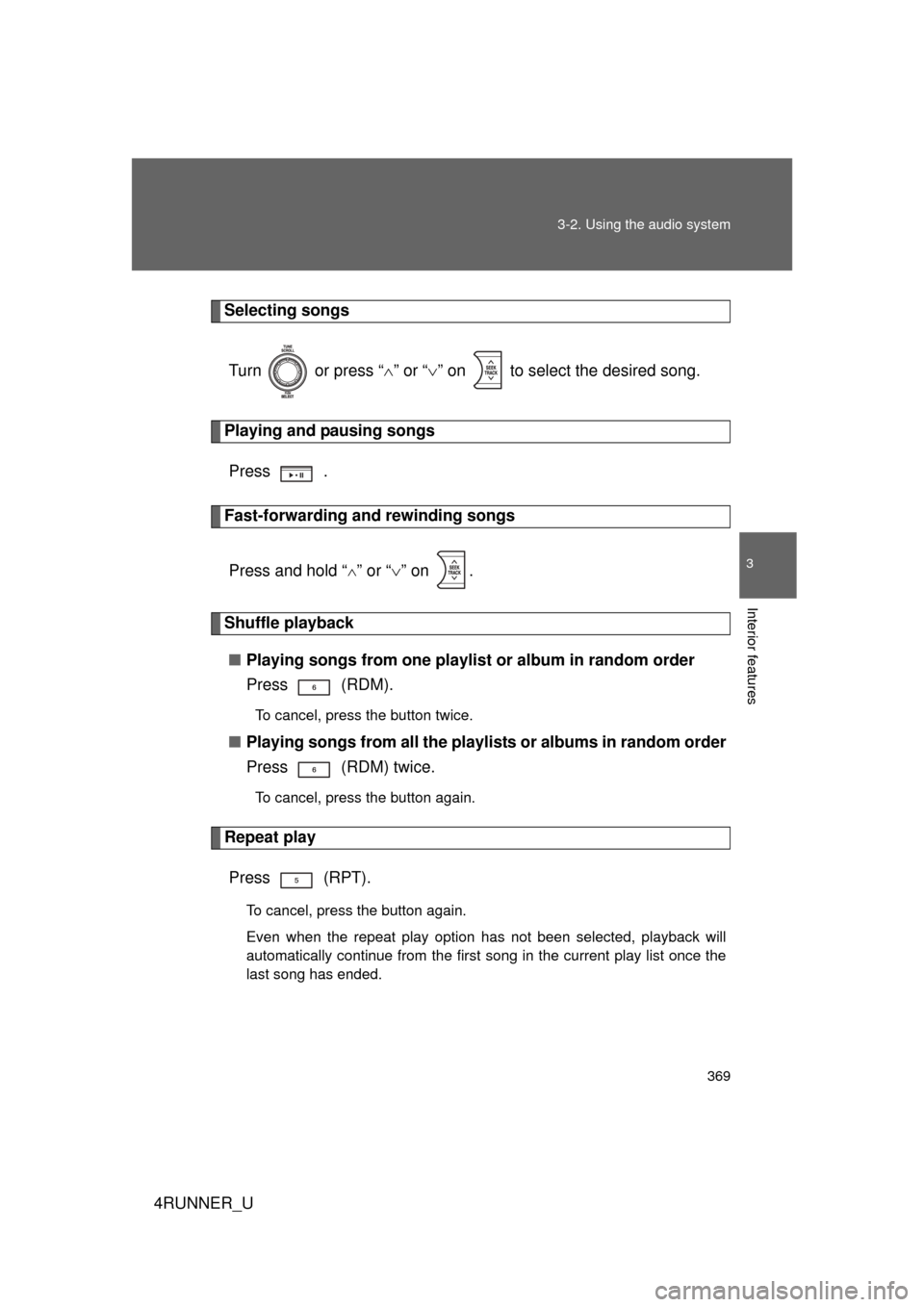
Selecting songs
Turn or press “ ” or “ ” on to select the desired song.
Playing and pausing songs
Press .
Fast-forwarding and rewinding songs
Press and hold “
” or “ ” on .
Shuffle playback
■ Playing songs from one playlis t or album in random order
Press (RDM).
To cancel, press the button twice.
■ Playing songs from a ll the playlists or albums in random order
Press (RDM) twice.
To cancel, press the button again.
Repeat play
Press (RPT).
To cancel, press the button again.
Even when the repeat play option has not been selected, playback will
automatically continue from the first song in the current play list once the
last song has ended.
Page 370 of 704
370 3-2. Using the audio system
4RUNNER_U
Switching the displayPress .
Each time is pressed, the display changes in the following
order:
Track title Track title/Artist name Track title/Album name Track
title/Elapsed time
■ About iPod
● Apple is not responsible for the operation of this device or its compliance
with safety and regulatory standards.
● iPod is a trademark of Apple Inc., registered in the U.S. and other coun-
tries.
■ iPod functions
● When an iPod is connected and the audio source is changed to iPod
mode, the iPod will resume play from the same point in which it was last
used.
● Depending on the iPod that is connected to the system, certain functions
may not be available. Disconnecting the device and reconnecting it once
again may resolve some malfunctions.
■ iPod problems
To resolve most problems encountered when using your iPod, disconnect
your iPod from the vehicle iPod connection and reset it.
For instructions on how to reset your iPod, refer to your iPod Owner's Man-
ual.
■ Error messages
“iPod ERROR”: This indicates a problem in the iPod, inside the
USB box or the connection between them.
“NO SONGS”: This indicates that there is no music data in the iPod.
“UPDATE YOUR iPod”: This indicates that the version of the iPod is not compatible.
Page 371 of 704
371
3-2. Using the audio system
3
Interior features
4RUNNER_U
■
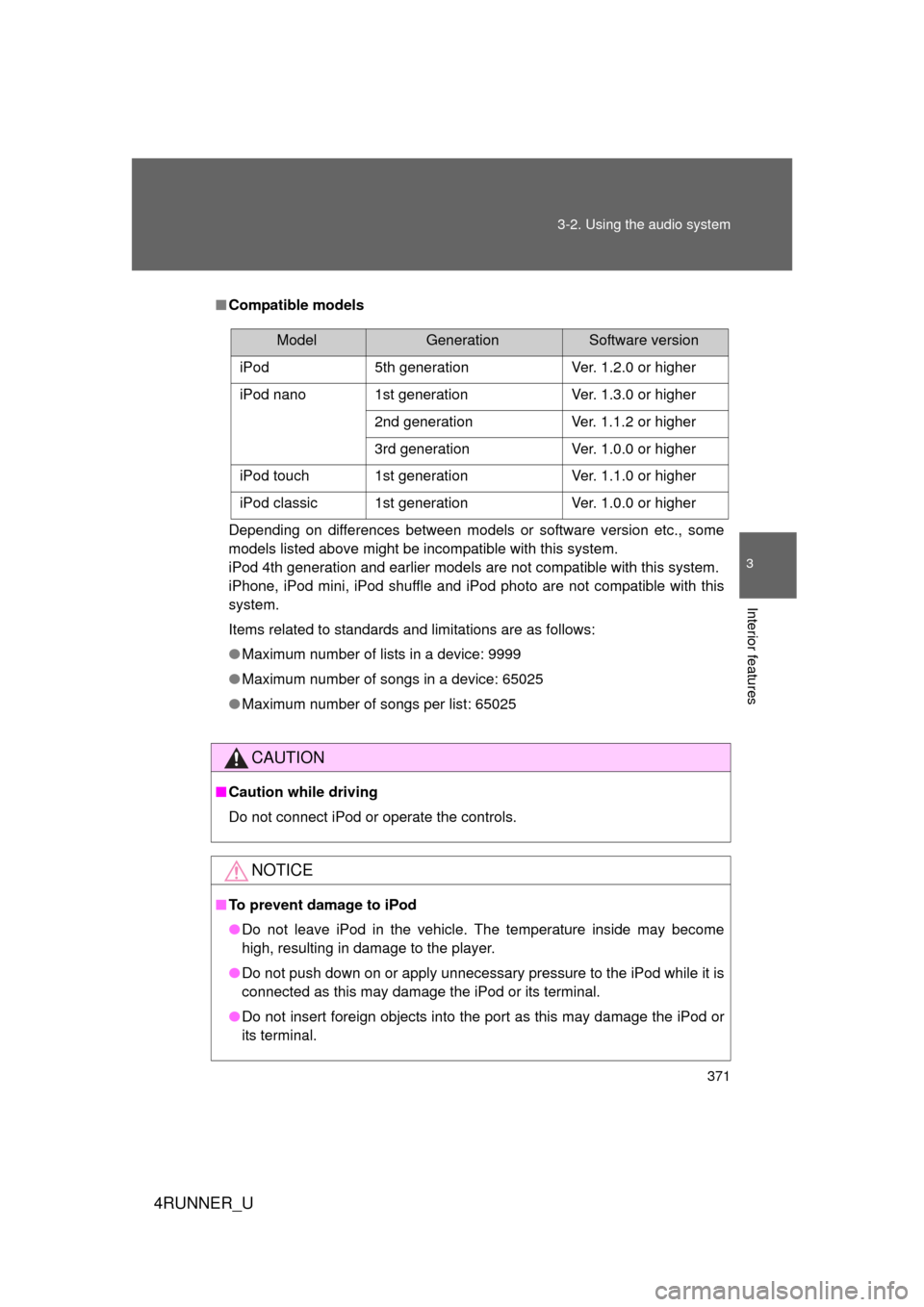
Compatible models
Depending on differences between models or software version etc., some
models listed above might be incompatible with this system.
iPod 4th generation and earlier models are not compatible with this system.
iPhone, iPod mini, iPod shuffle and iPod photo are not compatible with this
system.
Items related to standards and limitations are as follows:
● Maximum number of lists in a device: 9999
● Maximum number of songs in a device: 65025
● Maximum number of songs per list: 65025
CAUTION
■Caution while driving
Do not connect iPod or operate the controls.
NOTICE
■To prevent damage to iPod
● Do not leave iPod in the vehicle. The temperature inside may become
high, resulting in damage to the player.
● Do not push down on or apply unnecessary pressure to the iPod while it is
connected as this may damage the iPod or its terminal.
● Do not insert foreign objects into the port as this may damage the iPod or
its terminal.
ModelGenerationSoftware version
iPod 5th generation Ver. 1.2.0 or higher
iPod nano 1st generation Ver. 1.3.0 or higher
2nd generation Ver. 1.1.2 or higher
3rd generation Ver. 1.0.0 or higher
iPod touch 1st generation Ver. 1.1.0 or higher
iPod classic 1st generation Ver. 1.0.0 or higher
Page 372 of 704
372
3-2. Using the audio system
4RUNNER_U
Operating a USB memor y
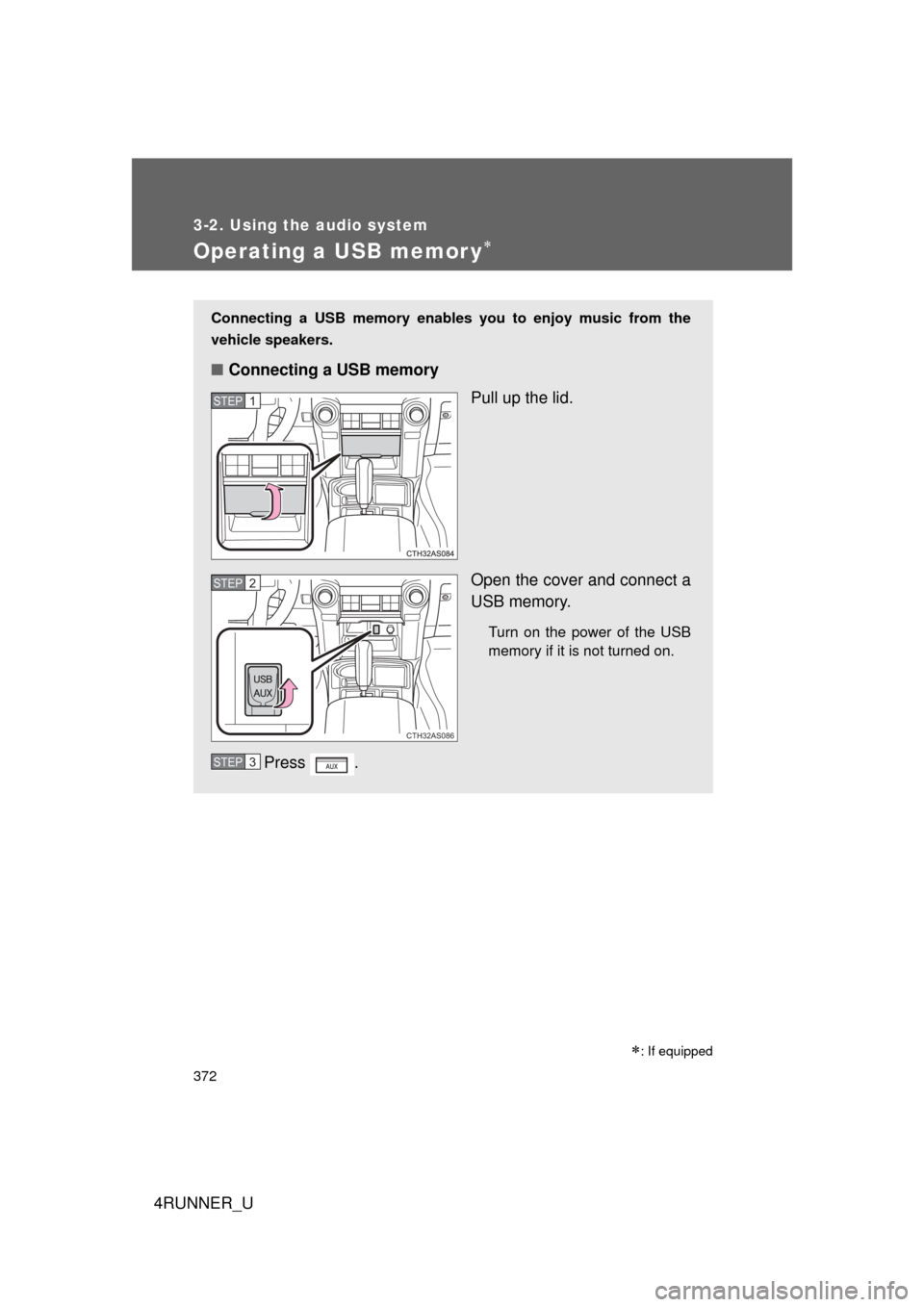
Connecting a USB memory enables you to enjoy music from the
vehicle speakers.
■Connecting a USB memory
Pull up the lid.
Open the cover and connect a
USB memory.
Turn on the power of the USB
memory if it is not turned on.
Press .
STEP 1
CTH32AS086
STEP 2
STEP 3
: If equipped