Page 286 of 340
284
09
AUDIO STREAMING
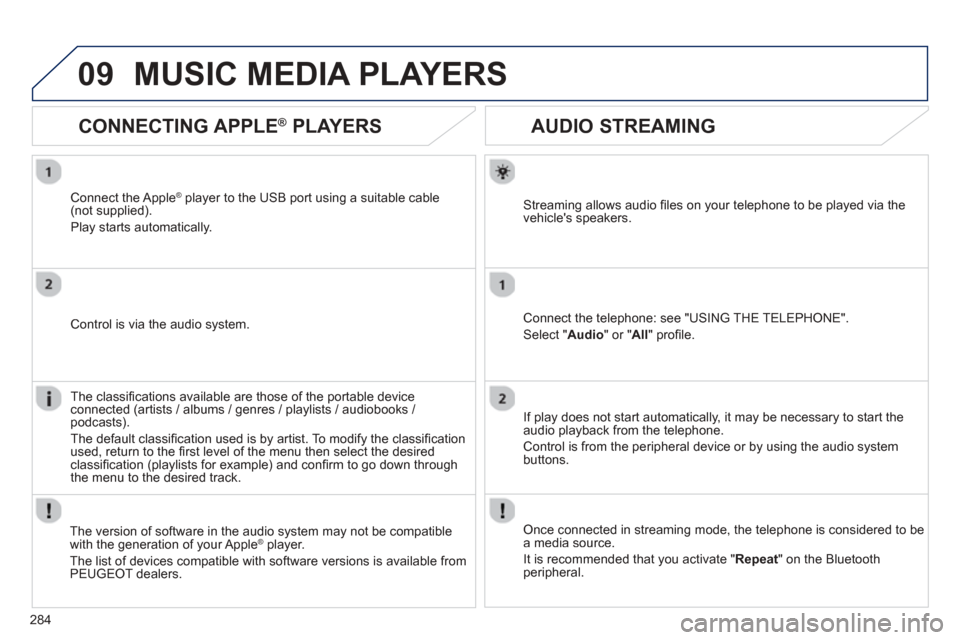
Streaming allows audio fi les on your telephone to be played via the
vehicle's speakers.
Connect the telephone: see "USING THE TELEPHONE".
Select " Audio " or " All" profi le.
I
f play does not start automatically, it may be necessary to start the audio playback from the telephone.
Control is from the peripheral device or b
y using the audio system buttons.
Once connected in streaming mode, the telephone is considered to bea media source.
It is recommended that you activate "
Repeat" on the Bluetooth
peripheral.
MUSIC MEDIA PLAYERS
CONNECTING APPLE ®
PLAYERS
Connect the Apple ®player to the USB port using a suitable cable (not supplied).
Pla
y starts automatically.
Control is via the audio system.
The classi
fi cations available are those of the portable deviceconnected (artists / albums / genres / playlists / audiobooks / podcasts).
The default classi fi cation used is b
y artist. To modify the classi fi cationused, return to the fi rst level of the menu then select the desired classi fi cation (playlists for example) and con fi rm to go down through
the menu to the desired track.
The version o
f software in the audio system may not be compatible
with the generation of your Apple® player.®
The list of devices compatible with software versions is available fromPEUGEOT dealers.
Page 306 of 340
304
04AUDIO
AUDIO CD
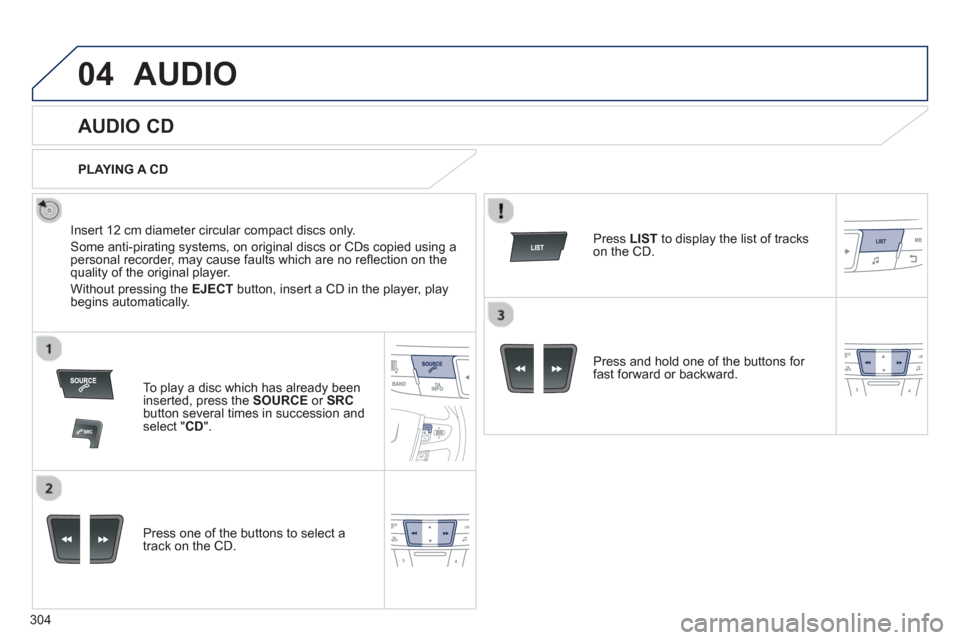
Insert 12 cm diameter circular compact discs only.
Some anti-piratin
g systems, on original discs or CDs copied using apersonal recorder, may cause faults which are no refl ection on thequality of the original player.
Without pressing the EJECT
button, insert a CD in the player, playbegins automatically.
To play a disc which has already beeninserted, press the SOURCEor SRCbutton several times in succession and select " CD".
Pr
ess one of the buttons to select a
track on the CD.
PLAYING A CD
Pr
ess LIST
to display the list of trackson the CD.
Pr
ess and hold one of the buttons for fast forward or backward.
Page 308 of 340
306
04
CD, USB
AUDIO
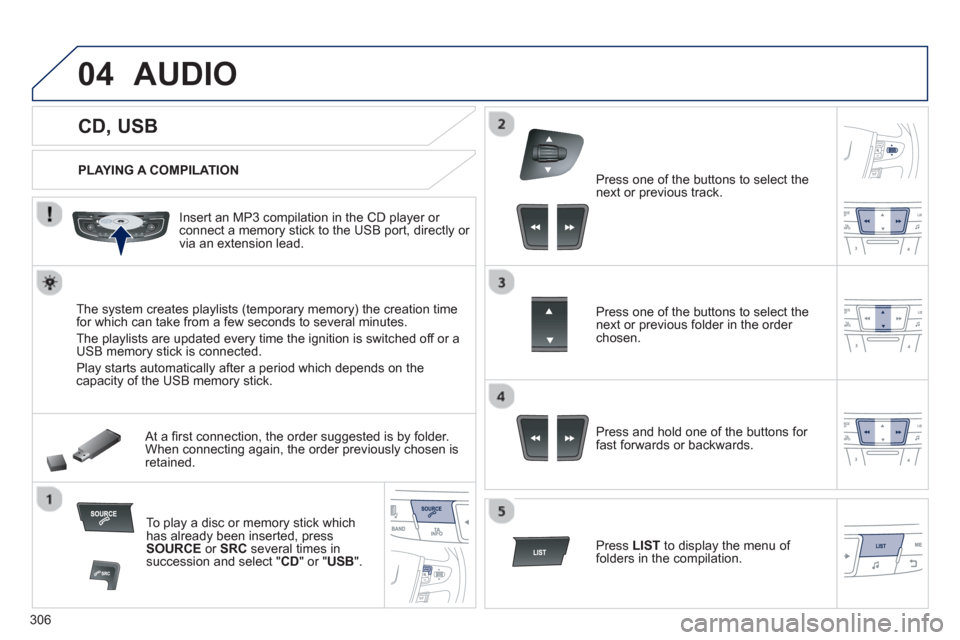
PLAYING A COMPILATION
Insert an MP3 compilation in the
CD player or connect a memory stick to the USB port, directly or
via an extension lead.
The s
ystem creates playlists (temporary memory) the creation time
for which can take from a few seconds to several minutes.
The pla
ylists are updated every time the ignition is switched off or aUSB memory stick is connected.
Pla
y starts automatically after a period which depends on the capacity of the USB memory stick.
At a fi rst connection, the order suggested is by folder.When connecting again, the order previously chosen is retained.
To play a disc or memory stick whichhas already been inserted, press
SOURCE
or SRC
several times insuccession and select " CD" or "USB".
Pr
ess one of the buttons to select the next or previous track.
Pr
ess one of the buttons to select the next or previous folder in the order chosen.
Pr
ess and hold one of the buttons for
fast forwards or backwards.
Press LISTto display the menu of folders in the compilation.
Page 316 of 340

314
05USING THE TELEPHONE
To display the " TELEPHONE " menu:
- Make alon
g press on SOURCE
or
SRC .
- Or, press OKto display the contextualmenu. Select " Call
" and confi rm.
-
Or, press MENU , select " Telephone"and confi rm. Select "Call" andconfi rm.
Select "Dial
" to enter a number andconfi rm.To displa
y the " TELEPHONE " menu:
-
Make a long press on SRC/TEL.
- Or, press the dial to display thecontextual menu. Select " Call " and confi rm.
-
Or, press MENU
, select
" Telephone" and confi rm. Select
"Call
" and confi rm.
Select OK
and confi rm to start the call.
Select "Calls list
" and confi rm.
MAKING A CALL - DIALLING
Select numbers one at a time using
the �and �buttons and confi rm.
MAKING A CALL - RECENTLY CALLED
NUMBERS *
Select the number and confi rm
to start the call.
The calls list includes calls sent and received in the vehicle using
the connected telephone.
*Depending on the compatibility of the telephone.
Correction allows numbers to be deleted one at a time.
It is possible to make a call directl
y from the telephone; park the
vehicle fi rst as a safety measure.
Page 317 of 340
315
05USING THE TELEPHONE
To display the "TELEPHONE
" menu:
- Make a lon
g press on SRC/TEL .
- Or, press the dial to display thecontextual menu. Select " Call
" and confi rm.
-
Or, press MENU , select"Telephone" and confi rm. Select " Call
" and confi rm.
Select "Directory
" and confi rm.
An incoming call is announced by a ring and a superimposed displayin the multifunction screen.
Mobile
(depending on the informationavailable in the contact records of
the telephone connected). "
YES " to accept the call is selected by default.
Press OK
to accept the call.
Select " NO
" and confi rm to reject thecall.
or
Press one of these buttons to acce
pt
the call.
MAKING A CALL - FROM THE DIRECTORY
Select a contact then confi rm.
RECEIVING A CALL
Select the number and confi rm.
A long press on ESC
or on TEL ,
SOURCEor SRCalso rejects an
incoming call.
Business
Home
Page 318 of 340
316
05USING THE TELEPHONE
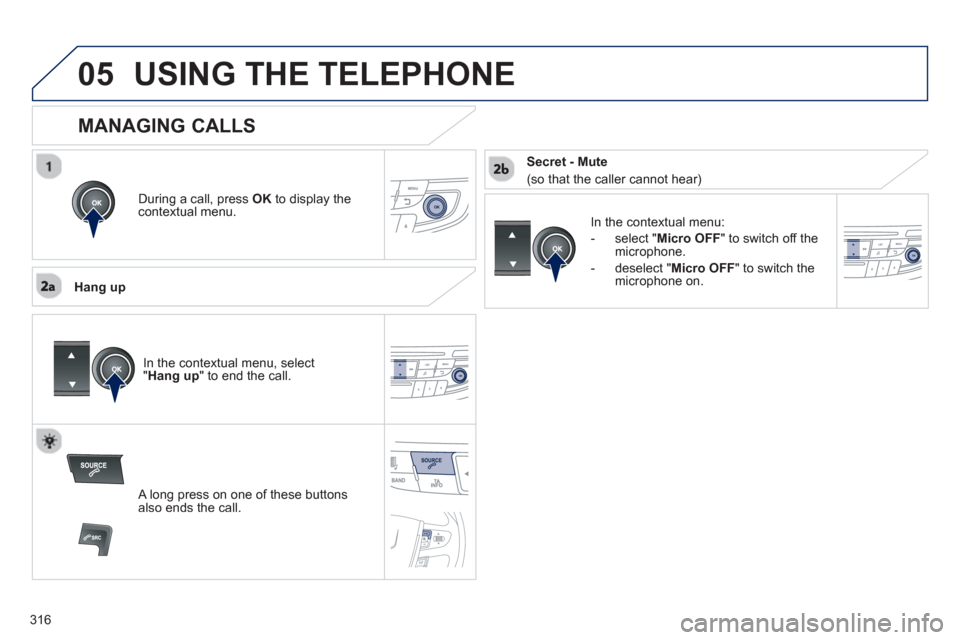
During a call, press OK
to display the contextual menu.
Han
g up
In the contextual menu:
-
select " Micro OFF
" to switch off themicrophone.
-
deselect " Micro OFF" to switch the
microphone on.
MANAGING CALLS
A long press on one of these buttons also ends the call.
In the contextual menu, select " Hang up" to end the call.
Secret - Mute
(so that the caller cannot hear)
Page 337 of 340
.
335
Visual search
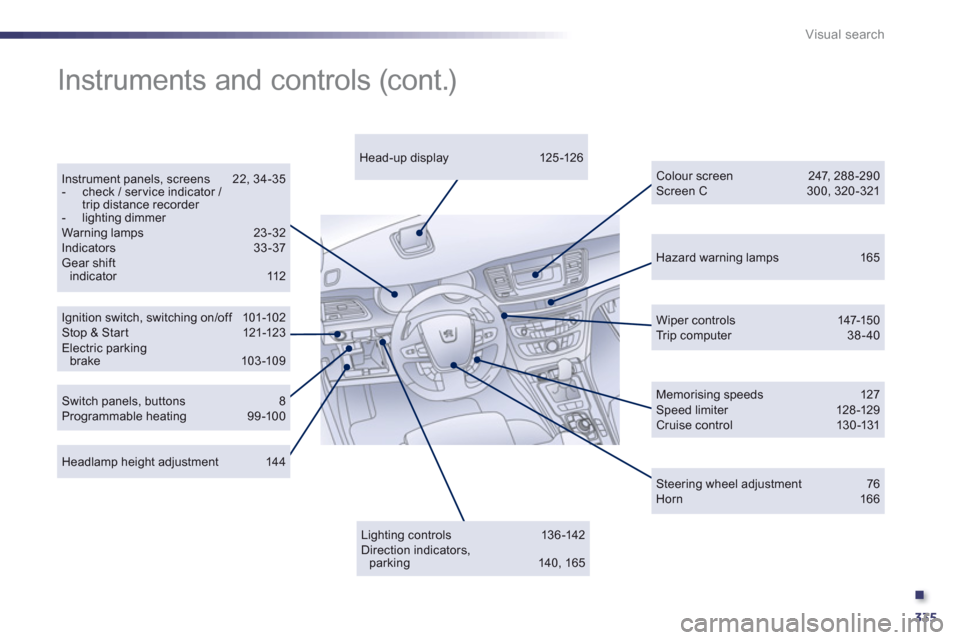
Hazard warning lamps 165
Ignition switch, switching on/of f 101-102 Stop & St ar t 121-123Electric parking brake 103-109
Instrument panels, screens 22, 34-35 - check / ser vice indicator / trip distance recorder - lighting dimmer
Warning lamps 23-32Indicators 33-37 Gear shift indicator 112
Wiper controls 147-150 Tr i p c o m p u t e r 38-40
Headlamp height adjustment 144
Head-up display 125 -126
Colour screen 247, 288 -290 Screen C 300, 320 -321
Instruments and controls (cont.)
Lighting controls 136 -142 Direction indicators, parking 140, 165
Switch panels, buttons 8Programmable heating 99-100
Memorising speeds 127 Speed limiter 128 -129 Cruise control 130-131
Steering wheel adjustment 76 Horn 166
Page:
< prev 1-8 9-16 17-24