Page 92 of 372
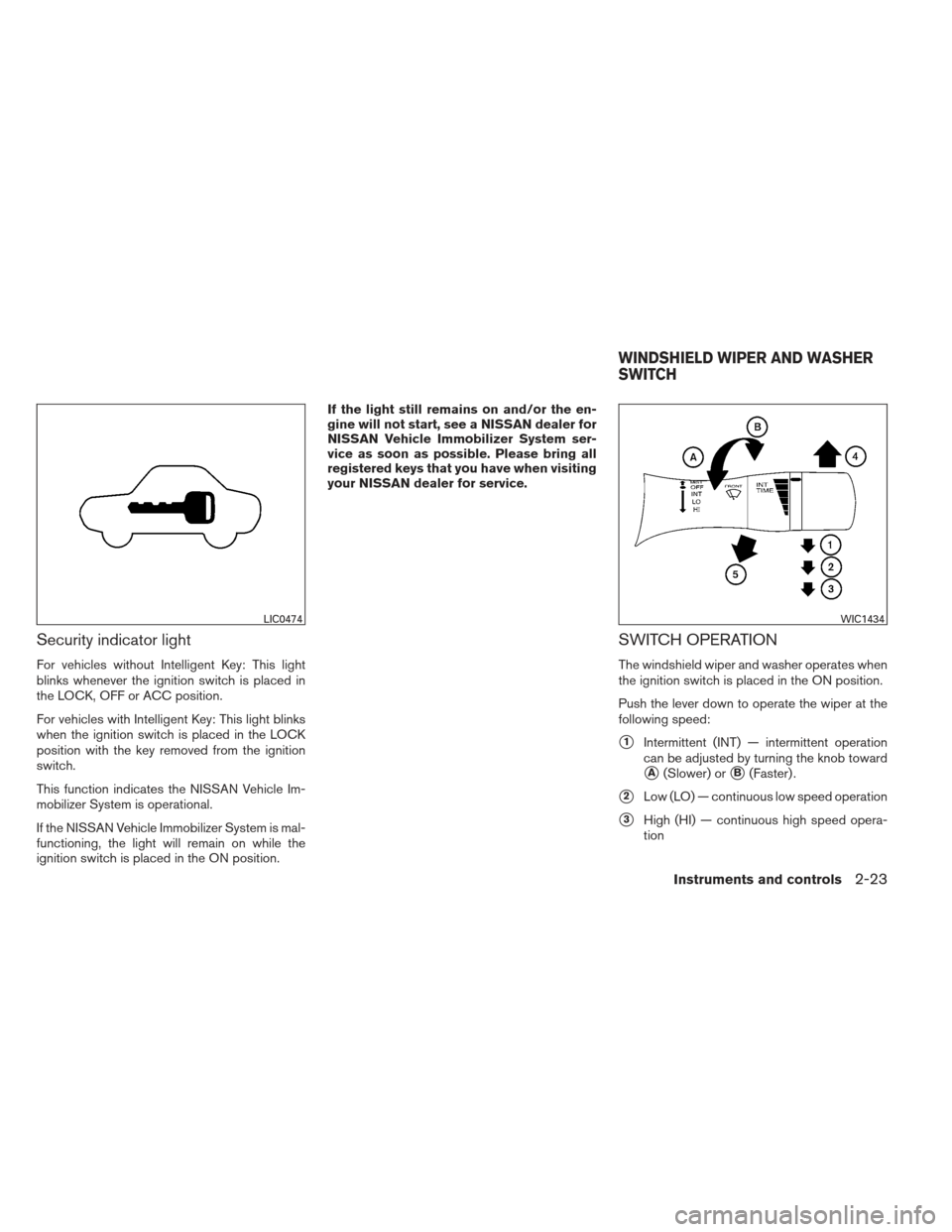
Security indicator light
For vehicles without Intelligent Key: This light
blinks whenever the ignition switch is placed in
the LOCK, OFF or ACC position.
For vehicles with Intelligent Key: This light blinks
when the ignition switch is placed in the LOCK
position with the key removed from the ignition
switch.
This function indicates the NISSAN Vehicle Im-
mobilizer System is operational.
If the NISSAN Vehicle Immobilizer System is mal-
functioning, the light will remain on while the
ignition switch is placed in the ON position.If the light still remains on and/or the en-
gine will not start, see a NISSAN dealer for
NISSAN Vehicle Immobilizer System ser-
vice as soon as possible. Please bring all
registered keys that you have when visiting
your NISSAN dealer for service.
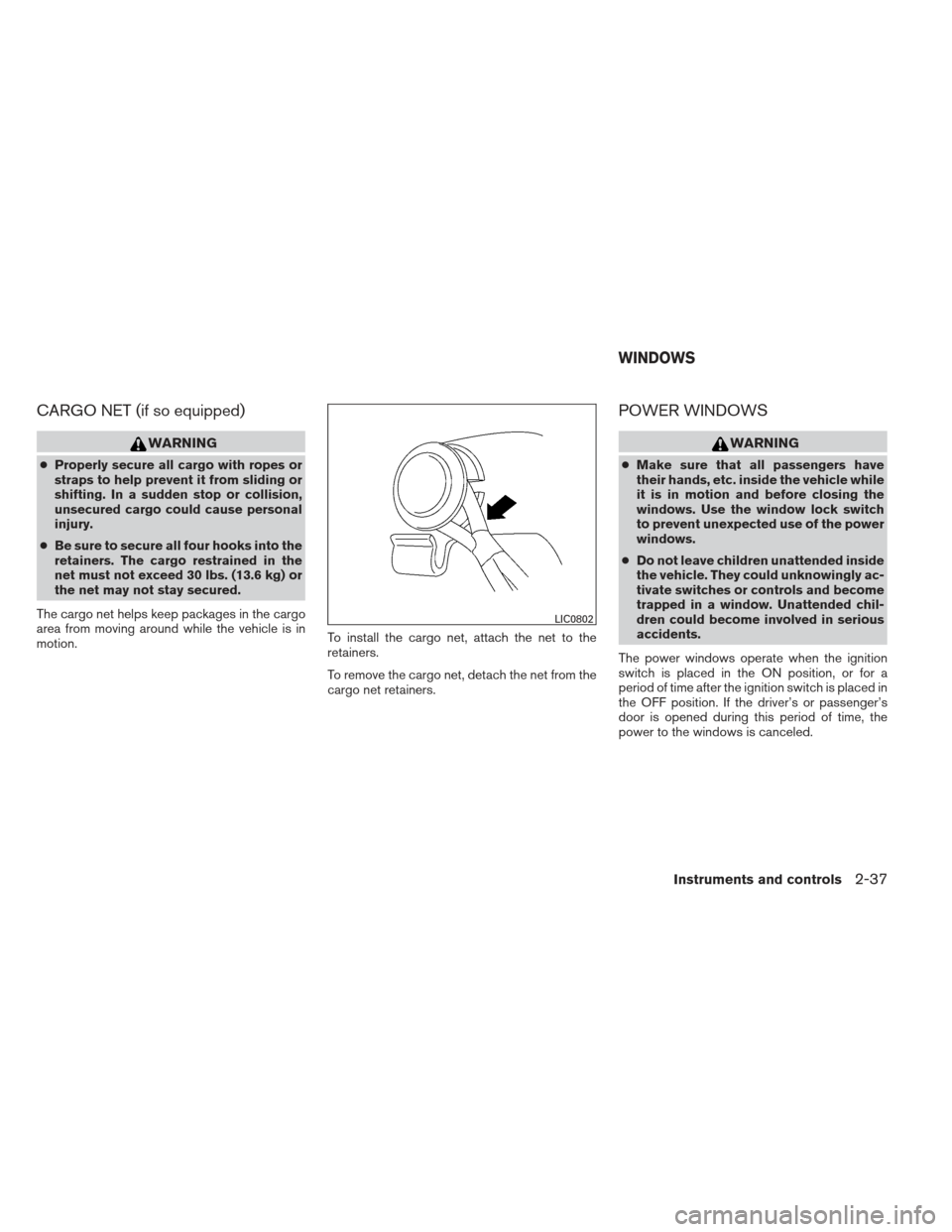
SWITCH OPERATION
The windshield wiper and washer operates when
the ignition switch is placed in the ON position.
Push the lever down to operate the wiper at the
following speed:
�1Intermittent (INT) — intermittent operation
can be adjusted by turning the knob toward
�A(Slower) or�B(Faster) .
�2Low (LO) — continuous low speed operation
�3High (HI) — continuous high speed opera-
tion
LIC0474WIC1434
WINDSHIELD WIPER AND WASHER
SWITCH
Instruments and controls2-23
Page 104 of 372
Soft bottle holder
CAUTION
●Do not use bottle holder for any other
objects that could be thrown about in
the vehicle and possibly injure people
during sudden braking or an accident.
● Do not use bottle holder for open liquid
containers.
GLOVE BOX
Open the glove box by pulling the handle.
WARNING
Keep glove box lid closed while driving to
help prevent injury in an accident or a
sudden stop.
CONSOLE BOX
To open the console box, press in on the lever�1
and raise the lid�2.
To close, push the lid down until the lock latches.
Rear
LIC2425LIC2429LIC1026
Instruments and controls2-35
Page 106 of 372
CARGO NET (if so equipped)
WARNING
●Properly secure all cargo with ropes or
straps to help prevent it from sliding or
shifting. In a sudden stop or collision,
unsecured cargo could cause personal
injury.
● Be sure to secure all four hooks into the
retainers. The cargo restrained in the
net must not exceed 30 lbs. (13.6 kg) or
the net may not stay secured.
The cargo net helps keep packages in the cargo
area from moving around while the vehicle is in
motion. To install the cargo net, attach the net to the
retainers.
To remove the cargo net, detach the net from the
cargo net retainers.
POWER WINDOWS
WARNING
●
Make sure that all passengers have
their hands, etc. inside the vehicle while
it is in motion and before closing the
windows. Use the window lock switch
to prevent unexpected use of the power
windows.
● Do not leave children unattended inside
the vehicle. They could unknowingly ac-
tivate switches or controls and become
trapped in a window. Unattended chil-
dren could become involved in serious
accidents.
The power windows operate when the ignition
switch is placed in the ON position, or for a
period of time after the ignition switch is placed in
the OFF position. If the driver’s or passenger’s
door is opened during this period of time, the
power to the windows is canceled.
LIC0802
WINDOWS
Instruments and controls2-37
Page 107 of 372
1. Window lock button
2. Power door lock switch
3. Front passenger side
4. Right rear passenger side
5. Left rear passenger side
6. Driver side automatic switch
Driver’s side power window switch
The driver’s side control panel is equipped with
switches to open or close all of the windows.
To open a window, push the switch to the first
detent and continue to hold down until the de-
sired window position is reached. To close a
window, pull the switch to the first detent and
continue to hold up until the desired window
position is reached.
Front passenger’s power window
switch
The passenger’s window switch operates only
the corresponding passenger’s window. To open
the window, push the switch to the first detent
and continue to hold it down until the desired
window position is reached
�1. To close the
window, pull the switch to the first detent and
continue to hold it up until the desired window
position is reached
�2.
LIC2299LIC2311
2-38Instruments and controls
Page 108 of 372
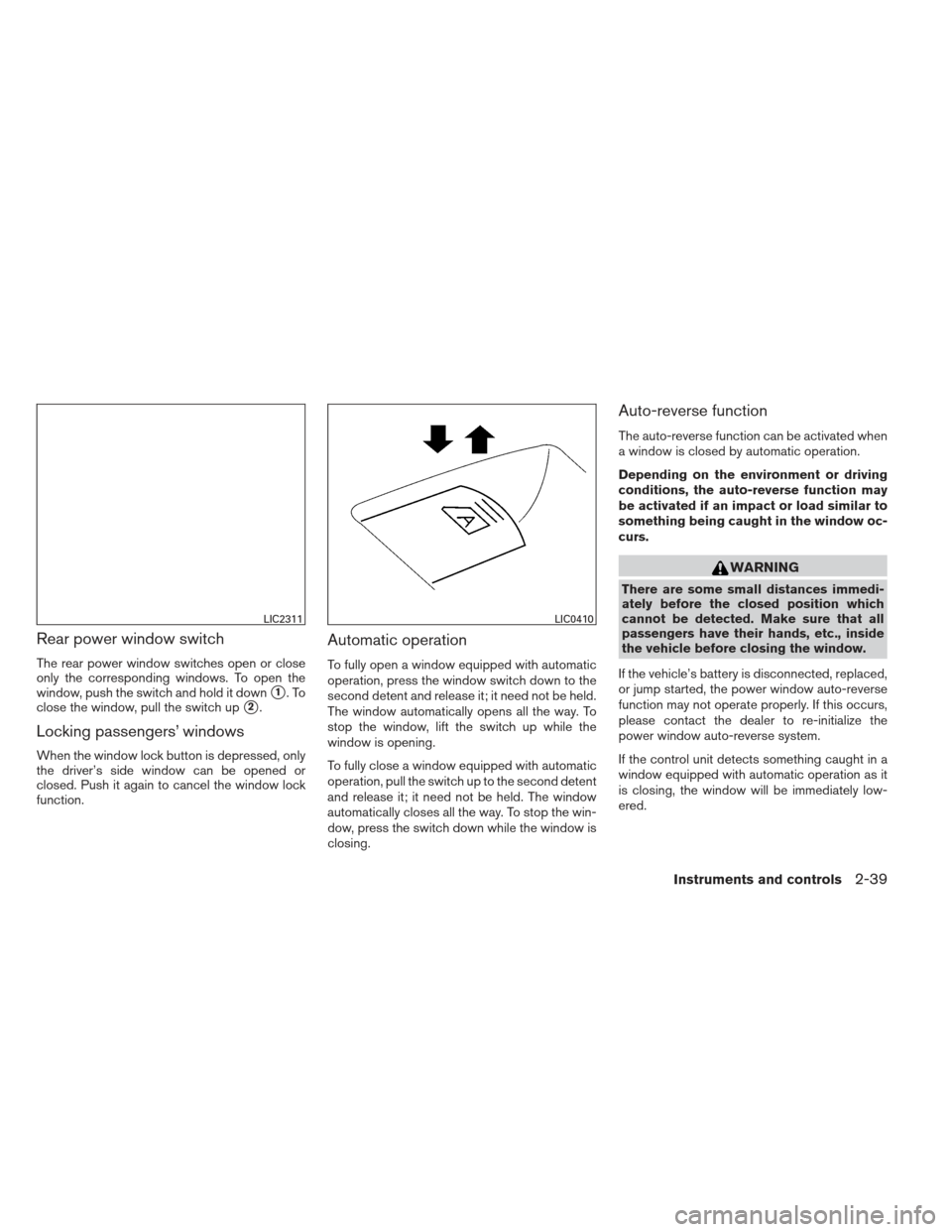
Rear power window switch
The rear power window switches open or close
only the corresponding windows. To open the
window, push the switch and hold it down
�1.To
close the window, pull the switch up
�2.
Locking passengers’ windows
When the window lock button is depressed, only
the driver’s side window can be opened or
closed. Push it again to cancel the window lock
function.
Automatic operation
To fully open a window equipped with automatic
operation, press the window switch down to the
second detent and release it; it need not be held.
The window automatically opens all the way. To
stop the window, lift the switch up while the
window is opening.
To fully close a window equipped with automatic
operation, pull the switch up to the second detent
and release it; it need not be held. The window
automatically closes all the way. To stop the win-
dow, press the switch down while the window is
closing.
Auto-reverse function
The auto-reverse function can be activated when
a window is closed by automatic operation.
Depending on the environment or driving
conditions, the auto-reverse function may
be activated if an impact or load similar to
something being caught in the window oc-
curs.
WARNING
There are some small distances immedi-
ately before the closed position which
cannot be detected. Make sure that all
passengers have their hands, etc., inside
the vehicle before closing the window.
If the vehicle’s battery is disconnected, replaced,
or jump started, the power window auto-reverse
function may not operate properly. If this occurs,
please contact the dealer to re-initialize the
power window auto-reverse system.
If the control unit detects something caught in a
window equipped with automatic operation as it
is closing, the window will be immediately low-
ered.
LIC2311LIC0410
Instruments and controls2-39
Page 111 of 372
Sunshade
Open and close the sunshade by sliding it for-
ward or backward.
If the moonroof does not close
Have your NISSAN dealer check and repair the
moonroof.
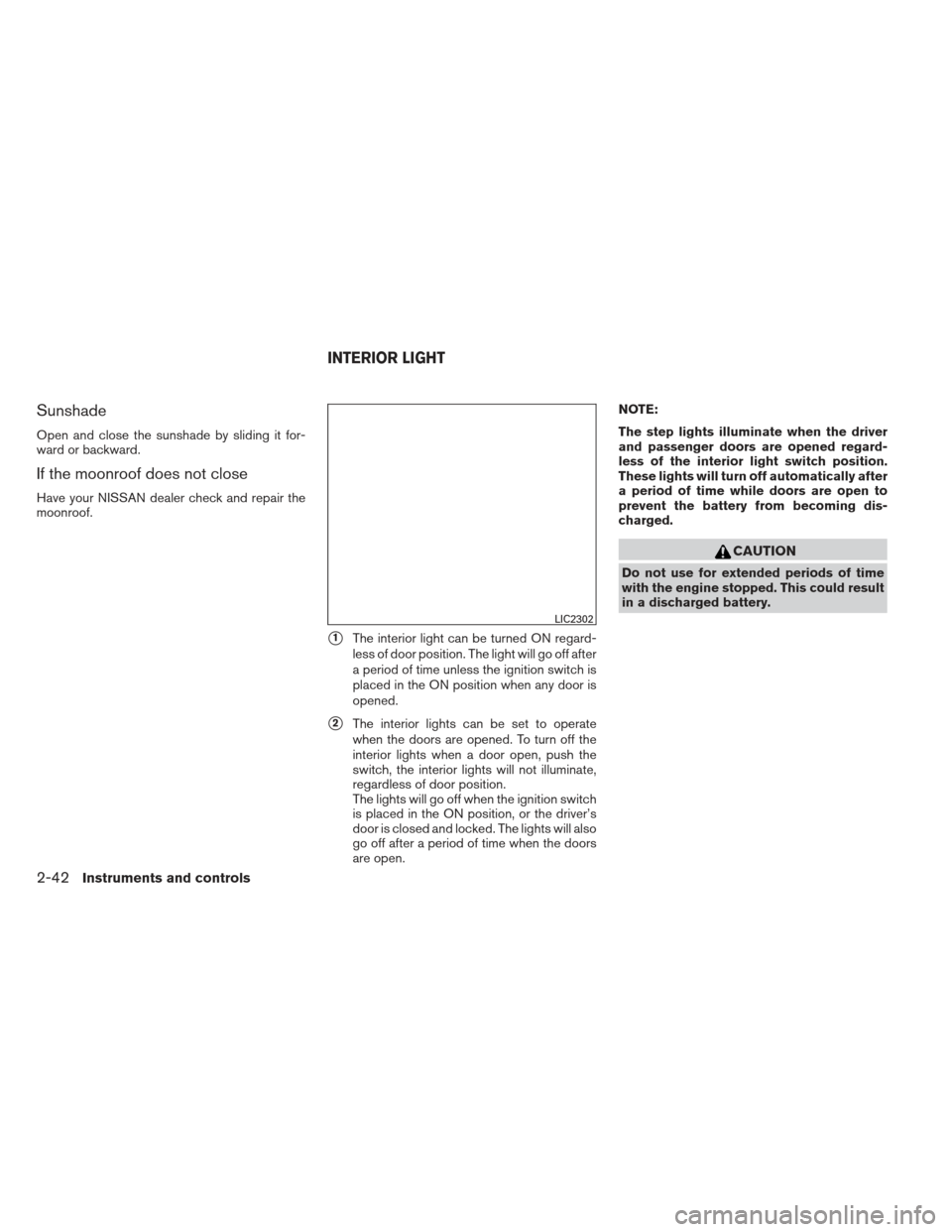
�1The interior light can be turned ON regard-
less of door position. The light will go off after
a period of time unless the ignition switch is
placed in the ON position when any door is
opened.
�2The interior lights can be set to operate
when the doors are opened. To turn off the
interior lights when a door open, push the
switch, the interior lights will not illuminate,
regardless of door position.
The lights will go off when the ignition switch
is placed in the ON position, or the driver’s
door is closed and locked. The lights will also
go off after a period of time when the doors
are open. NOTE:
The step lights illuminate when the driver
and passenger doors are opened regard-
less of the interior light switch position.
These lights will turn off automatically after
a period of time while doors are open to
prevent the battery from becoming dis-
charged.
CAUTION
Do not use for extended periods of time
with the engine stopped. This could result
in a discharged battery.
LIC2302
INTERIOR LIGHT
2-42Instruments and controls
Page 114 of 372
3 Pre-driving checks and adjustments
Keys .............................................3-2NISSAN Intelligent Key® (if so equipped) .........3-2
NISSAN Vehicle Immobilizer System keys .........3-4
Doors ............................................3-4
Locking with key ................................3-5
Locking with inside lock knob ....................3-5
Locking with power door lock switch .............3-5
Automatic door locks ...........................3-6
Child safety rear door lock .......................3-6
Remote keyless entry system (if so equipped) .........3-7
How to use remote keyless entry system ..........3-8
NISSAN Intelligent Key® (if so equipped) ...........3-10
Operating range ............................... 3-12
Door locks/unlocks precaution ..................3-13
NISSAN Intelligent Key® Operation .............3-13
How to use the remote keyless entry
function ...................................... 3-16
Warning lights and audible reminders ............3-20
Warning signals ............................... 3-20Troubleshooting guide
......................... 3-22
Hood ........................................... 3-24
Trunk lid ......................................... 3-25
Trunk lid release switch ........................ 3-25
Interior trunk lid release ........................ 3-25
Fuel-filler door ................................... 3-26
Opener operation .............................. 3-26
Fuel-filler cap . . ............................... 3-26
Tilt/telescopic steering ............................ 3-28
Tilt operation .................................. 3-28
Telescopic operation ........................... 3-29
Sun visors ....................................... 3-29
Vanity mirrors . . ............................... 3-30
Card holder (driver’s side only) ..................3-30
Mirrors .......................................... 3-30
Rearview mirror (if so equipped) .................3-30
Automatic anti-glare rearview mirror
(if so equipped) ............................... 3-31
Outside mirrors ............................... 3-31
Page 115 of 372
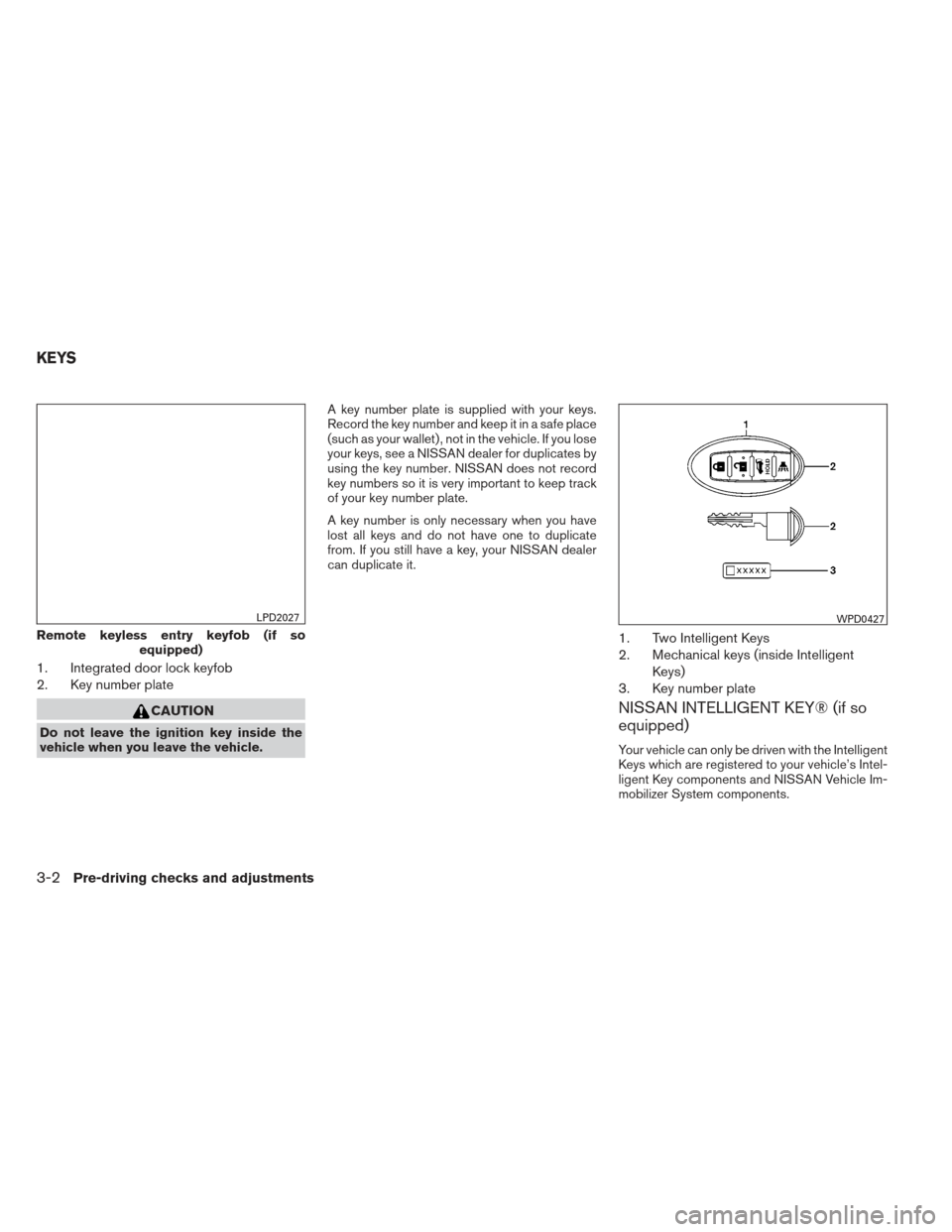
1. Integrated door lock keyfob
2. Key number plate
CAUTION
Do not leave the ignition key inside the
vehicle when you leave the vehicle.A key number plate is supplied with your keys.
Record the key number and keep it in a safe place
(such as your wallet) , not in the vehicle. If you lose
your keys, see a NISSAN dealer for duplicates by
using the key number. NISSAN does not record
key numbers so it is very important to keep track
of your key number plate.
A key number is only necessary when you have
lost all keys and do not have one to duplicate
from. If you still have a key, your NISSAN dealer
can duplicate it.
1. Two Intelligent Keys
2. Mechanical keys (inside Intelligent
Keys)
3. Key number plate
NISSAN INTELLIGENT KEY® (if so
equipped)
Your vehicle can only be driven with the Intelligent
Keys which are registered to your vehicle’s Intel-
ligent Key components and NISSAN Vehicle Im-
mobilizer System components.
Remote keyless entry keyfob (if so equipped)
LPD2027WPD0427
KEYS
3-2Pre-driving checks and adjustments