Page 345 of 506
Available items:● Getting Started
Describes the basics of how to operate the
Voice Recognition system.
● Let’s Practice
Initiates a practice session that demon-
strates how to improve voice recognition by
the system.
● Using the Address Book
Tutorial for using the Address Book
● Finding a Street Address
Tutorial for entering a destination by street
address.
● Placing Calls
Tutorial for making a phone call by voice
command operation.
● Help on Speaking
Displays useful tips of speaking for correct
command recognition by the system.
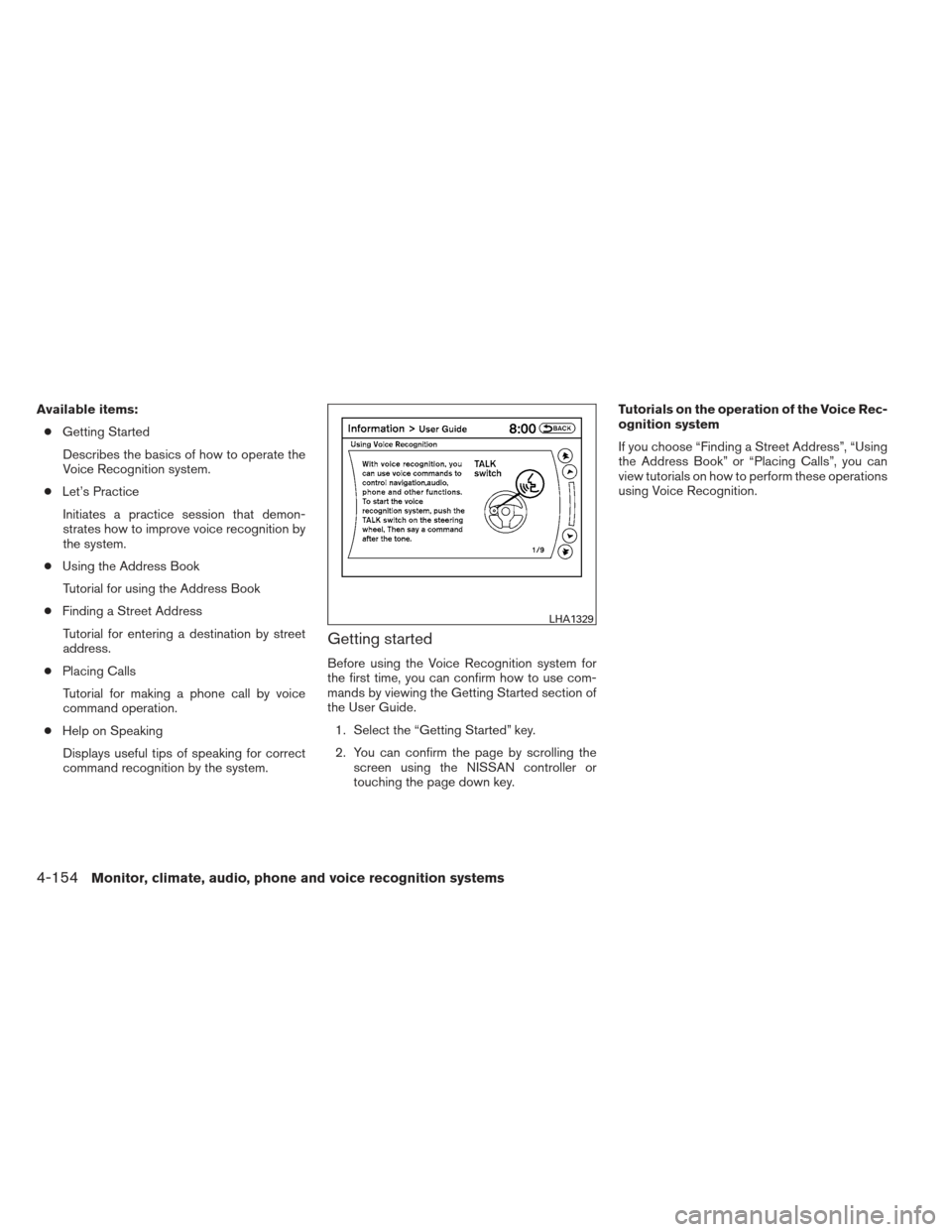
Getting started
Before using the Voice Recognition system for
the first time, you can confirm how to use com-
mands by viewing the Getting Started section of
the User Guide. 1. Select the “Getting Started” key.
2. You can confirm the page by scrolling the screen using the NISSAN controller or
touching the page down key. Tutorials on the operation of the Voice Rec-
ognition system
If you choose “Finding a Street Address”, “Using
the Address Book” or “Placing Calls”, you can
view tutorials on how to perform these operations
using Voice Recognition.
LHA1329
4-154Monitor, climate, audio, phone and voice recognition systems
Page 346 of 506
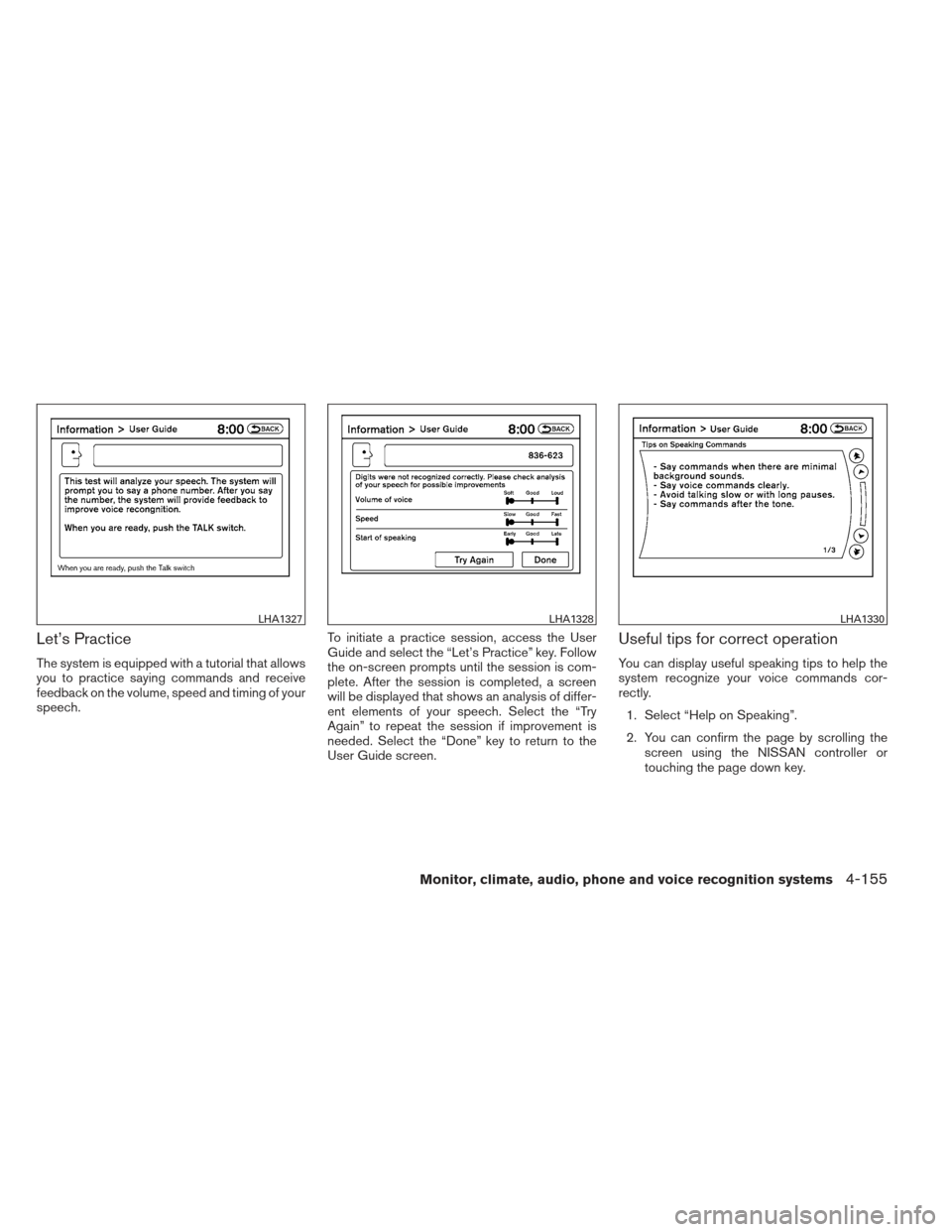
Let’s Practice
The system is equipped with a tutorial that allows
you to practice saying commands and receive
feedback on the volume, speed and timing of your
speech.To initiate a practice session, access the User
Guide and select the “Let’s Practice” key. Follow
the on-screen prompts until the session is com-
plete. After the session is completed, a screen
will be displayed that shows an analysis of differ-
ent elements of your speech. Select the “Try
Again” to repeat the session if improvement is
needed. Select the “Done” key to return to the
User Guide screen.
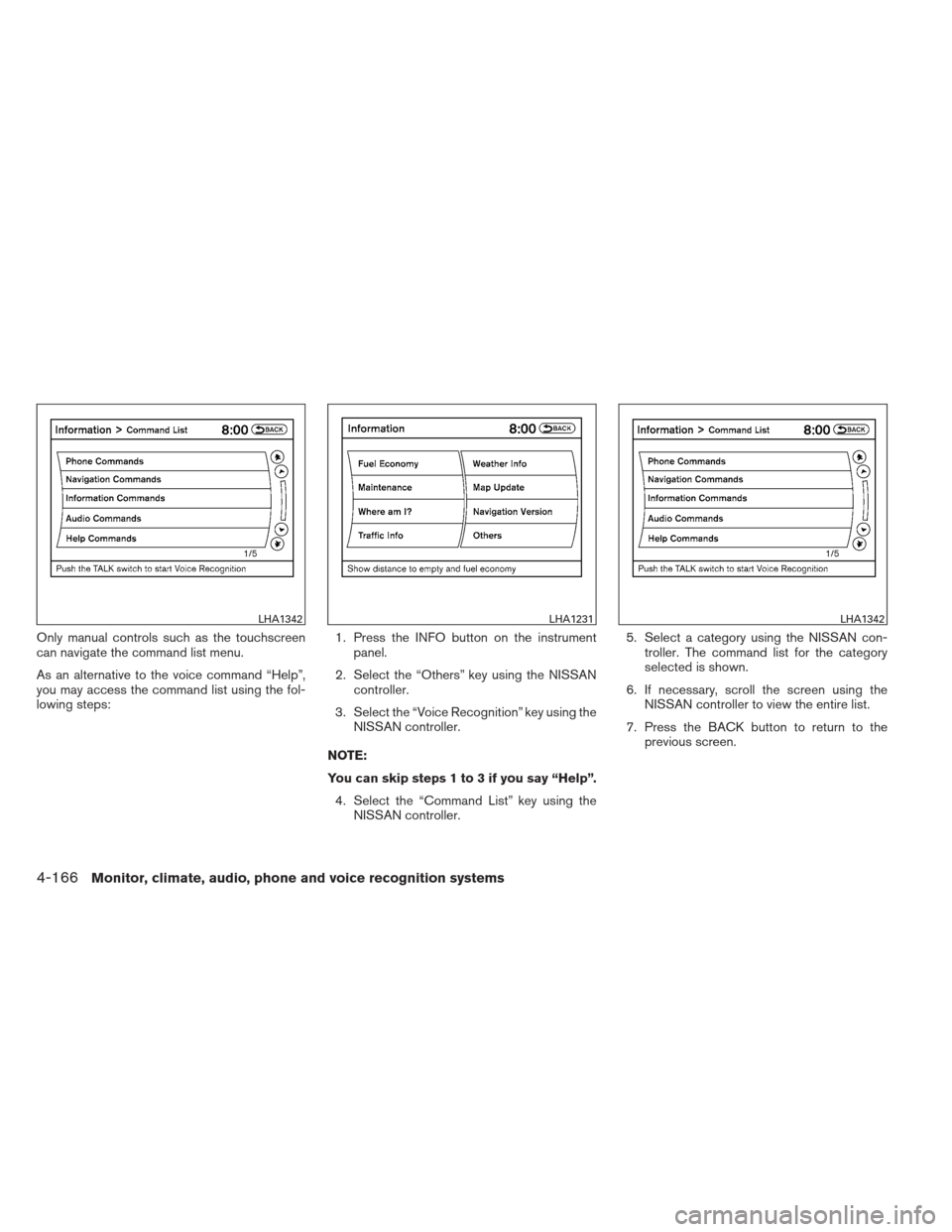
Useful tips for correct operation
You can display useful speaking tips to help the
system recognize your voice commands cor-
rectly.
1. Select “Help on Speaking”.
2. You can confirm the page by scrolling the screen using the NISSAN controller or
touching the page down key.
LHA1327LHA1328LHA1330
Monitor, climate, audio, phone and voice recognition systems4-155
Page 356 of 506
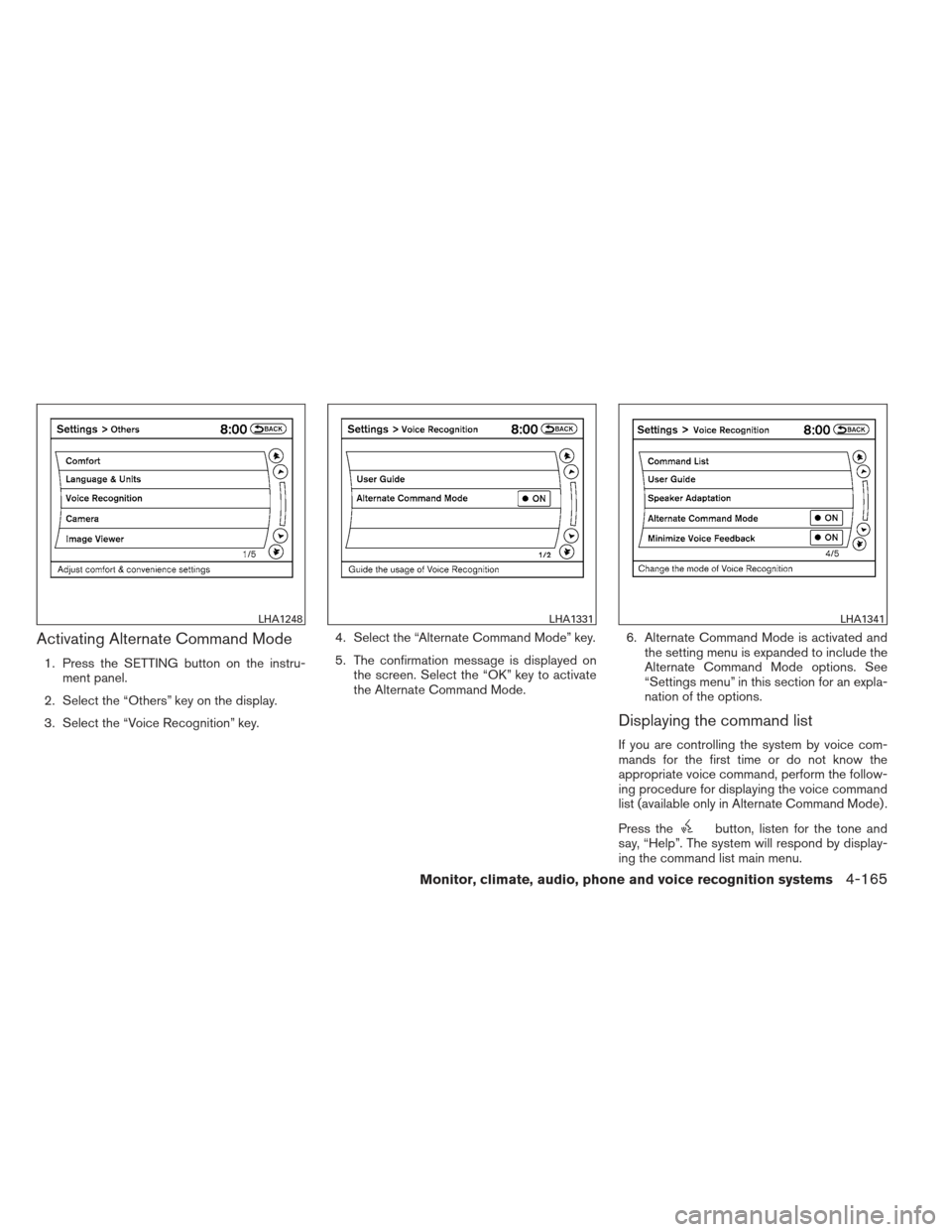
Activating Alternate Command Mode
1. Press the SETTING button on the instru-ment panel.
2. Select the “Others” key on the display.
3. Select the “Voice Recognition” key. 4. Select the “Alternate Command Mode” key.
5. The confirmation message is displayed on
the screen. Select the “OK” key to activate
the Alternate Command Mode. 6. Alternate Command Mode is activated and
the setting menu is expanded to include the
Alternate Command Mode options. See
“Settings menu” in this section for an expla-
nation of the options.
Displaying the command list
If you are controlling the system by voice com-
mands for the first time or do not know the
appropriate voice command, perform the follow-
ing procedure for displaying the voice command
list (available only in Alternate Command Mode) .
Press the
button, listen for the tone and
say, “Help”. The system will respond by display-
ing the command list main menu.
LHA1248LHA1331LHA1341
Monitor, climate, audio, phone and voice recognition systems4-165
Page 357 of 506
Only manual controls such as the touchscreen
can navigate the command list menu.
As an alternative to the voice command “Help”,
you may access the command list using the fol-
lowing steps:1. Press the INFO button on the instrument
panel.
2. Select the “Others” key using the NISSAN controller.
3. Select the “Voice Recognition” key using the NISSAN controller.
NOTE:
You can skip steps 1 to 3 if you say “Help”. 4. Select the “Command List” key using the NISSAN controller. 5. Select a category using the NISSAN con-
troller. The command list for the category
selected is shown.
6. If necessary, scroll the screen using the NISSAN controller to view the entire list.
7. Press the BACK button to return to the previous screen.
LHA1342LHA1231LHA1342
4-166Monitor, climate, audio, phone and voice recognition systems
Page 360 of 506
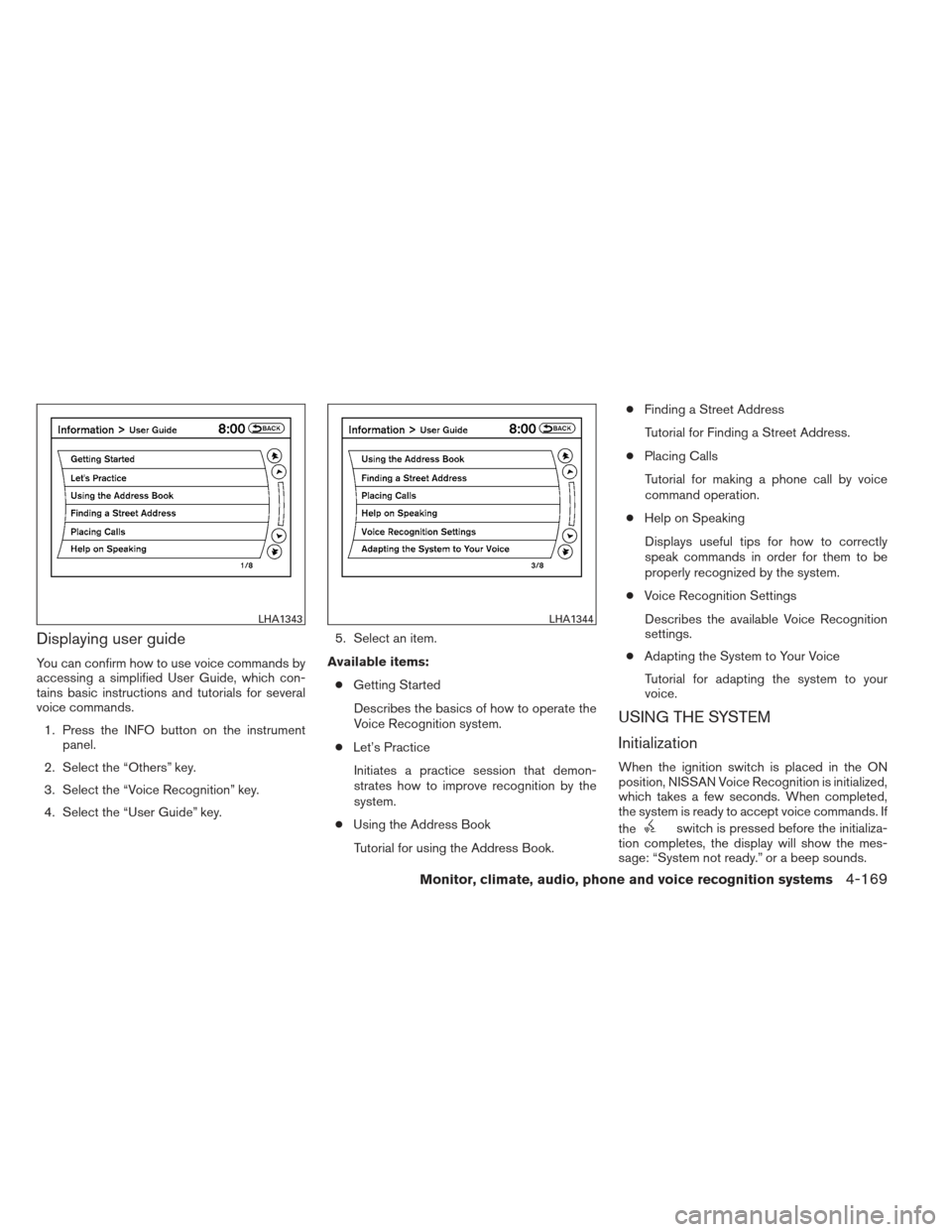
Displaying user guide
You can confirm how to use voice commands by
accessing a simplified User Guide, which con-
tains basic instructions and tutorials for several
voice commands.1. Press the INFO button on the instrument panel.
2. Select the “Others” key.
3. Select the “Voice Recognition” key.
4. Select the “User Guide” key. 5. Select an item.
Available items: ● Getting Started
Describes the basics of how to operate the
Voice Recognition system.
● Let’s Practice
Initiates a practice session that demon-
strates how to improve recognition by the
system.
● Using the Address Book
Tutorial for using the Address Book. ●
Finding a Street Address
Tutorial for Finding a Street Address.
● Placing Calls
Tutorial for making a phone call by voice
command operation.
● Help on Speaking
Displays useful tips for how to correctly
speak commands in order for them to be
properly recognized by the system.
● Voice Recognition Settings
Describes the available Voice Recognition
settings.
● Adapting the System to Your Voice
Tutorial for adapting the system to your
voice.
USING THE SYSTEM
Initialization
When the ignition switch is placed in the ON
position, NISSAN Voice Recognition is initialized,
which takes a few seconds. When completed,
the system is ready to accept voice commands. If
the
switch is pressed before the initializa-
tion completes, the display will show the mes-
sage: “System not ready.” or a beep sounds.
LHA1343LHA1344
Monitor, climate, audio, phone and voice recognition systems4-169
Page 362 of 506
Operating tips
●Say a command after the tone. Voice com-
mands cannot be accepted when the icon
is
.
● If the command is not recognized, the sys-
tem repeats the announcement. Repeat the
command in a clear voice.
● Press the
button on the steering
wheel to return to the previous screen.
● If you want to cancel the command, press
and hold the
button. The message,
“Voice cancelled” will be announced.
● If you want to adjust the volume of the sys-
tem feedback, push the volume control
switch on the steering wheel or use the
audio system volume knob while the system
is making an announcement.
● To minimize the amount of prompts spoken
by the system in Alternate Command Mode,
use the Minimize Voice Feedback function.
To access the Minimize Voice Feedback
function press the SETTING button, then
select the “Others” key. Then select the
“Voice Recognition” key.
How to speak numbers
Voice Recognition requires a certain way to
speak numbers when giving voice commands.
Refer to the following examples.
General rule:
● Only single digits 0 (zero) to 9 can be used.
● When saying the phone number 800-662-
6200, the system will accept “eight-
hundred” in addition to “eight zero zero” or
“eight oh oh”. 500, 700, and 900 are also
supported.
Examples: ● 1-800-662-6200
– “One eight zero zero six six two six two zero zero”
– “One eight hundred six six two six two zero zero”
Improving Recognition of Phone numbers:
You can improve the recognition of phone num-
bers by saying the phone number in three groups
of numbers. For example, when you try to call
800-662-6200, say “eight zero zero” first, and
the system will then ask you for the next three
digits. Then, say “six six two”. After recognition,
the system will then ask for the last four digits. Say, “six two zero zero”. Using this method of
phone digit entry can improve recognition perfor-
mance.
NOTE:
When speaking a house number, speak the
number “0” as “zero” or “oh”. If the letter
“O” is included in the house number, it will
not be recognized as “0” even if you speak
“oh” instead of “zero”.
Settings menu
The content of the Settings Menu differs when
the system is in the Alternate Command Mode.
Command List:
Displays the command list for Alternate Com-
mand Mode.
User Guide:
The user guide provides basic instructions for
using Voice Recognition and accessing some
voice commands.
NOTE:
The user guide can also be accessed from
within the INFO menu after pressing the
INFO button.
Monitor, climate, audio, phone and voice recognition systems4-171
Page 363 of 506
Speaker Adaptation:
Starts a system training procedure to learn the
specific sounds of your voice. See “Speaker ad-
aptation function” in this section.
Alternate Command Mode:
For advanced operation, an Alternate Command
Mode is provided. This setting enables control of
the audio system as well as additional commands
for the Phone and Navigation systems. With this
setting active, the system does not announce or
display the available commands at each step.
When this mode is activated, the Voice Recogni-
tion Settings will change to show more options.
Minimize Voice Feedback:
Reduces the amount of the information spoken
for each voice instruction.
SPEAKER ADAPTATION FUNCTION
The Voice Recognition system has a function to
learn the user’s voice for better voice recognition
performance. The system can memorize the
voices of up to three persons.
Having the system learn the user’s
voice
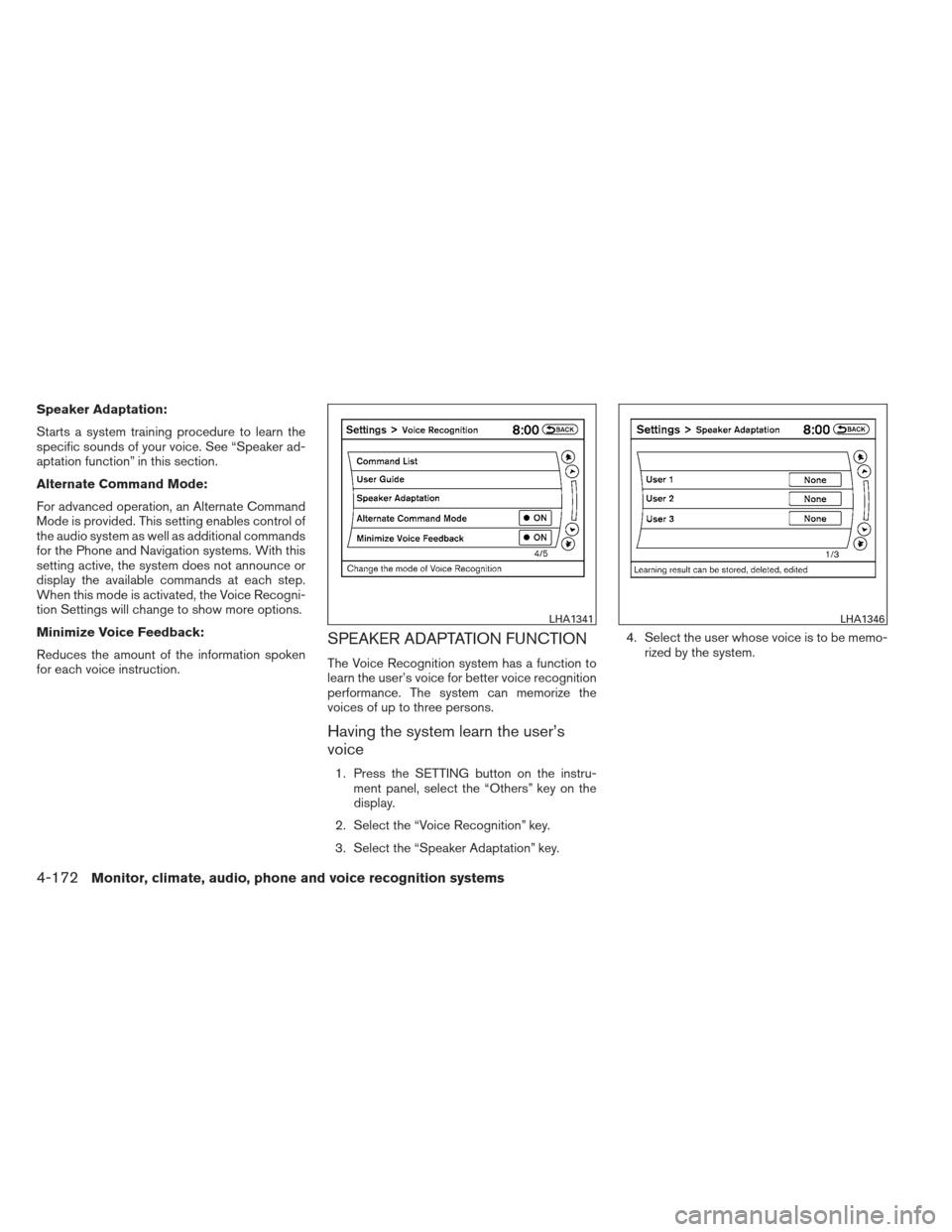
1. Press the SETTING button on the instru-ment panel, select the “Others” key on the
display.
2. Select the “Voice Recognition” key.
3. Select the “Speaker Adaptation” key. 4. Select the user whose voice is to be memo-
rized by the system.
LHA1341LHA1346
4-172Monitor, climate, audio, phone and voice recognition systems
Page 364 of 506
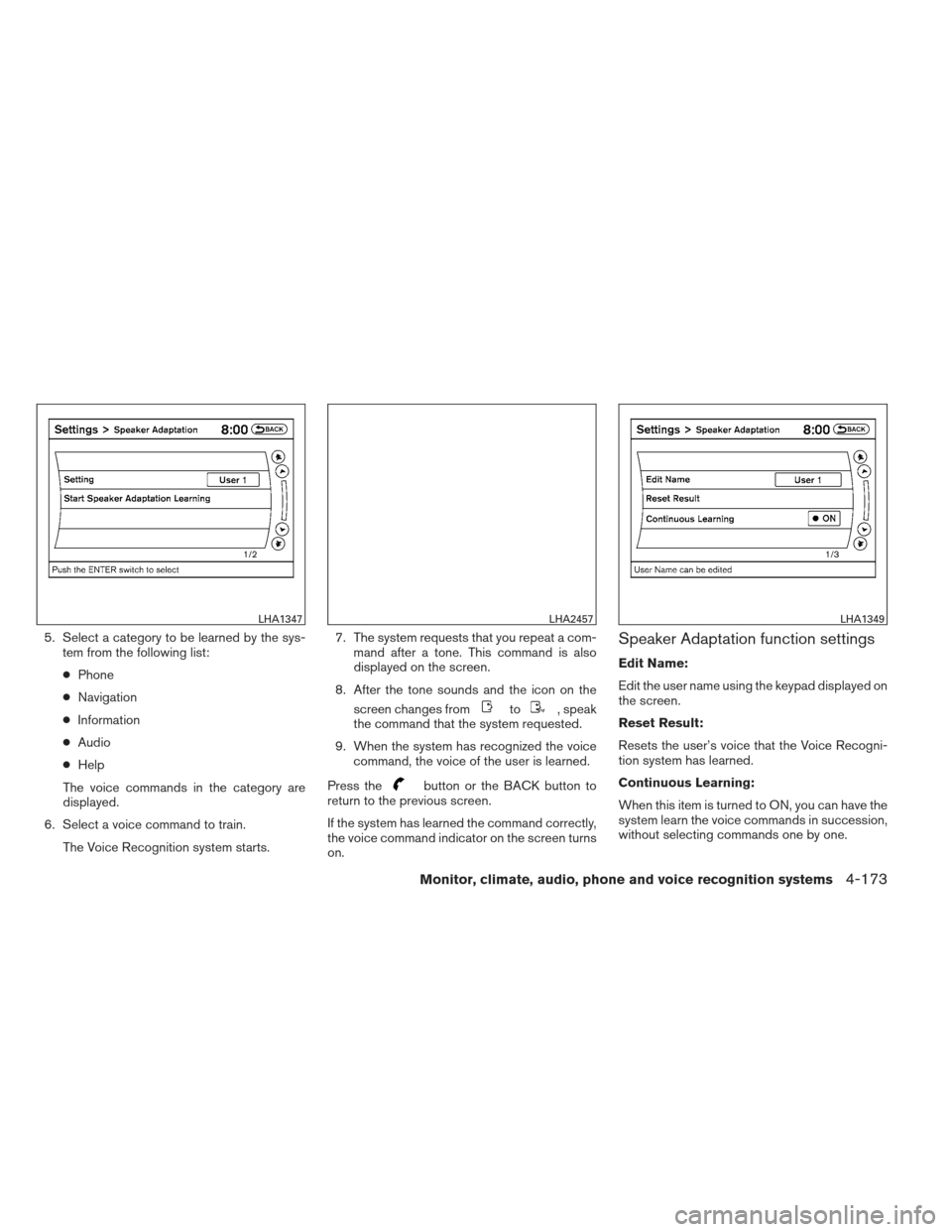
5. Select a category to be learned by the sys-tem from the following list:
● Phone
● Navigation
● Information
● Audio
● Help
The voice commands in the category are
displayed.
6. Select a voice command to train. The Voice Recognition system starts. 7. The system requests that you repeat a com-
mand after a tone. This command is also
displayed on the screen.
8. After the tone sounds and the icon on the screen changes from
to, speak
the command that the system requested.
9. When the system has recognized the voice command, the voice of the user is learned.
Press the
button or the BACK button to
return to the previous screen.
If the system has learned the command correctly,
the voice command indicator on the screen turns
on.
Speaker Adaptation function settings
Edit Name:
Edit the user name using the keypad displayed on
the screen.
Reset Result:
Resets the user’s voice that the Voice Recogni-
tion system has learned.
Continuous Learning:
When this item is turned to ON, you can have the
system learn the voice commands in succession,
without selecting commands one by one.
LHA1347LHA2457LHA1349
Monitor, climate, audio, phone and voice recognition systems4-173