Page 297 of 506
To disconnect the iPod® from the vehicle, re-
move the USB end of the cable from the USB
jack on the vehicle, then remove the cable from
the iPod®.
* iPod® is a trademark of Apple Inc., registered in
the U.S. and other countries.
Compatibility
The following models are compatible:● iPod® 5th Generation (firmware version
1.2.3 or later)
● iPod® Classic (firmware version 1.1.1 or
later)
● iPod® Touch (firmware version 2.0.0 or
later)*
● iPod® Nano - 1st generation (firmware ver-
sion 1.3.1 or later)
● iPod® Nano - 2nd generation (firmware ver-
sion 1.1.3 or later)
● iPod® Nano - 3rd generation (firmware ver-
sion 1.1.3 or later)
● iPod® Nano - 4th generation (firmware ver-
sion 1.0.4 or later)
● iPod® Nano - 5th generation (firmware ver-
sion 1.0.1 or later) * Some features of this iPod® may not be fully
functional.
Make sure that your iPod® firmware is updated to
the version indicated above.
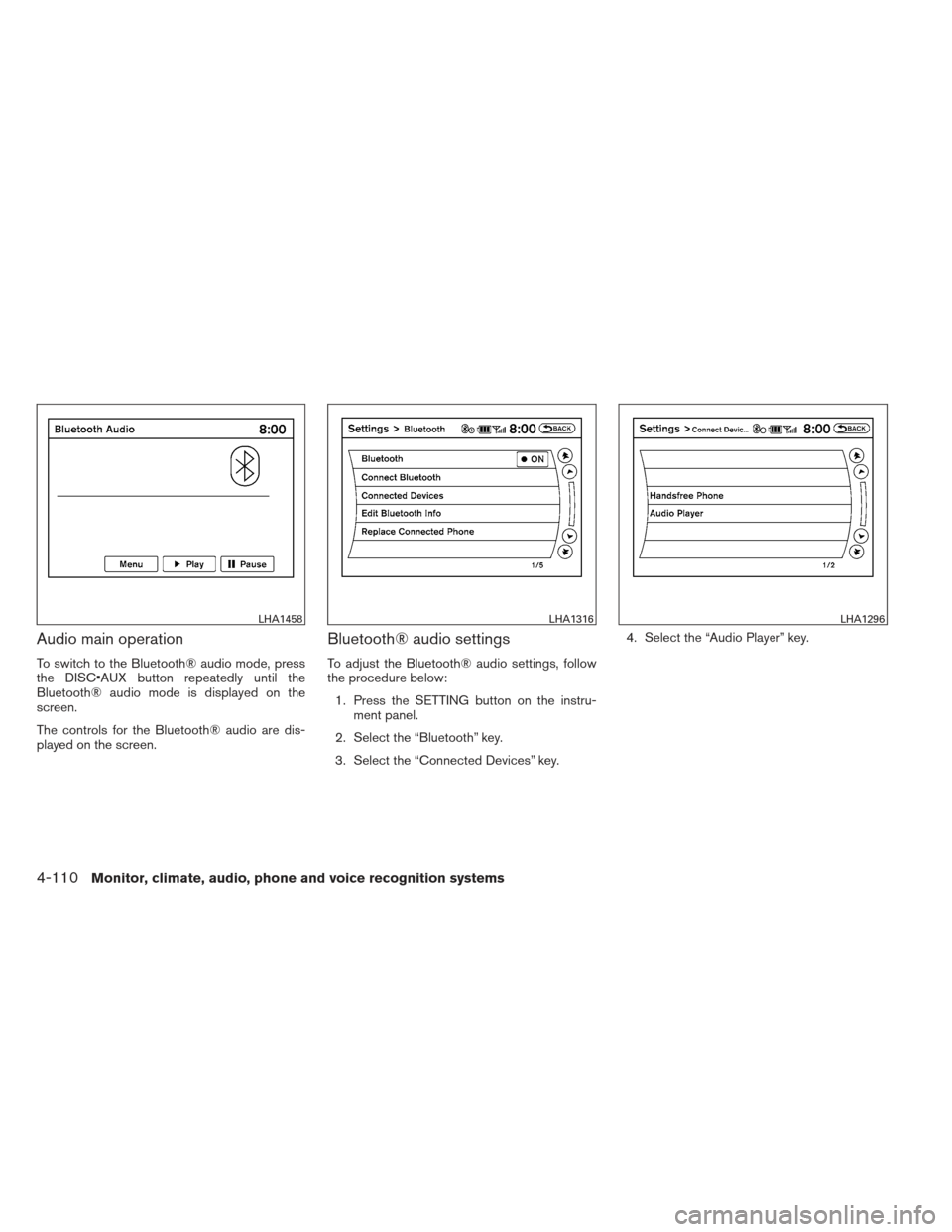
Audio main operation
Place the ignition switch in the ACC or ON
position. Press the DISC·AUX button repeatedly
to switch to the iPod® mode.
If the system has been turned off while the iPod®
was playing, pressing the VOL/ON·OFF control
knob will start the iPod®.
DISC·AUX button:
When the DISC·AUX button is pressed with the
system off and the iPod® connected, the system
will turn on. If another audio source is playing and
the iPod® is connected, press the DISC·AUX
button repeatedly until the center display
changes to the iPod® mode.
LHA1397
4-106Monitor, climate, audio, phone and voice recognition systems
Page 298 of 506
Interface:
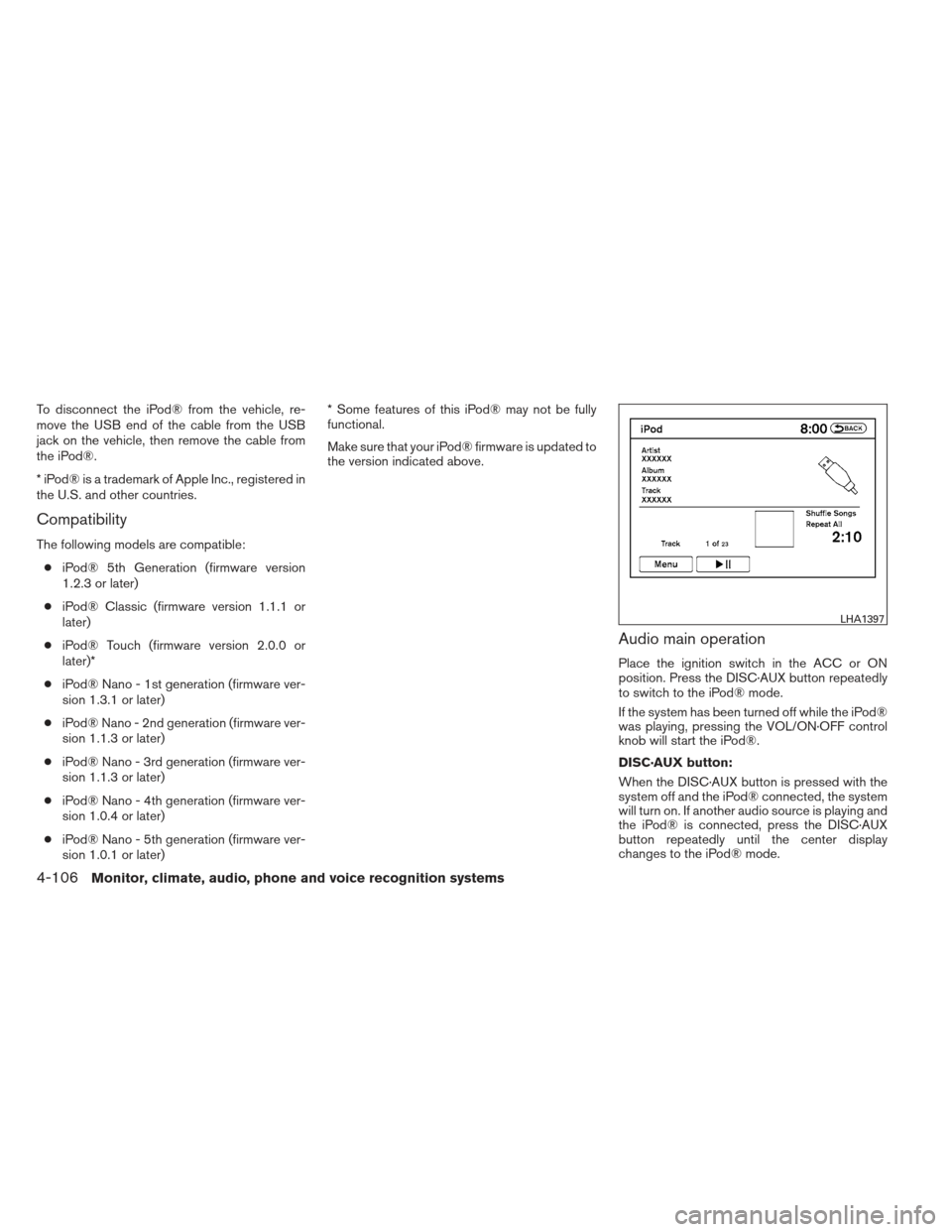
The interface for iPod® operation shown on the
vehicle center display is similar to the iPod®
interface. Use the NISSAN controller and the
BACK button to play the iPod® with your favorite
settings. The touchscreen can also be used to
control your favorite settings.
The following items can be chosen from the menu
list screen. For further information about each
item, see the iPod® Owner’s Manual.● Now Playing
● Playlists
● Artists ●
Albums
● Songs
● Podcasts
● Genres
● Composers
● Audiobooks
● Shuffle Songs
The following keys shown on the screen are also
available: ● MENU: returns to the previous screen.
●: plays/pauses the music selected. Play mode:
While the iPod® is playing, touch the “Menu” key
to display the iPod® menu. Touch the “Play
Mode” key to display the Play Mode screen and
adjust the settings for Shuffle, Repeat and Audio-
books. For further information about each item,
see the iPod® Owner’s Manual.
SEEK/CAT and TRACK buttons:
When the
SEEK/CAT button orTRACK button is pressed for less than 1.5 sec-
onds while the iPod® is playing, the next track or
the beginning of the current track on the iPod®
will be played.
LHA1398LHA1315
Monitor, climate, audio, phone and voice recognition systems4-107
Page 299 of 506
When theSEEK/CAT button orTRACK button is pressed for more than 1.5 sec-
onds while the iPod® is playing, the iPod® will
play while fast forwarding or rewinding. When the
button is released, the iPod® will return to the
normal play speed.
The NISSAN controller can also be used to se-
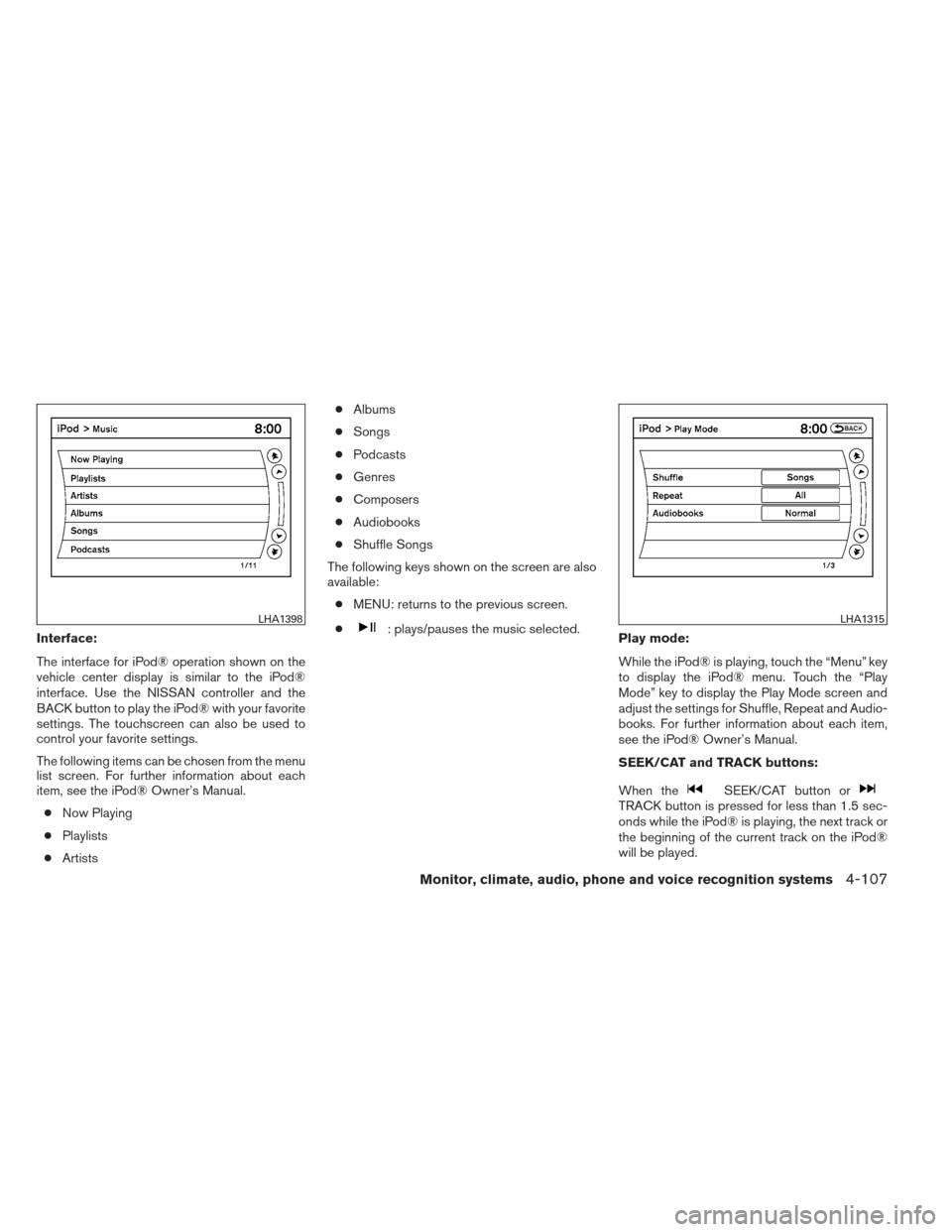
lect tracks when the iPod® is playing.Scrolling menus:
While navigating long lists of artists, albums or
songs in the music menu, it is possible to scroll
the list by the first letter. To activate letter index-
ing, perform one of the following:● Turn the NISSAN controller quickly.
● Press and hold the up/down directional ar-
rows on the NISSAN controller.
● Touch and hold the page up/down arrows
on the touchscreen. To exit the scrolling by letter mode, perform one of
the following:
● Press the ENTER button on the NISSAN
controller.
● Push the ENTER switch on the steering
wheel.
● Do not touch the controls for 2 seconds.
BLUETOOTH® STREAMING AUDIO
(if so equipped)
If you have a compatible Bluetooth® audio de-
vice that is capable of playing audio files, the
device can be connected to the vehicle’s audio
system so that the audio files on the device play
through the vehicle’s speakers.
LHA1399
4-108Monitor, climate, audio, phone and voice recognition systems
Page 301 of 506
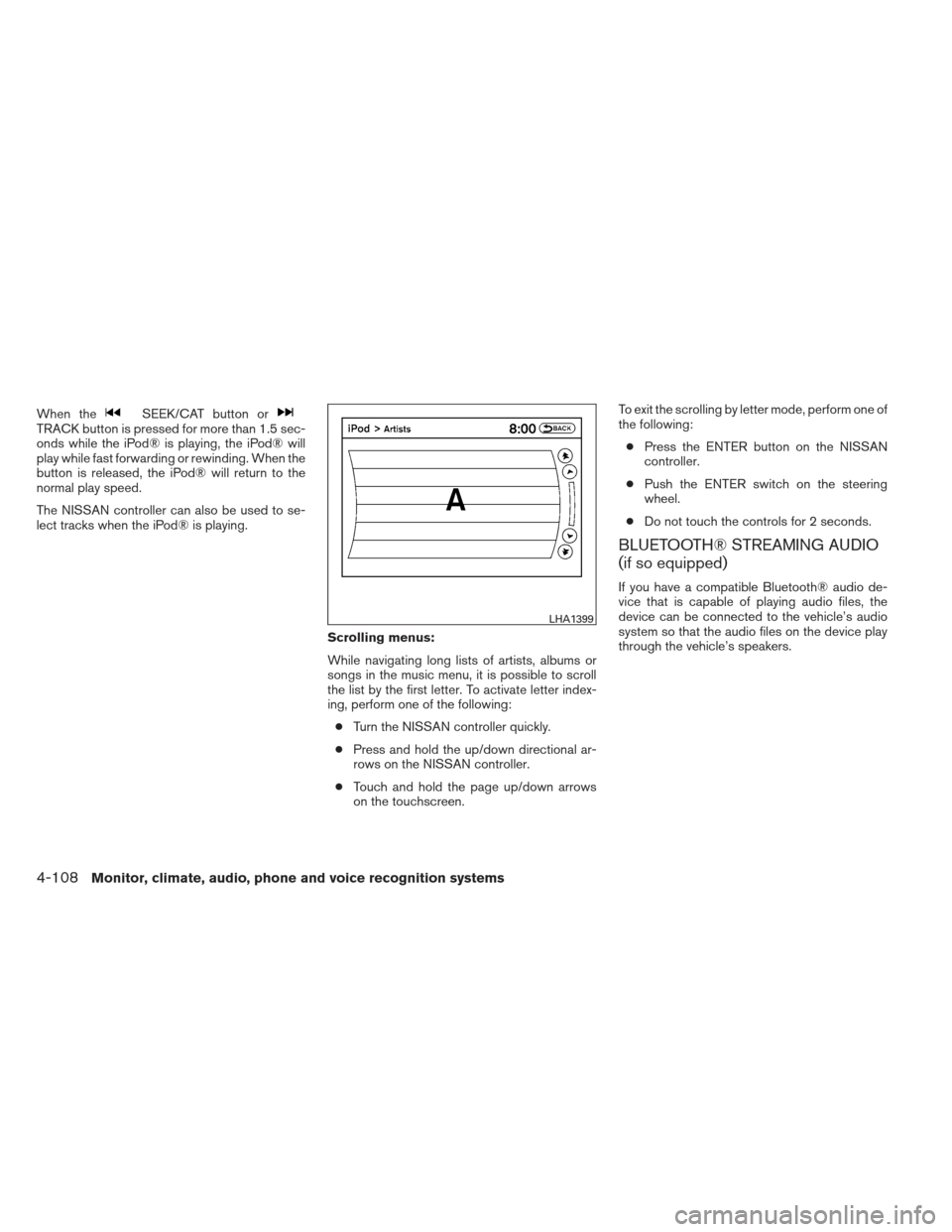
Audio main operation
To switch to the Bluetooth® audio mode, press
the DISC button repeatedly until the
Bluetooth® audio mode is displayed on the
screen.
The controls for the Bluetooth® audio are dis-
played on the screen.
Bluetooth® audio settings
To adjust the Bluetooth® audio settings, follow
the procedure below:1. Press the SETTING button on the instru- ment panel.
2. Select the “Bluetooth” key.
3. Select the “Connected Devices” key. 4. Select the “Audio Player” key.
LHA1458LHA1316LHA1296
4-110Monitor, climate, audio, phone and voice recognition systems
Page 303 of 506
●A new disc may be rough on the inner and
outer edges. Remove the rough edges by
rubbing the inner and outer edges with the
side of a pen or pencil as illustrated.
1. Menu control switch/ENTER button
2.
BACK switch
3. Volume control switch
4. Power on and SOURCE select switch
STEERING WHEEL SWITCH FOR
AUDIO CONTROL
The audio system can be operated using the
controls on the steering wheel.
POWER on switch
With the ignition switch in the ACC or ON posi-
tion, push the SOURCE switch to turn the audio
system on.
SOURCE select switch
Push the source select switch to change the
mode in the following sequence:
Models without Navigation System:
AM →FM1 →FM2 →XM1 →XM2 →XM3
(satellite radio, if so equipped) →USB/iPod®* (if
so equipped) →CD/DVD* →AUX* →AM.
Models with Navigation System:
AM →FM1 →FM2 →XM1 →XM2 →XM3
(satellite radio, if so equipped) →CD/DVD* →
USB/iPod®* →Bluetooth® Audio* →AUX* →AM.
* These modes are only available when compat-
ible media storage is inserted into the device.
Volume control switch
Push the volume control switch to increase or
decrease the volume.
Menu control
switch/ENTER button
While the display is showing a MAP, STATUS or
Audio screen, tilt the Menu Control switch up-
ward or downward to select a station, track, CD
or folder. For most audio sources, tilting the
switch up/down for more than 1.5 seconds pro-
vides a different function than a tilting up/down
for less than 1.5 seconds.
LHA2448
4-112Monitor, climate, audio, phone and voice recognition systems
Page 304 of 506
AM and FM:● Tilt up/down for less than 1.5 seconds to
increase or decrease the preset station.
● Tilt up/down for more than 1.5 seconds to
seek up or down to the next station.
● Press the ENTER button to show the list of
preset stations.
XM (if so equipped): ● Tilt up/down for less than 1.5 seconds to
increase or decrease the preset station.
● Tilt up/down for more than 1.5 seconds to
go to the next or previous category.
● Press the ENTER button to show the XM
Menu.
iPod® (if so equipped): ● Tilt up/down for less than 1.5 seconds to
increase or decrease the track number.
● Press the ENTER button to show the iPod
Menu.
CD: ● Tilt up/down for less than 1.5 seconds to
increase or decrease the track number. ●
Tilt up/down for more than 1.5 seconds to
increase or decrease the folder number (if
playing compressed audio files) .
● Press the ENTER button to show the CD
Menu.
DVD (if so equipped): ● Tilt up/down for less than 1.5 seconds to
increase or decrease the track number.
● Tilt up/down for more than 1.5 seconds to
increase or decrease the title number.
● Press the ENTER button to select an item
from the DVD display.
● When the transparent operation menu ap-
pears, the switch will control the menu.
USB (if so equipped): ● Tilt up/down for less than 1.5 seconds to
increase or decrease the track number.
● Tilt up/down for more than 1.5 seconds to
increase or decrease the folder number.
● Press the ENTER button to show the USB
Menu. Bluetooth® Audio (if so equipped):
● Tilt up/down for less than 1.5 seconds to
increase or decrease the track number.
AUX: ● Press the ENTER button to show the AUX
Menu.
BACK switch
Press theswitch to return to the previous
screen or cancel the current selection.
Monitor, climate, audio, phone and voice recognition systems4-113
Page 306 of 506
SYSTEM COMPONENTS
Rear displays
CAUTION
●The glass screen on the liquid crystal
display may break if hit with a hard or
sharp object. If the glass breaks, do not
touch the liquid crystalline material. In
case of contact with skin, wash imme-
diately with soap and water.
● Use soft, damp cloth when cleaning the
Dual Head Restraint DVD System com-
ponents. Do not use solvents or clean-
ing solutions.
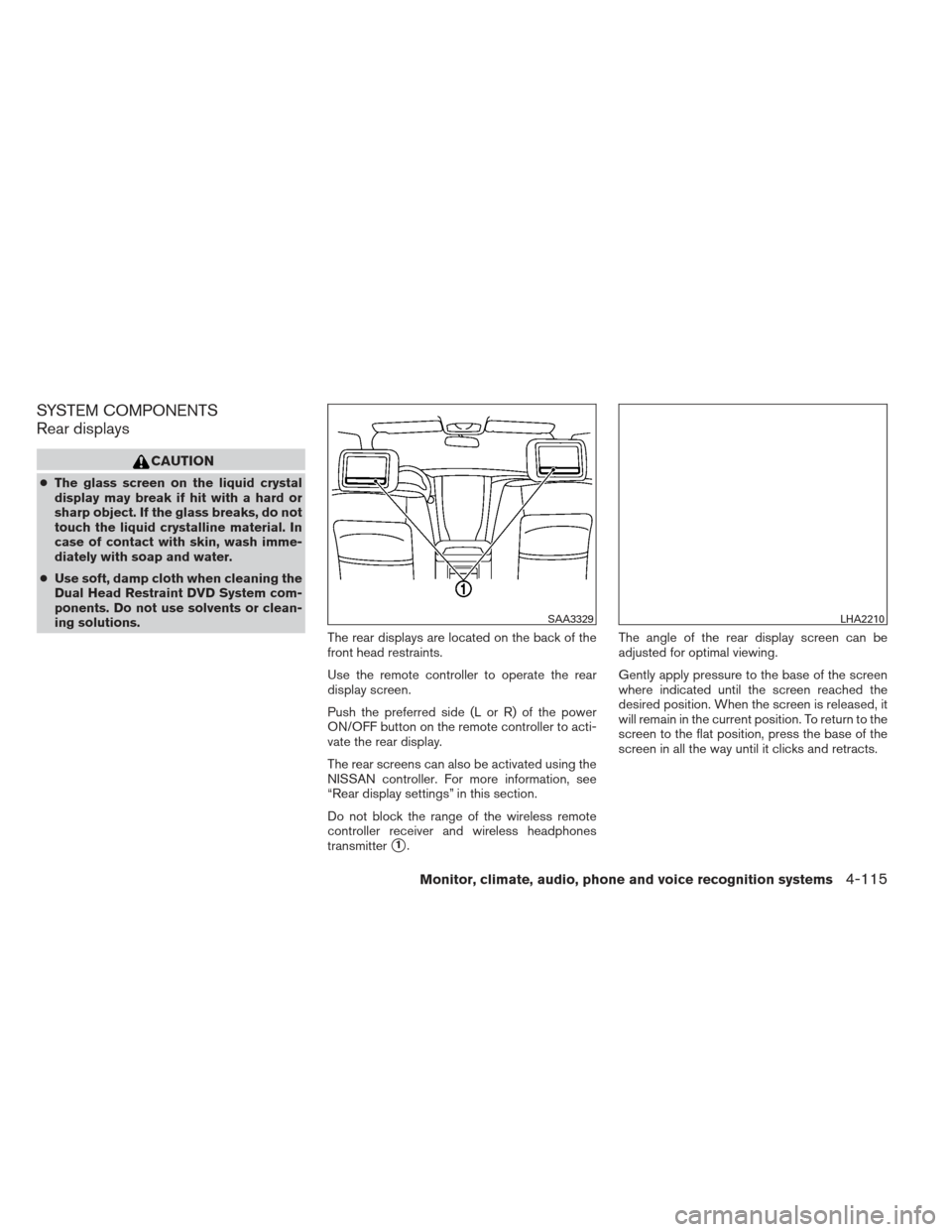
The rear displays are located on the back of the
front head restraints.
Use the remote controller to operate the rear
display screen.
Push the preferred side (L or R) of the power
ON/OFF button on the remote controller to acti-
vate the rear display.
The rear screens can also be activated using the
NISSAN controller. For more information, see
“Rear display settings” in this section.
Do not block the range of the wireless remote
controller receiver and wireless headphones
transmitter
�1.The angle of the rear display screen can be
adjusted for optimal viewing.
Gently apply pressure to the base of the screen
where indicated until the screen reached the
desired position. When the screen is released, it
will remain in the current position. To return to the
screen to the flat position, press the base of the
screen in all the way until it clicks and retracts.
SAA3329LHA2210
Monitor, climate, audio, phone and voice recognition systems4-115
Page 307 of 506
Rear auxiliary input jacks
The rear auxiliary input jacks are located on the
rear of the center console. NTSC/PAL compat-
ible devices can be connected to the auxiliary
jacks. The images from the connected device can
be viewed on the rear displays.
The rear auxiliary jacks are color coded for iden-
tification purposes.● Yellow - video input
● White - left channel audio input
● Red - right channel audio input Before connecting a device to a jack, turn off the
power of the portable device.
To display the rear AUX screen, press the pre-
ferred side (L or R) of the AUX (L)/AUX (R)
buttons (rear input jacks) on the remote control-
ler.
The connected device from the rear auxiliary in-
put jacks cannot be displayed on the front
screen.
Headphones
The headphones for this system are a wireless
type and no cables are necessary. The head-
phones can only be used in the rear seat.
Power ON/OFF:
Press the power ON/OFF button to turn the
headphones on or off.
LHA2260SAA3077
4-116Monitor, climate, audio, phone and voice recognition systems