2013 NISSAN MAXIMA instrument panel
[x] Cancel search: instrument panelPage 206 of 444
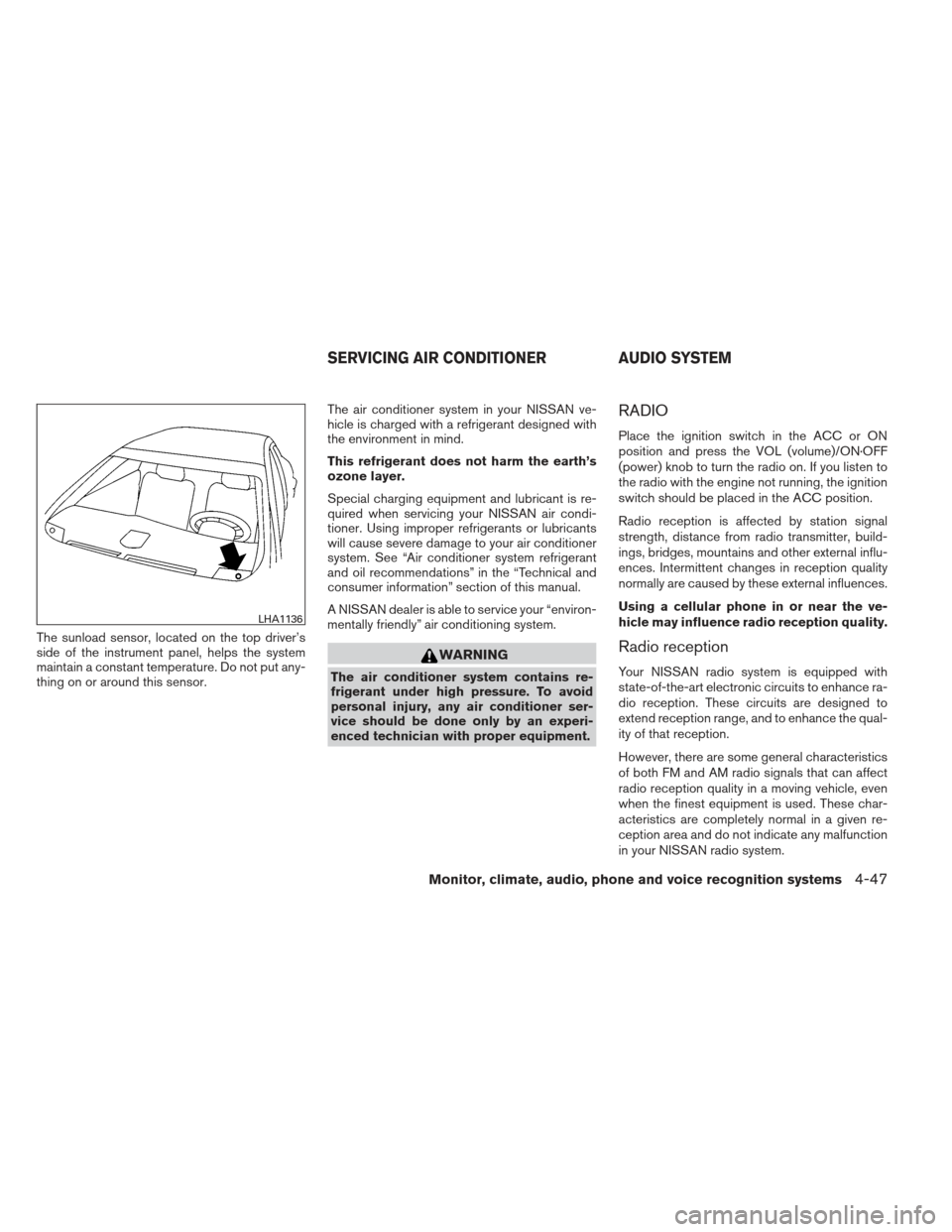
The sunload sensor, located on the top driver’s
side of the instrument panel, helps the system
maintain a constant temperature. Do not put any-
thing on or around this sensor.The air conditioner system in your NISSAN ve-
hicle is charged with a refrigerant designed with
the environment in mind.
This refrigerant does not harm the earth’s
ozone layer.
Special charging equipment and lubricant is re-
quired when servicing your NISSAN air condi-
tioner. Using improper refrigerants or lubricants
will cause severe damage to your air conditioner
system. See “Air conditioner system refrigerant
and oil recommendations” in the “Technical and
consumer information” section of this manual.
A NISSAN dealer is able to service your “environ-
mentally friendly” air conditioning system.
WARNING
The air conditioner system contains re-
frigerant under high pressure. To avoid
personal injury, any air conditioner ser-
vice should be done only by an experi-
enced technician with proper equipment.
RADIO
Place the ignition switch in the ACC or ON
position and press the VOL (volume)/ON·OFF
(power) knob to turn the radio on. If you listen to
the radio with the engine not running, the ignition
switch should be placed in the ACC position.
Radio reception is affected by station signal
strength, distance from radio transmitter, build-
ings, bridges, mountains and other external influ-
ences. Intermittent changes in reception quality
normally are caused by these external influences.
Using a cellular phone in or near the ve-
hicle may influence radio reception quality.
Radio reception
Your NISSAN radio system is equipped with
state-of-the-art electronic circuits to enhance ra-
dio reception. These circuits are designed to
extend reception range, and to enhance the qual-
ity of that reception.
However, there are some general characteristics
of both FM and AM radio signals that can affect
radio reception quality in a moving vehicle, even
when the finest equipment is used. These char-
acteristics are completely normal in a given re-
ception area and do not indicate any malfunction
in your NISSAN radio system.
LHA1136
SERVICING AIR CONDITIONER AUDIO SYSTEM
Monitor, climate, audio, phone and voice recognition systems4-47
Page 283 of 444
●Voicetag
Confirm and store the voicetag. Voicetags
allow easy dialing using the NISSAN Voice
Recognition system. For more information,
see “NISSAN Voice Recognition System” in
this section.
To delete an entry, select the “Delete” key at
step 3.
HANDSET PHONEBOOK
Many phones will support an automatic down-
load of the cellular phone’s phonebook. Since
this method allows for up to 1000 numbers to be
stored and entries are automatically assigned
voice tags by the system, this is a useful function
for easy dialing supported by the Voice Recogni-
tion system.
Transferring the handset phonebook
If your cellular phone supports automatic down-
loading, the system transfers the handset phone-
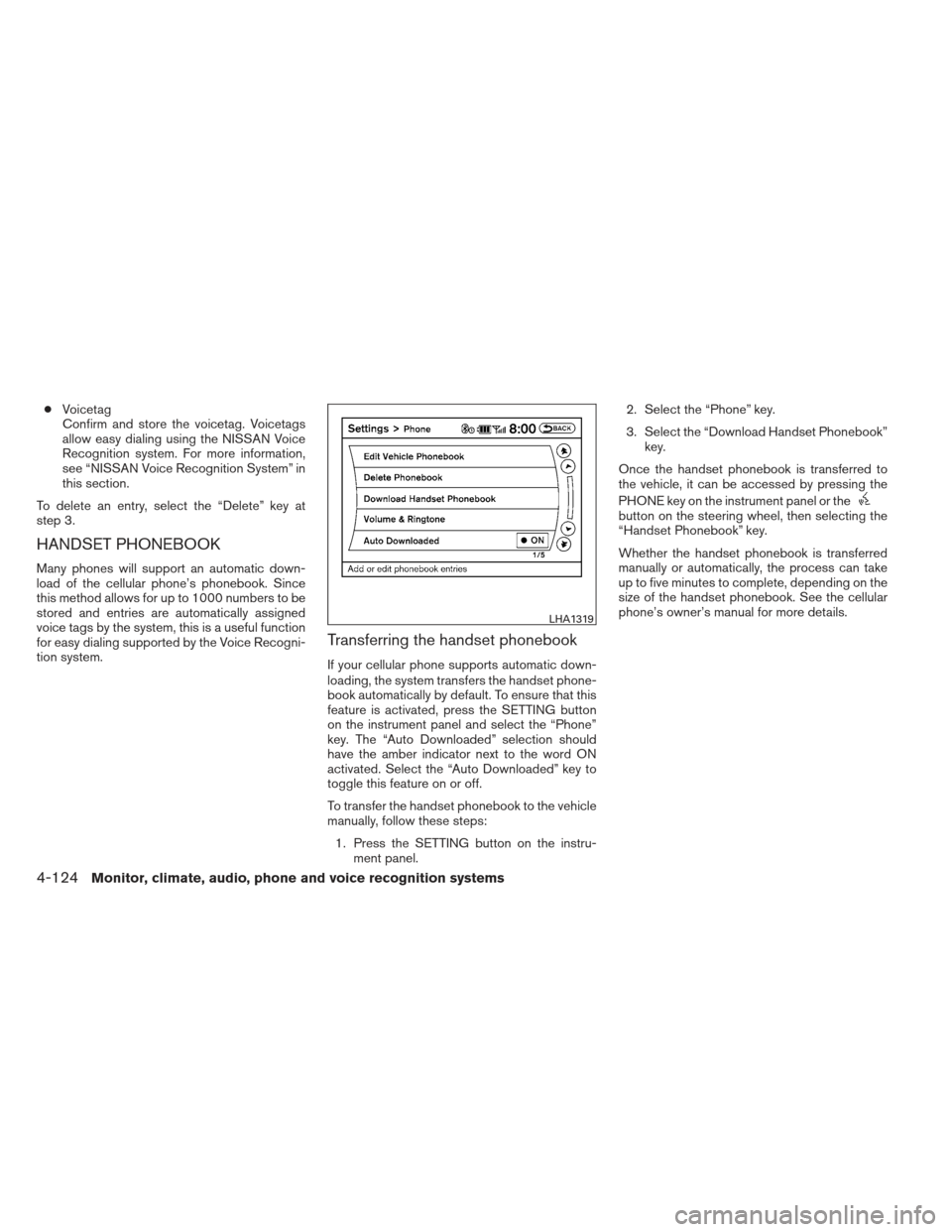
book automatically by default. To ensure that this
feature is activated, press the SETTING button
on the instrument panel and select the “Phone”
key. The “Auto Downloaded” selection should
have the amber indicator next to the word ON
activated. Select the “Auto Downloaded” key to
toggle this feature on or off.
To transfer the handset phonebook to the vehicle
manually, follow these steps: 1. Press the SETTING button on the instru- ment panel. 2. Select the “Phone” key.
3. Select the “Download Handset Phonebook”
key.
Once the handset phonebook is transferred to
the vehicle, it can be accessed by pressing the
PHONE key on the instrument panel or the
button on the steering wheel, then selecting the
“Handset Phonebook” key.
Whether the handset phonebook is transferred
manually or automatically, the process can take
up to five minutes to complete, depending on the
size of the handset phonebook. See the cellular
phone’s owner’s manual for more details.
LHA1319
4-124Monitor, climate, audio, phone and voice recognition systems
Page 284 of 444
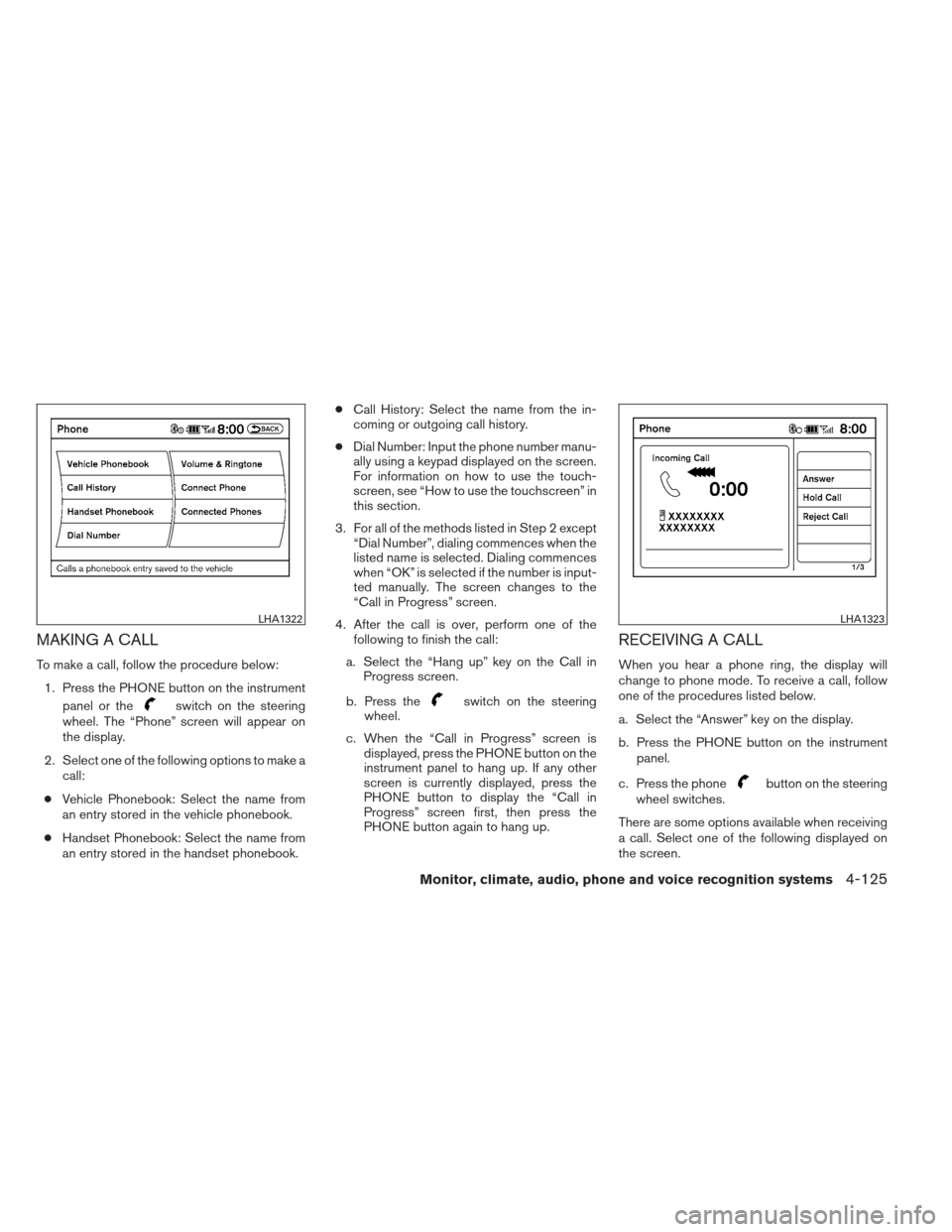
MAKING A CALL
To make a call, follow the procedure below:1. Press the PHONE button on the instrument panel or the
switch on the steering
wheel. The “Phone” screen will appear on
the display.
2. Select one of the following options to make a call:
● Vehicle Phonebook: Select the name from
an entry stored in the vehicle phonebook.
● Handset Phonebook: Select the name from
an entry stored in the handset phonebook. ●
Call History: Select the name from the in-
coming or outgoing call history.
● Dial Number: Input the phone number manu-
ally using a keypad displayed on the screen.
For information on how to use the touch-
screen, see “How to use the touchscreen” in
this section.
3. For all of the methods listed in Step 2 except “Dial Number”, dialing commences when the
listed name is selected. Dialing commences
when “OK” is selected if the number is input-
ted manually. The screen changes to the
“Call in Progress” screen.
4. After the call is over, perform one of the following to finish the call:
a. Select the “Hang up” key on the Call in Progress screen.
b. Press theswitch on the steering
wheel.
c. When the “Call in Progress” screen is displayed, press the PHONE button on the
instrument panel to hang up. If any other
screen is currently displayed, press the
PHONE button to display the “Call in
Progress” screen first, then press the
PHONE button again to hang up.
RECEIVING A CALL
When you hear a phone ring, the display will
change to phone mode. To receive a call, follow
one of the procedures listed below.
a. Select the “Answer” key on the display.
b. Press the PHONE button on the instrument
panel.
c. Press the phone
button on the steering
wheel switches.
There are some options available when receiving
a call. Select one of the following displayed on
the screen.
LHA1322LHA1323
Monitor, climate, audio, phone and voice recognition systems4-125
Page 285 of 444
Answer:
Accept an incoming call to talk.
Hold Call:
Put an incoming call on hold.
Reject Call:
Reject an incoming call.
To finish the call, follow one of the procedures
listed below:
a. Select the “Reject Call” key on the display.
b. Press the PHONE button on the instrumentpanel.
c. Press and hold the phone
button on the
steering wheel switches.
DURING A CALL
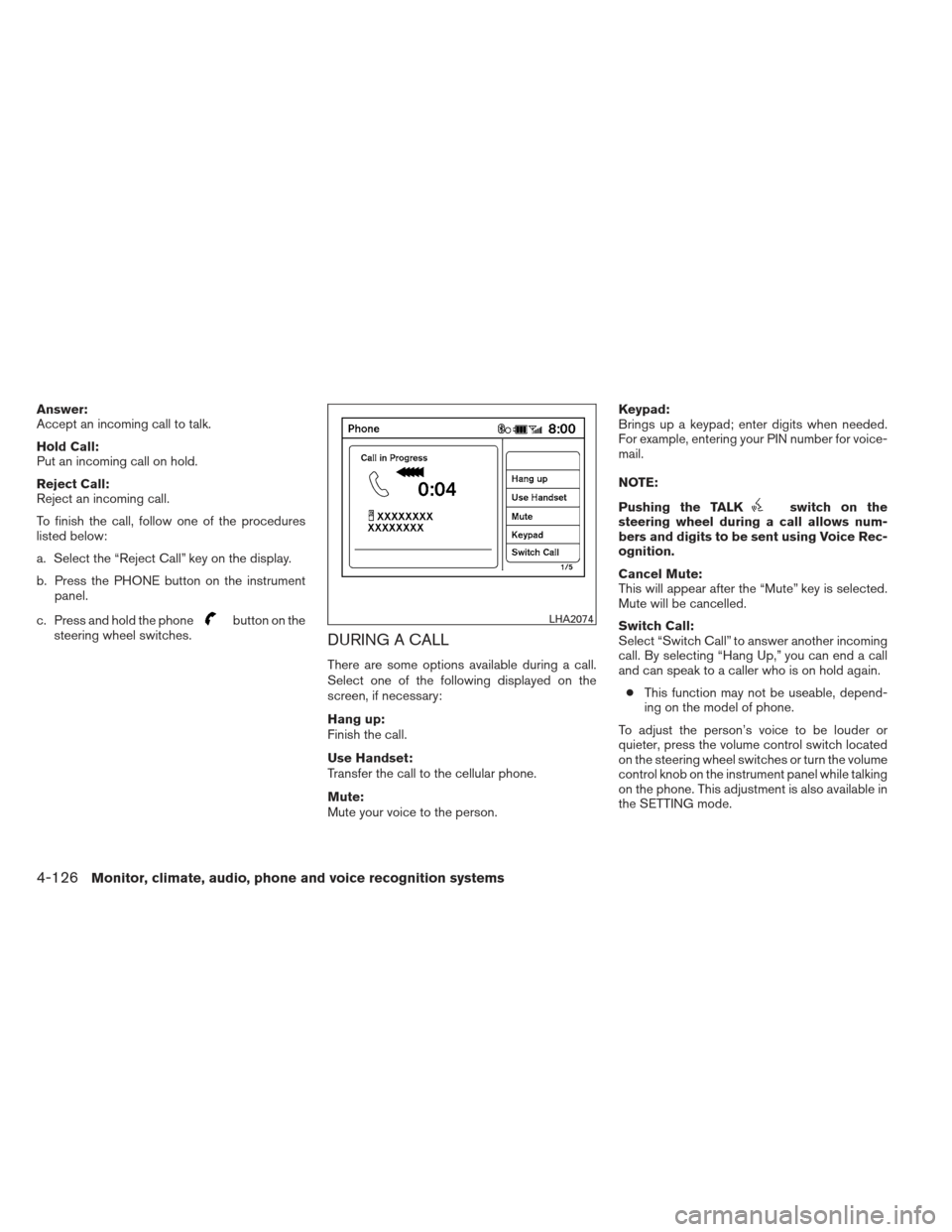
There are some options available during a call.
Select one of the following displayed on the
screen, if necessary:
Hang up:
Finish the call.
Use Handset:
Transfer the call to the cellular phone.
Mute:
Mute your voice to the person. Keypad:
Brings up a keypad; enter digits when needed.
For example, entering your PIN number for voice-
mail.
NOTE:
Pushing the TALK
switch on the
steering wheel during a call allows num-
bers and digits to be sent using Voice Rec-
ognition.
Cancel Mute:
This will appear after the “Mute” key is selected.
Mute will be cancelled.
Switch Call:
Select “Switch Call” to answer another incoming
call. By selecting “Hang Up,” you can end a call
and can speak to a caller who is on hold again.
● This function may not be useable, depend-
ing on the model of phone.
To adjust the person’s voice to be louder or
quieter, press the volume control switch located
on the steering wheel switches or turn the volume
control knob on the instrument panel while talking
on the phone. This adjustment is also available in
the SETTING mode.
LHA2074
4-126Monitor, climate, audio, phone and voice recognition systems
Page 286 of 444
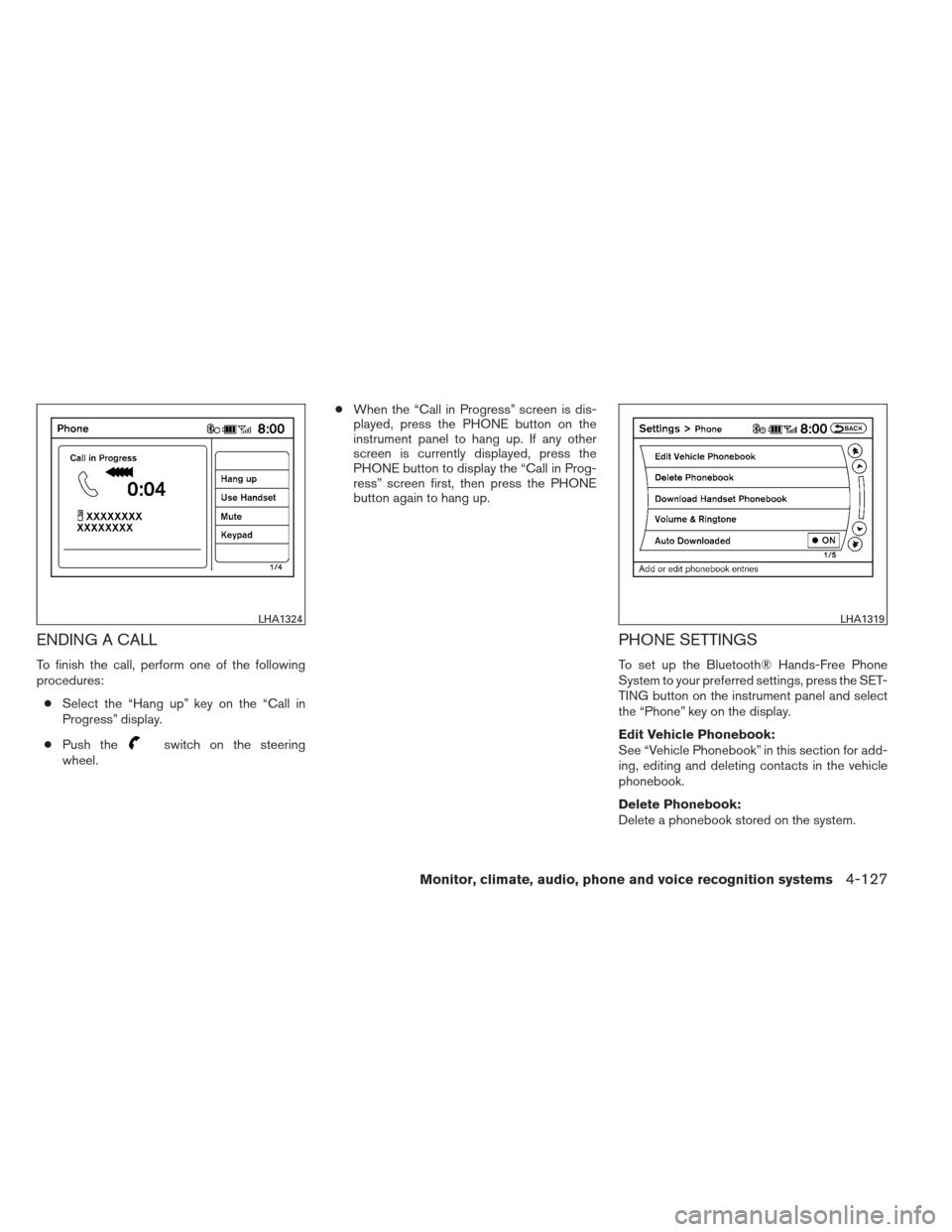
ENDING A CALL
To finish the call, perform one of the following
procedures:● Select the “Hang up” key on the “Call in
Progress” display.
● Push the
switch on the steering
wheel. ●
When the “Call in Progress” screen is dis-
played, press the PHONE button on the
instrument panel to hang up. If any other
screen is currently displayed, press the
PHONE button to display the “Call in Prog-
ress” screen first, then press the PHONE
button again to hang up.
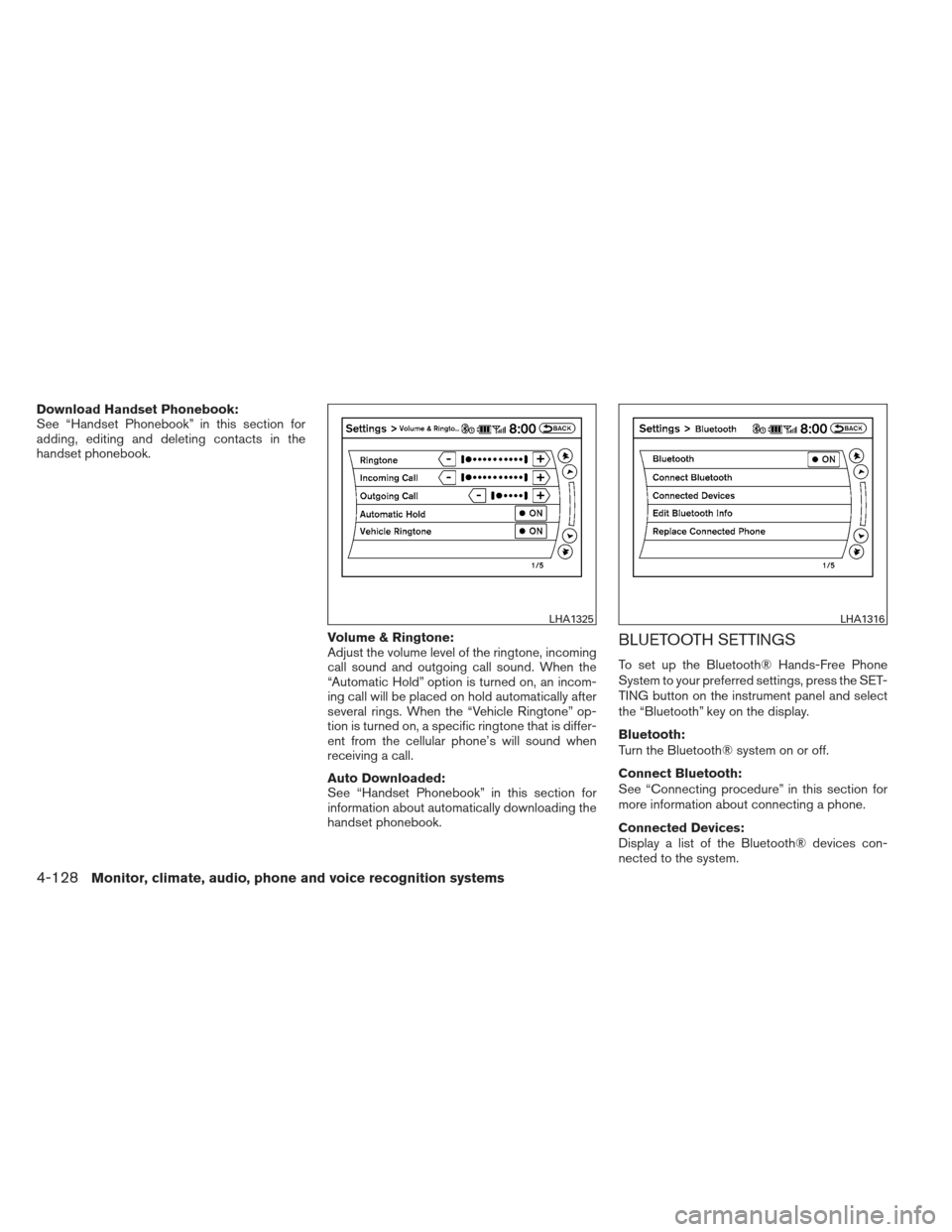
PHONE SETTINGS
To set up the Bluetooth® Hands-Free Phone
System to your preferred settings, press the SET-
TING button on the instrument panel and select
the “Phone” key on the display.
Edit Vehicle Phonebook:
See “Vehicle Phonebook” in this section for add-
ing, editing and deleting contacts in the vehicle
phonebook.
Delete Phonebook:
Delete a phonebook stored on the system.
LHA1324LHA1319
Monitor, climate, audio, phone and voice recognition systems4-127
Page 287 of 444
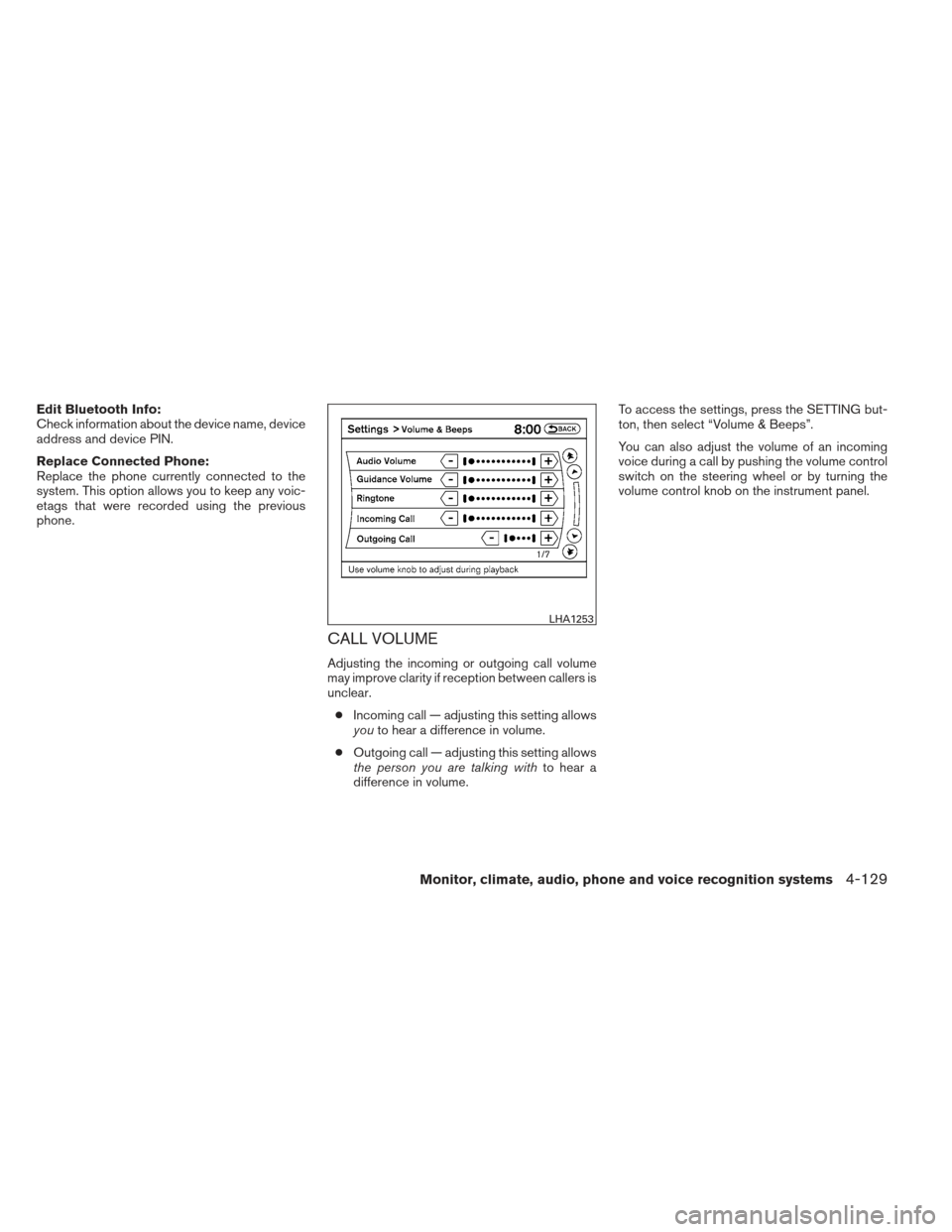
Download Handset Phonebook:
See “Handset Phonebook” in this section for
adding, editing and deleting contacts in the
handset phonebook.Volume & Ringtone:
Adjust the volume level of the ringtone, incoming
call sound and outgoing call sound. When the
“Automatic Hold” option is turned on, an incom-
ing call will be placed on hold automatically after
several rings. When the “Vehicle Ringtone” op-
tion is turned on, a specific ringtone that is differ-
ent from the cellular phone’s will sound when
receiving a call.
Auto Downloaded:
See “Handset Phonebook” in this section for
information about automatically downloading the
handset phonebook.
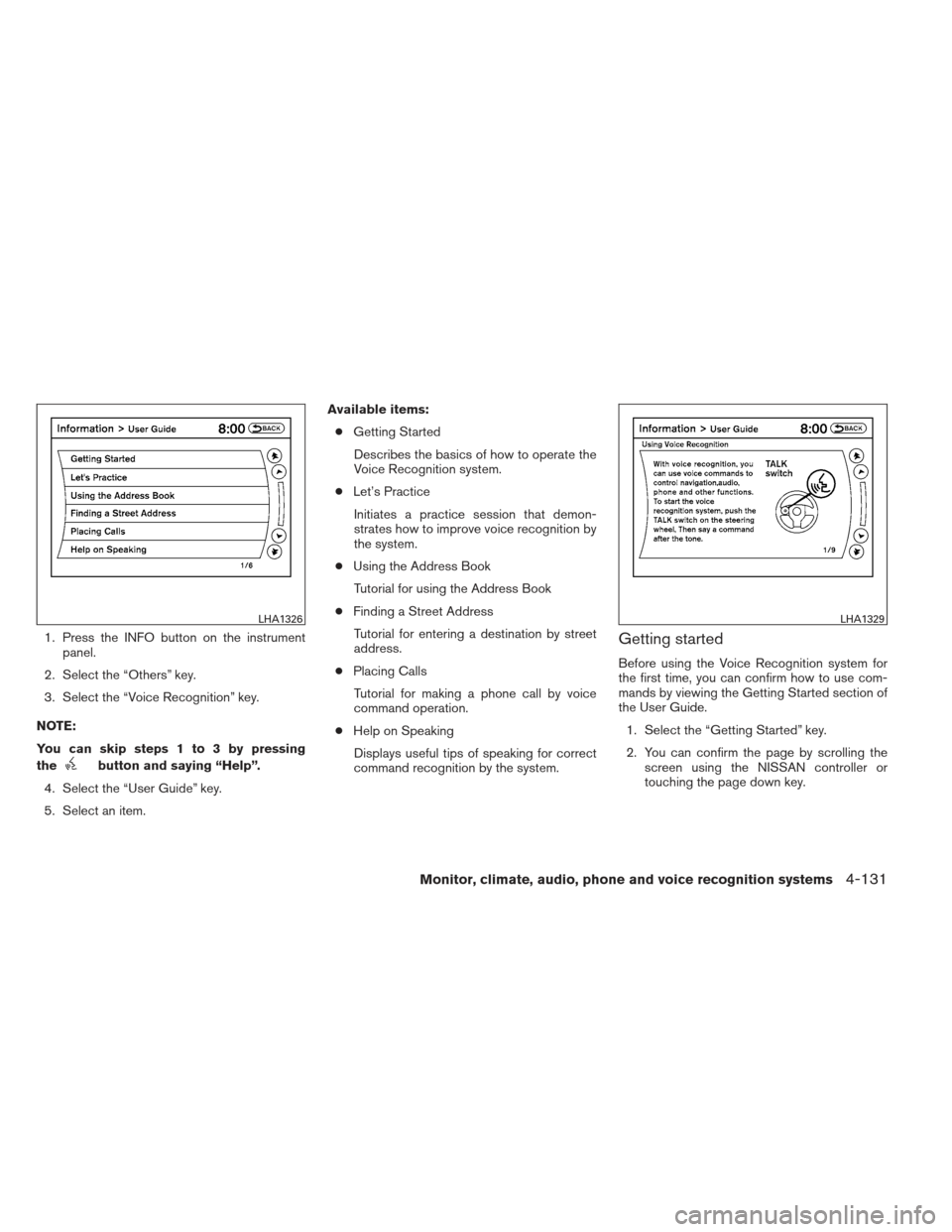
BLUETOOTH SETTINGS
To set up the Bluetooth® Hands-Free Phone
System to your preferred settings, press the SET-
TING button on the instrument panel and select
the “Bluetooth” key on the display.
Bluetooth:
Turn the Bluetooth® system on or off.
Connect Bluetooth:
See “Connecting procedure” in this section for
more information about connecting a phone.
Connected Devices:
Display a list of the Bluetooth® devices con-
nected to the system.
LHA1325LHA1316
4-128Monitor, climate, audio, phone and voice recognition systems
Page 288 of 444
Edit Bluetooth Info:
Check information about the device name, device
address and device PIN.
Replace Connected Phone:
Replace the phone currently connected to the
system. This option allows you to keep any voic-
etags that were recorded using the previous
phone.
CALL VOLUME
Adjusting the incoming or outgoing call volume
may improve clarity if reception between callers is
unclear.● Incoming call — adjusting this setting allows
you to hear a difference in volume.
● Outgoing call — adjusting this setting allows
the person you are talking with to hear a
difference in volume. To access the settings, press the SETTING but-
ton, then select “Volume & Beeps”.
You can also adjust the volume of an incoming
voice during a call by pushing the volume control
switch on the steering wheel or by turning the
volume control knob on the instrument panel.
LHA1253
Monitor, climate, audio, phone and voice recognition systems4-129
Page 290 of 444
1. Press the INFO button on the instrumentpanel.
2. Select the “Others” key.
3. Select the “Voice Recognition” key.
NOTE:
You can skip steps 1 to 3 by pressing
the
button and saying “Help”.
4. Select the “User Guide” key.
5. Select an item. Available items:
● Getting Started
Describes the basics of how to operate the
Voice Recognition system.
● Let’s Practice
Initiates a practice session that demon-
strates how to improve voice recognition by
the system.
● Using the Address Book
Tutorial for using the Address Book
● Finding a Street Address
Tutorial for entering a destination by street
address.
● Placing Calls
Tutorial for making a phone call by voice
command operation.
● Help on Speaking
Displays useful tips of speaking for correct
command recognition by the system.
Getting started
Before using the Voice Recognition system for
the first time, you can confirm how to use com-
mands by viewing the Getting Started section of
the User Guide. 1. Select the “Getting Started” key.
2. You can confirm the page by scrolling the screen using the NISSAN controller or
touching the page down key.
LHA1326LHA1329
Monitor, climate, audio, phone and voice recognition systems4-131