2013 NISSAN ALTIMA brake light
[x] Cancel search: brake lightPage 148 of 413
Thebutton will be on the NISSAN Intelli-
gent Key® if the vehicle has remote engine start.
This feature allows the engine to start from out-
side the vehicle.
The following features may be affected when the
remote start feature is used:
● Vehicles with manual or automatic climate
control systems will default to the last used
heating or cooling mode.
● Vehicle equipped with heated seats may
have this feature come on during a remote
start. See “Heated seats” in the “Instruments
and controls” section for more information. Laws in some local communities may restrict the
use of remote starters. For example, some laws
require a person using remote start to have the
vehicle in view. Check local regulations for any
requirements.
Other conditions may affect the function of the
Remote Engine Start feature. See “Conditions
the remote start will not work” in this section for
additional information.
Other conditions can affect the performance of
the Intelligent Key transmitter. See “NISSAN In-
telligent Key® System” in this section for addi-
tional information.REMOTE ENGINE START
OPERATING RANGE
The remote engine start function can only be
used when the Intelligent Key is within the speci-
fied operating range from the vehicle.
When the Intelligent Key battery is discharged or
strong radio waves are present near the operat-
ing location, the Intelligent Key operating range
becomes narrower, and the Intelligent Key may
not function properly.
The remote engine start operating range is ap-
proximately 197 ft (60 m) from the vehicle.
REMOTE STARTING THE VEHICLE
To use the remote start feature to start the engine
perform the following:
1. Aim the Intelligent Key at the vehicle.
2. Press the
LOCK button to lock all
doors.
3. Within 5 seconds press and hold the
remote start button until the turn signal lights
illuminate. If the vehicle is not within view
press and hold the
remote start but-
ton for about 2 seconds.
The following events will occur when the engine
starts: ● The parking lights will turn on and remain on
as long as the engine is running.
● The doors will be locked and the climate
control system may come on.
● The engine will continue to run for 10 min-
utes. Repeat the steps to extend the time for
an additional 10 minutes. See “Extending
engine run time” in this section.
Depress the brake and place the ignition switch
in the ON position before driving. For further
instructions see “Driving the vehicle” in the
“Starting and driving” section.
LPD2078
REMOTE ENGINE START (if so
equipped)
Pre-driving checks and adjustments3-25
Page 149 of 413
EXTENDING ENGINE RUN TIME
The remote start feature can be extended one
time by performing the steps listed in “Remote
starting the vehicle” in this section. Run time will
be calculated as follows:● The first 10 minute run time will start when
the remote start function is performed.
● The second 10 minutes will start immedi-
ately when the remote start function is per-
formed. For example, if the engine has been
running for 5 minutes, and 10 minutes are
added, the engine will run for a total of
15 minutes.
A maximum of two remote starts, or a single start
with an extension, are allowed between ignition
cycles.
The ignition switch must be cycled to the ON
position and then back to the OFF position be-
fore the remote start procedure can be used
again.
CANCELING A REMOTE START
To cancel a remote start, perform one of the
following: ● Aim the Intelligent Key at the vehicle and
press and hold
until the parking lights
turn off. ●
Turn on the hazard warning flashers.
● Cycle the ignition switch ON and then OFF.
CONDITIONS THE REMOTE START
WILL NOT WORK
The remote start will not operate if any of the
following conditions are present:
● The ignition switch is placed in the ON po-
sition.
● The hood is not securely closed.
● The hazard warning lights are on.
● The I–Key Indicator Light
remains
solid in the vehicle information display.
● The alarm sounds due to illegal entry into the
vehicle.
● The ignition switch is pushed without an
Intelligent Key in the vehicle.
● The ignition switch is pushed with an Intelli-
gent Key in the vehicle but the brake pedal is
not depressed.
● Two remote vehicle starts, or a single remote
start with an extension, have already been
used.
● The vehicle is not in P (Park) . ●
The Remote Start function has been
switched to the OFF position in Vehicle Set-
tings of the vehicle information display. For
additional information, see “Vehicle informa-
tion display” in the “Instruments and con-
trols” section of this manual.
The remote engine start may display a warning or
indicator in the vehicle information display. For an
explanation of the warning or indicator please see
“Vehicle information display warning and indica-
tors” in the “Instruments and controls” section.
3-26Pre-driving checks and adjustments
Page 280 of 413
●When a spare tire is mounted or a wheel
is replaced, tire pressure will not be
indicated, the TPMS will not function
and the low tire pressure warning light
will flash for approximately 1 minute.
The light will remain on after 1 minute.
Contact your NISSAN dealer as soon as
possible for tire replacement and/or
system resetting.
● Replacing tires with those not originally
specified by NISSAN could affect the
proper operation of the TPMS.
● Do not inject any tire liquid or aerosol
tire sealant into the tires, as this may
cause a malfunction of the tire pressure
sensors.
CAUTION
Do not place metalized film or any metal
parts (antenna, etc.) on the windows. This
may cause poor reception of the signals
from the tire pressure sensors, and the
TPMS will not function properly.
Some devices and transmitters may temporarily
interfere with the operation of the TPMS and
cause the low tire pressure warning light to illu-
minate. Some examples are:
– Facilities or electric devices using similar radio
frequencies are near the vehicle.
– If a transmitter set to similar frequencies is being used in or near the vehicle.
– If a computer (or similar equipment) or a DC/AC converter is being used in or near the
vehicle.
FCC Notice:
For USA:
This device complies with Part 15 of the
FCC Rules. Operation is subject to the fol-
lowing two conditions: 1. This device may not cause harmful in-
terference, and
2. This device must accept any interfer-
ence received, including interference
that may cause undesired operation.
Note: Changes or modification not ex-
pressly approved by the party respon-
sible for compliance could void the us-
er’s authority to operate the
equipment. For Canada:
This device complies with RSS-210 of In-
dustry Canada. Operation is subject to the
following two conditions:
1. This device may not cause interfer-
ence, and
2. This device must accept any interfer-
ence, include interference that may
cause undesired operation of the de-
vice.
3. The term “IC:” before the radio certifi-
cation number only signifies that In-
dustry Canada technical specifications
were met.
TPMS with Easy Fill Tire Alert
When adding air to an under-inflated tire, the
TPMS with Easy Fill Tire Alert provides visual and
audible signals outside the vehicle to help you
inflate the tires to the recommended COLD tire
pressure.
Vehicle set-up:
1. Park the vehicle in a safe and level place.
2. Apply the parking brake and place the shift selector to the P (Park) position.
3. Place the ignition switch to the ON position. Do not start the engine.
Starting and driving5-5
Page 282 of 413
2. Do not apply the brakes.
3. Maintain a firm grip on the steering wheelwith both hands and try to hold a straight
course.
4. When appropriate, slowly release the accel- erator pedal to gradually slow the vehicle.
5. If there is nothing in the way, steer the ve- hicle to follow the road while vehicle speed
is reduced. Do not attempt to drive the ve-
hicle back onto the road surface until vehicle
speed is reduced.
6. When it is safe to do so, gradually turn the steering wheel until both tires return to the
road surface. When all tires are on the road
surface, steer the vehicle to stay in the ap-
propriate driving lane.
● If you decide that it is not safe to return the
vehicle to the road surface based on vehicle,
road or traffic conditions, gradually slow the
vehicle to a stop in a safe place off the road.
RAPID AIR PRESSURE LOSS
Rapid air pressure loss or a “blow-out” can occur
if the tire is punctured or is damaged due to
hitting a curb or pothole. Rapid air pressure loss
can also be caused by driving on under-inflated
tires. Rapid air pressure loss can affect the handling
and stability of the vehicle, especially at highway
speeds.
Help prevent rapid air pressure loss by maintain-
ing the correct air pressure and visually inspect
the tires for wear and damage. See “Wheels and
tires” in the “Maintenance and do-it-yourself”
section of this manual. If a tire rapidly loses air
pressure or “blows-out” while driving, maintain
control of the vehicle by following the procedure
below. Please note that this procedure is only a
general guide. The vehicle must be driven as
appropriate based on the conditions of the ve-
hicle, road and traffic.
WARNING
The following actions can increase the
chance of losing control of the vehicle if
there is a sudden loss of tire air pressure.
Losing control of the vehicle may cause a
collision and result in personal injury.
●
The vehicle generally moves or pulls in
the direction of the flat tire.
● Do not rapidly apply the brakes.
● Do not rapidly release the accelerator
pedal.
● Do not rapidly turn the steering wheel. 1. Remain calm and do not over react.
2. Maintain a firm grip on the steering wheel
with both hands and try to hold a straight
course.
3. When appropriate, slowly release the accel- erator pedal to gradually slow the vehicle.
4. Gradually steer the vehicle to a safe location off the road and away from traffic if possible.
5. Lightly apply the brake pedal to gradually stop the vehicle.
6. Turn on the hazard warning flashers and either contact a roadside emergency service
to change the tire or see “Changing a flat
tire” in the “In case of emergency” section of
this manual.
Starting and driving5-7
Page 285 of 413
OFF:
The ignition switch is in the OFF position when
the engine is turned off using the ignition switch.
No lights will illuminate on the ignition switch.
ACC (Accessories):
This position activates electrical accessories,
such as the radio, when the engine is not running.
ACC has a battery saver feature that will turn the
ignition switch to the OFF position after 30 min-
utes under the following conditions:● all doors are closed.
● shift lever is in P (Park) .
The battery saver feature will be cancelled if any
of the following occur: ● any door is opened.
● shift lever is moved out of the P (Park) .
● ignition switch changes position.
ON (Normal operating position):
This position turns on the ignition system and
electrical accessories.CAUTION
Do not leave the vehicle with the ignition
switch in ACC or ON positions when the
engine is not running for an extended pe-
riod. This can discharge the battery.
EMERGENCY ENGINE SHUT OFF
To shut off the engine in an emergency situation
while driving, perform the following procedure:
– Rapidly push the push-button ignition switch 3 consecutive times in less than 1.5 seconds, or
– Push and hold the push-button ignition switch for more than 2 seconds.
NISSAN INTELLIGENT KEY®
BATTERY DISCHARGE
If the battery of the NISSAN Intelligent Key® is
discharged, or environmental conditions interfere
with the Intelligent Key operation, start the engine
according to the following procedure:
1. Place the shift selector in the P (Park) posi- tion.
2. Firmly apply the foot brake.
SSD0860
5-10Starting and driving
Page 286 of 413
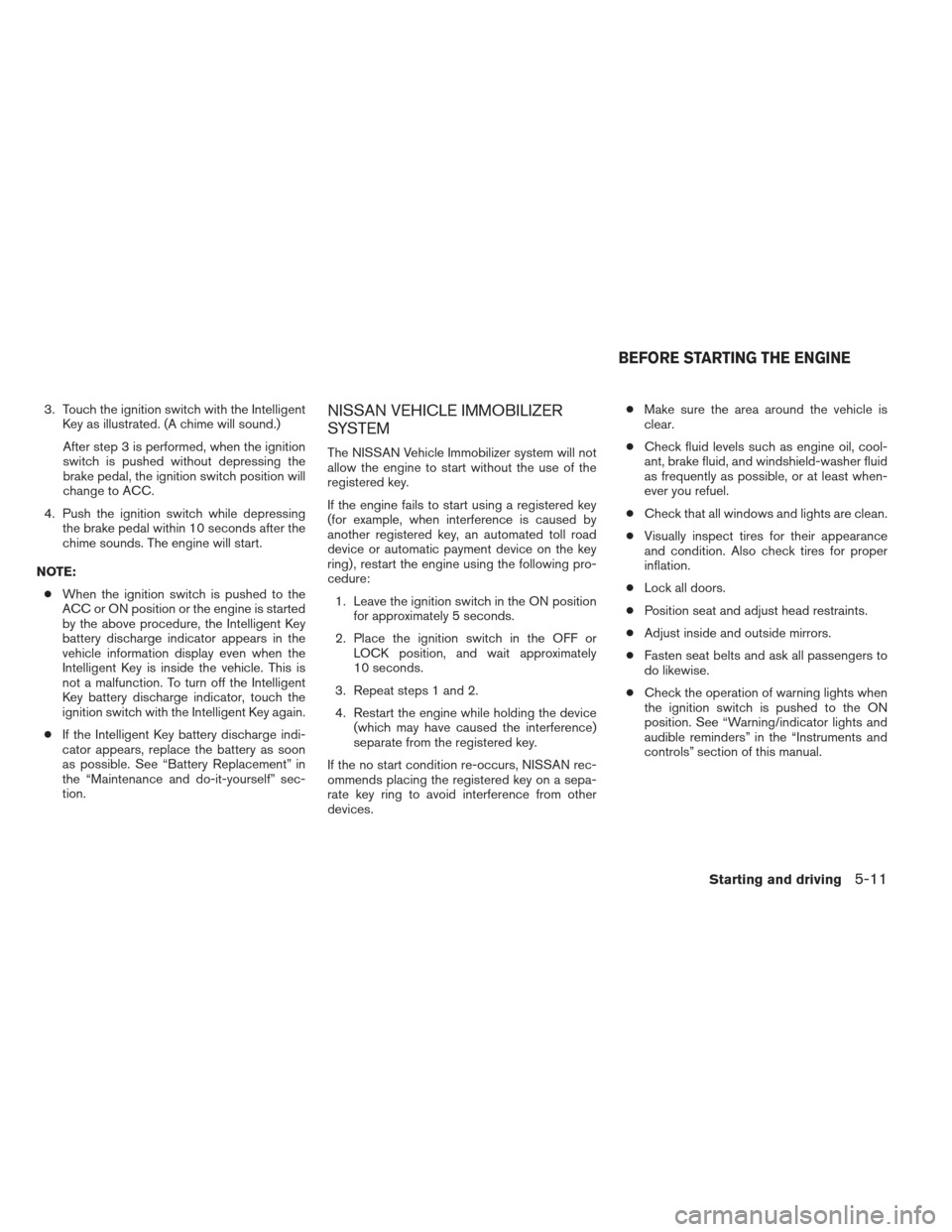
3. Touch the ignition switch with the IntelligentKey as illustrated. (A chime will sound.)
After step 3 is performed, when the ignition
switch is pushed without depressing the
brake pedal, the ignition switch position will
change to ACC.
4. Push the ignition switch while depressing the brake pedal within 10 seconds after the
chime sounds. The engine will start.
NOTE: ● When the ignition switch is pushed to the
ACC or ON position or the engine is started
by the above procedure, the Intelligent Key
battery discharge indicator appears in the
vehicle information display even when the
Intelligent Key is inside the vehicle. This is
not a malfunction. To turn off the Intelligent
Key battery discharge indicator, touch the
ignition switch with the Intelligent Key again.
● If the Intelligent Key battery discharge indi-
cator appears, replace the battery as soon
as possible. See “Battery Replacement” in
the “Maintenance and do-it-yourself” sec-
tion.NISSAN VEHICLE IMMOBILIZER
SYSTEM
The NISSAN Vehicle Immobilizer system will not
allow the engine to start without the use of the
registered key.
If the engine fails to start using a registered key
(for example, when interference is caused by
another registered key, an automated toll road
device or automatic payment device on the key
ring) , restart the engine using the following pro-
cedure:
1. Leave the ignition switch in the ON position for approximately 5 seconds.
2. Place the ignition switch in the OFF or LOCK position, and wait approximately
10 seconds.
3. Repeat steps 1 and 2.
4. Restart the engine while holding the device (which may have caused the interference)
separate from the registered key.
If the no start condition re-occurs, NISSAN rec-
ommends placing the registered key on a sepa-
rate key ring to avoid interference from other
devices. ●
Make sure the area around the vehicle is
clear.
● Check fluid levels such as engine oil, cool-
ant, brake fluid, and windshield-washer fluid
as frequently as possible, or at least when-
ever you refuel.
● Check that all windows and lights are clean.
● Visually inspect tires for their appearance
and condition. Also check tires for proper
inflation.
● Lock all doors.
● Position seat and adjust head restraints.
● Adjust inside and outside mirrors.
● Fasten seat belts and ask all passengers to
do likewise.
● Check the operation of warning lights when
the ignition switch is pushed to the ON
position. See “Warning/indicator lights and
audible reminders” in the “Instruments and
controls” section of this manual.
BEFORE STARTING THE ENGINE
Starting and driving5-11
Page 292 of 413
Shift lock release
If the battery charge is low or discharged, the
shift selector may not be moved from the P (Park)
position even with the brake pedal depressed
and the shift selector button pushed.
It will be necessary to jump start or have your
battery charged, see “Jump starting” in the “In
case of emergency” section. Contact your
NISSAN dealer or a professional towing service.
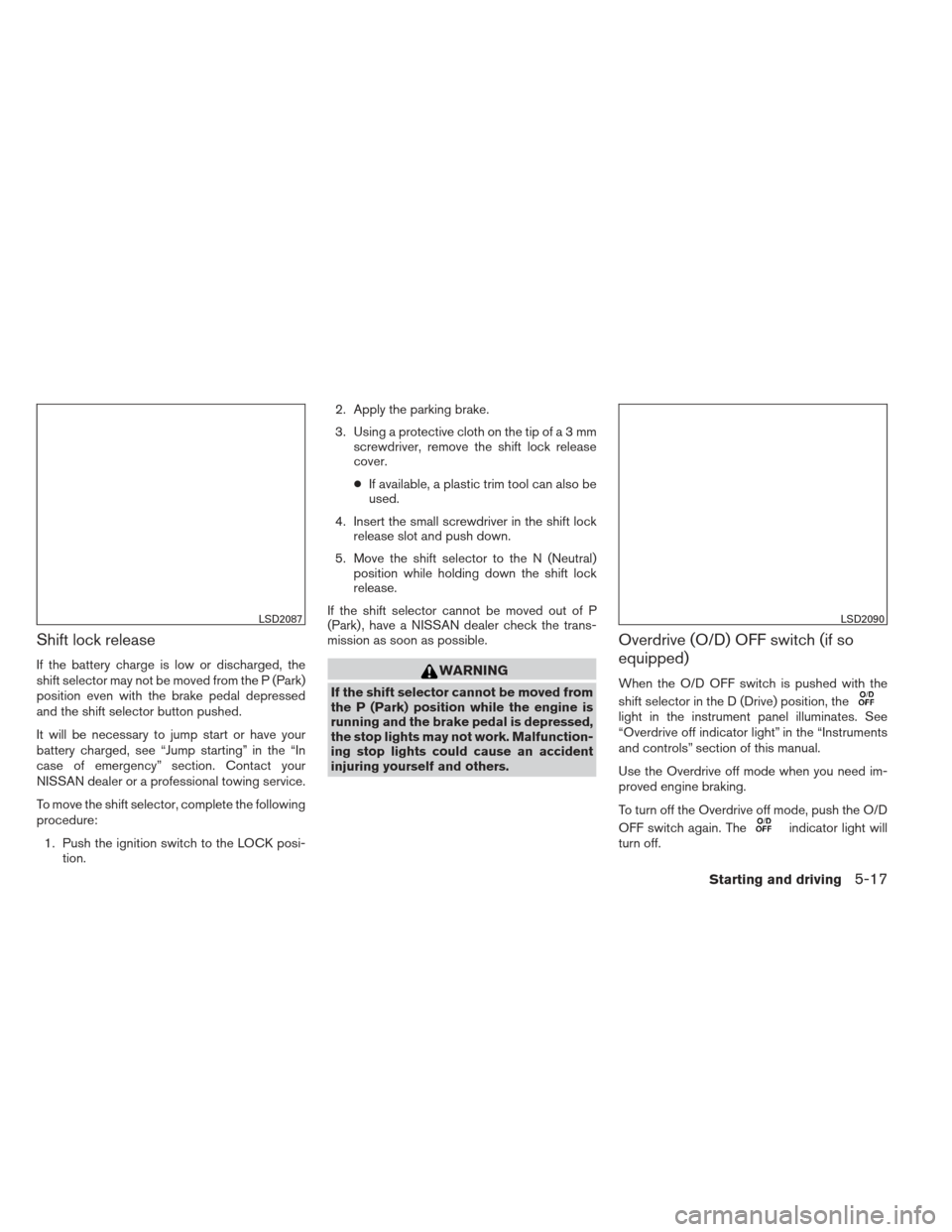
To move the shift selector, complete the following
procedure:1. Push the ignition switch to the LOCK posi- tion. 2. Apply the parking brake.
3. Using a protective cloth on the tip ofa3mm
screwdriver, remove the shift lock release
cover.
● If available, a plastic trim tool can also be
used.
4. Insert the small screwdriver in the shift lock release slot and push down.
5. Move the shift selector to the N (Neutral) position while holding down the shift lock
release.
If the shift selector cannot be moved out of P
(Park) , have a NISSAN dealer check the trans-
mission as soon as possible.WARNING
If the shift selector cannot be moved from
the P (Park) position while the engine is
running and the brake pedal is depressed,
the stop lights may not work. Malfunction-
ing stop lights could cause an accident
injuring yourself and others.
Overdrive (O/D) OFF switch (if so
equipped)
When the O/D OFF switch is pushed with the
shift selector in the D (Drive) position, the
light in the instrument panel illuminates. See
“Overdrive off indicator light” in the “Instruments
and controls” section of this manual.
Use the Overdrive off mode when you need im-
proved engine braking.
To turn off the Overdrive off mode, push the O/D
OFF switch again. The
indicator light will
turn off.
LSD2087LSD2090
Starting and driving5-17
Page 293 of 413
Each time the engine is started, or when the shift
selector is shifted to any position other than D
(Drive) , the Overdrive off mode will be automati-
cally turned off.
Accelerator downshift
— in D position —
For passing or hill climbing, depress the accel-
erator pedal to the floor. This shifts the transmis-
sion down into a lower gear, depending on the
vehicle speed.
High fluid temperature protection
mode
This transmission has a high fluid temperature
protection mode. If the fluid temperature be-
comes too high (for example, when climbing
steep grades in high temperature with heavy
loads, such as when towing a trailer) , engine
power and, under some conditions, vehicle
speed will be decreased automatically to reduce
the chance of transmission damage. Vehicle
speed can be controlled with the accelerator
pedal, but the engine and vehicle speed may be
limited.
Fail-safe
If the vehicle is driven under extreme con-
ditions, such as excessive wheel spinning
and subsequent hard braking, the fail-safesystem may be activated. The MIL may
come on to indicate the fail-safe mode is
activated, see “Malfunction Indicator Light
(MIL)” in the “Instrument and controls” sec-
tion. This will occur even if all electrical
circuits are functioning properly. In this
case, place the ignition switch in the OFF
position and wait for 10 seconds. Then
push the switch back to the ON position.
The vehicle should return to its normal op-
erating condition. If it does not return to its
normal operating condition, have a
NISSAN dealer check the transmission and
repair if necessary.
WARNING
When the high fluid temperature protec-
tion mode or fail-safe operation occurs,
vehicle speed may be gradually reduced.
The reduced speed may be lower than
other traffic, which could increase the
chance of a collision. Be especially care-
ful when driving. If necessary, pull to the
side of the road at a safe place and allow
the transmission to return to normal op-
eration, or have it repaired if necessary.
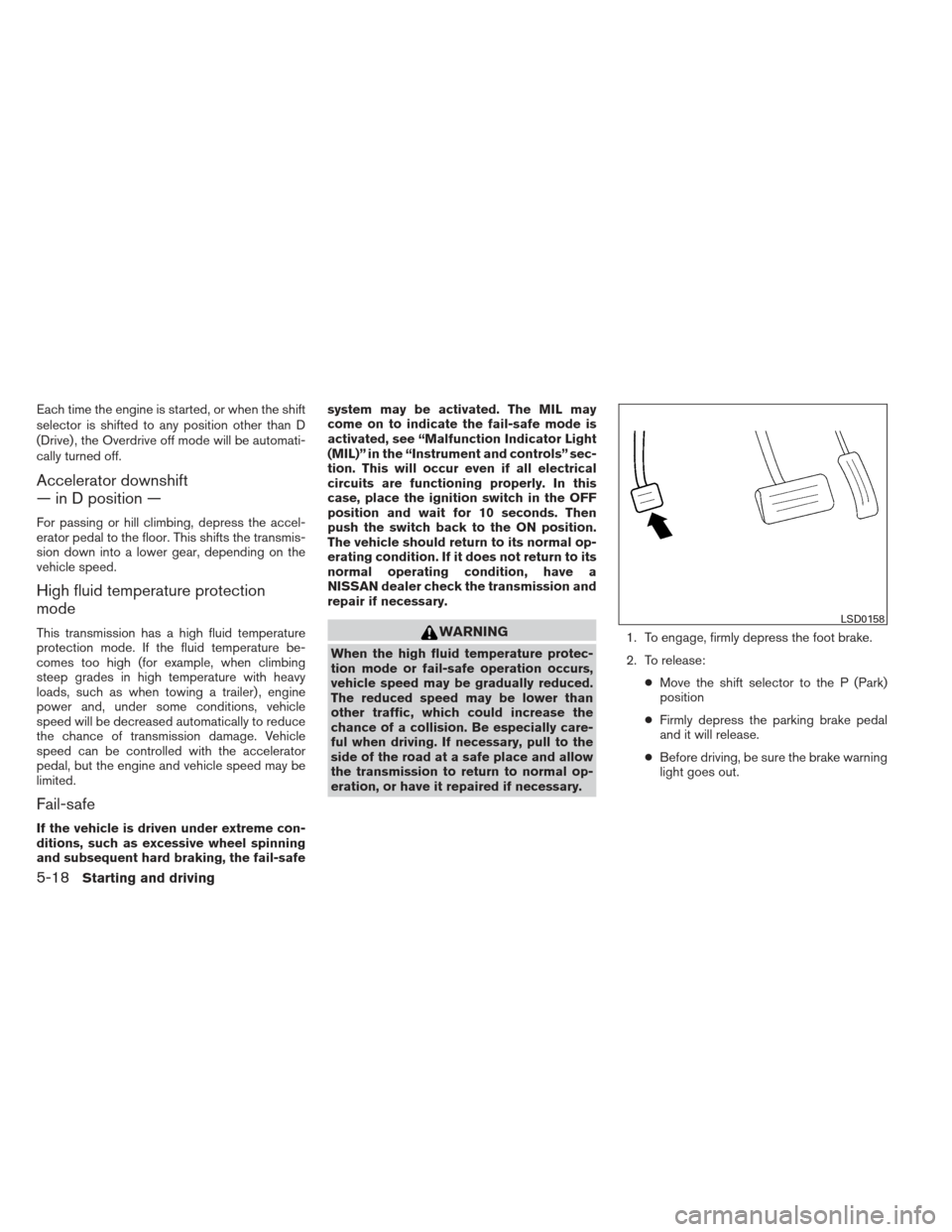
1. To engage, firmly depress the foot brake.
2. To release:
●Move the shift selector to the P (Park)
position
● Firmly depress the parking brake pedal
and it will release.
● Before driving, be sure the brake warning
light goes out.
LSD0158
5-18Starting and driving