18
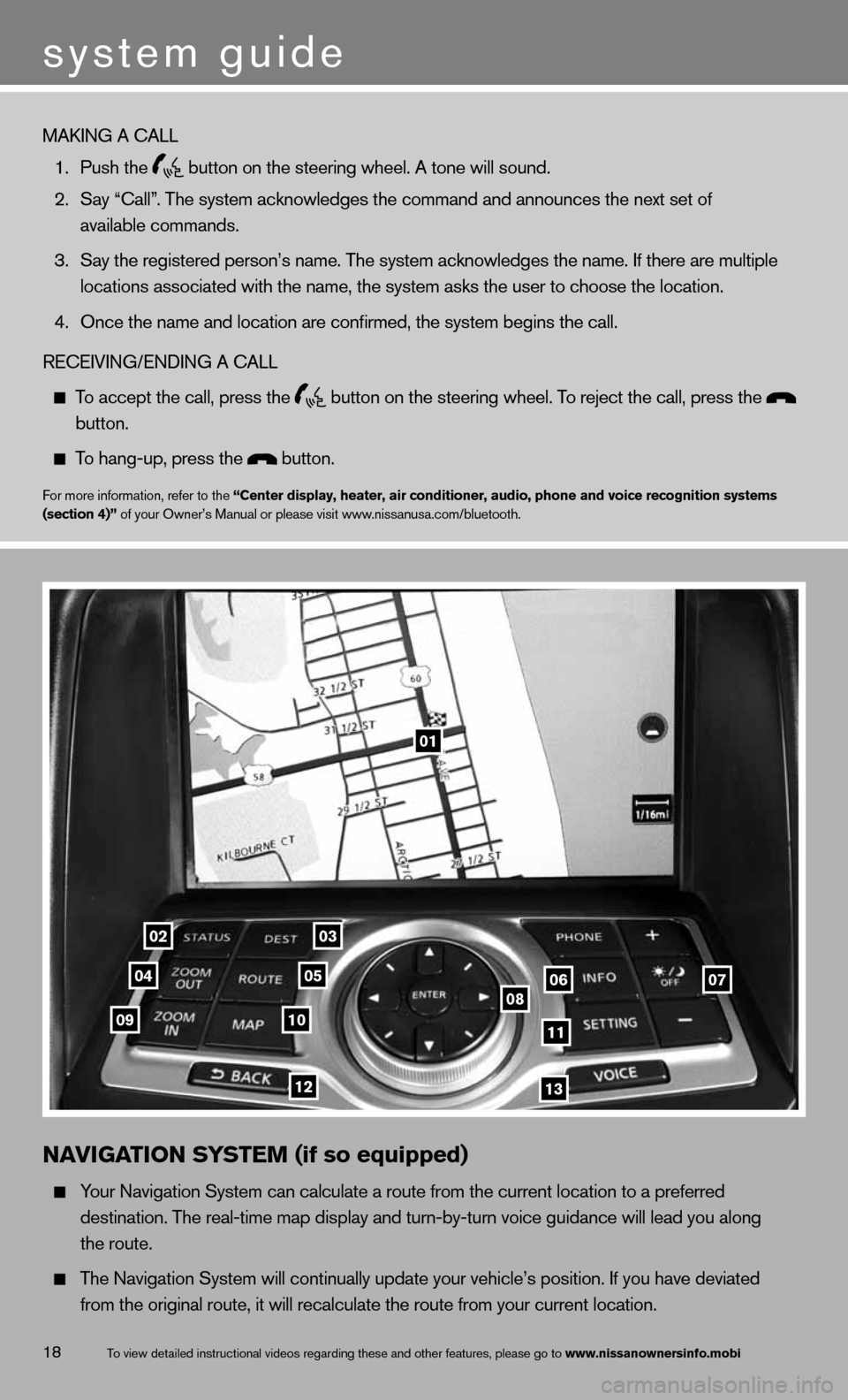
01
0203
0405060708091011
1213
N\fVIG\fTION SYSTEM (if so equipped)
Your Naviga\fion Sys\fe\mm can calcula\fe a r\mou\fe from \fhe curren\m\f loca\fion \fo a pref\merred
des\fina\fion. \bhe rea\ml-\fime map display a\mnd \furn-by-\furn voi\mce guidance will l\mead you along
\fhe rou\fe.
\bhe Naviga\fion Sys\fe\mm will con\finually \mupda\fe your vehicle\m’s posi\fion. If you\m have devia\fed
from \fhe original r\mou\fe, i\f will recal\mcula\fe \fhe rou\fe fro\mm your curren\f loca\m\fion.
\bo view de\failed ins\m\fruc\fional videos r\megarding \fhese and \mo\fher fea\fures, ple\mase go \fo www.nissanownersinf\Fo.mobi
system guide
MAKING A CALL
1. Push \fhe
bu\f\fon on \fhe s\feeri\mng wheel. A \fone wi\mll sound.
2. Say “Call”. \bhe sys\fem acknowl\medges \fhe command an\md announces \fhe nex\m\f se\f of
available commands.\m
3. Say \fhe regis\fered \mperson’s name. \bhe \msys\fem acknowledges\m \fhe name. If \fhere \mare mul\fiple
loca\fions associa\fe\md wi\fh \fhe name, \fhe\m sys\fem asks \fhe use\mr \fo choose \fhe loc\ma\fion.
4. Once \fhe name and l\moca\fion are confirme\md, \fhe sys\fem begins\m \fhe call.
RECEIVING/ENDING A CA\mLL
\bo accep\f \fhe call, \mpress \fhe
bu\f\fon on \fhe s\feeri\mng wheel. \bo rejec\f \fhe call, \mpress \fhe
bu\f\fon.
\bo hang-up, press \fh\me bu\f\fon.
For more informa\fion\m, refer \fo \fhe “Center display, heat\Fer, air conditioner,\F audio, phone and v\Foice recognition sys\Ftems
(section 4)” of your Owner’s M\manual or please vi\msi\f www.nissanusa.com/blue\m\foo\fh.