Comfort controls
5-143
5 Error codes (USB memory device)
N00766400014
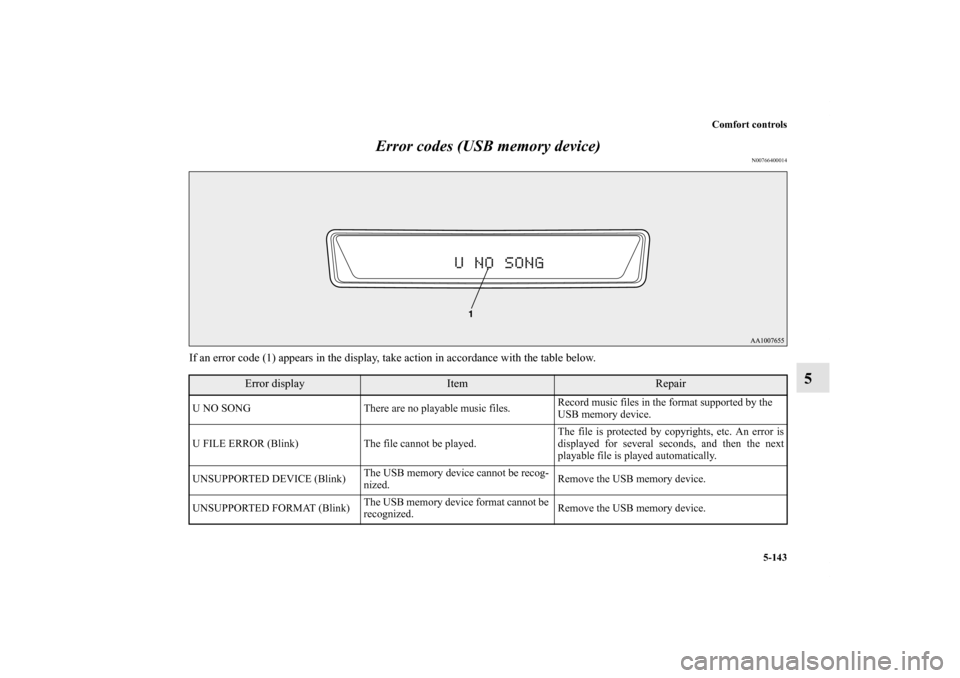
If an error code (1) appears in the display, take action in accordance with the table below.
Error display
Item
Repair
U NO SONG There are no playable music files. Record music files in the format supported by the
USB memory device.
U FILE ERROR (Blink) The file cannot be played. The file is protected by copyrights, etc. An error is
displayed for several seconds, and then the next
playable file is played automatically.
UNSUPPORTED DEVICE (Blink)The USB memory device cannot be recog-
nized. Remove the USB memory device.
UNSUPPORTED FORMAT (Blink)The USB memory device format cannot be
recognized. Remove the USB memory device.
BK0150800US.book 143 ページ 2012年3月29日 木曜日 午後2時38分
Alphabetical index
7
Sun visors 3-289
Supplemental Restraint System 2-35
How the Supplement Restraint System works 2-39
Servicing 2-60
Warning light/display 2-45
T
Tank capacity 1-5
,9-10
Theft-alarm system
System 3-64
Tire pressure monitoring system 3-167
Warning light/display 3-169
Tires 7-28
How to change a tire 6-9
Inflation pressure 7-31
Maintenance 7-33
Quality grading 8-2
Replacing tires and wheels 7-33
Rotation 7-34
Size (tire and wheel) 9-9
Snow tires 7-36
Tire and loading information placard 4-10
,9-4
Tire chains 7-36
Tread wear indicators 7-34
Tissue holder 3-302
Tools 6-7
Storage 6-7
Towing 6-22
Trailer towing 4-17Transfer oil 7-19
Trunk area light
Replacement 7-87
Trunk lid 3-60
Turbocharger operation 3-95
Turn signal light
Indicators 3-229
Turn signal lights
Bulb capacity 7-54
Lever 3-244
Replacement 7-69
Twin Clutch SST (Sportronic Shift Transmission) 3-113
Fluid 7-19
,9-10
Gearshift lever operation 3-113
Gearshift lever position display 3-115
Manual shift 3-123
Manual shift display 3-129
Twin Clutch SST control mode display 3-123
Twin Clutch SST control mode switch 3-122
Warning display 3-117
U
USB input terminal 3-284
How to connect an iPod 3-286
USB input terminal device
How to connect a USB memory 3-284
BK0150800US.book 7 ページ 2012年3月29日 木曜日 午後2時38分