Page 245 of 626

3-158 Features and controls
3
Odometer/Trip odometer
N00555400139
Each time you lightly press the multi-information meter
switch, the display screen switches.
Odometer/Trip odometer → Odometer/Trip odometer
→ Service reminder → Redisplay of a warning display screen
→ Odometer/Trip odometer .
Odometer
Shows the total distance traveled.
Trip odometer
Shows the distance traveled between two points.
�To reset the trip odometer
To return the display to 0, hold down the multi-information
meter switch for about 2 seconds or more. Only the currently
displayed value will be reset.
Example
If trip odometer is displayed, only trip odometer will
be reset.
NOTE�If there is no warning display, the switching sequence is:
odometer/trip odometer → odometer/trip odometer
→ service reminder → odometer/trip odometer .
�Both tripmeters and can count up to 9999.9
miles/kilometers.
When a tripmeter goes past 9999.9 miles/kilometers, it
returns to 0.0 miles/kilometers.
�When disconnecting the battery terminal, the memories of
tripmeter displays and are cleared, and their dis-
plays return to “0.0 miles/kilometers”.Service reminder
N00555500013
Shows the distance and number of months until the next peri-
odic inspection.
Refer to “Service reminder” on page 3-171.
Usage examples for trip odometer , trip odometer
It is possible to measure two currently traveled distances,
from home using trip odometer and from a particular
point on the way using trip odometer .BK0150900US.book 158 ページ 2012年5月7日 月曜日 午後12時9分
Page 247 of 626
3-160 Features and controls
3
NOTE�Warning display screens with a “ ” or “ ” mark dis-
played in the upper right of the screen can be switched. If
you want to switch the display, press the multi-informa-
tion meter switch as follows.
“ ”: Press lightly.
“ ”: Press for about 2 seconds or more.
Redisplay of a warning display screen
When the “!” warning is displayed, if you lightly press the
multi-information meter switch a few times, the warning dis-
play screen you switched from is redisplayed.
Refer to “Information screen (With ignition switch in the
“OFF” position)” on page 3-157.
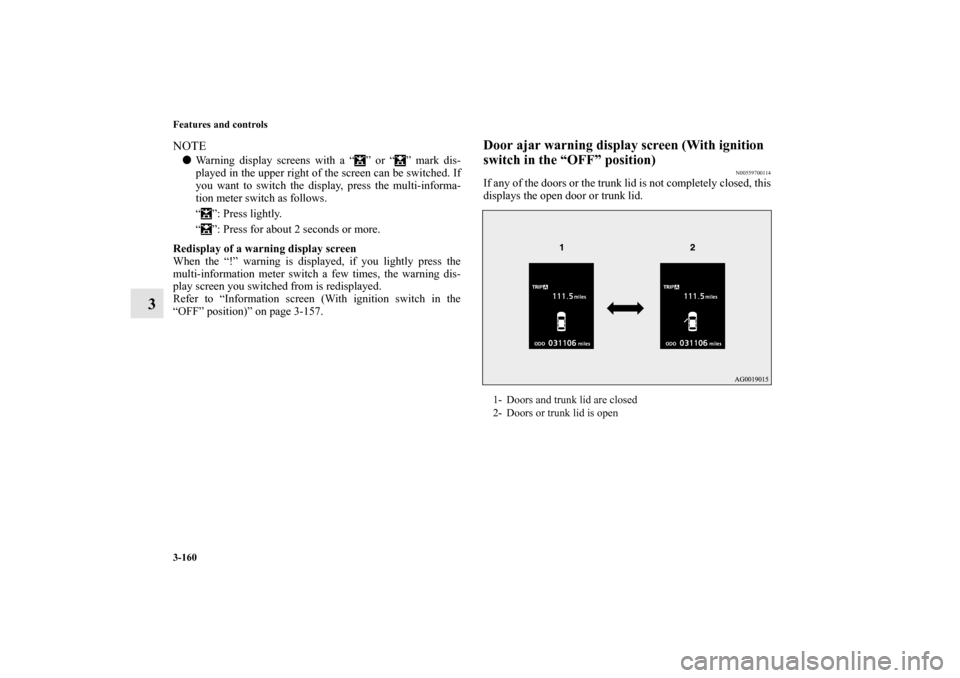
Door ajar warning display screen (With ignition
switch in the “OFF” position)
N00559700114
If any of the doors or the trunk lid is not completely closed, this
displays the open door or trunk lid.1- Doors and trunk lid are closed
2- Doors or trunk lid is open
BK0150900US.book 160 ページ 2012年5月7日 月曜日 午後12時9分
Page 250 of 626

Features and controls
3-163
3
Information screen (With ignition switch in the
“ON” position)
N00556200206
Each time you lightly press the multi-information meter
switch, the display screen switches in the following order.
NOTE�While driving, the function setting screen is not displayed
even if you operate the multi-information meter switch.
Always park the vehicle in a safe place before operating.
Refer to “Changing the function settings (With ignition
switch in the “ON” position)” on page 3-174.
�When there is information to be announced, such as a sys-
tem fault, the tone sounds and the screen display is
switched.
Refer to “Interrupt display screen (With ignition switch in
the “ON” position)” on page 3-168.
When there is no warning display
When there is a
warning display
1-
Trip odometer
2-
Trip odometer
3- Service reminder
4- Driving range display, momentary fuel consumption display
5- Average fuel consumption display, momentary fuel con-
sumption display
6- Average speed display, momentary fuel consumption display
7- S-AWC operation display
8- Function setting screen
9- Redisplay of a warning display screen
BK0150900US.book 163 ページ 2012年5月7日 月曜日 午後12時9分
Page 255 of 626
3-168 Features and controls
3
Interrupt display screen (With ignition switch in
the “ON” position)
N00556300164
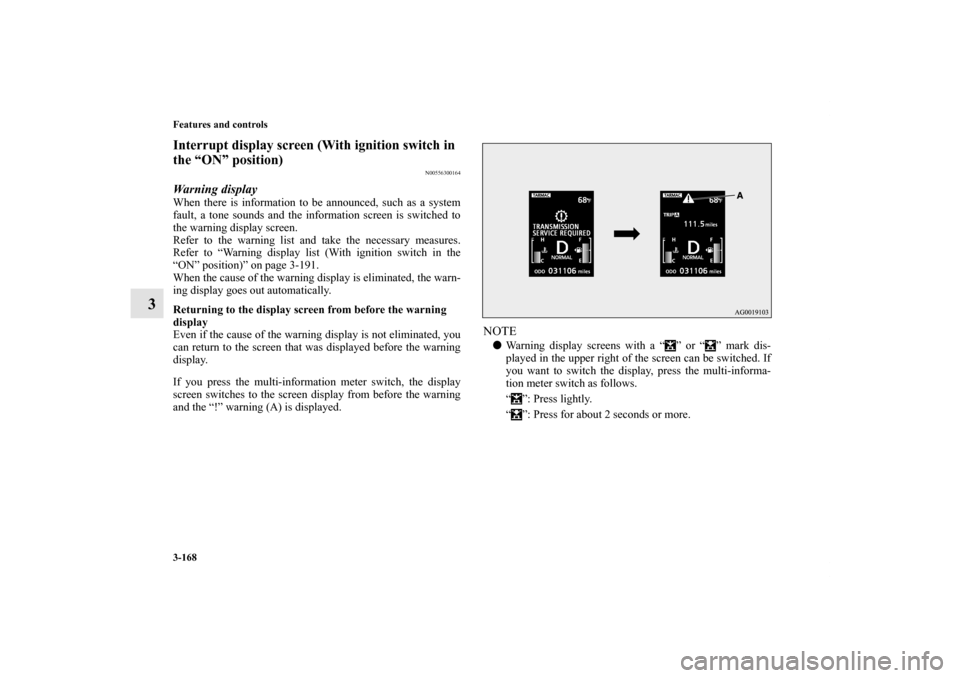
Warning displayWhen there is information to be announced, such as a system
fault, a tone sounds and the information screen is switched to
the warning display screen.
Refer to the warning list and take the necessary measures.
Refer to “Warning display list (With ignition switch in the
“ON” position)” on page 3-191.
When the cause of the warning display is eliminated, the warn-
ing display goes out automatically.
Returning to the display screen from before the warning
display
Even if the cause of the warning display is not eliminated, you
can return to the screen that was displayed before the warning
display.
If you press the multi-information meter switch, the display
screen switches to the screen display from before the warning
and the “!” warning (A) is displayed.
NOTE�Warning display screens with a “ ” or “ ” mark dis-
played in the upper right of the screen can be switched. If
you want to switch the display, press the multi-informa-
tion meter switch as follows.
“ ”: Press lightly.
“ ”: Press for about 2 seconds or more.
BK0150900US.book 168 ページ 2012年5月7日 月曜日 午後12時9分
Page 256 of 626
Features and controls
3-169
3
Redisplay of a warning display screenWhen the “!” warning is displayed, if you lightly press the
multi-information meter switch a few times, the warning dis-
play screen you switched from is redisplayed.Other interrupt displaysThe operation status of each system is displayed on the infor-
mation screen.
For further details, refer to the appropriate page in the warning
display list.
Refer to “Other interrupt displays (With ignition switch in the
“ON” position)” on page 3-196.
Gearshift lever position display screen
(if so
equipped)
N00545800042
Shows the position of the gearshift lever.
Refer to “Gearshift lever operation” on page 3-97.
BK0150900US.book 169 ページ 2012年5月7日 月曜日 午後12時9分
Page 259 of 626

3-172 Features and controls
3
2. This informs you that a periodic inspection is due. Contact
an authorized Mitsubishi Motors dealer or a repair facility
of your choice to have the system checked.
At that time, when the ignition switch is switched from
the “OFF” position to the “ON” position, “PERIODIC
INSPECTION” is displayed for a few seconds on the
information screen.
3. After your vehicle is inspected at an authorized Mitsubishi
Motors dealer, it displays the time until the next periodic
inspection.
To reset The “---” display can be reset while the ignition switch is in the
“OFF” position. When the display is reset, the time until the
next periodic inspection is displayed and the warning display is
no longer displayed when the ignition switch is switched from
the “OFF” position to the “ON” position.
1. When you lightly press the multi-information meter
switch, the information screen switches to the service
reminder display screen.
BK0150900US.book 172 ページ 2012年5月7日 月曜日 午後12時9分
Page 261 of 626
3-174 Features and controls
3
Door ajar warning display screen (With ignition
switch in the “ON” position)
N00555700116
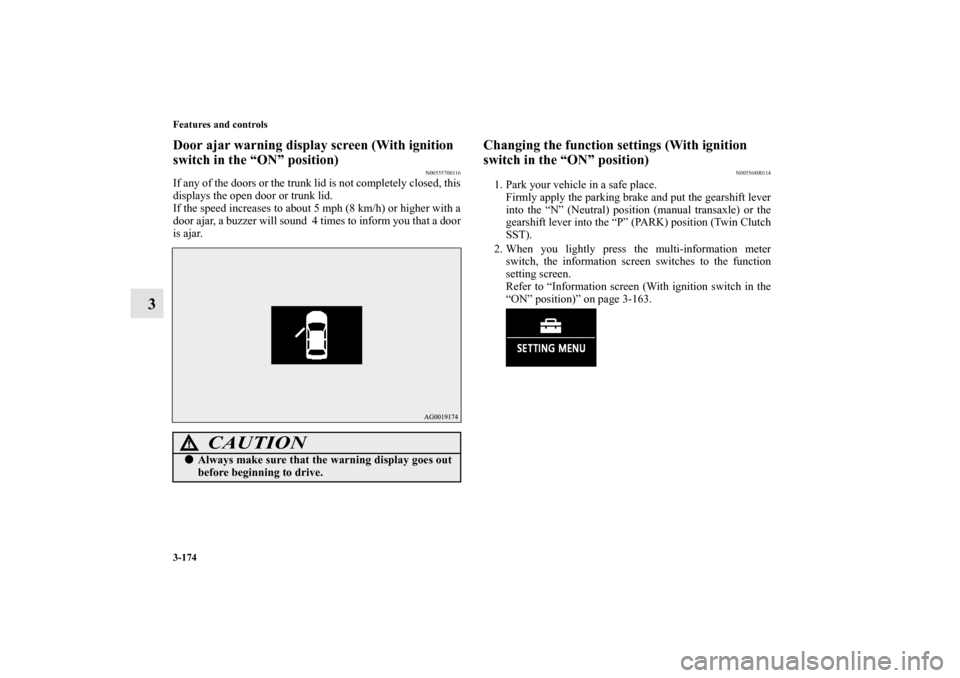
If any of the doors or the trunk lid is not completely closed, this
displays the open door or trunk lid.
If the speed increases to about 5 mph (8 km/h) or higher with a
door ajar, a buzzer will sound 4 times to inform you that a door
is ajar.
Changing the function settings (With ignition
switch in the “ON” position)
N00556800114
1. Park your vehicle in a safe place.
Firmly apply the parking brake and put the gearshift lever
into the “N” (Neutral) position (manual transaxle) or the
gearshift lever into the “P” (PARK) position (Twin Clutch
SST).
2. When you lightly press the multi-information meter
switch, the information screen switches to the function
setting screen.
Refer to “Information screen (With ignition switch in the
“ON” position)” on page 3-163.
CAUTION
!�Always make sure that the warning display goes out
before beginning to drive.
BK0150900US.book 174 ページ 2012年5月7日 月曜日 午後12時9分
Page 267 of 626

3-180 Features and controls
3
Changing the display language
N00557300174
The language of the multi-information display can be changed.
1. Press and hold the multi-information meter switch (for
about 2 seconds or more) to change from the setting mode
screen to the menu screen.
Refer to “Changing the function settings (With ignition
switch in the “ON” position)” on page 3-174.
2. Lightly press the multi-information meter switch to select
“LANGUAGE” (language setting).
3. Press and hold the multi-information meter switch (for
about 2 seconds or more) to display “LANGUAGE” (lan-
guage setting).
4. Lightly press the multi-information meter switch to select
the desired language.5. Press and hold the multi-information meter switch (for
about 2 seconds or more) to change the setting to the
selected language.
NOTE�If the battery is disconnected, the memory of the language
setting is erased and is automatically set to ENGLISH or
RUSSIAN.
�If “---” is selected in the language setting, a warning mes-
sage is not displayed when there is a warning display or
interrupt display.
BK0150900US.book 180 ページ 2012年5月7日 月曜日 午後12時9分