2013 MINI COOPER AUX
[x] Cancel search: AUXPage 183 of 267

COMMUNICATIONSOffice
182
Displaying contact pictures
Pictures stored with contacts are stored in the
vehicle when the mobile phone is connected to
the vehicle. The number of pictures transmitted
depends on the mobile phone. The mobile
phone must support this function.
1."Office"
2. "Contacts"
3. Open "Options".
4. "Configure Bluetooth®"
5. "Show images"
The display of all contact pictures is activated or
deactivated.
Deleting contacts
Only contacts that are stored in the vehicle are
deleted. The contacts on the mobile phone can-
not be deleted.
1. "Office"
2. "Contacts"
3. Highlight the contact.
4. "Options"
5. "Delete contact" or "Delete all contacts".
Messages
General information
The displaying of text messages and e-mails
depends on whether the mobile phone supports
transmission to the vehicle. Text messages and
e-mails may not be supported by the service
provider or the function may have to be sepa-
rately activated. After a mobile phone is paired
for the first time, the transmission may take sev-
eral minutes. Messages are only displayed com-
pletely when the vehicle is stopped. Messages
from the auxiliary phone are not transmitted.
Displaying messages
1."Office"
2. "Messages"
Message type
A symbol indicates the type of message.
Read message.
Unread message.
Filtering message lists
A message list can be filtered if there is more
than one message type.
1. "Filter:"
2. Select message type.
>"All"
All messages are displayed.
> "Text message"
Only text messages from mobile phones
are displayed.
> "E-mail"
Only text messages from mobile phones
are displayed.
Text message
Calling a text message sender
1. Select the desired message.
2. Select the symbol.
Saving sender in the contacts
1.Highlight the desired message.
2. Open "Options".
3. "Store as new contact" or "Add to existing
contact"
Using contact data
Contact data from deadli nes, tasks, text mes-
sages, e-mails and notes can be stored or
selected, see page 185.
SymbolMessage type
Text message
E-mail from mobile phone
00320051004F004C00510048000300280047004C0057004C005200510003
Page 186 of 267
OfficeCOMMUNICATIONS
185
Using contact data
Overview
Contact data from deadlines, tasks, text mes-
sages, e-mails and notes can be stored or
selected.
Displaying a contact or dialing a phone
number
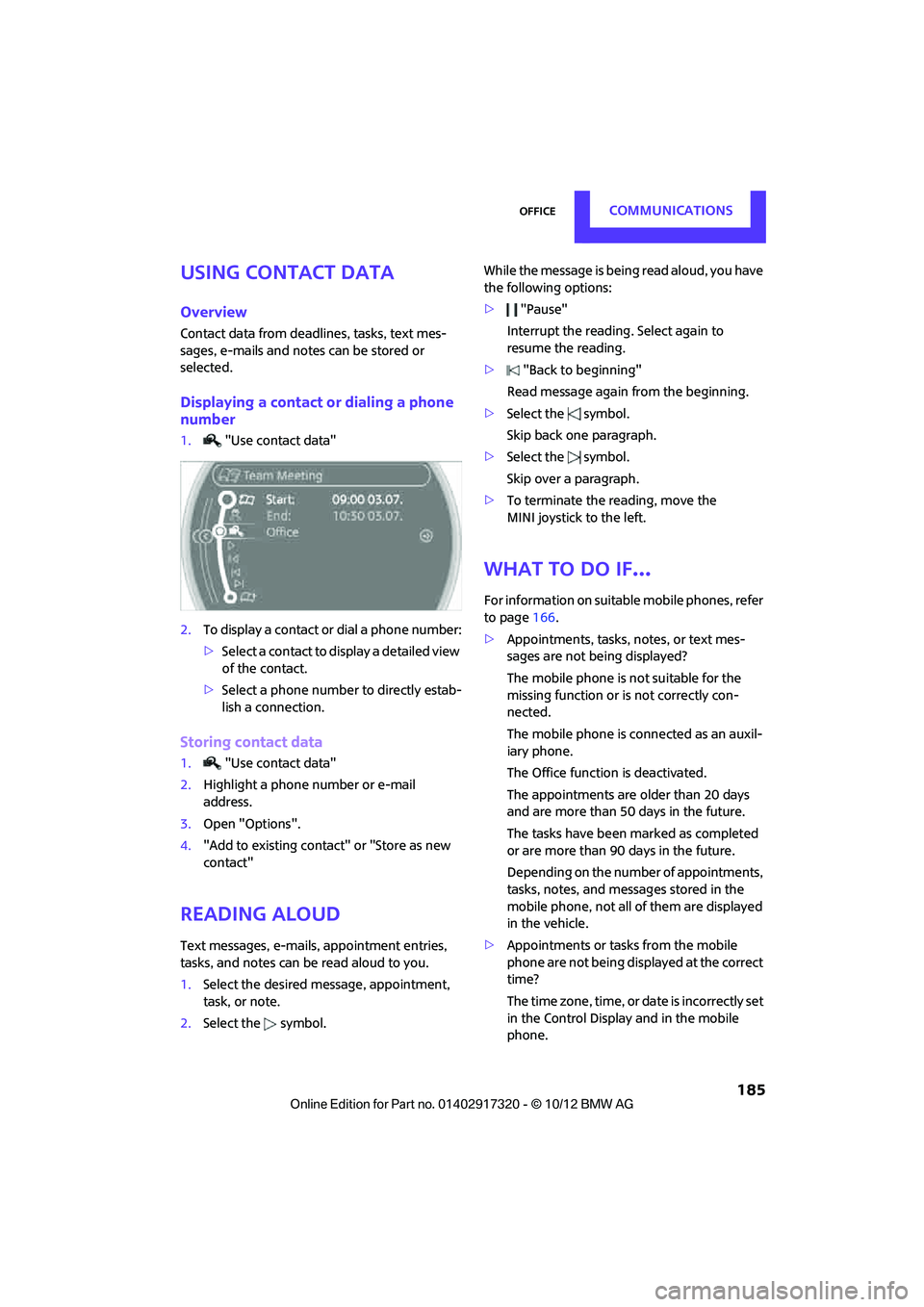
1."Use contact data"
2. To display a contact or dial a phone number:
>Select a contact to display a detailed view
of the contact.
> Select a phone number to directly estab-
lish a connection.
Storing contact data
1. "Use contact data"
2. Highlight a phone number or e-mail
address.
3. Open "Options".
4. "Add to existing contact" or "Store as new
contact"
Reading aloud
Text messages, e-mails, appointment entries,
tasks, and notes can be read aloud to you.
1. Select the desired message, appointment,
task, or note.
2. Select the symbol. While the message is being read aloud, you have
the following options:
>
"Pause"
Interrupt the reading. Select again to
resume the reading.
> "Back to beginning"
Read message again from the beginning.
> Select the symbol.
Skip back one paragraph.
> Select the symbol.
Skip over a paragraph.
> To terminate the reading, move the
MINI joystick to the left.
What to do if…
For information on suitable mobile phones, refer
to page 166.
> Appointments, tasks, notes, or text mes-
sages are not being displayed?
The mobile phone is not suitable for the
missing function or is not correctly con-
nected.
The mobile phone is connected as an auxil-
iary phone.
The Office function is deactivated.
The appointments are older than 20 days
and are more than 50 days in the future.
The tasks have been marked as completed
or are more than 90 days in the future.
Depending on the number of appointments,
tasks, notes, and mess ages stored in the
mobile phone, not all of them are displayed
in the vehicle.
> Appointments or tasks from the mobile
phone are not being displayed at the correct
time?
The time zone, time, or date is incorrectly set
in the Control Display and in the mobile
phone.
00320051004F004C00510048000300280047004C0057004C005200510003
Page 189 of 267

COMMUNICATIONSMINI Connected
188
Connecting via the snap-in adapter
The mobile phone can also be connected using
the snap-in adapter, refer to page177.
Using MINI Connected
After successful connection of the mobile phone
to the vehicle and activation of MINI Connected,
the applications are di splayed on the Control
Display and can be operated using the MINI joy-
stick.
Volume adjustments can be made using the
buttons on the steering wheel, refer to page 10,
or using the volume control knob on the radio,
refer to page 133.
1. Press the button.
This opens the main menu.
2. "MINI Connected"
3. Select the desired so ftware application.
The extent of MINI Connected that is shown on
the Control Display depends on the range of
installed software applic ations on the mobile
phone.
The data transfer of the software applica-
tion from the telephone to the vehicle can
take a few minutes. Some software applications
depend on the speed of the available Internet
connection for the mobile phone. <
Certain versions of mobile phones used and
their software can make it impossible to use
MINI Connected and the Bluetooth hands-free
system at the same time.
After a phone call, it may be necessary to restart
the software application on the mobile phone.
PlugIn
Selected functions for a compatible Apple device
are shown on the Control Display via a video link.
Operation is via the MINI joystick and an
onboard monitor.
1. Connecting an Apple device.
>via a USB audio interface, refer to
page 187.
> via the snap-in-Adapter, refer to
page 177.
2. "MINI Connected"
3. "PlugIn"
4. Select the type of connection: "Activate via
AUX connection" or "Activate via Snap-In
adapter"
5. "Activate PlugIn"
6. Navigate among the functions shown via a
MINI joystick and, e.g., select a desired cate-
gory or track.
Press the button to return back or to change
to a level higher within the functions of the
Apple device.
Press the button twice to return back to the
main menu.
Additional information can be found in the
MINI Connected Owner's Manual at
www.mini.com/c onnectivity.
Note
Audio and video playba ck from a snap-in
adapter may only be possible if there is no cable
connected to the AV-In port.
00320051004F004C00510048000300280047004C0057004C005200510003
Page 253 of 267

252
REFERENCEEverything from A to Z
Everything from A to Z
Index
A
ABS Antilock Brake System69
Accepting a call 159,171
Accessories, see Vehicle equipment 4
Acknowledgment signals for locking/unlocking vehicle 28
Activated-charcoa l filter for
automatic climate control 89
Adaptive Light Control 82
Adding engine oil 209
Additives
– coolant 210
– engine oil 209
Address, entering 118
Address for navigation
– entering 112,118
Adjusting temperature inside the car, refer to Air
conditioner 86
Adjusting temperature inside the car, refer to Automatic
climate control 87
Adjusting the tone during audio operation, refer to
Tone control 133
Airbags 78
– sitting safely 38
– warning lamp 79
Air conditioner 85
Air conditioning mode
– air conditioner 86
– automatic cl imate control87
– ventilation 89
Air distribution
– automatic 88
– individual 87
– manual 87 Air flow rate
86,88
– air conditioning system 86
– automatic climate control 88
– heating, ventilation 86
Airing, refer to Ventilation89
Air outlets, refe r to Air vents86
Air pressure, checking, refer to Tire inflation pressure 195
Air recirculation, refer to
Recirculated-air
mode 86,88
Air supply
– air conditioner 86
– automatic climate control 87
– ventilation 89
Air vents 86
AKI, refer to Fuel grade 193
Alarm system 32
All-season ti res, refer to Winter
tires 206
AM, waveband 135
Ambi ent a
ir, refer to
Recirculated-air
mode 86,88
Ambient lighting 84
Antenna, care 213
Antifreeze
– coolant 210
– washer fluid 54
Antilock Brake System ABS 69
Anti-theft alarm system, refer to Alarm system 32
Anti-theft system 27
Approved axle loads, refer to Weights 242
Approved engine oils 209
Approved gross vehicle weight, refer to Weights 242
Armrest, refer to Center armrest 95 Arrival time
– computer
59
– route guidance 121
Ashtray 96
Assistant systems, refer to
– Dynamic Stability Control
DSC 69
Audio 132
– controls 132
– switching on/off 132
– tone control 133
– volume 133
Audio device, external 94
Automatic
– air distribution 88
– air flow rate 88
– cruise control 55
– headlamp control 81
Automatic climate control 85
– automatic air distribution 88
Automatic transmission with Steptronic 49
– Interlock 50
– overriding selector lever lock 51
– Shiftlock 50
– sport program 51
AUTO program for automatic climate control 88
Auxiliary phone 168
AUX-In, refer to External audio device 94
AUX-In connection 145
Average fuel consumption 58
– setting the units 60
Average speed 59
Av oiding highways for
navigati o
n121
Axle loads, refer to Weights 242
00320051004F004C00510048000300280047004C0057004C005200510003
Page 257 of 267

REFERENCEEverything from A to Z
256
Engine malfunction
– indicator lamp13
Engine oil
– additives, refer to Approved
engine oils 209
– alternative oil types 209
– approved engine oils 209
– capacity 209
– checking level 208
– dipstick 208
– intervals between changes, refer to Service
requirements 61
– MINI Maintenance System 211
Engine oil level, checking 208
Engine output, refer to Engine data 238
Engine starti ng, refer to
Starting the engine 48
Entering destination 112
Entering intersection 113
Entertainment sound output on/off 132
Entry map for destination 117
ESP Electronic Stability Program, refer to Dynamic
Stability Control DSC 69
Exhaust system, refer to Hot exhaust system 101
Exterior mirrors 42
– adjusting 42
– automatic heating 42
– folding in and out 42
External audio device 94
External audio device, refer to
AUX-In connection 145
External care 213
External devices
– random play sequence 148
– Software update 153
External temperature display
– change units of measure 60
– in the onboard computer 60Eyes
– for tow-starting and towing
away 233
– for tying down loads 105
F
Failure messages, refer to
Check Control 63
Failure of an electrical
consumer 230
Fastening safety belts, refer to Safety belts 41
Fastest route for navigation 121
Fast forward
– CD player 144
Fault messages, refer to Check Control 63
Filter
– microfilter/activated- charcoal filter for automatic
climate control 89
– microfilter for air conditioner 87
Fine wood, care 216
First aid pouch 231
Fixture for remote control,
refer to Ignition lock 47
Flash when locking/
unlocking 28
Flat load floor 104
Flat tire
– run-flat tires 205
– Tire Pressure Monitor TPM 74
Flat Tire Monitor FTM 71
– indicating a flat tire 73
– initializing the system 72
– snow chains 72
– system limits 72
Flat tires, refer to Tire condition 204
Floor mats, care 215
Floor plate, refer to Flat load floor 104
FM, waveband 135 Fog lamps
– replacing bulb
220,223
Folding rear seat backrest 103
Footbrake, refer to Braking
safely 101
Footwell lamps 84
For your own safety 4
Front airbags 78
Front fog lamps 83
– replacing bulb 220
Front seat adjustment 39
Frost on windows, refer to Defrosting windows 87,89
FTM, refer to Flat Tire Monitor 71
Fuel 193
– gauge 57
– high-quality brands 193
– quality 193
– specifications 193
– tank capacity 244
Fuel c l
ock, refer to Fuel
gauge 57
Fuel consumption display
– average fuel consumption 58
Fuel display, refer to Fuel gauge 57
Fuel filler flap 192
– releasing in the event of electrical malfunction 192
Fuses 230
G
Garage door opener, refer to
Integrated universal remote
control 90
Gasoline
– refer to Average fuel
consumption 58
Gasoline, refer to Required fuel 193
Gasoline display, refer to Fuel gauge 57
Gear indicator
– automatic transmission with Steptronic 50
00320051004F004C00510048000300280047004C0057004C005200510003