2013 MINI 3 door warning
[x] Cancel search: warningPage 97 of 233

stored values. The selected distance is briefly
displayed in the info display.
In the following cases, the stored speed value is
deleted and cannot be called up again:▷When the system is switched off.▷When the ignition is switched off.
Changing between cruise control with/
without distance control
Traffic driving ahead
The cruise control does not react to traffic
driving ahead of you, but instead maintains the
stored speed. Take this factor into account – you yourself must react; otherwise, there is the
danger of an accident occurring. ◀
To switch over to cruise control: Press and hold the button, or
Press and hold the button.
The indicator lamp in the instrument
cluster comes on and check-control
message is displayed as soon as the
switch is made to cruise control.
To switch back to the camera-based cruise con‐
trol, press one of the buttons.
Displays in the instrument cluster
Desired speed In addition to the indicator lamp, the
desired speed is displayed in the info
display.
▷The indicator lights up green: the system is
active.▷The indicator lights up orange: the system
has been interrupted.▷No display: system is switched off.Brief status display
Selected desired speed.
If --- appears briefly on the display for Check
Control messages, it is possible that the system
requirements for operation are currently not met.
Distance to vehicle ahead of you
Selected distance from the vehicle driving
ahead is briefly displayed in the left hand por‐
tion of the info display.Distance displayDistance 1Distance 2Distance 3Distance 4
This value is set after the system is
switched on.
Indicator/warning lamps
Personal responsibility
The indicator and warning lamps do not
relieve the driver of the responsibility to adapt
his or her desired driving speed and style to the
traffic conditions. ◀
The vehicle symbol lights up orange:
A vehicle has been detected ahead of
you.
The vehicle symbol flashes orange:
The conditions are not adequate for op‐
erating the system.
The system was deactivated but applies the
brakes until you actively resume control by
Seite 93Driving comfortControls93
Online Edition for Part no. 01 40 2 925 116 - X/13
Page 102 of 233

PDC Park Distance Con‐
trol
The concept
PDC supports you when parking. Slowly ap‐
proaching an object behind or, with the appro‐ priate equipment, also in front of your vehicle issignaled by signal tones:
General information Measurements are made by ultrasound sensors
in the bumpers.
The range, depending on the environment, is
approx. 6 ft/2 m.
An acoustic warning is first given:▷By the front middle sensors and the two
corner sensors at approx. 24 in/60 cm.▷By the rear middle sensors at approx.
5 ft/1.50 m.
Hints
Check the traffic situation as well
PDC cannot serve as a substitute for the
driver's personal judgment of the traffic situa‐
tion. Check the traffic situation around the ve‐
hicle with your own eyes. Otherwise, an acci‐
dent could result from road users or objects
located outside of the PDC detection range.
Loud noises from outside and inside the vehicle
may prevent you from hearing the PDC's signal tone. ◀
Avoid driving quickly with PDC
Avoid approaching an object quickly.
Avoid driving away quickly while PDC is not yet
active.
For technical reasons, the system may other‐
wise be too late in issuing a warning. ◀
At a glance
Button in the vehicle
PDC Park Distance Control
Switching on/off
Switching on automatically
PDC switches on automatically in the following
situations:
▷If the engine is running, select transmission
position R.▷If, with the appropriate equipment, obsta‐
cles are detected behind or in front of the
vehicle by PDC and the speed is slower than
approx. 2 mph/3 km/h.
Automatic activation when obstacles are de‐
tected can be switched off via the radio:
1. Press the button.2. "Settings"3."Parking"4."Auto PDC"5.Select the setting.
The setting is stored for the remote control
currently in use.
Automatic deactivation during forward
travel
The system switches off when a certain driving
distance or speed is exceeded.
Switch the system back on if necessary.
Seite 98ControlsDriving comfort98
Online Edition for Part no. 01 40 2 925 116 - X/13
Page 103 of 233

Switching on/off manuallyPress the button.▷On: the LED lights up.▷Off: the LED goes out.
Display
Signal tones
When approaching an object, an intermittent
tone is sounded that indicates the position of
the object. For example, if an object is detected
to the left rear of the vehicle, a signal tone
sounds from the left rear speaker.
The shorter the distance to the object becomes,
the shorter the intervals.
If the distance to a detected object is less than
approx. 10 in/25 cm, a continuous tone is
sounded.
If objects are located both in front of and be‐
hind the vehicle, an alternating continuous sig‐
nal is sounded.
The signal tone is switched off:
▷When the vehicle moves away from an ob‐
ject by more than approx. 4 in/10 cm.▷When transmission position P is engaged.
Volume
The volume of the PDC signal can be adjusted,
refer to user's manual for Navigation, Enter‐
tainment and Communication.
The setting is stored for the remote control cur‐
rently in use.
System limits
Limits of ultrasonic measurement The detection of objects can reach the physical
limits of ultrasonic measurement, e.g.:
▷With tow bars and trailer hitches.▷With thin or wedge-shaped objects.▷With low objects.▷With objects with corners and sharp edges.▷When there is snow.▷For objects with porous surfaces.
Low objects already displayed, e.g., curbs, can
move into the blind area of the sensors before
or after a continuous tone sounds.
High, protruding objects such as ledges may
not be detected.
False warnings PDC may issue a warning under the following
conditions even though there is no obstacle
within the detection range:
▷In heavy rain.▷When sensors are very dirty or covered in
ice.▷When sensors are covered in snow.▷On rough road surfaces.▷On uneven surfaces, such as speed bumps.▷In large buildings with right angles and
smooth walls, e.g., in underground garages.▷In heavy exhaust.▷Due to other ultrasound sources, e.g.,
sweeping machines, high pressure steam
cleaners or neon lights.
The malfunction is signaled by a continuous
tone alternating between the front and rear
speakers. As soon as the malfunction due
to other ultrasound sources is no longer
present, the system is again fully functional.
Malfunction
A Check Control message, refer to page 57, is
displayed in the instrument cluster.
PDC has failed. Have the system checked.
To ensure full operability:
▷Keep the sensors clean and free of ice.▷Do not adhere any stickers to the sensors.Seite 99Driving comfortControls99
Online Edition for Part no. 01 40 2 925 116 - X/13
Page 120 of 233
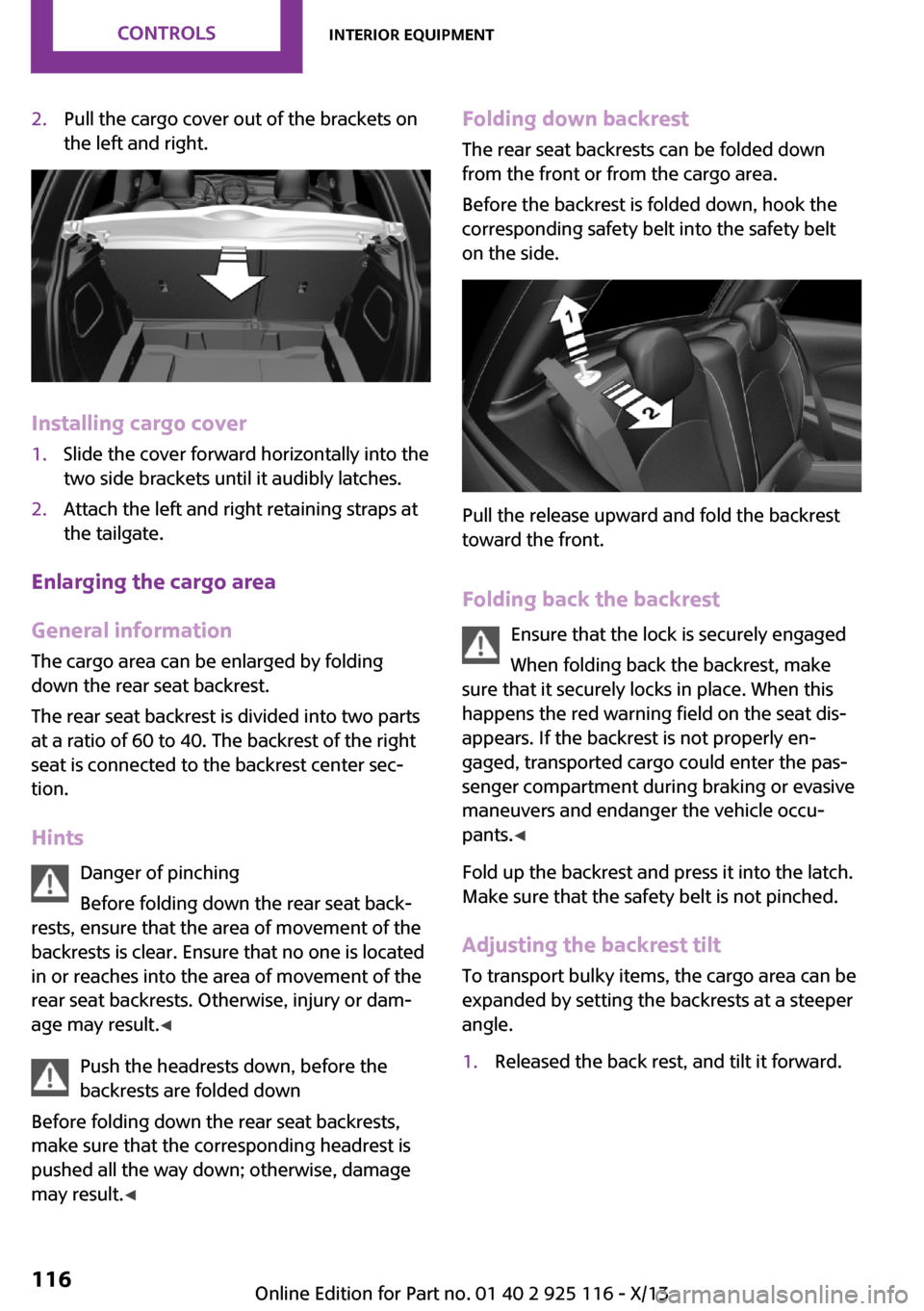
2.Pull the cargo cover out of the brackets on
the left and right.
Installing cargo cover
1.Slide the cover forward horizontally into the
two side brackets until it audibly latches.2.Attach the left and right retaining straps at
the tailgate.
Enlarging the cargo area
General information
The cargo area can be enlarged by folding
down the rear seat backrest.
The rear seat backrest is divided into two parts
at a ratio of 60 to 40. The backrest of the right
seat is connected to the backrest center sec‐
tion.
Hints Danger of pinching
Before folding down the rear seat back‐
rests, ensure that the area of movement of the
backrests is clear. Ensure that no one is located
in or reaches into the area of movement of the
rear seat backrests. Otherwise, injury or dam‐
age may result. ◀
Push the headrests down, before the
backrests are folded down
Before folding down the rear seat backrests,
make sure that the corresponding headrest is
pushed all the way down; otherwise, damage
may result. ◀
Folding down backrest
The rear seat backrests can be folded downfrom the front or from the cargo area.
Before the backrest is folded down, hook the
corresponding safety belt into the safety belt
on the side.
Pull the release upward and fold the backrest
toward the front.
Folding back the backrest Ensure that the lock is securely engaged
When folding back the backrest, make
sure that it securely locks in place. When this
happens the red warning field on the seat dis‐
appears. If the backrest is not properly en‐
gaged, transported cargo could enter the pas‐
senger compartment during braking or evasive
maneuvers and endanger the vehicle occu‐
pants. ◀
Fold up the backrest and press it into the latch.
Make sure that the safety belt is not pinched.
Adjusting the backrest tilt To transport bulky items, the cargo area can be
expanded by setting the backrests at a steeper
angle.
1.Released the back rest, and tilt it forward.Seite 116ControlsInterior equipment116
Online Edition for Part no. 01 40 2 925 116 - X/13
Page 136 of 233

idling to reduce fuel consumption. Transmission
position D remains engaged. An indicator pro‐
vides information about the distance traveled
in Coasting mode.
In addition, context-sensitive instructions can
be displayed that assist in driving in a manner
that optimizes fuel consumption.
The extension of the range that is achieved as a
result can be displayed in the instrument clus‐
ter.
At a glance
The system includes the following MINIMALISM
functions and displays:▷GREEN bonus range, refer to page 132▷GREEN tips driving instruction, refer to
page 133▷GREEN climate control, refer to page 132▷Coasting driving condition, refer to
page 133
Activating GREEN mode
Turn Driving Dynamics Control to
the right until GREEN mode is
displayed in the instrument clus‐
ter.
Configuring GREEN mode
Via radio
1. "Settings"2.If necessary, "Driving mode" or "GREEN
Mode"
Configure the program.
GREEN tip
"GREEN speed warning":
A reminder is displayed if the set GREEN mode
speed is exceeded.
GREEN climate control
"GREEN climate control":
Set the GREEN mode speed at which a GREEN
mode tip is to be displayed.
The climate control is adjusted to be fuel-effi‐
cient.
By making a slight change to the set tempera‐
ture, or adjusting the rate of heating or cooling
of the passenger compartment fuel consump‐
tion can be economized.
The outputs of the seat heater and the exterior
mirror heating are also reduced.
The exterior mirror heating is made available
when outside temperatures are very cold.
Coasting Fuel-efficiency can be optimized by disengag‐
ing the engine and Coasting, refer to page 133,
with the engine idling.
This function is only available in GREEN mode.
Display in the instrument cluster
GREEN bonus range An extension of the range can be
achieved by an adjusted driving
style.
This may be displayed as the bo‐
nus range in the instrument clus‐
ter.
The bonus range is shown in the range display.
The bonus range is automatically reset every
time the vehicle is refueled.▷Green display: efficient driving style.▷Gray display: adjust driving style, e. g. by
backing off the accelerator pedal.Seite 132Driving tipsSaving fuel132
Online Edition for Part no. 01 40 2 925 116 - X/13
Page 177 of 233

Run-flat tiresLabel
RSC label on the tire sidewall.
The wheels are composed of special rims and
tires that are self-supporting, to a limited de‐
gree.
The support of the sidewall allows the tire to re‐
main drivable to a restricted degree in the
event of a pressure loss.
Continued driving with a damaged tire, refer to
page 79.
Continued driving with a damaged tire, refer to
page 76.
Changing run-flat tires
For your own safety, only use run-flat tires. No
spare tire is available in the case of a flat tire.
Your service center will be glad to advise you.
Repairing a flat tire Safety measures in case of a breakdown
Park the vehicle as far away as possible
from passing traffic and on solid ground.
Switch on the hazard warning system.
Turn the steering wheel until the front wheels
are in the straight-ahead position and engage
the steering wheel lock.
Secure the vehicle against rolling away by set‐
ting the parking brake.
Have all vehicle occupants get out of the vehi‐
cle and ensure that they remain outside the im‐
mediate area in a safe place, such as behind a
guardrail.
If necessary, set up a warning triangle at an ap‐
propriate distance.
Comply with all safety guidelines and regula‐
tions. ◀
Mobility System
The concept
With the Mobility System, minor tire damage
can be sealed quickly to enable continued travel. To accomplish this, sealant is pumped
into the tires, which seals the damage from the
inside.
The compressor can be used to check the tire
inflation pressure.
Hints▷Follow the instructions on using the Mobi‐
lity System found on the compressor and
sealant bottle.▷Use of the Mobility System may be ineffec‐
tive if the tire puncture measures approx.
1/8 in/4 mm or more.▷Contact the nearest service center if the tire
cannot be made drivable.▷If possible, do not remove foreign bodies
that have penetrated the tire.▷Pull the speed limit sticker off the sealant
bottle and apply it to the steering wheel.
Storage
The Mobility System is located under the cargo
floor panel in the cargo area.
Seite 173Wheels and tiresMobility173
Online Edition for Part no. 01 40 2 925 116 - X/13
Page 183 of 233
Never reach into the engine compart‐
ment
Never reach into the intermediate spaces or
gaps in the engine compartment. Otherwise,
there is risk of injury, e.g., from rotating or hot
parts. ◀
Fold down wiper arm
Before opening the hood, ensure that the
wiper arms are against the windshield, or this
may result in damage. ◀
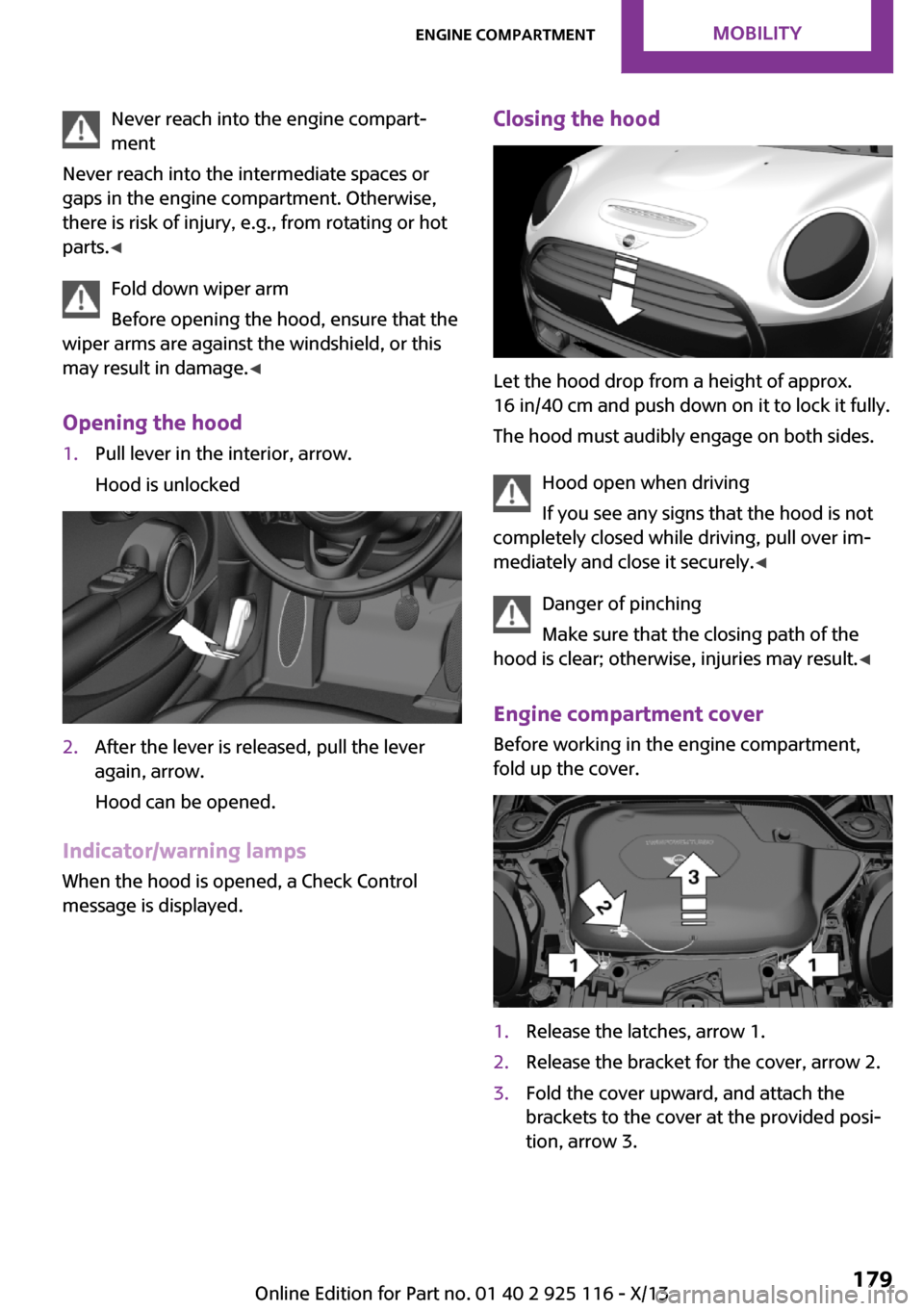
Opening the hood1.Pull lever in the interior, arrow.
Hood is unlocked2.After the lever is released, pull the lever
again, arrow.
Hood can be opened.
Indicator/warning lamps When the hood is opened, a Check Control
message is displayed.
Closing the hood
Let the hood drop from a height of approx.
16 in/40 cm and push down on it to lock it fully.
The hood must audibly engage on both sides.
Hood open when driving
If you see any signs that the hood is not
completely closed while driving, pull over im‐
mediately and close it securely. ◀
Danger of pinching
Make sure that the closing path of the
hood is clear; otherwise, injuries may result. ◀
Engine compartment cover Before working in the engine compartment,
fold up the cover.
1.Release the latches, arrow 1.2.Release the bracket for the cover, arrow 2.3.Fold the cover upward, and attach the
brackets to the cover at the provided posi‐
tion, arrow 3.Seite 179Engine compartmentMobility179
Online Edition for Part no. 01 40 2 925 116 - X/13
Page 185 of 233
If the oil level reaches the minimum level or an
overfilling is detected, a check control message
is displayed.
During the measurement, the idle speed is in‐
creased somewhat.
Requirements▷Vehicle is on level road.▷Manual transmission: shift lever in neutral
position, clutch and accelerator pedals not
depressed.▷Automatic transmission: selector lever in
transmission position N or P and accelera‐
tor pedal not depressed.▷Engine is running and is at operating tem‐
perature.
Performing a detailed measurement
In order to perform a detailed measurement of
the engine oil level:
Confirm message regarding oil level display.
The oil level is checked and displayed via a
scale.
Duration: approx. 1 minute.
Adding engine oil
General information Switch off the ignition and safely park the vehi‐
cle before engine oil is added.
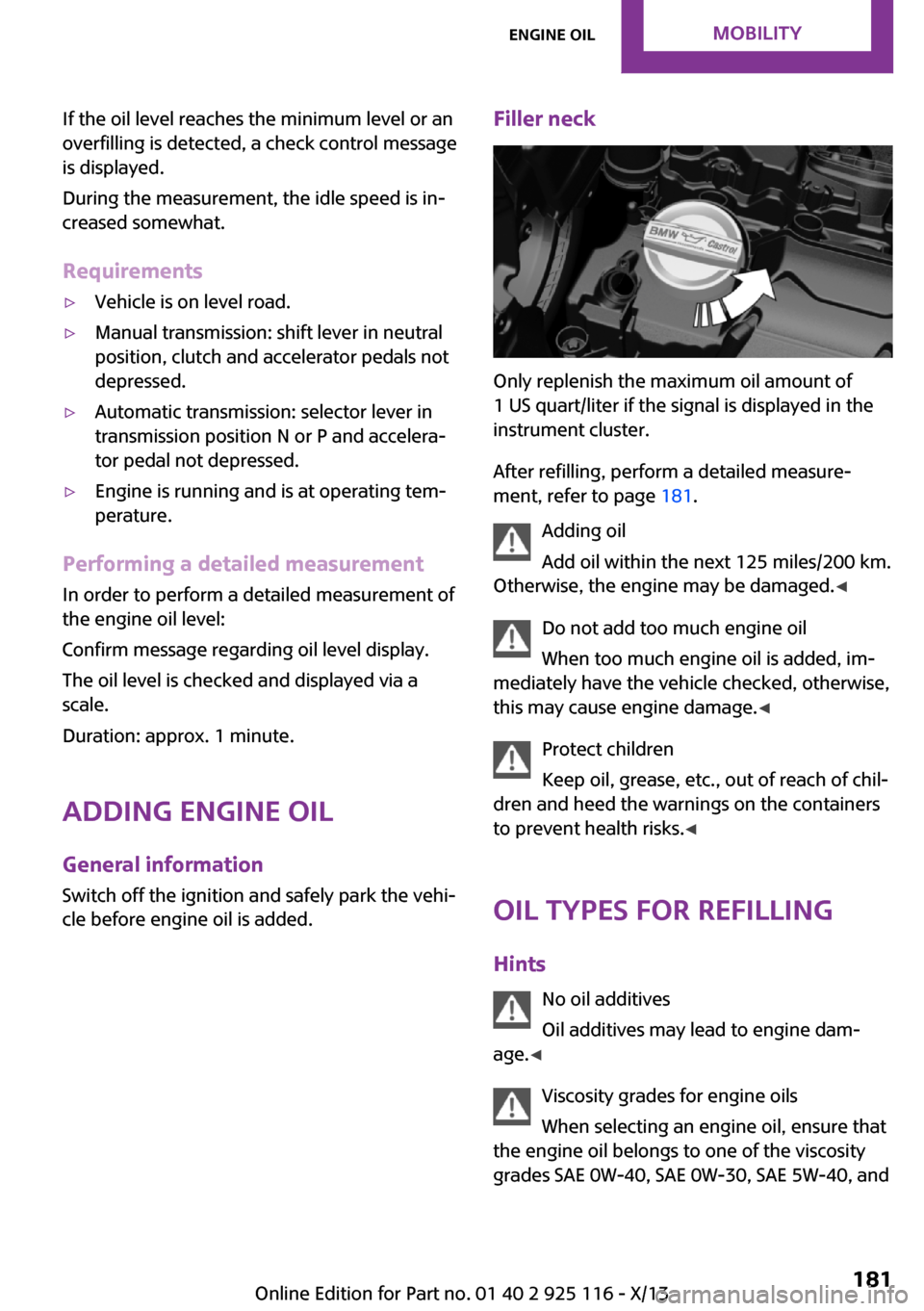
Filler neck
Only replenish the maximum oil amount of
1 US quart/liter if the signal is displayed in the
instrument cluster.
After refilling, perform a detailed measure‐
ment, refer to page 181.
Adding oil
Add oil within the next 125 miles/200 km.
Otherwise, the engine may be damaged. ◀
Do not add too much engine oil
When too much engine oil is added, im‐
mediately have the vehicle checked, otherwise,
this may cause engine damage. ◀
Protect children
Keep oil, grease, etc., out of reach of chil‐
dren and heed the warnings on the containers
to prevent health risks. ◀
Oil types for refilling
Hints No oil additives
Oil additives may lead to engine dam‐
age. ◀
Viscosity grades for engine oils
When selecting an engine oil, ensure that
the engine oil belongs to one of the viscosity
grades SAE 0W-40, SAE 0W-30, SAE 5W-40, and
Seite 181Engine oilMobility181
Online Edition for Part no. 01 40 2 925 116 - X/13