2013 MERCEDES-BENZ GLK-Class start stop button
[x] Cancel search: start stop buttonPage 151 of 378

Transmission position and drive
program display 0002
Transmission positio ndisplay
0003 Drive program display
i The arrows in the transmission position
display show how and into which
transmission positions you can change
using the DIRECT SELECT lever.
! If the transmission position display in the
multifunction display is not working, you
should pull away carefully to chec kwhether
the desired transmission position is
engaged. Ideally, you should select
transmission position Dand drive program
E or S. Do not restrict the shift range.
The current transmission position and drive
program appearint he multifunction display.
Engaging parkp osition P X
Push the DIRECT SELECT lever in the
directio nofarrowP.
i The automatic transmission shifts into
park position Pautomatically:
R if you open the driver's door while the
vehicle is stationary in transmission
position Dor R
R if you open the door while traveling at
very low speeds in transmission position
D or R
! If the engine speed is too high or the
vehicle is moving, do not shift the
automatic transmission directly from Dto R, from
Rto Dor directly to P.The
automatic transmission could otherwise be
damaged.
Engaging parkp osition P automatically Park position
Pis automatically engaged if:
R you switch off the engine using the
SmartKey and remove the SmartKey
R you switch off the engine using the Start/
Stop button and open one of the fron tdoors
R the HOLD (Y page 179) or DISTRONIC
PLUS (Y page 171) function brake your
vehicle until it is stationary and at least one
of the following conditions is fulfilled:
- there is a system malfunction.
- the vehicle is on a steep uphill or downhill
gradient. The electric parking brake is
then also applied.
Engaging reverse gear R !
Only shift the automatic transmission to
R when the vehicle is stationary.
X When the vehicle is stationary, depress the
brake pedal.
X Push the DIRECT SELECT lever up past the
first point of resistance.
Shifting to neutral N X
When the vehicle is stationary, depress the
brake pedal.
X Push the DIRECT SELECT lever up or down
to the first point of resistance.
If the engine has been switched off, the
automatic transmission automatically shifts
to N.
Remaining in neutral N
If the automatic transmission is to remain in
neutral N, e.g. for washing the vehicle in car
washes with a towing device, please observe
the following instructions: Automatic transmission
149Driving and parking Z
Page 152 of 378

G
WARNING
If children are left unsupervised in the vehicle,
they could:
R open the doors, thus endangering other
people or road users.
R get out and disrupt traffic.
R operate the vehicle's equipment.
Additionally, children could set the vehicle in
motion if, for example, they:
R release the parking brake.
R shift the automatic transmission out of
parking position P.
R starting the engine.
There is a risk of an accident and injury.
When leaving the vehicle, always take the
SmartKey with you and lock the vehicle. Never
leave children or animals unattended in the
vehicle. Always keep the SmartKey out of
reach of children.
Using the SmartKey:
R Make sure that the ignitio nis switched on.
R When the vehicle is stationary, depress the
brake pedal and keep it depressed.
R Shift to neutral N.
R Release the brake pedal.
R if the electric parking brake is applied,
release it.
R Switch off the ignition and leave the
SmartKey in the ignition lock.
Using KEYLESS-GO:
R Make sure that the ignition is switched on.
R When the vehicle is stationary, depress the
brake pedal and keep it depressed.
R Engage park position P.
R Release the brake pedal.
R Remove the Start/Stop button from the
ignition lock.
R Insert the SmartKey into the ignition lock.
R Switch on the ignition.
R Depress the brake pedal and keep it
depressed. R
Shift to neutral N.
R Release the brake pedal.
R if the electric parking brake is applied,
release it.
R Switch off the ignition and leave the
SmartKey in the ignition lock.
Engaging drive position D X
When the vehicle is stationary, depress the
brake pedal.
X Push the DIRECT SELECT lever down past
the first point of resistance. Transmission positions
0003
Park position
Do not shift the transmission into
position
P(Ypage 160) unless the
vehicle is stationary. The parking
lock should not be used as a brake
when parking. Always apply the
parking brake in addition to the
parking lock in order to secure the
vehicle.
If the vehicle electronics are
malfunctioning, the transmission
may be locked in position P. Have
the vehicle electronics checked
immediately at a qualified
specialist workshop.
The automatic transmission shifts
to Pautomatically if you:
R remove the SmartKey
R switch off the engine when in R
or Dand open one of the front
doors 0004
Reverse gear
Only shift the transmission to
R
when the vehicle is stationary. 150
Automatic transmissionDriving and parking
Page 163 of 378

Vehicles with automatic transmission
X
Apply the parking brake firmly.
X Shift the transmission to position P.
Using the SmartKey
X Turn the SmartKey to position 0in the
ignition lock and remove it.
The immobilize ris activated.
i The SmartKey can only be removed if the
transmission is in position P.
Using KEYLESS-GO
X Press the Start/Stop button (Y page 141).
The engine stops and all the indicator
lamps in the instrument cluster go out.
i When the driver's door is closed, this
corresponds to key position 1. When the
driver's door is open, this corresponds to
key position 0:"key removed".
i In the event of an emergency, the engine
can be turned off while the vehicle is in
motion by pressing and holding the Start/
Stop button for three seconds. Parking brake
G
WARNING
If you must brake the vehicle with the parking
brake, the braking distance is considerably
longe rand the wheels could lock. There is an
increased danger of skidding and accidents.
Only use the parking brake to brake the
vehicle when the service brake is faulty .Do
not apply the parking brake too firmly. If the
wheels lock, release the parking brake until
the wheels begi nturning again. G
WARNING
If you leave children unsupervised in the
vehicle, they could set it in motion by, for
example:
R releasing the parking brake
R shifting the automatic transmission out of
the parking position P
R starting the engine.
They could also operate the vehicle's
equipment. There is a ris kofanaccident and
injury.
Whe nleaving the vehicle, always take the
SmartKey with you and lock the vehicle. Never
leave children unsupervised in the vehicle.
If you brake the vehicle with the parking
brake, the brake lamps will not light up. X
To apply: depress parking brake 0003firmly.
When the engine is running, the 000D(USA
only) or 0006(Canada only) indicator lamp
lights up in the instrument cluster.
X To release: depress the brake pedal and
keep it depressed.
X Pull release handle 0002.
When the ignition is switched on or the
engine is running, the 000D(USA only) or
0006 (Canada only) indicator lamp goes out
in the instrument cluster. Parking the vehicle for
along period
If you leave the vehicle parked for longer than
four weeks, the battery may be damaged by
exhaustive discharging. Parking
161Driving and parking Z
Page 188 of 378

Ap
arking space is displayed while you are
driving past it, and until you are
approximately 50 ft (15 m) away from it.
Parking G
WARNING
Active Parking Assist merely aids you by
intervening actively in the steering. If you do
not brake there is a risk of an accident.
Always apply the brakes yourself when
maneuvering and parking.
i When PARKTRONIC detects obstacles,
Active Parking Assist brakes automatically
during the parking process. You are
responsible for braking in good time.
Active Parking Assist does no tsuppor tyou
with parking spaces parallel to the direction
of travel if:
R the parking space is on acurb
R the parking space is apparently blocked,
for example by foliage or grass paving
blocks
R the range of movement is too small
R the parking space is bordered by an
obstacle which is no tclearly defined such
as a tree or a trailer
X Stop the vehicle when the parking space
symbol shows the desired parking space in
the instrument cluster.
X Shif tthe transmission to position R.
The Start Park Assist? Yes: OK No: 0007
message appears in the multifunction
display.
X To cancel the procedure: press the
0007 button on the multifunction steering
wheel or pull away.
or
X To parku sing Active Parking Assist:
press the 000Bbutton on the multifunction
steering wheel.
The Park Assist Active Accelerate and Brake Observe Surroundings message appears in the multifunction
display.
X Let go of the multifunction steering wheel.
X Back up the vehicle, being ready to brake
at all times. When backing up, drive at a
speed below approximately 6mph
(10 km/h). Otherwise Active Parking Assist
will be canceled.
i In tight parking spaces, you will achieve
the best parking results by backing up as
far as possible. When doing so, also
observe the PARKTRONIC messages.
X Stop as soon as PARKTRONIC sounds the
continuous warning tone, if not before.
Maneuvering may be required in tight
parking spaces.
The Park Assist Active Select D Observe Surroundings message appears in
the multifunction display.
X Shift the transmission to position Dwhile
the vehicle is stationary.
Active Parking Assist immediately steers in
the other direction.
The Park Assist Active Accelerate and Brake Observe Surroundings
message appears in the multifunction
display.
i You will achieve the best results by
waiting for the steering procedure to
complete before pulling away.
X Drive forwards and be ready to brake at all
times.
X Stop as soon as PARKTRONIC sounds the
continuous warning tone, if not before.
The Park Assist Active Select R Observe Surroundings message appears in
the multifunction display.
X Further transmission shift smay be
necessary.
As soon as the parking procedure is
complete, the Park Assist Finished message appears in the multifunction
display. PARKTRONIC continue
sto be
available. 186
Driving systemsDriving and parking
Page 189 of 378

X
Maneuver if necessary.
X Always observe the warning messages
displayed by PARKTRONIC (Y page 182).
Parking tips:
R The way your vehicle is positioned in the
parking space after parking is dependent
on various factors. These include the
position and shape of the vehicles parked
in front and behind it and the conditions of
the location. It may be the case that Active
Parking Assist guides you too far into a
parking space, or not far enough into it. In
some cases, it may also lead you across or
onto the curb. If necessary, you should
cancel the parking procedure with Active
Parking Assist.
R You can also engage forward gear
prematurely. The vehicle redirects and
does not drive as far into the parking space.
Should a gear be changed too early, the
parking procedure will be canceled. A
sensible parking position can no longer be
achieved from this position.
Exiting aparking space In order that Active Parking Assist can
support you whe nyou exit the parking space:
R the border of the parking space must not
be too low.
R the border of the parking space must not
be too wide. The system maneuvers the
vehicle into a position at a maximum of 45°
to the starting position in the parking
space.
R a maneuvering distance of at least 24 in
(0.60 m) must be available.
Active Parking Assist can only assist you with
exiting a parking space if you have parked the
vehicle using Active Parking Assist.
X Start the engine.
X Switch on the turn signal on the side facing
the street. X
Shift the transmission to position Dor R.
The Start Park Assist? Yes: OK No: 0007
message appears in the multifunction
display.
X To cancel the procedure: press the
0007 button on the multifunction steering
wheel or pull away.
or
X To exit aparking space using Active
Parking Assist: press the000Bbutton on
the multifunctio nsteering wheel.
The Park Assist Active Accelerate and Brake Observe Surroundings
message appears in the multifunction
display.
X Let go of the multifunctio nsteering wheel.
X Reverse the vehicle or drive forwards, being
ready to brake at all times. Do not exceed
a maximum speed of approximately
6 mph (10 km/h) when exiting a parking
space .Otherwise Active Parking Assist will
be canceled.
X Stop when PARKTRONIC sounds the
continuous warning tone, if not before.
X Shift the transmission to position Dor Ras
required while the vehicle is stationary.
Active Parking Assist immediately steers in
the other direction. The Park Assist Active Accelerate and Brake
Observe Surroundings message appears
in the multifunctio ndisplay.
i You will achieve the best results by
waiting for the steering procedure to
complete before pulling away.
If you back up after activation, the steering
wheel is moved to the straight-ahead
position.
X Drive forwards or back up the vehicle, being
ready to brake at all times.
X Stop as soon as PARKTRONIC sounds the
continuous warning tone, if not before.
X Drive forwards and reverse as prompted by
the PARKTRONIC warning displays, several
times if necessary. Driving systems
187Driving and parking Z
Page 220 of 378

0003
0004
Press and hold:
R
In the Audio menu: selects the
previous/next station or selects
an audio track or a video scene
using rapid scrolling
R In the Tel (Telephone) menu:
starts rapid scrolling of the
phone book if it is open 000B R
Confirms a selection/display
message
R In the Tel (Telephone) menu:
switches to the telephone book
and starts dialing the selected
number
R In the Audio menu: stops the
station search function at the
desired station Right control panel
000B R
Rejects or ends a call
R Exits phone book/redial
memory 0004 R
Makes or accepts a call
R Switches to the redial memory 0009
000A R
Adjusts the volume 0006 R
Mute Back button
0007
Press briefly:
R
Back
R Switches off the Voice Control
System; see the separate
operating instructions
R Hides display messages/calls
up the last Trip menu function
used
R Exits the telephone book/redial
memory 0007
Press and hold:
R
Calls up the standard display in
the Trip menu
Multifunction display
Values and settings as well as display
messages are shown in the multifunction
display. 0002
Text field
0003 Menu bar
0021 Drive program (Y page 149)
0020 Transmission position (Y page 149)
001E Time
001F Permanent display:o utside temperature
or speed ( Ypage 227)
X To show menu bar 0003:press the 0002
or 0005 buttonont he steering wheel.
Menu bar 0003disappears after a few seconds. 218
Displays and operationOn-board computer and displays
Page 221 of 378

Text field
0002shows the selected menu or
submenu as well as display messages.
i You can set the time using the audio
system or COMAND, see the separate
operating instructions.
The following messages may appear in the
multifunction display:
CRUISE Cruise control (Y
page 169)
0001 Rear window wiper (Y page 121)
0004 Adaptive Highbeam Assist
(Ypage 114)
0003 ATTENTION ASSIST (Y page 197)
000E ECO start/stop function
(Ypage 144)
0001 Lane Keeping Assist (Y page 200) or
Active Lane Keeping Assist
(Y page 205)
0001 HOLD function (Y page 179)
0001 PRE-SAFE ®
Brake (Y page 69) Menus and submenus
Menu overview
Operating the on-board computer
(Y page 217).
Depending on the equipment installed in the
vehicle, you can call up the following menus:
R Trip menu (Y
page 219)
R Navi menu (navigation instructions)
(Y page 221)
R Audio menu (Y
page 222)
R Tel menu (telephone) (Y
page 223)
R DriveAssist menu (assistance)
(Y page 224)
R Serv menu (Y
page 226)
R Sett. menu (settings) (Y
page 226)
The Audio ,
Navi and
Tel menus differ slightly
in vehicles with an audio system and in
vehicles with COMAND .The examples given
in this Operator's Manual apply to vehicles
equipped with COMAND. Trip menu
Standard display X
Press and hold the 0007button on the
steering wheel until the Trip menu with
trip odometer 0002and odometer 0003is
shown.
Trip computer "From Start" or "From
Reset" Example: trip computer "From Start"
0002
Distance
0003 Time
0021 Average speed
0020 Average fuel consumption
X Press the 0002or0005 button on the
steering wheel to select the Trip menu.
X Press the 0003or0004 button to select
From Start or
From Reset .
The values in the From Start submenu are
calculated from the start of a journey,
whereas the values in the From Reset submenu are calculated from the last time the
submenu was reset (Y
page 220).
The From Start trip computer is
automatically reset if:
R the ignition has been switched off for more
than four hours.
R 999 hours have been exceeded.
R 9999 miles have been exceeded. Menus and submenus
219On-board computer and displays Z
Page 226 of 378
Dialing a number from the phone book
X
Press the 0002or0005 button on the
steering wheel to selec tthe Tel menu.
X Press the 0003,0004or000B button to
switch to the phone book.
X Press the 0003or0004 button to select the
desired name.
or
X To begin rapid scrolling: press and hold
the 0003 or0004 button for longer than
one second.
Rapid scrolling stops when you release the
button or reach the end of the list.
X If only one telephone number is stored
for a name: press the0004or000B button
to start dialing.
or
X If there is more than one number for a
particular name: press the0004or000B
button to display the numbers.
X Press the 0003or0004 button to select the
number you want to dial.
X Press the 0004or000B button to start
dialing.
or
X To exit the telephone book: press the
000B or0007 button.
Redialing The on-board computer saves the last names
or numbers dialed in the redial memory.
X Press the 0002or0005 button on the
steering wheel to select the Tel menu.
X Press the 0004button to switch to the
redial memory.
X Press the 0003or0004 button to select the
desired name or number.
X Press the 0004or000B button to start
dialing.
or
X If you do not want to make a call: press
the 000B or0007 button. Assistance menu
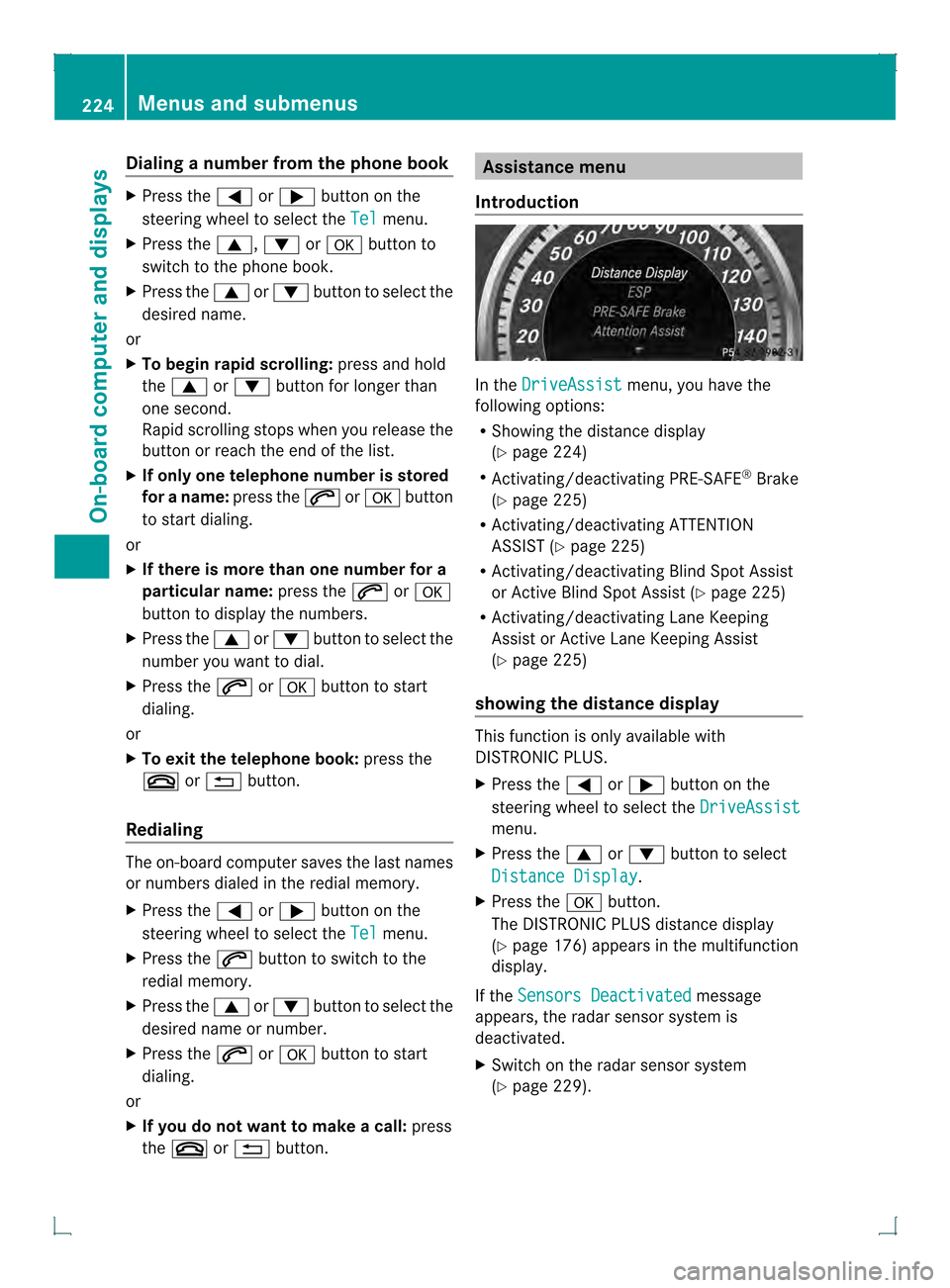
Introduction In the
DriveAssist menu, you have the
following options:
R Showing the distance display
(Y page 224)
R Activating/deactivating PRE-SAFE ®
Brake
(Y page 225)
R Activating/deactivating ATTENTION
ASSIST (Y page 225)
R Activating/deactivating Blind Spot Assist
or Active Blind Spot Assist (Y page 225)
R Activating/deactivating Lane Keeping
Assist or Active Lane Keeping Assist
(Y page 225)
showing the distance display This function is only available with
DISTRONIC PLUS.
X
Press the 0002or0005 button on the
steering wheel to select the DriveAssist menu.
X Press the 0003or0004 button to select
Distance Display .
X Press the 000Bbutton.
The DISTRONIC PLUS distance display
(Y page 176) appears in the multifunction
display.
If the Sensors Deactivated message
appears, the radar sensor system is
deactivated.
X Switch on the radar sensor system
(Y page 229). 224
Menus and submenusOn-board computer and displays