Operating audio devices or media
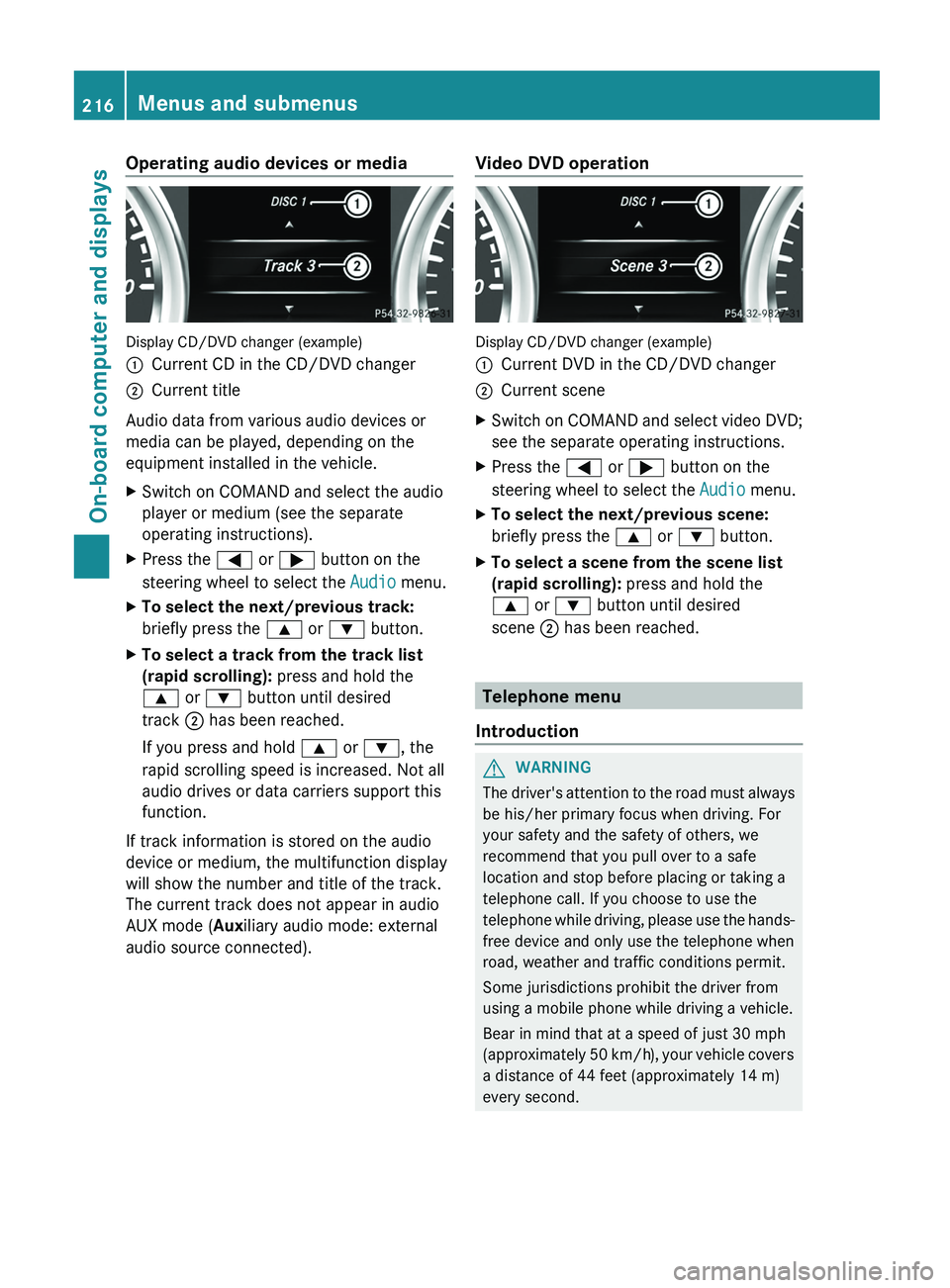
Display CD/DVD changer (example)
0043
Current CD in the CD/DVD changer
0044 Current title
Audio data from various audio devices or
media can be played, depending on the
equipment installed in the vehicle.
X Switch on COMAND and select the audio
player or medium (see the separate
operating instructions).
X Press the 0059 or 0065 button on the
steering wheel to select the Audio menu.
X To select the next/previous track:
briefly press the 0063 or 0064 button.
X To select a track from the track list
(rapid scrolling): press and hold the
0063 or 0064 button until desired
track 0044 has been reached.
If you press and hold 0063 or 0064, the
rapid scrolling speed is increased. Not all
audio drives or data carriers support this
function.
If track information is stored on the audio
device or medium, the multifunction display
will show the number and title of the track.
The current track does not appear in audio
AUX mode (Auxiliary audio mode: external
audio source connected). Video DVD operation Display CD/DVD changer (example)
0043
Current DVD in the CD/DVD changer
0044 Current scene
X Switch on COMAND and select video DVD;
see the separate operating instructions.
X Press the 0059 or 0065 button on the
steering wheel to select the Audio menu.
X To select the next/previous scene:
briefly press the 0063 or 0064 button.
X To select a scene from the scene list
(rapid scrolling): press and hold the
0063 or 0064 button until desired
scene 0044 has been reached. Telephone menu
Introduction G
WARNING
The driver's attention to the road must always
be his/her primary focus when driving. For
your safety and the safety of others, we
recommend that you pull over to a safe
location and stop before placing or taking a
telephone call. If you choose to use the
telephone while driving, please
use the hands-
free device and only use the telephone when
road, weather and traffic conditions permit.
Some jurisdictions prohibit the driver from
using a mobile phone while driving a vehicle.
Bear in mind that at a speed of just 30 mph
(approximately 50 km/h), your vehicle covers
a distance of 44 feet (approximately 14 m)
every second. 216
Menus and submenus
On-board computer and displays
Useful information
i This Operator's Manual describes all
models and all standard and optional
equipment of your vehicle available at the
time of publication of the Operator's
Manual. Country-specific differences are
possible. Please note that
your vehicle may
not be equipped with all features
described. This also applies to safety-
related systems and functions.
i Read the information on qualified
specialist workshops: ( Y page 23).Genuine Mercedes-Benz parts
G
WARNING
Driving safety may be impaired if non-
approved parts, tires and wheels or safety-
relevant accessories are used.
This could lead to malfunctions in safety-
relevant systems, e.g. the
brake system. This
could cause you to lose control of your vehicle
and cause an accident.
For this reason, Mercedes-Benz recommends
that you use genuine Mercedes-Benz parts or
parts of equal quality. Only use tires, wheels
and accessories that have been specifically
approved for your vehicle. H
Environmental note
Daimler AG also supplies reconditioned major
assemblies and parts which are of the same
quality as new parts.
They are covered by the
same Limited Warranty entitlements as new
parts.
! The use of non-approved parts could
impair the vehicle's safety. For this reason,
Mercedes-Benz recommends genuine
Mercedes-Benz parts and approved
conversion parts and accessories for your
vehicle model. !
Air bags and Emergency Tensioning
Devices, as well as control units and
sensors for these restraint
systems, may be
installed in the following areas of your
vehicle:
R doors
R door pillars
R door sills
R seats
R cockpit
R instrument cluster
R center console
Do not install accessories such as audio
systems in these areas. Do not carry out
repairs or welding. You could impair the
operating efficiency of the restraint
systems.
Have aftermarket accessories installed at
a qualified specialist workshop.
Genuine Mercedes-Benz parts are subject to
strict quality control. Each part has been
specially developed, manufactured or
selected for Mercedes-Benz vehicles and
fine-tuned for them. Only genuine Mercedes-
Benz parts should therefore be used.
More than 300,000 different genuine parts
are available for Mercedes-Benz models.
All Mercedes-Benz Centers maintain a supply
of genuine Mercedes-Benz parts for
necessary service and repair work. In
addition, strategically located parts delivery
centers provide quick and reliable parts
service.
Always specify the vehicle identification
number (VIN) ( Y page 349) and the engine
number (Y page 350) when ordering genuine
Mercedes-Benz parts. Warranty
Your vehicle is covered
under the terms of the
warranties printed in the Service and
Warranty Information booklet. 348
Warranty
Technical data