2013 MERCEDES-BENZ E-Class SEDAN Driver
[x] Cancel search: DriverPage 144 of 420

N
Reduces the airflow ( Y page 145)
O Reduces the temperature ( Y page 144)Information about using 3-zone
automatic climate control
The following contains instructions and
recommendations to enable you to get the
most out of your automatic climate control.
R Activate
climate control using the à and
¿ buttons. The indicator lamps above
the à and ¿ buttons light up.
R In automatic mode, you can also use the
ñ button to set a climate mode
(FOCUS/MEDIUM/DIFFUSE). The
MEDIUM level is recommended.
R Set the temperature to 72 ‡ (22 †).
R Only use the "defrosting" function briefly
until the windshield is clear again.
R Only use "air-recirculation" mode briefly,
e.g. if there are unpleasant outside odors
or when in a tunnel. The windows could
otherwise fog up, since no fresh air is drawn
into the vehicle in air-recirculation mode.
R Use the ZONE function to adopt the
temperature settings on the driver's side
for the front-passenger side and the rear
compartment as well. The indicator lamp
above the á button goes out.
R Use the residual heat function if you want
to heat or ventilate the vehicle interior
when the ignition is switched off. The
"residual heat" function can only be
activated or deactivated with the ignition
switched off. Operating the climate control
systems
Activating/deactivating climate
control
Points to observe before use G
WARNING
When the climate control system is
deactivated, the outside air supply and
circulation are also deactivated. Only choose
this setting for a short time. Otherwise the
windows
could fog up, impairing visibility and
endangering you and others.
i Switch on climate control primarily using
the à button ( Y page 143).
Activating/deactivating X
Turn the SmartKey to position 2 in the
ignition lock.
X To switch on: press the à button.
The indicator lamp above the à button
lights
up. Airflow and air distribution are set
to automatic mode.
or
X Press the ^ button.
The indicator lamp above the ^ button
goes out. The previously selected settings
are restored.
X To switch off: press the ^ button.
The indicator lamp above the ^ button
lights up. 142
Operating the climate control systems
Climate control
Page 146 of 420

3-zone automatic climate control: press
button
I(Y page 141).
The indicator lamp above the à button
goes out.
or
X Press the airflow button.
Dual-zone
automatic climate control: press
button G(Y page 139).
3-zone automatic climate control: press
button H(Y page 141).
The indicator lamp above the à button
goes out. Adjusting the climate mode settings
You can select the following climate mode
settings in automatic mode:
FOCUS high airflow that is set slightly cooler
MEDIUM medium airflow, standard setting
DIFFUSE low airflow that is set slightly warmer and with less draft
X Turn the SmartKey to position 2 in the
ignition lock.
X Press the à button.
X Press button G
up or down and select the
desired level ( Y page 141)Setting the temperature
Climate control Different temperatures can be set for the
driver's and front-passenger sides.
X
Turn the SmartKey to position 2 in the
ignition lock.
X To increase/reduce: press switch E or
H up or down ( Y page 139).
Only change the temperature setting in
small increments. Start at
72 ‡ (22 † ).3-zone automatic climate control
Automatic climate control zones
You
can select different temperature settings
for the driver's and front-passenger sides as
well as for the rear compartment.
X Turn the SmartKey to position 2 in the
ignition lock.
X To increase/reduce the temperature in
the front compartment: press switch F
or J up or down ( Y page 141).
Only change the temperature setting in
small increments. Start at
72 ‡ (22 † ).
X To increase/reduce the temperature in
the rear compartment using the front
control panel: press the á button.
The indicator lamp above the á button
goes out.
X Press switch F or J up or down
(Y page 141).
Only change the temperature setting in
small increments. Start at
72 ‡ (22 † ).
X To increase/reduce the temperature in
the rear compartment using the rear
control panel: press button K or
O(Y page 141).
Only change the temperature setting in
small increments. Start at
72 ‡ (22 † ).144
Operating the climate control systems
Climate control
Page 147 of 420
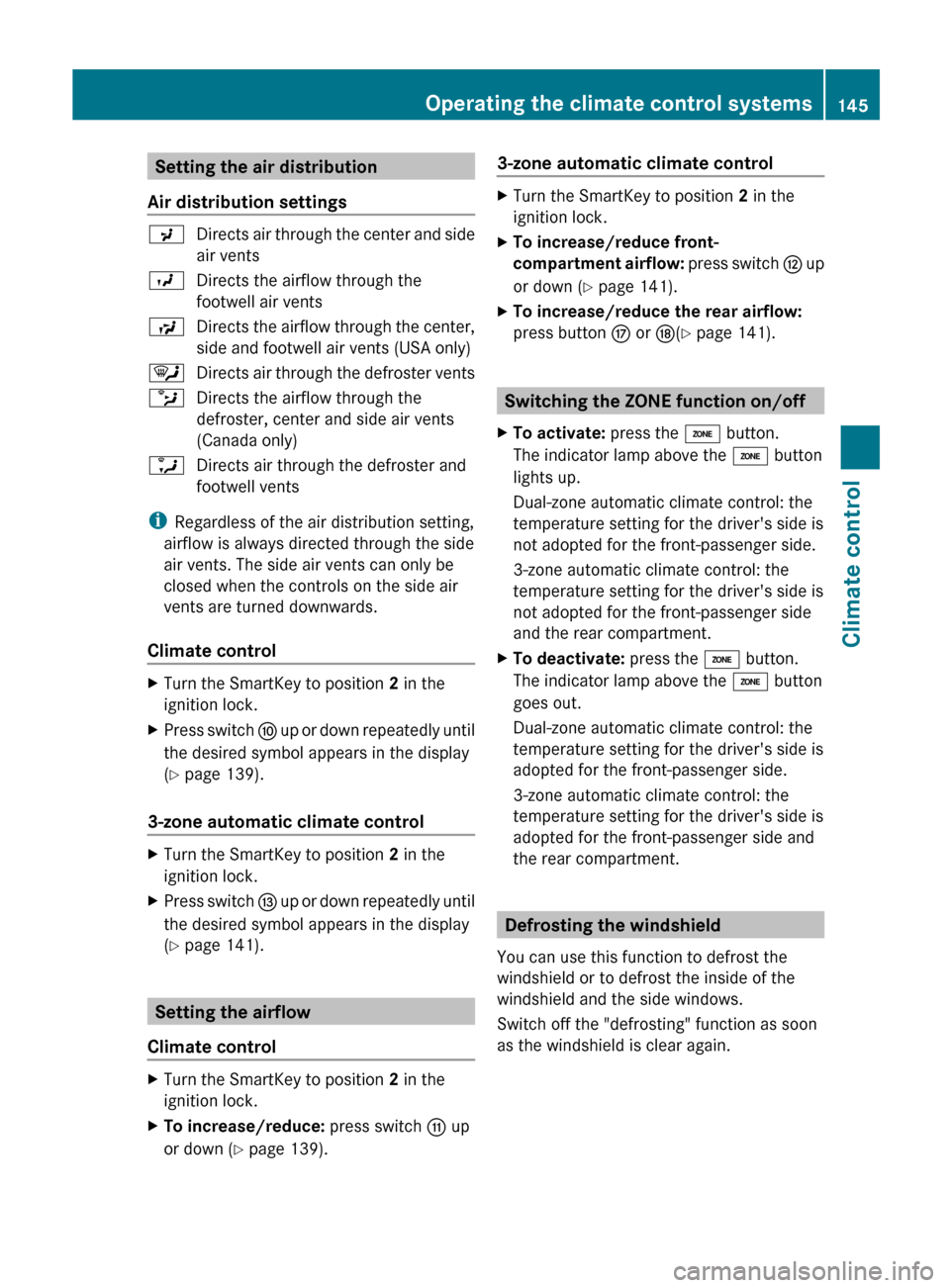
Setting the air distribution
Air distribution settings P
Directs air through the center and side
air vents
O Directs the airflow through the
footwell air vents
S Directs the airflow through the center,
side and footwell air vents (USA only)
¯ Directs air through the defroster vents
b Directs the airflow through the
defroster, center and side air vents
(Canada only)
a Directs air through the defroster and
footwell vents
i Regardless of the air distribution setting,
airflow is always directed through the side
air vents. The side air vents can only be
closed when the controls on the side air
vents are turned downwards.
Climate control X
Turn the SmartKey to position 2 in the
ignition lock.
X Press switch F up or down repeatedly until
the desired symbol appears in the display
(Y page 139).
3-zone automatic climate control X
Turn the SmartKey to position 2 in the
ignition lock.
X Press switch I
up or down repeatedly until
the desired symbol appears in the display
(Y page 141). Setting the airflow
Climate control X
Turn the SmartKey to position 2 in the
ignition lock.
X To increase/reduce: press switch G up
or down ( Y page 139). 3-zone automatic climate control X
Turn the SmartKey to position 2 in the
ignition lock.
X To increase/reduce front-
compartment
airflow: press switch H up
or down ( Y page 141).
X To increase/reduce the rear airflow:
press button M or N(Y page 141). Switching the ZONE function on/off
X To activate: press the á button.
The indicator lamp above the á button
lights up.
Dual-zone automatic climate control: the
temperature setting for the driver's side is
not adopted for the front-passenger side.
3-zone automatic climate control: the
temperature setting for the driver's side is
not adopted for the front-passenger side
and the rear compartment.
X To deactivate: press the á button.
The indicator lamp above the á button
goes out.
Dual-zone automatic climate control: the
temperature setting for the driver's side is
adopted for the front-passenger side.
3-zone automatic climate control: the
temperature setting for the driver's side is
adopted for the front-passenger side and
the rear compartment. Defrosting the windshield
You can use this function to defrost the
windshield or to defrost the inside of the
windshield and the side windows.
Switch off the "defrosting" function as soon
as the windshield is clear again. Operating the climate control systems
145
Climate control Z
Page 154 of 420

Useful information
i This Operator's Manual describes all
models and all standard and optional
equipment of your vehicle available at the
time of publication of the Operator's
Manual. Country-specific differences are
possible.
Please note that your vehicle may
not be equipped with all features
described. This also applies to safety-
related systems and functions.
i Read the information on qualified
specialist workshops: ( Y page 25).Breaking-in notes
Important safety notes
New and replaced brake pads and discs only
reach their optimum braking effect after
several hundred kilometers of driving.
Compensate
for this by applying greater force
to the brake pedal. The first 1,000 miles (1,500 km)
The
more you look after the engine when it is
new, the more satisfied you will be with its
performance in the future.
R You should therefore drive at varying
vehicle and engine speeds for the first
1,000 miles (1,500 km).
R Avoid heavy loads, e.g. driving at full
throttle, during this period.
R Change gear in good time, before the
tachometer needle is Ô of the way to the
red area of the tachometer.
R If possible, do not depress the accelerator
pedal past the point of resistance
(kickdown).
R Only select shift ranges 3, 2 or 1 when
driving slowly, e.g. in mountainous terrain.
After 1,000 miles (1,500 km), you can
increase the engine speed gradually and
accelerate the vehicle to full speed. Additional breaking-in notes for AMG
vehicles:
R
Do not drive faster than
85 mph
(140 km/h) for the first 1000 miles
(1500 km).
R Only allow the engine to reach a maximum
engine speed of 4500 rpm briefly.
R Change gear in good time.
i You should also observe these notes on
running in if the engine or parts of the drive
train on your vehicle have been replaced.
i Always observe the respective speed
limits. AMG vehicles with rear axle locking
differential
Your vehicle is equipped with a self-locking
differential on the rear axle. To improve the
protection
of the differential on the rear axle,
change the oil after a break-in distance of
2,000 miles (3,000 km). This oil change
extends the service life of the differential.
Have the oil change carried out at a qualified
specialist workshop. Driving
Important safety notes
G
WARNING
Objects in the driver's footwell can restrict the
pedal travel or obstruct a depressed pedal.
The operating and road safety of the vehicle
is jeopardized. There is a risk of an accident.
Make sure that all objects in the vehicle are
stowed correctly, and that they cannot enter
the driver's footwell. Install the floormats
securely and as specified in order to ensure
sufficient
clearance for the pedals. Do not use
loose floormats. 152
Driving
Driving and parking
Page 156 of 420

KEYLESS-GO
General notes
R
Do
not keep the KEYLESS-GO key together
with:
- electronic devices, e.g. a mobile phone
or another key
- metallic objects, e.g. coins or metal film
R Do not keep the KEYLESS-GO key in metal
objects, e.g. metal cases.
This can affect the functionality of
KEYLESS-GO.
Vehicles with KEYLESS-GO are equipped with
a SmartKey featuring an integrated KEYLESS-
GO start function and a detachable Start/
Stop button.
The Start/Stop button must be inserted into
the ignition lock and the SmartKey must be in
the vehicle.
Pressing the Start/Stop button several times
in succession corresponds to the different
SmartKey positions in the ignition lock. This
is only the case if you are not depressing the
brake pedal.
If you depress the brake pedal and press the
Start/Stop button, the engine starts
immediately.
The Start/Stop button can be removed from
the ignition lock. Then, you can insert the
SmartKey into the ignition lock.
i You do not have to remove the Start/Stop
button from the ignition lock when you
leave the vehicle. You should, however,
always take the SmartKey with you when
leaving the vehicle. As long as the
SmartKey is in the vehicle:
R the vehicle can be started using the
Start/Stop button and
R electrically powered equipment can be
operated. Key positions with KEYLESS-GO
As soon as the ignition is switched on, all the
indicator
lamps in the instrument cluster light
up. If an indicator lamp does not go out after
starting the engine or lights up while driving,
see ( Y page 277).
X Insert Start/Stop button : into ignition
lock ;.
i When you insert Start/Stop button :
into ignition lock ;, the system needs
approximately
2 seconds' recognition time.
You can then use Start/Stop button :.
Activating power supply
X Position 0:
if Start/Stop button : has not
yet been pressed, this corresponds to the
SmartKey being removed from the ignition.
X Position 1: press Start/Stop button :.
The power supply is switched on. You can
now activate the windshield wipers, for
example.
i If
you then open the driver's door when in
this position, the power supply is
deactivated.
Switching on the ignition
X Position 2 (ignition): press Start/Stop
button : twice.
The ignition is switched on.
i The ignition is switched off when:
R the driver's door is opened and
R you press Start/Stop button : once
when in this position. 154
Driving
Driving and parking
Page 159 of 420

ECO start/stop function
Important safety notes G
WARNING
If the engine is switched off automatically and
you exit the vehicle, the engine is restarted
automatically.
The vehicle may begin moving.
There is a risk of accident and injury.
If you wish to exit the vehicle, always turn off
the ignition and secure the vehicle against
rolling away.
General notes i
Hybrid vehicles: the ECO start/stop
function cannot be deactivated.
The
ECO start/stop function is only available
for the E 63 AMG.
The ECO start/stop function switches the
engine off automatically when the vehicle
stops moving.
The engine starts automatically when the
driver wants to pull away again. The ECO
start/stop function thereby helps you to
reduce the fuel consumption and emissions
of your vehicle.
Every time you switch on the engine using the
SmartKey or the Start/Stop button, the ECO
start/stop function is activated.
The ECO start/stop function is only available
in drive program C.
If the green ¤ symbol is shown in the
multifunction display, all the conditions for
automatic engine switch-off have been
fulfilled ( Y page 158). The Stop/Start
active display message also appears in the
multifunction display. If conditions for
automatic engine switch-off have not been
fulfilled ( Y page 158), the ¤ symbol will
be shown in yellow. The Stop/Start
inactive display message also appears in
the multifunction display.
If the ECO start/stop function has been
manually deactivated ( Y page 157) or a
malfunction has caused the system to be deactivated, the ¤ symbol is not
displayed.
AMG vehicles:
in the AMG menu on the
multifunction display, the Stop/Start
active or Stop/Start inactive display
message disappears.
Deactivating/activating the ECO start/
stop function ECO button
X
To switch off: press button : in drive
program C.
or
X Switch to drive program S, S+ or M
(Y page 165).
Indicator lamp ; on button : and the
¤
symbol in the multifunction display go
out.
The Stop/Start active or Stop/Start
inactive message in the AMG menu in the
multifunction display goes out.
X To switch on: press button :.
Indicator lamp ; lights up. If drive
program S, S+
or M is active, the automatic
transmission switches to drive program C.
If all conditions for automatic engine
switch-off ( Y page 158) are fulfilled, the
¤ symbol is shown in green in the
multifunction display. In addition, the
Stop/Start active message is shown in
the AMG menu in the multifunction display.
If conditions for automatic engine switch-
off (Y page 158) have not been fulfilled, the
¤ symbol will be shown in yellow. If this Driving
157
Driving and parking Z
Page 160 of 420

is the case, the ECO start/stop function is
not
available. In addition, the Stop/Start
inactive message is shown in the AMG
menu in the multifunction display.
i If
indicator lamp ; is off, the ECO start/
stop function has been deactivated
manually or as the result of a malfunction.
The engine will then not be switched off
automatically when the vehicle stops.
i Every time you switch on the engine using
the SmartKey or the Start/Stop button, the
ECO start/stop function is activated.
Automatic engine switch-off Method of operation
If the vehicle is braked to a standstill in
D or
N, the ECO start/stop function switches off
the engine automatically.
The ECO start/stop function is operational
and the ¤ symbol is displayed in green in
the multifunction display, if:
R the indicator lamp in the ECO button is lit
green
R the vehicle is stationary.
R the outside temperature is within the
comfort range
R the engine is at normal operating
temperature.
R the
set temperature for the vehicle interior
has been reached.
R the battery is sufficiently charged.
R the system detects that the windshield is
not fogged up when the air-conditioning
system is switched on
R the hood is closed.
R the driver's door is closed and the driver's
seat belt is fastened.
If conditions for automatic engine switch-off
have not been fulfilled, the ¤ symbol will
be shown in yellow. In addition, the Stop/
Start inactive message is shown in the
AMG menu in the multifunction display. i
If you shift the transmission from R to D,
the ECO start/stop function is available
again once the ¤ symbol reappears in
green in the multifunction display.
i You can still activate the HOLD function
when the vehicle is stationary, even if the
engine has been switched off
automatically. It is then not necessary to
continue applying the brakes during the
automatic stop phase. When you depress
the accelerator pedal, the engine starts
automatically
and the braking effect of the
HOLD function is deactivated. Depress the
accelerator pedal carefully, as the engine
must be started first.
i During automatic engine switch-off, the
climate control system only operates at a
reduced capacity. If you require full climate
control capacity, the ECO start/stop
function can be deactivated by pressing the
ECO button ( Y page 157).
Vehicles with automatic transmission
If the vehicle is braked to a standstill in
transmission position D or N and the brake
remains depressed, the ECO start/stop
function switches off the engine
automatically.
i You can still activate the HOLD function
when the vehicle is stationary, even if the
engine has been switched off
automatically. It is then not necessary to
continue applying the brakes during the
automatic stop phase. When you depress
the accelerator pedal, the engine starts
automatically and the braking effect of the
HOLD function is deactivated. Depress the
accelerator pedal carefully, as the engine
must be started first. 158
Driving
Driving and parking
Page 161 of 420

Automatic engine start
Method of operation
The engine starts automatically if:
R
you have switched off the ECO start/stop
function by pressing the ECO button.
R you release the brakes when in
transmission
position D or N and when the
HOLD function is not active.
R you depress the accelerator pedal.
R you remove your foot from the brake pedal.
R you engage reverse gear R.
R you move the transmission out of position
P.
R you switch to drive program S, S+ or M.
R you unfasten your seat belt or open the
driver's door.
R the vehicle starts to roll.
R the brake system requires this.
R the temperature in the vehicle interior
deviates from the set range.
R the system detects moisture on the
windshield when the air-conditioning
system is switched on.
R the charge level of the battery is too low. Driving
159
Driving and parking Z