2013 MAZDA MODEL 3 4-DOOR radio
[x] Cancel search: radioPage 394 of 610

Black plate (394,1)
3. To set, touch theon-screen button
or the
on-screen button.
4. Touch the
on screen button.
NOTE
The following operations are possible even
when the Don't Disturb Me function is on.
lDownloading messageslDownloading phone bookslDownloading the incoming/outgoing call
record
lSending messages
q Audio Operation Using Voice
Recognition
Audio on/off, audio mode switching, and
audio operations can be done using voice
recognition.
NOTE
(When playing a USB or iPod)
When a track is selected using voice
recognition, the track list is set to VR Playlist.
Starting the audio
The audio can be started using voice
recognition.
1. Press the talk button.
2. Prompt: “Ready ”
3. Say: [Beep] “Turn on audio ”
4. Power to the audio is turned on.
Turning off the audio
1. Press the talk button.
2. Prompt: “Ready ”
3. Say: [Beep] “Change mode ” 4.
Prompt: “Available audio modes are:
AM, FM, FM1, FM2, Sirius, Sirius1,
Sirius2, Sirius3, USB, iPod,
Bluetooth
®audio, Pandora®, CD,
AUX, Turn off audio ”
5. Say: [Beep] “Turn off audio ”
6. Power to the audio is turned off.
Switching modes
1. Press the talk button.
2. Prompt: “Ready ”
3. Say: [Beep] “Change mode ”
4. Prompt: “Available audio modes are:
AM, FM, FM1, FM2, Sirius, Sirius1,
Sirius2, Sirius3, USB, iPod,
Bluetooth
®audio, Pandora®, CD,
AUX, Turn off audio ”
5. Say: [Beep] “XXX (Ex. “AM ”) (audio
source) ”
6. The audio source is switched.
NOTE
CD, SIRIUS digital satellite radio, USB, iPod,
BT audio, and Pandora®modes cannot be
selected in the following cases:
lSIRIUS digital satellite radio unit, USB
device, iPod, BT audio, or Pandora®unit is
not equipped on the audio system.
lCD has not been inserted.
The AUX mode is locked out unless you
connect a commercially available portable
audio unit (such as an MP3 player) to the
auxiliary jack. Connect a portable audio unit
or similar product on the market to the
auxiliary jack to listen to music or audio over
the vehicle's speakers.
6-154
Interior Comfort
Bluetooth® (Type B)
Mazda3_8CV6-EA-12H_Edition3 Page394
Thursday, February 28 2013 11:30 AM
Form No.8CV6-EA-12H
Page 397 of 610

Black plate (397,1)
8. The name spoken will be searched forin the USB device or iPod.
If a contact is matched, go to Step 10.
If multiple contacts are matched, go to
Step 9.
9. Prompt:
“Would you like to play XXXXX...
(Choice 1)? ”
(Genre you would like to play)
Say: [Beep] “Yes. ”Then go to Step 10.
(Genre you do not want to play)
Say: [Beep] “No. ”Then go to Step 9.
(Maximum 3 times)
10. Tracks from the selected genre are played.
Scan
(When playing a Radio, Sirius satellite
radio, CD, or BT audio (AVRCP1.4))
The scan function for the radio, Sirius
satellite radio, CD and BT audio
(AVRCP1.4) can be launched using voice
recognition.
Refer to Operating the Radio on page
6-68.
Refer to Operating the Satellite Radio on
page 6-72.
Refer to Operating the Compact Disc
(CD) Player on page 6-80.
Refer to How to Use the Bluetooth®
Audio System on page 6-166.
1. Press the talk button.
2.Prompt: “Ready ”
3. Say: [Beep] “Scan (or Scan Off)”
4. Scan is performed or stopped.
Mute
Muting of the audio can be done using
voice recognition.
1. Press the talk button. 2.
Prompt: “Ready ”
3. Say: [Beep] “Mute (or Mute Off) ”
4. Mute is performed or stopped.
Track search
(When playing a CD, USB, iPod, BT
audio (AVRCP1.0/1.3/1.4))
The track up/down function can be run
using voice recognition.
Refer to Operating the Compact Disc
(CD) Player on page 6-80.
Refer to How to use USB mode (Type B)
on page 6-96.
Refer to How to use iPod mode (Type B)
on page 6-104.
Refer to How to Use the Bluetooth®
Audio System on page 6-166.
Track up
1. Press the talk button.
2. Prompt: “Ready ”
3. Say: [Beep] “Next track ”
4. The next track is played.
Track down
1. Press the talk button.
2. Prompt: “Ready ”
3. Say: [Beep] “Previous track ”
4. The previous track is played.
Folder search
(When playing BT audio (AVRCP1.4))
The folder up/down function can be run
using voice recognition.
Refer to How to Use the Bluetooth®
Audio System on page 6-166.
Folder up
1. Press the talk button.
Interior Comfort
Bluetooth® (Type B)
6-157
Mazda3_8CV6-EA-12H_Edition3 Page397
Thursday, February 28 2013 11:30 AM
Form No.8CV6-EA-12H
Page 399 of 610
![MAZDA MODEL 3 4-DOOR 2013 Owners Manual Black plate (399,1)
Refer to How to Use the Bluetooth®
Audio System on page 6-166.
(When playing a CD)
1. Press the talk button.
2.Prompt: “Ready ”
3. Say: [Beep] “Shuffle (or Shuffle Off)”
4](/manual-img/28/41005/w960_41005-398.png "MAZDA MODEL 3 4-DOOR 2013 Owners Manual Black plate (399,1)
Refer to How to Use the Bluetooth®
Audio System on page 6-166.
(When playing a CD)
1. Press the talk button.
2.Prompt: “Ready ”
3. Say: [Beep] “Shuffle (or Shuffle Off)”
4")
Black plate (399,1)
Refer to How to Use the Bluetooth®
Audio System on page 6-166.
(When playing a CD)
1. Press the talk button.
2.Prompt: “Ready ”
3. Say: [Beep] “Shuffle (or Shuffle Off)”
4. Shuffle is performed or stopped.
(When playing BT audio)
1. Press the talk button.
2. Prompt: “Ready ”
3. Say: [Beep] “Shuffle ”
4. Prompt:
“Available shuffle options are Folder ,
All, and Off ”
5. Say: [Beep]
“ XXXXX (Folder, All or Off) ”
6. If “Folder ”is spoken, folder shuffle is
performed.
If “All ”is spoken, device shuffle is
performed.
If “Off ”is spoken, shuffle is stopped.
Switching between display/non-display
of radio text information
(When playing FM Radio)
Switching between display/non-display of
radio text information is possible using
voice recognition.
Refer to Operating the Radio on page
6-68.
1. Press the talk button.
2. Prompt: “Ready ”
3. Say: [Beep]
“ Radio text (or Radio text OFF) ”4. Radio text information is displayed/not
displayed.
Selection by specifying frequency
(When playing the Radio)
Selection by specifying the frequency is
possible using voice recognition.
Refer to Operating the Radio on page
6-68.
1. Press the talk button.
2.Prompt: “Ready ”
3. Say: [Beep] “Frequency ”
4. Prompt:
“What frequency would you like? ”
5. Say: [Beep]
“ XXX (Ex. 610) (Frequency) ”
6. The specified frequency is selected.
Seek tuning function
(When playing the Radio)
Seek tuning can be run using voice
recognition.
Refer to Operating the Radio on page
6-68.
Seek up
1. Press the talk button.
2. Prompt: “Ready ”
3. Say: [Beep] “Seek up ”
4. Seek up is performed.
Seek down
1. Press the talk button.
2. Prompt: “Ready ”
3. Say: [Beep] “Seek down”
4. Seek down is performed.
Interior Comfort
Bluetooth® (Type B)
6-159
Mazda3_8CV6-EA-12H_Edition3 Page399
Thursday, February 28 2013 11:30 AM
Form No.8CV6-EA-12H
Page 400 of 610

Black plate (400,1)
Auto memory seek function
(When playing the Radio)
The auto memory seek function can be
run using voice recognition.
Refer to Operating the Radio on page
6-68.
1. Press the talk button.
2.Prompt: “Ready ”
3. Say: [Beep] “Auto memory seek ”
4. Auto memory seek is performed.
Auto memory preset function
(When playing the Radio)
Auto memory preset can be selected using
voice recognition.
Refer to Operating the Radio on page
6-68.
1. Press the talk button.
2. Prompt: “Ready ”
3. Say: [Beep] “Auto memory preset ”
4. Prompt: “Number, please ”
5. Say: [Beep]
“ X (Ex. 3) (Preset number) ”
6. The specified preset is selected.
Preset switching
(When playing the Radio, Sirius
satellite radio)
Radio stations programmed to the preset
can be selected using voice recognition.
Refer to Operating the Radio on page
6-68.
Refer to Operating the Satellite Radio on
page 6-72.
Specify the preset number and select
1. Press the talk button.
2. Prompt: “Ready ” 3.
Say: [Beep] “Preset ”
4. Prompt:
“Say a preset number between 1 and 6 ”
5. Say: [Beep]
“ X (Ex. 3) (Preset number) ”
6. The specified preset is selected.
Next preset selection
(When playing the Radio)
1. Press the talk button.
2. Prompt: “Ready ”
3. Say: [Beep] “Next preset ”
4. The next preset is selected.
Previous preset selection
(When playing the radio)
1. Press the talk button.
2. Prompt: “Ready ”
3. Say: [Beep] “Previous preset ”
4. The previous preset is selected.
Switching channels
(When playing a Sirius satellite radio)
Selection of the channel to be received is
possible using voice recognition.
Refer to Operating the Satellite Radio on
page 6-72.
Select by specifying the channel
number
1. Press the talk button.
2. Prompt: “Ready ”
3. Say: [Beep] “Channel”
4. Prompt:
“What channel number would you
like? ”
6-160
Interior Comfort
Bluetooth® (Type B)
Mazda3_8CV6-EA-12H_Edition3 Page400
Thursday, February 28 2013 11:30 AM
Form No.8CV6-EA-12H
Page 401 of 610
![MAZDA MODEL 3 4-DOOR 2013 Owners Manual Black plate (401,1)
5.Say: [Beep]
“ XXX (Ex. 610) (Channel number) ”
6. The specified channel is selected.
Selecting the next channel
1. Press the talk button.
2. Prompt: “Ready ”
3. Say: [Bee](/manual-img/28/41005/w960_41005-400.png "MAZDA MODEL 3 4-DOOR 2013 Owners Manual Black plate (401,1)
5.Say: [Beep]
“ XXX (Ex. 610) (Channel number) ”
6. The specified channel is selected.
Selecting the next channel
1. Press the talk button.
2. Prompt: “Ready ”
3. Say: [Bee")
Black plate (401,1)
5.Say: [Beep]
“ XXX (Ex. 610) (Channel number) ”
6. The specified channel is selected.
Selecting the next channel
1. Press the talk button.
2. Prompt: “Ready ”
3. Say: [Beep] “Next channel ”
4. The next channel is selected.
Selecting the previous channel
1. Press the talk button.
2. Prompt: “Ready ”
3. Say: [Beep] “Previous channel ”
4. The previous channel is selected.
Skip track function
(When playing Pandora
®)
The skip track function can be run using
voice recognition.
Refer to How to Use Pandora® on page
6-168.
1. Press the talk button.
2. Prompt: “Ready ”
3. Say: [Beep] “Skip Track ”
4. The next track is skipped.
Thumbs up function
(When playing Pandora
®)
The thumbs up function can be run using
voice recognition.
Refer to How to Use Pandora® on page
6-168.
1. Press the talk button.
2. Prompt: “Ready ”
3. Say: [Beep] “Thumbs Up ” 4. This tells Pandora
®that you like this
track and helps to bring in more tracks
like it to your station.
Thumbs down function
(When playing Pandora
®)
The thumbs down function can be run
using voice recognition.
Refer to How to Use Pandora® on page
6-168.
1. Press the talk button.
2. Prompt: “Ready ”
3. Say: [Beep] “Thumbs Down ”
4. This tells Pandora
®not to play this
track.
Pandora®radio station selection
(When playing Pandora
®)
A Pandora®radio station can be selected
using voice recognition.
Refer to How to Use Pandora® on page
6-168.
1. Press the talk button.
2. Prompt: “Ready ”
3. Say: [Beep] “Station ”
4. Prompt: “Which Pandora
®station you
would like? ”
5. Say: [Beep]
“ XXXXX... (Ex. “90 ’s classic ”)
(Station name) ”
6. The system searches for the announced radio station.
If a contact is matched, go to Step 8.
If multiple contacts are matched, go to
Step 7.
Interior Comfort
Bluetooth® (Type B)
6-161
Mazda3_8CV6-EA-12H_Edition3 Page401
Thursday, February 28 2013 11:30 AM
Form No.8CV6-EA-12H
Page 402 of 610
![MAZDA MODEL 3 4-DOOR 2013 Owners Manual Black plate (402,1)
7.Prompt:
“Would you like to play XXXXX...
(Choice 1)? ”
(Station you would like to play)
Say: [Beep] “Yes. ”Then go to Step 8.
(Station you do not want to play)
Say: [Beep](/manual-img/28/41005/w960_41005-401.png "MAZDA MODEL 3 4-DOOR 2013 Owners Manual Black plate (402,1)
7.Prompt:
“Would you like to play XXXXX...
(Choice 1)? ”
(Station you would like to play)
Say: [Beep] “Yes. ”Then go to Step 8.
(Station you do not want to play)
Say: [Beep")
Black plate (402,1)
7.Prompt:
“Would you like to play XXXXX...
(Choice 1)? ”
(Station you would like to play)
Say: [Beep] “Yes. ”Then go to Step 8.
(Station you do not want to play)
Say: [Beep] “No. ”Then go to Step 7.
(Maximum 3 times)
8. The specified radio station is selected.
Bookmark function
(When playing Pandora
®)
The bookmark function can be run using
voice recognition.
Refer to How to Use Pandora® on page
6-168.
1. Press the talk button.
2. Prompt: “Ready ”
3. Say: [Beep] “Bookmark ”
4. Prompt:
“Would you like to bookmark Track, or
artist? ”
5. Say: [Beep] “Track (or Artist) ”
6. Track or artist is bookmarked.
6-162
Interior Comfort
Bluetooth® (Type B)
Mazda3_8CV6-EA-12H_Edition3 Page402
Thursday, February 28 2013 11:30 AM
Form No.8CV6-EA-12H
Page 407 of 610

Black plate (407,1)
3. Press the audio button () and
then touch the
on-screen tab to
switch to the Bluetooth®audio mode
and start playback.
NOTE
lIf the Bluetooth®audio device does not
begin playback, press the
on-screen
button.
lIf the mode is switched from Bluetooth®
audio mode to another mode (radio mode),
audio playback from the Bluetooth®audio
device stops.
Playback
1. To listen to a Bluetooth
®audio device
over the vehicle's speaker system,
switch the mode to Bluetooth
®audio
mode. (Refer to “Switching to
Bluetooth
®audio mode ”)
2. To stop playback, press the
on-
screen button.
3. Press the button again to resume playback.
Selecting a file (track)
Selects the next file (track)
Short-press the track up button (
)or
touch the
on-screen button.
Selects the beginning of the current file
(track)
Short-press the track down button (
)or
touch the
on-screen button.
Fast-forward/Reverse (AVRCP Ver. 1.3
or higher)
Fast-forward
Press and hold the fast-forward button
(
) or touch and hold theon-
screen button. Reverse
Press and hold the reverse down button
(
) or touch and hold theon-
screen button.
Folder search (only AVRCP Ver. 1.4)
To change to the previous folder, touch
the
on-screen button, or touch the
on-screen button to advance to the
next folder.
Music scan (only AVRCP Ver. 1.4)
This function scans the titles in a folder
currently being played and plays 10
seconds of each song to aid you in finding
a song you want to listen to.
1. Touch the
on-screen button
during playback to play 10 seconds of
each subsequent track starting from the
next song.
2. Touch the
on-screen button again
during playback of the song which you
want to listen to continue the playback
from that point.
Repeat playback (only AVRCP Ver. 1.4)
Track repeat
Touch the
on-screen button to play
the song during playback repeatedly. “
”
is displayed during playback.
Touch the
on-screen button two
times while “
”is displayed to cancel.
Folder repeat
Touch the
on-screen button two
times to play the songs in the folder
repeatedly. “
”is displayed during
playback.
Touch the
on-screen button while
“
” is displayed to cancel.
Interior Comfort
Bluetooth® (Type B)
6-167
Mazda3_8CV6-EA-12H_Edition3 Page407
Thursday, February 28 2013 11:30 AM
Form No.8CV6-EA-12H
Page 408 of 610
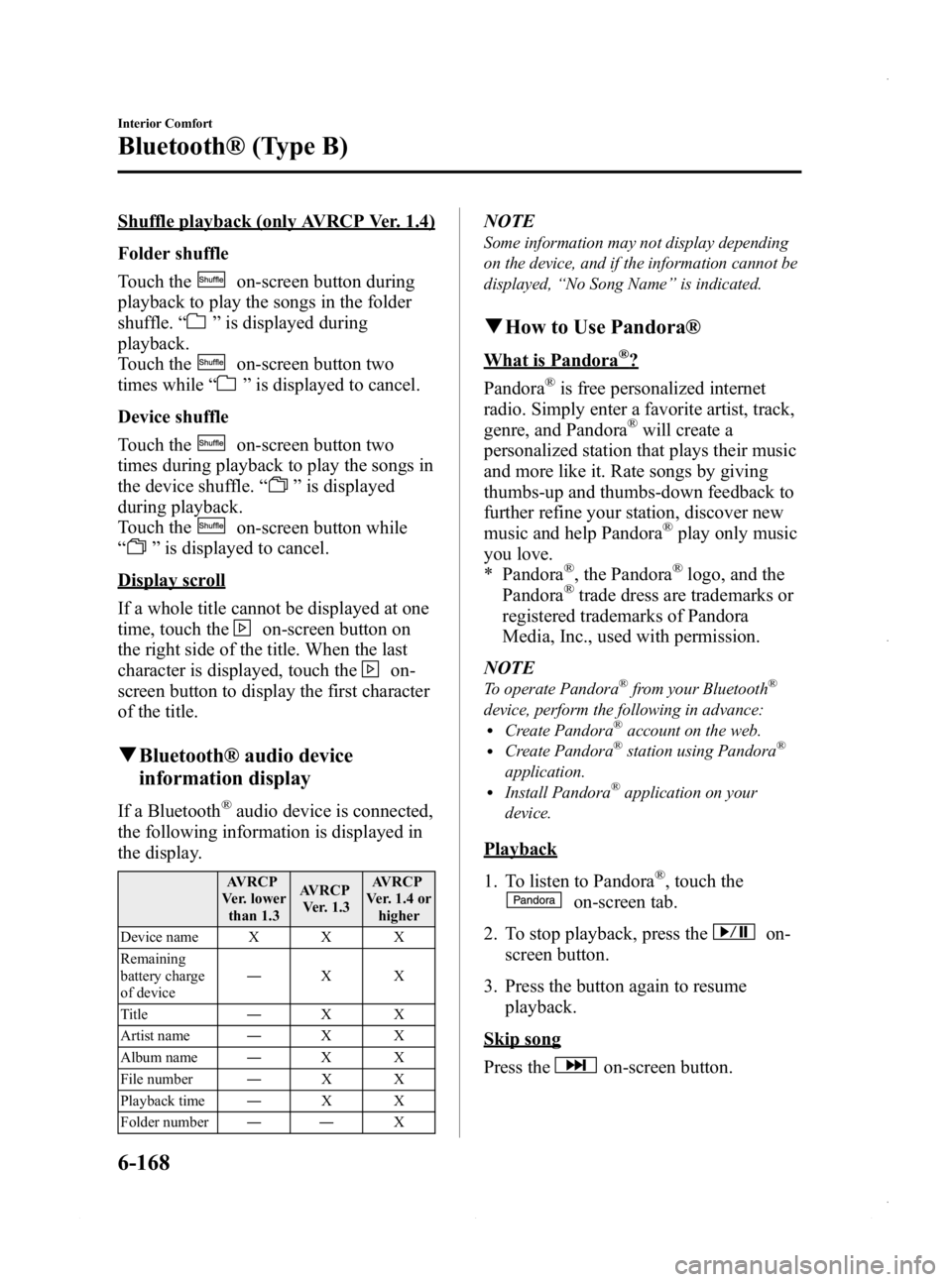
Black plate (408,1)
Shuffle playback (only AVRCP Ver. 1.4)
Folder shuffle
Touch the
on-screen button during
playback to play the songs in the folder
shuffle. “
”is displayed during
playback.
Touch the
on-screen button two
times while “
”is displayed to cancel.
Device shuffle
Touch the
on-screen button two
times during playback to play the songs in
the device shuffle. “
”is displayed
during playback.
Touch the
on-screen button while
“
” is displayed to cancel.
Display scroll
If a whole title cannot be displayed at one
time, touch the
on-screen button on
the right side of the title. When the last
character is displayed, touch the
on-
screen button to display the first character
of the title.
q Bluetooth® audio device
information display
If a Bluetooth®audio device is connected,
the following information is displayed in
the display.
AVRCP
Ver. lower than 1.3 AVRCP
Ver. 1.3 AVRCP
Ver. 1.4 or higher
Device name X X X
Remaining
battery charge
of device ―
XX
Title ―XX
Artist name ―XX
Album name ―XX
File number ―XX
Playback time ―XX
Folder number ―― X
NOTE
Some information may not display depending
on the device, and if the information cannot be
displayed,“No Song Name ”is indicated.
q How to Use Pandora®
What is Pandora®?
Pandora
®is free personalized internet
radio. Simply enter a favorite artist, track,
genre, and Pandora
®will create a
personalized station that plays their music
and more like it. Rate songs by giving
thumbs-up and thumbs-down feedback to
further refine your station, discover new
music and help Pandora
®play only music
you love.
* Pandora
®, the Pandora®logo, and the
Pandora®trade dress are trademarks or
registered trademarks of Pandora
Media, Inc., used with permission.
NOTE
To operate Pandora®from your Bluetooth®
device, perform the following in advance:lCreate Pandora®account on the web.lCreate Pandora®station using Pandora®
application.lInstall Pandora®application on your
device.
Playback
1. To listen to Pandora
®, touch the
on-screen tab.
2. To stop playback, press the
on-
screen button.
3. Press the button again to resume playback.
Skip song
Press the
on-screen button.
6-168
Interior Comfort
Bluetooth® (Type B)
Mazda3_8CV6-EA-12H_Edition3 Page408
Thursday, February 28 2013 11:30 AM
Form No.8CV6-EA-12H