2013 MAZDA MODEL 3 4-DOOR maintenance
[x] Cancel search: maintenancePage 421 of 610

Black plate (421,1)
SwitchFunction
Enter (up/down) switch Used to select a menu and change numbers. Select up or down and press enter.
Right switch/Left
switch Used to select digits when setting numbers.
BACK switch Press during SETTINGS to return to the previous screen.
INFO switch Press to switch to the multi information display. Switches the setting display in the order of Trip computer
(average fuel economy/average vehicle speed) →Trip computer
(current fuel economy/distance-to-empty) →Audio display →Settings
(reset averages/maintenance/preferences). Each time the switch is pressed, the multi
information display cycles through.
q Multi Information Display Functions
Function name DetailsSee page
Clock Constant display of time. 6-181
Outside temperature
display Constant display of ambient temperature.
6-182
Audio display Displays the audio operation status. Displayed when the INFO switch is pressed. 6-182
Trip computer Displays the average fuel economy, average vehicle speed, current fuel economy, and distance-to-empty. Displayed when the INFO switch is
pressed. 6-182
Maintenance monitor Notification of periodic inspection and tire rotation period 6-183
Warning indicator Notification of the need to take caution 6-188
Settings Used to change the multi information display settings. Displayed when the
INFO switch is pressed. 6-188
q
Clock
The time is displayed when the ignition is
switched to ACC or ON.
Time setting
Refer to Clock on page 6-179.
Time resetting
Refer to Clock on page 6-179.
Interior Comfort
Interior Equipment
6-181
Mazda3_8CV6-EA-12H_Edition3 Page421
Thursday, February 28 2013 11:30 AM
Form No.8CV6-EA-12H
Page 423 of 610

Black plate (423,1)
The average vehicle speed will be
calculated every 10 seconds.
To erase the displayed data, Refer to
Settings on page 6-188.
After erasing, the calculated average
vehicle speed in - - - km/h (- - - mph) is
displayed after 1 minute has elapsed.
Current fuel economy
This mode displays the current fuel
economy by calculating the amount of
fuel consumption and the distance
traveled.
The current fuel economy will be
calculated every 2 seconds.
When you've slowed to about 5 km/h (3
mph), - - - L/100 km (- - - mpg) will be
displayed.
Distance-to-empty
This mode displays the approximate
distance (range) you can travel on the
remaining fuel based on the fuel economy.
The distance-to-empty will be calculated
every second.
NOTElEven though the distance-to-empty display
may indicate a sufficient amount of
remaining driving distance (range) before
refueling is required, refuel as soon as
possible if the fuel gauge needle nears E or
the low fuel warning light illuminates.
lThe display will not change unless you add
more than approximately 5 L {6 US qt, 5
Imp qt} of fuel.
lWhen the ignition is switched to ACC,
“--- ”is displayed.
q Maintenance Monitor
The maintenance monitor notifies the
driver when the periodic inspection and
tire rotation periods are due. The
maintenance monitor displays the
information when the ignition is switched
to ACC or ON.
NOTE
This function is inoperable while the vehicle is
being driven.
Interior Comfort
Interior Equipment
6-183
Mazda3_8CV6-EA-12H_Edition3 Page423
Thursday, February 28 2013 11:30 AM
Form No.8CV6-EA-12H
Page 424 of 610

Black plate (424,1)
Initial setting method
1. Press the INFO switch until theSETTINGS screen is displayed.
2. Select MAINTENANCE by pressing the Enter (up/down) switch up or
down, and then press the Enter (up/
down) switch.
3. Select the item you want to turn on (TIRE ROTATION or SERVICE DUE)
by pressing the Enter (up/down) switch
up or down, and then press the Enter
(up/down) switch.
4. Press the Enter (up/down) switch.
5. Select SET and press the Enter (up/down) switch.
NOTElFor the service due notification, either the
number of days or distance can be set.
When selecting one of the two settings, the
setting not selected is set to the initial value
automatically.
lBecause tire rotation can only be set
according to distance, the screen for setting
distance is displayed when SET is selected.
6. Select DISTANCE or DAYS and pressthe Enter (up/down) switch. The screen
for setting the distance or days to the
next maintenance period is displayed.
7. Select a digit using the Right switch/Left switch, and press the Enter (up/
down) switch up or down to change the
value of the digit. If there is no need to
change a digit, leave it as it is and press
the Enter (up/down) switch.
6-184
Interior Comfort
Interior Equipment
Mazda3_8CV6-EA-12H_Edition3 Page424
Thursday, February 28 2013 11:30 AM
Form No.8CV6-EA-12H
Page 425 of 610
Black plate (425,1)
NOTE
The initial setting values are displayed
corresponding to the maintenance schedule
(except Puerto Rico). For each regional
maintenance schedule, Refer to Scheduled
Maintenance on page 8-4.
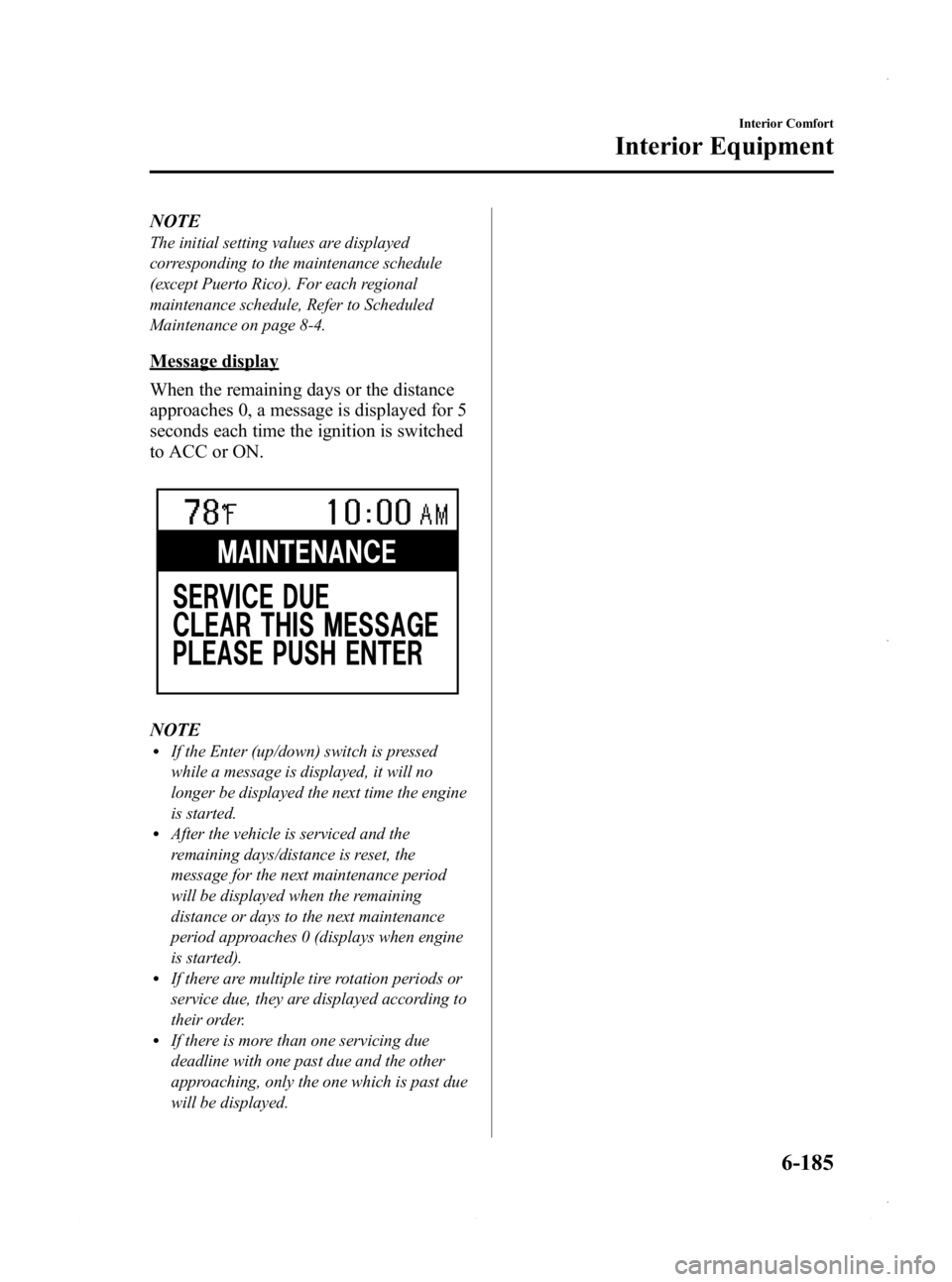
Message display
When the remaining days or the distance
approaches 0, a message is displayed for 5
seconds each time the ignition is switched
to ACC or ON.
NOTElIf the Enter (up/down) switch is pressed
while a message is displayed, it will no
longer be displayed the next time the engine
is started.
lAfter the vehicle is serviced and the
remaining days/distance is reset, the
message for the next maintenance period
will be displayed when the remaining
distance or days to the next maintenance
period approaches 0 (displays when engine
is started).
lIf there are multiple tire rotation periods or
service due, they are displayed according to
their order.
lIf there is more than one servicing due
deadline with one past due and the other
approaching, only the one which is past due
will be displayed.
Interior Comfort
Interior Equipment
6-185
Mazda3_8CV6-EA-12H_Edition3 Page425
Thursday, February 28 2013 11:30 AM
Form No.8CV6-EA-12H
Page 426 of 610

Black plate (426,1)
Display periodItem Start of message display End of message display
TIRE ROTATION When remaining distance is less than 500 km (300 mile) Distance exceeds 500 km (300 mile) from
remaining distance of 0 km
SERVICE DUE When remaining distance is less than 500 km (300 mile), or
remaining days are less than 15
(which ever comes first) Distance exceeds 500 km (300 mile) from
remaining distance of 0 km, or 15 days have
elapsed since remaining days reached
“0 ” days
(which ever comes first)
Message display Item Timing Displayed message
TIRE ROTATION Remaining distance: 500 km (300 mile) to -500 km (-300 mile) TIRE ROTATION DUE
SERVICE DUE Remaining distance: 500 km (300 mile) to 0 km (0 mile) SERVICE DUE
Remaining days: 15 to 0 days
Remaining distance:
0 km (0 mile) to -500 km (-300 mile) SERVICE OVERDUE
Remaining days:0 to 15 days
Reset method
If resetting is performed after a tire
rotation or periodic inspection has been
done, a notification of the next
maintenance period will be displayed
when the period approaches.
1. Press the INFO switch until the SETTINGS screen is displayed.
2. Select MAINTENANCE by pressing the Enter (up/down) switch up or
down, and then press the Enter (up/
down) switch. 3. Select the item you would like to reset
(TIRE ROTATION or SERVICE DUE)
by pressing the Enter (up/down) switch
up or down, and then press the Enter
(up/down) switch.
NOTElThe current remaining distance and days is
displayed.
lEven if the remaining distance or days have
surpassed 0, the display does not display a
minus (― ) and leaves the value at 0.
4. Press the Enter (up/down) switch.
6-186
Interior Comfort
Interior Equipment
Mazda3_8CV6-EA-12H_Edition3 Page426
Thursday, February 28 2013 11:30 AM
Form No.8CV6-EA-12H
Page 427 of 610

Black plate (427,1)
5. Select SET and press the Enter (up/down) switch.
NOTE
If the SERVICE DUE item has been set, both
the days and distance can be selected. Because
the tire rotation item can only be set according
to distance, the screen for setting distance is
displayed when SET is selected.
6. The DISTANCE or DAYS screen isdisplayed, and the remaining distance
and days values return to the values
previously set. If no changes are
necessary, press the Enter (up/down)
switch.
NOTElIf the settings are changed from the initial
values, the values which you set are
displayed, not the initial values.
lEven if the battery is disconnected, the
remaining distance and days information is
not erased.
lIf the multi information display is replaced
or repaired, there is the possibility that the
remaining distance and days information
may be erased.
Method for turning the system off
The maintenance monitor can be turned
off even after it has been turned on. If you
want to turn it off, the remaining distance
and days calculation to the next
maintenance period is stopped, and a
message does not display to indicate an
approaching maintenance period.
1. Press the INFO switch until the
SETTINGS screen is displayed.
2. Select MAINTENANCE by pressing the Enter (up/down) switch up or
down, and then press the Enter (up/
down) switch.
Interior Comfort
Interior Equipment
6-187
Mazda3_8CV6-EA-12H_Edition3 Page427
Thursday, February 28 2013 11:30 AM
Form No.8CV6-EA-12H
Page 442 of 610

Black plate (442,1)
To secure the jack
1. Insert the wing bolt into the jack withthe jack screw pointing up and turn the
wing bolt clockwise to temporarily
tighten it.
2. Turn the jack screw in the direction shown in the figure.
Wing bolt Jack screw
3. Turn the wing bolt completely to
secure the jack.
NOTE
If the jack is not completely secured, it could
rattle while driving. Make sure the jack screw
is sufficiently tightened.
Maintenance
lAlways keep the jack clean.lMake sure the moving parts are kept
free from dirt or rust.
lMake sure the screw thread is
adequately lubricated.
q Spare Tire
Your Mazda has a temporary spare tire.
The temporary spare tire is lighter and
smaller than a conventional tire, and is
designed only for emergency use and
should be used only for VERY short
periods. Temporary spare tires should
NEVER be used for long drives or
extended periods.
WARNING
Do not install the temporary spare tire
on the front wheels (driving wheels):
Driving with the temporary spare tire
on one of the front driving wheels is
dangerous. Handling will be affected.
You could lose control of the vehicle,
especially on ice or snow bound
roads, and have an accident. Move a
regular tire to the front wheel and
install the temporary spare tire to the
rear.
7-6
In Case of an Emergency
Flat Tire
Mazda3_8CV6-EA-12H_Edition3 Page442
Thursday, February 28 2013 11:30 AM
Form No.8CV6-EA-12H
Page 465 of 610

Black plate (465,1)
8Maintenance and Care
How to keep your Mazda in top condition.
Introduction .................................................................................. 8-2Introduction ............................................................................... 8-2
Scheduled Maintenance ................................................................ 8-4 Scheduled Maintenance (USA, Canada, and Puerto Rico) ....... 8-4
Scheduled Maintenance (Mexico) ............................................. 8-9
Owner Maintenance ................................................................... 8-16 Owner Maintenance Schedule ................................................ 8-16
Owner Maintenance Precautions ............................................. 8-17
Engine Compartment Overview .............................................. 8-19
Engine Oil ............................................................................... 8-21
Engine Coolant ....................................................................... 8-25
Brake/Clutch Fluid .................................................................. 8-27
Power Steering Fluid ............................................................... 8-27
Automatic Transaxle Fluid (ATF)
í........................................ 8-28
Washer Fluid ........................................................................... 8-29
Body Lubrication .................................................................... 8-30
Wiper Blades ........................................................................... 8-31
Battery ..................................................................................... 8-35
Tires ........................................................................................ 8-39
Light Bulbs ............................................................................. 8-46
Fuses ....................................................................................... 8-58
Appearance Care ........................................................................ 8-65 How to Minimize Environmental Paint Damage .................... 8-65
Exterior Care ........................................................................... 8-67
Interior Care ............................................................................ 8-71
8-1íSome models.
Mazda3_8CV6-EA-12H_Edition3 Page465
Thursday, February 28 2013 11:30 AM
Form No.8CV6-EA-12H