Page 67 of 481

Illuminated Entry
The interior lamps and parking lamps illuminate when the remote entry
system is used to unlock the door(s).
The system will turn off the lights if:
•the ignition is turned on
•the lock button on the remote control is pressed
•the vehicle is locked using the keyless entry keypad
•after 25 seconds of illumination.
The dome lamp control (if equipped) must not be set to the off position
for the illuminated entry system to operate.
The lights will not turn off if:
•they have been turned on with the dimmer control
•any door is open.
Illuminated Exit
The interior lamps and parking lamps illuminate when doors are closed
and the key is removed from the ignition.
The lamps will turn off if all the doors remain closed and:
•25 seconds elapse
•the key is inserted in the ignition.
Battery Saver
If the courtesy lamps, dome lamps or headlamps are left on, the battery
saver will shut them off 10 minutes after the ignition has been turned
off.
Locks67
2013 Navigator(nav)
Owners Guide gf, 1st Printing
USA(fus)
Page 77 of 481

5. Turn the ignition from off to on. Keep the ignition on for at least three
seconds, but no more than 10 seconds.
6. Turn the ignition off and remove the second previously programmed
coded key from the ignition.
7. After three seconds but within 20 seconds of turning the ignition off
and removing the previously programmed coded key, insert the new
unprogrammed key into the ignition.
8. Turn the ignition from off to on. Keep the ignition on for at least six
seconds.
9. Remove the newly programmed coded key from the ignition.
The key will start the vehicle’s engine and will operate the remote entry
system (if the new key is an integrated keyhead transmitter) if it has
been successfully programmed. The theft indicator light will illuminate
for three seconds and then go out to indicate successful programming.
If the key was not successfully programmed, the theft indicator light may
flash on and off. Wait 20 seconds and repeat Steps 1 through 8. Take
your vehicle to your authorized dealer to have the new key programmed
if you are still unsuccessful.
Wait 20 seconds and then repeat this procedure from Step 1 to program
an additional key.
ANTI-THEFT ALARM
The system will warn you of unauthorized entry to your vehicle.
The turn signal lamps will flash and the horn will sound when:
•any door or the hood is opened without using the key or the remote
control
•the ignition is turned on with an invalid key.
Take all keys and remote controls to your authorized dealer if there is
any potential alarm problem with your vehicle.
Arming the Alarm
The system is ready to arm whenever the ignition is off. Lock the vehicle
to arm the alarm.
The turn signal lamps will flash once after locking the vehicle to indicate
the alarm is in the pre-armed mode and will become fully armed in
20 seconds.
Security77
2013 Navigator(nav)
Owners Guide gf, 1st Printing
USA(fus)
Page 85 of 481
LIGHTING CONTROL
Rotate the control clockwise to the
first position to turn on the parking
lamps.
Rotate the control clockwise to the
second position to turn on the
headlamps.
Rotate the control to the vertical
position to turn the headlamps off.
High Beams
•Push the lever toward the
instrument panel to activate.
•Pull the lever toward you to
deactivate.
Headlamp Flasher
Pull the lever toward you slightly
and release it to flash the
headlamps.
120
120
Lighting85
2013 Navigator(nav)
Owners Guide gf, 1st Printing
USA(fus)
Page 86 of 481

AUTOLAMPS
The autolamp system provides light
sensitive automatic on/off control of
the exterior lights normally
controlled by the headlamp control.
The autolamp system also keeps the
lights on for approximately
20 seconds or, if equipped with a
message center, you can select a
delay from 0–180 seconds after the
ignition switch is turned off. See
Message centerin theInstrument
Clusterchapter.
•To turn autolamps on, rotate the control counterclockwise one
position.
•To turn autolamps off, rotate the control to the off position.
INSTRUMENT LIGHTING DIMMER
Use to adjust the brightness of the
instrument panel when exterior
lights are on.
•Rotate the control from left to
right to brighten the instrument
panel.
•Rotate the control from right to
left to dim the instrument panel.
•Rotate the control fully to the right (past detent) to turn on interior
lamps.
•Rotate the control to the left position (past detent) to turn off the
interior lamps and to disable the illuminated entry feature. When the
control is in the far left position, it acts as a dome lamp
defeat/override.
Note:If the battery is disconnected, discharged, or a new battery is
installed, the instrument lighting dimmer requires re-calibration. Rotate
the control from the full dim position to the full dome/on position to
reset. This will ensure that your displays are visible under all lighting
conditions.
86Lighting
2013 Navigator(nav)
Owners Guide gf, 1st Printing
USA(fus)
Page 87 of 481

DAYTIME RUNNING LAMPS (DRL) (IF EQUIPPED)
WARNING:Always remember to turn on your headlamps at
dusk or during inclement weather. The Daytime Running Lamp
(DRL) system does not activate the tail lamps and generally may not
provide adequate lighting during these conditions. Failure to activate
your headlamps under these conditions may result in a collision.
Turns the fog lamps on at full intensity output. To activate:
•the ignition must be in the on position and
•the headlamp control must be in the off, parking lamps or autolamp
position.
FRONT FOG LAMPS
The control also operates the fog
lamps. The fog lamps can be turned
on when the control is in the
parking lamps on, headlamps on, or
autolamps positions and the high
beams are not turned on.
Pull the control towards you to turn
the fog lamps on. The fog lamp
indicator light will illuminate.
DIRECTION INDICATORS
•Push down to activate the left
turn signal.
•Push up to activate the right turn
signal.
120
Lighting87
2013 Navigator(nav)
Owners Guide gf, 1st Printing
USA(fus)
Page 88 of 481
INTERIOR LAMPS
Front Row Map Lamps
To turn on the map lamps, press the
outer edge of the clear lens. The
front row map lamp lights when:
•any door is opened.
•the instrument panel dimmer
switch is rotated until the courtesy
lamps come on.
•the remote entry controls are pressed and the ignition is off.
Second Row Map Lamps
The second row map lamps are
located in the headliner above the
second row seats.
The second row map lamp lights
when:
•any door is opened,
•the instrument panel dimmer
switch is rotated until the
courtesy lamps come on, and
•any of the remote entry controls are pressed and the ignition is off.
Press the controls to activate the lamps.
88Lighting
2013 Navigator(nav)
Owners Guide gf, 1st Printing
USA(fus)
Page 89 of 481
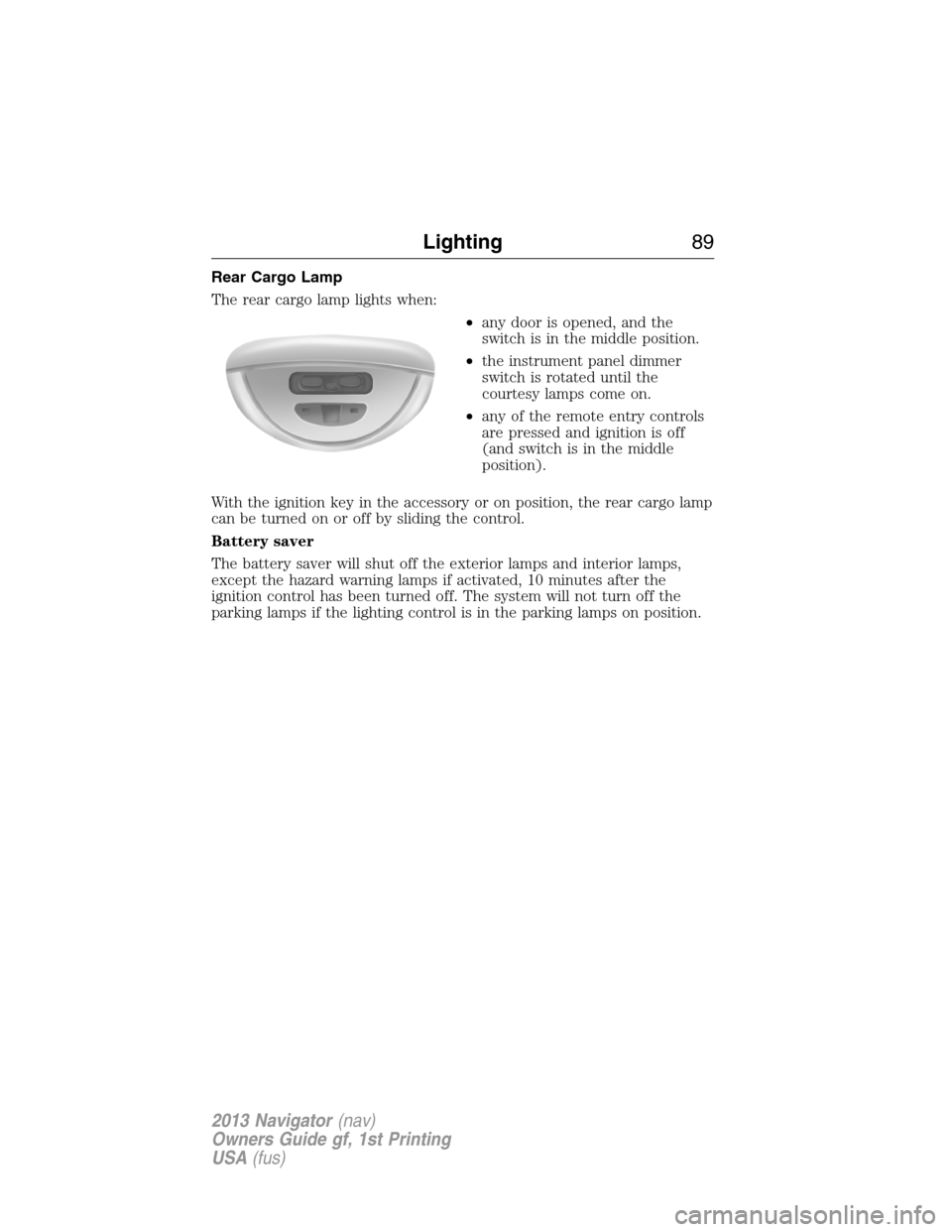
Rear Cargo Lamp
The rear cargo lamp lights when:
•any door is opened, and the
switch is in the middle position.
•the instrument panel dimmer
switch is rotated until the
courtesy lamps come on.
•any of the remote entry controls
are pressed and ignition is off
(and switch is in the middle
position).
With the ignition key in the accessory or on position, the rear cargo lamp
can be turned on or off by sliding the control.
Battery saver
The battery saver will shut off the exterior lamps and interior lamps,
except the hazard warning lamps if activated, 10 minutes after the
ignition control has been turned off. The system will not turn off the
parking lamps if the lighting control is in the parking lamps on position.
Lighting89
2013 Navigator(nav)
Owners Guide gf, 1st Printing
USA(fus)
Page 90 of 481

POWER WINDOWS
WARNING:Do not leave children unattended in the vehicle and
do not let them play with the power windows. They may
seriously injure themselves.
WARNING:When closing the power windows, you should verify
they are free of obstructions and make sure that children and
pets are not in the proximity of the window openings.
Note:You may hear a rumbling noise when one or both of the rear
windows are open. Lower a front window slightly to reduce this noise.
Press the switch to open the
window.
Lift the switch to close the window.
One-Touch Down (If Equipped)
Press the switch fully and release it. Press or lift it again to stop the
window.
One-Touch Up (If Equipped)
Lift the switch fully and release it. Press or lift it again to stop the
window.
Bounce-Back (If Equipped)
The window will stop automatically while closing and reverse some
distance if there is an obstacle in the way.
Overriding the Bounce-Back Feature
Pull up the window switch and hold within two seconds of the window
reaching the bounce-back position. The window will travel up with no
bounce-back protection. The window will stop if the switch is released
before the window is fully closed.
AUTOAUTO
90Windows and Mirrors
2013 Navigator(nav)
Owners Guide gf, 1st Printing
USA(fus)