2013 LINCOLN MKZ buttons
[x] Cancel search: buttonsPage 145 of 474
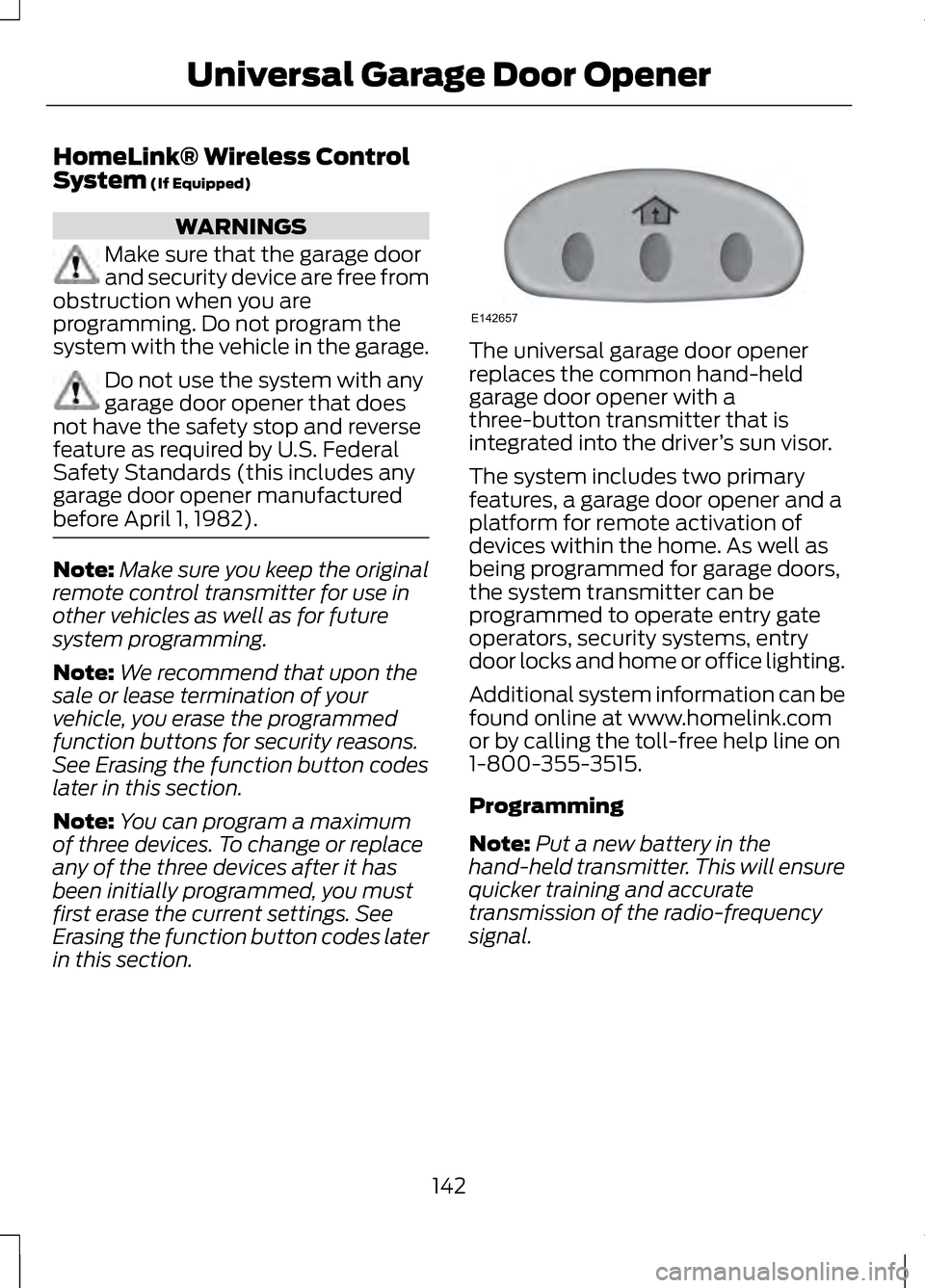
HomeLink® Wireless Control
System (If Equipped)
WARNINGS
Make sure that the garage door
and security device are free from
obstruction when you are
programming. Do not program the
system with the vehicle in the garage. Do not use the system with any
garage door opener that does
not have the safety stop and reverse
feature as required by U.S. Federal
Safety Standards (this includes any
garage door opener manufactured
before April 1, 1982). Note:
Make sure you keep the original
remote control transmitter for use in
other vehicles as well as for future
system programming.
Note: We recommend that upon the
sale or lease termination of your
vehicle, you erase the programmed
function buttons for security reasons.
See Erasing the function button codes
later in this section.
Note: You can program a maximum
of three devices. To change or replace
any of the three devices after it has
been initially programmed, you must
first erase the current settings. See
Erasing the function button codes later
in this section. The universal garage door opener
replaces the common hand-held
garage door opener with a
three-button transmitter that is
integrated into the driver
’s sun visor.
The system includes two primary
features, a garage door opener and a
platform for remote activation of
devices within the home. As well as
being programmed for garage doors,
the system transmitter can be
programmed to operate entry gate
operators, security systems, entry
door locks and home or office lighting.
Additional system information can be
found online at www.homelink.com
or by calling the toll-free help line on
1-800-355-3515.
Programming
Note: Put a new battery in the
hand-held transmitter. This will ensure
quicker training and accurate
transmission of the radio-frequency
signal.
142
Universal Garage Door OpenerE142657
Page 146 of 474

Note:
During programming, the
hand-held transmitter may stop
transmitting. If this occurs press and
hold the function button on the visor
while you press and release the
hand-held transmitter every two
seconds. The indicator light will flash
slowly and then rapidly once the radio
frequency signal is accepted. 1. Switch the ignition on.
2. Hold the garage door hand-held
transmitter 1– 3 inches (2–8
centimeters) away from the
button you want to program.
3. Press and hold both the button on
the visor you want to program and
the hand-held transmitter button
until the indicator light on the visor
changes from flashing slowly to
rapidly, then release.
4. Press and hold the function button
you programmed for 5 seconds,
then release. You may need to do
this twice to activate the door. If
your garage door does not operate,
observe the indicator light.
If the indicator light stays on,
programming is complete. Press and
release the programmed button to
activate the door. If the indicator light on the visor
flashes rapidly for two seconds then
turns to a constant light, follow the
steps below.
Note:
You may need a ladder to reach
the unit and you may need to remove
the cover or lamp lens. 1. Press the learn button on the
garage door opener motor.
Note: You will have 30 seconds to
complete the next step.
2. Return to your vehicle. 3.
Press and hold the function button
you want to program on the visor
for 2 seconds, then release. Repeat
this step. Depending on the brand
of garage door opener you may
need to repeat this sequence a
third time.
To program additional buttons repeat
steps one through four.
143
Universal Garage Door OpenerE142658 E142659 E142658
Page 147 of 474
For questions or comments, please
contact HomeLink at
www.homelink.com or
1-800-355-3515.
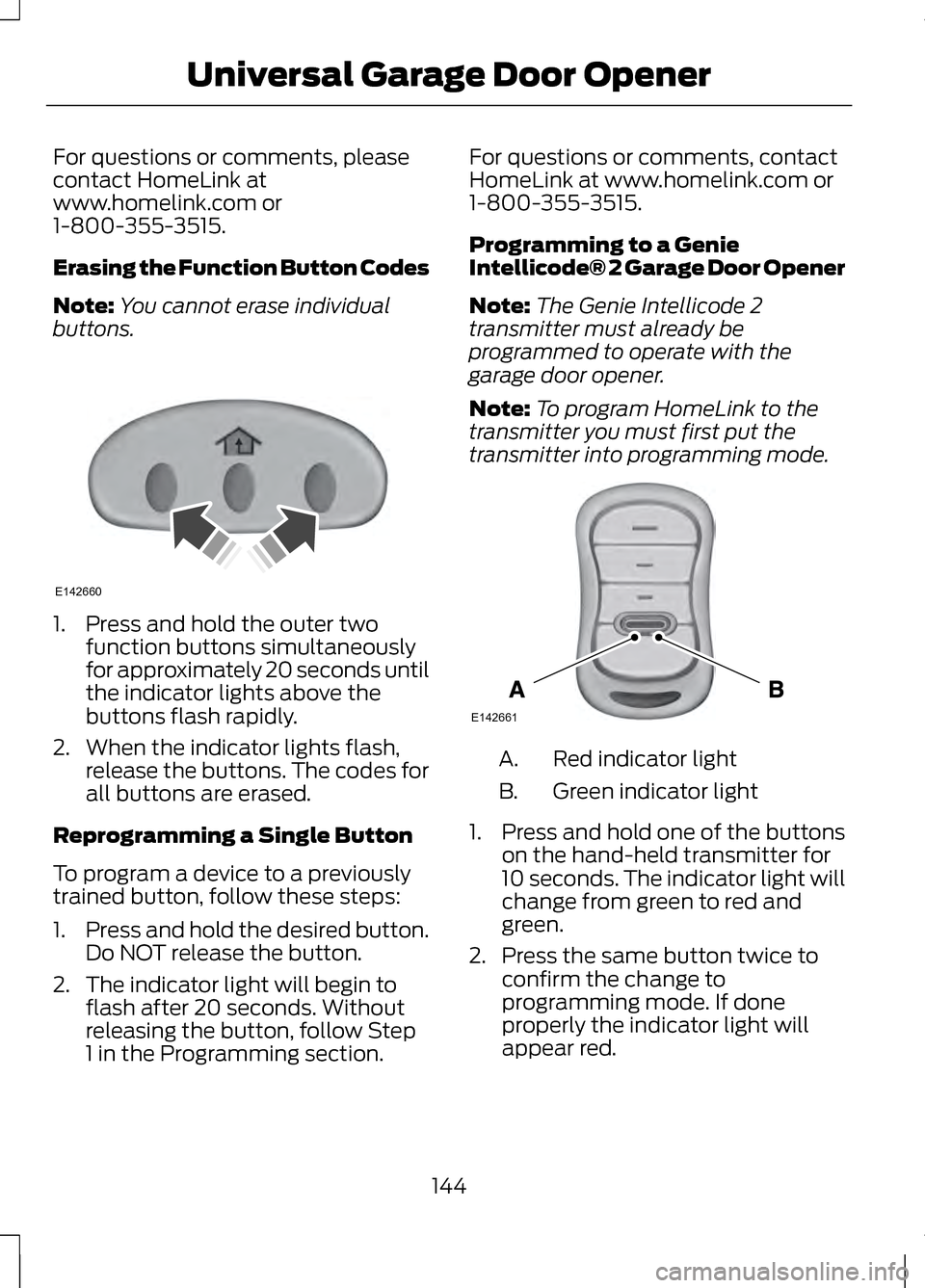
Erasing the Function Button Codes
Note:
You cannot erase individual
buttons. 1. Press and hold the outer two
function buttons simultaneously
for approximately 20 seconds until
the indicator lights above the
buttons flash rapidly.
2. When the indicator lights flash, release the buttons. The codes for
all buttons are erased.
Reprogramming a Single Button
To program a device to a previously
trained button, follow these steps:
1. Press and hold the desired button.
Do NOT release the button.
2. The indicator light will begin to flash after 20 seconds. Without
releasing the button, follow Step
1 in the Programming section. For questions or comments, contact
HomeLink at www.homelink.com or
1-800-355-3515.
Programming to a Genie
Intellicode® 2 Garage Door Opener
Note:
The Genie Intellicode 2
transmitter must already be
programmed to operate with the
garage door opener.
Note: To program HomeLink to the
transmitter you must first put the
transmitter into programming mode. Red indicator light
A.
Green indicator light
B.
1. Press and hold one of the buttons
on the hand-held transmitter for
10 seconds. The indicator light will
change from green to red and
green.
2. Press the same button twice to confirm the change to
programming mode. If done
properly the indicator light will
appear red.
144
Universal Garage Door OpenerE142660 E142661
Page 149 of 474

Clearing a HomeLink Device
To erase programming from the three
HomeLink buttons press and hold the
two outer HomeLink buttons until the
indicator light begins to flash. The
indicator light will begin flashing in 10
to 20 seconds, at which time both
buttons should be released.
Programming has now been erased,
and the indicator light should blink
slowly to indicate the device is in train
mode when any of the three
HomeLink buttons are pressed.
FCC and RSS-210 Industry Canada
Compliance
This device complies with Part 15 of
the FCC Rules and with RSS-210 of
Industry Canada. Operation is subject
to the following two conditions: (1)
this device may not cause harmful
interference, and (2) this device must
accept any interference received,
including interference that may cause
undesired operation.
Changes or modifications to your
device not expressly approved by the
party responsible for compliance can
void the user
’s authority to operate
the equipment.
146
Universal Garage Door Opener
Page 168 of 474

AUTOMATIC
TRANSMISSION
WARNINGS
Always set the parking brake
fully and make sure the vehicle
is in P (Park). Turn the ignition off
whenever you leave your vehicle. Do not apply the brake pedal and
accelerator pedal
simultaneously. Applying both pedals
simultaneously for more than three
seconds will limit engine rpm, which
may result in difficulty maintaining
speed in traffic and could lead to
serious injury. Push Button Shift
Transmission
Your vehicle is equipped with an
electronic transmission. The shift
buttons are located on the center
stack next the MyLincoln Touch
™
system. The gears are selected by
pressing and releasing the
PRNDS
buttons. Every time a gear is selected,
the selected button will light up. You
will also see the gear selected appear
in the instrument cluster. Understanding the Positions of
your Electronic Transmission
Note:
Always come to a complete stop
before putting your vehicle into and out
of
P (Park).
Putting your vehicle in gear:
1. Fully press down the brake pedal.
2. Press and release the button on the center stack of the gear you
want to select.
3. The gear shift button you select will illuminate and the instrument
cluster will show the selected gear.
4. Release the brake pedal and your transmission will remain in the
selected gear.
Note: If the driver attempts to leave
the vehicle while it is in gear, the vehicle
will automatically shift into
P (Park).
Seatbelt and door monitors determine
the driver's intent and make the shift
for you. During this time a
Transmission not in Park
will appear
in the display screen prompting the
driver to make the shift. To put the
vehicle in gear with the door open
perform steps 1-4. See the Automatic
Return to Park
section in this chapter
for more information on this feature.
165
TransmissionE155989
Page 172 of 474

WARNINGS
If the parking brake is fully
released, but the brake warning
lamp remains illuminated, the brakes
may not be working properly. See your
authorized dealer. Note:
See your authorized dealer as
soon as possible if this procedure is
used.
Note: For some markets this feature
will be disabled.
Note: This feature will only function if
your 12-volt battery has power.
Use the brake-shift interlock override
procedure to put the vehicle in gear in
the event of an electrical malfunction
or if your vehicle has a dead battery.
The brake shift interlock override
button is located inside of the center
console, below the media inputs. You
will need a tool (i.e. a screwdriver or
similar tool) to access the button.
1. Apply the parking brake and turn the ignition off before performing
this procedure. 2. Locate the brake shifter interlock
access slot. The slot is located
below the media hub, in the front
of the center console storage bin
and it is not labeled
Note: Make sure that you correctly
identify the access hole as not to
damage the media hub.
3. Using a tool, press and hold the brake shift interlock switch. When
the center stack buttons flash, the
vehicle is in override mode.
4. With the override switch still held, press the N (Neutral button) to
shift from park.
5. Release the override button.
6. The vehicle will remain in Stay in
Neutral mode for wrecker towing
purposes or can be shifted to the
desired gear and driven (if the
vehicle can be driven).
7. Release the parking brake.
Automatic Transmission
Adaptive Learning
This feature is designed to increase
durability and provide consistent shift
feel over the life of the vehicle. A new
vehicle or transmission may have firm
or soft shifts. This operation is
considered normal and will not affect
function or durability of the
transmission. Over time, the adaptive
learning process will fully update
transmission operation. Additionally,
whenever the battery is disconnected
or a new battery installed, the strategy
must be relearned.
169
TransmissionE152215
Page 197 of 474

Selectable settings for this feature are
OFF, Level 1, Level 2 or Level 3. Press
the up and down arrows to change
the view. The selection level appears
between the buttons (i.e. Level 1). The
default setting for the manual zoom
is OFF.
Rear Camera Delay
When shifting the transmission out of
R (Reverse) and into any gear other
than P (Park), the camera image
remains in the display until the vehicle
speed reaches 5 mph (8 km/h). This
occurs when the rear camera delay
feature is on, or until a radio button is
selected.
Selectable settings for this feature are
ON and OFF. The default setting for
the rear camera delay is OFF.
194
Parking Aids
Page 282 of 474

CHECKING THE WIPER
BLADES
Run the tip of your fingers over the
edge of the blade to check for
roughness.
Clean the wiper blades with washer
fluid or water applied with a soft
sponge or cloth.
CHANGING THE WIPER
BLADES
The wiper arms can be manually
moved when the ignition is off. This
allows for ease of blade replacement
and cleaning under the blades.
1.
Pull the wiper blade and arm away
from the glass. 2.
Press the locking buttons together. 3. Rotate and remove the wiper
blade.
4. Install in the reverse order.
Note: Make sure that the wiper blade
locks into place. Lower the wiper arm
and blade back to the windshield. The
wiper arms will automatically return to
their normal position when the ignition
is turned on.
To change the rear blades, do the
following:
1. Lift the wiper arm. 2. Slightly rotate the wiper blade
from the wiper arm.
3. Disengage the wiper blade from the wiper arm.
4. Remove the wiper blade.
5. Install in the reverse order.
Note: Make sure that the wiper blade
locks into place.
Replace wiper blades at least once
per year for optimum performance.
279
MaintenanceE142463 E129990
1
1 2 E130060
3
2