Page 251 of 453
OPENING AND CLOSING THE HOOD
1. Inside the vehicle, pull the hood
release handle located under the
bottom of the instrument panel near
the steering column.
2. Go to the front of the vehicle and
release the secondary hood latch
located under the front passenger
side of the hood.
3. Lift the hood and support it with the prop rod.
Maintenance251
2013 MKX(mkx)
Owners Guide gf, 1st Printing
USA(fus)
Page 272 of 453

3. Carefully pull the bulb straight out
from the lamp assembly.
4. Install new bulb(s) in reverse
order.
BULB SPECIFICATION CHART
Replacement bulbs are specified in the chart below. Headlamp bulbs must
be marked with an authorized “D.O.T.” for North America and an “E” for
Europe to ensure lamp performance, light brightness and pattern and safe
visibility. The correct bulbs will not damage the lamp assembly or void the
lamp assembly warranty and will provide quality bulb burn time.
Function Number of Bulbs Trade Number
Headlamp low/high beam
(halogen)2 HIR2
* Headlamp low/high beam (HID) 2 D3S
* Front sidemarker lamp N/A LED
Front park/turn signal lamp 23457NAK
(amber)
* Rear sidemarker lamp N/A LED
* Stop/tail/turn lamp N/A LED
Backup lamp 2 921
License plate lamp 2 C5W
* High-mount brake lamp N/A LED
Fog lamp (if equipped) 2 H11
Front row map lamp 2 1600XB
Second row dome/reading lamp 3 211-2XB
Rear courtesy lamp 1 211-2XB
Visor vanity lamp 2 37
All replacement bulbs are clear in color except where noted.
To replace all instrument panel lights - see your authorized dealer.
* To replace these lamps - see your authorized dealer.
272Maintenance
2013 MKX(mkx)
Owners Guide gf, 1st Printing
USA(fus)
Page 277 of 453

For fabric, carpets, cloth seats, safety belts and seats equipped with side
airbags:
•Remove dust and loose dirt with a vacuum cleaner.
•Remove light stains and soil with Motorcraft�Professional Strength
Carpet & Upholstery Cleaner.
•If grease or tar is present on the material, spot-clean the area first
with Motorcraft�Spot and Stain Remover. In Canada, use Motorcraft�
Multi-Purpose Cleaner.
•If a ring forms on the fabric after spot cleaning, clean the entire area
immediately (but do not oversaturate) or the ring will set.
•Do not use household cleaning products or glass cleaners, which can
stain and discolor the fabric and affect the flame retardant abilities of
the seat materials.
CLEANING THE INSTRUMENT PANEL AND INSTRUMENT CLUSTER
LENS
WARNING:Do not use chemical solvents or strong detergents
when cleaning the steering wheel or instrument panel to avoid
contamination of the airbag system.
Clean the instrument panel and cluster lens with a clean, damp, white
cotton cloth, then use a clean and dry white cotton cloth to dry these
areas.
•Avoid cleaners or polishes that increase the gloss of the upper portion
of the instrument panel. The dull finish in this area helps protect the
driver from undesirable windshield reflection.
•Be certain to wash or wipe your hands clean if you have been in
contact with certain products such as insect repellent and suntan
lotion in order to avoid possible damage to the interior painted
surfaces.
•Do not use household or glass cleaners as these may damage the finish
of the instrument panel, interior trim and cluster lens.
•Do not allow air fresheners and hand sanitizers to spill on interior
surfaces. If a spill occurs, wipe off immediately. Damage may not be
covered by your warranty.
If a staining liquid like coffee/juice has been spilled on the instrument
panel or on interior trim surfaces, clean as follows:
1. Wipe up spilled liquid using a clean, white, cotton cloth.
Vehicle Care277
2013 MKX(mkx)
Owners Guide gf, 1st Printing
USA(fus)
Page 317 of 453
Motorcraft part numbers
Component 3.7L V6 engine
Air filter element FA-1884
Battery BXT-65-650
Oil filter FL-500-S
Spark plugs SP-520
1
Cabin air filter FP65
Windshield wiper bladeWW-2601-PF (driver side)
WW-2001-PF (passenger side)
WW-1401-PF (rear)
1Refer toscheduled maintenance informationfor the appropriate
intervals for changing the spark plugs.
Note:Replace the spark plugs with ones that meet Ford material and
design specifications for your vehicle, such as Motorcraft�or equivalent
replacement parts. The customer warranty may be void for any damage
to the engine if such spark plugs are not used.
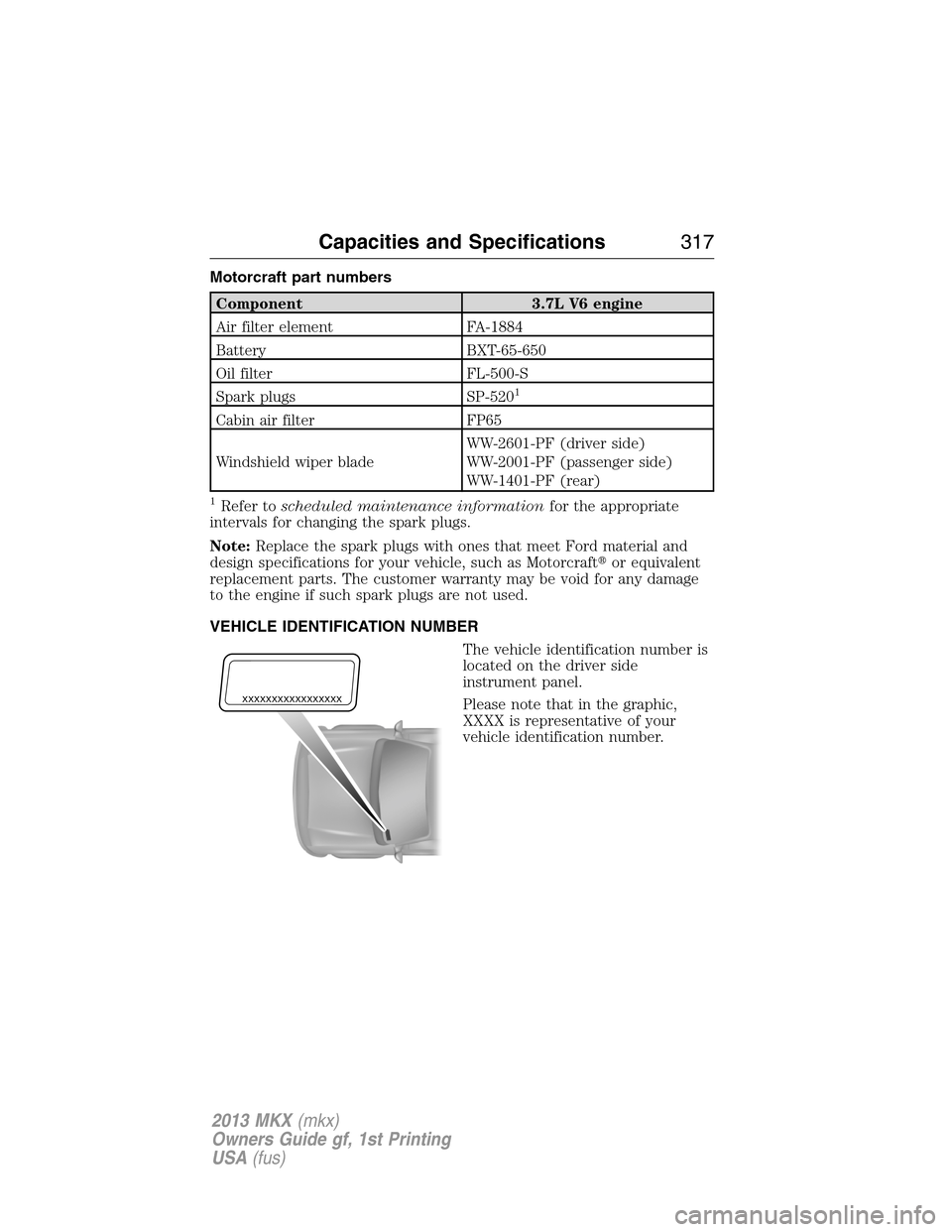
VEHICLE IDENTIFICATION NUMBER
The vehicle identification number is
located on the driver side
instrument panel.
Please note that in the graphic,
XXXX is representative of your
vehicle identification number.
XXXXXXXXXXXXXXXXX
Capacities and Specifications317
2013 MKX(mkx)
Owners Guide gf, 1st Printing
USA(fus)
Page 377 of 453

SD Card
Note:Your SD card slot is spring-loaded. To remove the SD card, press
the card in and the system ejects it. Do not attempt to pull the card to
remove it as this could cause damage.
The card slot can be used for your navigation card (if equipped) or for a
card which contains music. The slot is located either in the center
console or behind a small access door in the instrument panel.
To access and play music from your SD card slot, press the lower left
corner of the touchscreen.
Insert the SD card into the card slot and select
the SD card tab once the system recognizes it.
You can then select from the following options:
When you select: You can:
RepeatRepeat the currently playing song or album.
ShufflePlay music on the selected album or folder in
random order.
BrowseBrowse the contents of the SD card. It also
allows you to search and play by genre, artist,
album, etc.
Similar MusicChoose music similar to that which is
currently playing.
MyLincoln Touch™377
2013 MKX(mkx)
Owners Guide gf, 1st Printing
USA(fus)
Page 380 of 453
USB Port
This feature allows you to plug in media
playing devices, memory sticks, flash/thumb
drives and also charge devices if they support
this feature. Your USB ports are either located
in your center console or behind a small
access door in your instrument panel.
To access and play music from your USB, then press the lower left
corner of the touchscreen.
Insert the USB drive into the port and select the USB tab once the
system recognizes it. You can then select from the following options:
When you select: You can:
RepeatRepeat the currently playing song or album.
ShufflePlay music on the selected album or folder in
random order.
BrowseBrowse the contents of the flash drive/thumb
drive. It also allows you to search and play by
genre, artist, album, etc.
Similar MusicChoose music similar to that which is
currently playing.
380MyLincoln Touch™
2013 MKX(mkx)
Owners Guide gf, 1st Printing
USA(fus)
Page 385 of 453

Bluetooth Audio
Your system allows you to stream audio over your vehicle’s speakers from
your connected, Bluetooth-enabled cellular phone.
To access, press the lower left corner on the touchscreen, then
select the BT tab.
Bluetooth Audio Voice Commands
If you are listening to a Bluetooth Audio device, press the voice
button on the steering wheel controls. When prompted, say any
of the commands in the following chart.
If you are not listening to a Bluetooth Audio device, press the voice
button and, after the tone, say “Bluetooth Audio”, then any of the
commands in the following chart.
Bluetooth audio voice commands
“Next”
“Pause”
“Play”
“Previous”
“Help”
A/V Inputs
Your A/V inputs allow you to connect an
auxiliary audio/video source (game
systems, personal camcorders, etc.) by
connecting RCA cords (not included) to
these input jacks. The jacks are yellow, red
and white and are located either behind a
small access door on the instrument panel
or in your center console.
You can also use the A/V inputs as an auxiliary input jack (AIJ) to play
music from your portable music player over your vehicle’s speakers. Plug
in your 1/8 in. (3.5 mm) RCA adapter into the two left A/V input jacks
(red and white).
Press the lower left corner of the touchscreen, then, select A/V inputs.
To use the auxiliary input jack feature, make sure that your portable
music player is designed to be used with headphones and that it is fully
charged. You also need an audio extension cable with stereo male 1/8 in.
(3.5 mm) connectors at one end and a RCA jack at the other.
MyLincoln Touch™385
2013 MKX(mkx)
Owners Guide gf, 1st Printing
USA(fus)
Page 415 of 453

E.MAX A/C:Touch to cool the vehicle with recirculated air. Touch again
for normal A/C operation. MAX A/C:
•Distributes air through instrument panel vents.
•Is more economical and efficient than normal A/C mode
•May help reduce odors from entering the vehicle.
F.A/C:Touch to turn the air conditioning on or off.
•Use with recirculated air to improve cooling performance and
efficiency.
•Engages automatically in MAX A/C, defrost and floor/defrost.
G.AUTO:Touch to engage automatic operation, then set the
temperature using the temperature control. The system automatically
controls:
•Fan speed
•Airflow distribution
•A/Conoroff
•Outside or recirculated air
H.Rear defroster:Touch to turn the rear window defroster and heated
mirrors (if equipped).
I.Defrost:Touch to clear the windshield of fog and thin ice. Touch again
to return to the previous airflow selection. When on, defrost:
•Provides outside air to reduce window fogging.
•Distributes air through the windshield defroster vents and demister
vents.
J.Manual controls:Select any of the following airflow distribution
modes:
•Floor/Defrost: Distributes air through the windshield defroster vents,
demister vents, floor vents and rear seat floor vents, and provides
outside air to reduce window fogging.
•Panel: Distributes air through the instrument panel vents.
•Panel/Floor: Distributes air through the instrument panel vents,
demister vents, floor vents and rear seat floor vents.
•Floor: Distributes air through the demister vents, floor vents and rear
seat floor vents.
MyLincoln Touch™415
2013 MKX(mkx)
Owners Guide gf, 1st Printing
USA(fus)