Page 126 of 494
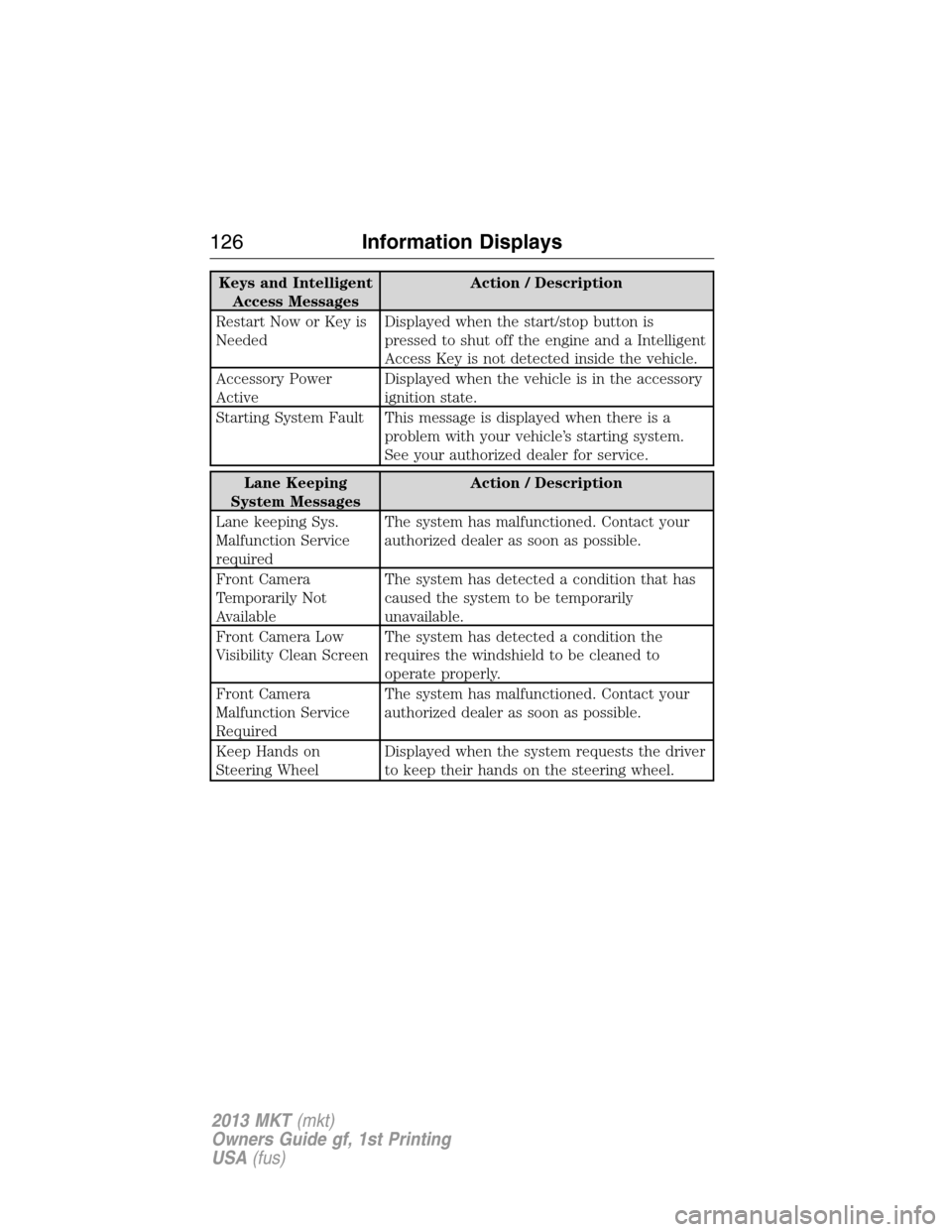
Keys and Intelligent
Access MessagesAction / Description
Restart Now or Key is
NeededDisplayed when the start/stop button is
pressed to shut off the engine and a Intelligent
Access Key is not detected inside the vehicle.
Accessory Power
ActiveDisplayed when the vehicle is in the accessory
ignition state.
Starting System Fault This message is displayed when there is a
problem with your vehicle’s starting system.
See your authorized dealer for service.
Lane Keeping
System MessagesAction / Description
Lane keeping Sys.
Malfunction Service
requiredThe system has malfunctioned. Contact your
authorized dealer as soon as possible.
Front Camera
Temporarily Not
AvailableThe system has detected a condition that has
caused the system to be temporarily
unavailable.
Front Camera Low
Visibility Clean ScreenThe system has detected a condition the
requires the windshield to be cleaned to
operate properly.
Front Camera
Malfunction Service
RequiredThe system has malfunctioned. Contact your
authorized dealer as soon as possible.
Keep Hands on
Steering WheelDisplayed when the system requests the driver
to keep their hands on the steering wheel.
126Information Displays
2013 MKT(mkt)
Owners Guide gf, 1st Printing
USA(fus)
Page 129 of 494

Reminder Messages Action / Description
Steering Lock Turn
Wheel to UnlockDisplays when you need to turn the steering
wheel in order to disengage the steering lock.
Shift to Park Displayed when the engine is turned off and
shift select lever is in any position other than
P (Park).
Tire Messages Action / Description
Low Tire Pressure Displays when one or more tires on your
vehicle have low tire pressure.
Tire Pressure Monitor
FaultDisplays when the tire pressure monitoring
system is malfunctioning. If the warning stays
on or continues to come on, contact your
authorized dealer.
Tire Pressure Sensor
FaultDisplayed when a tire pressure sensor is
malfunctioning, or your spare tire is in use.
For more information on how the system
operates under these conditions, refer toTi r e
Pressure Monitoring System (TPMS)in the
Wheels and tireschapter . If the warning
stays on or continues to come on, contact your
authorized dealer as soon as possible.
Information Displays129
2013 MKT(mkt)
Owners Guide gf, 1st Printing
USA(fus)
Page 141 of 494

REMOTE START CLIMATE OPERATION (IF EQUIPPED)
The climate control system adjusts the cabin temperature during remote
start.
You cannot adjust the system during remote start operation. Turn the
ignition on to return the system to its previous settings. You can now
make adjustments. You will need to turn certain vehicle-dependent
features back on, such as:
•Heated seats.
•Cooled seats.
•Heated steering wheel.
•Heated mirrors.
•Rear defroster.
You can adjust the settings using the information display controls. See
theInformation Displayschapter.
Automatic Climate Systems
In hot weather, the system is set to 72°F (22°C). Cooled seats are set to
high (if available and selected to AUTO in the message center).
In moderate weather, the system either heats or cools (based on previous
settings). The rear defroster, heated mirrors and heated/cooled seats are
not automatically turned on.
In cold weather, the system is set to 72°F (22°C). The heated seats are
set to high (if available and selected to AUTO in the message center).
The rear defroster and heated mirrors are automatically turned on.
Climate Control141
2013 MKT(mkt)
Owners Guide gf, 1st Printing
USA(fus)
Page 142 of 494
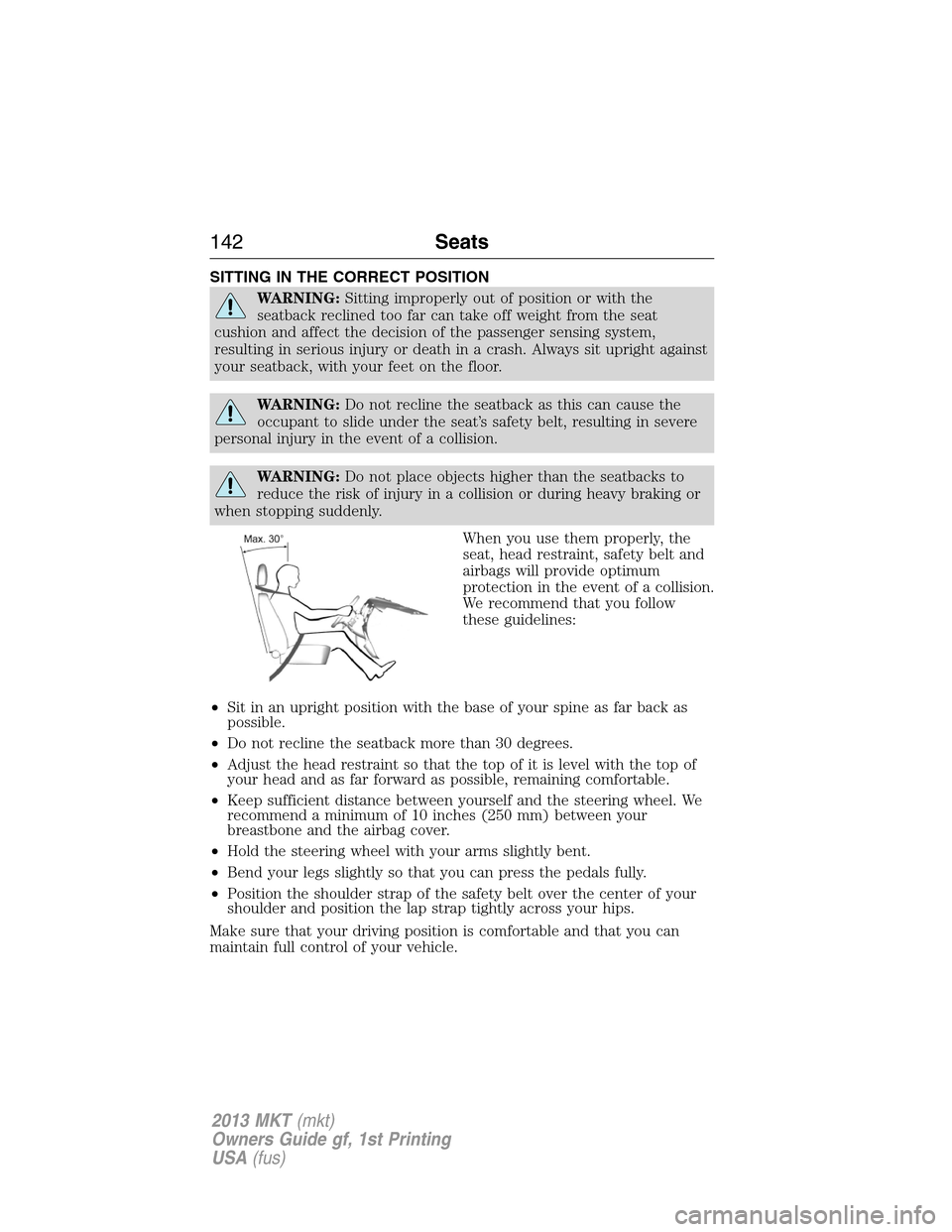
SITTING IN THE CORRECT POSITION
WARNING:Sitting improperly out of position or with the
seatback reclined too far can take off weight from the seat
cushion and affect the decision of the passenger sensing system,
resulting in serious injury or death in a crash. Always sit upright against
your seatback, with your feet on the floor.
WARNING:Do not recline the seatback as this can cause the
occupant to slide under the seat’s safety belt, resulting in severe
personal injury in the event of a collision.
WARNING:Do not place objects higher than the seatbacks to
reduce the risk of injury in a collision or during heavy braking or
when stopping suddenly.
When you use them properly, the
seat, head restraint, safety belt and
airbags will provide optimum
protection in the event of a collision.
We recommend that you follow
these guidelines:
•Sit in an upright position with the base of your spine as far back as
possible.
•Do not recline the seatback more than 30 degrees.
•Adjust the head restraint so that the top of it is level with the top of
your head and as far forward as possible, remaining comfortable.
•Keep sufficient distance between yourself and the steering wheel. We
recommend a minimum of 10 inches (250 mm) between your
breastbone and the airbag cover.
•Hold the steering wheel with your arms slightly bent.
•Bend your legs slightly so that you can press the pedals fully.
•Position the shoulder strap of the safety belt over the center of your
shoulder and position the lap strap tightly across your hips.
Make sure that your driving position is comfortable and that you can
maintain full control of your vehicle.
142Seats
2013 MKT(mkt)
Owners Guide gf, 1st Printing
USA(fus)
Page 148 of 494

Programming a memory position
Note:A memory position may be programmed at any time.
•To program position 1, move the memory features to the desired
positions using the associated controls. Press and hold button 1 for at
least two seconds. A chime will sound confirming that a memory
position has been set.
•To program position 2 and 3, repeat the previous procedure using the
respective buttons.
Recalling a memory position
A programmed memory position can be recalled:
•in any gearshift position if the ignition isnoton.
•only in P (Park) or N (Neutral) if the ignition is on.
Press the desired memory control to recall a memory position.
Recalling memory positions with the remote control
The memory positions are also recalled when you press unlock on your
remote control (if the transmitter is programmed to a memory position)
or, when you enter a valid personal entry code that is programmed to a
memory position. If the easy entry feature is enabled, the seat will first
move to the easy entry position. The seat will move to the final position
when the key is in the ignition or when the push button start system (if
equipped) is put in accessory mode/started.
To program the memory feature to a remote control, refer toKeys and
remote control.
Easy access/easy out feature
This feature automatically moves the steering wheel all the way up and
in and moves the driver’s seat rearward 2 in. (5 cm) when:
•the transmission is in N (Neutral) or P (Park)
•the ignition is turned off
The seat and steering wheel will move to the original position when:
•the transmission is in N (Neutral) or P (Park)
•the ignition is put in accessory mode/started
The easy entry feature can be turned off or on through the vehicle
message center. Refer to theInformation Displa yschapter.
148Seats
2013 MKT(mkt)
Owners Guide gf, 1st Printing
USA(fus)
Page 175 of 494

To turn the ignition on, press the start button once. It
is located on the instrument panel to the right of the
steering wheel. All electrical circuits and accessories are
operational, and warning lamps and indicators will
illuminate.
To start the vehicle, do the following:
1. Make sure the transmission is in P (Park).
2. Fully press the brake pedal.
3. Press the start button. The engine may continue cranking for up to
10 seconds or until the vehicle starts.
To turn the ignition off, press the start button when the vehicle is on or
the engine is running.
The passive starting system will not function if:
•the passive key frequencies are jammed.
•the passive key battery is dead.
If you are unable to start your vehicle, do the following.
1. Insert the passive key into the
key holder located in the rear of the
center console utility compartment.
Insert the key into the slot with the
buttons facing out and with key ring
up.
2. With the passive key in this
position, you can use the start
button to switch the ignition on and
start your vehicle.
To stop the engine with the vehicle stationary, do the following:
1. Move the gearshift lever to P (Park).
2. Press the start button.
Note:The ignition, all electrical circuits, warning lamps and indicators
will be switched off.
The fast restart feature allows you to restart your vehicle within
20 seconds of switching the vehicle off, if a valid passive key is not
present. Apply the brake pedal and press the start button for up to
START
STOP ENGINE
Starting and Stopping the Engine175
2013 MKT(mkt)
Owners Guide gf, 1st Printing
USA(fus)
Page 191 of 494
L (Low)
•Provides maximum engine braking
•Will downshift to the lowest available gear for the current vehicle
speed; allows for first gear when vehicle reaches lower speeds
•Is not intended for use under extended or normal driving conditions
and results in lower fuel economy.
S (Sport)
Moving the gearshift lever to S (Sport):
•Provides additional grade (engine) braking and extends lower gear
operation to enhance performance for uphill climbs, hilly terrain or
mountainous areas. This will increase engine RPM during engine
braking.
•Provides additional lower gear operation through the automatic
transmission shift strategy which reacts to vehicle inputs (vehicle
acceleration, accelerator pedal, brake pedal and vehicle speed).
•Gears are selected more quickly and at higher engine speeds.
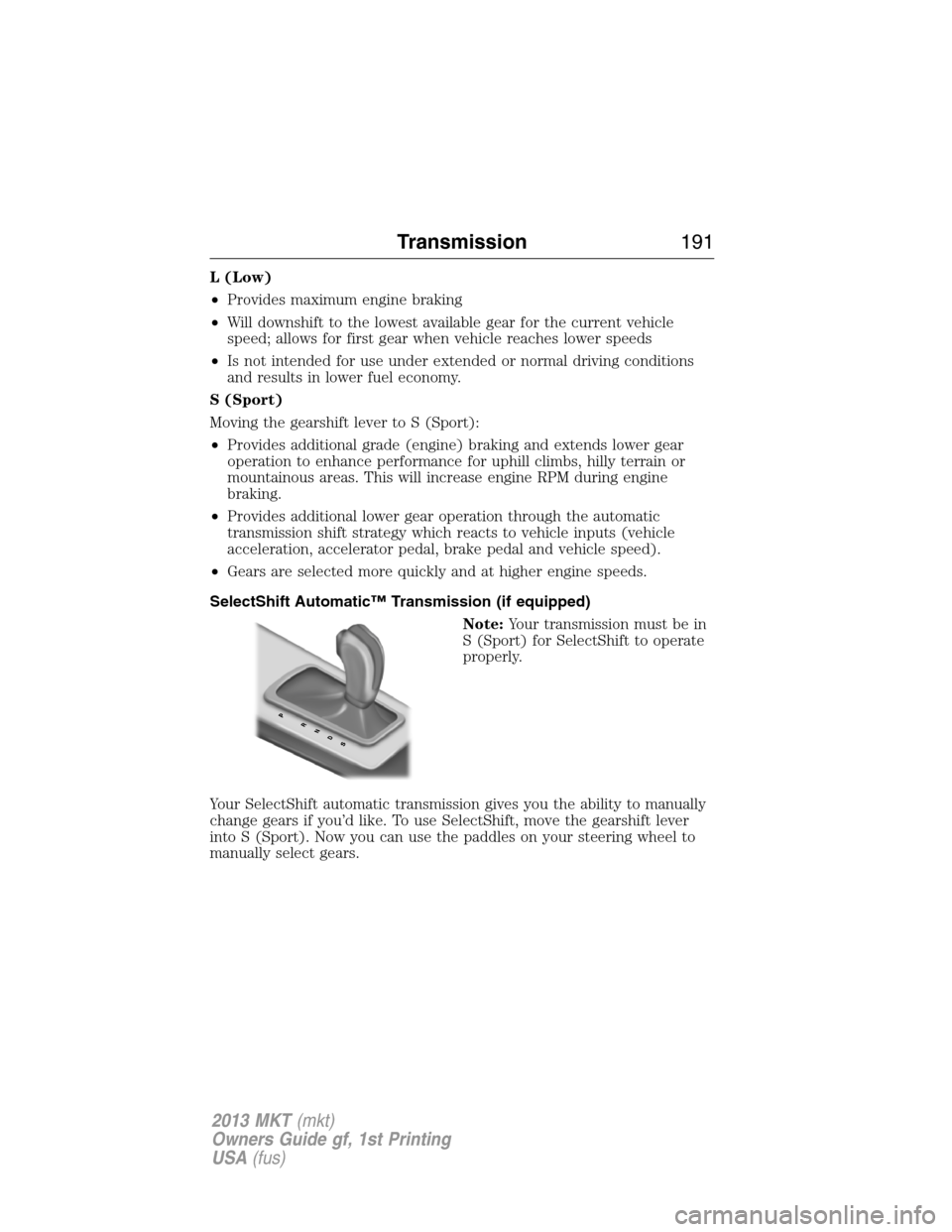
SelectShift Automatic™ Transmission (if equipped)
Note:Your transmission must be in
S (Sport) for SelectShift to operate
properly.
Your SelectShift automatic transmission gives you the ability to manually
change gears if you’d like. To use SelectShift, move the gearshift lever
into S (Sport). Now you can use the paddles on your steering wheel to
manually select gears.
Transmission191
2013 MKT(mkt)
Owners Guide gf, 1st Printing
USA(fus)
Page 192 of 494
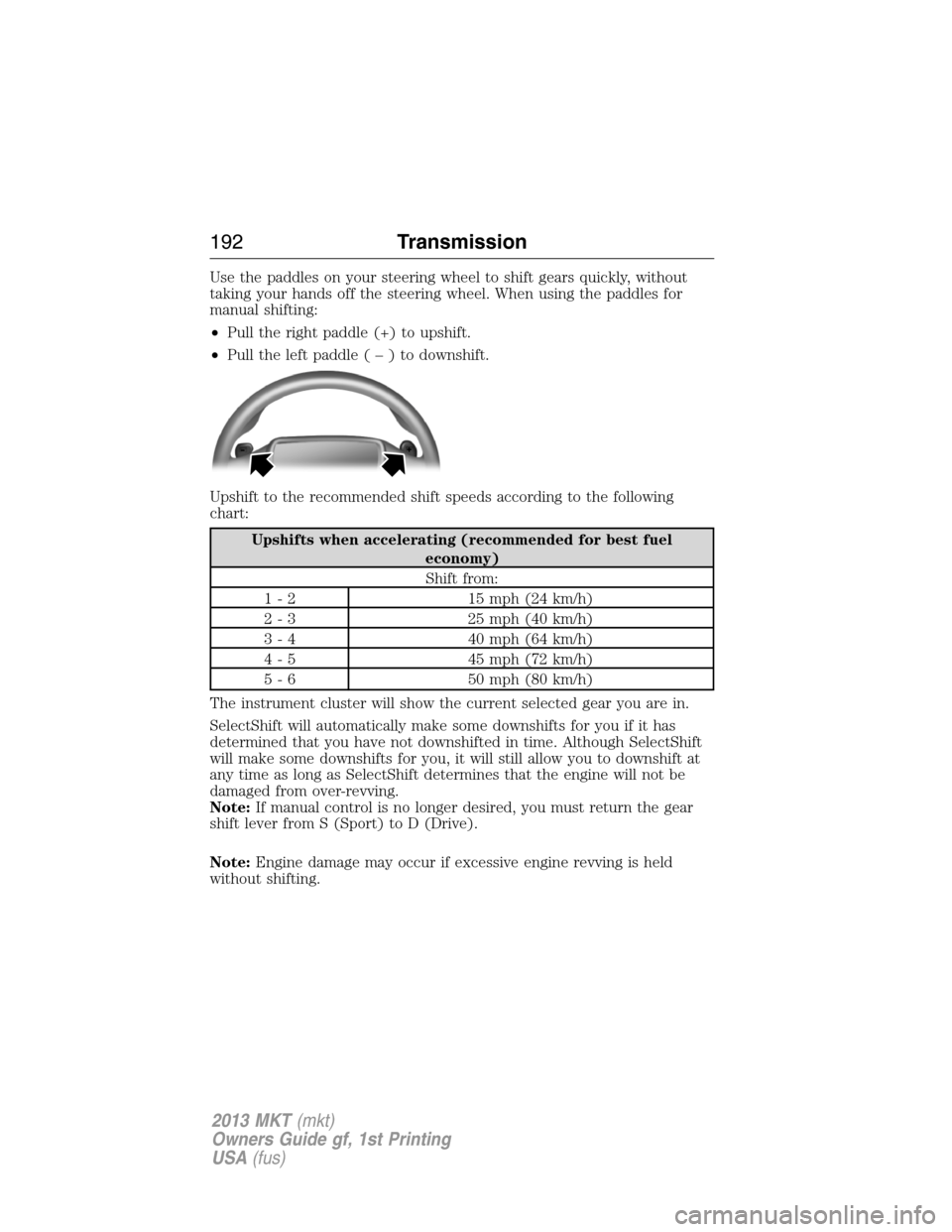
Use the paddles on your steering wheel to shift gears quickly, without
taking your hands off the steering wheel. When using the paddles for
manual shifting:
•Pull the right paddle (+) to upshift.
•Pull the left paddle(–)todownshift.
Upshift to the recommended shift speeds according to the following
chart:
Upshifts when accelerating (recommended for best fuel
economy)
Shift from:
1 - 2 15 mph (24 km/h)
2 - 3 25 mph (40 km/h)
3 - 4 40 mph (64 km/h)
4 - 5 45 mph (72 km/h)
5 - 6 50 mph (80 km/h)
The instrument cluster will show the current selected gear you are in.
SelectShift will automatically make some downshifts for you if it has
determined that you have not downshifted in time. Although SelectShift
will make some downshifts for you, it will still allow you to downshift at
any time as long as SelectShift determines that the engine will not be
damaged from over-revving.
Note:If manual control is no longer desired, you must return the gear
shift lever from S (Sport) to D (Drive).
Note:Engine damage may occur if excessive engine revving is held
without shifting.
192Transmission
2013 MKT(mkt)
Owners Guide gf, 1st Printing
USA(fus)