Page 81 of 453
CRUISE CONTROL
Type 1
Type 2
Refer to theCruise Controlchapter for information on this feature.
INFORMATION DISPLAY CONTROL
Refer to theInformation Displays
chapter for more information.
SETRES
CNCL
ON
OFFGAP
Steering Wheel81
2013 MKS(mks)
Owners Guide gf, 1st Printing
USA(fus)
Page 82 of 453
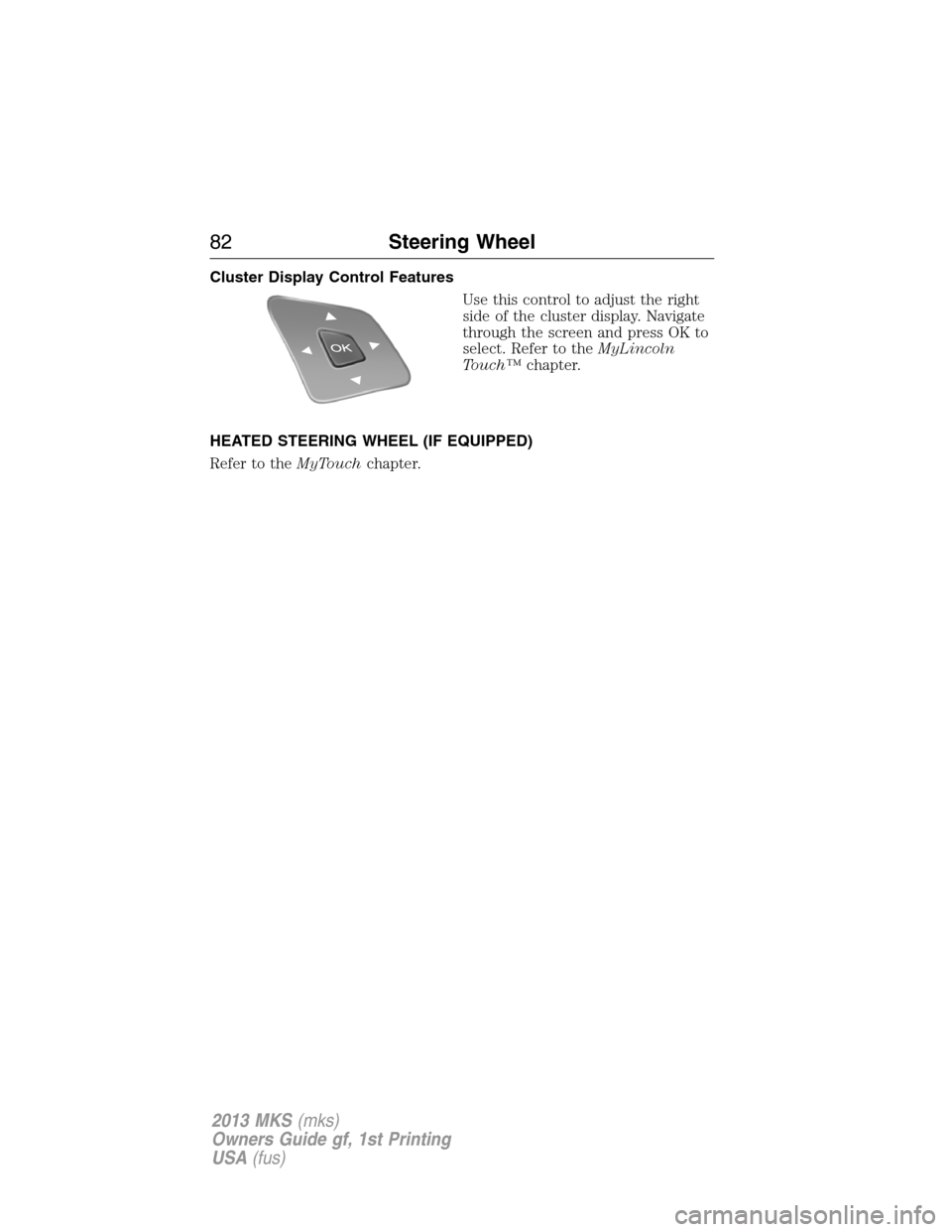
Cluster Display Control Features
Use this control to adjust the right
side of the cluster display. Navigate
through the screen and press OK to
select. Refer to theMyLincoln
Touch™chapter.
HEATED STEERING WHEEL (IF EQUIPPED)
Refer to theMyTouchchapter.
82Steering Wheel
2013 MKS(mks)
Owners Guide gf, 1st Printing
USA(fus)
Page 83 of 453
ADJUSTABLE PEDALS (IF EQUIPPED)
WARNING:Never adjust the accelerator and brake pedal with
feet on the pedals while the vehicle is moving.
The control is located on the left side of the steering column. Press and
hold the appropriate control to move the pedals.
A. Farther
B. Closer
The pedal positions are saved when doing a memory set function and can
be recalled with the memory feature. Refer to theSeatschapter.
The pedals should only be adjusted when the vehicle is parked.
AB
Pedals83
2013 MKS(mks)
Owners Guide gf, 1st Printing
USA(fus)
Page 91 of 453
ADAPTIVE HEADLAMPS (if equipped)
The headlamp beams move in the same direction as the steering wheel
which provides more visibility when driving around curves.
A. Without adaptive headlamps
B. With adaptive headlamps
Note:The system has a power-up movement check feature. When the
vehicle is started, the lamps track left to right, then back to center to alert
the driver that the system is working properly. There is a delay of two to
five seconds before the adaptive headlamp system will operate when the
vehicle is driven, as the system is inactive below 3 mph (5 km/h).
DIRECTION INDICATORS
•Push down to activate the left
turn signal.
•Push up to activate the right turn
signal.
Note:Tap the lever up or down to make the direction indicators flash
three times to indicate a lane change.
B
A
Lighting91
2013 MKS(mks)
Owners Guide gf, 1st Printing
USA(fus)
Page 106 of 453

GENERAL INFORMATION
WARNING:Driving while distracted can result in loss of vehicle
control, accident and injury. Ford strongly recommends that drivers
use extreme caution when using any device or feature that may take their
focus off the road. Your primary responsibility is the safe operation of the
vehicle. We recommend against the use of any handheld device while
driving and that you comply with all applicable laws.
Various systems on your vehicle can be controlled using the information
display controls on the steering wheel. Corresponding information is
displayed in the information display.
Information Display Controls
•Press the up and down arrow
buttons to scroll through and
highlight the options within a
menu.
•Press the right arrow button to
enter a sub-menu.
•Press the left arrow button to
exit a menu.
•Press the OK button to choose
and confirm a setting/messages.
Main menu
From the main menu bar on the left side of the information display, you
can choose from the following categories:
Display Mode
Trip1&2
Fuel Economy
Settings
106Information Displays
2013 MKS(mks)
Owners Guide gf, 1st Printing
USA(fus)
Page 118 of 453

Lane Keeping
System MessagesAction / Description
Lane keeping Sys.
Malfunction Service
requiredThe system has malfunctioned. Contact your
authorized dealer as soon as possible.
Front Camera
Temporarily Not
AvailableThe system has detected a condition that has
caused the system to be temporarily
unavailable.
Front Camera Low
Visibility Clean ScreenThe system has detected a condition the
requires the windshield to be cleaned to
operate properly.
Front Camera
Malfunction Service
RequiredThe system has malfunctioned. Contact your
authorized dealer as soon as possible.
Keep Hands on
Steering WheelDisplayed when the system requests the driver
to keep their hands on the steering wheel.
Maintenance
MessagesAction / Description
LOW Engine Oil
PressureStop the vehicle as soon as safely possible,
turn off the engine. Check the oil level. If the
warning stays on or continues to come on with
your engine running, contact your authorized
dealer as soon as possible.
Change Engine Oil
SoonDisplayed when the engine oil life remaining is
10% or less.
Oil Change Required Displayed when the oil life left reaches 0%.
Engine Coolant Over
TempDisplayed when the engine coolant
temperature is excessively high.
Washer Fluid Level
LowIndicates the washer fluid reservoir is less than
one quarter full. Check the washer fluid level.
Steering Malfunction
Service NowDisplays when the steering system needs
service. See your authorized dealer.
11 8Information Displays
2013 MKS(mks)
Owners Guide gf, 1st Printing
USA(fus)
Page 119 of 453

Maintenance
MessagesAction / Description
Service Power Steering The power steering system has detected a
condition that requires service. See your
authorized dealer.
Service Power Steering
NowThe power steering system has detected a
condition within the power steering system
that requires service immediately. See your
authorized dealer.
Power Steering Assist
FaultThe power steering system has disabled power
steering assist due to a system error. See your
authorized dealer.
MyKey�Messages Action / Description
MyKey active Drive
SafelyDisplayed when MyKey�is active.
MyKey not Created Displayed during key programming when
MyKey�cannot be programmed.
Speed Limited to xx
MPH/km/hDisplayed when starting the vehicle and
MyKey�is in use and the MyKey speed limit is
on.
Vehicle Near MyKey
Top SpeedDisplayed when a MyKey�is in use and the
MyKey speed limit is on and the vehicle speed
is near the selected top speed.
Check Speed Drive
SafelyDisplayed when a MyKey�is in use and the
optional setting is on and the vehicle exceeds
a preselected speed.
Buckle Up to Unmute
AudioDisplayed when a MyKey�is in use and
Belt-Minder�is activated.
Could Not Program
KeyDisplayed when an attempt is made to
program a spare key using two existing
MyKeys.
Lane Keeping Aid On
MyKey SettingDisplayed when the lane keeping aid is on per
MyKey settings.
Information Displays11 9
2013 MKS(mks)
Owners Guide gf, 1st Printing
USA(fus)
Page 120 of 453

Park Aid Messages Action / Description
Check Park Aid Displayed when the transmission is in R
(Reverse) and the park aid is disabled.
Check Rear Park Aid Displayed when the transmission is in R
(Reverse) and the park aid is disabled.
Rear Park Aid On Off Displays the rear park aid status.
Passenger Sensing
System MessageAction / Description
Remove Objects Near
Passenger SeatDisplayed when objects are by the passenger
seat. After the objects are moved away from
the seat, if the warning stays on or continues
to come on contact your authorized dealer as
soon as possible.
Reminder Messages Action / Description
Steering Lock Turn
Wheel to UnlockDisplays when you need to turn the steering
wheel in order to disengage the steering lock.
Shift to Park Displayed when the engine is turned off and
shift select lever is in any position other than
P (Park).
Tire Messages Action / Description
Low Tire Pressure Displays when one or more tires on your
vehicle have low tire pressure.
Tire Pressure Monitor
FaultDisplays when the tire pressure monitoring
system is malfunctioning. If the warning stays
on or continues to come on, contact your
authorized dealer.
Tire Pressure Sensor
FaultDisplayed when a tire pressure sensor is
malfunctioning, or your spare tire is in use.
For more information on how the system
operates under these conditions, refer toTi r e
Pressure Monitoring System (TPMS)in the
Wheels and tireschapter . If the warning
stays on or continues to come on, contact your
authorized dealer as soon as possible.
120Information Displays
2013 MKS(mks)
Owners Guide gf, 1st Printing
USA(fus)