2013 Lexus IS300h DAB
[x] Cancel search: DABPage 68 of 628

681-1. For safe use
IS300h_EE(OM53B95E)
CAUTION
Child restraint precautions
For effective protection in automobile accidents and sudden stops, a child
must be properly restrained, using a seat belt or child restraint system depend-
ing on the age and size of the child. Holding a child in your arms is not a sub-
stitute for a child restraint system. In an accident, the child can be crushed
against the windshield, or between you and the vehicle’s interior. This may
cause death or serious injury to the child in the event of a sudden stop, sudden
swerve or accident.
Lexus strongly urges the use of a proper child restraint system that conforms
to the size of the child, installed on the rear seat. According to accident statis-
tics, the child is safer when properly restrained in the rear seat than in the
front seat.
Never use a rear-facing child restraint system on the front passenger seat
when the airbag manual on-off switch is on. (P. 5 4 )
In the event of an accident, the force of the rapid inflation of the front passen-
ger airbag can cause death or serious injury to the child.
A forward-facing child restraint system may be installed on the front passen-
ger seat only when it is unavoidable. A child restraint system that requires a
top tether strap should not be used in the front passenger seat since there is no
top tether strap anchor for the front passenger seat. Adjust the seatback as
upright as possible and always move the seat as far back as possible because
the front passenger airbag could inflate with considerable speed and force.
Otherwise, the child may be killed or seriously injured.
Do not allow the child to lean his/her head or any part of his/her body against
the door or the area of the seat, front, center and rear pillars or roof side rails
from which the SRS side airbags or SRS curtain shield airbags deploy even if
the child is seated in the child restraint system. It is dangerous if the SRS side
airbags and curtain shield airbags inflate, and the impact could cause death or
serious injury to the child.
Make sure you have complied with all installation instructions provided by
the child restraint manufacturer and that the system is properly secured. If it is
not secured properly, it may cause death or serious injury to the child in the
event of a sudden stop, sudden swerve or accident.
Page 301 of 628

2994-5. Using the driving support systems
4
Driving
IS300h_EE(OM53B95E)
Pre-crash warning
When a high possibility of a fron-
tal collision is detected, the pre-
crash safety system warning light
flashes, a buzzer sounds and a
message is shown on the multi-
information display to urge the
driver to take evasive action.
Pre-crash brake assist
When there is a high possibility of a frontal collision, the system
applies greater braking force in relation to how strongly the brake
pedal is depressed. The system may not warn the driver using a warn-
ing light, warning display and buzzer when the system detects and
judges braking operations.
Pre-crash braking
When there is a high possibility of a frontal collision, the system warns
the driver using a warning light, warning display and buzzer. If the sys-
tem determines that a collision is unavoidable, the brakes are automati-
cally applied to reduce the collision speed.
Suspension control (vehicles with Adaptive Variable Suspension Sys-
tem)
PCS (Pre-Crash Safety system)
: If equipped
When the radar sensor detects the possibility of a frontal collision, brakes
are automatically engaged to lessen impact as well as vehicle damage.
The pre-crash safety system can be turned on and off as necessary by
operating the switch. (P. 301)
Page 310 of 628

3084-5. Using the driving support systems
IS300h_EE(OM53B95E)
Limitations of the pre-crash safety system
Do not overly rely on the pre-crash safety system. Always drive safely, taking
care to observe your surroundings and checking for any obstacles or other road
hazards.
Failure to do so may cause an accident resulting in death or serious injury.
Handling the radar sensor
Observe the following to ensure the pre-crash safety system can function effec-
tively. Otherwise, the system may not function correctly and could result in an
accident.
Keep the sensor and grille cover clean at all times.
Clean the sensor and grille cover with a soft cloth so you do not mark or dam-
age them.
Do not subject the sensor or surrounding area to a strong impact.
If the sensor moves even slightly off position, the system may malfunction. If
the sensor or surrounding area is subject to a strong impact, always have the
area inspected and adjusted by any authorized Lexus dealer or repairer, or
another duly qualified and equipped professional.
Do not disassemble the sensor.
Do not attach accessories or stickers to the sensor, grille cover or surrounding
area.
Do not modify or paint the sensor and grille cover.
Do not replace them with non-genuine parts.
Cautions regarding the assist contents of the system
By means of alarms and brake control, the pre-crash safety system is intended
to assist the driver in avoiding collisions through the process of LOOK-
JUDGE-ACT. There are limits to the degree of assistance the system can pro-
vide, so please keep in mind the following important points.
Assisting the driver in watching the road
The pre-crash safety system is only able to detect obstacles directly in front of
the vehicle, and only within a limited range. It is not a mechanism that allows
careless or inattentive driving, and it is not a system that can assist the driver
in low-visibility conditions. It is still necessary for the driver to pay close
attention to the vehicle’s surroundings.
Assisting the driver in making correct judgment
When attempting to estimate the possibility of a collision, the only data avail-
able to the pre-crash safety system is that from obstacles it has detected
directly in front of the vehicle. Therefore, it is absolutely necessary for the
driver to remain vigilant and to determine whether or not there is a possibility
of collision in any given situation.
Assisting the driver in taking action
The pre-crash safety system’s braking assist feature is designed to help reduce
the severity of a collision, and so only acts when the system has judged that a
collision is unavoidable. This system by itself is not capable of automatically
avoiding a collision or bringing the vehicle to a stop safely. For this reason,
when encountering a dangerous situation the driver must take direct and
immediate action in order to ensure the safety of all involved.
Page 346 of 628

3325-3. Using the audio system
IS300h_EE(OM53B95E)
Go to “Audio settings”: “Setup” “Audio”
Change sound settings (P. 331)
Change FM radio settings
(P. 333)
Change DAB settings (P. 333)
Change iPod settings (P. 334)
Change USB settings (P. 334)
Change A/V settings (P. 335)
Change the cover art settings (P. 335)
Audio settings
Screen for audio settings
1
2
3
4
5
6
7
Page 347 of 628
3335-3. Using the audio system
5
Lexus Display Audio system
IS300h_EE(OM53B95E)
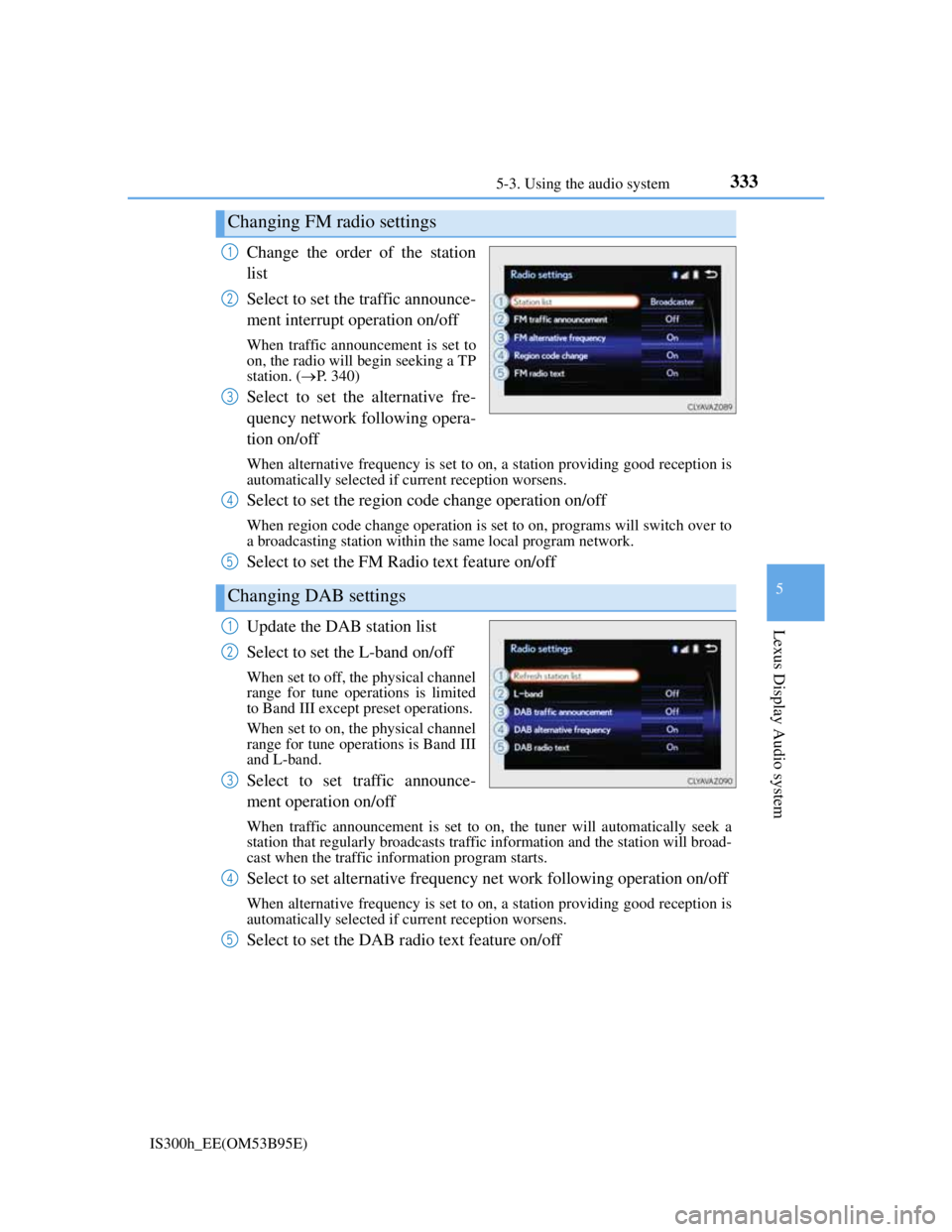
Change the order of the station
list
Select to set the traffic announce-
ment interrupt operation on/off
When traffic announcement is set to
on, the radio will begin seeking a TP
station. (P. 340)
Select to set the alternative fre-
quency network following opera-
tion on/off
When alternative frequency is set to on, a station providing good reception is
automatically selected if current reception worsens.
Select to set the region code change operation on/off
When region code change operation is set to on, programs will switch over to
a broadcasting station within the same local program network.
Select to set the FM Radio text feature on/off
Update the DAB station list
Select to set the L-band on/off
When set to off, the physical channel
range for tune operations is limited
to Band III except preset operations.
When set to on, the physical channel
range for tune operations is Band III
and L-band.
Select to set traffic announce-
ment operation on/off
When traffic announcement is set to on, the tuner will automatically seek a
station that regularly broadcasts traffic information and the station will broad-
cast when the traffic information program starts.
Select to set alternative frequency net work following operation on/off
When alternative frequency is set to on, a station providing good reception is
automatically selected if current reception worsens.
Select to set the DAB radio text feature on/off
Changing FM radio settings
1
2
3
Changing DAB settings
4
5
1
2
3
4
5
Page 350 of 628

3365-3. Using the audio system
IS300h_EE(OM53B95E)
To display the audio menu screen, move the controller to the left while on
an audio top screen.
FM or AM radio
Seek a station of the nearest
frequency (stops when a sta-
tion is found) (manual mode)
Change FM radio settings
(P. 333)
Change DAB settings (P.
333)
DAB
Adjust the playback offset
time on time shift mode
Cancel time shift operation
Select an ensemble (manual
mode)
Select a service (manual
mode)
Change FM radio settings
(P. 333)
Change DAB settings (P.
333)
Audio menu screen operation
You can change the settings and control functions for each audio source.
Audio menu screen
1
2
3
1
2
3
4
5
6
Page 353 of 628
339
5
Lexus Display Audio system
IS300h_EE(OM53B95E)5-4. Using the radio
Pressing the “RADIO” button displays the radio top screen from any
screen of the selected source.
Menu screen
P. 3 3 6
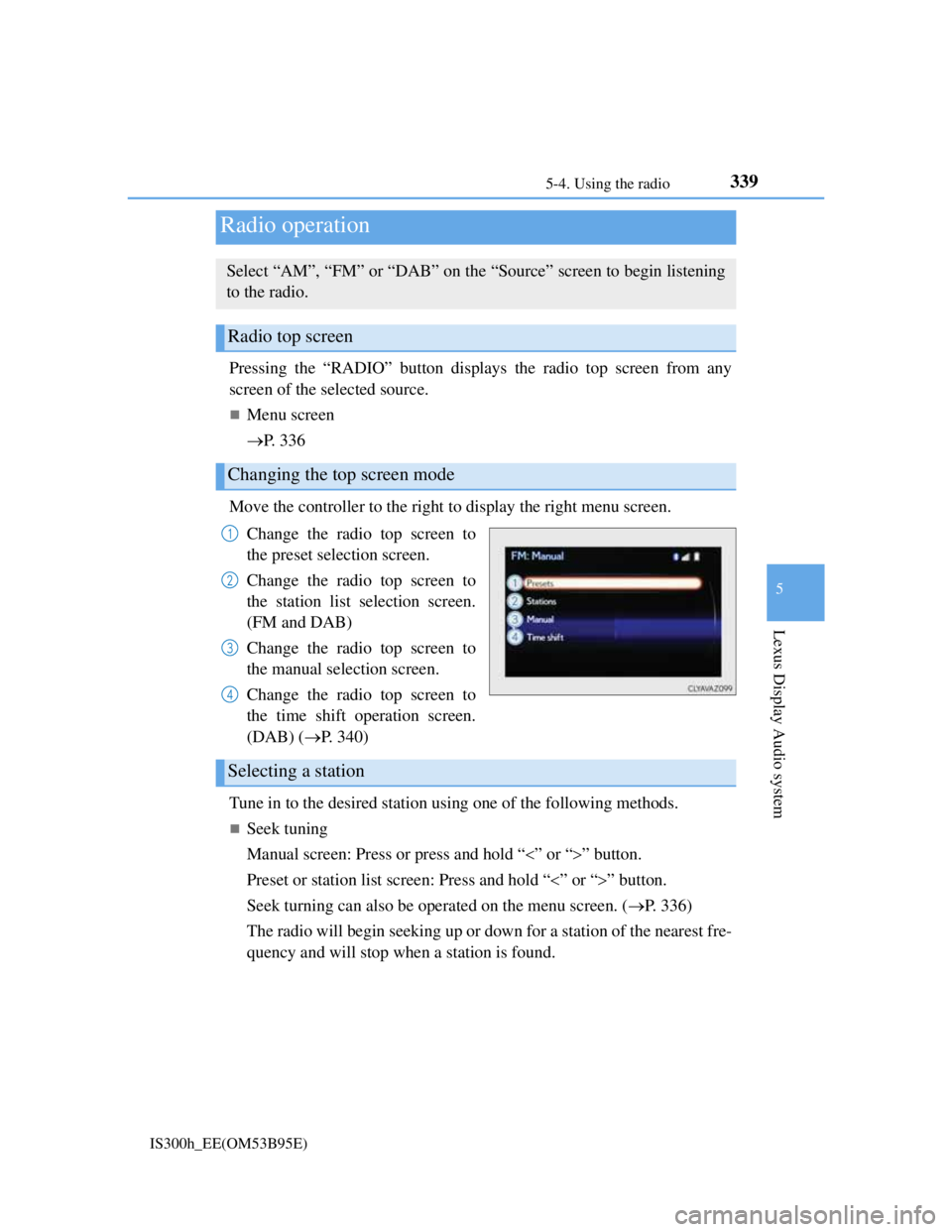
Move the controller to the right to display the right menu screen.
Change the radio top screen to
the preset selection screen.
Change the radio top screen to
the station list selection screen.
(FM and DAB)
Change the radio top screen to
the manual selection screen.
Change the radio top screen to
the time shift operation screen.
(DAB) (P. 340)
Tune in to the desired station using one of the following methods.
Seek tuning
Manual screen: Press or press and hold “” or “” button.
Preset or station list screen: Press and hold “” or “” button.
Seek turning can also be operated on the menu screen. (P. 336)
The radio will begin seeking up or down for a station of the nearest fre-
quency and will stop when a station is found.
Radio operation
Select “AM”, “FM” or “DAB” on the “Source” screen to begin listening
to the radio.
Radio top screen
Changing the top screen mode
1
2
3
4
Selecting a station
Page 354 of 628
3405-4. Using the radio
IS300h_EE(OM53B95E)
Manual tuning (manual screen)
Turn the right side knob (left-hand drive vehicle) or left side knob
(right-hand drive vehicle) on the audio panel or turn the controller.
Station list (preset or station list screen)
Select the desired station by pressing “<” or “>”, turn the right side
knob (left-hand drive vehicle) or left side knob (right-hand drive vehi-
cle) on the audio panel or controller.
Radio stations can be preset.
Search for desired stations.
Turn the controller to select one of the preset stations and then press
the controller until you hear a beep while on the preset selection
screen.
The broadcast you are currently listening to can be re-listened to at any
time.
Move the controller to the right and then select “Time shift”.
Turn the right side knob (left-hand drive vehicle) or left side knob
(right-hand drive vehicle) on the audio panel to set the desired offset.
An offset playback time can also be set on the menu screen. (P. 3 3 6 )
To cancel the time shift operation while in time shift mode, move the control-
ler to the left and select “Time shift off”. If the time shift display is left show-
ing “-0' 00”” for 6 seconds without any operation, the time shift operation will
be canceled.
Reception sensitivity
Maintaining perfect radio reception at all times is difficult due to the continu-
ally changing position of the antenna, differences in signal strength and sur-
rounding objects, such as trains, transmitters, etc.
The radio antenna is mounted inside the rear window. To maintain clear radio
reception, do not attach metallic window tinting or other metallic objects to the
antenna wire mounted inside the rear window.
Traffic announcement operation
When traffic announcement is set to on, “TP” will appear on the screen and the
radio will begin seeking a TP station. If the radio seeks out a TP station, the pro-
gram name will appear on the screen. If a traffic announcement station is
received, the radio will be switched to the traffic information program automati-
cally. When the program ends, the initial operation will resume.
Setting station presets (preset screen)
Time shift operation (DAB)
1
2
1
2