Page 344 of 628
330
IS300h_EE(OM53B95E)5-3. Using the audio system
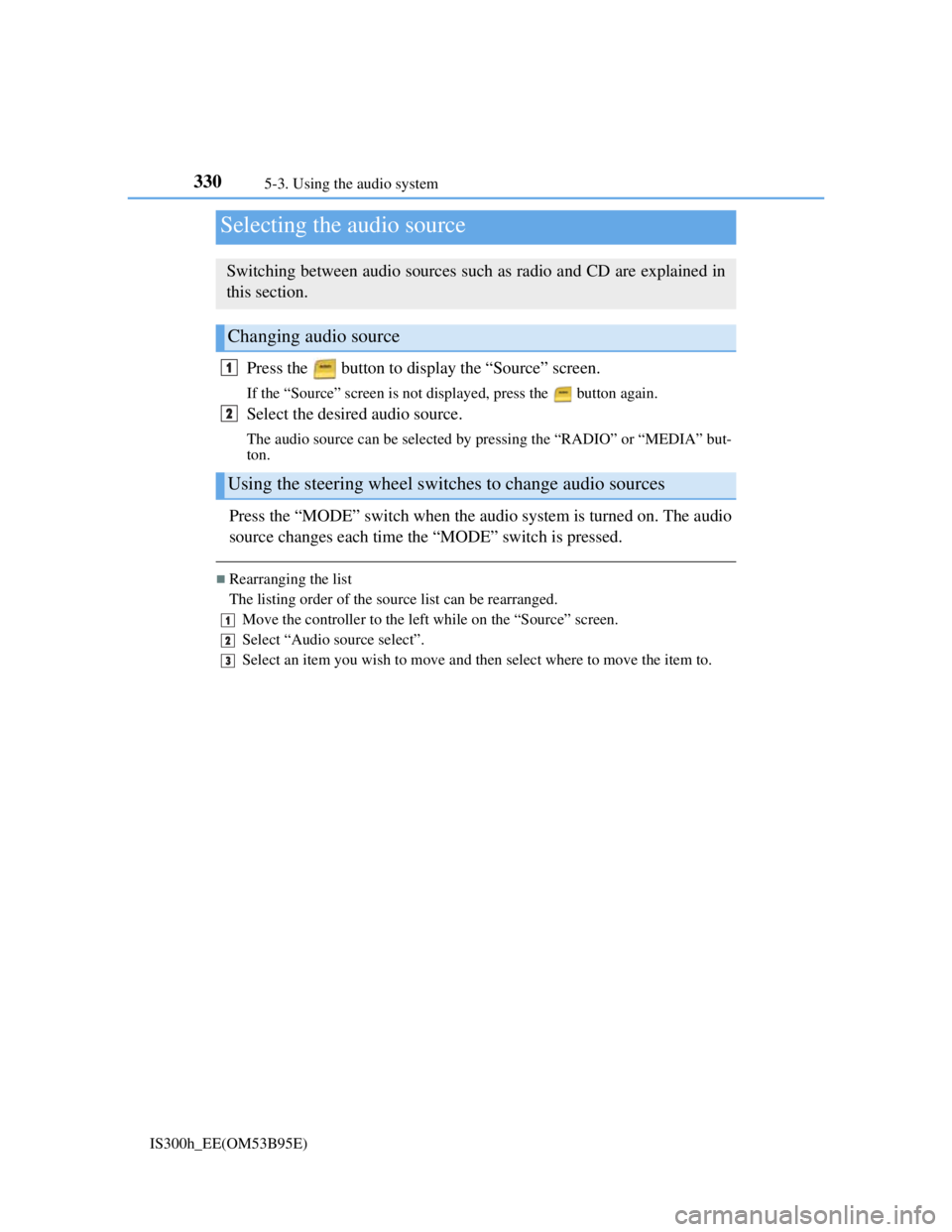
Press the button to display the “Source” screen.
If the “Source” screen is not displayed, press the button again.
Select the desired audio source.
The audio source can be selected by pressing the “RADIO” or “MEDIA” but-
ton.
Press the “MODE” switch when the audio system is turned on. The audio
source changes each time the “MODE” switch is pressed.
Rearranging the list
The listing order of the source list can be rearranged.
Move the controller to the left while on the “Source” screen.
Select “Audio source select”.
Select an item you wish to move and then select where to move the item to.
Selecting the audio source
Switching between audio sources such as radio and CD are explained in
this section.
Changing audio source
Using the steering wheel switches to change audio sources
1
2
1
2
3
Page 350 of 628
3365-3. Using the audio system
IS300h_EE(OM53B95E)
To display the audio menu screen, move the controller to the left while on
an audio top screen.
FM or AM radio
Seek a station of the nearest
frequency (stops when a sta-
tion is found) (manual mode)
Change FM radio settings
(P. 333)
Change DAB settings (P.
333)
DAB
Adjust the playback offset
time on time shift mode
Cancel time shift operation
Select an ensemble (manual
mode)
Select a service (manual
mode)
Change FM radio settings
(P. 333)
Change DAB settings (P.
333)
Audio menu screen operation
You can change the settings and control functions for each audio source.
Audio menu screen
1
2
3
1
2
3
4
5
6
Page 353 of 628
339
5
Lexus Display Audio system
IS300h_EE(OM53B95E)5-4. Using the radio
Pressing the “RADIO” button displays the radio top screen from any
screen of the selected source.
Menu screen
P. 3 3 6
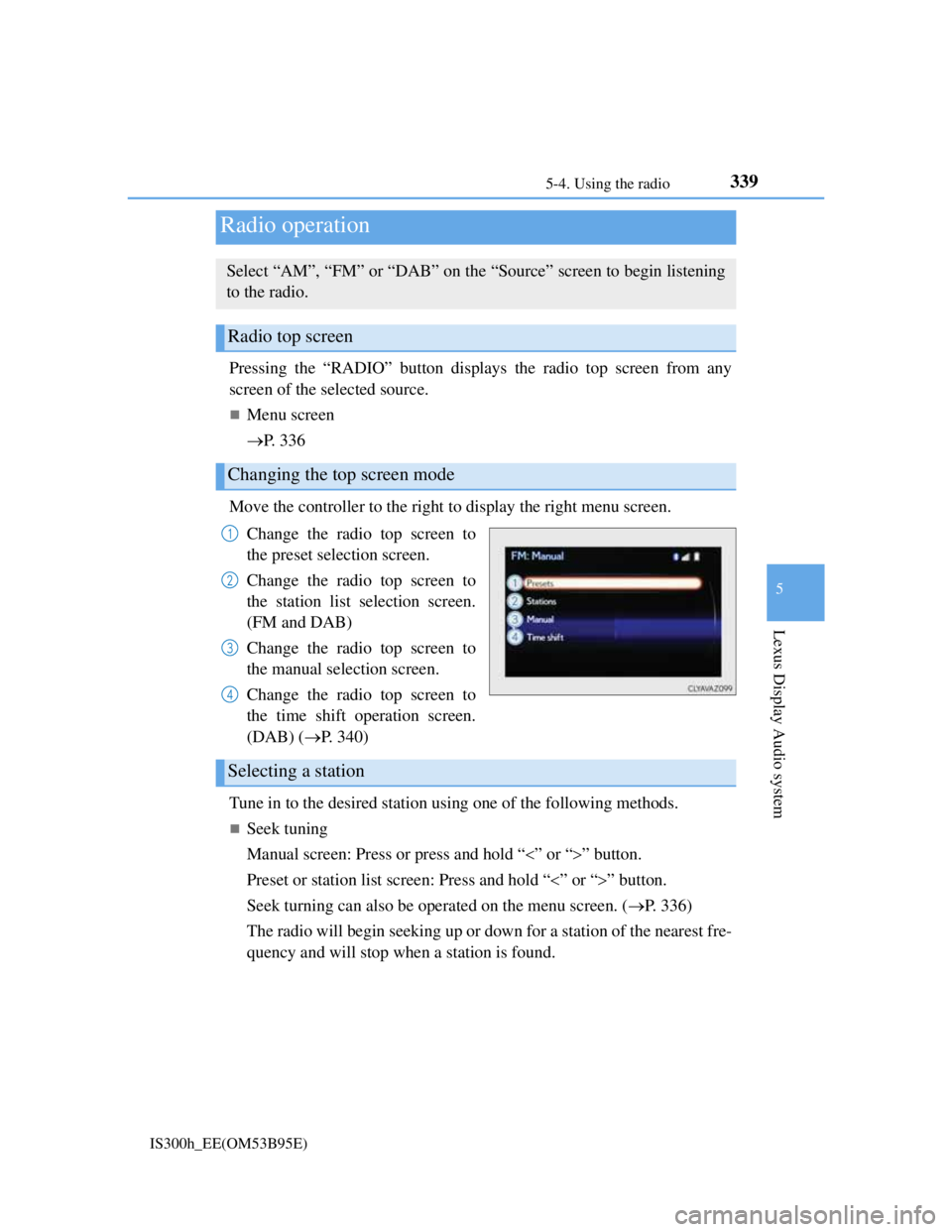
Move the controller to the right to display the right menu screen.
Change the radio top screen to
the preset selection screen.
Change the radio top screen to
the station list selection screen.
(FM and DAB)
Change the radio top screen to
the manual selection screen.
Change the radio top screen to
the time shift operation screen.
(DAB) (P. 340)
Tune in to the desired station using one of the following methods.
Seek tuning
Manual screen: Press or press and hold “” or “” button.
Preset or station list screen: Press and hold “” or “” button.
Seek turning can also be operated on the menu screen. (P. 336)
The radio will begin seeking up or down for a station of the nearest fre-
quency and will stop when a station is found.
Radio operation
Select “AM”, “FM” or “DAB” on the “Source” screen to begin listening
to the radio.
Radio top screen
Changing the top screen mode
1
2
3
4
Selecting a station
Page 363 of 628
3495-6. Using an external device
5
Lexus Display Audio system
IS300h_EE(OM53B95E)
“Made for iPod” and “Made for iPhone” mean that an electronic accessory has
been designed to connect specifically to an iPod, or iPhone, respectively, and
has been certified by the developer to meet Apple performance standards.
Apple is not responsible for the operation of this device or its compliance with
safety and regulatory standards. Please note that the use of this accessory with
iPod or iPhone may affect wireless performance.
iPhone, iPod, iPod classic, iPod nano and iPod touch are trademarks of Apple
Inc., registered in the U.S. and other countries.
iPod cover art
Depending on the iPod and songs in the iPod, iPod cover art may be displayed.
This function can be changed to on/off. (P. 335)
It may take time to display iPod cover art, and the iPod may not be operated
while the cover art display is in process.
iPod functions
When an iPod is connected and the audio source is changed to iPod mode, the
iPod will resume play from the same point in which it was last used.
Depending on the iPod that is connected to the system, certain functions may
not be available. If a function is unavailable due to a malfunction (as opposed to
a system specification), disconnecting the device and reconnecting it may
resolve the problem.
Depending on the iPod, while connected to the system, the iPod cannot be oper-
ated with its own controls. It is necessary to use the controls of the vehicle's
audio system instead.
When the battery level of an iPod is very low, the iPod may not operate. If so,
charge the iPod before use.
Compatible models (P. 350)
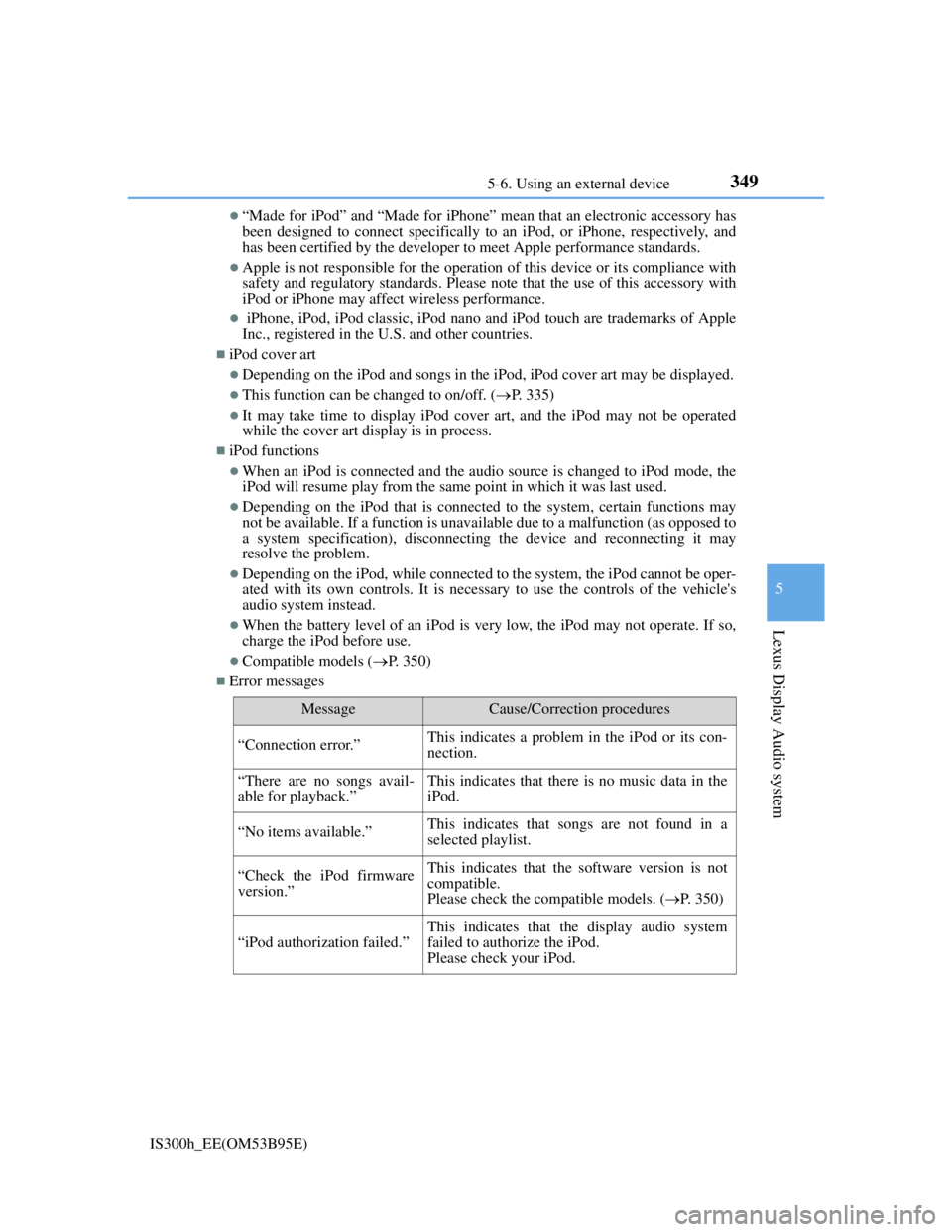
Error messages
MessageCause/Correction procedures
“Connection error.”This indicates a problem in the iPod or its con-
nection.
“There are no songs avail-
able for playback.”This indicates that there is no music data in the
iPod.
“No items available.”This indicates that songs are not found in a
selected playlist.
“Check the iPod firmware
version.”This indicates that the software version is not
compatible.
Please check the compatible models. (P. 350)
“iPod authorization failed.”
This indicates that the display audio system
failed to authorize the iPod.
Please check your iPod.
Page 388 of 628
3745-9. Bluetooth® Phone
IS300h_EE(OM53B95E)
Phone number containing a “w” symbol
When the “w” symbol is dialed in an outgoing call, you need to go to
the “Release tones” screen to dial the following digits. Move the con-
troller to the left and then select “Release tones”.
Select “Handset mode” to change from a hands-free call to a cellular
phone call or vice versa.
Press the switch on the steering wheel or select .
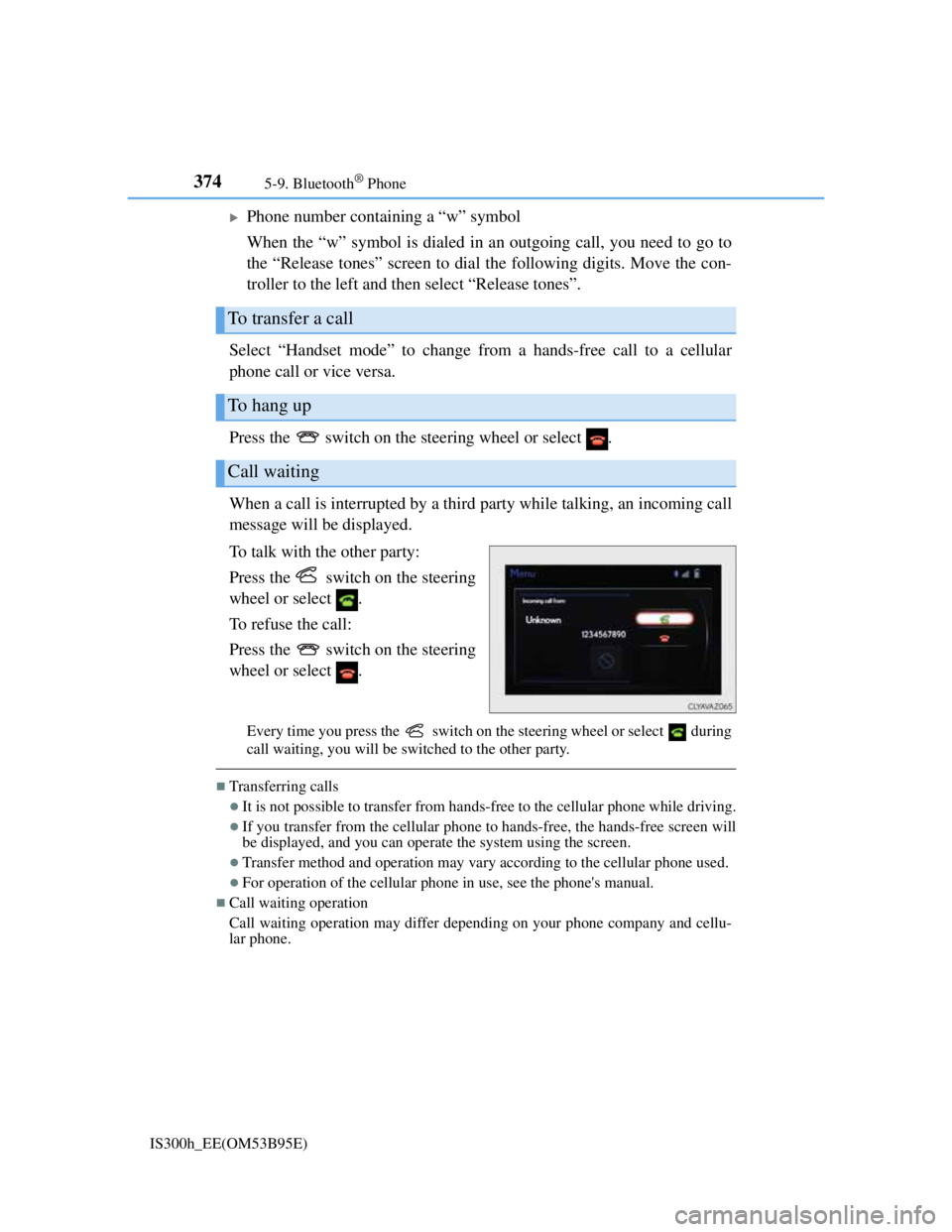
When a call is interrupted by a third party while talking, an incoming call
message will be displayed.
To talk with the other party:
Press the switch on the steering
wheel or select .
To refuse the call:
Press the switch on the steering
wheel or select .
Every time you press the switch on the steering wheel or select during
call waiting, you will be switched to the other party.
Transferring calls
It is not possible to transfer from hands-free to the cellular phone while driving.
If you transfer from the cellular phone to hands-free, the hands-free screen will
be displayed, and you can operate the system using the screen.
Transfer method and operation may vary according to the cellular phone used.
For operation of the cellular phone in use, see the phone's manual.
Call waiting operation
Call waiting operation may differ depending on your phone company and cellu-
lar phone.
To transfer a call
To hang up
Call waiting
Page 414 of 628

4006-1. Using the air conditioning system
IS300h_EE(OM53B95E)
Adjusting the temperature setting
To adjust the temperature setting,
touch and slide your finger up or
down on the sensor.
The temperature setting can also
be adjusted by touching on the
sensor.
When the temperature setting is
changed, a buzzer sounds.
Fan speed setting
Press to increase the fan speed.
Press to decrease the fan speed.
Change the airflow mode
To change the airflow, press .
The air outlets used are switched each time the button is pressed.
S-FLOW mode (if equipped)
When there are no passengers in the rear seats, airflow can be directed
to the front seats only to reduce the air conditioning effect on the rear
seats.
Press .
The indicator comes on when S-FLOW mode is on.
Press again to resume airflow to the rear seats.
Other functions
Switching between outside air and recirculated air modes (P. 404)
Defogging the windshield (P. 404)
Defogging the rear window and outside rear view mirrors (P. 404)
Page 418 of 628

4046-1. Using the air conditioning system
IS300h_EE(OM53B95E)
Switching between outside air and recirculated air modes
Press to change to recirculated air mode.
Press to change to outside air mode.
The indicator above the selected button comes on.
Pollen removal mode (if equipped)
Pollen is removed from the air and the air flows to the upper part of the
body.
Select
on the option control screen.
When the pollen removal mode is on, is displayed on the air condi-
tioning control screen.
In order to prevent the windshield from fogging up when the outside air is
cold, the dehumidification function may operate.
The pollens are filtered out even if the pollen removal mode is turned off.
Defogging the windshield
Defoggers are used to defog the windshield and front side windows.
Press .
Set the outside/recirculated air mode button to outside air mode if the recir-
culated air mode is used. (It may switch automatically.)
To defog the windshield and the side windows early, turn the air flow and
temperature up.
To return to the previous mode, press again when the windshield is
defogged.
Defogging the rear window and outside rear view mirrors
Defoggers are used to defog the rear window, and to remove raindrops,
dew and frost from the outside rear view mirrors.
Press .
The defoggers will automatically turn off after a period of time.
Other functions
Page 419 of 628
4056-1. Using the air conditioning system
6
Interior features
IS300h_EE(OM53B95E)
Windshield wiper de-icer (if equipped)
This feature is used to prevent ice from building up on the windshield
and wiper blades.
Turns on/off.
The indicator comes on when the
windshield wiper de-icer is on.
The windshield de-icer will auto-
matically turn off after a period of
time.
Blower customization (if equipped)
Fan speed setting during the automatic mode operation can be custom-
ized.
To change the fan speed setting mode, select
on the air condi-
tioning control screen.
Each time is selected, the fan speed setting mode changes as follows.
“MEDIUM”“SOFT”“FAST”“MEDIUM”