Page 410 of 1014
3994-5. Using the driving support system
4
Driving
GS450h_300h_OM_OM30D53E_(EE)
PCS (Pre-Crash Safety system) (if equipped)
P. 406
Emergency brake signal
When the brakes are applied suddenly, the stop lights automati-
cally flash to alert the vehicle behind
Page 441 of 1014
4304-5. Using the driving support system
GS450h_300h_OM_OM30D53E_(EE)
Lexus night view
Turn the power switch to ON mode.
Turn the headlights on.
Press the Lexus night view
switch.
The Lexus night view is displayed
on the Remote Touch screen.
To return the screen to its previous
state, press the switch again.
When the light sensor (P. 275)
determines that it is currently night
time from the brightness of the sur-
rounding area, the Lexus night
view can be operated by pressing
the Lexus night view switch while
the headlights are on.
: If equipped
Lexus night view is a system which assists with nighttime driving.
Near-infrared rays are irradiated forward and an image converted
from the irradiated light is shown on the Remote Touch screen.
The image shows pedestrians, obstacles, and road conditions ahead
of the vehicle, which are difficult to see at nighttime with the
naked eye.
Displaying the Lexus night view
1
2
3
Page 446 of 1014
4354-5. Using the driving support system
4
Driving
GS450h_300h_OM_OM30D53E_(EE)
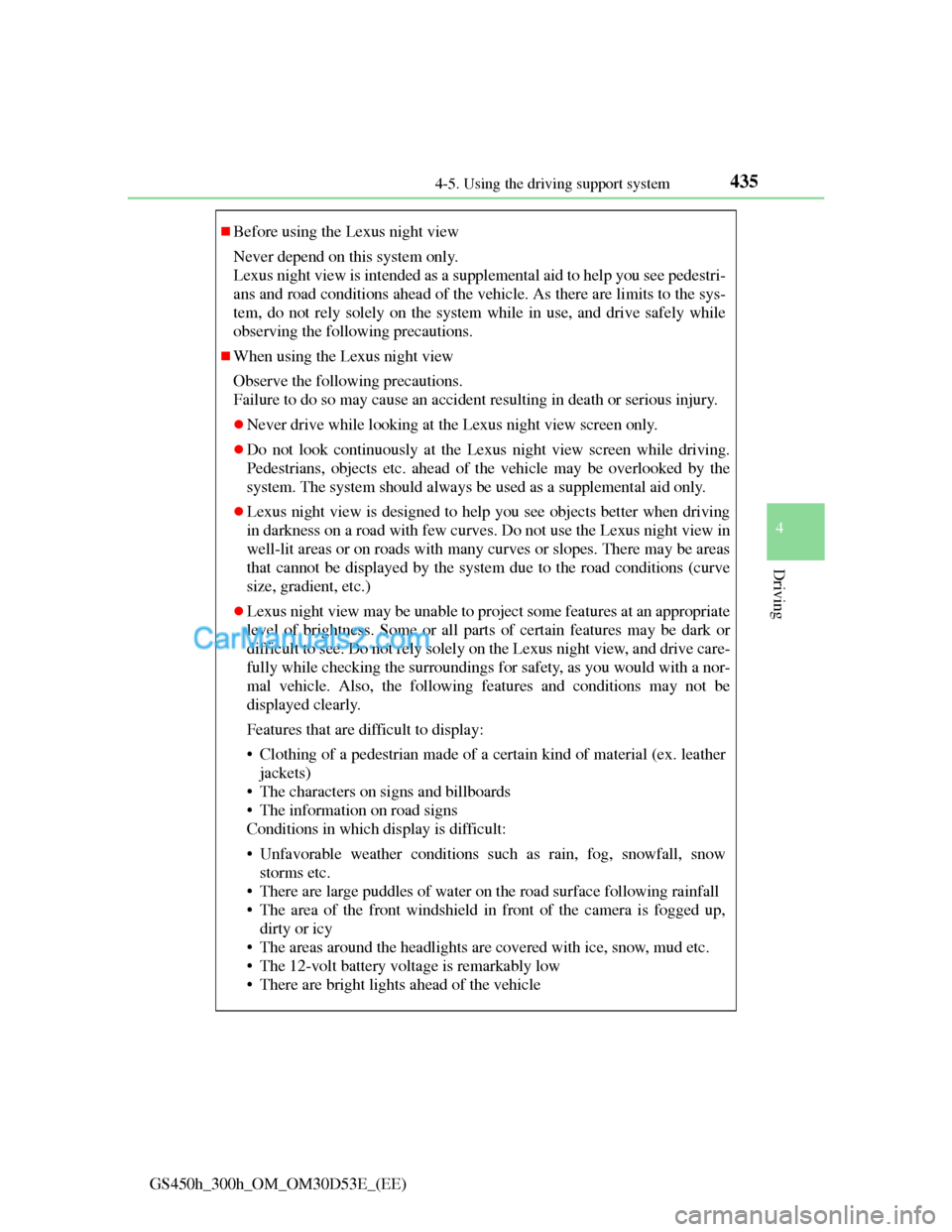
Before using the Lexus night view
Never depend on this system only.
Lexus night view is intended as a supplemental aid to help you see pedestri-
ans and road conditions ahead of the vehicle. As there are limits to the sys-
tem, do not rely solely on the system while in use, and drive safely while
observing the following precautions.
When using the Lexus night view
Observe the following precautions.
Failure to do so may cause an accident resulting in death or serious injury.
Never drive while looking at the Lexus night view screen only.
Do not look continuously at the Lexus night view screen while driving.
Pedestrians, objects etc. ahead of the vehicle may be overlooked by the
system. The system should always be used as a supplemental aid only.
Lexus night view is designed to help you see objects better when driving
in darkness on a road with few curves. Do not use the Lexus night view in
well-lit areas or on roads with many curves or slopes. There may be areas
that cannot be displayed by the system due to the road conditions (curve
size, gradient, etc.)
Lexus night view may be unable to project some features at an appropriate
level of brightness. Some or all parts of certain features may be dark or
difficult to see. Do not rely solely on the Lexus night view, and drive care-
fully while checking the surroundings for safety, as you would with a nor-
mal vehicle. Also, the following features and conditions may not be
displayed clearly.
Features that are difficult to display:
• Clothing of a pedestrian made of a certain kind of material (ex. leather
jackets)
• The characters on signs and billboards
• The information on road signs
Conditions in which display is difficult:
• Unfavorable weather conditions such as rain, fog, snowfall, snow
storms etc.
• There are large puddles of water on the road surface following rainfall
• The area of the front windshield in front of the camera is fogged up,
dirty or icy
• The areas around the headlights are covered with ice, snow, mud etc.
• The 12-volt battery voltage is remarkably low
• There are bright lights ahead of the vehicle
Page 448 of 1014
4374-5. Using the driving support system
4
Driving
GS450h_300h_OM_OM30D53E_(EE)
NOTICE
The near-infrared light
Follow these precautions to avoid dam-
age to or incorrect operation of the Lexus
night view system
System performance may deteriorate if
the areas around the headlights are
dirty. Clean the vehicle if it is dirty.
The near-infrared light irradiates strong
energy not visible to the eyes. Do not
stare at the light at close range for a
long time.
Vehicles with discharge
headlights
Vehicles with LED head-
lights
Page 449 of 1014

4324-6. Driving tips
GS450h_300h_OM_OM30D53E_(EE)
Hybrid vehicle driving tips
Using Eco drive mode
When using Eco drive mode, the torque corresponding to the
accelerator pedal depression amount can be generated more
smoothly than it is in normal conditions. In addition, the opera-
tion of the air conditioning system (heating/cooling) will be min-
imized, improving the fuel economy. (P. 392)
Use of Hybrid System Indicator
The Eco-friendly driving is possible by keeping the indicate of
Hybrid System Indicator within Eco area. (P. 126)
When braking the vehicle
Make sure to operate the brakes gently and in good time. A
greater amount of electrical energy can be retained when slowing
down.
Delays
Repeated acceleration and deceleration, as well as long waits at
traffic lights, will lead to bad fuel consumption. Check traffic
reports before leaving and avoid delays as much as possible.
When encountering a delay, gently release the brake pedal to
allow the vehicle to move forward slightly while avoiding over-
use of the accelerator pedal. Doing so can help control excessive
gasoline consumption.
Highway driving
Control your speed and keep at a constant speed. Also, before
stopping at a toll booth or similar, allow plenty of time to release
For economical and ecological driving, pay attention to the follow-
ing points:
Page 452 of 1014

4354-6. Driving tips
4
Driving
GS450h_300h_OM_OM30D53E_(EE)
Perform the following according to the driving conditions:
Do not try to forcibly open a window or move a wiper that is fro-
zen. Pour warm water over the frozen area to melt the ice. Wipe
away the water immediately to prevent it from freezing.
To ensure proper operation of the climate control system fan,
remove any snow that has accumulated on the air inlet vents in
front of the windshield.
Check for and remove any excess ice or snow that may have
accumulated on the exterior lights, vehicle’s roof, chassis, around
the tires or on the brakes.
Remove any snow or mud from the bottom of your shoes before
getting in the vehicle.
Accelerate the vehicle slowly, keep a safe distance between you
and the vehicle ahead, and drive at a reduced speed suitable to road
conditions.
Park the vehicle and move the shift lever to P without setting the
parking brake. The parking brake may freeze up, preventing it from
being released. If necessary, block the wheels to prevent inadver-
tent sliding or creeping.
Before driving the vehicle
When driving the vehicle
When parking the vehicle
Page 458 of 1014
441
5Interior features
GS450h_300h_OM_OM30D53E_(EE)5-4. Using the hands-free phone
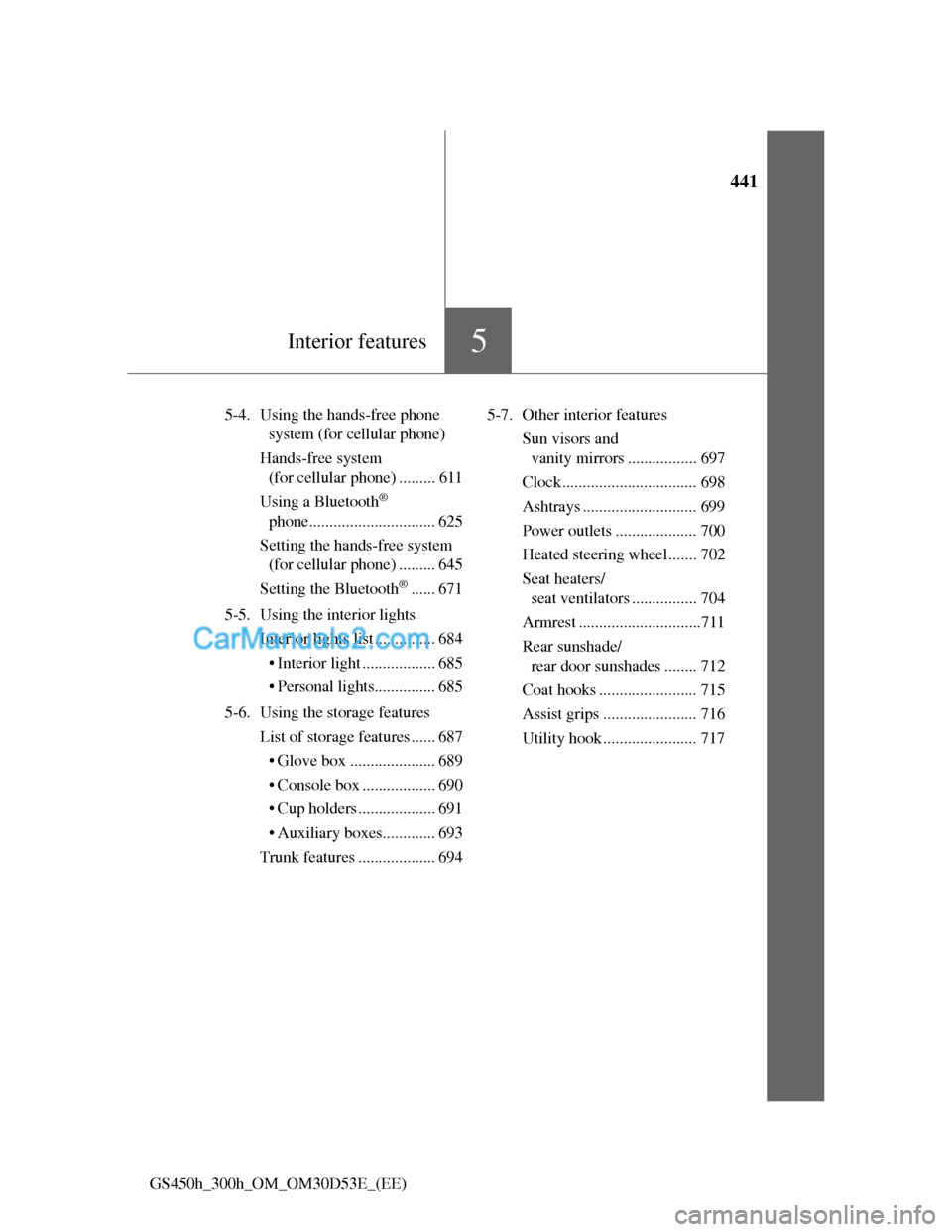
system (for cellular phone)
Hands-free system
(for cellular phone) ......... 611
Using a Bluetooth
®
phone............................... 625
Setting the hands-free system
(for cellular phone) ......... 645
Setting the Bluetooth
®...... 671
5-5. Using the interior lights
Interior lights list ............... 684
• Interior light .................. 685
• Personal lights............... 685
5-6. Using the storage features
List of storage features ...... 687
• Glove box ..................... 689
• Console box .................. 690
• Cup holders ................... 691
• Auxiliary boxes............. 693
Trunk features ................... 6945-7. Other interior features
Sun visors and
vanity mirrors ................. 697
Clock................................. 698
Ashtrays ............................ 699
Power outlets .................... 700
Heated steering wheel....... 702
Seat heaters/
seat ventilators ................ 704
Armrest ..............................711
Rear sunshade/
rear door sunshades ........ 712
Coat hooks ........................ 715
Assist grips ....................... 716
Utility hook ....................... 717
Page 708 of 1014
6845-5. Using the interior lights
GS450h_300h_OM_OM30D53E_(EE)
Interior lights list
When the instrument panel light control switch is turned to minimum and
the tail lights are on, the inside door handle lights, the ornament lights and
the footwell lights will turn off. (P. 111)
Outer foot lights
Shift lever light (if equipped)
Interior light (P. 685)
Front personal lights
(P. 685)
Inside door handle lightsRear personal lights (P.
685)
Ornament lights
Door courtesy lights
Power window switch lights
Footwell lights1
2
3
4
5
6
7
8
9
10


