2013 KIA Sorento ECO mode
[x] Cancel search: ECO modePage 141 of 388
451
Features of your vehicle
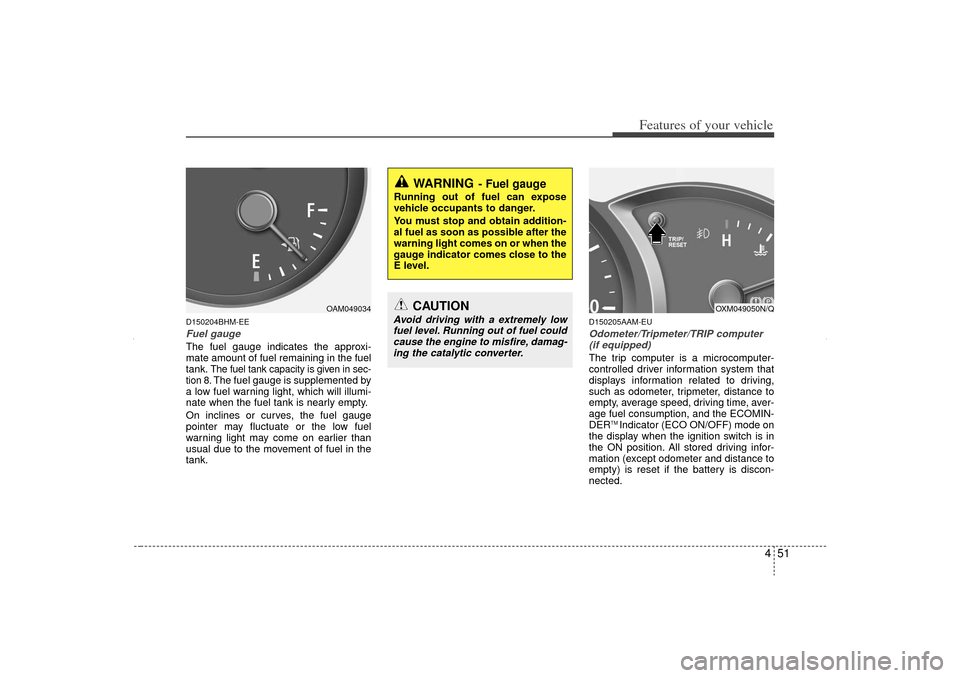
D150204BHM-EEFuel gaugeThe fuel gauge indicates the approxi-
mate amount of fuel remaining in the fuel
tank.
The fuel tank capacity is given in sec-
tion 8.The fuel gauge is supplemented by
a low fuel warning light, which will illumi-
nate when the fuel tank is nearly empty.
On inclines or curves, the fuel gauge
pointer may fluctuate or the low fuel
warning light may come on earlier than
usual due to the movement of fuel in the
tank.
D150205AAM-EUOdometer/Tripmeter/TRIP computer (if equipped)The trip computer is a microcomputer-
controlled driver information system that
displays information related to driving,
such as odometer, tripmeter, distance to
empty, average speed, driving time, aver-
age fuel consumption, and the ECOMIN-
DER
TM Indicator (ECO ON/OFF) mode on
the display when the ignition switch is in
the ON position. All stored driving infor-
mation (except odometer and distance to
empty) is reset if the battery is discon-
nected.
OAM049034
WARNING
- Fuel gauge
Running out of fuel can expose
vehicle occupants to danger.
You must stop and obtain addition-
al fuel as soon as possible after the
warning light comes on or when the
gauge indicator comes close to the
E level.
CAUTION
Avoid driving with a extremely low fuel level. Running out of fuel could cause the engine to misfire, damag-ing the catalytic converter.
OXM049050N/Q
XM CAN (ENG) 4(~105).QXP 4/19/2011 10:38 AM Page 51
Page 142 of 388

Features of your vehicle52
4The odometer is always displayed until
the display is turned off.
Press the TRIP button for less than 1
second to select any mode as follows:
Odometer
The odometer indicates the total dis-
tance the vehicle has been driven.
You will also find the odometer useful to
determine when periodic maintenance
should be performed.
See Maintenance, section 7.
✽ ✽NOTICEIt is unlawful to alter the odometer of all
vehicles with the intent to change the
mileage registered on the odometer. The
alteration may void your warranty cov-
erage.
Tripmeter
TRIP A : Tripmeter A
TRIP B : Tripmeter B
This mode indicates the distance of indi-
vidual trips selected since the last trip-
meter reset.
The meter's working range is from 0.0 to
999.9 km (0.0 to 999.9 miles).
Pressing the TRIP button for more than 1
second, when the tripmeter (TRIP A or
TRIP B) is being displayed, clears the
tripmeter to zero (0.0).
OXM049061C
OXM049062C
Tripmeter BAverage speedDriving time
ECOMINDER
TMINDICATOR
(ECO ON/OFF mode)*
Tripmeter A
Distance to empty
Average fuel consumption
* if equipped
XM CAN (ENG) 4(~105).QXP 4/19/2011 10:38 AM Page 52
Page 143 of 388

453
Features of your vehicle
Distance to empty (km or mi.)
This mode indicates the estimated dis-
tance to empty based on the current fuel
in the fuel tank and the amount of fuel
delivered to the engine. When the
remaining distance is below 50 km (30
miles), “---” will be displayed and the dis-
tance to empty indicator (RANGE) will
blink until the vehicle is refueled.
The meter’s working range is from 50 to
990 km (30 to 990 miles).Average fuel consumption
(l/100 km or MPG)
This mode calculates the average fuel
consumption from the total fuel used and
the distance since the last average con-
sumption reset. The total fuel used is cal-
culated from the fuel consumption input.
For an accurate calculation, drive more
than 50 m (0.03 miles).
Pressing the RESET button for more than
1 second, when the average fuel con-
sumption is being displayed, clears the
average fuel consumption to zero (--.-).
If the vehicle speed exceeds 1 km/h (1.6
MPH) after refueled more than 6 l
(1.6
gallons), the average fuel consumption
will be cleared to zero (--.-).
✽ ✽ NOTICE• If the vehicle is not on level ground or
the battery power has been interrupt-
ed, the “Distance to empty” function
may not operate correctly.
The trip computer may not register
additional fuel if less than 6 liters (1.6
gallons) of fuel are added to the vehi-
cle.
• The fuel consumption and distance to empty values may vary significantly
based on driving conditions, driving
habits, and condition of the vehicle.
• The distance to empty value is an esti- mate of the available driving distance.
This value may differ from the actual
driving distance available.
OXM049065C
OXM049063C/OXM049064C
XM CAN (ENG) 4(~105).QXP 4/19/2011 10:38 AM Page 53
Page 144 of 388

Features of your vehicle54
4Average speed (km/h or MPH)
This mode calculates the average speed
of the vehicle since the last average
speed reset.
Even if the vehicle is not in motion, the
average speed keeps going while the
engine is running.
Pressing the RESET button for more
than 1 second, when the average speed
is being displayed or after the engine
stops and 2 hours elapsed clears the
average speed to zero (---). Driving time
This mode indicates the total time trav-
eled since the last driving time reset.
Even if the vehicle is not in motion, the
driving time keeps going while the engine
is running.
The meter’s working range is from
0:00~99:59.
Pressing the RESET button for more
than 1 second, when the driving time is
being displayed or after the engine stops
and 2 hours elapsed clears the driving
time to zero (0:00).ECOMINDER
TM INDICATOR
ECO ON/OFF mode (if equipped)
You can turn the ECOMINDER
TMindica-
tor (which is identified on your instrument
dashboard by the “ECO” name) on/off on
the instrument cluster in this mode.
If you push the TRIP button more than 1
second in the ECOMINDER
TM indicator
ECO ON mode, then ECO OFF is dis-
played in the screen and the ECO indica-
tor turns off.
If you want to display the ECOMINDER
TM
indicator ECO again, press the TRIP but-
ton more than 1 second in the ECO OFF
mode and then ECO ON mode is dis-
played in the screen.
When you press the TRIP button less
than 1 second in the ECO mode, the
mode is changed to odometer.
OXM049067C
OXM049068C
OXM049070N
XM CAN (ENG) 4(~105).QXP 4/19/2011 10:38 AM Page 54
Page 145 of 388

455
Features of your vehicle
D150300AAMWarnings and indicatorsAll warning lights are checked by turning
the ignition switch ON (do not start the
engine). Any light that does not illuminate
should be checked by an authorized KIA
dealer.
After starting the engine, check to make
sure that all warning lights are off. If any
warning lights are still on, this indicates a
situation that needs attention. When
releasing the parking brake, the brake
system warning light should go off. The
fuel warning light will stay on if the fuel
level is low.
D150301AXM-EUECOMINDER
TMindicator
(if equipped)
The ECOMINDER
TMindicator is a system
that illuminates "ECO" when the driver
has reached optimum fuel efficiency.
The ECOMINDERTM
indicator will turn
the ECO light green on the instrument
panel when you are driving fuel effi-
ciently in the ECO ON mode.
If you don't want the indicator dis-
played, you can turn the ECO ON
mode to OFF mode by pressing the
TRIP button.
For ECO ON/OFF Mode operation,
please refer to the previous page.
Fuel efficient driving can be influenced by driving habits and road conditions.
The indicator will not display while in P (Park), N (Neutral) or R (Reverse).
ECO
ECOMINDER
TMWARNING
Don't keep watching the “ECO”
ECOMINDER
TM indicator while driv-
ing. It may distract you while driv-
ing and cause an accident that
could result in severe personal
injury.
XM CAN (ENG) 4(~105).QXP 4/19/2011 10:38 AM Page 55
Page 151 of 388
461
Features of your vehicle
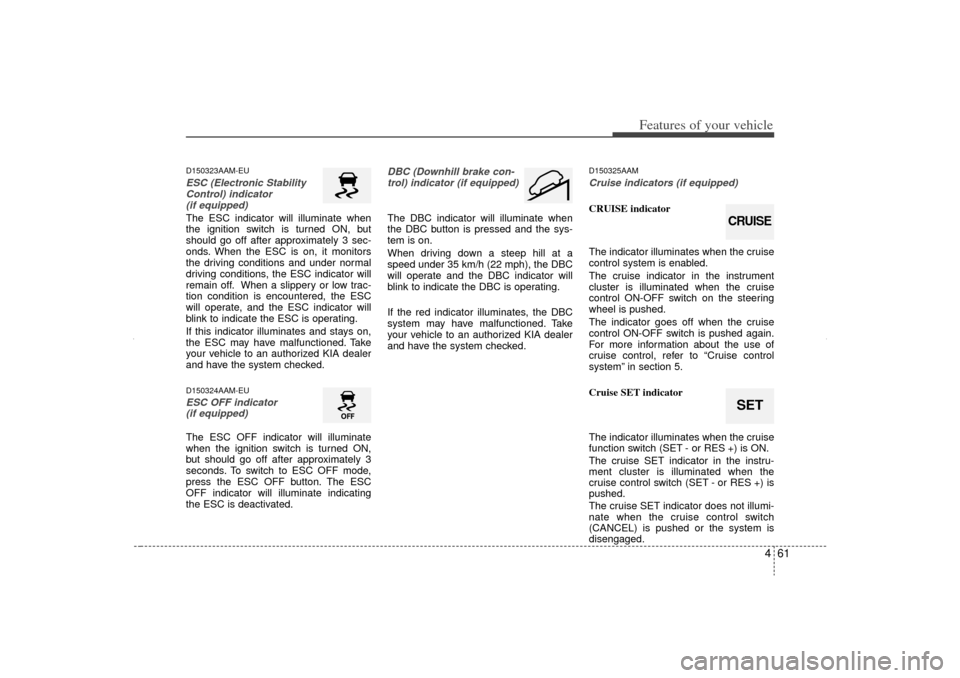
D150323AAM-EUESC (Electronic StabilityControl) indicator (if equipped)The ESC indicator will illuminate when
the ignition switch is turned ON, but
should go off after approximately 3 sec-
onds. When the ESC is on, it monitors
the driving conditions and under normal
driving conditions, the ESC indicator will
remain off. When a slippery or low trac-
tion condition is encountered, the ESC
will operate, and the ESC indicator will
blink to indicate the ESC is operating.
If this indicator illuminates and stays on,
the ESC may have malfunctioned. Take
your vehicle to an authorized KIA dealer
and have the system checked.D150324AAM-EUESC OFF indicator (if equipped)The ESC OFF indicator will illuminate
when the ignition switch is turned ON,
but should go off after approximately 3
seconds. To switch to ESC OFF mode,
press the ESC OFF button. The ESC
OFF indicator will illuminate indicating
the ESC is deactivated.
DBC (Downhill brake con-
trol) indicator (if equipped)The DBC indicator will illuminate when
the DBC button is pressed and the sys-
tem is on.
When driving down a steep hill at a
speed under 35 km/h (22 mph), the DBC
will operate and the DBC indicator will
blink to indicate the DBC is operating.
If the red indicator illuminates, the DBC
system may have malfunctioned. Take
your vehicle to an authorized KIA dealer
and have the system checked.
D150325AAMCruise indicators (if equipped)CRUISE indicator
The indicator illuminates when the cruise
control system is enabled.
The cruise indicator in the instrument
cluster is illuminated when the cruise
control ON-OFF switch on the steering
wheel is pushed.
The indicator goes off when the cruise
control ON-OFF switch is pushed again.
For more information about the use of
cruise control, refer to “Cruise control
system” in section 5.
Cruise SET indicator
The indicator illuminates when the cruise
function switch (SET - or RES +) is ON.
The cruise SET indicator in the instru-
ment cluster is illuminated when the
cruise control switch (SET - or RES +) is
pushed.
The cruise SET indicator does not illumi-
nate when the cruise control switch
(CANCEL) is pushed or the system is
disengaged.
SETCRUISE
XM CAN (ENG) 4(~105).QXP 4/19/2011 10:38 AM Page 61
Page 152 of 388

Features of your vehicle62
4D150327AUNKey reminder warning chime
(if equipped)If the driver’s door is opened while the
ignition key is left in the ignition switch
(ACC or LOCK position), the key
reminder warning chime will sound. This
is to prevent you from locking your keys
in the vehicle. The chime sounds until the
key is removed from the ignition switch or
the driver’s door is closed.KEY OUT indicator (if equipped)When the ENGINE START/STOP button
is in the ACC or ON position, if any door
is open, the system checks for the smart
key. If the smart key is not in the vehicle,
the indicator will blink, and if all doors are
closed, the chime will also sound for
about 5 seconds. The indicator will go off
while the vehicle is moving. Keep the
smart key in the vehicle or insert it in the
smart key holder.
4WD system warning light(if equipped) When the ignition switch is turned to the
ON position, the 4WD indicator will illu-
minate and then go off in a few seconds.
If the 4WD system warning light
illuminates, this indicates that there is a
malfunction in the 4WD system. If this
occurs, have your vehicle checked by an
authorized KIA dealer as soon as possi-
ble.
4WD LOCK indicator (if equipped)The 4WD LOCK indicator light is illumi-
nated when the 4WD LOCK button is
pushed. The purpose of this 4WD LOCK
mode is to increase the drive power
when driving on wet pavement, snow-
covered roads and/or off-road. The 4WD
LOCK indicator light is turned off by
pushing the button again.
KEY
OUT
CAUTION
Do not use 4WD LOCK mode on dry
paved roads or highway, it cancause noise, vibration or damage of4WD related parts.
XM CAN (ENG) 4(~105).QXP 4/19/2011 10:38 AM Page 62
Page 175 of 388

485
Features of your vehicle
✽
✽NOTICE• When using the air conditioning sys-
tem, monitor the temperature gauge
closely while driving up hills or in
heavy traffic when outside tempera-
tures are high. Air conditioning sys-
tem operation may cause engine over-
heating. Continue to use the blower
fan but turn the air conditioning sys-
tem off if the temperature gauge indi-
cates engine overheating.
• When opening the windows in humid weather air conditioning may create
water droplets inside the vehicle.
Since excessive water droplets may
cause damage to electrical equipment,
air conditioning should only be used
with the windows closed.
Air conditioning system operation tips
If the vehicle has been parked in direct
sunlight during hot weather, open the
windows for a short time to let the hot
air inside the vehicle escape.
To help reduce moisture inside of the windows on rainy or humid days,
decrease the humidity inside the vehi-
cle by operating the air conditioning
system.
During air conditioning system opera- tion, you may occasionally notice a
slight change in engine speed as the
air conditioning compressor cycles.
This is a normal system operation
characteristic.
Use the air conditioning system every month only for a few minutes to ensure
maximum system performance. When using the air conditioning sys-
tem, you may notice clear water drip-
ping (or even puddling) on the ground
under the passenger side of the vehi-
cle. This is a normal system operation
characteristic.
Operating the air conditioning system in the recirculated air position provides
maximum cooling, however, continual
operation in this mode may cause the
air inside the vehicle to become stale.
During cooling operation, you may occasionally notice a misty air flow
because of rapid cooling and humid air
intake. This is a normal system opera-
tion characteristic.
XM CAN (ENG) 4(~105).QXP 4/19/2011 10:40 AM Page 85