Page 723 of 1168
Features of your vehicle
60
4
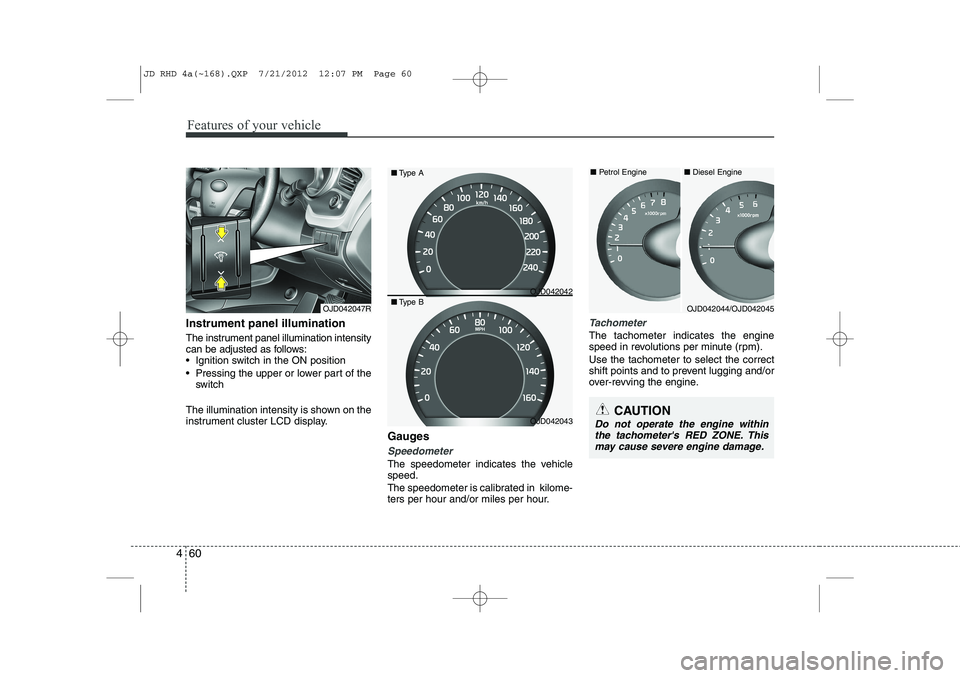
Instrument panel illumination
The instrument panel illumination intensity
can be adjusted as follows:
Ignition switch in the ON position
Pressing the upper or lower part of the
switch
The illumination intensity is shown on the
instrument cluster LCD display. Gauges
Speedometer
The speedometer indicates the vehicle speed.
The speedometer is calibrated in kilome-
ters per hour and/or miles per hour.
Tachometer
The tachometer indicates the engine
speed in revolutions per minute (rpm). Use the tachometer to select the correct
shift points and to prevent lugging and/or
over-revving the engine.
OJD042047R
CAUTION
Do not operate the engine withinthe tachometer's RED ZONE. This may cause severe engine damage.
OJD042044/OJD042045
■
Diesel Engine
■ Petrol Engine
OJD042042
OJD042043
■
Type A
■ Type B
JD RHD 4a(~168).QXP 7/21/2012 12:07 PM Page 60
Page 727 of 1168
Features of your vehicle
64
4
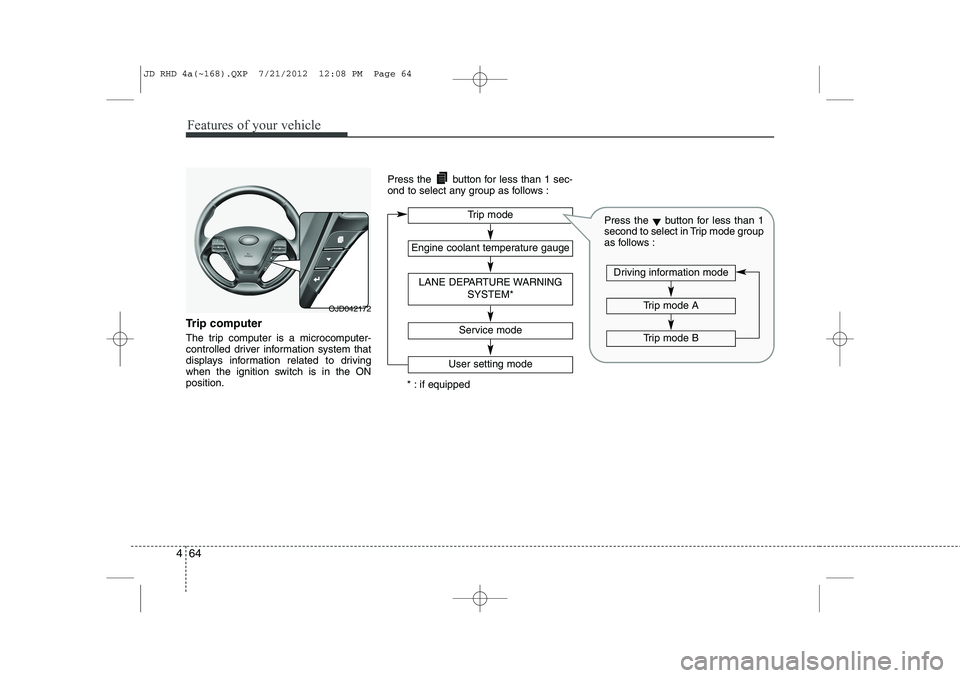
Trip computer
The trip computer is a microcomputer-
controlled driver information system that
displays information related to driving
when the ignition switch is in the ONposition. Press the button for less than 1 sec-
ond to select any group as follows :
OJD042172
Engine coolant temperature gauge
User setting mode
Service mode
LANE DEPARTURE WARNING
SYSTEM*
Trip mode
* : if equipped
Trip mode A
Trip mode B
Driving information mode
Press the▼button for less than 1
second to select in Trip mode group
as follows :
JD RHD 4a(~168).QXP 7/21/2012 12:08 PM Page 64
Page 730 of 1168
467
Features of your vehicle
Engine coolant temperature gauge
This gauge shows the temperature of the
engine coolant when the ignition switchis ON.
Do not continue driving with an overheat-
ed engine. If your vehicle overheats, refer
to “If the engine overheats” in section 6.
Lane Departure Warning System(LDWS) Mode (if equipped)
This mode displays the state of the Lane
Departure Warning System (LDWS).
For more details, refer to “Lane departure
warning system” in section 5.
CAUTION
If the gauge pointer moves beyondthe normal range area toward the
“130°C” position, it indicates over-heating that may damage the engine.
WARNING
Never remove the radiator cap
when the engine is hot. The enginecoolant is under pressure and
could cause severe burns. Wait
until the engine is cool before
adding coolant to the reservoir.
OJD042176ROJD042180
JD RHD 4a(~168).QXP 7/21/2012 12:08 PM Page 67
Page 732 of 1168
469
Features of your vehicle
If service mode is not activated, the LCD
display shows, like the above picture.
In this case, we recommend that you
consult an authorised Kia dealer.User Settings
1. Stop the vehicle with the ignitionswitch in the ON position or engine
running.
2. Press the button until the User set- ting mode is displayed.
3. You can change the item by pressing the ▼button and select an item by
pressing the button. Door Menu
Page 734 of 1168
471
Features of your vehicle
LCD display information
Sunroof open
If driver removes the ignition key (Smart
key : turns off the engine) and opens the
driver-side door when the sunroof is not
fully closed, warning message will appear
on the LCD display. Also, the warning
chime sounds for approximately 7 sec-
onds.
Illumination intensity
The illumination intensity of the instru-
ment panel is shown when adjusting it
with the illumination control switch.
For more details, refer to “Instrument
panel illumination” in section 4.
Turn on fuse switch (mode switch)
The notice appears to inform the driver to
turn on the fuse switch in the instrument
panel under the steering wheel.
For more details, refer to “Fuses” in sec- tion 7.
OJD042078/OJD042215
■
Normal vision
■SupervisionOJD042079/OJD042214
■
Normal vision
■SupervisionOJD042240/OJD042188
■
Normal vision
■Supervision
JD RHD 4a(~168).QXP 7/21/2012 12:08 PM Page 71
Page 740 of 1168
477
Features of your vehicle
Warnings and indicators
(Instrument cluster)
All warning lights are checked by turning
the ignition switch ON (do not start the
engine). If any light that does not illumi-
nate, we recommend that the system be
checked by an authorised Kia dealer.
After starting the engine, check to make
sure that all warning lights are off. If anyare still on, this indicates a situation thatneeds attention.
The following warning and indicators are
introduced in the previous pages.
Automatic transaxle/Double clutch trans-mission shift lever indicator
Manual transaxle shift indicator
Parking assist warning (LCD display)Active ECO indicator (if equipped)
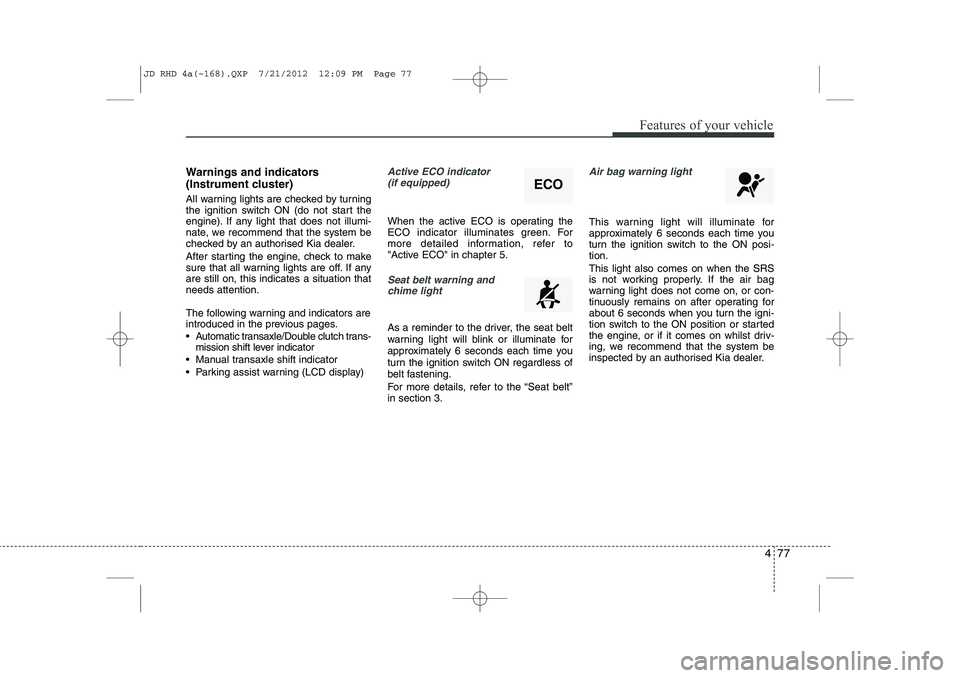
When the active ECO is operating the
ECO indicator illuminates green. For
more detailed information, refer to
"Active ECO" in chapter 5.
Seat belt warning andchime light
As a reminder to the driver, the seat belt
warning light will blink or illuminate for
approximately 6 seconds each time you
turn the ignition switch ON regardless of
belt fastening.
For more details, refer to the “Seat belt” in section 3.
Air bag warning light
This warning light will illuminate for
approximately 6 seconds each time you
turn the ignition switch to the ON posi-tion. This light also comes on when the SRS
is not working properly. If the air bag
warning light does not come on, or con-
tinuously remains on after operating for
about 6 seconds when you turn the igni-
tion switch to the ON position or started
the engine, or if it comes on whilst driv-
ing, we recommend that the system be
inspected by an authorised Kia dealer.
ECO
JD RHD 4a(~168).QXP 7/21/2012 12:09 PM Page 77
Page 741 of 1168

Features of your vehicle
78
4
Immobiliser indicator
Without smart key system This indicator illuminates when the
immobiliser key is inserted and turned to
the ON position to start the engine.
At this time, you can start the engine. The
indicator goes out after the engine is run-ning.
If this indicator blinks when the ignition
switch is in the ON position before start-
ing the engine, we recommend that the
system be checked by an authorised Kia
dealer. With smart key system
If any of the following occurs in a vehicle
equipped with the smart key, the immo-
biliser indicator illuminates, blinks or
goes off.
When the smart key is in the vehicle, if
the engine start/stop button is in the
ACC or ON position, the indicator will
illuminate for approximately 30 sec-
onds to indicate that you are able to
start the engine. However, when the
smart key is not in the vehicle, if the
engine start/stop button is pressed, the
indicator will blink for a few seconds to
indicate that you are not be able to
start the engine.
If the indicator illuminates only for 2 seconds and goes out when the
engine start/stop button is turned to
ON position with the smart key in the
vehicle, we recommend that the sys-
tem be checked by an authorised Kia
dealer.
When the battery is weak, if the engine start/stop button is pressed, the indi-
cator will blink and you are not able to
start the engine. However, you are able
to start the engine by pressing the
engine start/stop button directly with
the smart key. Also, if the smart key
system related parts have a problem,
the indicator will blink.
Tailgate open warning light
This warning light illuminates when the
tailgate is not closed securely.
Low fuel level warning
This warning light indicates the fuel tank
is nearly empty. When it comes on, you
should add fuel as soon as possible.
Driving with the fuel level warning light on
or with the fuel level below “O/E” cancause the engine to misfire and damage
the catalytic converter (if equipped).
JD RHD 4a(~168).QXP 7/21/2012 12:09 PM Page 78
Page 742 of 1168

479
Features of your vehicle
EPS (Electronic PowerSteering) system warninglight (if equipped)
This indicator light comes on after the
ignition key is turned to the ON positionand then it will go out. This light also comes on when the EPS
has some problems. If it comes on whilst
driving, we recommend that the system
be checked by an authorised Kia dealer.
Turn signal indicator lights
The blinking green arrows on the instru-
ment panel show the direction indicated
by the turn signals. If the arrow comes on
but does not blink, blinks more rapidly
than normal, or does not illuminate at all,
a malfunction in the turn signal system is
indicated. Your dealer should be consult-
ed for repairs.
Light on indicator
The indicator illuminates when the tail lights or headlights are ON.
Low Beam Indicator Light
(if equipped)
This indicator light illuminates when the headlights are on.
High beam indicator
This indicator illuminates when the head- lights are on and in the high beam posi-
tion or when the turn signal lever is pulled
into the Flash-to-Pass position.
JD RHD 4a(~168).QXP 7/21/2012 12:09 PM Page 79