2013 Hyundai Sonata lid switch
[x] Cancel search: lid switchPage 15 of 410

Your vehicle at a glance2 2INTERIOR OVERVIEW
OYF011001N
1. Door lock/unlock button ....................4-19
2. Outside rearview mirror control
switch...................................................4-48
3. Central door lock switch....................4-19
4. Power window lock switch.................4-27
5. Power window switches ....................4-24
6. Hood release lever ............................4-28
7. Parking brake* ..................................5-22
8. Instrument panel illumination control
switch ................................................4-51
9. Active ECO button* ...........................5-35
10. ESC OFF button .............................5-26
11. Fuel filler lid release button.............4-29
12. Trunk lid release switch ...................4-22
13. Fuse box .........................................7-50
14. Brake pedal
15. Accelerator pedal
16. Steering wheel ................................4-35
17. Steering wheel manual tilt control* ...4-36
* : if equipped
YF HMA 2.qxp 5/4/2011 4:44 PM Page 2
Page 85 of 410

Features of your vehicle4 4Restrictions in handling keysWhen leaving keys with parking lot and
valet attendants, the following proce-
dures will ensure that your vehicle’s trunk
and glove box compartment can only be
opened with the master key.LockWhen leaving the key with a parking lot
attendant or valet, perform the following
and leave the sub key with the attendant.
The sub key can start the engine and
operate door locks only.
Trunk
1. Open the trunk lid.
2. Set the trunk lid control switch to
LOCK position ( ).
3. Close the trunk lid.
Glove box
Close and lock the glove box using the
master key.
Lock releaseTrunk
1. Open the trunk lid with the master key.
2. Set the trunk lid control switch to
UNLOCK position ( ).
3. Close the trunk lid.
In this position the trunk will open with
the trunk lid release button or transmitter.
The trunk can never be opened with the
sub key.
Glove box
Unlock the glove box using the mechani-
cal key.
OYF049002
YF HMA 4a-111.qxp 1/16/2012 6:28 PM Page 4
Page 86 of 410
45
Features of your vehicle
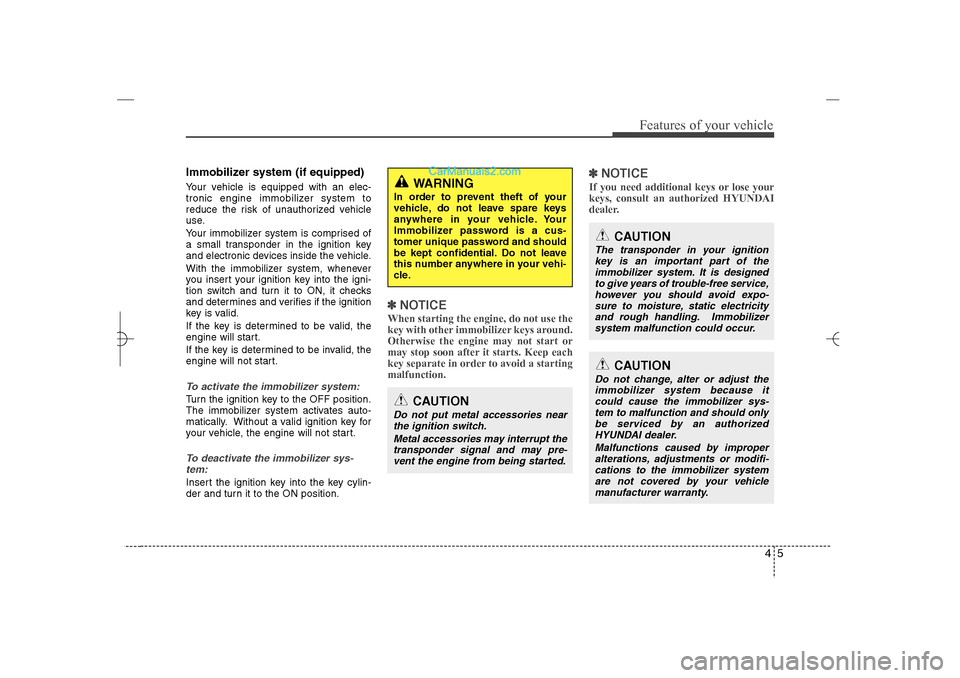
Immobilizer system (if equipped)Your vehicle is equipped with an elec-
tronic engine immobilizer system to
reduce the risk of unauthorized vehicle
use.
Your immobilizer system is comprised of
a small transponder in the ignition key
and electronic devices inside the vehicle.
With the immobilizer system, whenever
you insert your ignition key into the igni-
tion switch and turn it to ON, it checks
and determines and verifies if the ignition
key is valid.
If the key is determined to be valid, the
engine will start.
If the key is determined to be invalid, the
engine will not start.To activate the immobilizer system:Turn the ignition key to the OFF position.
The immobilizer system activates auto-
matically. Without a valid ignition key for
your vehicle, the engine will not start.To deactivate the immobilizer sys-
tem:Insert the ignition key into the key cylin-
der and turn it to the ON position.
✽ ✽
NOTICEWhen starting the engine, do not use the
key with other immobilizer keys around.
Otherwise the engine may not start or
may stop soon after it starts. Keep each
key separate in order to avoid a starting
malfunction.
✽ ✽
NOTICEIf you need additional keys or lose your
keys, consult an authorized HYUNDAI
dealer.
CAUTION
The transponder in your ignition
key is an important part of the
immobilizer system. It is designed
to give years of trouble-free service,
however you should avoid expo-
sure to moisture, static electricity
and rough handling. Immobilizer
system malfunction could occur.
WARNING
In order to prevent theft of your
vehicle, do not leave spare keys
anywhere in your vehicle. Your
Immobilizer password is a cus-
tomer unique password and should
be kept confidential. Do not leave
this number anywhere in your vehi-
cle.
CAUTION
Do not change, alter or adjust the
immobilizer system because it
could cause the immobilizer sys-
tem to malfunction and should only
be serviced by an authorized
HYUNDAI dealer.
Malfunctions caused by improper
alterations, adjustments or modifi-
cations to the immobilizer system
are not covered by your vehicle
manufacturer warranty.
CAUTION
Do not put metal accessories near
the ignition switch.
Metal accessories may interrupt the
transponder signal and may pre-
vent the engine from being started.
YF HMA 4a-111.qxp 1/16/2012 6:28 PM Page 5
Page 88 of 410

47
Features of your vehicle
LockingUsing the door handle switch
Pressing the button of the front outside
door handles with all doors closed and
any door unlock, locks all the doors. If all
doors, trunk and engine hood are closed,
the hazard warning lights will blink and
the chime will sound once to indicate that
all doors are locked.However, if any door remains open, the
doors won't lock and the chime will sound
for 3 seconds. Close the door and try
again to lock the doors.
If trunk lid or engine hood remains open,
the hazard warning light and chime won't
operate. After this, trunk lid and engine
hood are closed, the hazard warning
lights blink once.
The button will only operate when the
smart key is within 28~40in. (0.7~1m)
from the outside door handle.
If you want to make sure that a door has
locked or not, you should check the door
lock button inside the vehicle or pull the
outside door handle.
Even though you press the outside door
handle buttons, the doors will not lock
and the chime will sound for 3 seconds if
any of following occur:
The smart key is in the vehicle.
The ignition switch is in ACC or ON
position.
Any door except the trunk is open.Using the button on the smart key
All doors are locked if the lock button(1)
is pressed. If all doors, trunk and hood
are closed, the hazard warning lights will
blink and the chime will sound once to
indicate that all doors are locked.
However, if any door, trunk or engine
hood remains open, the hazard warning
lights and the chime will not operate. If all
doors, trunk and engine hood are closed
after the lock button is pressed, the haz-
ard warning lights blink.
OYF049213OYF049003
YF HMA 4a-111.qxp 1/16/2012 6:28 PM Page 7
Page 91 of 410

Features of your vehicle10 4This device complies with Part 15 of
the FCC rules.
Operation is subject to the following two
conditions:
1. This device may not cause harmful
interference, and
2. This device must accept any interfer-
ence received, including interference
that may cause undesired operation.
Restrictions in handling keys When leaving keys with parking lot and
valet attendants, the following proce-
dures will ensure that your vehicle’s trunk
and glove box compartment can only be
opened with the mechanical key.
LockWhen leaving the key with a parking lot
attendant or valet, perform the following.
Remove the mechanical key from the
smart key and leave the smart key with
the attendant. In this manner the smart
key can only be used to start the engine
and operate door locks.
Trunk
1. Open the trunk lid.
2. Set the trunk lid control switch to
LOCK position ( ).
3. Close the trunk lid.
Glove box
1. Press and hold the release button(1)
and remove the mechanical key (2).
To reinstall the mechanical key, put the
key into the hole and push it until a
click sound is heard.
2. Close and lock the glove box using the
mechanical key.
WARNING
Changes or modifications not
expressly approved by the party
responsible for compliance could
void the user’s authority to operate
the equipment. If the keyless entry
system is inoperative due to
changes or modifications not
expressly approved by the party
responsible for compliance, it will
not be covered by your manufactur-
er’s vehicle warranty.
OYF049004OYF049212
YF HMA 4a-111.qxp 1/16/2012 6:28 PM Page 10
Page 92 of 410

411
Features of your vehicle
Lock releaseTrunk
1. Open the trunk lid with the mechanical
key.
2. Set the trunk lid control switch to
UNLOCK ( ).
3. Close the trunk lid.
In this position the trunk will open with
the trunk lid release button or smart key.
Glove box
Unlock the glove box using the mechani-
cal key.
Battery replacementA smart key battery should last for sever-
al years, but if the smart key is not work-
ing properly, try replacing the battery with
a new one. If you are unsure how to use
your smart key or replace the battery,
contact an authorized HYUNDAI dealer.
1. Insert a slim tool into the opening and
gently pry open the rear cover of the
smart key.
2. Replace the battery with a new battery
(CR2032). When replacing the battery,
make sure the battery positive “+” sym-
bol faces up as indicated in the illus-
tration.
3. Install the battery in the reverse order
of removal.
OBH048004
CAUTION
The smart key is designed to give
you years of trouble-free use,
however it can malfunction if
exposed to moisture or static
electricity. If you are unsure how
to use or replace the battery, con-
tact an authorized HYUNDAI deal-
er.
Using the wrong battery can
cause the smart key to malfunc-
tion. Be sure to use the correct
battery.
To avoid damaging the smart key,
don't drop it, get it wet, or expose
it to heat or sunlight.
An inappropriately disposed bat-
tery can be harmful to the envi-
ronment and human health.
Dispose the battery according to
your local law(s) or regulation.
YF HMA 4a-111.qxp 1/16/2012 6:28 PM Page 11
Page 93 of 410

Features of your vehicle12 4Remote keyless entry system
operationsLock (1)All doors are locked if the lock button is
pressed. If all doors, trunk and hood are
closed, the hazard warning lights will
blink once to indicate that all doors are
locked.
Also, if the lock button is pressed once
more within 4 seconds, the hazard warn-
ing lights will blink and the horn will sound
once to confirm that the door is locked.
However, if any door, trunk lid or engine
hood remains open, the hazard warning
lights (and/or the horn) will not operate.
But if all doors, trunk lid and engine hood
are closed after the lock button is
pressed, the hazard warning lights will
blink once.
Unlock (2) Driver's door is unlocked if the unlock
button is pressed once. The hazard
warning lights will blink twice to indicate
that the driver's door is unlocked. All
doors are unlocked if the unlock button is
pressed twice within 4 seconds.
The hazard warning lights will blink twice
again to indicate that all doors are
unlocked. If no doors are opened within
30 seconds after unlocking them, the
doors will automatically lock again.Trunk unlock (3)The trunk is unlocked if the button is
pressed for more than 1 second.
Also, once the trunk is opened and then
closed, the trunk will be locked automati-
cally.Panic (4)The horn sounds and hazard warning
lights flash for about 30 seconds if this
button is pressed for more than 0.5 sec-
ond. To stop the horn and lights, press
any button except the trunk button on
the transmitter
Transmitter precautions✽ ✽
NOTICEThe transmitter will not work if any of
following occur:
• The ignition key is in ignition switch.
• You exceed the operating distance
limit (about 90 feet [30 m]).
• The battery in the transmitter is
weak.
• Other vehicles or objects may be
blocking the signal.
• The weather is extremely cold.
• The transmitter is close to a radio
transmitter such as a radio station or
an airport which can interfere with
normal operation of the transmitter.
When the transmitter does not work
correctly, open and close the door with
the ignition key. If you have a problem
with the transmitter, contact an author-
ized HYUNDAI dealer.
(Continued)
REMOTE KEYLESS ENTRY
ONF048011
YF HMA 4a-111.qxp 1/16/2012 6:28 PM Page 12
Page 96 of 410
415
Features of your vehicle
Lock the doors by pressing the lock but-
ton on the smart key.
After completion of the steps above, the
hazard warning lights and chime will
operate once to indicate that the system
is armed.
If any door, trunk lid or engine hood
remains open, the hazard warning lights
and chime won't operate and theft-alarm
will not arm. After this, if all doors, trunk
lid and engine hood are closed, the haz-
ard warning lights blink once.
Using the transmitterPark the vehicle and stop the engine.
Arm the system as described below.
1. Turn off the engine and remove the
ignition key from the ignition switch.
2. Make sure that all doors, the engine
hood and trunk lid are closed and
latched.
3. Lock the doors by pressing the lock
button on the transmitter.
After completion of the steps above, the
hazard warning lights will blink once to
indicate that the system is armed. If the
lock button is pressed once more within 4
seconds, hazard warning lights blink and
the horn sounds once to confirm that the
system is armed.
If any door, trunk lid or engine hood
remains open, the hazard warning lights
(or/and horn) won't operate and theft-
alarm will not arm. After this, if all doors,
trunk lid and engine hood are closed, the
hazard warning lights blink once.
Using the mechanical keyPark the vehicle and stop the engine.
Arm the system as described below.
1. Turn off the engine and remove the key
from the ignition switch(if equipped).
2. Make sure that all doors, the engine
hood and trunk lid are closed and
latched.
3. Lock the doors by inserting the key into
the key hole on the front outside door
handle and turning the key toward the
front of the vehicle.
If any door, trunk lid or engine hood
remains open, the theft-alarm will not
arm.✽ ✽
NOTICEIf you lock or unlock the doors by using
the mechanical key, the hazard warning
light and chime sound won't operate.
YF HMA 4a-111.qxp 1/16/2012 6:28 PM Page 15