Page 184 of 343
4123
Features of your vehicle
Delete All
Press the key Set [ Del.All]
through the TUNE knob or key.
Deletes all songs of My Music.
Delete Selection
Press the key Set [ Del.Sel]
through the TUNE knob or key.
Songs within My Music are selected and
deleted.
➀Select the songs you wish to delete
from the list.➁After selecting, press the key
and select the delete menu.
✽NOTICE - Using the My
Music
• Even if memory is available, a maxi-
mum of 6,000 songs can be stored.
• The same song can be copied up to
1,000 times.
• Memory info can be checked in the
System menu of Setup.
MENU
6MENU
5
MENU
Page 185 of 343

Features of your vehicle
124 4
BASIC METHOD OF USE :
USB / iPod®
(for non CD player)
Press the key to change the mode
in order of USB(iPod®) ➟ AUX .
The folder/file name is displayed on the
screen.
❈The USB music is automatically played
when a USB is connected.
Repeat
While song (file) is playing
(RPT) key
USB, iPod
®mode: RPT on screen
• To repeat one song (Shortly pressing
the key (under 0.8 seconds)): Repeats
the current song.
USB mode : FLD.RPT on screen
• To repeat folder (pressing twice):
repeats all files within the current folder.
❈Press the key again to turn off
repeat.
Random
While song (file) is playing
(RDM) key
USB mode: FLD.RDM on screen
• Folder Random (Shortly pressing the
key): Plays all files within the current
folder in random order.
USB mode: RDM on screen
• Random (pressing twice): Plays all files
in random order.
iPod
®mode: RDM on screen
• Random (press the key) : Plays all files
in random order.
❈Press the key again to turn off
random.
2 RDM
2 RDM
1 RPT
1 RPT
MEDIA
Page 189 of 343
Bluetooth®Wireless
Technology AUDIO
(if equipped)
What is Bluetooth®Wireless
Technology?
Bluetooth®Wireless Technology allows
devices to be connected in a short dis-
tance, including hands-free devices,
stereo headsets, wireless remote con-
trollers, etc. For more information, visit
the
Bluetooth®Wireless Technology
website at www.Bluetooth.com
Before using Bluetooth®Wireless
Technology audio features
•
Bluetooth®Wireless Technology audio
may not be supported depending on
the compatibility of your
Bluetooth®
Wireless Technology mobile phone.
• In order to use
Bluetooth®Wireless
Technology audio, you must first pair
and connect the
Bluetooth®Wireless
Technology mobile phone.• The
Bluetooth®word mark and logos
are registered trademarks owned by
Bluetooth®SIG, Inc. and any use of
such marks is under license. Other
trademarks and trade names are those
of their respective owners. A
Bluetooth®
enabled cell phone is required to useBluetooth®Wireless Technology
•
Bluetooth®Wireless Technology audio
can be used only when the [Audio
Streaming] of Phone is turned On.
❈Setting
Bluetooth®Wireless Technology
Audio Streaming : Press the
key Select [Phone] through the tune
knob Select [Audio Streaming] through
the TUNE knob Set /
Starting Bluetooth®Wireless
Technology Audio
• Press the key to change the
mode in order of CD ➟ USB ➟ AUX ➟
My Music ➟ BT Audio.
• If BT Audio is selected,
Bluetooth®
Wireless Technology audio will start
playing.
❈Audio may not automatically start play-
ing in some mobile phones.
Using the Bluetooth®Wireless
Technologyaudio features
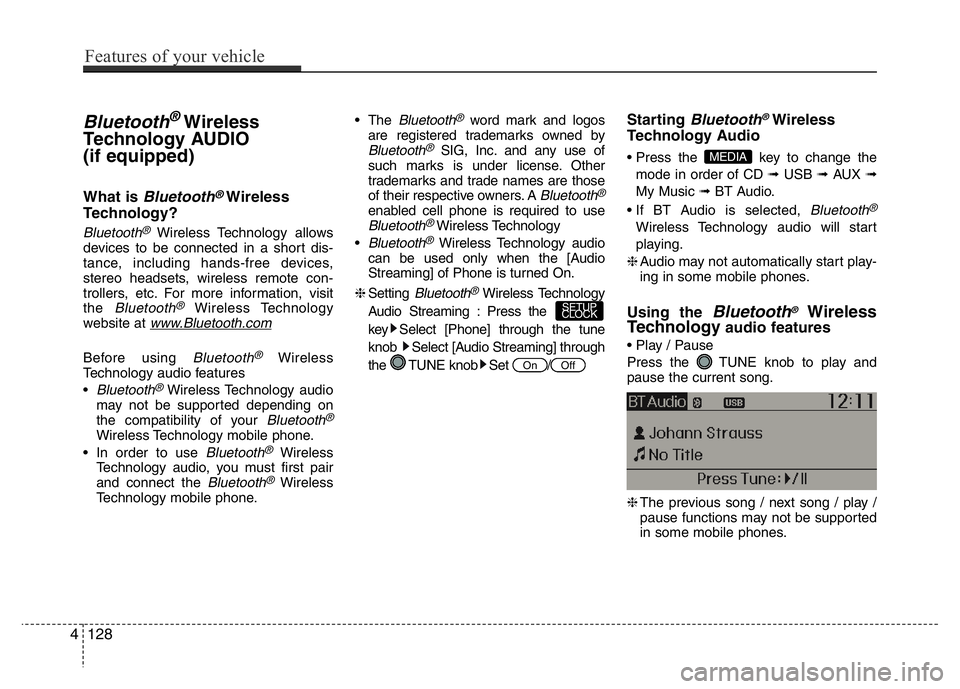
• Play / Pause
Press the TUNE knob to play and
pause the current song.
❈The previous song / next song / play /
pause functions may not be supported
in some mobile phones.
MEDIA
OffOn
SETUP
CLOCK
4128
Features of your vehicle
![HYUNDAI I10 2013 Owners Manual 4123
Features of your vehicle
Delete All
Press the key Set [ Del.All]
through the TUNE knob or key.
Deletes all songs of My Music.
Delete Selection
Press the key Set [ Del.Sel]
through the TUNE k](/manual-img/35/56228/w960_56228-183.png "HYUNDAI I10 2013 Owners Manual 4123
Features of your vehicle
Delete All
Press the key Set [ Del.All]
through the TUNE knob or key.
Deletes all songs of My Music.
Delete Selection
Press the key Set [ Del.Sel]
through the TUNE k")