2013 HONDA PILOT light
[x] Cancel search: lightPage 355 of 488
354
uuWhen DrivinguVTM (Variable Torque Management)-4r System*
Driving
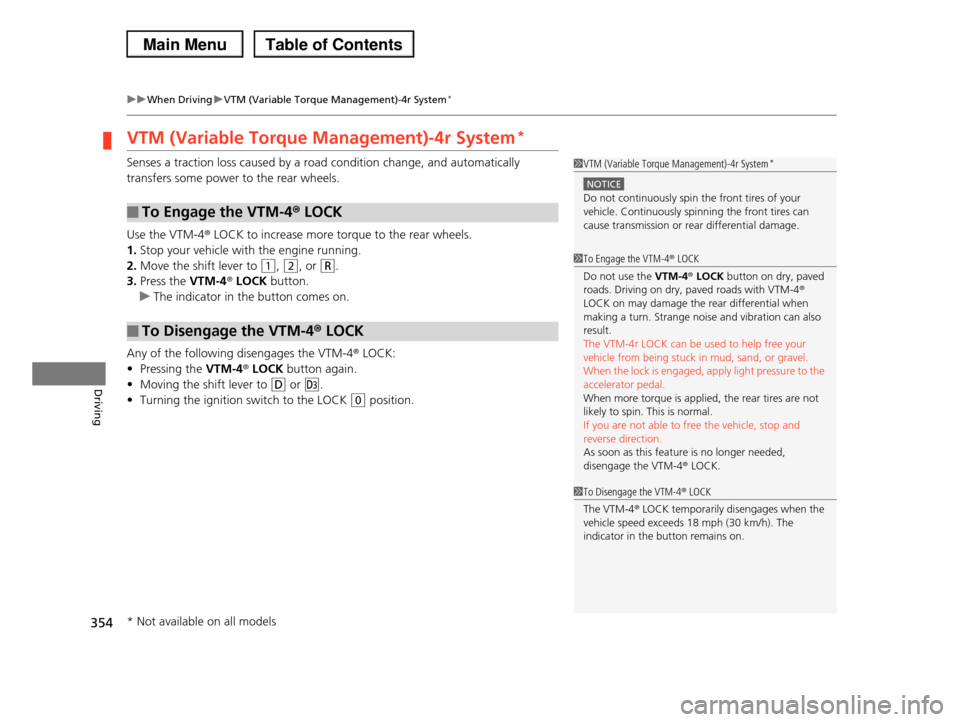
VTM (Variable Torque Management)-4r System*
Senses a traction loss caused by a road condition change, and automatically
transfers some power to the rear wheels.
Use the VTM-4r LOCK to increase more torque to the rear wheels.
1.Stop your vehicle with the engine running.
2.Move the shift lever to (1, (2, or (R.
3.Press the VTM-4r LOCK button.
uThe indicator in the button comes on.
Any of the following disengages the VTM-4r LOCK:
•Pressing the VTM-4r LOCK button again.
•Moving the shift lever to (D or (d.
•Turning the ignition switch to the LOCK (0 position.
■To Engage the VTM-4r LOCK
■To Disengage the VTM-4r LOCK
1VTM (Variable Torque Management)-4r System*
NOTICE
Do not continuously spin the front tires of your vehicle. Continuously spinning the front tires can
cause transmission or rear differential damage.
1To Engage the VTM-4r LOCK
Do not use the VTM-4r LOCK button on dry, paved roads. Driving on dry, paved roads with VTM-4r
LOCK on may damage the rear differential when
making a turn. Strange noise and vibration can also result.
The VTM-4r LOCK can be used to help free your
vehicle from being stuck in mud, sand, or gravel.When the lock is engaged, apply light pressure to the
accelerator pedal.
When more torque is applied, the rear tires are not likely to spin. This is normal.
If you are not able to free the vehicle, stop and
reverse direction. As soon as this feature is no longer needed,
disengage the VTM-4r LOCK.
1To Disengage the VTM-4r LOCK
The VTM-4r LOCK temporarily disengages when the
vehicle speed exceeds 18 mph (30 km/h). The
indicator in the button remains on.
* Not available on all models
Page 357 of 488

uuWhen DrivinguTPMS (Tire Pressure Monitoring System)
356
Driving
If your vehicle's tire pressure becomes significantly low, the specific tire indicator
comes on.
To select the tire pressure monitor, turn the
ignition switch to ON (w, and press the /
(information) button until you see the tire
pressure screen.
The pressure for each tire is displayed in PSI
(U.S.) or kPa (Canada).
CHECK TIRE PRESSURE is displayed when a
tire has significantly low pressure. The specific
tire is displayed on the screen.
■Tire Pressure Monitor1Tire Pressure Monitor
The pressure displayed on the multi-information
display can be slightly different from the actual
pressure as measured by a gauge. If there is a significant difference between the two values, or if
the low tire pressure/TPMS indicator and the message
on the multi-information display do not go off after you have inflated the tire to the specified pressure,
have the system checked by a dealer.
CHECK TPMS SYSTEM may appear if you drive with
the compact spare tire, or there is a problem with the
TPMS.
Models with multi-information displayModels with information display
Models with multi-information display
Page 362 of 488

361
uuBrakinguBrake System
Driving
Your vehicle is equipped with disc brakes at all four wheels. A vacuum power assist
helps reduce the effort needed on the brake pedal. The brake assist system increases
the stopping force when you depress the brake pedal hard in an emergency
situation. The anti-lock brake system (ABS) helps you retain steering control when
braking very hard.
2Brake Assist System P. 363
2ABS (Anti-lock Brake System) P. 362
■Foot Brake1Foot Brake
Check the brakes after driving through deep water, or if there is a buildup of road surface water. If
necessary, dry the brakes by lightly depressing the
pedal several times.
If you hear a continuous metallic friction sound when
applying the brakes, the brake pads need to be replaced. Have the vehicle checked by a dealer.
Constantly using the brake pedal while going down a long hill builds up heat, which reduces the brake
effectiveness. Apply engine braking by taking your
foot off the accelerator pedal and downshifting to a lower gear.
Do not rest your foot on the brake pedal while driving, as it will lightly apply the brakes and cause
them to lose effectiveness over time and reduce pad
life. It will also confuse drivers behind you.
Page 363 of 488

362
uuBrakinguABS (Anti-lock Brake System)
Driving
ABS (Anti-lock Brake System)
Helps prevent the wheels from locking up, and helps you retain steering control by
pumping the brakes rapidly, much faster than you.
The electronic brake distribution (EBD) system, which is part of the ABS, also
balances the front-to-rear braking distribution according to vehicle loading.
You should never pump the brake pedal. Let the ABS work for you by always
keeping firm, steady pressure on the brake pedal. This is sometimes referred to as
“stomp and steer.”
■ABS operation
The brake pedal may pulsate slightly when the ABS is working. Keep holding the
pedal firmly down. On dry pavement, you will need to press on the brake pedal very
hard before the ABS activates. However, you may feel the ABS activate immediately
if you are trying to stop on snow or ice.
When the vehicle speed goes under 6 mph (10 km/h), the ABS stops.
■ABS1ABS (Anti-lock Brake System)
NOTICE
The ABS may not function correctly if you use an incorrect tire type and size.
When the ABS indicator comes on while driving, there may be a problem with the system.
While normal braking is not affected, there is a
possibility of the ABS not operating. Have the vehicle checked by a dealer immediately.
The ABS does not reduce the time or distance it takes to stop the vehicle. It only helps with steering control
during hard braking.
In the following cases, your vehicle may need more stopping distance than a vehicle without the ABS:
•When driving on rough road surfaces, including
when driving on uneven surfaces, such as gravel or snow.
•When tire chains are installed.
You may hear a motor sound coming from the
engine compartment while system checks are being
performed immediately after starting the engine or while driving. This is normal.
Page 364 of 488
363
uuBrakinguBrake Assist System
Driving
Brake Assist System
Designed to assist the driver by generating greater braking force when you depress
the brake pedal hard during emergency braking.
■Brake assist system operation
Press the brake pedal firmly for more powerful braking.
When brake assist operates, the pedal may wiggle slightly and an operating noise
may be heard. This is normal. Keep holding the brake pedal firmly down.
Page 370 of 488

369
Driving
Rearview Camera*
About Your Rearview Camera
The audio/information screen can display your vehicle’s rear view.
The display automatically changes to a rear view when the shift lever is moved to
(R.
■Rearview Camera Display Area
1About Your Rearview Camera
The rear camera view is restricted. You cannot see
the corner ends of the bumper or what is underneath
the bumper. Its unique lens also makes objects appear closer or farther than they actually are.
Visually confirm that it is safe to drive before backing up. Certain conditions (such as weather, lighting, and
high temperatures) may also restrict the rear view. Do
not rely on the rearview display which does not give you all information about conditions at the back of
your vehicle.
To turn the guide lines on or off, press and hold the
RETURN button for about three seconds.
If you turn the guide lines off, they remain off until you turn them back on.
Rotate to adjust the brightness of the rearview camera.
If the camera lens is covered with dirt or moisture, use a soft, moist cloth to keep the lens clean and free
of debris.
Models without navigation system
Screen display
Bumper
GuidelinesApprox. 118 in (3 m)
Approx. 79 in (2 m)
Approx. 39 in (1 m)
Approx. 20 in (0.5 m)
Tailgate Open Range
Approx. 118 in (3 m)
Approx. 79 in (2 m) Approx. 39 in (1 m)
Camera
* Not available on all models
Page 378 of 488

377
Maintenance
This chapter discusses basic maintenance.
Before Performing MaintenanceInspection and Maintenance ............ 378Safety When Performing Maintenance..... 379Parts and Fluids Used in Maintenance Service ........................................... 380Maintenance Minder™.................... 381Maintenance Under the HoodMaintenance Items Under the Hood ..... 389Opening the Hood ........................... 390 Recommended Engine Oil ................ 392 Oil Check ......................................... 393Adding Engine Oil ............................ 394Changing the Engine Oil and Oil Filter ..... 395
Engine Coolant ................................ 397Transmission Fluid ............................ 399Brake Fluid ....................................... 400 Power Steering Fluid ........................ 400 Refilling Window Washer Fluid......... 401Replacing Light Bulbs....................... 402Checking and Maintaining Wiper Blades.... 410Checking and Maintaining TiresChecking Tires ................................. 414Tire and Loading Information Label ...... 415Tire Labeling .................................... 415DOT Tire Quality Grading (U.S. Vehicles)....... 417Wear Indicators................................ 419
Tire Service Life ................................ 419Tire and Wheel Replacement ........... 420Tire Rotation .................................... 421 Winter Tires ..................................... 422Battery............................................... 423Remote Transmitter CareReplacing the Button Battery ........... 424Remote Control and Wireless Headphone Care*........................... 425Climate Control System Maintenance..... 427Cleaning
Interior Care .................................... 428 Exterior Care.................................... 430
* Not available on all models
Page 379 of 488

378
Maintenance
Before Performing Maintenance
Inspection and Maintenance
For your safety, perform all listed inspections and maintenance to keep your vehicle
in good condition. If you become aware of any abnormality (noise, smell, insufficient
brake fluid, oil residue on the ground, etc.), have your vehicle inspected by a dealer.
(Note, however, that service at a dealer is not mandatory to keep your warranties in
effect.) Refer to the separate maintenance booklet for detailed maintenance and
inspection information.
■Daily inspections
Perform inspections before long distance trips, when washing the vehicle, or when
refueling.
■Periodic inspections
•Check the automatic transmission fluid level monthly.
2Automatic Transmission Fluid P. 399
•Check the brake fluid level monthly.
2Checking the Brake Fluid P. 400
•Check the tire pressure monthly. Examine the tread for wear and foreign objects.
2Checking and Maintaining Tires P. 414
•Check the operation of the exterior lights monthly.
2Replacing Light Bulbs P. 402
•Check the condition of the wiper blades at least every six months.
2Checking and Maintaining Wiper Blades P. 410
■Types of Inspection and Maintenance
1Inspection and Maintenance
Maintenance, replacement, or repair of
emissions control devices and systems may be done by any automotive repair establishment or
individuals using parts that are “certified” to
EPA standards.
According to state and federal regulations, failure to
perform maintenance on the maintenance main items marked with # will not void your emissions
warranties. However, all maintenance services should
be performed in accordance with the intervals indicated by the information display*/multi-
information display*.
2Maintenance Service Items P. 383
If you want to perform complex maintenance tasks
that require more skills and tools, purchase the service manual.
2Authorized Manuals P. 474
If you want to perform maintenance yourself, make
sure that you have the necessary tools and skills first.
After performing maintenance, update the records in the separate maintenance booklet.
U.S. models
* Not available on all models