Page 132 of 488
131
uuOperating the Switches Around the Steering WheeluRear Defogger/Heated Door Mirror* Button
Controls
Rear Defogger/Heated Door Mirror* Button
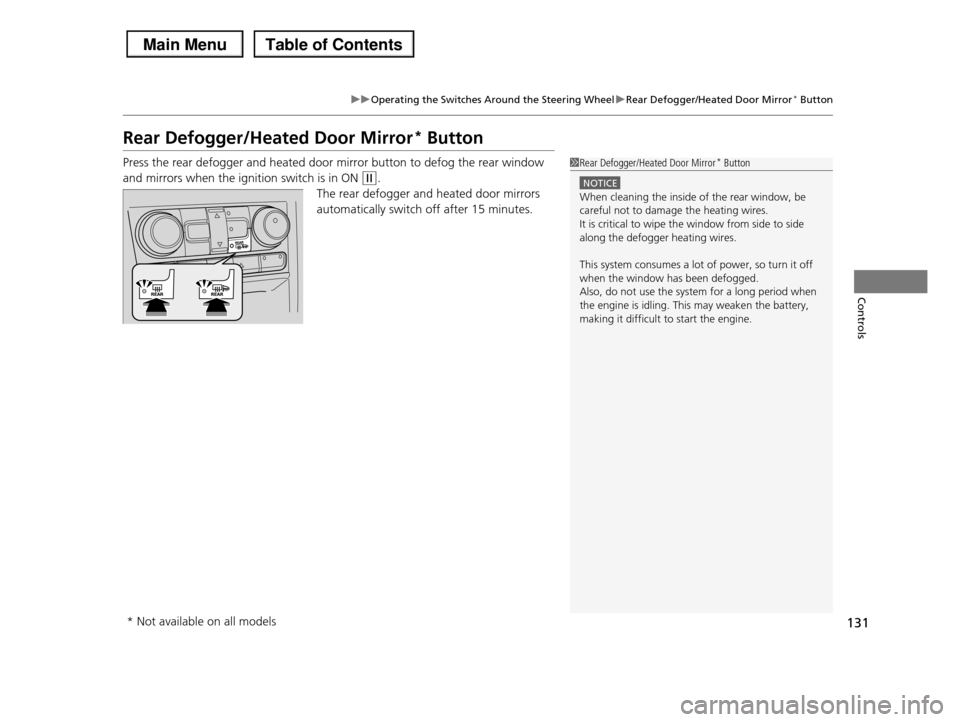
Press the rear defogger and heated door mirror button to defog the rear window
and mirrors when the ignition switch is in ON (w.
The rear defogger and heated door mirrors
automatically switch off after 15 minutes.
1Rear Defogger/Heated Door Mirror* Button
NOTICE
When cleaning the inside of the rear window, be careful not to damage the heating wires.
It is critical to wipe the window from side to side
along the defogger heating wires.
This system consumes a lot of power, so turn it off
when the window has been defogged. Also, do not use the system for a long period when
the engine is idling. This may weaken the battery,
making it difficult to start the engine.
* Not available on all models
Page 133 of 488
132
uuOperating the Switches Around the Steering WheeluDriving Position Memory System*
Controls
Driving Position Memory System*
You can store two driver’s seat and door mirror positions with the driving position
memory system.
When you unlock and open the driver’s door with a remote transmitter, the seat and
door mirrors adjust automatically to one of the two preset positions.
The multi-information display shows you which remote transmitter you used to
unlock the vehicle when you enter.
•Driver 1 transmitter is linked to memory button 1.
•Driver 2 transmitter is linked to memory button 2.
1Driving Position Memory System*
Using the multi-information display, you can disable
the automatic seat adjustment function.
2Customized Features P. 90
The customize setting is also stored by the Driver 1
and 2 transmitters. What setting is recalled next time depends on which transmitter you use to unlock and
open the driver's door.
Driver 1Driver 2
* Not available on all models
Page 134 of 488
133
uuOperating the Switches Around the Steering WheeluDriving Position Memory System*
Controls
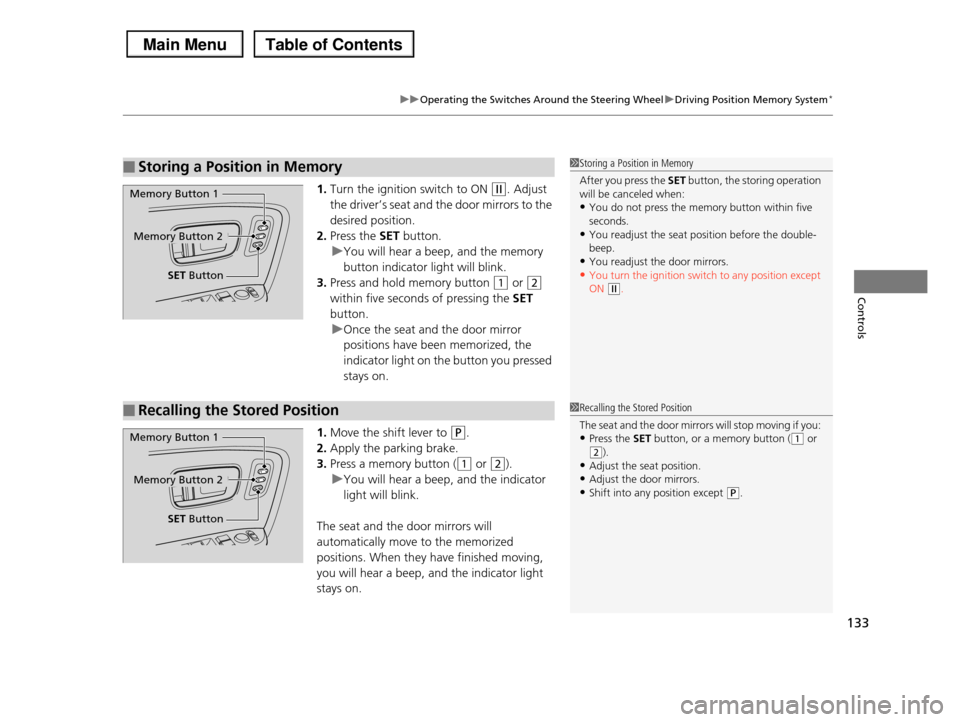
1.Turn the ignition switch to ON (w. Adjust
the driver’s seat and the door mirrors to the
desired position.
2.Press the SET button.
uYou will hear a beep, and the memory
button indicator light will blink.
3.Press and hold memory button (1 or (2
within five seconds of pressing the SET
button.
uOnce the seat and the door mirror
positions have been memorized, the
indicator light on the button you pressed
stays on.
1.Move the shift lever to (P.
2.Apply the parking brake.
3.Press a memory button ((1 or (2).
uYou will hear a beep, and the indicator
light will blink.
The seat and the door mirrors will
automatically move to the memorized
positions. When they have finished moving,
you will hear a beep, and the indicator light
stays on.
■Storing a Position in Memory1Storing a Position in Memory
After you press the SET button, the storing operation will be canceled when:
•You do not press the memory button within five
seconds.•You readjust the seat position before the double-
beep.
•You readjust the door mirrors.•You turn the ignition switch to any position except
ON (w.
Memory Button 1
Memory Button 2
SET Button
■Recalling the Stored Position1Recalling the Stored Position
The seat and the door mirrors will stop moving if you:
•Press the SET button, or a memory button ((1 or (2).
•Adjust the seat position.
•Adjust the door mirrors.•Shift into any position except (P.
Memory Button 1
Memory Button 2
SET Button
Page 137 of 488
136
uuAdjusting the Mirrors uPower Door Mirrors
Controls
Power Door Mirrors
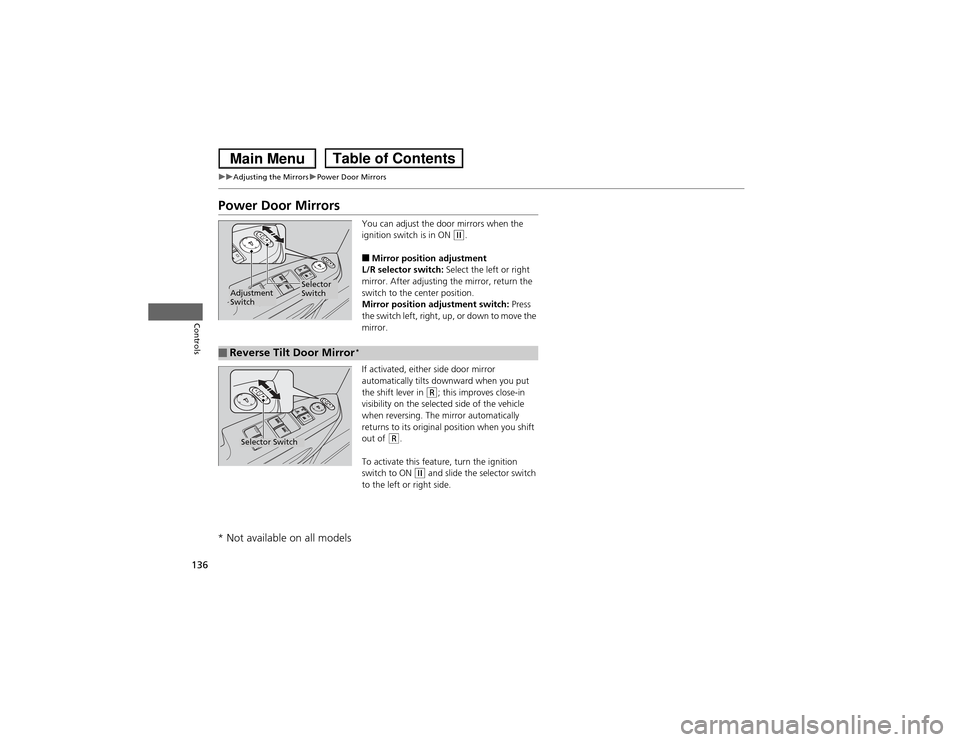
You can adjust the door mirrors when the
ignition switch is in ON
(w.
■Mirror position adjustment
L/R selector switch: Select the left or right
mirror. After adjusting the mirror, return the
switch to the center position.
Mirror position adjustment switch: Press
the switch left, right, up, or down to move the
mirror.
If activated, either side door mirror
automatically tilts downw ard when you put
the shift lever in
(R; this improves close-in
visibility on the selected side of the vehicle
when reversing. The mirror automatically
returns to its original position when you shift
out of
(R.
To activate this feature, turn the ignition
switch to ON
(w and slide the selector switch
to the left or right side.
Selector
Switch
Adjustment
Switch■Reverse Tilt Door MirrorSelector Switch
* Not available on all models
*
Page 151 of 488

150
Controls
Interior Lights/Interior Convenience Items
Interior Lights
■ON
The interior lights come on regardless of
whether the doors are open or closed.
■Door activated
The interior lights come on in the following
situations:
•When any of the doors are opened.
•You unlock the driver's door.
•You remove the key from the ignition
switch.
Only the cargo area light comes on when the
tailgate is opened.
■OFF
The interior lights remain off regardless of
whether the doors are open or closed.
■Interior Light Switches1Interior Light Switches
In the door activated position, the interior lights fade out and go off about 30 seconds after the doors are
closed.
The lights go off after 30 seconds in the following
situations:•When you unlock the driver's door but do not open
it.
•When you remove the key from the ignition switch but do not open a door.
The interior lights go off immediately in the following situations:
•When you lock the driver's door.
•When you close the driver's door with the key in the ignition switch.
•When you turn the ignition switch to ON (w.
If you leave any of the doors open without the key in
the ignition switch, the interior lights go off after
about 15 minutes.
You can change the interior lights dimming time.2Customized Features P. 90
Models with multi-information display
Door Activated PositionOFF
Front
Door Activated Position
ON
OFF
Cargo Area
ON
Page 152 of 488
151
uuInterior Lights/Interior Convenience ItemsuInterior Lights
Controls
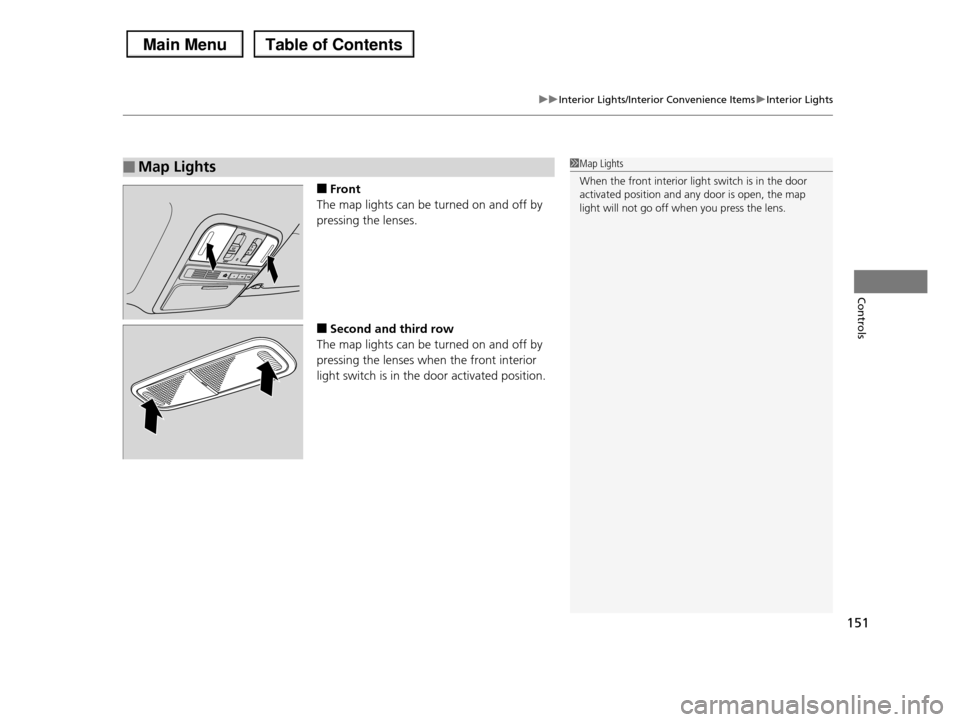
■Front
The map lights can be turned on and off by
pressing the lenses.
■Second and third row
The map lights can be turned on and off by
pressing the lenses when the front interior
light switch is in the door activated position.
■Map Lights1Map Lights
When the front interior light switch is in the door
activated position and any door is open, the map
light will not go off when you press the lens.
Page 277 of 488
276
Features
HomeLink® Universal Transceiver*
The HomeLink® Universal Transceiver can be programmed to operate up to three
remote controlled devices around your home, such as garage doors, lighting, or
home security systems.
Refer to the safety information that comes with your garage door opener to test that
the safety features are functioning properly. If you do not have the safety
information, contact the manufacturer.
Before programming HomeLink, make sure that people and objects are out of the
way of the garage or gate to prevent potential injury or damage.
When programming a garage door opener, park just outside the garage door’s
path.
Training HomeLink
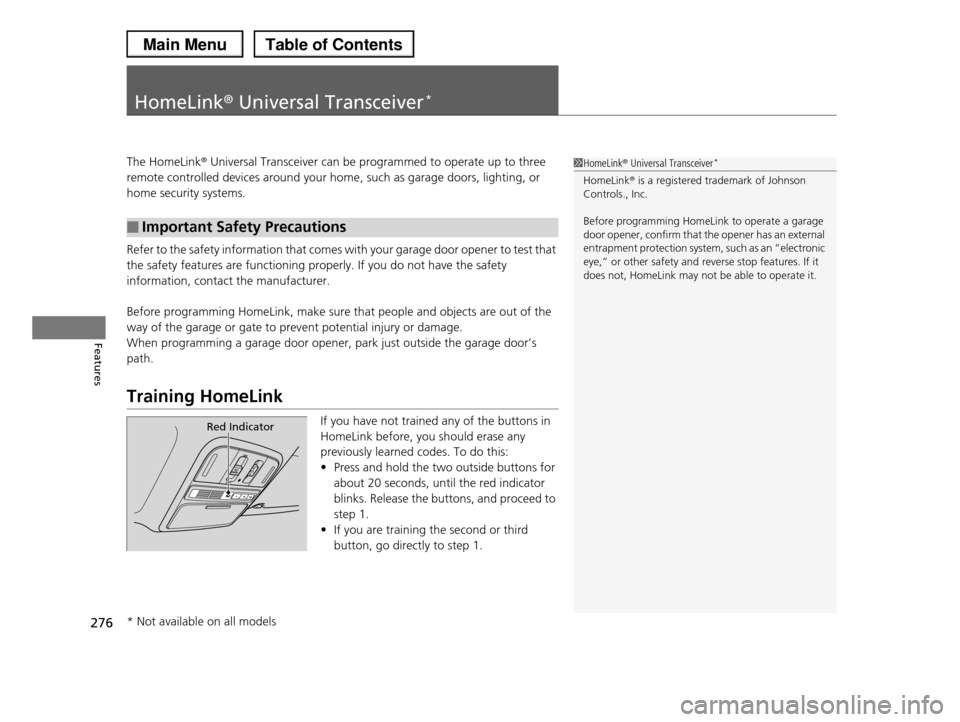
If you have not trained any of the buttons in
HomeLink before, you should erase any
previously learned codes. To do this:
•Press and hold the two outside buttons for
about 20 seconds, until the red indicator
blinks. Release the buttons, and proceed to
step 1.
•If you are training the second or third
button, go directly to step 1.
■Important Safety Precautions
1HomeLink® Universal Transceiver*
HomeLink® is a registered trademark of Johnson Controls., Inc.
Before programming HomeLink to operate a garage door opener, confirm that the opener has an external
entrapment protection system, such as an “electronic
eye,” or other safety and reverse stop features. If it does not, HomeLink may not be able to operate it.
Red Indicator
* Not available on all models
Page 278 of 488
277
uuHomeLink® Universal Transceiver*uTraining HomeLink
Features
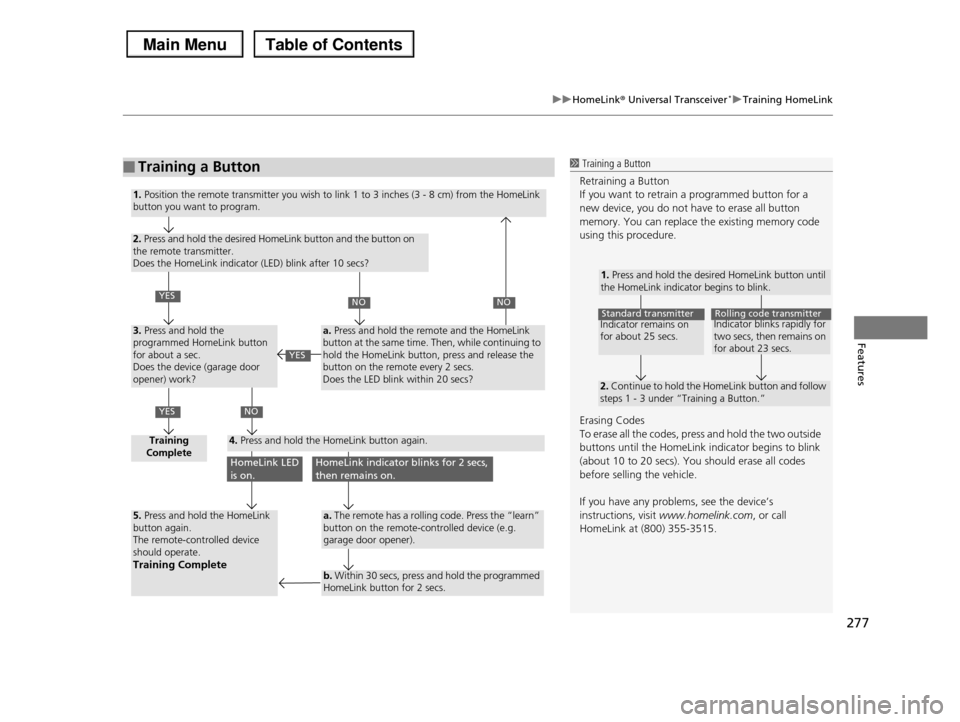
■Training a Button1 Training a Button
Retraining a Button
If you want to retrain a programmed button for a new device, you do not have to erase all button
memory. You can replace the existing memory code
using this procedure.
Erasing Codes
To erase all the codes, press and hold the two outside
buttons until the HomeLink indicator begins to blink (about 10 to 20 secs). You should erase all codes
before selling the vehicle.
If you have any problems, see the device’s
instructions, visit www.homelink.com, or call
HomeLink at (800) 355-3515.
1. Press and hold the desired HomeLink button until the HomeLink indicator begins to blink.
2. Continue to hold the HomeLink button and follow steps 1 - 3 under “Training a Button.”
Indicator remains on for about 25 secs.
Standard transmitterIndicator blinks rapidly for two secs, then remains on for about 23 secs.
Rolling code transmitter
1. Position the remote transmitter you wish to link 1 to 3 inches (3 - 8 cm) from the HomeLink button you want to program.
2. Press and hold the desired HomeLink button and the button on the remote transmitter. Does the HomeLink indicator (LED) blink after 10 secs?
3. Press and hold the programmed HomeLink button for about a sec. Does the device (garage door opener) work?
Training Complete4. Press and hold the HomeLink button again.
5. Press and hold the HomeLink button again.The remote-controlled device should operate.Training Complete
a. Press and hold the remote and the HomeLink button at the same time. Then, while continuing to hold the HomeLink button, press and release the button on the remote every 2 secs.Does the LED blink within 20 secs?
a. The remote has a rolling code. Press the “learn” button on the remote-controlled device (e.g. garage door opener).
b. Within 30 secs, press and hold the programmed HomeLink button for 2 secs.
YES
YES
NONO
NO
HomeLink LED is on.HomeLink indicator blinks for 2 secs, then remains on.
YES